Home › Business

 US
US
1 of 1 storefronts
Content in en-US
Content in en-US
Information
Preview 2 platforms
iPhone 4 images


iPad 3 images

What’s New Version 1.5.1
Bug fixes in Agenda, Task Details and Notifications.
Description
Note: In order to use this app, please first make a Ganttic account.
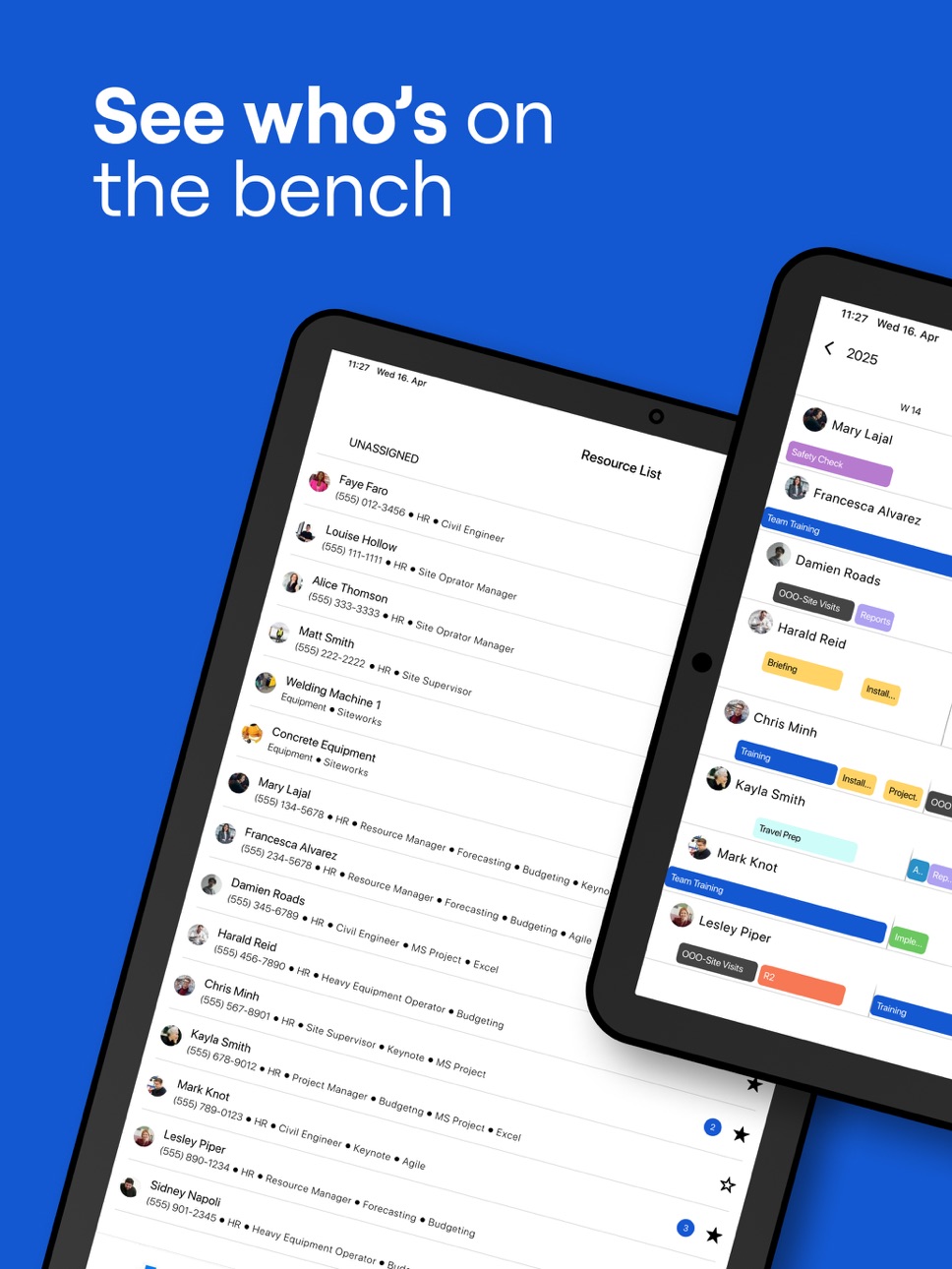
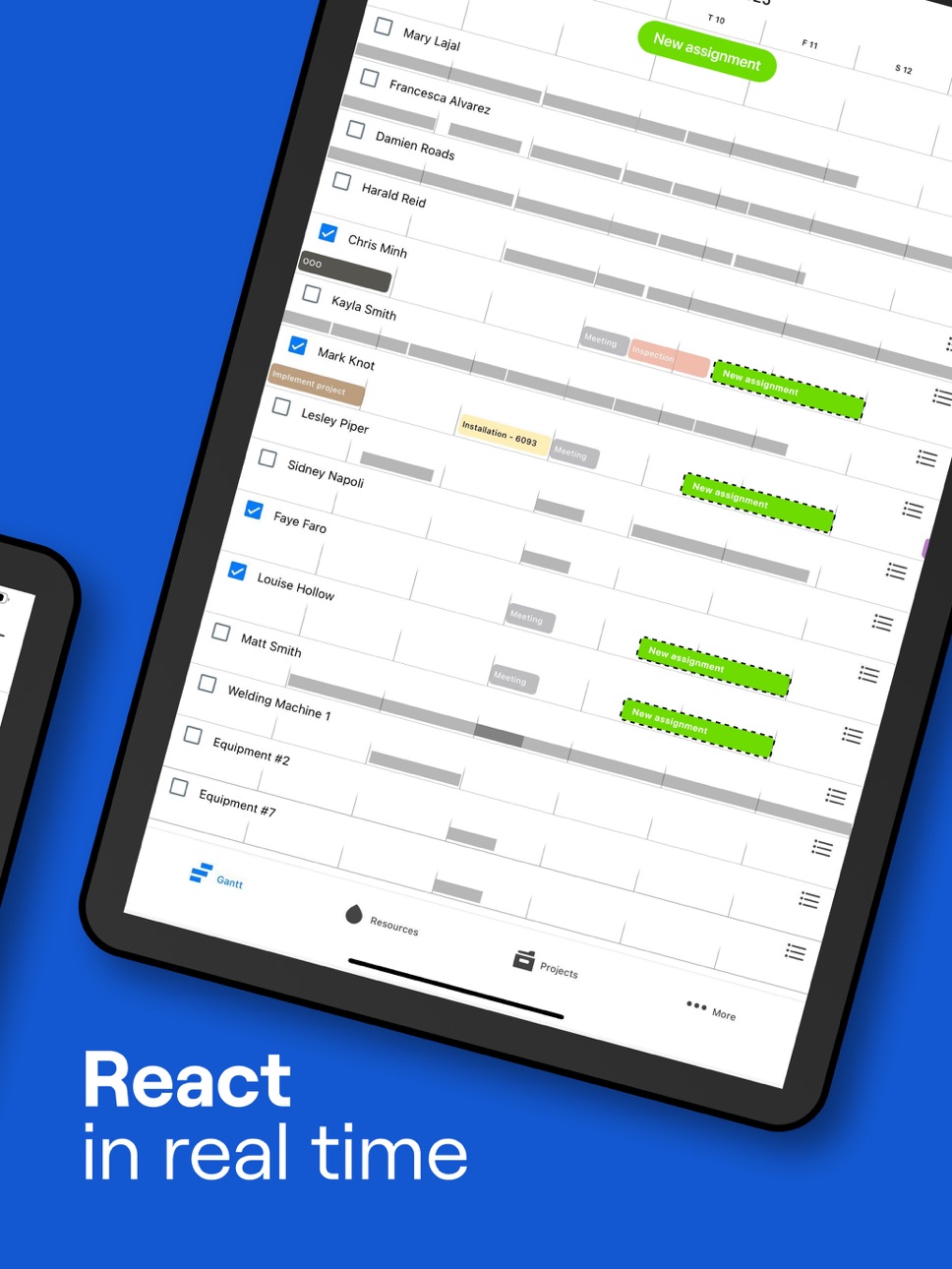
Take your resource planning anywhere with Ganttic Planner, the mobile companion app for Ganttic’s resource management software. Whether you are a manager overseeing multiple projects or a team member checking your daily agenda, this app keeps you connected to your schedule at all times.
Stay in Sync with Your Team
• Add & review notes – Keep important details at your fingertips.View schedules in real time and see tasks in a Gantt chart or as a daily agenda.
• Update plans on the go by creating, editing, or moving tasks with a tap.
• Receive instant notifications and stay informed about schedule changes.
• Access and edit project, task, and resource details.
• Add and review notes to keep important details at your fingertips.
Who is Ganttic Planner for?
Ganttic is trusted by teams in construction, manufacturing, consulting, IT, marketing, and other industries. From field workers who need real-time updates to project managers refining schedules, this app helps keep everyone aligned.
How to Get Started
New users can sign up for a free Ganttic account inside the app or at https://planner.ganttic.com/signup.
Existing users can log in and start managing schedules on the go.
Pricing and Policies
Ganttic Planner is free to use with a Ganttic account.
Privacy Policy: https://www.ganttic.com/privacy-policy
Terms of Service: https://www.ganttic.com/terms-and-conditions
Ganttic Planner gives you the flexibility to manage schedules wherever work takes you. Download now and stay in control of your planning.
Accessibility
ipadiphonemacrealityDevicetvoswatch
Version history 13 versions
Build 887286309v1.5.12026-06-22 20:24:23
Bug fixes in Agenda, Task Details and Notifications.
Build 886474293v1.5.02026-06-03 19:04:06
New: Project's Tasks can be seen as Agenda.
Updated Agenda style, Resource and Project List. Bug fix in Gantt.
Build 885569634v1.4.02026-05-12 20:29:04
Will now show notes info on Gantt taskbars. Can be turned off in Settings.
Build 884985748v1.3.12026-04-29 01:58:16
Bug fixes in Agenda.
Build 884538461v1.3.02026-04-15 17:16:17
Added Sign Up and Remove Account. Bug fixes in Agenda and Gantt.
Build 882508200v1.2.02026-02-16 19:46:07
Feature update:
Taskbars can be colored using: Task colors, Task Data Field values, Project colors, Project Data Field values, or with Resource colors.
Bug fixes in Agenda, Project List, Project Gantt.
Build 880765560v1.1.22025-12-17 21:27:17
Notes send button update. Bug fixes in the Gantt view.
Build 879936025v1.1.02025-11-20 21:21:08
New feature: Resource Filtering in Gantt and Resource List.
Task details' resources list is affected by resource filtering settings that are applied in Gantt, Project Gantt or Resource List depending on what page you open Task Details.
Build 877650435v1.0.42025-08-28 23:53:28
Project Gantt has Milestones. Bug fixes in About and Search pages.
Build 877053244v1.0.32025-08-07 22:38:10
New features: Project Gantt, custom timeline in Gantt, Side Menu. Bug fixes and style updates.
Build 874523540v1.0.22025-05-05 21:20:42
Resource, Task and Project notes and data fields (except Check) can now be copied with long press. Updated Login and Gantt pages.
Build 874356353v1.0.12025-04-29 05:09:40
Bug fixes in Task Details. Updated About and Login page.
Build 870498092v1.0.02025-04-22 11:51:10
No pricing data captured yet — comparisons appear once the app has paid storefronts or in-app purchases.
Availability 1 of 1 storefronts
| Region | Language | Price | Ratings | Avg | Version |
|---|---|---|---|---|---|
| US | en-US | Free | 0 | — | 1.5.1 |
Change log 16 changes · US
✎
releaseNotes updated
Bug fixes in Agenda, Task Details and Notifications.
✎
description updated
Note: In order to use this app, please first make a Ganttic account.
Take your resource planning anywhere with Ganttic Planner, the mobile companion app for G
✎
name updated
Ganttic Planner
◆
Version 1.5.1 released
Bug fixes in Agenda, Task Details and Notifications.
◆
Version 1.5.0 released
New: Project's Tasks can be seen as Agenda.
Updated Agenda style, Resource and Project List. Bug fix in Gantt.
◆
Version 1.4.0 released
Will now show notes info on Gantt taskbars. Can be turned off in Settings.
◆
Version 1.3.1 released
Bug fixes in Agenda.
◆
Version 1.3.0 released
Added Sign Up and Remove Account. Bug fixes in Agenda and Gantt.
◆
Version 1.2.0 released
Feature update:
Taskbars can be colored using: Task colors, Task Data Field values, Project colors, Project Data Field values, or with Resource colors.
Bug fixes in Agenda, Project List, Project Gantt.
◆
Version 1.1.2 released
Notes send button update. Bug fixes in the Gantt view.
◆
Version 1.1.0 released
New feature: Resource Filtering in Gantt and Resource List.
Task details' resources list is affected by resource filtering settings that are applied in Gantt, Project Gantt or Resource List depending on what page you open Task Details.
◆
Version 1.0.4 released
Project Gantt has Milestones. Bug fixes in About and Search pages.
◆
Version 1.0.3 released
New features: Project Gantt, custom timeline in Gantt, Side Menu. Bug fixes and style updates.
◆
Version 1.0.2 released
Resource, Task and Project notes and data fields (except Check) can now be copied with long press. Updated Login and Gantt pages.
◆
Version 1.0.1 released
Bug fixes in Task Details. Updated About and Login page.
◆
Version 1.0.0 released