Home › Productivity

 US
US
1 of 1 storefronts
Content in en-US
Content in en-US
Information
Preview 1 platform
iPhone 9 images




What’s New Version 7.0
What’s New
- Full app refresh with a cleaner, more polished design across WorkPlace.
- Added Live Activities for active work sessions, including Lock Screen and Dynamic Island support.
- Improved Statistics with clearer dashboards, charts, and productivity insights.
- Fixed early clock-out handling so sessions save more reliably.
- Improved leave reminders so return-to-work notifications use the correct saved leave dates.
- Improved scheduled work reminders, including better handling for shifts that start near midnight.
- Improved reliability for active session recovery, breaks, travel records, accommodation details, and overnight shifts.
- Added stability improvements, cleanup, and test coverage.
Description
Effortless Time Tracking for Work, Shifts & Overtime
Take control of your work hours with WorkPlace Time Keeper – the ultimate time tracker for remote, hybrid, and shift workers. Whether you’re tracking hours, managing shifts, or calculating overtime, this app simplifies your schedule with smart automation and detailed insights, making work time tracking effortless.
Key Features:
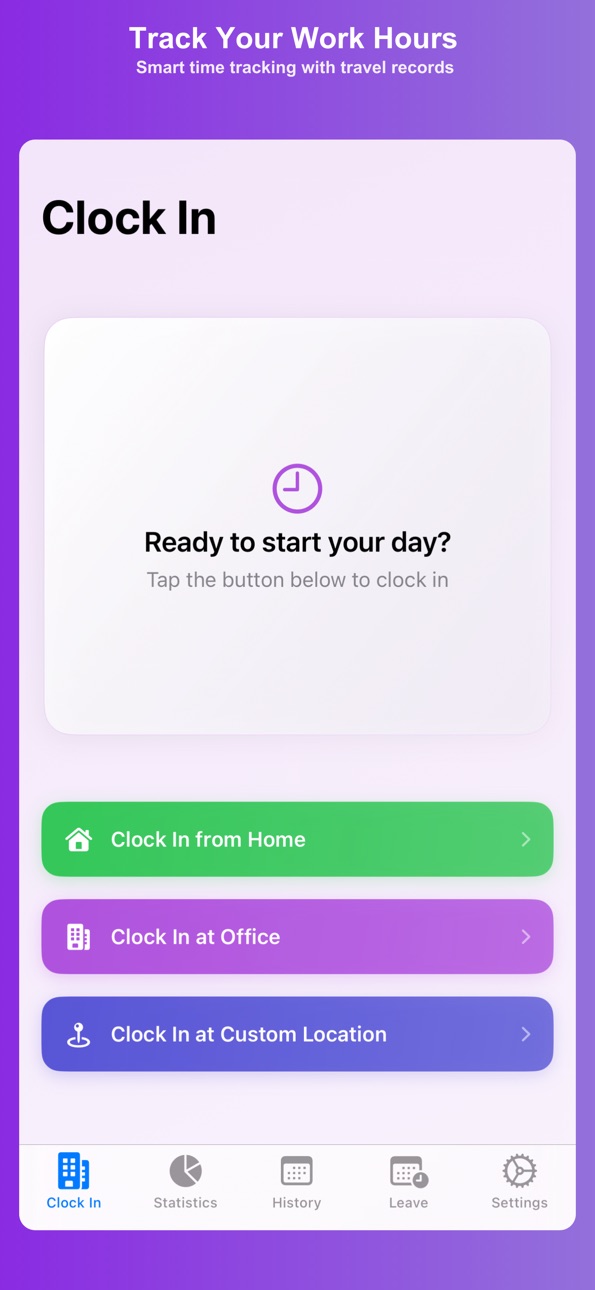
• Easy Work Hour Tracking: Clock in and out from anywhere—home, office, or custom locations.
• Smart Timesheet & Overtime Calculator: Automatically track your shifts, overtime, and total work hours.
• Hybrid & Remote Work Support: Effortlessly manage your schedule across multiple locations.
• Overnight Shift Management: Track shifts that cross midnight with ease.
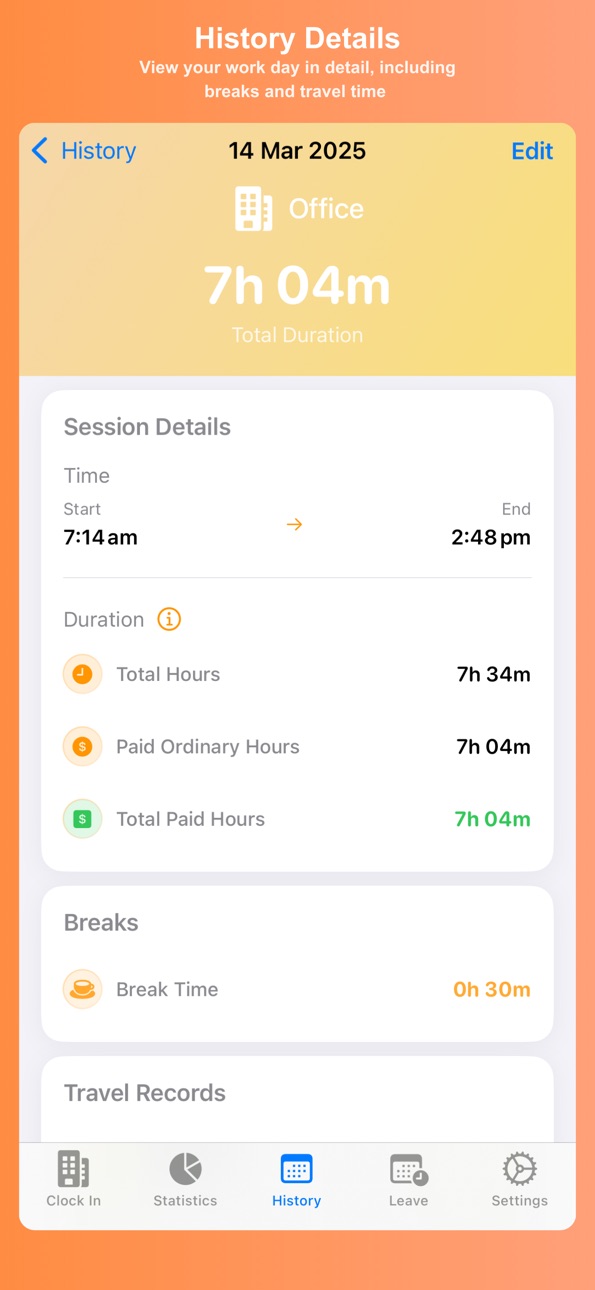
• Break & Commute Tracking: Set reminders for breaks and log travel time.
• Detailed Work Stats & Analytics: Monitor attendance, overtime, and work trends.
• Secure Cloud Sync: Sync your timesheet seamlessly across devices with iCloud.
Perfect for:
• Remote & Hybrid Workers needing accurate time tracking.
• Shift Workers with irregular schedules.
• Employees tracking attendance, overtime, and timesheets.
• Freelancers & Contractors logging billable hours.
Professional Features:
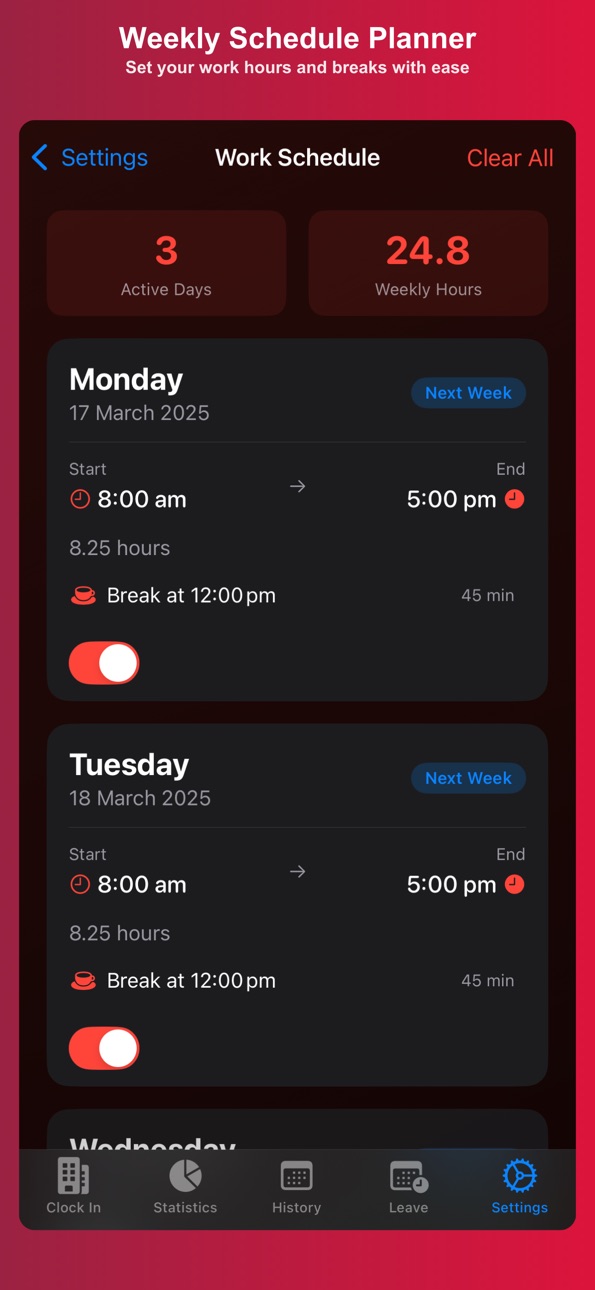
• Advanced Schedule Planner with notifications.
• Multiple themes, including dark mode.
• Custom location tracking with validation.
• CSV export for detailed work reports.
Why Choose WorkPlace Time Keeper?
Gain full control over your work hours and boost your productivity. Whether you’re an office worker, freelancer, or shift employee, WorkPlace Time Keeper makes tracking time straightforward and stress-free.
Download now and take charge of your work schedule!
In-App Purchases US pricing
One-Time Purchases
Small Tip$0.49
Medium Tip$1.99
Large Tip$2.99
Leave Management Unlock$2.99
Capabilities
In-App Purchases
Accessibility
ipadiphonemacrealityDevicetvoswatch
Version history 18 versions
Build 885433884v7.02026-05-30 16:29:35
What’s New
- Full app refresh with a cleaner, more polished design across WorkPlace.
- Added Live Activities for active work sessions, including Lock Screen and Dynamic Island support.
- Improved Statistics with clearer dashboards, charts, and productivity insights.
- Fixed early clock-out handling so sessions save more reliably.
- Improved leave reminders so return-to-work notifications use the correct saved leave dates.
- Improved scheduled work reminders, including better handling for shifts that start near midnight.
- Improved reliability for active session recovery, breaks, travel records, accommodation details, and overnight shifts.
- Added stability improvements, cleanup, and test coverage.
Build 875454431v6.1.12025-09-16 20:31:09
Version 6.1.1
• Bug fixes and performance enhancements.
• Minimum supported OS: iOS 18.6
Build 874607003v6.12025-05-08 09:17:18
What's New in 6.1:
• Haptic Feedback: Added tactile responses throughout the app
• Quick Time Presets: New preset buttons for faster schedule creation
• UI Enhancements: Improved time picker interface
• Fixed thread safety issues with scheduled reminders
• Performance optimizations for sync operations
• Enhanced accessibility support
Build 873299282v6.0.12025-03-31 18:05:33
6.0.1 provides several bug fixes and performance enhancements.
Bug fixes include:
- Error with date formatting in History Tab. The date format will now correspond with the correct format set in settings.
- Missing localisations across the app for Korean & Chinese (simplified)
Thanks for continuing to provide feedback and helping improve WorkPlace Time Keeper.
Build 872795259v6.02025-03-15 21:49:29
Fresh New Look with Powerful New Features!
We've completely redesigned WorkPlace with a modern interface and added powerful new features to help you track your work time more efficiently.
What's New:
• Brand New Design - Enjoy our completely refreshed UI with smooth animations and improved visual hierarchy
• Accommodation Tracking - Track business trip accommodations with check-in/out dates, location details, and expense report integration
• Enhanced Clock In Experience - Smoother transitions, better visual feedback, and improved break management
• Performance Boost - Faster loading times, optimized animations, and more efficient data syncing
• Improved Travel Records - Better integration between travel time and accommodation tracking
• Language Support - Enhanced multilingual capabilities with improved translations
We've also made numerous improvements to the app's overall stability and performance.
Thank you for using WorkPlace Time Keeper! We appreciate your feedback.
Build 872351338v5.22025-02-10 06:19:18
WorkPlace 5.2 Release Notes
New Leave Management System
• Introducing a streamlined leave tracking system
• Track vacation, medical, and other time off
• View detailed leave statistics
• Set leave reminders
• Add notes to leave entries
Premium Features
• Leave Management is now available as a one-time purchase
• Track unlimited leave entries
• Comprehensive leave statistics
• Customizable leave types
• Leave reminders and notifications
Improvements
• Simplified purchase system
• More reliable purchase restoration
• Improved state management
• Enhanced UI responsiveness
Additional Notes
• Leave Management is a one-time purchase that carries over if you reinstall
• Previous purchases can be restored using "Restore Purchases"
• All leave data is stored locally on your device
Bug Fixes
• Fixed various UI glitches
• Improved purchase verification reliability
• Enhanced state persistence
• Better handling of app background/foreground transitions
For support or feedback, please visit www.workplacetimekeeper.com
Build 872166404v5.0.02025-02-01 13:43:50
What's New in Version 5.0
Introducing comprehensive leave management features:
• Track and manage different types of leave requests
• View detailed leave statistics and insights
• Sync leave records across devices with iCloud
• Enhanced user interface with theme support
• Performance improvements and bug fixes
Thank you for using WorkPlace! We're constantly working to improve your experience.
Build 872179268v5.0.12025-02-01 21:53:55
Critical bug fixes for in app purchases.
Build 872180794v5.12025-02-01 23:45:55
5.1 rolls back previously failed leave implementation as a critical bug fix
Build 871841932v4.1.02025-01-24 15:32:55
What's New in Version [4.1]:
• Added full Korean (한국어) and Simplified Chinese (简体中文) language support
• Localized all app interfaces, including:
- Work tracking and time management features
- Travel and break management
- Statistics and history views
- Settings and customization options
• Improved accessibility for Korean and Chinese users
• Enhanced user experience with culturally appropriate translations
Build 871671694v4.0.02025-01-14 21:36:45
What's New in Version 4.0
Major New Features:
• Multiple Schedule Entry - Create and manage different work schedules for each day of the week
• Custom Theme Support - Choose from preset themes or create your own custom color scheme
• Modernized UI - Complete interface refresh with smooth animations and improved visual feedback
UI Improvements:
• Enhanced navigation and accessibility across all views
• Improved schedule management interface
• Redesigned statistics and history views
• Better support for different screen sizes
• Smoother transitions and animations
Bug Fixes & Improvements:
• Fixed issues with schedule notifications
• Improved iCloud sync reliability
• Enhanced performance for large work history
• Better handling of overnight shifts
• Various stability improvements
Build 871577818v3.1.22025-01-08 07:21:48
3.1.2 Brings a fix to clock in state not persisting when the user force quits and reopens the app.
Build 871478486v3.12025-01-06 11:05:29
Version 3.1
• Added tip jar to support app development
• Performance improvements and optimizations
• Enhanced app stability
• Various bug fixes and UI refinements
Thank you for using Workplace Time Keeper! If you find the app helpful, you can now support its development through optional tips.
Build 871558389v3.1.12025-01-06 13:46:33
Version 3.1.1 - Adds missing tips from 3.1 release.
• Added tip jar to support app development
• Performance improvements and optimizations
• Enhanced app stability
• Various bug fixes and UI refinements
Thank you for using Workplace Time Keeper! If you find the app helpful, you can now support its development through optional tips.
Build 871468439v3.0.12024-12-31 12:43:17
Version 3.0.1 bring bug fixes to saving sessions to history and notification enhancements.
Build 871283852v3.02024-12-23 15:26:03
What's New in Version 3.0
Overnight Shift Support
• Full support for shifts that span across midnight
• Accurate time and break calculations for overnight work
• Clear visual indicators for shifts spanning multiple days
• Smart notification handling across day boundaries
• Proper overtime calculations for overnight shifts
Enhanced Statistics & History
• New overnight shift statistics and insights
• Improved history view with clearer date indicators
• Better visualization of overnight work patterns
• Enhanced break time tracking across midnight
• More accurate work hour calculations for all shift types
UI and Performance Improvements
• Refined interface with smoother animations
• Improved schedule card design and readability
• Better visual feedback for user interactions
• Enhanced dark mode support
• Faster app performance and loading times
System Improvements
• More reliable notification delivery
• Improved background processing
• Better data management and storage
• Enhanced iCloud sync reliability
• Optimized battery usage
Visit www.workplacetimekeeper.com for more details about these new features.
Build 870731049v2.02024-12-04 23:24:52
What's New in Version 2.0
Smart Schedule Management
• Set your weekly work schedule with customizable hours
• Get 5-minute clock-in reminders for each scheduled day
• Intelligent break notifications at scheduled times
• Visual indicators for today's schedule and upcoming days
• Enhanced UI with schedule badges and hour display
Improved Time Calculations
• More accurate paid hours calculation in Statistics
• Better overtime notification system
• Intelligent break reminders at 50% of work day
• Post-session break time editing
• Clearer distinction between total and paid hours
Enhanced User Experience
• New Schedule section in Settings
• Updated launch tips featuring new scheduling features
• Improved visual feedback for active schedules
• Better notification management
• Refined statistics view with clearer metrics
Visit www.workplacetimekeeper.com for more details about these new features.
Build 870449600v1.02024-11-25 09:32:25
Price history by region
Currency
Show
Columns
Search
Availability 1 of 1 storefronts
| Region | Language | Price | Ratings | Avg | Version |
|---|---|---|---|---|---|
| US | en-US | Free | 0 | — | 7.0 |
Change log 22 changes · US
✎
releaseNotes updated
What’s New
- Full app refresh with a cleaner, more polished design across WorkPlace.
- Added Live Activities for active work sessions, including Lock Screen an
✎
description updated
Effortless Time Tracking for Work, Shifts & Overtime
Take control of your work hours with WorkPlace Time Keeper – the ultimate time tracker for remote, hybrid,
✎
subtitle updated
Simple & Smart Time Tracking
✎
name updated
WorkPlace Time Keeper
◆
Version 7.0 released
What’s New
- Full app refresh with a cleaner, more polished design across WorkPlace.
- Added Live Activities for active work sessions, including Lock Screen and Dynamic Island support.
- Improved Statistics with clearer dashboards, charts,
◆
Version 6.1.1 released
Version 6.1.1
• Bug fixes and performance enhancements.
• Minimum supported OS: iOS 18.6
◆
Version 6.1 released
What's New in 6.1:
• Haptic Feedback: Added tactile responses throughout the app
• Quick Time Presets: New preset buttons for faster schedule creation
• UI Enhancements: Improved time picker interface
• Fixed thread safety issues with sched
◆
Version 6.0.1 released
6.0.1 provides several bug fixes and performance enhancements.
Bug fixes include:
- Error with date formatting in History Tab. The date format will now correspond with the correct format set in settings.
- Missing localisations across th
◆
Version 6.0 released
Fresh New Look with Powerful New Features!
We've completely redesigned WorkPlace with a modern interface and added powerful new features to help you track your work time more efficiently.
What's New:
• Brand New Design - Enjoy our comple
◆
Version 5.2 released
WorkPlace 5.2 Release Notes
New Leave Management System
• Introducing a streamlined leave tracking system
• Track vacation, medical, and other time off
• View detailed leave statistics
• Set leave reminders
• Add notes to leave entries
Pr
◆
Version 5.1 released
5.1 rolls back previously failed leave implementation as a critical bug fix
◆
Version 5.0.1 released
Critical bug fixes for in app purchases.
◆
Version 5.0.0 released
What's New in Version 5.0
Introducing comprehensive leave management features:
• Track and manage different types of leave requests
• View detailed leave statistics and insights
• Sync leave records across devices with iCloud
• Enhanced us
◆
Version 4.1.0 released
What's New in Version [4.1]:
• Added full Korean (한국어) and Simplified Chinese (简体中文) language support
• Localized all app interfaces, including:
- Work tracking and time management features
- Travel and break management
- Statistics a
◆
Version 4.0.0 released
What's New in Version 4.0
Major New Features:
• Multiple Schedule Entry - Create and manage different work schedules for each day of the week
• Custom Theme Support - Choose from preset themes or create your own custom color scheme
• Moder
◆
Version 3.1.2 released
3.1.2 Brings a fix to clock in state not persisting when the user force quits and reopens the app.
◆
Version 3.1.1 released
Version 3.1.1 - Adds missing tips from 3.1 release.
• Added tip jar to support app development
• Performance improvements and optimizations
• Enhanced app stability
• Various bug fixes and UI refinements
Thank you for using Workplace Time
◆
Version 3.1 released
Version 3.1
• Added tip jar to support app development
• Performance improvements and optimizations
• Enhanced app stability
• Various bug fixes and UI refinements
Thank you for using Workplace Time Keeper! If you find the app helpful, yo
◆
Version 3.0.1 released
Version 3.0.1 bring bug fixes to saving sessions to history and notification enhancements.
◆
Version 3.0 released
What's New in Version 3.0
Overnight Shift Support
• Full support for shifts that span across midnight
• Accurate time and break calculations for overnight work
• Clear visual indicators for shifts spanning multiple days
• Smart notificatio
◆
Version 2.0 released
What's New in Version 2.0
Smart Schedule Management
• Set your weekly work schedule with customizable hours
• Get 5-minute clock-in reminders for each scheduled day
• Intelligent break notifications at scheduled times
• Visual indicators f
◆
Version 1.0 released