Home › Lifestyle

watchstop Watch Faces Gallery
The #1 Smart Watch Face App
 US
US
1 of 1 storefronts
Content in en-US
Content in en-US
Information
Preview 3 platforms
iPhone 6 images


iPad 6 images


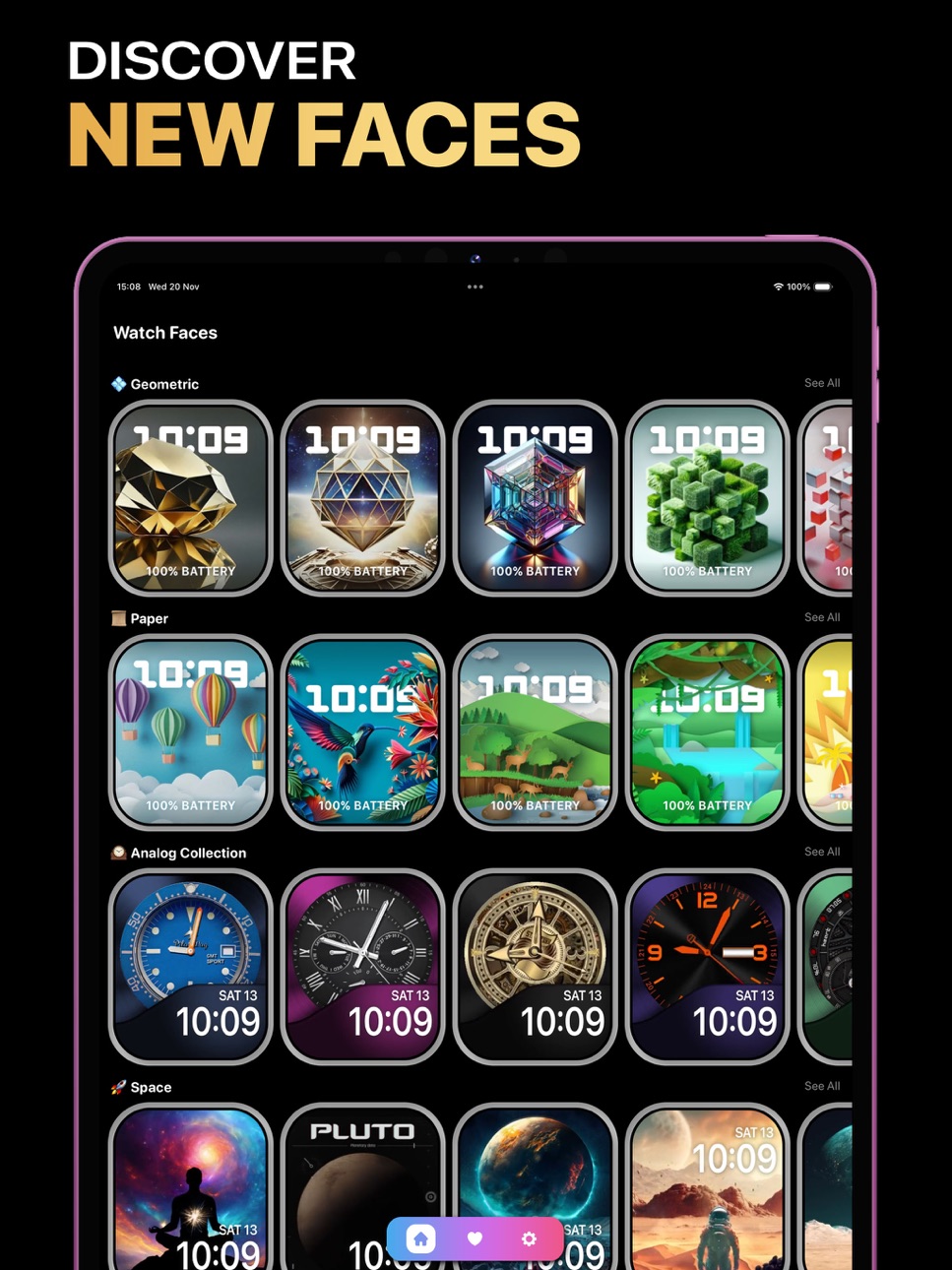


Apple Watch 7 images


What’s New Version 1.0.6
1.0.6
- New steampunk watch faces
Description
Discover the full capabilities of your Apple Watch with WatchStop—the ultimate platform for watch face customisation.
Explore thousands of stunning photos and designs for your Apple Watch’s Photos watch face. Why stick with default watch faces and backgrounds when you can elevate your device? With WatchStop, every day feels like you’ve got a brand-new smartwatch.
Features for Apple Watch Users:
Personalise complications in CREATE MODE, exclusively available in the WatchStop app.
ORIGINAL DESIGNS
WatchStop offers curated collections of exceptional original designs from renowned brands and skilled watch face and background photo creators, ensuring you always have access to the most captivating and dynamic options.
Design Your Own Watch Face
WatchStop is a must-have for Apple Watch enthusiasts! Create personalized watch faces or photo backgrounds effortlessly.
---
Support & Feedback
- Need help? Contact us for quick assistance. We’re happy to resolve issues or provide a refund if necessary.
- Love WatchStop? Share the joy with a positive review!
---
Broad Compatibility
WatchStop works seamlessly with Apple Watch.
Important Tips
For Live Watch Faces, disable the "Always On" feature to enjoy smooth animations (up to 3 seconds).
Portrait Watch Faces are available on Apple Watch Series 4 and newer. Older models (Series 1–3) are not compatible.
Terms of Use: https://bit.ly/4fBk7z0
Privacy Policy: http://bit.ly/3YSp7s2
Discover WatchStop today and turn your Apple Watch into a masterpiece!
In-App Purchases US pricing
One-Time Purchases
WatchStop Premium$7.99
Capabilities
In-App Purchases
Accessibility
ipadiphonemacrealityDevicetvoswatch
Version history 7 versions
Build 871945946v1.0.62025-01-23 17:45:44
1.0.6
- New steampunk watch faces
Build 871888186v1.0.52025-01-21 10:41:32
1.0.5
- New cyberpunk watch faces for Apple Watch
Build 871742676v1.0.42025-01-14 19:10:54
1.0.4
- New luxury faces for Apple Watch
Build 871231608v1.0.32024-12-18 19:19:44
1.0.3
- Christmas Watch Faces added!
Build 870841987v1.0.22024-12-05 11:30:05
1.0.2
- New space watch faces added
Build 870614558v1.0.12024-11-22 19:56:34
1.0.1
- Added 10 free watchfaces!
Build 870131584v1.0.02024-11-21 15:22:36
Price history by region
Currency
Show
Columns
Search
Availability 1 of 1 storefronts
| Region | Language | Price | Ratings | Avg | Version |
|---|---|---|---|---|---|
| US | en-US | Free | 69 | 4.5 | 1.0.6 |
Change log 11 changes · US
✎
releaseNotes updated
1.0.6
- New steampunk watch faces
✎
description updated
Discover the full capabilities of your Apple Watch with WatchStop—the ultimate platform for watch face customisation.
Explore thousands of stunning photos and
✎
subtitle updated
The #1 Smart Watch Face App
✎
name updated
watchstop Watch Faces Gallery
◆
Version 1.0.6 released
1.0.6
- New steampunk watch faces
◆
Version 1.0.5 released
1.0.5
- New cyberpunk watch faces for Apple Watch
◆
Version 1.0.4 released
1.0.4
- New luxury faces for Apple Watch
◆
Version 1.0.3 released
1.0.3
- Christmas Watch Faces added!
◆
Version 1.0.2 released
1.0.2
- New space watch faces added
◆
Version 1.0.1 released
1.0.1
- Added 10 free watchfaces!
◆
Version 1.0.0 released