Home › Utilities

 US
US
USen-US BRpt-BR
 CMfr-FR
 MXes-MX
 AGen-GB
 AIen-GB
 AOen-GB
 BBen-GB
 BFen-GB
 BJen-GB
 BOes-MX
 BSen-GB
 BWen-GB
 BZen-GB
 CDen-GB
 CGen-GB
 CIfr-FR
 COes-MX
 CRes-MX
 CVen-GB
 DMen-GB
 DOes-MX
 DZen-GB
 ECes-MX
 GAfr-FR
 GDen-GB
 GHen-GB
 GMen-GB
 GTes-MX
 GWen-GB
 GYen-GB
 HNes-MX
 JMen-GB
 KEen-GB
 KNen-GB
 KYen-GB
 LCen-GB
 LYen-GB
 MAen-GB
 MGen-GB
 MLen-GB
 MSen-GB
 MUen-GB
 MZen-GB
 NAen-GB
 NEen-GB
 NGen-GB
 NIes-MX
 PAes-MX
 PEes-MX
 PYes-MX
 RWen-GB
 SCen-GB
 SNen-GB
 SRen-GB
 STen-GB
 SVes-MX
 SZen-GB
 TCen-GB
 TDen-GB
 TNen-GB
 TTen-GB
 TZen-GB
 UYen-GB
 VCen-GB
 VEes-MX
 VGen-GB
 ZWen-GB
68 of 68 storefronts
Content in en-US
Content in en-US
Information
Preview 2 platforms
iPhone 9 images




iPad 8 images


What’s New Version 1.4.2
- Updated app UI and improved stability
Description
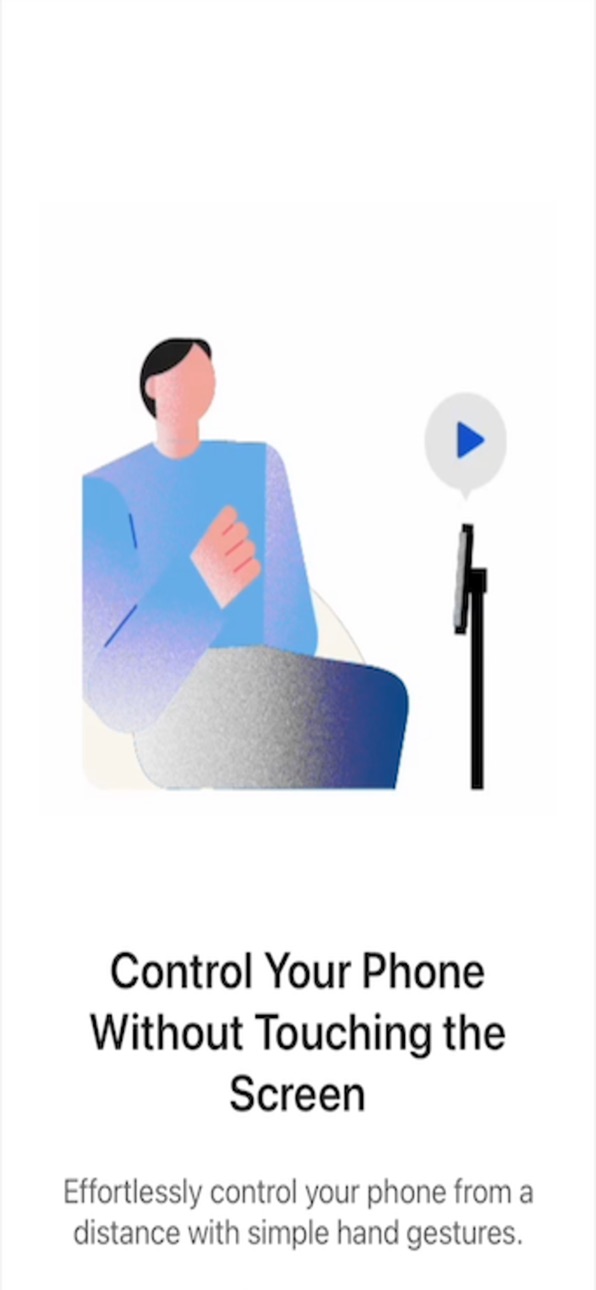
Control your iPhone and iPad without touching the screen!
Spatial Touch is an AI-based air gesture remote controller that allows you to control media apps from a distance without touching the screen.
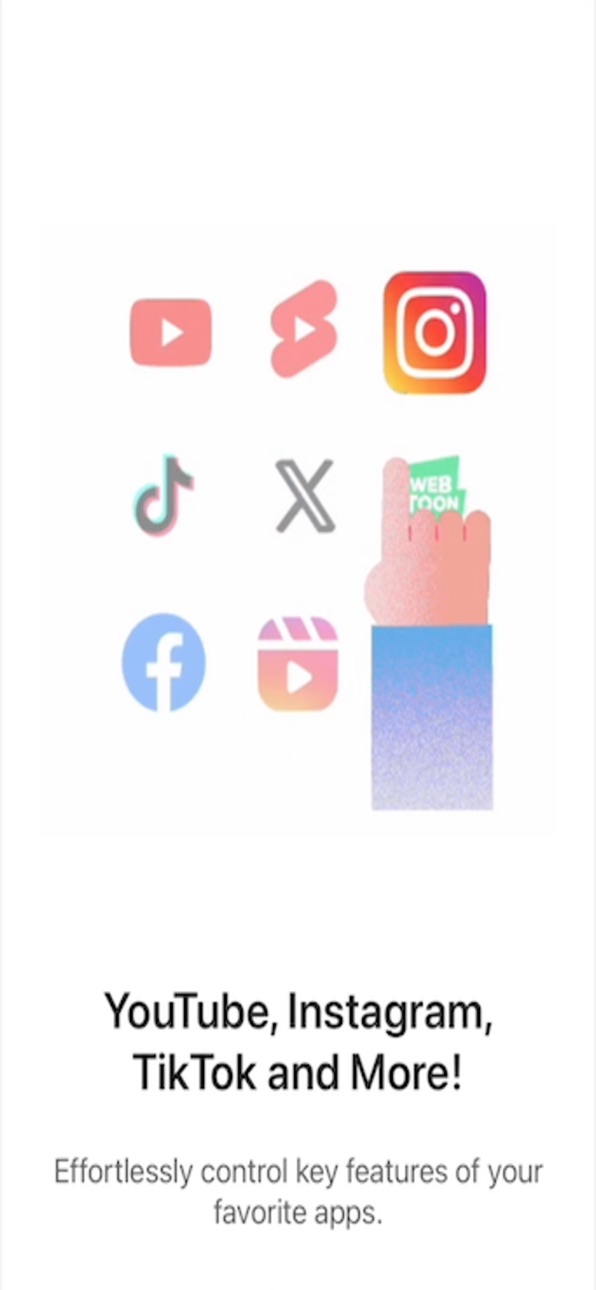
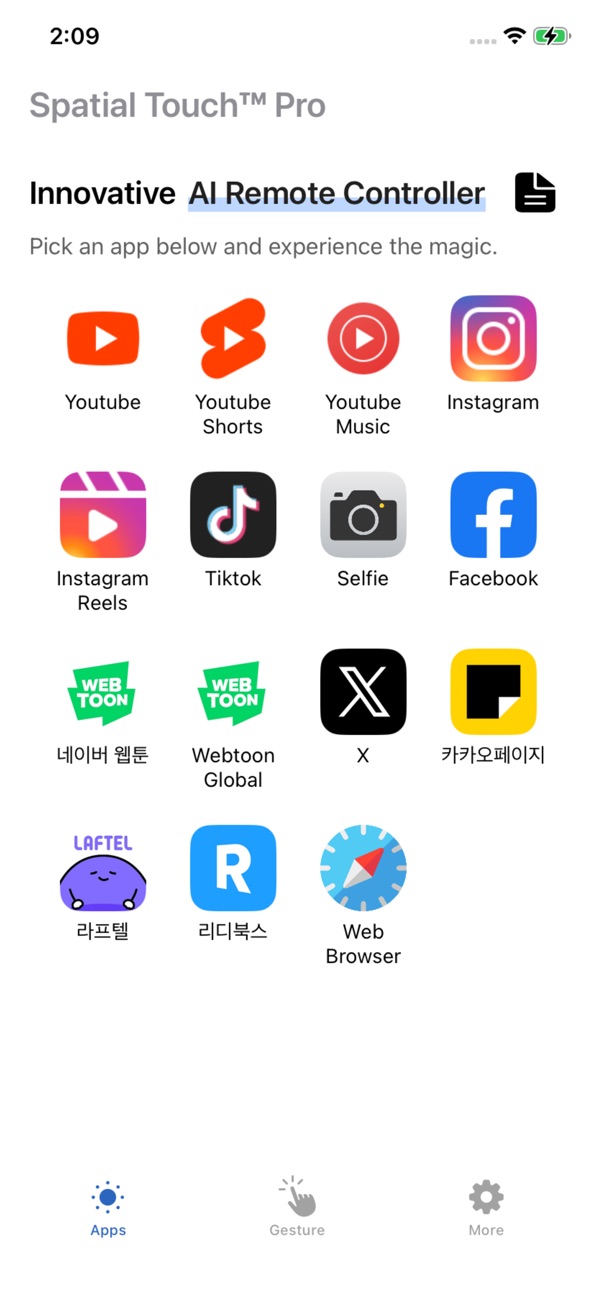
You can control YouTube, Shorts, Instagram, Reels, Tiktok and more apps are being added.
When you're leaned back watching a video with your device on the table, when your hands are wet from doing dishes, or when you eat and you don’t want to touch the screen, Spatial Touch lets you easily control your devices in any of these cases. Download and experience the innovation of Spatial Touch.
App Features and Benefits:
1. Air Gestures: Control media playback, pause, volume adjustment, navigation, scrolling, and more using air gestures without touching the screen.
2. Remote Control: You can control your device from a distance of up to 2 meters, and it works perfectly in various environment and postures.
3. Technology: State-of-the-art gesture recognition technology ensures stable operation with minimized false triggers
4. Apps Supported: It supports YouTube, Shorts, Instagram, Reels, Tiktok and more apps will be added in the near future.
5. Strong Security: While Spatial TouchTM runs with camera, All processing is done within your device. It does not store or transmit any images or videos to the outside of the device.
6. Battery: Minimized power consumption through the latest on-device AI technology.
Key Functions:
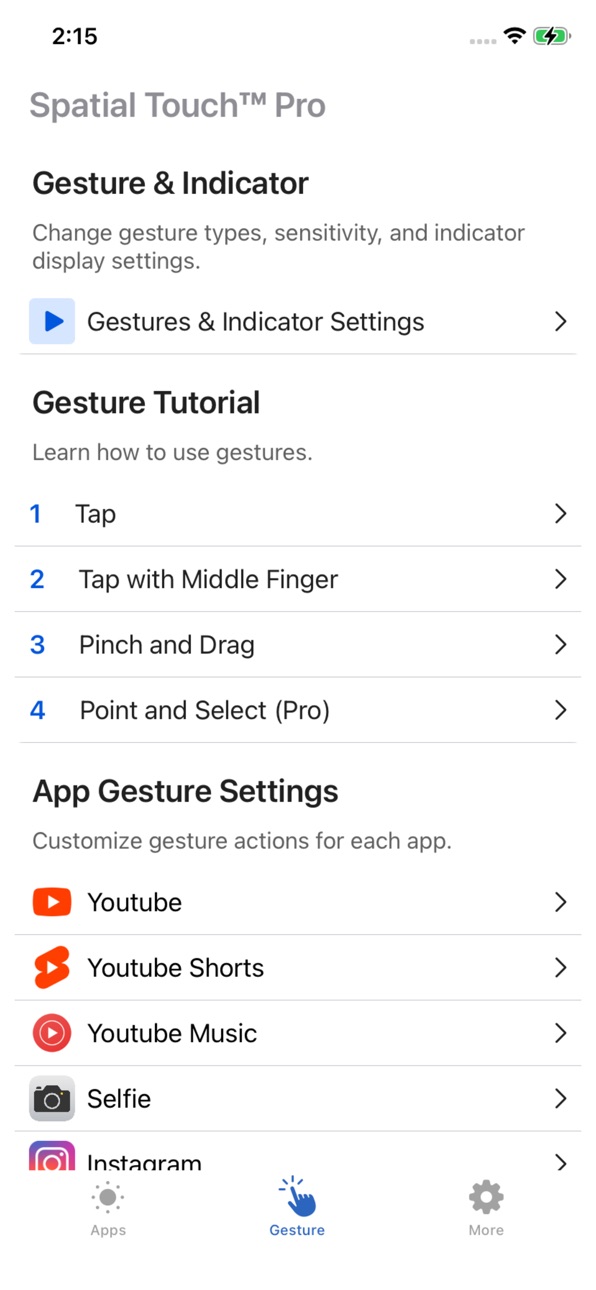
1. Tap: Play/pause video, next video(Shorts, Reels, Tiktok)
2. Two Finger Tap: Toggle full-screen mode(YouTube), Previous video(Shorts, Reels, Tiktok)
3. Drag Left/Right: Video navigation (Fast Forward/Rewind)
4. Drag Up/Down: Adjust Volume
5. Two Finger Left/Right: Scroll Left/Right, Go to the Previous/Next video
6. Two Finger Up/Down: Scroll Down/Up
※ App Permissions Information:
To provide the service, the app requires the following permissions:
• Camera: for user gesture recognition (enabled only during app usage)
We welcome all suggestions to improve your experience.
If you have any questions or suggestions, feel free to contact at iOS@vtouch.io
In-App Purchases US pricing
Pro Subscription
Monthly · Monthly 1-month free trial$1.99
Annually · Yearly 1-month free trial$12.99
One-Time Purchases
Lifetime$39.99
Capabilities
In-App Purchases
Accessibility
ipadiphonemacrealityDevicetvoswatch
Version history 25 versions
Build 886417825v1.4.22026-06-02 18:38:50
- Updated app UI and improved stability
Build 886224467v1.4.12026-05-29 16:42:28
- Completely redesigned UI/UX
- Improved the email-to-developer feature
- Improved tutorial
- Improved UI of the web browser service
- Improved user-friendly features
- Various bug fixes and stability improvements
Build 884441312v1.3.312026-04-13 19:08:56
- several gesture action updated.
- Changed the back button position in service apps
Build 884185397v1.3.302026-04-06 17:09:39
- Improved hand gesture stability
- Changed the back button position in service apps
Build 884052777v1.3.292026-04-02 20:21:32
- Improved app stability
Build 884009603v1.3.282026-04-01 18:24:46
- Enhanced UI and UX.
- Fixed an issue where some UI elements overlapped on tablet devices.
Build 883778279v1.3.272026-03-26 15:46:14
- Addressed an issue where an error occurred when using voice search on YouTube.
- Improved app stability
Build 883649334v1.3.262026-03-23 20:27:51
- Enhanced UX.
Build 883456049v1.3.252026-03-19 18:31:49
- Various bug fixes and stability improvements
Build 883341029v1.3.242026-03-14 03:21:26
- Enhanced UI and UX.
Build 883204956v1.3.232026-03-12 06:18:05
- Fixed an issue where some UI elements overlapped.
Build 883163087v1.3.222026-03-09 10:25:57
- Various bug fixes and stability improvements
- Applied a wider screen aspect ratio across all service apps.
Build 883088916v1.3.212026-03-06 21:12:22
- Enhanced UI and UX.
- Resolved several gesture actions
Build 881268843v1.3.202026-02-20 18:56:52
- Various bug fixes and stability improvements.
Build 880503853v1.3.192025-12-11 19:25:24
- Various bug fixes and stability improvements.
Build 880364711v1.3.182025-12-05 04:08:53
- Various bug fixes and stability improvements.
Build 880331174v1.3.172025-12-04 19:23:35
- Improved gesture recognition performance for smoother interactions.
- Various bug fixes and stability improvements.
Build 879937823v1.3.162025-11-21 16:55:40
- New gesture set added : Pinch gesture (You can switch between the new and existing gestures in Gesture Settings).
- Introduced detailed gesture sensitivity options for more precise control.
- Improved gesture recognition performance for smoother interactions.
- Fixed issues where login sessions were not retained.
- Resolved malfunctions in certain apps, including YouTube Shorts and Instagram.
- Added a notice pop-up and a dedicated announcements menu.
- Enhanced UI and UX.
- Various bug fixes and stability improvements
Build 878561578v1.3.152025-10-01 01:38:23
- Minor bug fixes
- UI update
Build 878355064v1.3.142025-09-24 11:42:50
- Camera orientation update
- Several UI fixes
Build 877993446v1.3.132025-09-10 22:30:11
- Added advertisements (the ad page can be closed with the X or Close button)
- Fixed an issue where gesture actions did not work in some app services
- UI/UX improvements
Build 877759994v1.3.122025-09-06 16:41:47
- Added per-app gesture customization
- Minor bug fixes
- Changes to app data storage
- You may need to log in again after the update
Build 877470087v1.3.112025-08-22 16:29:40
- Changed some basic app settings
- Added indicator display settings
- Added indicator size adjustment feature
- Changed indicator display criteria in some environments
- Added email function for app version and communication
Build 877177398v1.3.102025-08-12 06:59:07
- The issue where touch was not responsive during app launch in some regions has been fixed.
Build 877131033v1.3.92025-08-11 07:23:27
- Bug fixes
- Minor Updates
Price history by region
Currency
Show
Columns
Search
Availability 68 of 68 storefronts
| Region | Language | Price | Ratings | Avg | Version |
|---|---|---|---|---|---|
| US | en-US | Free | 14 | 2.9 | 1.4.2 |
| BR | pt-BR | Free | 6 | 1.7 | 1.4.2 |
| CM | fr-FR | Free | 1 | 5.0 | 1.4.2 |
| MX | es-MX | Free | 1 | 5.0 | 1.4.2 |
| AG | en-GB | Free | 0 | — | 1.4.2 |
| AI | en-GB | Free | 0 | — | 1.4.2 |
| AO | en-GB | Free | 0 | — | 1.4.2 |
| BB | en-GB | Free | 0 | — | 1.4.2 |
| BF | en-GB | Free | 0 | — | 1.4.2 |
| BJ | en-GB | Free | 0 | — | 1.4.2 |
| BO | es-MX | Free | 0 | — | 1.4.2 |
| BS | en-GB | Free | 0 | — | 1.4.2 |
| BW | en-GB | Free | 0 | — | 1.4.2 |
| BZ | en-GB | Free | 0 | — | 1.4.2 |
| CD | en-GB | Free | 0 | — | 1.4.2 |
| CG | en-GB | Free | 0 | — | 1.4.2 |
| CI | fr-FR | Free | 0 | — | 1.4.2 |
| CO | es-MX | Free | 0 | — | 1.4.2 |
| CR | es-MX | Free | 0 | — | 1.4.2 |
| CV | en-GB | Free | 0 | — | 1.4.2 |
| DM | en-GB | Free | 0 | — | 1.4.2 |
| DO | es-MX | Free | 0 | — | 1.4.2 |
| DZ | en-GB | Free | 0 | — | 1.4.2 |
| EC | es-MX | Free | 0 | — | 1.4.2 |
| GA | fr-FR | Free | 0 | — | 1.4.2 |
| GD | en-GB | Free | 0 | — | 1.4.2 |
| GH | en-GB | Free | 0 | — | 1.4.2 |
| GM | en-GB | Free | 0 | — | 1.4.2 |
| GT | es-MX | Free | 0 | — | 1.4.2 |
| GW | en-GB | Free | 0 | — | 1.4.2 |
| GY | en-GB | Free | 0 | — | 1.4.2 |
| HN | es-MX | Free | 0 | — | 1.4.2 |
| JM | en-GB | Free | 0 | — | 1.4.2 |
| KE | en-GB | Free | 0 | — | 1.4.2 |
| KN | en-GB | Free | 0 | — | 1.4.2 |
| KY | en-GB | Free | 0 | — | 1.4.2 |
| LC | en-GB | Free | 0 | — | 1.4.2 |
| LY | en-GB | Free | 0 | — | 1.4.2 |
| MA | en-GB | Free | 0 | — | 1.4.2 |
| MG | en-GB | Free | 0 | — | 1.4.2 |
| ML | en-GB | Free | 0 | — | 1.4.2 |
| MS | en-GB | Free | 0 | — | 1.4.2 |
| MU | en-GB | Free | 0 | — | 1.4.2 |
| MZ | en-GB | Free | 0 | — | 1.4.2 |
| NA | en-GB | Free | 0 | — | 1.4.2 |
| NE | en-GB | Free | 0 | — | 1.4.2 |
| NG | en-GB | Free | 0 | — | 1.4.2 |
| NI | es-MX | Free | 0 | — | 1.4.2 |
| PA | es-MX | Free | 0 | — | 1.4.2 |
| PE | es-MX | Free | 0 | — | 1.4.2 |
| PY | es-MX | Free | 0 | — | 1.4.2 |
| RW | en-GB | Free | 0 | — | 1.4.2 |
| SC | en-GB | Free | 0 | — | 1.4.2 |
| SN | en-GB | Free | 0 | — | 1.4.2 |
| SR | en-GB | Free | 0 | — | 1.4.2 |
| ST | en-GB | Free | 0 | — | 1.4.2 |
| SV | es-MX | Free | 0 | — | 1.4.2 |
| SZ | en-GB | Free | 0 | — | 1.4.2 |
| TC | en-GB | Free | 0 | — | 1.4.2 |
| TD | en-GB | Free | 0 | — | 1.4.2 |
| TN | en-GB | Free | 0 | — | 1.4.2 |
| TT | en-GB | Free | 0 | — | 1.4.2 |
| TZ | en-GB | Free | 0 | — | 1.4.2 |
| UY | en-GB | Free | 0 | — | 1.4.2 |
| VC | en-GB | Free | 0 | — | 1.4.2 |
| VE | es-MX | Free | 0 | — | 1.4.2 |
| VG | en-GB | Free | 0 | — | 1.4.2 |
| ZW | en-GB | Free | 0 | — | 1.4.2 |
Change log 28 changes · US
✎
releaseNotes updated
- Updated app UI and improved stability
✎
description updated
Control your iPhone and iPad without touching the screen!
Spatial Touch is an AI-based air gesture remote controller that allows you to control media apps fro
✎
name updated
Spatial Touch™
◆
Version 1.4.2 released
- Updated app UI and improved stability
◆
Version 1.4.1 released
- Completely redesigned UI/UX
- Improved the email-to-developer feature
- Improved tutorial
- Improved UI of the web browser service
- Improved user-friendly features
- Various bug fixes and stability improvements
◆
Version 1.3.31 released
- several gesture action updated.
- Changed the back button position in service apps
◆
Version 1.3.30 released
- Improved hand gesture stability
- Changed the back button position in service apps
◆
Version 1.3.29 released
- Improved app stability
◆
Version 1.3.28 released
- Enhanced UI and UX.
- Fixed an issue where some UI elements overlapped on tablet devices.
◆
Version 1.3.27 released
- Addressed an issue where an error occurred when using voice search on YouTube.
- Improved app stability
◆
Version 1.3.26 released
- Enhanced UX.
◆
Version 1.3.25 released
- Various bug fixes and stability improvements
◆
Version 1.3.24 released
- Enhanced UI and UX.
◆
Version 1.3.23 released
- Fixed an issue where some UI elements overlapped.
◆
Version 1.3.22 released
- Various bug fixes and stability improvements
- Applied a wider screen aspect ratio across all service apps.
◆
Version 1.3.21 released
- Enhanced UI and UX.
- Resolved several gesture actions
◆
Version 1.3.20 released
- Various bug fixes and stability improvements.
◆
Version 1.3.19 released
- Various bug fixes and stability improvements.
◆
Version 1.3.18 released
- Various bug fixes and stability improvements.
◆
Version 1.3.17 released
- Improved gesture recognition performance for smoother interactions.
- Various bug fixes and stability improvements.
◆
Version 1.3.16 released
- New gesture set added : Pinch gesture (You can switch between the new and existing gestures in Gesture Settings).
- Introduced detailed gesture sensitivity options for more precise control.
- Improved gesture recognition performance for s
◆
Version 1.3.15 released
- Minor bug fixes
- UI update
◆
Version 1.3.14 released
- Camera orientation update
- Several UI fixes
◆
Version 1.3.13 released
- Added advertisements (the ad page can be closed with the X or Close button)
- Fixed an issue where gesture actions did not work in some app services
- UI/UX improvements
◆
Version 1.3.12 released
- Added per-app gesture customization
- Minor bug fixes
- Changes to app data storage
- You may need to log in again after the update
◆
Version 1.3.11 released
- Changed some basic app settings
- Added indicator display settings
- Added indicator size adjustment feature
- Changed indicator display criteria in some environments
- Added email function for app version and communication
◆
Version 1.3.10 released
- The issue where touch was not responsive during app launch in some regions has been fixed.
◆
Version 1.3.9 released
- Bug fixes
- Minor Updates