Home › Books

 US
US
1 of 1 storefronts
Content in en-US
Content in en-US
Information
Apple ID6737322638
Bundle IDcom.liangpin.hireader
SellerSeller
Min iOS15.5
Min macOS12.4
Device familiesiphone, ipad, ipod
Released2024-11-12
Copyright© FYG
Privacy policyLink ↗
Preview 2 platforms
iPhone 8 images




iPad 8 images






What’s New Version 1.30
What’s New:
Added volume-button page turning for text and PDF reading.
EPUB imports now use the book’s built-in title when available, making bookshelf titles more accurate.
Improved bookshelf edit mode on iOS 26, fixing issues where the bottom action bar could be covered or button text could appear incorrectly.
Improved the custom chapter rules screen and speech panel interactions.
Description
HiReader is a dedicated local ebook reader designed to create a reading space that belongs only to you. It supports a wide range of ebook formats including TXT, EPUB, MOBI, PDF, AZW, AZW3, AZW4, PDB, and PRC, along with powerful features such as detailed reading statistics, bookmarks and notes, cloud sync, and smart document management.
Features
Group Management
• Create unlimited groups to organize your local documents efficiently.
Multi-Format Support
• Read all major ebook formats: TXT, EPUB, MOBI, PDF, AZW, AZW3, AZW4, PDB, PRC.
Flexible Import Options
• Import documents via Wi-Fi transfer, iCloud, AirDrop, or share from other apps.
Reading Layout
• Adjust character spacing, line spacing, paragraph spacing, and margins.
• Includes 10 built-in fonts with support for custom fonts.
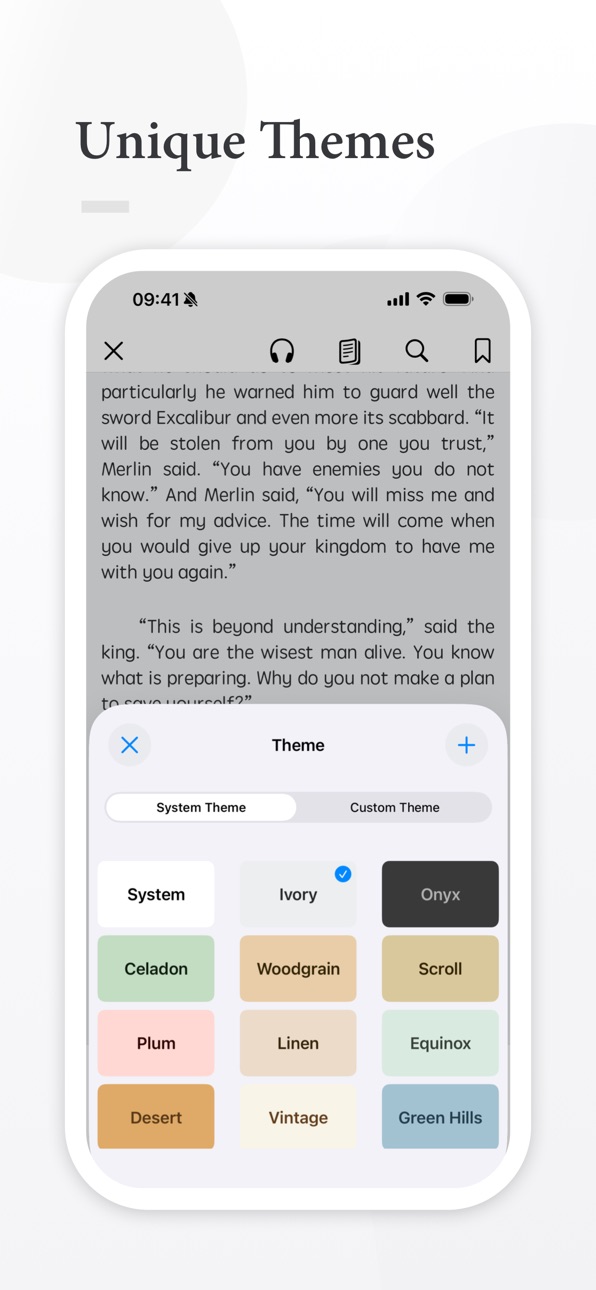
Custom Themes
• Choose from 15 built-in themes or create your own themes and covers.
Bookmarks & Notes
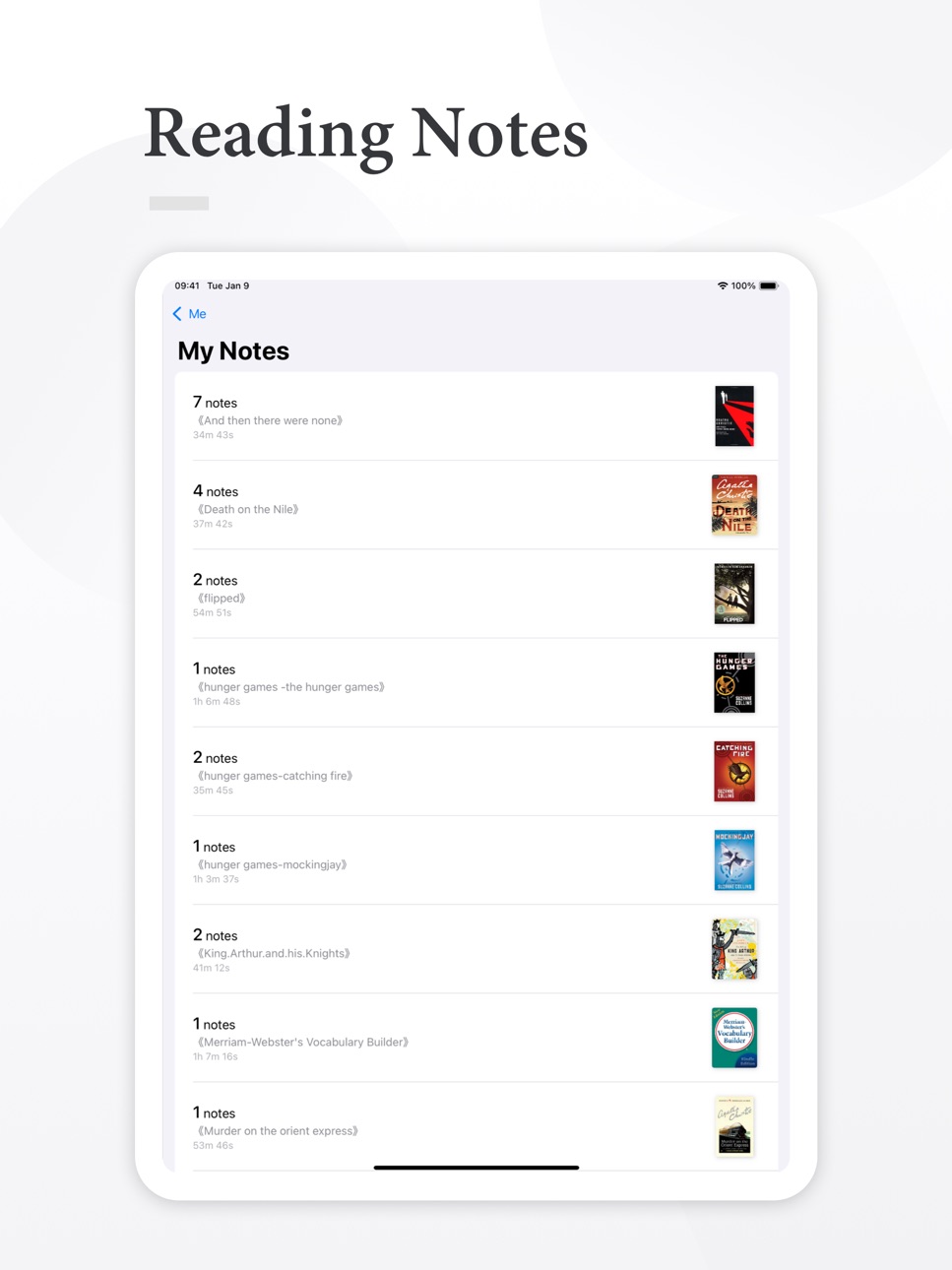
• Add bookmarks and notes at any time, with easy management and review.
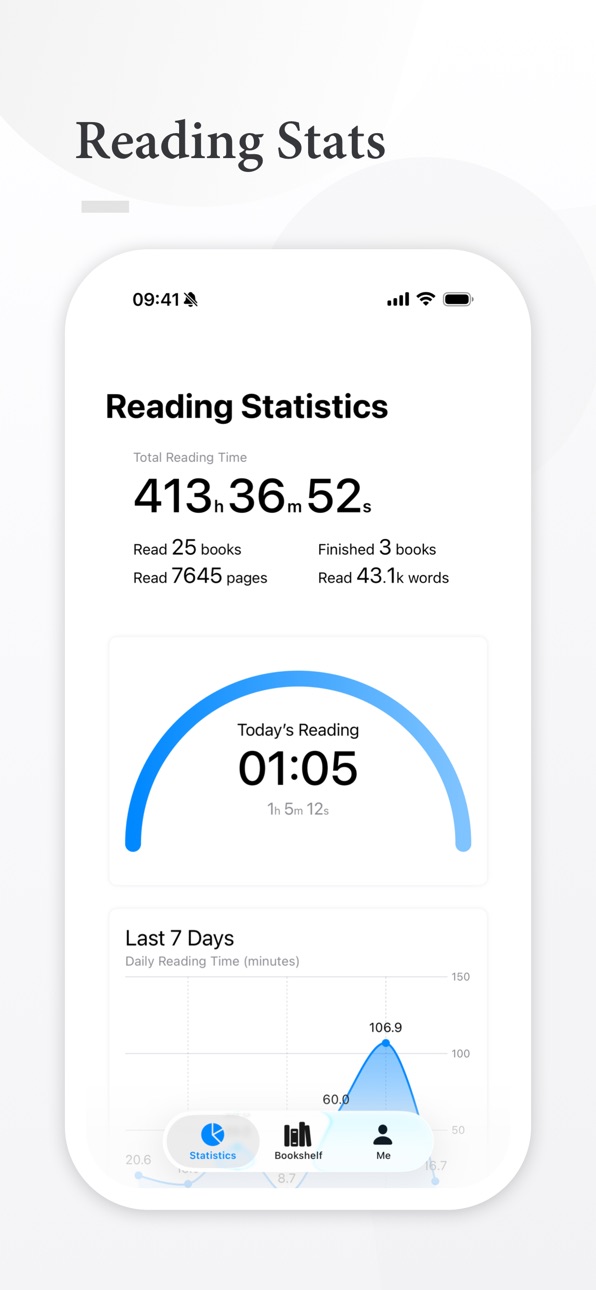
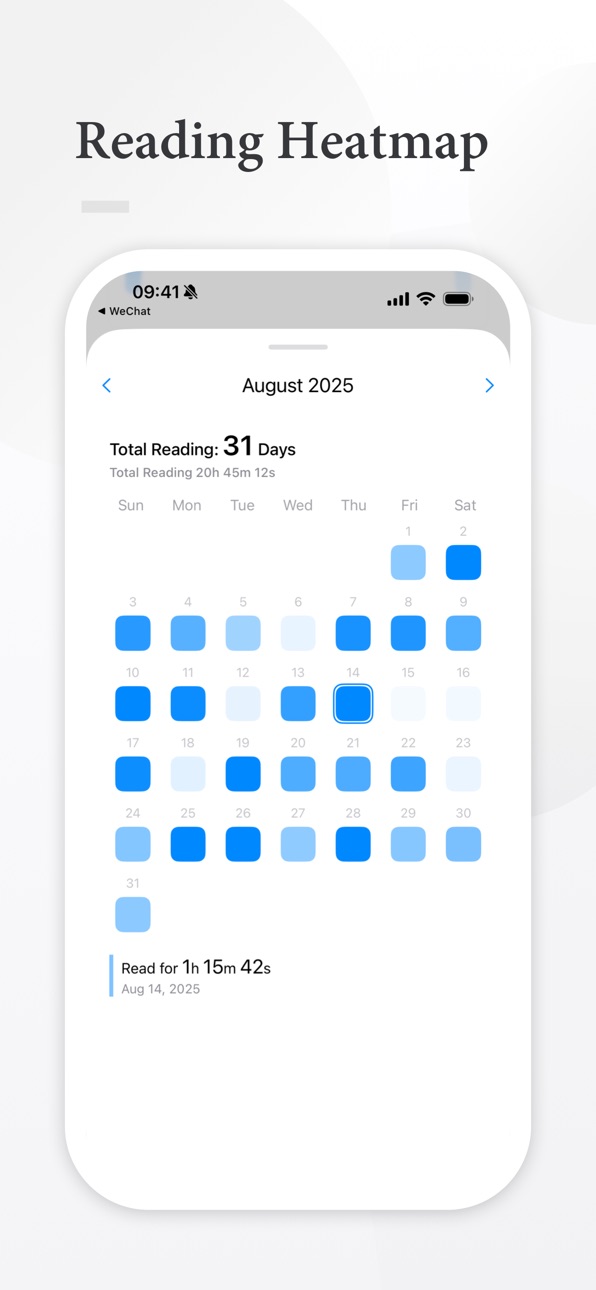
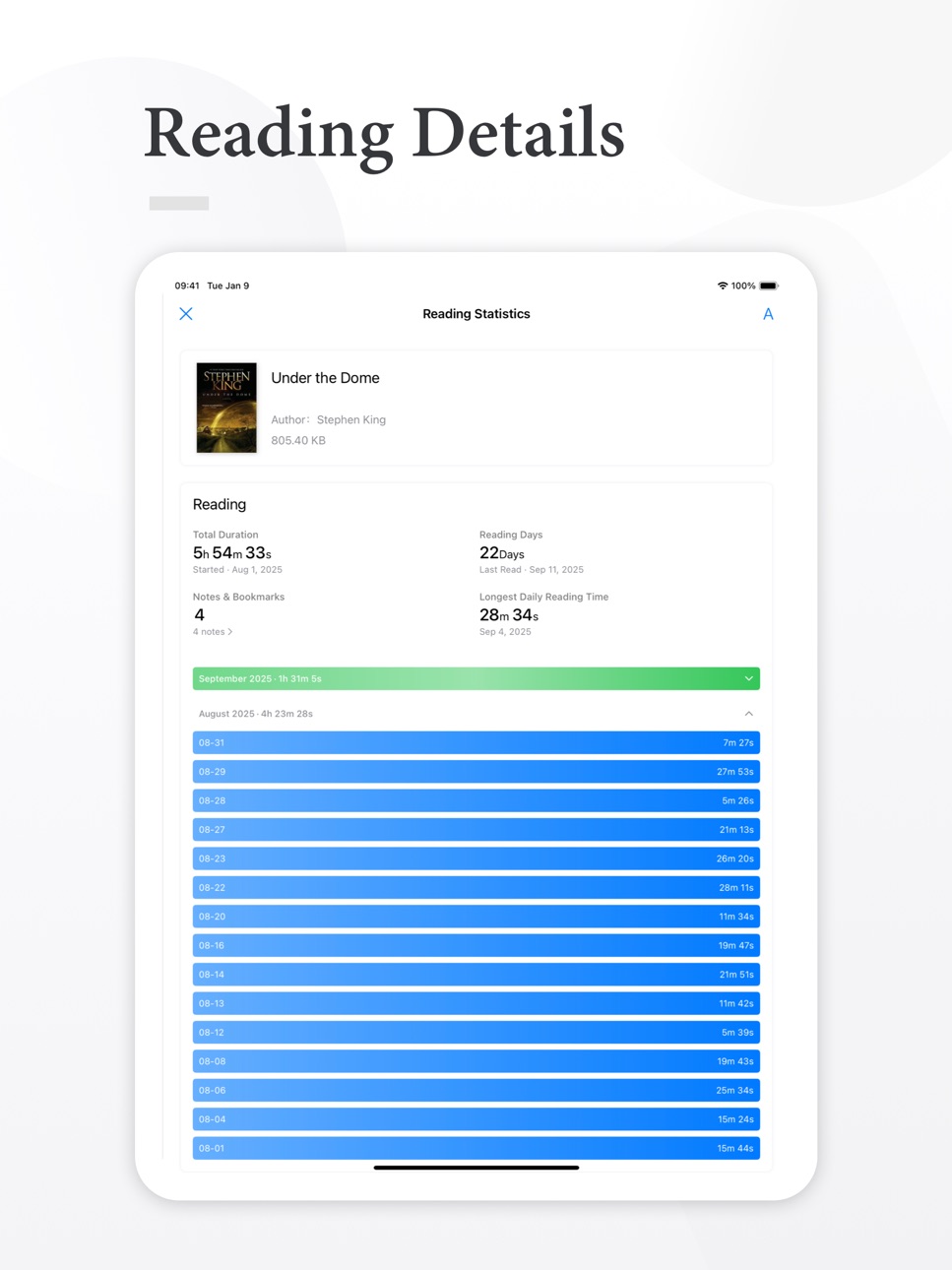
Reading Statistics
• Track detailed reading data with total statistics, daily calendar heatmaps, and per-document insights.
Cloud Sync
• Sync reading progress, statistics, book files, and bookshelf organization across devices.
We are committed to delivering the best reading experience. If you have any questions or feedback, you can always contact us directly within the app.
Subscription Terms
Unless canceled at least 24 hours before the end of the current period, your subscription will automatically renew at the agreed price and duration. The fee will be charged to your Apple ID account within 24 hours prior to the end of the current period. You can manage or cancel your subscription at any time in your App Store account settings. Any unused portion of a free trial period (if offered) will be forfeited when you purchase a subscription. By subscribing, you agree to our Terms of Service and Privacy Policy.
Privacy Policy: https://t15ehm6hgj9.feishu.cn/docx/Op86dE0i2ovOY1xXPwfcvu6lnVg
Terms of Service: https://t15ehm6hgj9.feishu.cn/docx/OArodZ4OXoUiXOxFgIrcplsXn6e
In-App Purchases US pricing
HiReader Pro Subscription
Monthly$1.99
Yearly$9.99
One-Time Purchases
HiReader Pro$19.99
Capabilities
In-App Purchases
Accessibility
ipadiphonemacrealityDevicetvoswatch
Version history 25 versions
Build 886313217v1.302026-05-30 15:58:08
What’s New:
Added volume-button page turning for text and PDF reading.
EPUB imports now use the book’s built-in title when available, making bookshelf titles more accurate.
Improved bookshelf edit mode on iOS 26, fixing issues where the bottom action bar could be covered or button text could appear incorrectly.
Improved the custom chapter rules screen and speech panel interactions.
Build 885703248v1.292026-05-15 14:12:58
This update focuses on fixes and improvements for file import, backup restore, and reading layout:
Fixed an issue where importing books from other apps could fail with “file does not exist” when filenames contained special characters
Fixed an issue where some backup files could not be read or restored
Improved backup restoration so books included in a backup are restored as local files and can be opened directly
Improved EPUB original layout mode, with separate reading settings for original and custom layouts
Fixed abnormal font size behavior in EPUB original layout when using the default size
Fixed an issue where the Light/Dark mode switch could not be tapped when adding or editing custom reading themes
Other experience and stability improvements
Build 885570878v1.282026-05-12 16:06:22
This update includes the following improvements:
- Added an EPUB original layout option, letting you choose between the book’s own layout and HiReader’s reading layout
- Fixed an issue where local text-to-speech playback could stutter
- Fixed an issue where the bookshelf navigation bar colors did not update immediately after switching between light/dark mode or changing the theme color
- Improved the bookshelf navigation bar while scrolling to reduce obstruction of background images
Recommended for all users.
Build 885487813v1.272026-05-11 14:28:09
In this update, we continued polishing the local reading experience:
Added custom app themes, with separate settings for light and dark mode
Added theme import, export, and sharing, making it easier to move themes between devices or share them with friends
Added a cover management entry, so custom book covers are easier to manage and use
The bookshelf grid view now supports adjusting how many books appear in each row
Added more note marking styles and custom colors, so annotations can better match your reading habits
Improved EPUB reading and fixed inaccurate jumps for some note and footnote links
Added TXT slimming and storage statistics to help you better manage local files
Further improved app theme support across dark mode, lists, dividers, empty states, and more
Improved multilingual localization for a more natural experience in different languages
Fixed several stability issues around importing, backup, sync, and reading
Thanks for all your feedback. HiReader will keep focusing on local reading and making the experience more stable and comfortable.
Build 882737176v1.262026-02-24 17:04:36
fix some bugs
Build 878027770v1.252025-09-12 21:11:05
This update fixes an issue where opening certain books could cause lag
Build 874144116v1.24.12025-04-18 20:21:01
1、调整自动阅读的实现逻辑,修复了大家反馈的自动阅读期间手机耗电量增加、发烫的问题。
2、书评支持左滑删除了。
3、在阅读统计页面,也可以看到书评了(如果有)
Build 873754724v1.242025-04-03 13:08:14
1、新增书籍评分评价功能,可以在不同的时间,不同的阅读进度下为书籍打分评论,记录当下的阅读感受。
2、新增仿生阅读功能,专为ADHD开发
3、新增小组件,可以实时查看当前阅读数据
Build 873521108v1.23.12025-03-25 16:46:10
1、支持导入zip、7z、rar格式的压缩包
2、阅读时支持简繁体转换
3、修复部分已知错误
Build 873490451v1.232025-03-24 19:03:18
1、支持导入zip、7z、rar格式的压缩包
2、阅读时支持简繁体转换
3、修复部分已知错误
Build 873367916v1.22.12025-03-19 16:29:09
修复iCloud以及其它文件导入方式中,无法导入azw等文件的问题
Build 873335108v1.222025-03-18 17:03:05
1、新增更多电子书格式的支持,现在支持txt、epub、mobi、azw、azw3、azw4、prc、pdb、pdf等格式的文件了。
2、新增TXT的全文替换功能,可以随意编辑修改txt文件了
Build 873251331v1.212025-03-15 00:25:40
1、新增自定义分章功能,支持手动设置分章规则以及输入正则表达式分章
2、调整部分UI显示错误
Build 873081825v1.202025-03-10 00:44:20
1、新增备份功能,再也不怕数据丢失了
2、新增对PDF的格式支持
3、调整分章规则
Build 872479526v1.19.12025-02-13 23:33:22
修复部分已知问题
Build 872188026v1.192025-02-03 11:26:33
1、新增云同步功能,支持同步阅读数据、书签笔记、自定义主题等。
2、修复初次启动会打断音乐播放的bug
3、修复在多级目录下搜索不完整的问题
4、在页面设置中,添加按钮用于点击调整布局
5、修复使用系统字体时,打开最近阅读可能字体不适配的问题
6、微调页面布局
Build 871938428v1.18.12025-01-22 17:56:52
1、修复已知错误问题
2、新增同名过滤功能
3、新增点击翻页开关
Build 871733986v1.182025-01-20 09:58:43
专业版正式上线啦~
以下是本次更新内容:
1、调整了部分UI设计
2、新增更多个性化定制功能
3、新增App启动密码和生物识别功能
4、书籍和分组支持置顶
5、分组支持设置密码保护
6、增加更多笔记分享样式
7、修复部分机型下系统弹窗没有输入框的问题
8、修复阅读器高度可能出错的问题
Build 871574900v1.17.12025-01-08 10:13:39
1、修复部分epub格式可能会闪退的问题
2、调整了TXT的解析逻辑,速度更快
2、调整自动阅读最低播放速度
Build 871513184v1.172025-01-03 18:20:20
1、新增横屏双页模式(iPad)
2、支持手动删除阅读记录和删除文件同时删除阅读记录
3、启动时可以自动打开最近阅读的书籍
4、通过笔记书签等方式跳转后,支持返回原文位置
Build 871378547v1.162024-12-28 11:27:46
1、新增听书模式。支持语速、音调的调整,支持设置不同语音包,支持定时关闭功能。在锁屏界面下也可以对听书进行控制,包括切换阅读章节等。
2、调整了部分UI的展示逻辑
Build 871165951v1.15.12024-12-16 10:04:19
修复在iOS16上,自定义主题背景图片无法添加的问题
Build 871144328v1.152024-12-15 02:47:26
1、修复自定义主题在部分系统和机型下可能出现的bug
2、修复滚动模式下添加划线笔记重复的问题
Build 871125535v1.142024-12-13 20:43:04
1、新增自定义主题功能,浅色模式和深色模式可以分别自定义。
2、调整自定义封面的裁剪功能。
3、调整TXT的解析逻辑,修复可能造成卡顿的bug。
4、修复部分文件可能导入失败的问题。
Build 871003661v1.132024-12-09 16:25:31
修复iPad下,使用覆盖模式翻页,底部会有空白区域的问题
Price history by region
Currency
Show
Columns
Search
Availability 1 of 1 storefronts
| Region | Language | Price | Ratings | Avg | Version |
|---|---|---|---|---|---|
| US | en-US | Free | 10 | 4.4 | 1.30 |
Change log 29 changes · US
✎
releaseNotes updated
What’s New:
Added volume-button page turning for text and PDF reading.
EPUB imports now use the book’s built-in title when available, making bookshelf titles m
✎
description updated
HiReader is a dedicated local ebook reader designed to create a reading space that belongs only to you. It supports a wide range of ebook formats including TXT,
✎
subtitle updated
Track reading, manage books
✎
name updated
HiReader - EPUB & PDF Reader
◆
Version 1.30 released
What’s New:
Added volume-button page turning for text and PDF reading.
EPUB imports now use the book’s built-in title when available, making bookshelf titles more accurate.
Improved bookshelf edit mode on iOS 26, fixing issues where the bo
◆
Version 1.29 released
This update focuses on fixes and improvements for file import, backup restore, and reading layout:
Fixed an issue where importing books from other apps could fail with “file does not exist” when filenames contained special characters
Fixed
◆
Version 1.28 released
This update includes the following improvements:
- Added an EPUB original layout option, letting you choose between the book’s own layout and HiReader’s reading layout
- Fixed an issue where local text-to-speech playback could stutter
- Fi
◆
Version 1.27 released
In this update, we continued polishing the local reading experience:
Added custom app themes, with separate settings for light and dark mode
Added theme import, export, and sharing, making it easier to move themes between devices or share
◆
Version 1.26 released
fix some bugs
◆
Version 1.25 released
This update fixes an issue where opening certain books could cause lag
◆
Version 1.24.1 released
1、调整自动阅读的实现逻辑,修复了大家反馈的自动阅读期间手机耗电量增加、发烫的问题。
2、书评支持左滑删除了。
3、在阅读统计页面,也可以看到书评了(如果有)
◆
Version 1.24 released
1、新增书籍评分评价功能,可以在不同的时间,不同的阅读进度下为书籍打分评论,记录当下的阅读感受。
2、新增仿生阅读功能,专为ADHD开发
3、新增小组件,可以实时查看当前阅读数据
◆
Version 1.23.1 released
1、支持导入zip、7z、rar格式的压缩包
2、阅读时支持简繁体转换
3、修复部分已知错误
◆
Version 1.23 released
1、支持导入zip、7z、rar格式的压缩包
2、阅读时支持简繁体转换
3、修复部分已知错误
◆
Version 1.22.1 released
修复iCloud以及其它文件导入方式中,无法导入azw等文件的问题
◆
Version 1.22 released
1、新增更多电子书格式的支持,现在支持txt、epub、mobi、azw、azw3、azw4、prc、pdb、pdf等格式的文件了。
2、新增TXT的全文替换功能,可以随意编辑修改txt文件了
◆
Version 1.21 released
1、新增自定义分章功能,支持手动设置分章规则以及输入正则表达式分章
2、调整部分UI显示错误
◆
Version 1.20 released
1、新增备份功能,再也不怕数据丢失了
2、新增对PDF的格式支持
3、调整分章规则
◆
Version 1.19.1 released
修复部分已知问题
◆
Version 1.19 released
1、新增云同步功能,支持同步阅读数据、书签笔记、自定义主题等。
2、修复初次启动会打断音乐播放的bug
3、修复在多级目录下搜索不完整的问题
4、在页面设置中,添加按钮用于点击调整布局
5、修复使用系统字体时,打开最近阅读可能字体不适配的问题
6、微调页面布局
◆
Version 1.18.1 released
1、修复已知错误问题
2、新增同名过滤功能
3、新增点击翻页开关
◆
Version 1.18 released
专业版正式上线啦~
以下是本次更新内容:
1、调整了部分UI设计
2、新增更多个性化定制功能
3、新增App启动密码和生物识别功能
4、书籍和分组支持置顶
5、分组支持设置密码保护
6、增加更多笔记分享样式
7、修复部分机型下系统弹窗没有输入框的问题
8、修复阅读器高度可能出错的问题
◆
Version 1.17.1 released
1、修复部分epub格式可能会闪退的问题
2、调整了TXT的解析逻辑,速度更快
2、调整自动阅读最低播放速度
◆
Version 1.17 released
1、新增横屏双页模式(iPad)
2、支持手动删除阅读记录和删除文件同时删除阅读记录
3、启动时可以自动打开最近阅读的书籍
4、通过笔记书签等方式跳转后,支持返回原文位置
◆
Version 1.16 released
1、新增听书模式。支持语速、音调的调整,支持设置不同语音包,支持定时关闭功能。在锁屏界面下也可以对听书进行控制,包括切换阅读章节等。
2、调整了部分UI的展示逻辑
◆
Version 1.15.1 released
修复在iOS16上,自定义主题背景图片无法添加的问题
◆
Version 1.15 released
1、修复自定义主题在部分系统和机型下可能出现的bug
2、修复滚动模式下添加划线笔记重复的问题
◆
Version 1.14 released
1、新增自定义主题功能,浅色模式和深色模式可以分别自定义。
2、调整自定义封面的裁剪功能。
3、调整TXT的解析逻辑,修复可能造成卡顿的bug。
4、修复部分文件可能导入失败的问题。
◆
Version 1.13 released
修复iPad下,使用覆盖模式翻页,底部会有空白区域的问题