Home › Utilities

 US
US
1 of 1 storefronts
Content in en-US
Content in en-US
Information
Preview 2 platforms
iPhone 4 images



iPad 1 image

What’s New Version 2.3.0
- Do you have a Youless or Enelogic P1? You’ll now see live energy usage directly on the home screen.
- You can now view the actual smart meter readings (meterstanden) below the graph in usage page.
- Impact page is now available (in beta).
- 15 minute data can now be exported via Export menu.
- Buildings can now be added and removed directly from the app.
- You can select which building is set as your primary one.
- Switching devices no longer resets the selected date.
Description
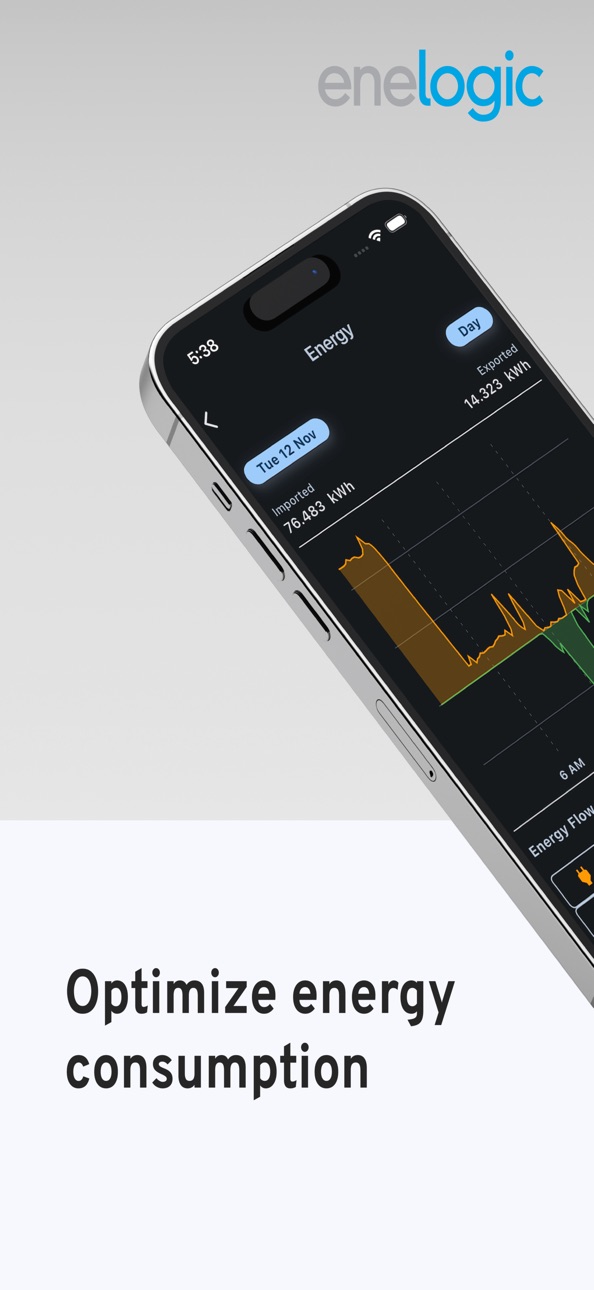
Monitor your energy usage with the Enelogic app. With insights from your smart meter data, you can easily see what you consume, directly on your phone—completely free.
The app offers:
- An overview of your energy consumption and net return.
- Detailed insights into your energy costs.
- Detailed comparisons between different timeframes.
- Information on your buildings and connected devices.
- Easy access to your data anytime, anywhere via your smartphone or tablet.
- Account management.
- Data export options.
Take control of your energy usage with Enelogic!
Privacy policy: https://enelogic.com/nl/privacy
Terms of use: https://enelogic.com/nl/voorwaarden
Capabilities
In-App Purchases
Accessibility
ipadiphonemacrealityDevicetvoswatch
Version history 10 versions
Build 881696816v2.3.02026-02-13 10:05:02
- Do you have a Youless or Enelogic P1? You’ll now see live energy usage directly on the home screen.
- You can now view the actual smart meter readings (meterstanden) below the graph in usage page.
- Impact page is now available (in beta).
- 15 minute data can now be exported via Export menu.
- Buildings can now be added and removed directly from the app.
- You can select which building is set as your primary one.
- Switching devices no longer resets the selected date.
Build 879447769v2.2.12025-11-03 20:15:53
Improved Inspect Mode – We’ve redesigned Inspect Mode to make it easier to view detailed data and navigate between dates.
Instant Account Deletion – You can now permanently delete your account and all data directly from the app.
Easier Support Access – Contacting support via email is now simpler thanks to the new About page.
Youless Data Update – Youless now displays data in 5-minute intervals instead of 1-minute intervals. In a future release, you’ll be able to switch between 1 and 5 minutes.
Build 879142757v2.2.02025-10-31 13:01:57
Improved Inspect Mode – We’ve redesigned Inspect Mode to make it easier to view detailed data and navigate between dates.
Instant Account Deletion – You can now permanently delete your account and all data directly from the app.
Easier Support Access – Contacting support via email is now simpler thanks to the new About page.
Youless Data Update – Youless now displays data in 5-minute intervals instead of 1-minute intervals. In a future release, you’ll be able to switch between 1 and 5 minutes.
Build 877848484v2.1.02025-09-12 21:17:05
- New homepage layout.
- Week overview now available in Energy & Costs page.
- Data export options available via the app. (premium)
- Signing up now possible via the app.
Build 873606096v2.0.02025-04-14 09:38:17
- You can now add energy contracts to your account.
- Get a clear overview of your estimated energy costs. Enable the option on the Energy & Cost page.
- This version introduces widgets, which make it easy to gain valuable insights.
- Once you've selected a YouLess, swipe down to get the most recent data.
- To remove a device (in the app only): Settings → Buildings & Devices → Select Device→ Delete.
Build 871974569v1.1.32025-01-24 07:04:22
Based on your feedback:
• The last selected meter is now saved for each building, so you no longer have to re-select it every time you enter the Energy page.
• Tablet users can now use the app normally in landscape mode without automatically triggering fullscreen mode.
• We’ve added more details to display the x and y axes on the Energy page.
Other changes/fixes:
• Updating the building name is now possible via Settings -> Buildings and Devices page -> Building details.
• Updating the meter name is now possible via Settings -> Buildings and Devices page -> Meter.
• Added support for displaying data in the app from devices like charging points and heat pumps, provided they are properly configured on the website.
• It is now possible to zoom into the graph for more detail by enabling Inspect mode via the Energy page -> Inspect.
• Bug fix: Fixed a bug where some users experienced issues with data from older months.
Build 871591623v1.1.12025-01-08 15:27:13
Our servers are faster than ever.
Subscription syncing is now available - contact us at support@enelogic.com for assistance (if you haven't already).
Faster response time.
Build 871620647v1.1.22025-01-08 21:32:12
- Our servers are faster than ever.
- Subscription syncing is now available - contact us at support@enelogic.com for assistance (if you haven't already).
- Faster response time.
- Bug fixed where data shown in Energy page and duration did not match.
Build 871176584v1.12025-01-03 15:00:49
- An overview of your energy consumption and net to the return
- Detailed insights into your energy costs
- Information on your buildings and connected devices
- Easy access to your data anytime, anywhere via your smartphone or tablet
- Account management page
Build 869534767v1.02024-10-11 14:58:55
No pricing data captured yet — comparisons appear once the app has paid storefronts or in-app purchases.
Availability 1 of 1 storefronts
| Region | Language | Price | Ratings | Avg | Version |
|---|---|---|---|---|---|
| US | en-US | Free | 0 | — | 2.3.0 |
Change log 14 changes · US
✎
releaseNotes updated
- Do you have a Youless or Enelogic P1? You’ll now see live energy usage directly on the home screen.
- You can now view the actual smart meter readings (meters
✎
description updated
Monitor your energy usage with the Enelogic app. With insights from your smart meter data, you can easily see what you consume, directly on your phone—completel
✎
subtitle updated
Energy insights made simple
✎
name updated
Enelogic
◆
Version 2.3.0 released
- Do you have a Youless or Enelogic P1? You’ll now see live energy usage directly on the home screen.
- You can now view the actual smart meter readings (meterstanden) below the graph in usage page.
- Impact page is now available (in beta).
◆
Version 2.2.1 released
Improved Inspect Mode – We’ve redesigned Inspect Mode to make it easier to view detailed data and navigate between dates.
Instant Account Deletion – You can now permanently delete your account and all data directly from the app.
Easier Su
◆
Version 2.2.0 released
Improved Inspect Mode – We’ve redesigned Inspect Mode to make it easier to view detailed data and navigate between dates.
Instant Account Deletion – You can now permanently delete your account and all data directly from the app.
Easier Su
◆
Version 2.1.0 released
- New homepage layout.
- Week overview now available in Energy & Costs page.
- Data export options available via the app. (premium)
- Signing up now possible via the app.
◆
Version 2.0.0 released
- You can now add energy contracts to your account.
- Get a clear overview of your estimated energy costs. Enable the option on the Energy & Cost page.
- This version introduces widgets, which make it easy to gain valuable insights.
- Once
◆
Version 1.1.3 released
Based on your feedback:
• The last selected meter is now saved for each building, so you no longer have to re-select it every time you enter the Energy page.
• Tablet users can now use the app normally in landscape mode without automaticall
◆
Version 1.1.2 released
- Our servers are faster than ever.
- Subscription syncing is now available - contact us at support@enelogic.com for assistance (if you haven't already).
- Faster response time.
- Bug fixed where data shown in Energy page and duration did n
◆
Version 1.1.1 released
Our servers are faster than ever.
Subscription syncing is now available - contact us at support@enelogic.com for assistance (if you haven't already).
Faster response time.
◆
Version 1.1 released
- An overview of your energy consumption and net to the return
- Detailed insights into your energy costs
- Information on your buildings and connected devices
- Easy access to your data anytime, anywhere via your smartphone or tablet
- Acc
◆
Version 1.0 released