Home › Developer Tools

 US
US
1 of 1 storefronts
Content in en-US
Content in en-US
Information
Preview 2 platforms
iPhone 10 images




iPad 7 images


What’s New Version 10.0
• New App icon and new iOS 26 UI
• New Auto-Commit option
Description
DB Compass for Oracle database allows you to access your database directly without additional server software components.
You can manage your data with a clean and simple user interface.
FEATURES:
• Connection over TLS encryption and SSH tunnel
• SSH tunnel authentication support Secure Enclave Key and U2F/FIDO NFC Key
• Assisted table creation and alter structure
• Explore, filter, sort, and quick search table data
• Query script with A.I. assisted composition and plan analysis
• Database objects (tables, views, procedures, etc.)
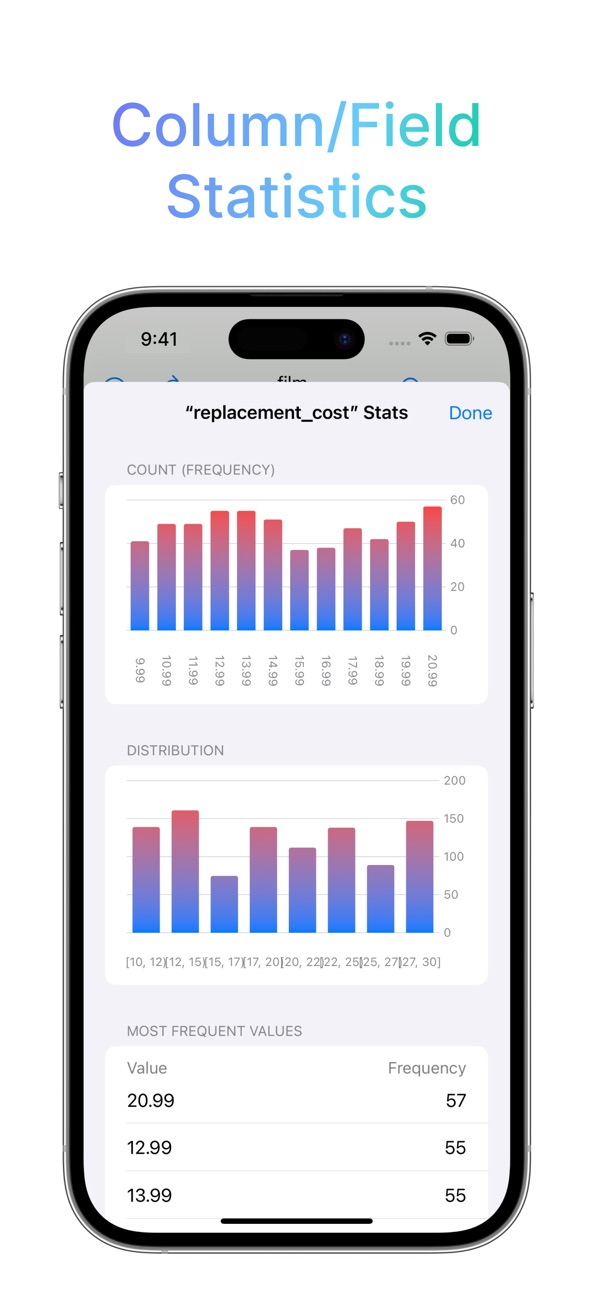
• Database statistics, sessions manager, server status graphs
• ER Diagram Viewer
• Advanced data grid for browse, edit, conditional formatting
• Blob field preview, import and export
• Stored Procedure, Package, Recycle Bin, Server Output
• Import and Export in multiple formats
• iCloud Sync for SQL and JS scripts
• SQL plan analysis
• Shortcuts support
• User Charts
• Widgets for User Charts
OpenAI integration requires your key and is only available in allowed regions.
Ollama integration requires your server to connect to.
-- This is a Premium app that requires subscription or lifetime unlock --
Terms of Use: https://dbcompass.net/terms-and-conditions
In-App Purchases US pricing
Subscriptions Subscription
Monthly subscription · Monthly 3-day free trial$2.99
Yearly subscription · Yearly 7-day free trial$3.99
One-Time Purchases
Lifetime Premium$9.99
Capabilities
In-App Purchases
Accessibility
ipadiphonemacrealityDevicetvoswatch
Version history 12 versions
Build 885182571v10.02026-05-03 02:00:20
• New App icon and new iOS 26 UI
• New Auto-Commit option
Build 883502012v9.12026-03-18 20:25:26
• Fixed table list on Oracle 21 connections
Build 882023689v9.02026-02-01 18:52:48
• New chart type to display a single text/value
Build 880763010v8.02025-12-18 23:02:57
• SQL script completion hints improvements
• Improved Global Search completion text search
• Updated SSH Tunnels key algorithms (ML-KEM and SNTRUP761)
Build 878700726v7.02025-10-07 16:49:37
• New chart features: trendlines, reference lines, data symbols customizations, and dynamic axis titles
• Chart widgets can also be placed on the Lock Screen
• New Import dBase files (DBF)
• New Logical Expression in grid filter and Global Search
• New Light/Dark UI mode selection
• New Customizable colors in HTML Grid Export
Build 875819328v6.02025-06-24 01:30:01
• Added new match types in Global Search
• Added match types in grid filter
• Fixed scripts synchronization
Build 875604665v5.02025-06-16 04:40:58
• New name for scripts (which can be referenced in Shortcuts)
• New Global Search that allows a text search in the whole database
• New SQL script results available through a faster (configurable) popup
• Record View window can now navigate to multiple foreign key relation levels
• New menu and UI reorganization
Build 872916786v4.12025-03-03 02:51:18
• Bugs fixed in A.I. integration
Build 872668416v4.02025-02-21 18:43:49
• New multi-chat and multi-service A.I. integration
• Additional Charts customizations
Build 872033687v3.02025-01-27 08:29:07
• New NLS settings and informational overview
• New named parameters for SQL in Shortcuts
Build 871742422v2.02025-01-16 22:16:08
• New Widgets with user defined charts
Build 869515266v1.02024-11-08 02:51:20
Price history by region
Currency
Show
Columns
Search
Availability 1 of 1 storefronts
| Region | Language | Price | Ratings | Avg | Version |
|---|---|---|---|---|---|
| US | en-US | Free | 2 | 5.0 | 10.0 |
Change log 16 changes · US
✎
releaseNotes updated
• New App icon and new iOS 26 UI
• New Auto-Commit option
✎
description updated
DB Compass for Oracle database allows you to access your database directly without additional server software components.
You can manage your data with a clean
✎
subtitle updated
Browse Your Oracle Database
✎
name updated
DB Compass for Oracle database
◆
Version 10.0 released
• New App icon and new iOS 26 UI
• New Auto-Commit option
◆
Version 9.1 released
• Fixed table list on Oracle 21 connections
◆
Version 9.0 released
• New chart type to display a single text/value
◆
Version 8.0 released
• SQL script completion hints improvements
• Improved Global Search completion text search
• Updated SSH Tunnels key algorithms (ML-KEM and SNTRUP761)
◆
Version 7.0 released
• New chart features: trendlines, reference lines, data symbols customizations, and dynamic axis titles
• Chart widgets can also be placed on the Lock Screen
• New Import dBase files (DBF)
• New Logical Expression in grid filter and Global
◆
Version 6.0 released
• Added new match types in Global Search
• Added match types in grid filter
• Fixed scripts synchronization
◆
Version 5.0 released
• New name for scripts (which can be referenced in Shortcuts)
• New Global Search that allows a text search in the whole database
• New SQL script results available through a faster (configurable) popup
• Record View window can now navigate
◆
Version 4.1 released
• Bugs fixed in A.I. integration
◆
Version 4.0 released
• New multi-chat and multi-service A.I. integration
• Additional Charts customizations
◆
Version 3.0 released
• New NLS settings and informational overview
• New named parameters for SQL in Shortcuts
◆
Version 2.0 released
• New Widgets with user defined charts
◆
Version 1.0 released