Home › Productivity

 US
US
1 of 1 storefronts
Content in en-US
Content in en-US
Information
Preview 2 platforms
iPhone 8 images


iPad 8 images



What’s New Version 1.3
fixed bug
Description
WBGT TM App can instantly transmit measurement data to the APP application via Bluetooth.
An app for recording and managing WBGT, black bulb temperature (TG), dry bulb temperature (TA), humidity (%RH), dew point (DEW), and wet bulb temperature (WET) measurements of integrated heat index meters and Bluetooth. You can view and record the WBGT value of the "Comprehensive Heat Index Meter" at the same time, and view the past date and the maximum value of today's date, real-time image transmission and sharing to e-mail or communication software, etc., and view historical records.
Use the application:
1. Please turn on the Bluetooth switch first and then press the power button of the instrument. The Bluetooth switch of this product is located on the right side below. Please open the APP after installation and click to enter the screen.
2. After turning on the phone, pay attention to whether the Bluetooth symbol appears on the LCD to confirm whether Bluetooth is successfully turned on.
3. Open the mobile APP “WBGT TM” application.
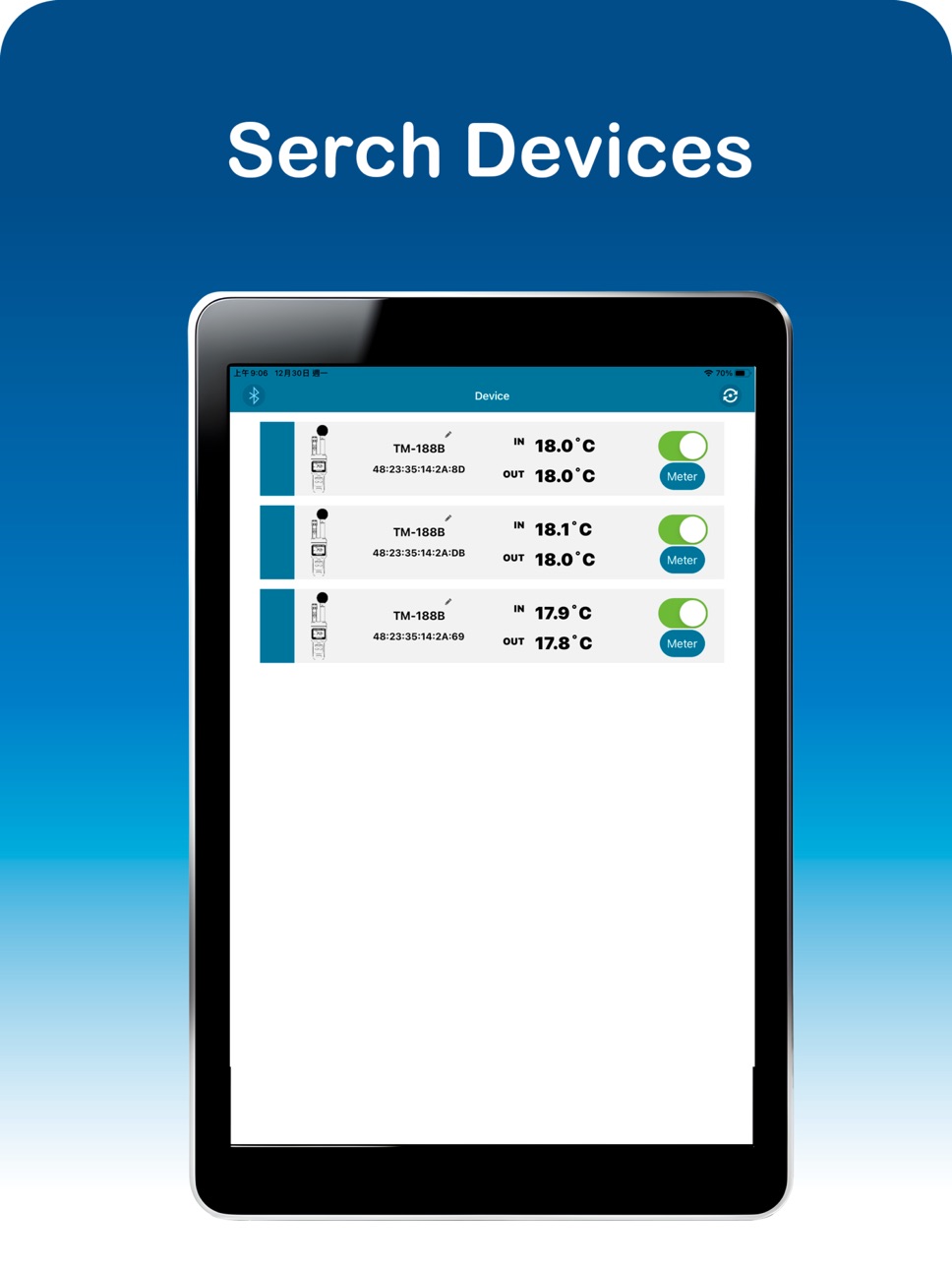
4. Please click Search Device.
5. Please push the upper right button to the right to turn it on
6. The Bluetooth symbol in the upper left corner turns blue, and the WBGT data shows that the connection is successful.
7. Click on the pen pattern to change the name
8. Click the instrument to enter the real-time display screen
Set "Setting symbol in the upper right corner":
1. Change language: You can change other languages.
2. Select unit: You can change ℃ or ℉.
3. Sampling Setting: 5seconds/10seconds/30seconds/60seconds/
5minutes/10minutes/30minutes/60minutes.
4. Stop Receiving: Continue/stop.
5. Version information.
6. Check for updates: Update the latest programs.
Accessibility
ipadiphonemacrealityDevicetvoswatch
Version history 2 versions
Build 872456117v1.32025-02-13 10:30:36
fixed bug
Build 869222024v1.02025-01-02 18:51:38
No pricing data captured yet — comparisons appear once the app has paid storefronts or in-app purchases.
Availability 1 of 1 storefronts
| Region | Language | Price | Ratings | Avg | Version |
|---|---|---|---|---|---|
| US | en-US | Free | 0 | — | 1.3 |
Change log 5 changes · US
✎
releaseNotes updated
fixed bug
✎
description updated
WBGT TM App can instantly transmit measurement data to the APP application via Bluetooth.
An app for recording and managing WBGT, black bulb temperature (TG),
✎
name updated
WBGT TM
◆
Version 1.3 released
fixed bug
◆
Version 1.0 released