Home › Education

 US
US
1 of 1 storefronts
Content in en-US
Content in en-US
Information
Preview 2 platforms
iPhone 4 images



iPad 4 images


What’s New Version 9.5.9
What's New in This Update
We've given the app a major upgrade. A redesigned Dashboard and a brand-new Tags feature to help your team work faster and track child movement with more confidence.
New Dashboard Experience Your home screen has been rebuilt from the ground up. Everything you need for daily operations is now cleaner, faster, and right at your fingertips.
Staff Check-In / Check-Out from the Dashboard — No more navigating away. Check staff in and out directly from your home screen.
Quick Add Button — Add a Room, Child, Staff member, or Tag in one tap.
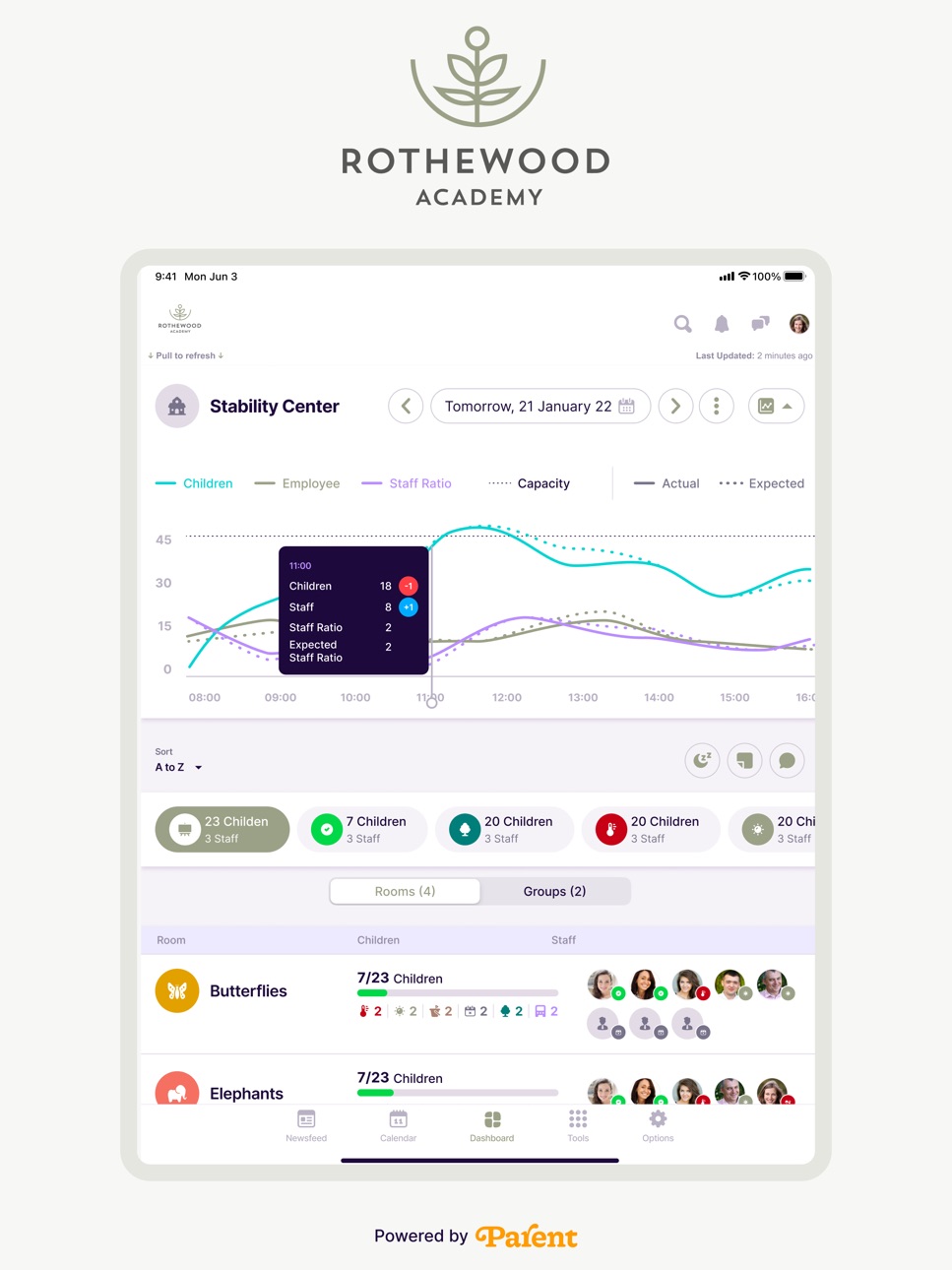
Rooms Overview Widget — See all your rooms at a glance: how many children are checked in, staff presence, and room status — all on one screen.
Customisable Widgets — Rearrange your dashboard to match how your team works. Use the new drag-and-drop layout to add, remove, and reorder widgets in a flexible masonry grid.
Room Card Settings — Control exactly what information appears on each room card.
New: Tags Feature Track where children are throughout the day — beyond just check-in and check-out.
Tag In / Tag Out — Log child and staff movement across locations like the playground, bus, or kitchen.
Movement Timeline — View a full record of each child's tag movements, room changes, and attendance in one place.
Quick Summary on Dashboard — Tap any child avatar in Room Details to see a pop-up timeline of their day: check-in, check-out, tags, and key activities — without leaving the screen.
Child Movement Report — A new report that combines attendance, tags, and room movements in a single view.
Flexible Settings — Optionally auto check-in when tagging, or auto tag-out on check-out. Configure in Operations > Attendance Settings.
Update now and explore the new experience.
Description
Welcome to the Future of Childcare: Rothewood App!
Experience a revolution in childcare convenience and engagement with our state-of-the-art app, exclusively designed for parents like you who prioritize their child's well-being. Embrace the digital era as we introduce you to the myriad advantages of seamlessly integrating your daycare center with the online world.
Why Embrace the Digital Landscape with Rothewood App?
- Stay Connected, Always:
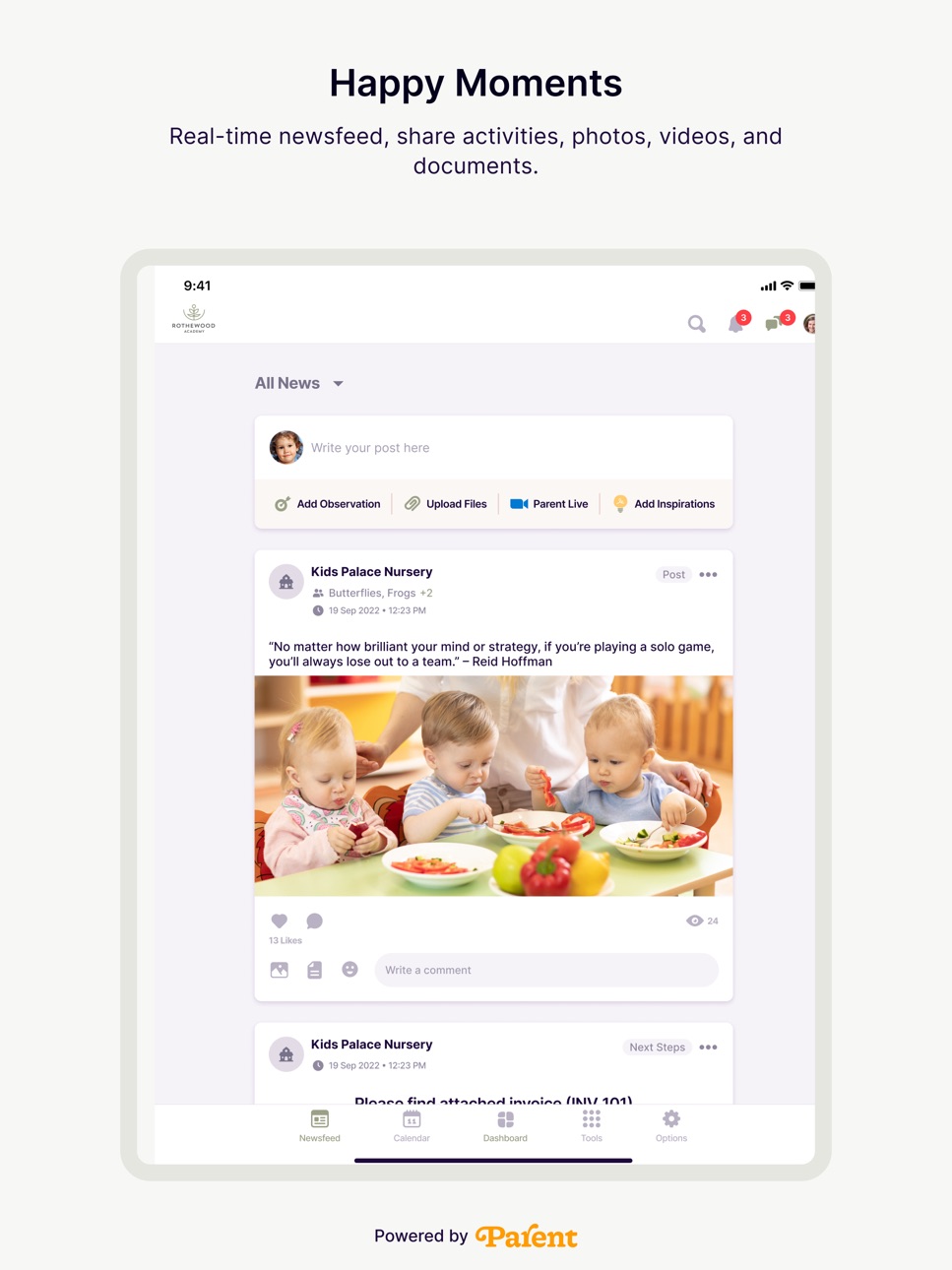
Bid farewell to the fear of missing out on your child's precious moments! Our app ensures you're constantly in the loop with instant updates, delightful photos, and heartwarming videos of your little one's activities and adventures throughout the day.
- Instant Notifications:
Stay ahead of the curve with prompt notifications regarding crucial announcements, upcoming events, and any urgent information emanating from the daycare center. By staying informed, you become an integral part of every chapter in your child's evolving journey.
- Secure and Private:
We prioritize your child's safety and privacy above all else. Our app has been meticulously designed to establish a secure platform for sharing sensitive information, ensuring that access is exclusively granted to authorized individuals.
- Engage and Participate:
Immerse yourself in your child's daycare journey like never before. The app fosters a sense of belonging by encouraging parent engagement through virtual events, insightful discussions, and the opportunity to collaborate seamlessly with fellow parents.
- Easy Communication:
Got a question or an idea to share with the daycare staff? Our in-app messaging feature ensures that communication flows effortlessly, establishing a foundation for a robust partnership between parents and caregivers.
- Memories to Cherish:
Create an enchanting digital repository of your child's treasured memories, capturing everything from their initial finger-painting escapades to their hilarious antics during playful moments. These memories will serve as timeless keepsakes that you'll fondly revisit for years to come.
Join us in championing the digital evolution of childcare with Rothewood App. Say farewell to the complexities of traditional communication and embrace a future where your daycare experience is seamlessly engaging, effortlessly efficient, and delightfully connected. Download the app now to embark on a transformative journey toward an even brighter and more closely connected tomorrow!
Kindly note that the privileges of Rothewood App are exclusively available to parents and guardians of enrolled children at Rothewood An active account is essential for accessing the app's exceptional features.
Accessibility
ipadiphonemacrealityDevicetvoswatch
Version history 8 versions
Build 887430876v9.5.92026-06-28 00:14:16
What's New in This Update
We've given the app a major upgrade. A redesigned Dashboard and a brand-new Tags feature to help your team work faster and track child movement with more confidence.
New Dashboard Experience Your home screen has been rebuilt from the ground up. Everything you need for daily operations is now cleaner, faster, and right at your fingertips.
Staff Check-In / Check-Out from the Dashboard — No more navigating away. Check staff in and out directly from your home screen.
Quick Add Button — Add a Room, Child, Staff member, or Tag in one tap.
Rooms Overview Widget — See all your rooms at a glance: how many children are checked in, staff presence, and room status — all on one screen.
Customisable Widgets — Rearrange your dashboard to match how your team works. Use the new drag-and-drop layout to add, remove, and reorder widgets in a flexible masonry grid.
Room Card Settings — Control exactly what information appears on each room card.
New: Tags Feature Track where children are throughout the day — beyond just check-in and check-out.
Tag In / Tag Out — Log child and staff movement across locations like the playground, bus, or kitchen.
Movement Timeline — View a full record of each child's tag movements, room changes, and attendance in one place.
Quick Summary on Dashboard — Tap any child avatar in Room Details to see a pop-up timeline of their day: check-in, check-out, tags, and key activities — without leaving the screen.
Child Movement Report — A new report that combines attendance, tags, and room movements in a single view.
Flexible Settings — Optionally auto check-in when tagging, or auto tag-out on check-out. Configure in Operations > Attendance Settings.
Update now and explore the new experience.
Build 885960982v9.5.42026-05-21 18:10:14
What's New in This Update
We've given the app a major upgrade. A redesigned Dashboard and a brand-new Tags feature to help your team work faster and track child movement with more confidence.
New Dashboard Experience Your home screen has been rebuilt from the ground up. Everything you need for daily operations is now cleaner, faster, and right at your fingertips.
Staff Check-In / Check-Out from the Dashboard — No more navigating away. Check staff in and out directly from your home screen.
Quick Add Button — Add a Room, Child, Staff member, or Tag in one tap.
Rooms Overview Widget — See all your rooms at a glance: how many children are checked in, staff presence, and room status — all on one screen.
Customisable Widgets — Rearrange your dashboard to match how your team works. Use the new drag-and-drop layout to add, remove, and reorder widgets in a flexible masonry grid.
Room Card Settings — Control exactly what information appears on each room card.
New: Tags Feature Track where children are throughout the day — beyond just check-in and check-out.
Tag In / Tag Out — Log child and staff movement across locations like the playground, bus, or kitchen.
Movement Timeline — View a full record of each child's tag movements, room changes, and attendance in one place.
Quick Summary on Dashboard — Tap any child avatar in Room Details to see a pop-up timeline of their day: check-in, check-out, tags, and key activities — without leaving the screen.
Child Movement Report — A new report that combines attendance, tags, and room movements in a single view.
Flexible Settings — Optionally auto check-in when tagging, or auto tag-out on check-out. Configure in Operations > Attendance Settings.
Update now and explore the new experience.
Build 885256174v9.5.02026-05-10 19:03:22
What's New in This Update
We've given the app a major upgrade. A redesigned Dashboard and a brand-new Tags feature to help your team work faster and track child movement with more confidence.
New Dashboard Experience Your home screen has been rebuilt from the ground up. Everything you need for daily operations is now cleaner, faster, and right at your fingertips.
Staff Check-In / Check-Out from the Dashboard — No more navigating away. Check staff in and out directly from your home screen.
Quick Add Button — Add a Room, Child, Staff member, or Tag in one tap.
Rooms Overview Widget — See all your rooms at a glance: how many children are checked in, staff presence, and room status — all on one screen.
Customisable Widgets — Rearrange your dashboard to match how your team works. Use the new drag-and-drop layout to add, remove, and reorder widgets in a flexible masonry grid.
Room Card Settings — Control exactly what information appears on each room card.
New: Tags Feature Track where children are throughout the day — beyond just check-in and check-out.
Tag In / Tag Out — Log child and staff movement across locations like the playground, bus, or kitchen.
Movement Timeline — View a full record of each child's tag movements, room changes, and attendance in one place.
Quick Summary on Dashboard — Tap any child avatar in Room Details to see a pop-up timeline of their day: check-in, check-out, tags, and key activities — without leaving the screen.
Child Movement Report — A new report that combines attendance, tags, and room movements in a single view.
Flexible Settings — Optionally auto check-in when tagging, or auto tag-out on check-out. Configure in Operations > Attendance Settings.
Update now and explore the new experience.
Build 884765398v9.4.142026-04-26 18:04:31
A big update to our learning and development suite.
Dynamic Curriculum: Build your own custom framework with sub-areas, goals, and multilingual support.
Coverage Grids: New progress reports help you identify gaps in observations and track child development across age bands more efficiently.
Build 877660808v9.4.22026-03-03 16:03:25
New: AI-Powered Post & Observation Builder Teachers can now harness our integrated AI assistant to draft engaging posts and detailed observations about each child—saving time and ensuring consistency.
Enhanced Security: Multi-Factor Authentication (MFA) We have introduced MFA to provide an extra layer of protection for your account. Enable it in your settings today to keep your data secure.
Build 873739917v1.0.22025-04-08 07:55:09
Track attendance effortlessly with the new "Absent" status! Easily mark full-day or partial absences for children and staff.
Build 873467103v1.0.12025-03-25 15:22:12
Curriculum Builder
We’re excited to introduce Curriculum Builder, a game-changing feature designed to give childcare centres greater flexibility in creating and managing their curriculums. Unlike the previous static curriculum module, the Curriculum Builder enables dynamic, customizable, and shareable curriculums, ensuring that early learning programs can be tailored to each centre’s unique needs. Here is what you can expect:
Dynamic Curriculum Creation: Staff members can design and modify curriculums effortlessly through an interactive builder interface. They can also customize learning programs to fit different age groups, learning styles, or centre-specific needs.
Multiple Curriculum Support: Manage multiple curriculums simultaneously instead of being restricted to just one. They can easily switch between programs to meet the evolving needs of children and educators.
Seamless Sharing with Childcare Centres: Share curriculums with all centres or select specific centres based on their educational approach. Provide tailored learning plans that align with each centre’s teaching philosophy.
Phased Transition Plan: Both the old curriculum module and the new Curriculum Builder will be available until the end of the academic year, ensuring a smooth transition. Centres that continue using the old curriculum module will maintain access to existing reports. Once fully transitioned, historical reports will still be available for viewing.
Future Reporting Enhancements: Reporting functionality will be introduced in a future update. Centres using the Curriculum Builder during the initial phase will gain access to reporting tools once they are implemented.
This update marks a major step toward more adaptable, scalable, and efficient curriculum planning, making it easier for childcare centres to deliver high-quality learning experiences.
Build 869204656v1.02024-10-15 11:58:54
No pricing data captured yet — comparisons appear once the app has paid storefronts or in-app purchases.
Availability 1 of 1 storefronts
| Region | Language | Price | Ratings | Avg | Version |
|---|---|---|---|---|---|
| US | en-US | Free | 0 | — | 9.5.9 |
Change log 11 changes · US
✎
releaseNotes updated
What's New in This Update
We've given the app a major upgrade. A redesigned Dashboard and a brand-new Tags feature to help your team work faster and track child
✎
description updated
Welcome to the Future of Childcare: Rothewood App!
Experience a revolution in childcare convenience and engagement with our state-of-the-art app, exclusively
✎
name updated
Rothewood Academy
◆
Version 9.5.9 released
What's New in This Update
We've given the app a major upgrade. A redesigned Dashboard and a brand-new Tags feature to help your team work faster and track child movement with more confidence.
New Dashboard Experience Your home screen has be
◆
Version 9.5.4 released
What's New in This Update
We've given the app a major upgrade. A redesigned Dashboard and a brand-new Tags feature to help your team work faster and track child movement with more confidence.
New Dashboard Experience Your home screen has be
◆
Version 9.5.0 released
What's New in This Update
We've given the app a major upgrade. A redesigned Dashboard and a brand-new Tags feature to help your team work faster and track child movement with more confidence.
New Dashboard Experience Your home screen has be
◆
Version 9.4.14 released
A big update to our learning and development suite.
Dynamic Curriculum: Build your own custom framework with sub-areas, goals, and multilingual support.
Coverage Grids: New progress reports help you identify gaps in observations and track c
◆
Version 9.4.2 released
New: AI-Powered Post & Observation Builder Teachers can now harness our integrated AI assistant to draft engaging posts and detailed observations about each child—saving time and ensuring consistency.
Enhanced Security: Multi-Factor Authent
◆
Version 1.0.2 released
Track attendance effortlessly with the new "Absent" status! Easily mark full-day or partial absences for children and staff.
◆
Version 1.0.1 released
Curriculum Builder
We’re excited to introduce Curriculum Builder, a game-changing feature designed to give childcare centres greater flexibility in creating and managing their curriculums. Unlike the previous static curriculum module, the
◆
Version 1.0 released