Home › Business

 US
US
1 of 1 storefronts
Content in en-US
Content in en-US
Information
Apple ID670542915
Bundle IDcom.rzsoftware.redzone
SellerSeller
Min iOS17.0
Min macOS13.0
Device familiesiphone, ipad
Released2019-11-19
Copyright© Verifract LLC
Privacy policyLink ↗
Preview 2 platforms
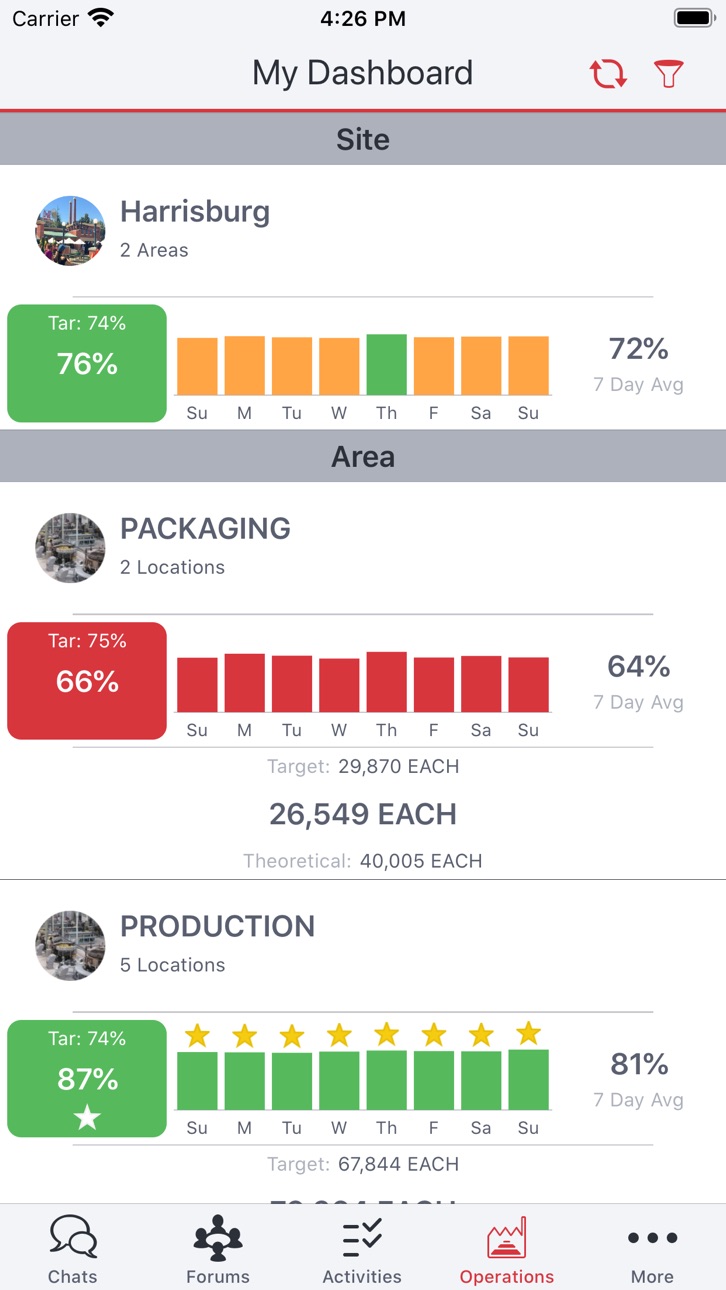
iPhone 3 images


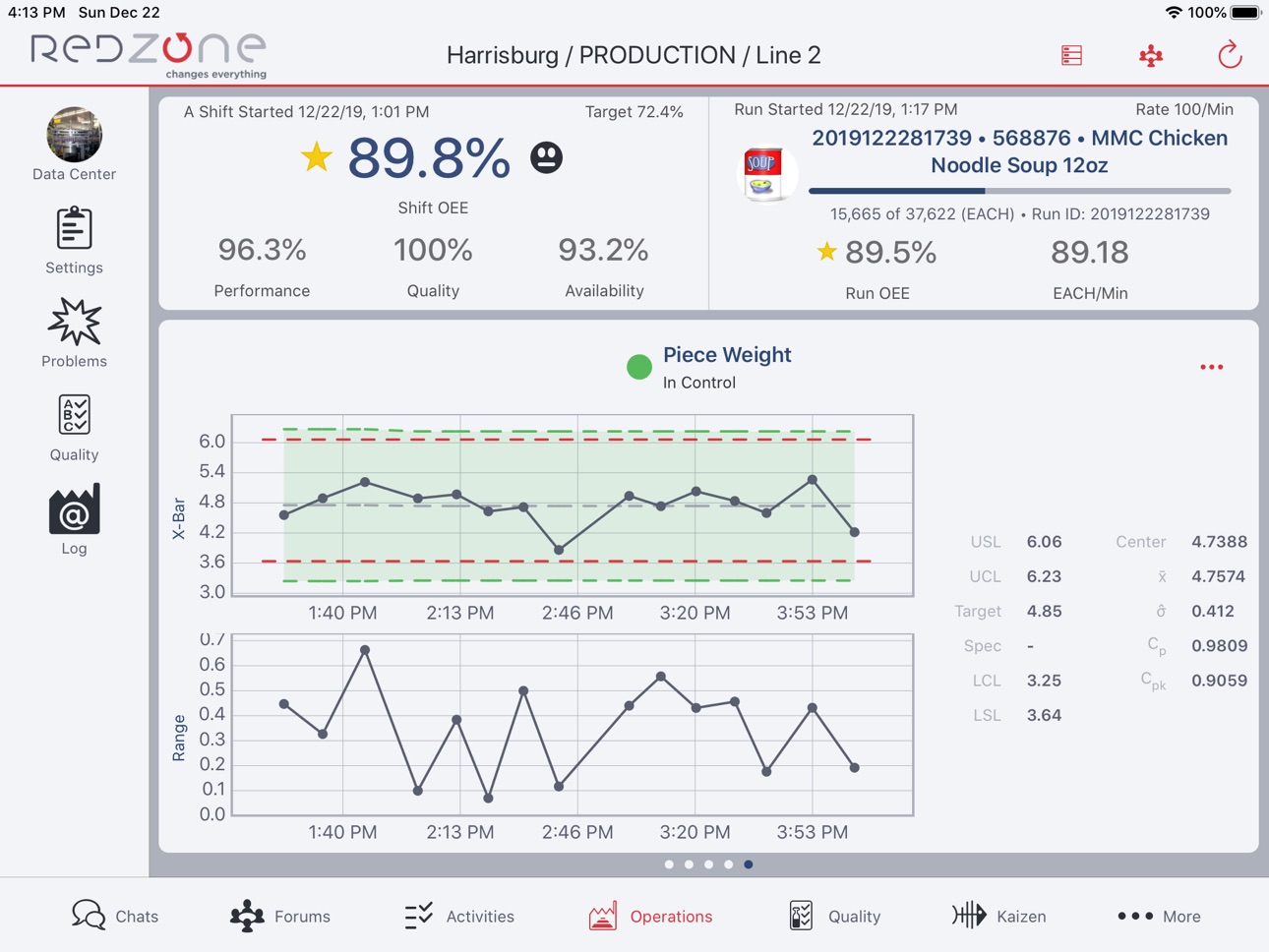
iPad 4 images



What’s New Version 61.5
Fixes an crash around data sheet images when in rare memory pressure circumstances
Description
At Redzone, we take a systematic approach to improving productivity and food safety, using easy to deploy social technology combined with coaching to empower the front line. Built for food and beverage and CPG, and now improved to include manufacturing and automotive markets, our capabilities provide real-time, plant wide visibility into key metrics such as OEE with integrated food safety, quality management, and an integrated LMS database in a single platform.
Accessibility
ipadiphonemacrealityDevicetvoswatch
Version history 25 versions
Build 887661836v61.52026-07-01 18:32:16
Fixes an crash around data sheet images when in rare memory pressure circumstances
Build 887355597v61.42026-06-24 12:54:14
Fixes a rare crash involving data sheet images
Build 887060031v61.32026-06-17 19:00:18
Fixes an issue with password reset in EMEA region
Build 886855904v61.22026-06-12 14:56:13
Fixes an issue with decimals in some data sheet checks
Build 886795770v61.12026-06-11 12:39:07
Fixes an issue where the Champion re-authentication flow does not trigger for some users
Build 886245457v61.02026-06-08 14:22:22
Various improvements and bug fixes
See our full release notes at https://help.rzsoftware.com/en/articles/15231569-v61-release-notes
Build 885640232v60.32026-05-13 22:12:35
Fix for rare issue where data sheet images could silently upload empty
Build 885445301v60.22026-05-11 14:16:35
- Fix for a rare crash involving images in data sheets
Build 884912152v60.02026-04-27 17:33:27
## What's New
- A countdown timer was added for Cycle Products on the Production screen.
- The Storeroom/Find Me Location was added to the receiving flow for Purchase Requests to allow for Multi Address Parts.
- Added the ability to filter by Storeroom on Parts List.
## Other Improvements
- Resolved an issue where "none" OEE Locations were not appearing when creating a Work Order.
- The Approve and Reject buttons are now hidden when user do not have Approve permissions.
- iOS side fix for an issue with Kitting where, after parts were being put in a temporary address, Work Orders were consuming them from another address.
- Purchase request detail screen now shows comment count.
- Fixed image compression recursion to avoid intermittent crashes.
- Added ability to enter a comment when rejecting a Purchase Request.
- Fixed an issue where it was not possible to enter new lines in keyboard data items.
- Improvements were made to the Storeroom filter UI.
- Fixed an issue where, when updating direct observation required, it only affected future Data Sheets and not those already created.
- Fixed an issue where the "on order" view on a Part would list all Purchase Orders rather than just the ones that are active.
- Updated the font on the My Quality Dashboard page.
- Updated UI behavior when marking and unmarking favorite Data Sheet Templates.
- Headers were added to the Order and Received Items sections for Purchase Request and Purchase Order detail.
- Added color codes for Data Sheets on the Production Dashboard on due date approach.
- Added the ability for pictures to be potentially be added to failed data items.
- Color coded results for Centerlines are now displayed.
- Resolved an issue where tapping a Learning Pack occasionally did not open the detail view.
- Fixed an issue where, after completing a Learning Pack Item via the item detail modal, the My Training sidebar did not automatically update to reflect the new progress.
- Fixed a issue where Learning Forum was crashing intermittently.
- Corrected miscolored Quiz Result text.
- Fixed an issue where a crash could occur if a user closed the Hours Worked screen with the keyboard up.
- Images posted in Line Log replies now appear in the Modern UI; document selection screen responsiveness improved.
- Chats no longer disappear or move between Messages and Unread sections; unread is shown as a visual state only and Chat location stays stable.
- Chat attachments can now be sent successfully from iOS; uploads no longer error.
- The unread badge on the Chats tab now updates when you have unread messages and clears when messages are read.
- Unread message count in Chats now increments for every unread message; no manual refresh needed.
- Whiteboard interval counts now display correctlly.
- Renaming a forum now updates the Forum name in the modern Chats list on iOS without requiring refresh.
- Step progress now resets to zero when a voided Step is restarted.
- There is now a countdown timer for Cycle Assets available on a TV Slide.
- Resolved an issue where downtime was being split into two minute instances instead of one continuous downtime event.
- Fixed an issue where a crash could happening when opening a Support Chat reply.
- Users can now submit whiteboard counts without allocating problem downtime if the remaining unallocated minutes fall within this grace period threshold.
- Resolved an issue where users were unable to save zero counts in Whiteboard Locations.
- Updated attachments view for Step locations to allow start/pause/reject/complete a Step and Product selection.
Build 884208235v59.22026-04-07 17:13:17
Fixes an issue where a user could be re-logged in as a previously logged in user
Build 884072049v59.12026-04-03 13:10:38
Fixes a UI issue with number entry in data sheets in iOS 26
Build 883806447v592026-03-31 18:32:11
- Various improvements, features, and improvements
- (Productivity) Pausing Steps: Pausing Steps is now available at Step Locations. This can be configured in Web Admin at the Location and Step Type, with configurable pause codes by Step Type. This feature allows a user to resume a paused Step at a later time, or move a Step to a new station to resume the work.
Build 882797386v58.22026-03-02 15:12:38
Includes updates for Champion AI
Build 882583857v58.12026-02-19 15:09:05
- Fix for a bug preventing some users from accessing their Learning & Skills page
Build 882450536v58.02026-02-17 20:07:59
## Release Highlights ##
- (Compliance) Run ID History Report: The Run ID History Report can now be exported and is formatted similarly to the Run History Report.
- (Compliance) Reset PIN in Data Sheets: Users can now reset or update their PIN directly within the Data Sheet completion flow.
- (Compliance) Selectable Language for Month Abbreviations and Names: Month Abbreviations and Names now have a selectable language in Web Admin when a month format is specified as an abbreviation or a month name. This is specified at the characteristic value level and defaults to the user's device language.
Build 881721464v57.12026-01-26 15:41:56
- Fix for rare Julian date bug in data sheets
Build 881331979v572026-01-13 15:17:08
# Release Highlights #
- (Productivity) Improved Flexibility for Quality Loss Recording: The quantity restriction for recording quality losses that occur before the "In" sensor has been removed.
- (Compliance) New Run ID Views Reporting: We've introduced a new Dashboard view and a Historical Report to support Run ID views.
- (Compliance) Enhanced Problem Created Trigger: The Problem Created Trigger now includes a toggle option to prevent it from firing during a Shift/Run Change.
- (Reliability) Parts List Sorting: The "Find Me" column on the Parts List is now sortable.
- (Reliability) "Find Me" Setting Update: An issue preventing the "Find Me" setting from being updated for a part has been resolved in both the main application and Web Admin.
- (Learning) New User Progress Report: A detailed report is now available to track a user's progress across assigned learning packs, individual items, and skills.
- (Learning) Force Expiry Commenting: Administrators can now provide a comment explaining the reason when they force the expiry of a Learning Pack Item. This comment will be tracked and stored for reference.
- (Learning) Standard Promotion: Users can now promote standards directly within Web Admin.
Build 880525214v56.22025-12-11 16:15:01
- Fix for crash that can occur on quality homepage when accessibility text sizes are used
- Fix for rare network timeout issues in certain environments
Build 880278464v56.12025-12-04 15:37:45
* Localization: We've added support for new languages: Arabic, Czech, Hindi, Lithuanian, Latvian, Slovak, Tamil, and Turkish.
* Maintenance & Navigation:
* Resolved an issue where assigning Ownership to the last item on the maintenance backlog did not save.
* Corrected a bug where navigating to the Requests or Breakdowns pages from the Maintenance Homepage caused the sidebar to occupy the entire screen.
* Fixed a problem with the "Find Me" feature not updating.
* Performance & Stability:
* Addressed a crash that occurred on certain device versions when editing "My World" Widgets.
* Fixed incorrect duration values displayed in the completed Step bar chart.
Build 879880729v56.0.12025-11-19 17:55:56
- Fix for missing language options from v55
Build 879787322v56.02025-11-17 18:59:25
Redzone Version 56 introduces significant enhancements to the application, providing a smoother, smarter, and more powerful experience across all modules.
Key New Features:
• Reporting and Data Access:
• Access the Run ID Based history report directly from the Historical Report Search.
• The Quality Dashboard, Signoff Dashboard, and Run history can now be filtered and viewed by Quality Run ID.
• Updates:
• Includes updated skills matrix data to show completion status.
• Usability and Configuration:
• Subtitles are now editable by directly typing in the time duration/stamp.
• A "Clear Filter Parameter" button has been added to Playbook for easier filter exit.
• Manual linking of a Centerline to a Sense/Breakdown is now possible.
• Learning and Training:
• Learn Reporting for Packs is now linked to specific Learning items.
• Other bug fixes and small improvements
Build 879036831v55.32025-10-20 12:39:42
Fixes an issue where Match Lists that do not use the on-screen option are incorrectly requesting a text input instead of the expected option list
Build 878999135v55.22025-10-17 19:49:08
Adds support for Czech, Hindi, Lithuanian, Latvian, Slovak, Tamil, and Turkish.
Build 878961921v55.12025-10-16 16:11:03
Fixes a bug whereby the "on screen" match list selector would require users to type in text rather than select an option from a match list
Build 878843015v55.02025-10-13 20:52:13
Part Scanning
• Open Part Detail from a QR scan.
• Handheld scanners supported anywhere camera scanning was used, including QR.
Maintenance Reporting
• Serial # and Equipment # now visible on the asset in the main app.
• Part Availability and Reserved status appear on the Maintenance Report.
• More filters on the Maintenance Dashboard & Maintenance Report to refine results.
• Activity button added to Maintenance Backlog and My Queue for quicker task creation.
No pricing data captured yet — comparisons appear once the app has paid storefronts or in-app purchases.
Availability 1 of 1 storefronts
| Region | Language | Price | Ratings | Avg | Version |
|---|---|---|---|---|---|
| US | en-US | Free | 83 | 4.0 | 61.5 |
Change log 28 changes · US
✎
releaseNotes updated
Fixes an crash around data sheet images when in rare memory pressure circumstances
✎
description updated
At Redzone, we take a systematic approach to improving productivity and food safety, using easy to deploy social technology combined with coaching to empower th
✎
name updated
Redzone
◆
Version 61.5 released
Fixes an crash around data sheet images when in rare memory pressure circumstances
◆
Version 61.4 released
Fixes a rare crash involving data sheet images
◆
Version 61.3 released
Fixes an issue with password reset in EMEA region
◆
Version 61.2 released
Fixes an issue with decimals in some data sheet checks
◆
Version 61.1 released
Fixes an issue where the Champion re-authentication flow does not trigger for some users
◆
Version 61.0 released
Various improvements and bug fixes
See our full release notes at https://help.rzsoftware.com/en/articles/15231569-v61-release-notes
◆
Version 60.3 released
Fix for rare issue where data sheet images could silently upload empty
◆
Version 60.2 released
- Fix for a rare crash involving images in data sheets
◆
Version 60.0 released
## What's New
- A countdown timer was added for Cycle Products on the Production screen.
- The Storeroom/Find Me Location was added to the receiving flow for Purchase Requests to allow for Multi Address Parts.
- Added the ability to filter
◆
Version 59.2 released
Fixes an issue where a user could be re-logged in as a previously logged in user
◆
Version 59.1 released
Fixes a UI issue with number entry in data sheets in iOS 26
◆
Version 59 released
- Various improvements, features, and improvements
- (Productivity) Pausing Steps: Pausing Steps is now available at Step Locations. This can be configured in Web Admin at the Location and Step Type, with configurable pause codes by Step Ty
◆
Version 58.2 released
Includes updates for Champion AI
◆
Version 58.1 released
- Fix for a bug preventing some users from accessing their Learning & Skills page
◆
Version 58.0 released
## Release Highlights ##
- (Compliance) Run ID History Report: The Run ID History Report can now be exported and is formatted similarly to the Run History Report.
- (Compliance) Reset PIN in Data Sheets: Users can now reset or update their
◆
Version 57.1 released
- Fix for rare Julian date bug in data sheets
◆
Version 57 released
# Release Highlights #
- (Productivity) Improved Flexibility for Quality Loss Recording: The quantity restriction for recording quality losses that occur before the "In" sensor has been removed.
- (Compliance) New Run ID Views Reporting: We
◆
Version 56.2 released
- Fix for crash that can occur on quality homepage when accessibility text sizes are used
- Fix for rare network timeout issues in certain environments
◆
Version 56.1 released
* Localization: We've added support for new languages: Arabic, Czech, Hindi, Lithuanian, Latvian, Slovak, Tamil, and Turkish.
* Maintenance & Navigation:
* Resolved an issue where assigning Ownership to the last item on the maintenance
◆
Version 56.0.1 released
- Fix for missing language options from v55
◆
Version 56.0 released
Redzone Version 56 introduces significant enhancements to the application, providing a smoother, smarter, and more powerful experience across all modules.
Key New Features:
• Reporting and Data Access:
• Access the Run ID Based histor
◆
Version 55.3 released
Fixes an issue where Match Lists that do not use the on-screen option are incorrectly requesting a text input instead of the expected option list
◆
Version 55.2 released
Adds support for Czech, Hindi, Lithuanian, Latvian, Slovak, Tamil, and Turkish.
◆
Version 55.1 released
Fixes a bug whereby the "on screen" match list selector would require users to type in text rather than select an option from a match list
◆
Version 55.0 released
Part Scanning
• Open Part Detail from a QR scan.
• Handheld scanners supported anywhere camera scanning was used, including QR.
Maintenance Reporting
• Serial # and Equipment # now visible on the asset in the main app.
• Part Availabilit