Home › Productivity

 US
US
1 of 1 storefronts
Content in en-US
Content in en-US
Information
Apple ID669880755
Bundle IDcom.iPDFApps.QuickPrintforiPadFree
SellerSeller
Min iOS13.0
Min macOS11.0
Device familiesiphone, ipad, ipod
Released2013-07-09
Copyright© iPDFApps.com
Privacy policyLink ↗
Preview 2 platforms
iPhone 5 images


iPad 5 images



What’s New Version 5.3.5
> Fully compatible with the new iOS 17.0 now.
> Improve printing quality and speed.
> Bug fixes for better stability.
Description
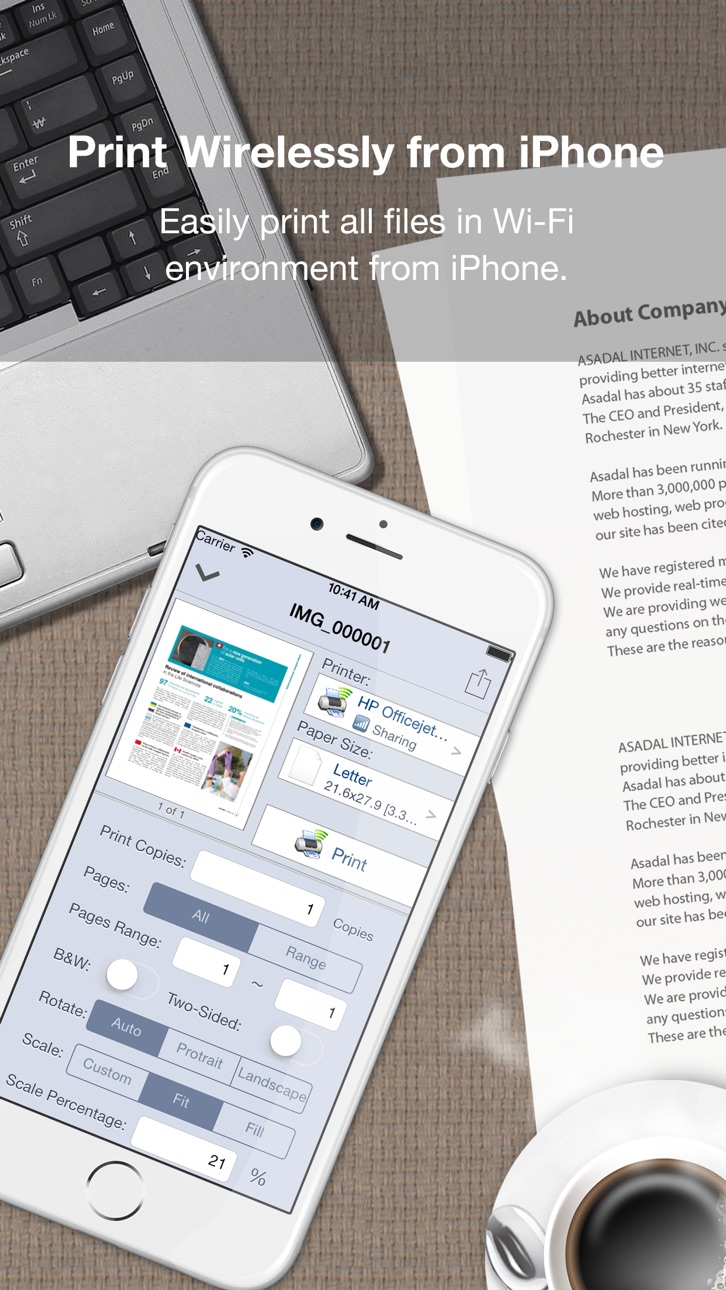
Quick Print enables wireless printing documents, photos, web pages, emails and more to ALL Printer and PDF file right from your iPhone & iPad.
*** Check out this! Quick Print Connect(Mac) helps you print to ANY Printer ***
https://itunes.apple.com/us/app/quick-print-connect/id917159776?ls=1&mt=12
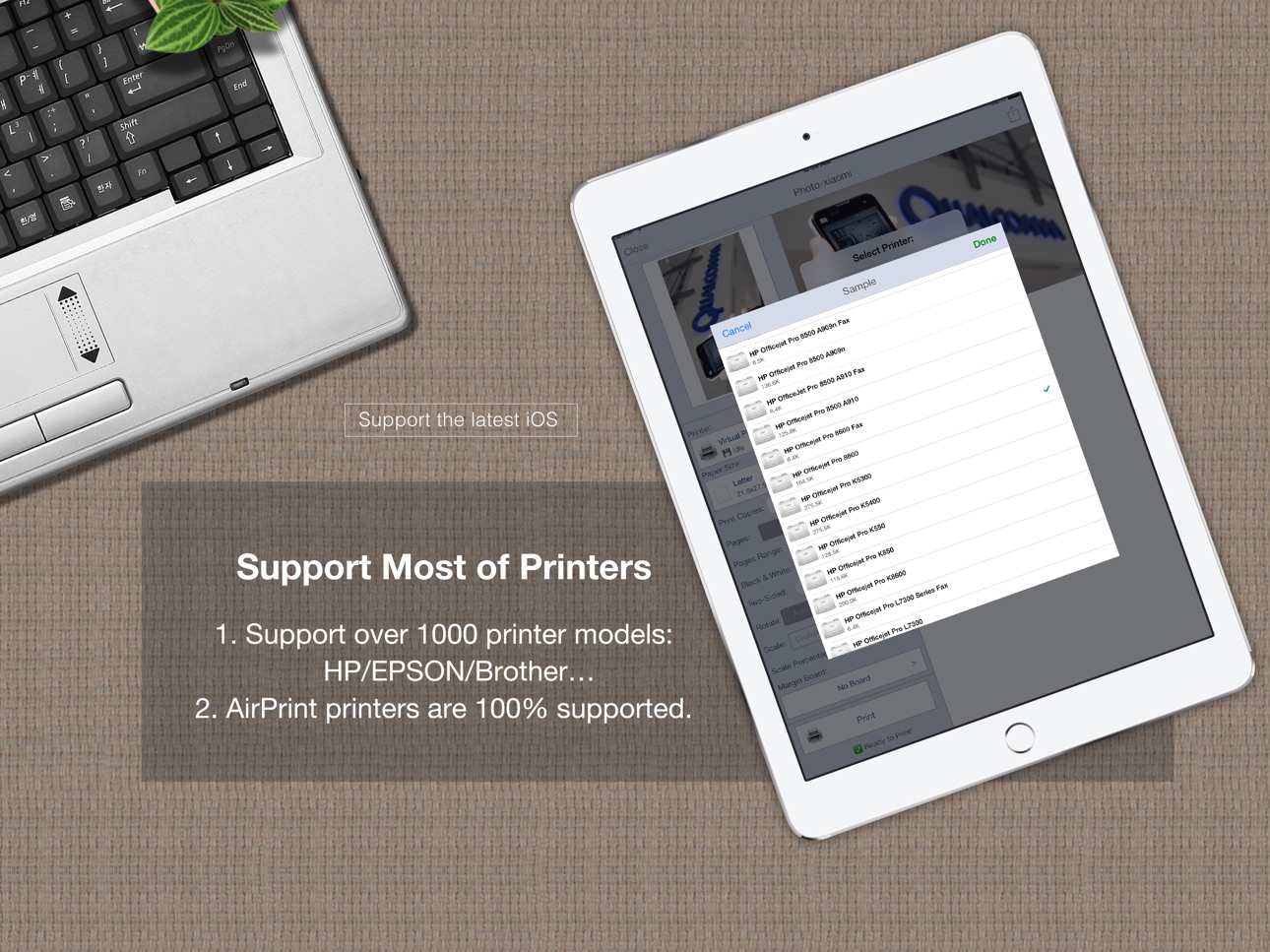
It eliminates the need to print through computer, download or install printer driver for printing, Quick Print supports many wifi, network and local printer supports more than 1000 printer models of many manufacturers (for example: Brother, Canon, Dell, EPSON, Fuji Xerox, Gestetner, Hewlett Packard(HP), Infotec, Kodak, Kyocera, Lanier, Lenovo, Lexmark, Oki Data, Olivetti, NRG, NTT, RICOH, Samsung, Savin, Sharp, TA Triumph-Adler/UTAX, Toshiba, Xerox, Zink…) including WiFi/Ethernet/USB printers and most of other OEM Brands with AirPrint-enable printers is 100% supported.
=== Upgrade to Full Version ===
Quick Print Lite is aimed to test compatibility with your printer. if it works well with your printers, please get the full version of Quick Print to print your documents.
Quick Print lets you create full-quality printed output without the need to download or install drivers, Quick Print displays many printer options that apply to the document or image being printed. Details such as paper type, page range, print quality, and orientation are automatically determined at search time.
Using "Open In..." approach you can print files from many popular online storages: Dropbox, MobileMe iDisk, GoogleDocs. It just a matter of several taps to download your file via free Dropbox, iDisk or Google Docs application and send it to printer.
With Quick Print Connect(Mac), it helps your to print from iPhone and iPad to ALL printers attached on your mac, and print to pdf on mac with build-in virtual pdf printer too.
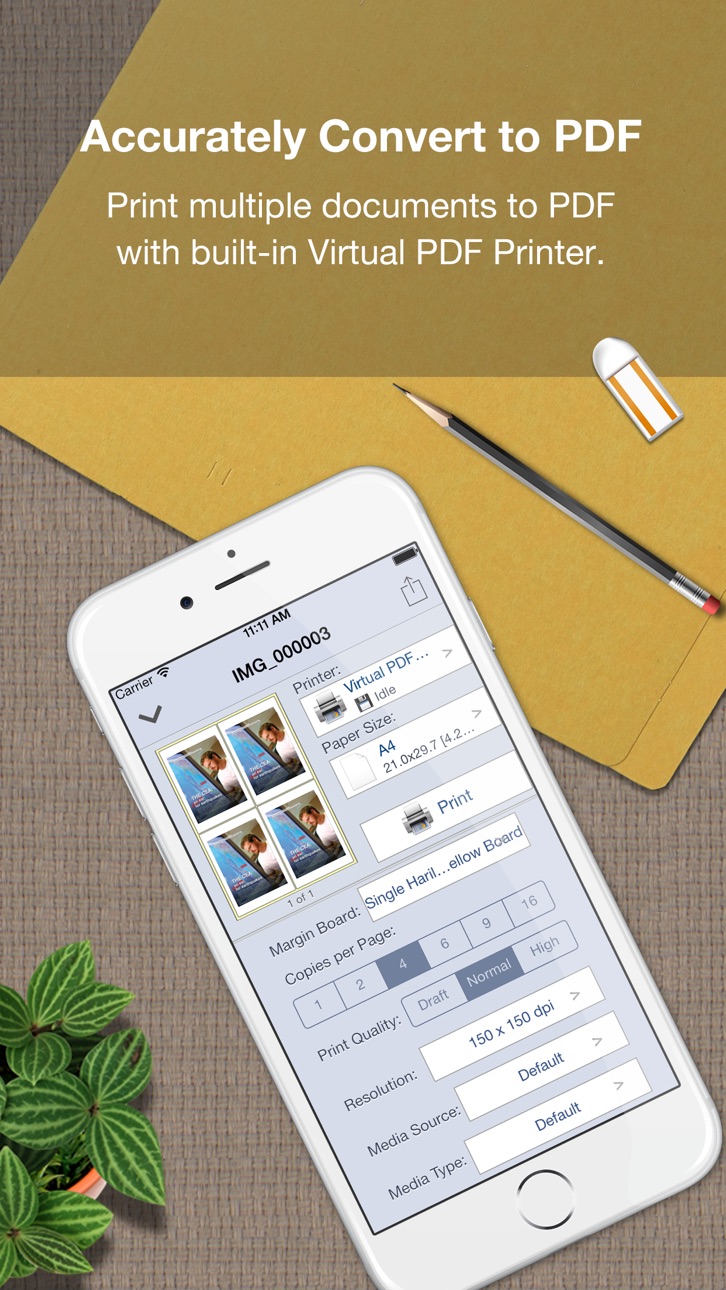
= Accurately print any printable file format to PDF =
Quick print many types of documents to pdf with build-in Virtual PDF Printer directly, here are the list of supported document formats: PDF, Word, Excel, Powerpoint, Pages, Numbers, Keynote, TXT, HTML, JPG, Safari webarchive.
With WiFi Driver Sharing you can upload or download files from your computer to iPad , it uses HTTP & WebDAV protocol to share its data with other computers via Wi-Fi network.
Also you can transfer documents to Quick Print using iTunes File Sharing via USB for read, print and share.
Important Note:
1. Please go to our website to check Quick Printer will works with your printer model, or you can contact us: support@iPDFApps.com
2. A Wi-Fi capable printer must be connected to the same home Wi-Fi network as your iPad device.
3. Your printers connected using Bluetooth or shared through a USB port of a Mac, PC, AirPort Base Station, or Time Capsule are not supported.
Find More Information about Quick Print at:
http://www.iPDFApps.com/
Feel free to contact us If you have any suggestions, questions or issues at:
http://www.iPDFApps.com/contact.
== Legal Information ==
Duration and price of each subscription are displayed in PDF to Word storefront, updated at the time of purchase. Payment will be charged to iTunes account at confirmation of purchase. Subscriptions automatically renew unless auto-renew is turned off no later than 24 hours before the end of the current period. Subscriptions and auto-renewal can be managed/turned off in the iTunes account settings. Any unused portion of a free trial period is forfeited as soon as a subscription is purchased.
Terms of use & Privacy policy:
https://www.ipdfapps.com/term-of-service/
https://www.ipdfapps.com/privacy-policy/
Capabilities
In-App Purchases
Accessibility
ipadiphonemacrealityDevicetvoswatch
Version history 14 versions
Build 860493988v5.3.52023-12-12 13:52:28
> Fully compatible with the new iOS 17.0 now.
> Improve printing quality and speed.
> Bug fixes for better stability.
Build 848216802v5.1.12022-07-26 23:46:45
This major update includes:
1. Added support for dark mode display.
2. Improve file management, adjust UI display such as fonts
3. Update WebDAV server for faster transmission.
4. It is suitable for horizontal printing of documents such as PPT.
5. Improve the PDF conversion function, the conversion is more accurate
6. Add a preview page before printing.
7. Update all old codes to the latest iOS 15 version codes.
Build 831302550v4.02019-05-16 22:28:52
- Support the new iOS 12.
- Support the new iPhone Xs Max and new iPad Pro 3rd.
- Update with the new printing core.
- Improve UI Layout, fixed crash bugs.
- General performance and stability improvements.
Build 821913956v3.32017-05-03 17:01:09
+ Add Connecting to Security Printer.
- Fixed checking the printer supplies info on iPad
- Improve UI Layout, fixed crash bugs.
- General performance and stability improvements.
Thank you for using Quick Print! If you have a moment to leave a review in the App Store we would really appreciate it.
Build 821879670v3.22017-04-25 19:56:58
+ Add View AirPrint Printer Supplies info
+ Add more printer ppds.
- Fixed AirPrint bug
- General performance and stability improvements.
Thank you for using Quick Print! If you have a moment to leave a review in the App Store we would really appreciate it.
Build 820487858v3.02017-01-10 21:07:35
+ Add more PCL driver for laser printer.
+ Add identify printer action for AirPrint printer.
+ Add get printer icon from AirPrint printer.
+ Improved printing page size selection.
+ General performance and stability improvements.
Thank you for using Quick Print! If you have a moment to leave a review in the App Store we would really appreciate it.
Build 819140302v2.82016-10-02 17:12:38
+ Add remember the last used printer, driver and paper size.
+ General performance and stability improvements for iOS 10.
Thank you for using Quick Print! If you have a moment to leave a review in the App Store we would really appreciate it.
Build 818706595v2.72016-09-01 23:49:07
- Swap left or right to change page when printing documents.
- UI enhancements and improved performance.
- Other minor Bug fixes.
Build 813538760v2.62015-10-06 18:26:43
- Bug fixes, including display printing on iOS 9.
- UI enhancements and improved performance.
- Fully iOS 9 Compatibility, Optimized for iPhone 6s, iPhone 6s Plus and iPad Pro.
Build 387522639v2.52014-12-10 00:44:04
Check out this! Our Quick Print Connect(Mac) is newly released, it helps your to print from iPhone and iPad to ALL printers attached on your mac.
- Support iOS 8, Optimized for iPhone 6 and iPhone 6 Plus, so you can see more content.
- Support more printers.
- UI enhancements and improved performance.
Build 319602633v2.22014-01-23 08:41:35
Support More Printers.
Add Kodak ESP/C Printer Driver.
Add Epson ESC/P, ESC/P2 Printer Driver.
Add HP PCL Printer Driver.
Improved Apple AirPrint Driver.
Improved Paper Layout, B&W and Two-Sided.
Improved Performance, Stability, and User-friendly.
Build 201482647v2.12013-12-12 00:15:27
Fixed some bugs
Improved UI and others.
== Now Support iPhone Devices ===
Download "Quick Print" to your iPhone Now!
Build 111462636v2.02013-11-15 03:17:51
Update UI for iOS 7.
Add some improvements.
Fixed Activity Indicator display issues.
Fixed Some bugs.
Build 15777087v1.02013-07-09 20:47:16
No pricing data captured yet — comparisons appear once the app has paid storefronts or in-app purchases.
Availability 1 of 1 storefronts
| Region | Language | Price | Ratings | Avg | Version |
|---|---|---|---|---|---|
| US | en-US | Free | 5 | 3.4 | 5.3.5 |
Change log 18 changes · US
✎
releaseNotes updated
> Fully compatible with the new iOS 17.0 now.
> Improve printing quality and speed.
> Bug fixes for better stability.
✎
description updated
Quick Print enables wireless printing documents, photos, web pages, emails and more to ALL Printer and PDF file right from your iPhone & iPad.
*** Check out th
✎
subtitle updated
Printer App and PDF Converter
✎
name updated
Quick Print - Print & Scan PDF
◆
Version 5.3.5 released
> Fully compatible with the new iOS 17.0 now.
> Improve printing quality and speed.
> Bug fixes for better stability.
◆
Version 5.1.1 released
This major update includes:
1. Added support for dark mode display.
2. Improve file management, adjust UI display such as fonts
3. Update WebDAV server for faster transmission.
4. It is suitable for horizontal printing of documents such as
◆
Version 4.0 released
- Support the new iOS 12.
- Support the new iPhone Xs Max and new iPad Pro 3rd.
- Update with the new printing core.
- Improve UI Layout, fixed crash bugs.
- General performance and stability improvements.
◆
Version 3.3 released
+ Add Connecting to Security Printer.
- Fixed checking the printer supplies info on iPad
- Improve UI Layout, fixed crash bugs.
- General performance and stability improvements.
Thank you for using Quick Print! If you have a moment to leav
◆
Version 3.2 released
+ Add View AirPrint Printer Supplies info
+ Add more printer ppds.
- Fixed AirPrint bug
- General performance and stability improvements.
Thank you for using Quick Print! If you have a moment to leave a review in the App Store we would rea
◆
Version 3.0 released
+ Add more PCL driver for laser printer.
+ Add identify printer action for AirPrint printer.
+ Add get printer icon from AirPrint printer.
+ Improved printing page size selection.
+ General performance and stability improvements.
Thank you
◆
Version 2.8 released
+ Add remember the last used printer, driver and paper size.
+ General performance and stability improvements for iOS 10.
Thank you for using Quick Print! If you have a moment to leave a review in the App Store we would really appreciate i
◆
Version 2.7 released
- Swap left or right to change page when printing documents.
- UI enhancements and improved performance.
- Other minor Bug fixes.
◆
Version 2.6 released
- Bug fixes, including display printing on iOS 9.
- UI enhancements and improved performance.
- Fully iOS 9 Compatibility, Optimized for iPhone 6s, iPhone 6s Plus and iPad Pro.
◆
Version 2.5 released
Check out this! Our Quick Print Connect(Mac) is newly released, it helps your to print from iPhone and iPad to ALL printers attached on your mac.
- Support iOS 8, Optimized for iPhone 6 and iPhone 6 Plus, so you can see more content.
- Sup
◆
Version 2.2 released
Support More Printers.
Add Kodak ESP/C Printer Driver.
Add Epson ESC/P, ESC/P2 Printer Driver.
Add HP PCL Printer Driver.
Improved Apple AirPrint Driver.
Improved Paper Layout, B&W and Two-Sided.
Improved Performance, Stability, and User-fr
◆
Version 2.1 released
Fixed some bugs
Improved UI and others.
== Now Support iPhone Devices ===
Download "Quick Print" to your iPhone Now!
◆
Version 2.0 released
Update UI for iOS 7.
Add some improvements.
Fixed Activity Indicator display issues.
Fixed Some bugs.
◆
Version 1.0 released