Home › Business

 US
US
1 of 1 storefronts
Content in en-US
Content in en-US
Information
Preview 2 platforms
iPhone 6 images
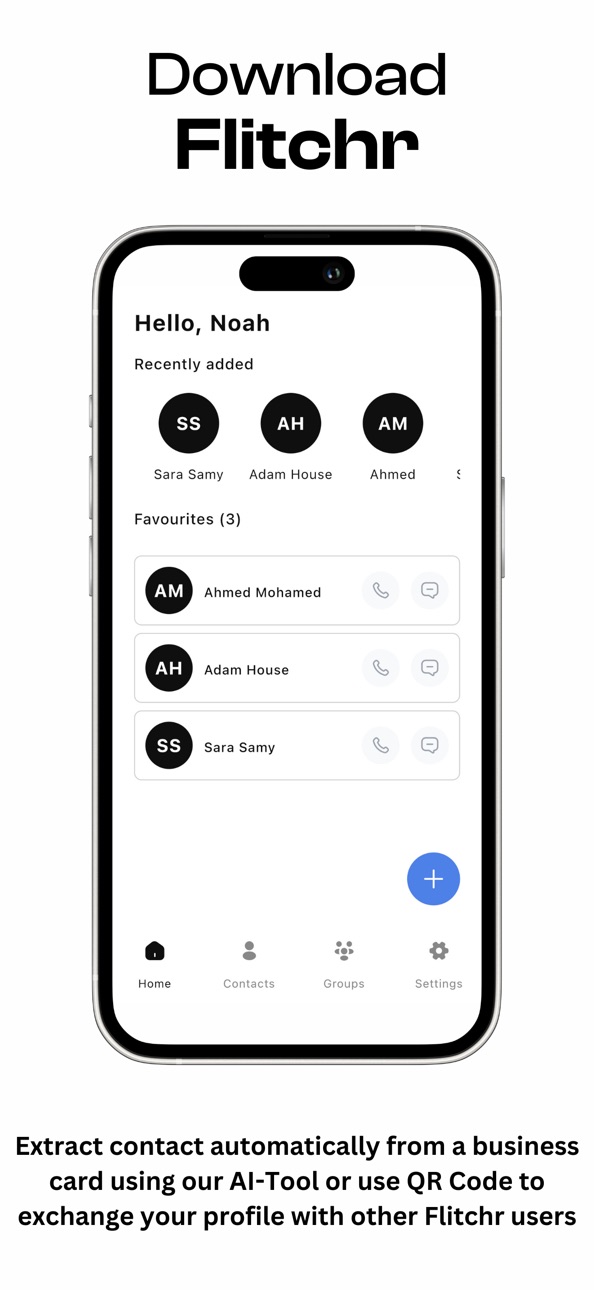


iPad 3 images


What’s New Version 1.1.2
Fixed minor bugs
Description
Flitchr is your all-in-one contact management platform, designed to simplify how you organize and connect with people. With Flitchr, you can easily separate personal and business contacts as the first step, then go further by creating custom groups and subgroups for effortless organization.
At the heart of Flitchr is its powerful AI technology, revolutionizing the way you handle business cards. Simply scan a card, and Flitchr’s AI instantly captures and organizes all the details with pinpoint accuracy—saving you time and eliminating manual entry errors. With Flitchr, you can be confident that every contact is stored perfectly, with no missing information.
Flitchr also makes networking a breeze. Whether you’re at a conference, business event, or casual meet-up, you can quickly share your contact profile with other Flitchr users using QR codes or NFC technology. Need a reminder of who you just met? Snap a photo of their business card, and Flitchr will add it to your contacts, helping you recall key details about your interaction.
For professionals, Flitchr goes beyond just organizing contacts. You can easily export contacts from any group into a CSV file, making it simple to generate reports, track leads, and evaluate your networking efforts—helping you measure the success of events and optimize your marketing strategy.
Flitchr’s advanced tools for managing, sharing, and enriching your contacts are designed to enhance your networking experience, making it the ultimate app for professionals who want to streamline and supercharge their connections.
Accessibility
ipadiphonemacrealityDevicetvoswatch
Version history 6 versions
Build 883987808v1.1.22026-04-01 12:37:07
Fixed minor bugs
Build 878653760v1.1.12025-10-07 21:19:56
-Take a new profile photo for contacts (and yourself) directly from the device camera.
-A quick downward swipe now hides the keyboard across the app.
-The entire subgroup bar is now tappable to expand/collapse—no tiny targets.
-Press and hold on emails, phone numbers, and other text fields to copy their values.
-When you create a new group, a customizable “Default” subgroup is added automatically.
Build 878512466v1.1.02025-09-30 08:18:16
Take a new profile photo for contacts (and yourself) directly from the device camera.
A quick downward swipe now hides the keyboard across the app.
The entire subgroup bar is now tappable to expand/collapse—no tiny targets.
Press and hold on emails, phone numbers, and other text fields to copy their values.
When you create a new group, a customizable “Default” subgroup is added automatically.
Build 872905387v1.0.22025-03-03 09:52:51
- Minor bug fixes
Build 871004170v1.0.12024-12-09 19:00:04
- Minor bug fixes
Build 868530123v1.02024-11-16 17:02:28
No pricing data captured yet — comparisons appear once the app has paid storefronts or in-app purchases.
Availability 1 of 1 storefronts
| Region | Language | Price | Ratings | Avg | Version |
|---|---|---|---|---|---|
| US | en-US | Free | 0 | — | 1.1.2 |
Change log 10 changes · US
✎
releaseNotes updated
Fixed minor bugs
✎
description updated
Flitchr is your all-in-one contact management platform, designed to simplify how you organize and connect with people. With Flitchr, you can easily separate per
✎
subtitle updated
Professional contacts manager
✎
name updated
Flitchr
◆
Version 1.1.2 released
Fixed minor bugs
◆
Version 1.1.1 released
-Take a new profile photo for contacts (and yourself) directly from the device camera.
-A quick downward swipe now hides the keyboard across the app.
-The entire subgroup bar is now tappable to expand/collapse—no tiny targets.
-Pre
◆
Version 1.1.0 released
Take a new profile photo for contacts (and yourself) directly from the device camera.
A quick downward swipe now hides the keyboard across the app.
The entire subgroup bar is now tappable to expand/collapse—no tiny targets.
Press a
◆
Version 1.0.2 released
- Minor bug fixes
◆
Version 1.0.1 released
- Minor bug fixes
◆
Version 1.0 released