Home › Music

 US
US
1 of 1 storefronts
Content in en-US
Content in en-US
Information
Preview 2 platforms
iPhone 5 images


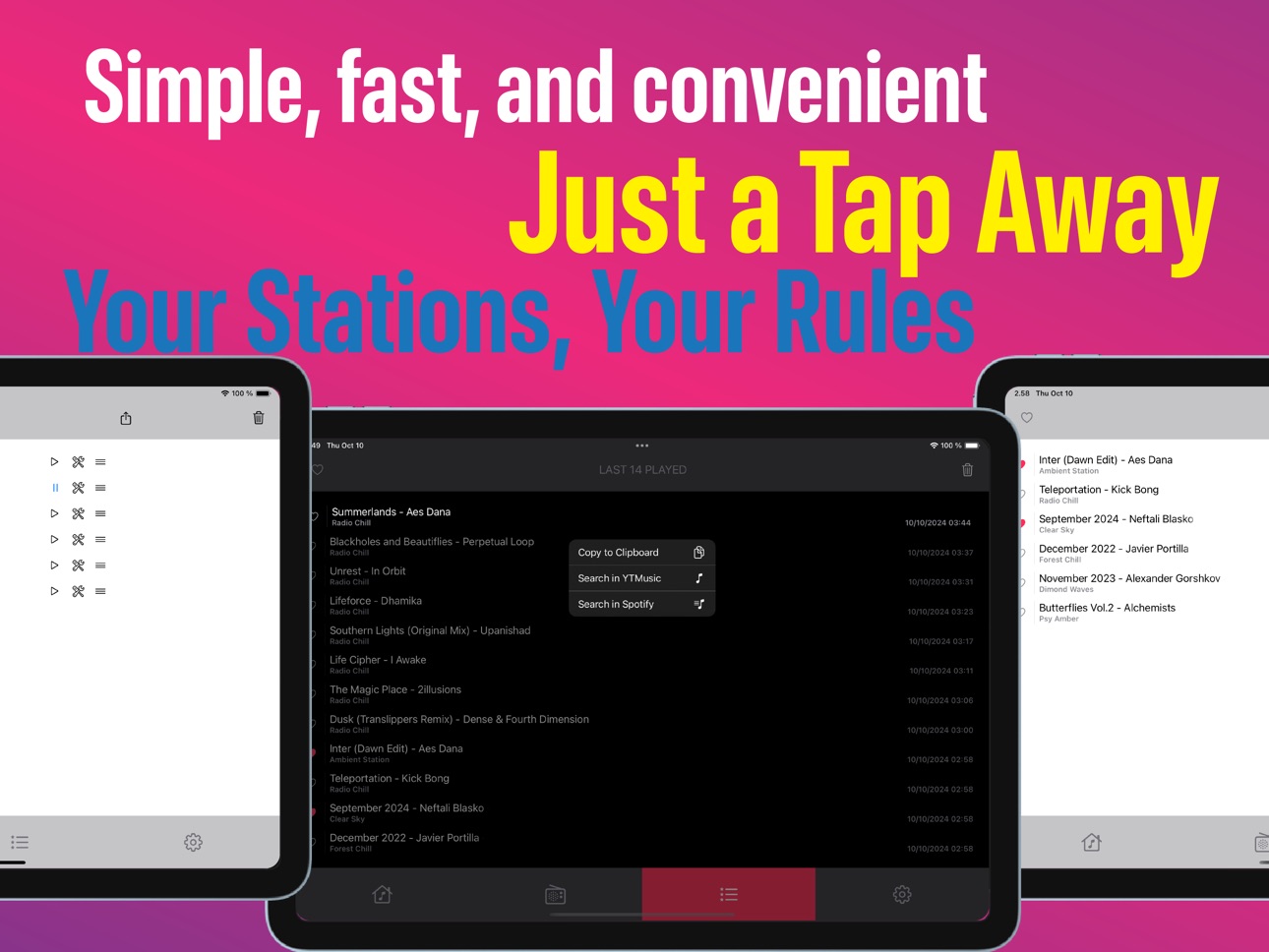
iPad 5 images


What’s New Version 2.0.3
- Improved CarPlay playback stability by disabling voice notifications while using CarPlay.
Description
Zanoza is a simple and reliable internet radio player, designed for music lovers who appreciate minimalism and convenience.
With Zanoza, you can:
– Manage Your Stations:
Easily add links to your favorite radio stations, import playlists, and build your own library.
– Use Sleep Timer
Set your own timer and stop playback automatically when it’s time to rest.
– Track Listening History:
View the last 100 tracks you've listened to, highlight your favorites, or long press on a track to copy the name or search it in other services.
– Voice Notifications:
Get voice notifications for station names and errors, enhancing your listening experience.
– CarPlay Support:
Use Zanoza safely in your car with a stations-first CarPlay flow, quick access to Now Playing, and live playback status updates.
– Sleek and Fast Interface:
Enjoy a smooth, intuitive interface free from unnecessary features and distractions.
Zanoza gives you everything you need to immerse yourself in your favorite music, without anything extra.
Accessibility
ipadiphonemacrealityDevicetvoswatch
Version history 14 versions
Build 883800402v2.0.32026-03-28 15:23:05
- Improved CarPlay playback stability by disabling voice notifications while using CarPlay.
Build 883071498v2.0.12026-03-06 18:24:58
- Fixed playlist export and station editing on all supported devices.
Build 882901480v2.02026-03-01 17:03:02
This is a major update since 1.7.5.
– CarPlay got a full upgrade: stations-first flow, faster access to Now Playing, and better live playback updates.
– Playback recovery is more reliable when network drops and comes back.
– Added better font size controls for easier reading across the app.
– Added a new Plum theme, plus improved overall theme behavior and visual consistency (including better System theme switching).
– Refined station management and search behavior.
– Fixed edge-case crashes and improved overall player stability.
Thanks for using Zanoza. This release is designed to feel more stable, more consistent, and better suited for daily listening on both phone and CarPlay.
Build 882473554v1.7.52026-02-18 16:31:08
We’re always listening to your feedback and continuously improving the app. In this update:
- New font size controls for Stations, History, and Settings lists
- Improved artwork search algorithm with fewer false matches; we’ll keep monitoring and refining results
- Overall app performance, stability, and UI/UX improvements
Build 882354963v1.72026-02-13 09:07:22
- Added a flexible Sleep Timer: set your own minutes in Toolbox and start it quickly from the main screen.
- Added more accent color options and a switchable Zanoza style (B/W or Color), including matching app icon/artwork.
- Improved adaptive UI for iPad, Mac (Designed for iPad), and different iPhone screen sizes.
- Added an optional way to support the project.
- Minor stability and performance improvements.
Build 879627795v1.62025-11-11 01:41:14
- Added search through your saved radio stations for easier navigation.
- Minor stability and performance improvements.
Build 869634992v1.5.12024-10-11 06:25:27
- Improved stability of the application when deleting stations.
- General bug fixes and performance improvements.
Build 869605714v1.52024-10-10 14:01:56
- Now for iPad!
- Various Fixes:
We've made minor improvements and optimizations
Build 869026877v1.42024-09-15 21:28:27
What's New in Version 1.4:
- Voice Notifications:
Now the app can inform you about errors and announce station names. You can enable this feature in the app's toolbox.
- Track Likes in History:
You can now highlight your favorite tracks in the history list.
- Various Fixes:
We've made minor improvements and optimizations, including support for the upcoming iOS 18 and the new iPhone 16 series.
Build 868941944v1.32024-09-12 02:07:04
- Audio Player Refactoring:
Enhanced performance and stability with a refined audio player.
- Auto Resume Playback:
Now you can automatically resume the last played station when launching the app. Enable it in settings!
- UX Improvements:
Improved stream playback information on the main screen and stations manager view.
Enhanced error and notification system for a more comfortable user experience.
Build 868851754v1.2.12024-09-09 13:51:25
- Improved user experience for smoother interaction and enhanced m3u playlist import functionality. Enjoy the better flow!
Build 868761969v1.22024-09-07 18:59:45
What's New in Version 1.2
1. Enhanced Station Manager:
- Import & Export Playlists: Easily import and export your station lists in M3U or PLS formats.
- Play Stations Directly from the Manager: Simply tap on a station in the manager to start playing it instantly.
2. UI Improvements:
- Scrolling Track Titles: If a track name is too long for the screen, it will now scroll smoothly across the display for better readability.
3. General Updates:
- Various UI improvements for a more seamless experience.
Build 868470576v1.12024-08-26 07:16:34
A completely redesigned user interface:
– All-in-one screen control: The entire user interface has been revamped. Now, everything is managed quickly and smoothly from the main screen, with no need for navigating through menus.
– Customizable element colors: Added new color customization options for interface elements, including controls and tab highlights. You can now choose the color theme that suits your style.
Functionality Enhancements:
– Improved metadata delivery: Enhanced metadata handling for the mini-player, providing more accurate track information display.
Bug Fixes:
– Fixed minor bugs and made improvements for better app stability.
Build 868325220v1.02024-08-20 21:38:10
Price history by region
Currency
Show
Columns
Search
Availability 1 of 1 storefronts
| Region | Language | Price | Ratings | Avg | Version |
|---|---|---|---|---|---|
| US | en-US | USD 1.99 | 3 | 4.0 | 2.0.3 |
Change log 18 changes · US
✎
releaseNotes updated
- Improved CarPlay playback stability by disabling voice notifications while using CarPlay.
✎
description updated
Zanoza is a simple and reliable internet radio player, designed for music lovers who appreciate minimalism and convenience.
With Zanoza, you can:
– Manage You
✎
subtitle updated
Online Radio Player & M3U
✎
name updated
Zanoza: Your Radio Collection
◆
Version 2.0.3 released
- Improved CarPlay playback stability by disabling voice notifications while using CarPlay.
◆
Version 2.0.1 released
- Fixed playlist export and station editing on all supported devices.
◆
Version 2.0 released
This is a major update since 1.7.5.
– CarPlay got a full upgrade: stations-first flow, faster access to Now Playing, and better live playback updates.
– Playback recovery is more reliable when network drops and comes back.
– Added better
◆
Version 1.7.5 released
We’re always listening to your feedback and continuously improving the app. In this update:
- New font size controls for Stations, History, and Settings lists
- Improved artwork search algorithm with fewer false matches; we’ll keep
◆
Version 1.7 released
- Added a flexible Sleep Timer: set your own minutes in Toolbox and start it quickly from the main screen.
- Added more accent color options and a switchable Zanoza style (B/W or Color), including matching app icon/artwork.
- Improved adapt
◆
Version 1.6 released
- Added search through your saved radio stations for easier navigation.
- Minor stability and performance improvements.
◆
Version 1.5.1 released
- Improved stability of the application when deleting stations.
- General bug fixes and performance improvements.
◆
Version 1.5 released
- Now for iPad!
- Various Fixes:
We've made minor improvements and optimizations
◆
Version 1.4 released
What's New in Version 1.4:
- Voice Notifications:
Now the app can inform you about errors and announce station names. You can enable this feature in the app's toolbox.
- Track Likes in History:
You can now highlight your favorite t
◆
Version 1.3 released
- Audio Player Refactoring:
Enhanced performance and stability with a refined audio player.
- Auto Resume Playback:
Now you can automatically resume the last played station when launching the app. Enable it in settings!
- UX Impro
◆
Version 1.2.1 released
- Improved user experience for smoother interaction and enhanced m3u playlist import functionality. Enjoy the better flow!
◆
Version 1.2 released
What's New in Version 1.2
1. Enhanced Station Manager:
- Import & Export Playlists: Easily import and export your station lists in M3U or PLS formats.
- Play Stations Directly from the Manager: Simply tap on a station in the manager to sta
◆
Version 1.1 released
A completely redesigned user interface:
– All-in-one screen control: The entire user interface has been revamped. Now, everything is managed quickly and smoothly from the main screen, with no need for navigating through menus.
– Customizabl
◆
Version 1.0 released