Home › Lifestyle

 US
US
1 of 1 storefronts
Content in en-US
Content in en-US
Information
Preview 2 platforms
iPhone 5 images


iPad 9 images




What’s New Version 2.0.4
Hands-free conversation — Talk to the assistant naturally. Audible cues let you know when it heard you and when it's your turn, so you don't have to watch the screen. It now waits for you to finish instead of cutting you off mid-sentence, and you can re-activate it just by saying the wake phrase.
It remembers you — The assistant recalls helpful details from your earlier conversations (kept private to your account). A new Review memory screen lets you search, sort by day, edit, or clear what it remembers.
Better voice replies — Natural cloud voices, no more cutting to silence mid-answer, and it now replies fully in your chosen language (Tiếng Việt / English / 日本語) without mixing in other languages or reading out reference numbers.
Smarter follow-ups — Ask "why did this happen?" then "how do I fix it?" and it understands what you're referring to.
Your own knowledge base — Add documents and web links for the assistant to draw on; each account's documents stay private to that account.
Description
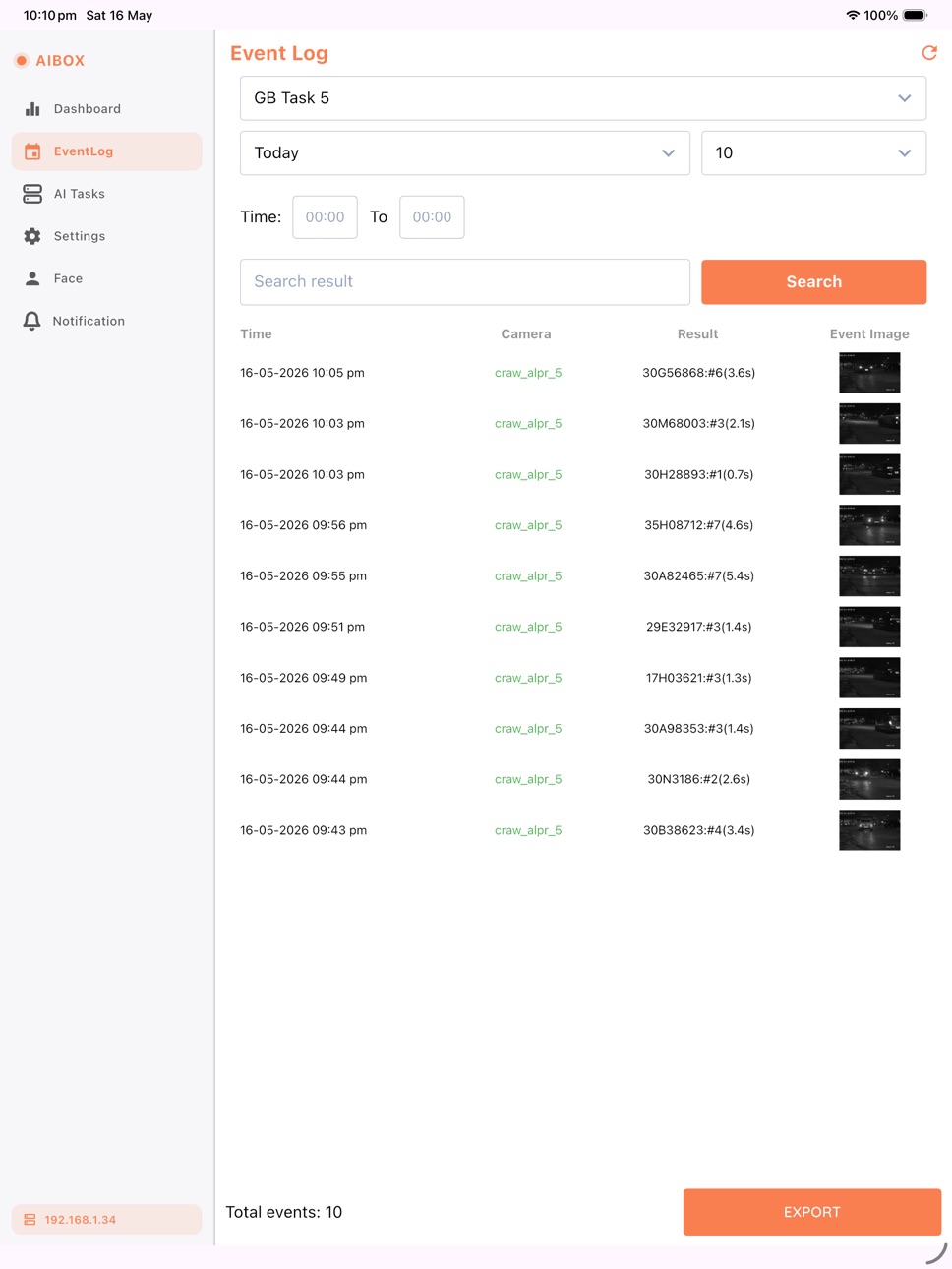
The AI BOX app provides a user-friendly interface to connect and manage the ANS AI BOX device, turning ordinary cameras into intelligent AI-powered solutions. Easily configure tasks like Facial Recognition, Person Intrusion, Fire & Smoke Detection, Weapon Detection, and Fall Detection. Stay informed with real-time alerts via push notifications, texts, or email—all through a secure and intuitive platform.
To connect the AI BOX app to the ANS AI BOX device, ensure your mobile device is on the same network as the AI BOX.
Learn More: ANS AI BOX (https://www.anscenter.com.au/aibox)
Watch the Introduction Video: YouTube (https://www.youtube.com/watch?v=c_jUxzosTfQ)
Accessibility
ipadiphonemacrealityDevicetvoswatch
Version history 21 versions
Build 886649443v2.0.42026-06-08 20:20:10
Hands-free conversation — Talk to the assistant naturally. Audible cues let you know when it heard you and when it's your turn, so you don't have to watch the screen. It now waits for you to finish instead of cutting you off mid-sentence, and you can re-activate it just by saying the wake phrase.
It remembers you — The assistant recalls helpful details from your earlier conversations (kept private to your account). A new Review memory screen lets you search, sort by day, edit, or clear what it remembers.
Better voice replies — Natural cloud voices, no more cutting to silence mid-answer, and it now replies fully in your chosen language (Tiếng Việt / English / 日本語) without mixing in other languages or reading out reference numbers.
Smarter follow-ups — Ask "why did this happen?" then "how do I fix it?" and it understands what you're referring to.
Your own knowledge base — Add documents and web links for the assistant to draw on; each account's documents stay private to that account.
Build 886571526v2.0.32026-06-06 20:26:56
• Talk to the AI Assistant by voice. Tap the mic to ask your question out loud — and pick your language (including Vietnamese) so it understands you correctly.
• Hands-free conversation mode. Start a natural back-and-forth: speak, pause, and the assistant answers, reads the reply aloud, then listens again — no tapping between turns.
• Replies read aloud in natural voices. The assistant can speak its answers, in the language you choose — the mic, the reply, and the voice all follow your pick.
• Give the assistant your own knowledge (on-device models). Build a private knowledge base from your PDF, Word, Excel and text files — plus web links and RSS feeds — so answers are grounded in your own content. Everything stays on the box.
• AI Assistant can now search the web — tap the globe in chat to get up-to-date answers, even on on-device models. Works out of the box, no setup required.
• Email any answer. Turn an assistant reply into an email in one tap, using your own mail app.
• Smarter, simpler AI setup with clearer guidance and friendlier messages.
Build 886524502v2.0.22026-06-04 18:58:43
• AI Assistant — chat with a private on-server LLM or a cloud provider (OpenAI, Anthropic, Gemini). Streaming replies, voice input, and image understanding.
• Centralised fleet management with user roles (Admin / Advanced / General), member invites, access approval & revocation, and a live device map.
• Two-factor authentication for your account.
• Performance, stability, and connectivity improvements.
Build 885999181v2.0.12026-05-26 09:17:13
• AI Tasks — Streamlined task creation and editing, with clearer controls and a faster workflow for tuning detection settings.
• Regions of Interest — More powerful ROI drawing: edit a saved region, drag individual points to reshape it, or grab the whole region and move it.
• Support multi-view with overlays.
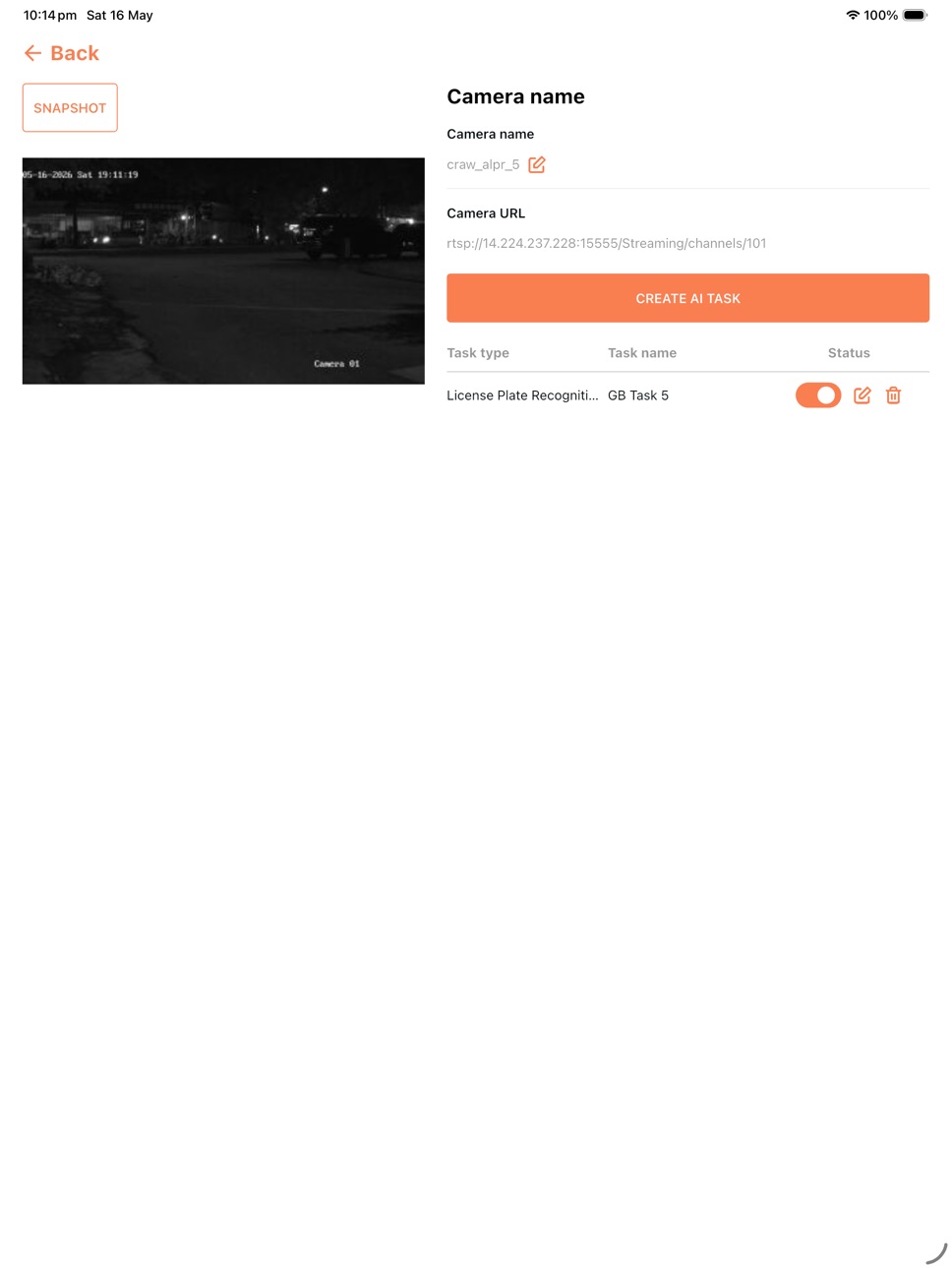
• Direct camera streams — Keep viewing live event streams even when the AIBOX device is offline by assigning each camera its RTSP URL. Push-to-talk audio and one-tap siren control appear automatically on supported cameras (including Reolink).
Build 885886948v2.0.02026-05-20 18:50:57
• Multiview camera grid — watch multiple cameras at once. Tablets get 1/2/4/6/9 tile layouts with paging and fullscreen; phones show a single tile per page with quick paging.
• Japanese language support added alongside English and Vietnamese.
• Notification is now the first tab so new events are visible the moment you connect to your AIBOX.
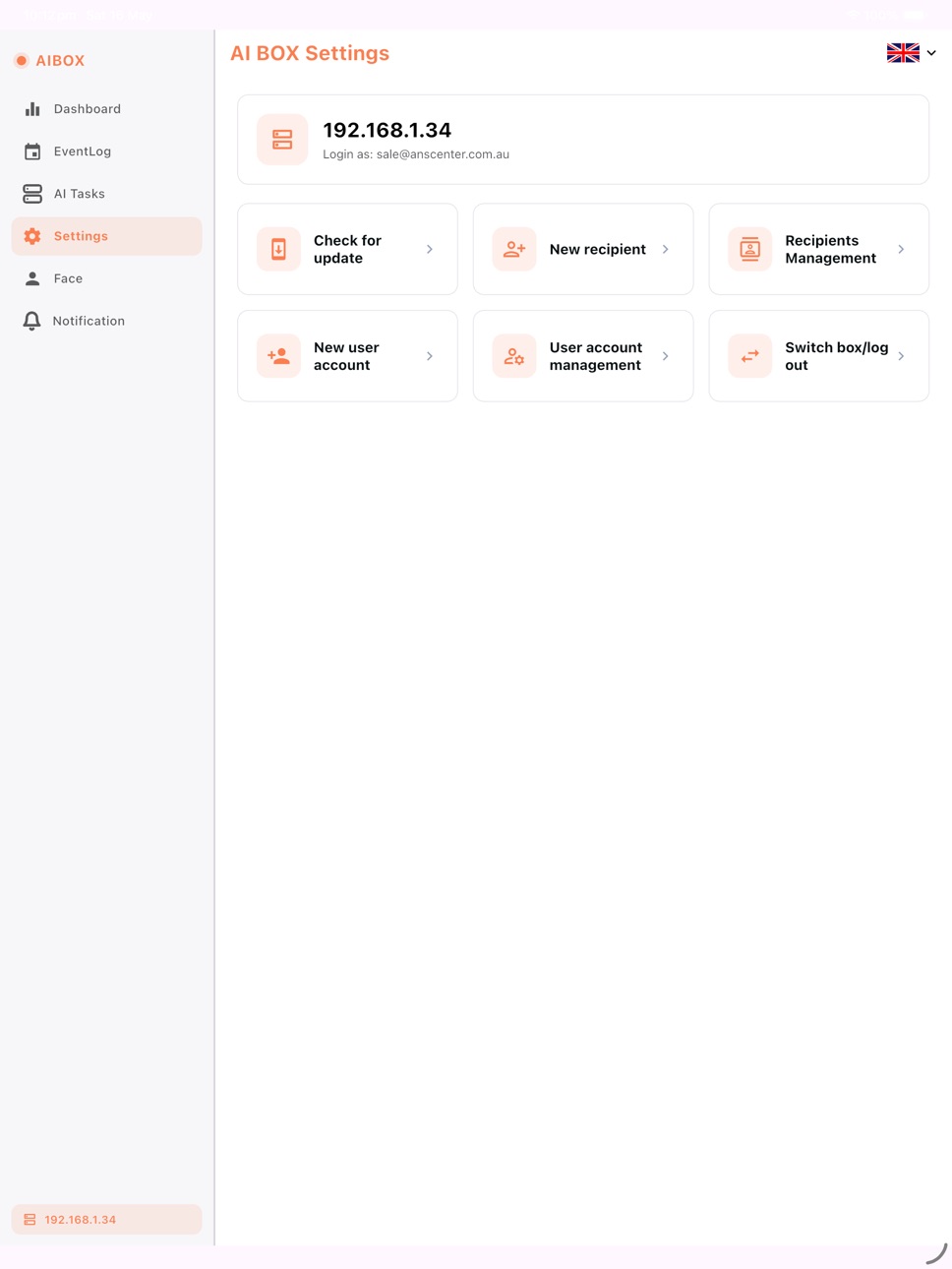
• Refreshed layout — Settings reorganized with sub-pages that open in place (Facial Recognition Service, Check For Update, Recipients Management, User Account Management), keeping the navigation menu always visible. Tile grids on iPad and Android tablets adapt to portrait and landscape.
• Fixed: "Today" filter on Dashboard and Event Log now reports the correct count for your local timezone.
Build 885793072v1.0.162026-05-19 09:35:12
• Live camera view — watch and inspect your cameras in real time, directly from the app.
• Register faces with your phone — add new faces quickly by capturing them with your mobile device's camera.
• Faster device discovery — improved scanning makes finding nearby AI BOX devices quicker and more reliable.
• Improved notification viewer — filter events by camera, narrow results by time range, and browse your security events more easily.
• Share events by email — send notification events as email evidence straight from the app.
Thank you for using AIBOX!
Build 885750029v1.0.152026-05-17 17:55:19
• iPad support — native iPad layout with a side navigation rail.
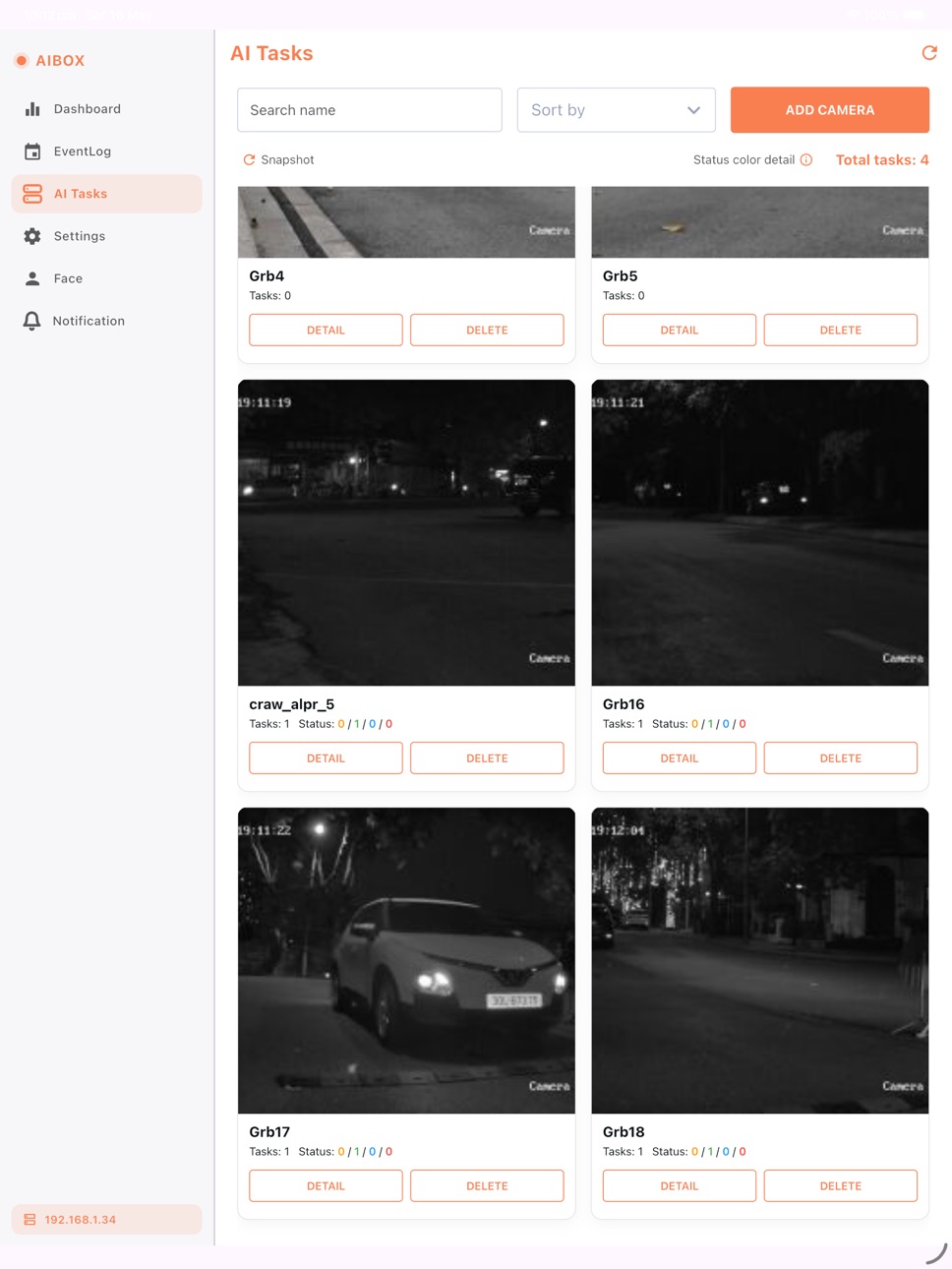
• Faster Dashboard, Event Log and AI Tasks (instant cached load + background refresh).
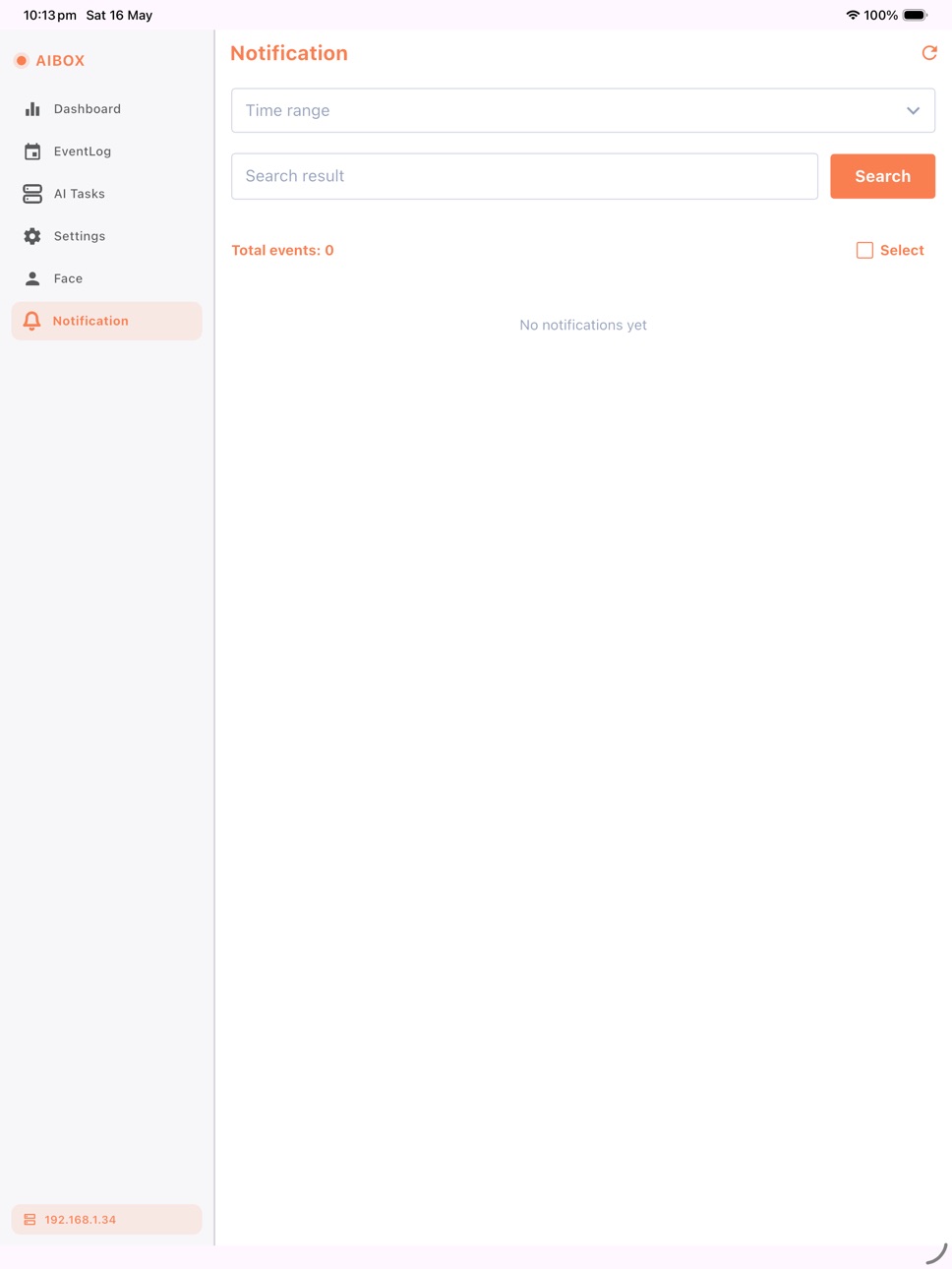
• Refresh buttons on Dashboard, Event Log, AI Tasks and Notifications.
• AI Tasks: one-tap snapshot refresh; offline cameras show a "No image" placeholder.
• Notifications: unread badges, "Mark all as read", total-events count.
• More reliable push-notification images.
Build 885600596v1.0.142026-05-13 17:34:07
• Push notifications now show event images and properly display Unicode names (Vietnamese, Japanese, and others) on the lock screen
• Notifications grouped by date (Today, Yesterday, and earlier) for easier scanning
• Swipe left on any notification to delete it
• Smoother scrolling through long notification lists
• Tapping a single notification now loads every recent event into the app — no more missing alerts
• Improved reliability when many alerts arrive at the same time
Build 879739279v1.0.132025-11-14 01:37:40
Enhanced event search to display all your events, removing the previous 40-event limitation.
Build 877712884v1.0.122025-11-02 07:28:53
Enhanced Time Range Selection for Notifications
Users can now filter notification messages by selecting a custom time range within the last 14 days. This improvement provides greater flexibility in viewing and managing recent notifications.
Build 877554814v1.0.112025-08-27 15:49:17
- Improve performance.
- Support editing and deleting faces.
- Enhance UI.
Build 876823572v1.0.102025-08-25 12:59:41
Improve performance
Build 873682991v1.0.92025-07-21 04:17:44
Bug fixes and improve performance
Build 873047932v1.0.82025-03-07 10:00:11
Improve overlay feature
Build 872520238v1.0.72025-02-17 09:28:57
Bug fixes and improve performance
Build 871454552v1.0.62025-02-14 14:24:00
Bug fixes and improve UI/UX flow
Build 871423978v1.0.42024-12-29 11:06:43
Fixbugs, improve user experience
Build 871229297v1.0.32024-12-18 14:33:59
Update activate endpoint aibox
Enhance event log user experience
Build 871027310v1.0.22024-12-11 11:06:47
new feature user account
fixbugs
Build 869401969v1.0.12024-11-25 14:03:27
- multicast feature to scan the surrounding AI BOX
- fix bugs
Build 868221917v1.02024-10-01 07:09:53
No pricing data captured yet — comparisons appear once the app has paid storefronts or in-app purchases.
Availability 1 of 1 storefronts
| Region | Language | Price | Ratings | Avg | Version |
|---|---|---|---|---|---|
| US | en-US | Free | 0 | — | 2.0.4 |
Change log 25 changes · US
✎
releaseNotes updated
Hands-free conversation — Talk to the assistant naturally. Audible cues let you know when it heard you and when it's your turn, so you don't have to watch the s
✎
description updated
The AI BOX app provides a user-friendly interface to connect and manage the ANS AI BOX device, turning ordinary cameras into intelligent AI-powered solutions. E
✎
subtitle updated
Smart AI eyes on your cameras
✎
name updated
AIBOX
◆
Version 2.0.4 released
Hands-free conversation — Talk to the assistant naturally. Audible cues let you know when it heard you and when it's your turn, so you don't have to watch the screen. It now waits for you to finish instead of cutting you off mid-sentence, a
◆
Version 2.0.3 released
• Talk to the AI Assistant by voice. Tap the mic to ask your question out loud — and pick your language (including Vietnamese) so it understands you correctly.
• Hands-free conversation mode. Start a natural back-and-forth: speak, pause, an
◆
Version 2.0.2 released
• AI Assistant — chat with a private on-server LLM or a cloud provider (OpenAI, Anthropic, Gemini). Streaming replies, voice input, and image understanding.
• Centralised fleet management with user roles (Admin / Advanced / General), member
◆
Version 2.0.1 released
• AI Tasks — Streamlined task creation and editing, with clearer controls and a faster workflow for tuning detection settings.
• Regions of Interest — More powerful ROI drawing: edit a saved region, drag individual points to reshape it, or
◆
Version 2.0.0 released
• Multiview camera grid — watch multiple cameras at once. Tablets get 1/2/4/6/9 tile layouts with paging and fullscreen; phones show a single tile per page with quick paging.
• Japanese language support added alongside English and Vietnames
◆
Version 1.0.16 released
• Live camera view — watch and inspect your cameras in real time, directly from the app.
• Register faces with your phone — add new faces quickly by capturing them with your mobile device's camera.
• Faster device discovery — improved scann
◆
Version 1.0.15 released
• iPad support — native iPad layout with a side navigation rail.
• Faster Dashboard, Event Log and AI Tasks (instant cached load + background refresh).
• Refresh buttons on Dashboard, Event Log, AI Tasks and Notifications.
• AI Tasks: one-t
◆
Version 1.0.14 released
• Push notifications now show event images and properly display Unicode names (Vietnamese, Japanese, and others) on the lock screen
• Notifications grouped by date (Today, Yesterday, and earlier) for easier scanning
• Swipe left on any noti
◆
Version 1.0.13 released
Enhanced event search to display all your events, removing the previous 40-event limitation.
◆
Version 1.0.12 released
Enhanced Time Range Selection for Notifications
Users can now filter notification messages by selecting a custom time range within the last 14 days. This improvement provides greater flexibility in viewing and managing recent notifications.
◆
Version 1.0.11 released
- Improve performance.
- Support editing and deleting faces.
- Enhance UI.
◆
Version 1.0.10 released
Improve performance
◆
Version 1.0.9 released
Bug fixes and improve performance
◆
Version 1.0.8 released
Improve overlay feature
◆
Version 1.0.7 released
Bug fixes and improve performance
◆
Version 1.0.6 released
Bug fixes and improve UI/UX flow
◆
Version 1.0.4 released
Fixbugs, improve user experience
◆
Version 1.0.3 released
Update activate endpoint aibox
Enhance event log user experience
◆
Version 1.0.2 released
new feature user account
fixbugs
◆
Version 1.0.1 released
- multicast feature to scan the surrounding AI BOX
- fix bugs
◆
Version 1.0 released