Home › Productivity

 US
US
1 of 1 storefronts
Content in en-US
Content in en-US
Information
Preview 2 platforms
iPhone 9 images




iPad 9 images




What’s New Version 15.77.1
- Improved how the content of the Log File interacts with the Settings sidebar in Liquid Glass.
- Fixed a bug where the request to enable screen sharing was not shown.
Description
WHAT’S NEW:
• Full control over sessions
To allow your partner to connect to your device, simply enter the code they provided into the ‘Join Session’ box. You control access to your device and end the session whenever you choose.
• Easy for your eyes and your battery
You asked, we listened. QuickSupport now features dark mode for a more comfortable experience and better battery life.
• Rotate your screen with ease
Vertical or horizontal — the app adapts seamlessly to your preferred orientation.
• Get onboard quickly
Discover all the new UI features with our guided tour, making it easy to get started.
• Improved transparency
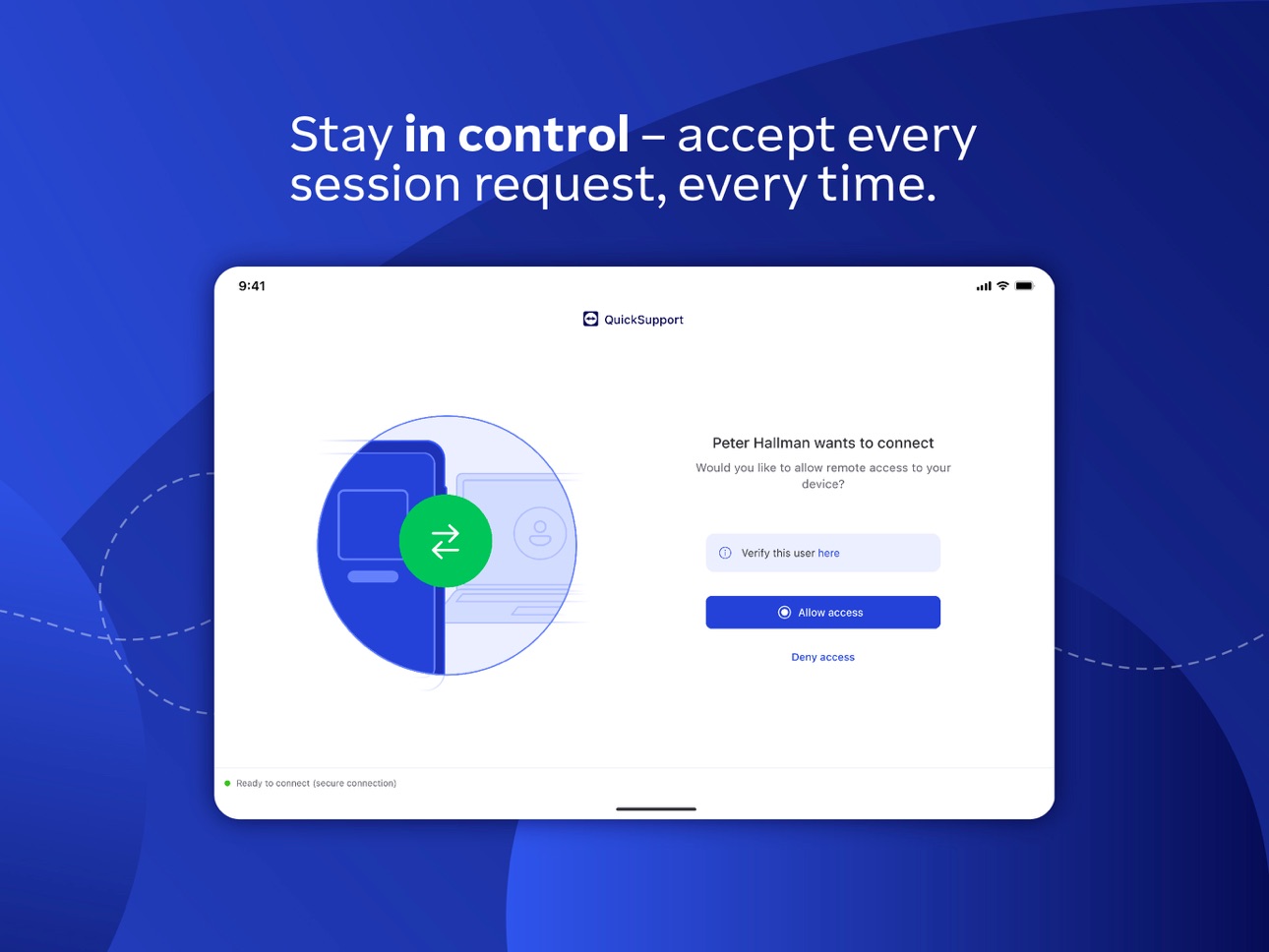
Connect only with users you trust. The app will provide you with user details, such as name, email, country, and license type, so you can verify the identity before granting access to your device.
The QuickSupport app by TeamViewer allows you to get instant IT support for your iPhone or iPad.
In just a few easy steps, QuickSupport enables your trusted remote partner to connect to your device to:
• provide IT support
• transfer files back and forth
• communicate with you via chat
• view device information
• adjust WIFI settings, and much more.
It can receive connection requests from any device (desktop, web browser or mobile).
TeamViewer applies the highest security standards to your connections, ensuring you are always in control of granting access to your device and establishing or ending sessions.
To establish a connection to your device, you need to do the following:
1. Open the app on your screen. Connections can't be established if the app is running in the background.
2. Share your ID with your partner or enter a code into the ‘Join Session’ box.
3. Accept the connection request every time. Without your explicit permission, the connection can’t be established.
QuickSupport is available to install on any device and model, including Samsung, Nokia, Sony, Huawei, Lenovo, Honeywell, Zebra, Elo, MobileBase, Fujitsu, Philips, Hisense, Doro, TCL and many more.
Key features include:
• Trusted connections (user account verification)
• Session codes for fast connections
• Dark mode
• Screen rotation
• Remote control
• Chat
• View device information
• File transfer
• App list (Start/Uninstall apps)
• Push and pull Wi-Fi settings
• View system diagnostic information
• Real-time screenshot of the device
• Store confidential information into the device clipboard
• Secured connection with 256 Bit AES Session Encoding.
Quick startup guide:
1. Your session partner will send you a personal link to the QuickSupport application. Clicking the link will start the app download.
2. Open the QuickSupport app on your device.
3. You will see a prompt to join a session created by your remote partner.
4. When you accept the connection, the remote session will begin.
"Information on Optional Access*
● Microphone: Fill the video feed with audio, or used to record message or session
*You can use the app even if you do not allow the optional permissions. Please use in-app settings to disable the access."
Accessibility
ipadiphonemacrealityDevicetvoswatch
Version history 25 versions
Build 884848183v15.77.12026-04-28 07:03:29
- Improved how the content of the Log File interacts with the Settings sidebar in Liquid Glass.
- Fixed a bug where the request to enable screen sharing was not shown.
Build 883668842v15.76.12026-03-24 08:33:30
- Minor fixes and Improvements.
Build 882604245v15.75.12026-02-24 08:52:26
- Introduced a new setting where users can select if they want the remote guidance feature enabled or disabled by default.
Build 881848029v15.74.12026-01-28 10:16:49
- Minor fixes and Improvements.
Build 880552066v15.73.12025-12-16 07:50:01
- Minor fixes and Improvements.
Build 879893031v15.72.12025-11-20 07:36:31
- Minor fixes and Improvements.
Build 879204932v15.71.12025-10-28 07:33:09
- Minor fixes and Improvements.
Build 878522671v15.70.12025-10-01 06:38:43
- Minor fixes and Improvements.
Build 877547054v15.69.12025-08-27 06:25:58
- Fixed Files not showing in session on iPad.
- Added error message when joining an invalid session code.
Build 876697071v15.68.12025-07-29 06:41:59
- Fixed a bug that could cause TeamViewer to crash when broadcasting the screen.
- Fixed some bugs related to folder creation and editing.
- Fixed a bug which prevented the limited photo access option from working correctly.
Build 875798165v15.67.12025-06-24 06:34:06
- The home screen layout has been improved.
- Minor fixes and Improvements.
Build 874991661v15.66.12025-05-27 07:57:40
- Minor fixes and Improvements.
Build 874277387v15.65.12025-04-29 07:36:02
- Clickable hyperlinks have been enabled in chat to facilitate easier access to external content.
- Fixed a bug where file transfer notifications displayed an empty button when expanded.
- Fixed a bug where the Remote Guidance feature did not indicate that the session was closed.
- Improved the text layout on the Feedback UI.
Build 873428870v15.64.12025-03-25 12:00:24
- Fixed a crash that was occurring when interacting with the Remote Guidance feature.
- Improve handling when creating multiple folders in the files view.
Build 872650926v15.63.12025-02-25 08:58:44
- Minor fixes and Improvements.
Build 871634488v15.62.12025-01-28 08:06:32
- Enhanced performance for the broadcast extension, especially on older Apple devices, ensuring smoother operation.
- Refined the home screen layout and optimized user interactions for better usability.
- Adjusted and improved dark mode colors for a more consistent and visually pleasing experience.
Build 871120421v15.61.12024-12-17 08:06:03
- The chat feature has been redesigned for a unified app look and feel.
- Session links now guide users directly to the App Store and automatically open the session after the TeamViewer application has been installed.
- It is now possible to enable verbose/advanced logging for more detailed insights and troubleshooting.
- Addressed a crash that occurred while using the Remote Guidance feature.
Build 870583294v15.60.12024-11-26 08:24:18
- Introduced a new splash screen to the app intro.
- Improved the pointer for the Remote Guidance feature.
- Improved animations so that they no longer run indefinitely.
- Fixed some coloring issues in dark mode.
- Fixed an issue where the onboarding was not showing on app start.
Build 869794339v15.59.12024-10-30 08:10:55
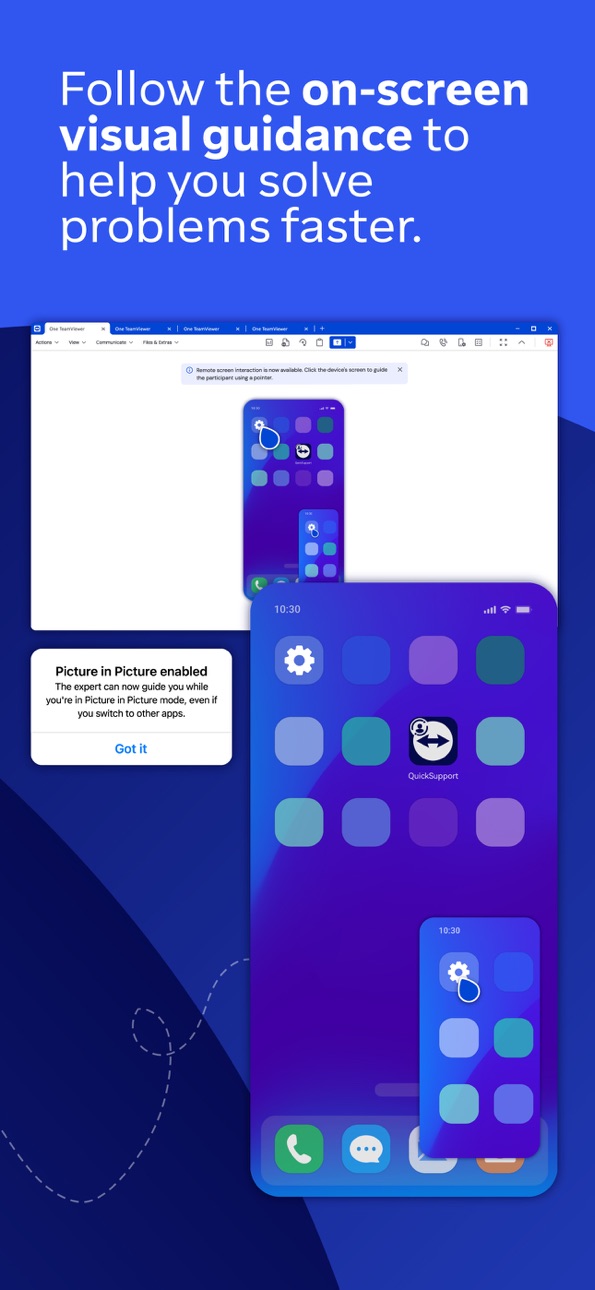
- Introducing the new picture in picture guidance for visual point and view on all iOS devices.
- Minor fixes and Improvements.
Build 869064171v15.58.12024-09-26 07:12:30
• Introducing the new TeamViewer QuickSupport Experience! Now, users can effortlessly join sessions using a session code, the app adapts to your light and dark mode, and enjoy enhanced usability and security across the board.
• It is now possible to use the Partnerlistname as a variable in MDM rollouts.
• Minor fixes and improvements.
Build 868442097v15.57.12024-08-27 08:37:47
• Minor fixes and Improvements.
Build 866874116v15.55.12024-06-25 07:39:13
• Minor fixes and Improvements.
Build 865498888v15.54.12024-05-28 10:23:54
• Fixed a bug where audio functionality of Apple devices was affected when TeamViewer app was running in the background.
• Minor fixes and Improvements.
Build 865154261v15.53.12024-04-16 07:32:17
• Minor fixes and Improvements.
Build 864644214v15.52.12024-03-26 07:57:43
• To help improve user experience, a feedback prompt will now appear for every denied session.
• Minor fixes and Improvements.
No pricing data captured yet — comparisons appear once the app has paid storefronts or in-app purchases.
Availability 1 of 1 storefronts
| Region | Language | Price | Ratings | Avg | Version |
|---|---|---|---|---|---|
| US | en-US | Free | 5.2k | 2.9 | 15.77.1 |
Change log 29 changes · US
✎
releaseNotes updated
- Improved how the content of the Log File interacts with the Settings sidebar in Liquid Glass.
- Fixed a bug where the request to enable screen sharing was not
✎
description updated
WHAT’S NEW:
• Full control over sessions
To allow your partner to connect to your device, simply enter the code they provided into the ‘Join Session’ box. You
✎
subtitle updated
Screen sharing
✎
name updated
TeamViewer QuickSupport
◆
Version 15.77.1 released
- Improved how the content of the Log File interacts with the Settings sidebar in Liquid Glass.
- Fixed a bug where the request to enable screen sharing was not shown.
◆
Version 15.76.1 released
- Minor fixes and Improvements.
◆
Version 15.75.1 released
- Introduced a new setting where users can select if they want the remote guidance feature enabled or disabled by default.
◆
Version 15.74.1 released
- Minor fixes and Improvements.
◆
Version 15.73.1 released
- Minor fixes and Improvements.
◆
Version 15.72.1 released
- Minor fixes and Improvements.
◆
Version 15.71.1 released
- Minor fixes and Improvements.
◆
Version 15.70.1 released
- Minor fixes and Improvements.
◆
Version 15.69.1 released
- Fixed Files not showing in session on iPad.
- Added error message when joining an invalid session code.
◆
Version 15.68.1 released
- Fixed a bug that could cause TeamViewer to crash when broadcasting the screen.
- Fixed some bugs related to folder creation and editing.
- Fixed a bug which prevented the limited photo access option from working correctly.
◆
Version 15.67.1 released
- The home screen layout has been improved.
- Minor fixes and Improvements.
◆
Version 15.66.1 released
- Minor fixes and Improvements.
◆
Version 15.65.1 released
- Clickable hyperlinks have been enabled in chat to facilitate easier access to external content.
- Fixed a bug where file transfer notifications displayed an empty button when expanded.
- Fixed a bug where the Remote Guidance feature did
◆
Version 15.64.1 released
- Fixed a crash that was occurring when interacting with the Remote Guidance feature.
- Improve handling when creating multiple folders in the files view.
◆
Version 15.63.1 released
- Minor fixes and Improvements.
◆
Version 15.62.1 released
- Enhanced performance for the broadcast extension, especially on older Apple devices, ensuring smoother operation.
- Refined the home screen layout and optimized user interactions for better usability.
- Adjusted and improved dark mo
◆
Version 15.61.1 released
- The chat feature has been redesigned for a unified app look and feel.
- Session links now guide users directly to the App Store and automatically open the session after the TeamViewer application has been installed.
- It is now possible
◆
Version 15.60.1 released
- Introduced a new splash screen to the app intro.
- Improved the pointer for the Remote Guidance feature.
- Improved animations so that they no longer run indefinitely.
- Fixed some coloring issues in dark mode.
- Fixed an issue where
◆
Version 15.59.1 released
- Introducing the new picture in picture guidance for visual point and view on all iOS devices.
- Minor fixes and Improvements.
◆
Version 15.58.1 released
• Introducing the new TeamViewer QuickSupport Experience! Now, users can effortlessly join sessions using a session code, the app adapts to your light and dark mode, and enjoy enhanced usability and security across the board.
• It is now po
◆
Version 15.57.1 released
• Minor fixes and Improvements.
◆
Version 15.55.1 released
• Minor fixes and Improvements.
◆
Version 15.54.1 released
• Fixed a bug where audio functionality of Apple devices was affected when TeamViewer app was running in the background.
• Minor fixes and Improvements.
◆
Version 15.53.1 released
• Minor fixes and Improvements.
◆
Version 15.52.1 released
• To help improve user experience, a feedback prompt will now appear for every denied session.
• Minor fixes and Improvements.