Home › Photo & Video

 US
US
USen-US AGen-GB
 AIen-GB
 AOen-GB
 ARes-MX
 BBen-GB
 BFen-GB
 BJen-GB
 BOes-MX
 BRpt-BR
 BSen-GB
 BWen-GB
 BZen-GB
 CDen-GB
 CGen-GB
 CIfr-FR
 CLes-MX
 CMfr-FR
 COes-MX
 CRes-MX
 CVen-GB
 DMen-GB
 DOes-MX
 DZen-GB
 ECes-MX
 GAfr-FR
 GDen-GB
 GHen-GB
 GMen-GB
 GTes-MX
 GWen-GB
 GYen-GB
 HNes-MX
 JMen-GB
 KEen-GB
 KNen-GB
 KYen-GB
 LCen-GB
 LRen-GB
 LYen-GB
 MAen-GB
 MGen-GB
 MLen-GB
 MSen-GB
 MUen-GB
 MWen-GB
 MXes-MX
 MZen-GB
 NAen-GB
 NEen-GB
 NGen-GB
 NIes-MX
 PAes-MX
 PEes-MX
 PYes-MX
 RWen-GB
 SCen-GB
 SLen-GB
 SNen-GB
 SRen-GB
 STen-GB
 SVes-MX
 SZen-GB
 TCen-GB
 TDen-GB
 TNen-GB
 TTen-GB
 TZen-GB
 UGen-GB
 UYen-GB
 VCen-GB
 VEes-MX
 VGen-GB
 ZMen-GB
 ZWen-GB
75 of 75 storefronts
Content in en-US
Content in en-US
Information
Preview 2 platforms
iPhone 6 images


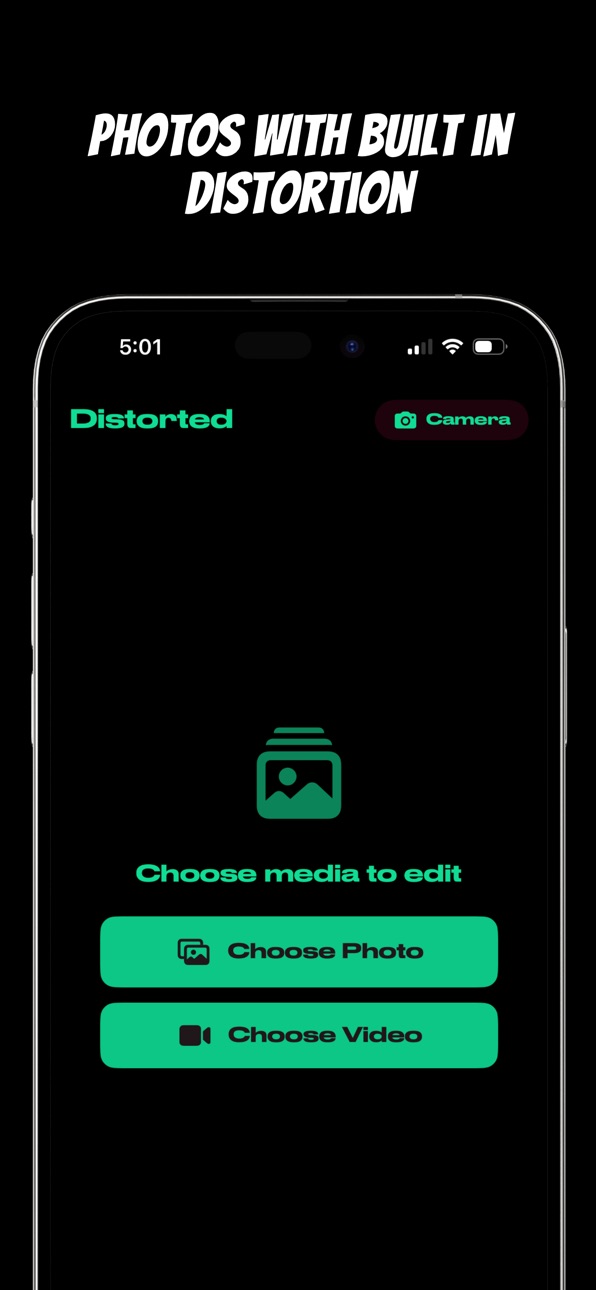
iPad 5 images


What’s New Version 1.4.1
Fixed an issue where intensive filter chains caused the preview to pause and feel sticky.
Description
Welcome to Distorted, an artful camera and photo editor app that combines randomized sequences of filters for glitchy, distorted, and cinematic effects on your photos and videos.
Distorted transforms your iPhone camera into a moody, pixellated, and sometimes broken canvas using creative combos of image filters. Choose your mode at launch: take a photo, record a video, or import an image from your photo library. Every session is pre-loaded with a randomized filter chain, so you'll never shoot the same look twice. Each filter affects the next in sequence and can be fine-tuned with attributes like intensity, sharpness, radii, thresholds, levels, blur, and color controls, with over 100 filters to choose from.
KEY FEATURES
Live filtered viewfinder for photo and video capture, so what you see is what you shoot. No guesswork, no post-processing required.
Video recording with real-time filter chains applied frame by frame. Record short clips with glitch, VHS, pixel, halftone, distortion, and vintage film looks baked right in.
Photo import and editing from your camera roll. Run any existing photo through the same randomized chains to give old shots a fresh, distorted aesthetic.
100+ built in filters including pixellate, CRT, halftone, posterize, chrome, noir, bloom, thermal, kaleidoscope, edge detect, color monochrome, and many more experimental effects.
Adjustable filter parameters. Dial in each filter with sliders for intensity, radius, levels, color, and sharpness to craft your exact look.
Save your favorite filter chains to a personal library and reuse them across photo and video sessions.
Build custom chains by adding individual filters by name for total creative control over your aesthetic.
Tap the palette icon to instantly restyle the app's interface colors to match your vibe.
Whether you love analog film looks, retro VHS glitches, lo-fi aesthetic photography, pixel art, or abstract experimental imagery, Distorted turns your camera into a creative playground. Perfect for artists, photographers, content creators, musicians, and anyone who wants their photos and videos to stand out.
Ready to turn the ordinary into art? Download Distorted and start creating.
Accessibility
ipadiphonemacrealityDevicetvoswatch
Version history 24 versions
Build 887868756v1.4.12026-07-06 02:38:29
Fixed an issue where intensive filter chains caused the preview to pause and feel sticky.
Build 887372181v1.4.02026-06-25 22:52:03
• Open a photo or video and the current filter chain is applied instantly, with the same Add Filter / Clear & Randomize controls used in the live camera.
• New live-filtered video playback — what you see while editing is what gets exported.
• Full-screen preview with a side filter menu, replacing the cramped bottom panel.
• Save now keeps you in the editor so you can keep tweaking, share, or save again with different filters.
• Confirmation alert when a video finishes exporting, plus a Cancel button during long exports.
• Fresh random filters auto-apply when you open a new photo or video, matching the app's first-launch experience.
• Removed half-baked extras (tone sliders, crop, rotate, text overlay, trim, shuffle, reset) so the editor does one thing well: filters.
Build 884740637v1.3.02026-04-21 16:36:30
• Pick your mode at launch — shoot photos, record video, or import from your library
• Post-capture photo editor: run any shot through a randomized filter chain
• Rebuilt video engine for smoother recording and live filter playback
• Redesigned camera permission flow
• Performance and stability improvements under the hood
Build 880288358v1.2.22025-12-03 02:23:59
Refreshed the app with updated libraries
Build 877791876v1.2.12025-09-04 20:22:40
Introducing configurable filter chains! Choose from 100+ filters, many of which expose attributes for you to fine tune to create your perfect, glitchy camera art!
Build 877528510v1.22025-08-26 05:48:34
Refining the filter addition and removal process to be faster.
Build 876398702v1.1.172025-07-15 15:08:18
We've significantly improved the Distorted Camera's user experience by implementing a smooth onboarding system that introduces users to the app's filter capabilities in an engaging way. When you first launch the app, it now gradually adds filters one by one with clear visual feedback, showing each filter name as it's applied so you can see exactly what's happening. The filter names appear with a smooth fade-in animation and then gracefully fade out, creating a polished, professional feel. We've also fixed several technical issues to ensure the app runs smoothly across all device orientations - the stop button during video recording now stays consistently positioned on the left side of the screen in landscape mode, making it easy to reach with your thumb while holding the device. Additionally, we've resolved various UI glitches and timing issues to make the overall experience more reliable and responsive, ensuring that filter changes, photo/video saving, and device rotation all work seamlessly without any visual hiccups or crashes.
Build 872903441v1.1.162025-03-02 14:28:49
Adding in the ability to film and capture photos in lanscape mode. Shoutout staryeyes2010 for the feedback which prompted me to add this feature to Distorted! Thank you for trying the app and thank you to those who provide feedback.
Build 872527923v1.1.152025-02-16 13:14:00
Fixed a bug that may have prevented saving your filters to the app under certain scenarios. Thanks for using Distorted!
Build 872460723v1.1.142025-02-15 15:53:12
Hello! It's been a minute. In this version I've added in audio and removed the 5 second limit for recorded videos. I also removed the in-app purchase, so you can save 100 filters for free starting today. Thank you for trying Distorted!
Build 871702399v1.1.132025-01-13 09:55:14
Latest and greatest! Just a couple of UI changes to make things easier to navigate. Thanks for using Distorted!
Build 870217247v1.1.22024-11-06 10:54:34
We unlocked video - now record as many seconds as you can handle.
Build 869832267v1.1.12024-10-22 13:53:43
You're getting an improved filter list using actual filter names. The Randomize button now chooses between 3 to 4 random filters. Video and photo buttons are now labelled and videos have been upgraded to 5 seconds in duration. Also, the app is now called Distorted.
Build 869574204v1.1.02024-10-09 10:30:45
Added the ability to take up to 3 seconds of video! Fixed filter selection.
Build 869507947v1.0.92024-10-08 15:23:45
Added the ability to take up to 3 seconds of video!
Build 869333547v1.0.82024-09-30 21:37:07
Chopped off two letters from the app name. Less is more. Squashing code glitches, adding more visual glitches.
Build 869220547v1.0.72024-09-24 13:16:26
Updated our icons to support iOS 18 dark and tinted variants fam.
Build 869155664v1.0.62024-09-22 05:20:43
We’ve got a fresh new name—Random Filters! Same creative chaos, just with a new title. In addition to the name change, we’ve updated app metadata to align with the rebranding. Everything you love about unpredictable filter chains and spontaneous creativity with a more refined look is still here. Update now and continue creating your random, artful masterpieces!
Build 869006421v1.0.52024-09-16 11:57:54
We’ve reimagined the Mashtape experience with a smoother, more intuitive UX! Now, you can preview your image before saving it to your camera roll, ensuring your creative vision is exactly how you want it. We’ve also reorganized the buttons in the filter list for easier access and flow, making filter stacking and tweaking even more seamless. Plus, the in-app purchase process got a major refresh—unlocking the full potential of Mashtape is now clearer and simpler. Dive in and enjoy the creative chaos!
Build 868786746v1.0.42024-09-10 13:59:33
We added + and - buttons right next to the shutter. Hit + to toss another random filter into the mix, and - to ditch the last one. Easy. The shuffle button? It’s moved to the filter pane.
Build 868545752v1.0.32024-08-28 08:55:16
We heard you: life’s too short for bad UX. So, we stripped out the fluff, tightened the screws, and cranked up the curb appeal. The shuffle experience? Now, it’s smoother than a cashmere sweater. The filters? They transition like a dream, stacking up in ways that’ll make you say, “Damn, that’s clean.”
Forget complicated controls—just hit shuffle and watch the magic happen. Less effort, more vibe. Go on, dive in. The new Mashtape is slicker, sharper, and ready to make your snaps pop.
Build 868488801v1.0.22024-08-26 12:59:39
Why spend your precious time curating filters when you can leave it to fate? Introducing the Shuffle Button—your new best friend in the wild world of random aesthetics. Tap it, and boom: three random filters are slapped onto your camera, instantly making your photos cooler than a cucumber in shades.
But wait, there’s more. We know you’re tired of the same old filter chains, so we’re mixing it up. Every time you open Mashtape, you’ll be greeted with a fresh, totally unpredictable filter combo. Because why not?
Go ahead, roll the dice. You might just discover the next big thing—or at least a way to make your dog look like a psychedelic art piece.
Build 868363144v1.0.12024-08-21 09:28:08
Welcome to the first update to Mashtape. In this version, you can now share your filter chains with other app users. Now share your creations and see what you can create!
Build 867147370v1.02024-08-20 11:37:10
Price history by region
Currency
Show
Columns
Search
Availability 75 of 75 storefronts
| Region | Language | Price | Ratings | Avg | Version |
|---|---|---|---|---|---|
| US | en-US | USD 2.99 | 9 | 4.8 | 1.4.1 |
| AG | en-GB | USD 2.99 | 0 | — | 1.4.1 |
| AI | en-GB | USD 2.99 | 0 | — | 1.4.1 |
| AO | en-GB | USD 2.99 | 0 | — | 1.4.1 |
| AR | es-MX | USD 2.99 | 0 | — | 1.4.1 |
| BB | en-GB | USD 3.99 | 0 | — | 1.4.1 |
| BF | en-GB | USD 2.99 | 0 | — | 1.4.1 |
| BJ | en-GB | USD 3.99 | 0 | — | 1.4.1 |
| BO | es-MX | USD 2.99 | 0 | — | 1.4.1 |
| BR | pt-BR | BRL 19.9 | 0 | — | 1.4.1 |
| BS | en-GB | USD 2.99 | 0 | — | 1.4.1 |
| BW | en-GB | USD 2.99 | 0 | — | 1.4.1 |
| BZ | en-GB | USD 2.99 | 0 | — | 1.4.1 |
| CD | en-GB | USD 2.99 | 0 | — | 1.4.1 |
| CG | en-GB | USD 2.99 | 0 | — | 1.4.1 |
| CI | fr-FR | USD 3.99 | 0 | — | 1.4.1 |
| CL | es-MX | CLP 2990 | 0 | — | 1.4.1 |
| CM | fr-FR | USD 3.99 | 0 | — | 1.4.1 |
| CO | es-MX | COP 14900 | 0 | — | 1.4.1 |
| CR | es-MX | USD 2.99 | 0 | — | 1.4.1 |
| CV | en-GB | USD 2.99 | 0 | — | 1.4.1 |
| DM | en-GB | USD 2.99 | 0 | — | 1.4.1 |
| DO | es-MX | USD 2.99 | 0 | — | 1.4.1 |
| DZ | en-GB | USD 2.99 | 0 | — | 1.4.1 |
| EC | es-MX | USD 2.99 | 0 | — | 1.4.1 |
| GA | fr-FR | USD 2.99 | 0 | — | 1.4.1 |
| GD | en-GB | USD 2.99 | 0 | — | 1.4.1 |
| GH | en-GB | USD 3.99 | 0 | — | 1.4.1 |
| GM | en-GB | USD 2.99 | 0 | — | 1.4.1 |
| GT | es-MX | USD 2.99 | 0 | — | 1.4.1 |
| GW | en-GB | USD 2.99 | 0 | — | 1.4.1 |
| GY | en-GB | USD 2.99 | 0 | — | 1.4.1 |
| HN | es-MX | USD 2.99 | 0 | — | 1.4.1 |
| JM | en-GB | USD 2.99 | 0 | — | 1.4.1 |
| KE | en-GB | USD 3.99 | 0 | — | 1.4.1 |
| KN | en-GB | USD 2.99 | 0 | — | 1.4.1 |
| KY | en-GB | USD 2.99 | 0 | — | 1.4.1 |
| LC | en-GB | USD 2.99 | 0 | — | 1.4.1 |
| LR | en-GB | USD 2.99 | 0 | — | 1.4.1 |
| LY | en-GB | USD 2.99 | 0 | — | 1.4.1 |
| MA | en-GB | USD 2.99 | 0 | — | 1.4.1 |
| MG | en-GB | USD 2.99 | 0 | — | 1.4.1 |
| ML | en-GB | USD 2.99 | 0 | — | 1.4.1 |
| MS | en-GB | USD 2.99 | 0 | — | 1.4.1 |
| MU | en-GB | USD 3.99 | 0 | — | 1.4.1 |
| MW | en-GB | USD 2.99 | 0 | — | 1.4.1 |
| MX | es-MX | MXN 69 | 0 | — | 1.4.1 |
| MZ | en-GB | USD 2.99 | 0 | — | 1.4.1 |
| NA | en-GB | USD 2.99 | 0 | — | 1.4.1 |
| NE | en-GB | USD 2.99 | 0 | — | 1.4.1 |
| NG | en-GB | NGN 4900 | 0 | — | 1.4.1 |
| NI | es-MX | USD 2.99 | 0 | — | 1.4.1 |
| PA | es-MX | USD 2.99 | 0 | — | 1.4.1 |
| PE | es-MX | PEN 12.9 | 0 | — | 1.4.1 |
| PY | es-MX | USD 2.99 | 0 | — | 1.4.1 |
| RW | en-GB | USD 2.99 | 0 | — | 1.4.1 |
| SC | en-GB | USD 2.99 | 0 | — | 1.4.1 |
| SL | en-GB | USD 2.99 | 0 | — | 1.4.1 |
| SN | en-GB | USD 3.99 | 0 | — | 1.4.1 |
| SR | en-GB | USD 2.99 | 0 | — | 1.4.1 |
| ST | en-GB | USD 2.99 | 0 | — | 1.4.1 |
| SV | es-MX | USD 2.99 | 0 | — | 1.4.1 |
| SZ | en-GB | USD 2.99 | 0 | — | 1.4.1 |
| TC | en-GB | USD 2.99 | 0 | — | 1.4.1 |
| TD | en-GB | USD 2.99 | 0 | — | 1.4.1 |
| TN | en-GB | USD 2.99 | 0 | — | 1.4.1 |
| TT | en-GB | USD 2.99 | 0 | — | 1.4.1 |
| TZ | en-GB | TZS 9900 | 0 | — | 1.4.1 |
| UG | en-GB | USD 3.99 | 0 | — | 1.4.1 |
| UY | en-GB | USD 2.99 | 0 | — | 1.4.1 |
| VC | en-GB | USD 2.99 | 0 | — | 1.4.1 |
| VE | es-MX | USD 2.99 | 0 | — | 1.4.1 |
| VG | en-GB | USD 2.99 | 0 | — | 1.4.1 |
| ZM | en-GB | USD 3.99 | 0 | — | 1.4.1 |
| ZW | en-GB | USD 3.99 | 0 | — | 1.4.1 |
Change log 28 changes · US
✎
releaseNotes updated
Fixed an issue where intensive filter chains caused the preview to pause and feel sticky.
✎
description updated
Welcome to Distorted, an artful camera and photo editor app that combines randomized sequences of filters for glitchy, distorted, and cinematic effects on your
✎
subtitle updated
Glitch Filters, Photo & Video
✎
name updated
Distorted Camera
◆
Version 1.4.1 released
Fixed an issue where intensive filter chains caused the preview to pause and feel sticky.
◆
Version 1.4.0 released
• Open a photo or video and the current filter chain is applied instantly, with the same Add Filter / Clear & Randomize controls used in the live camera.
• New live-filtered video playback — what you see while editing is what gets exported.
◆
Version 1.3.0 released
• Pick your mode at launch — shoot photos, record video, or import from your library
• Post-capture photo editor: run any shot through a randomized filter chain
• Rebuilt video engine for smoother recording and live filter playback
• Redesi
◆
Version 1.2.2 released
Refreshed the app with updated libraries
◆
Version 1.2.1 released
Introducing configurable filter chains! Choose from 100+ filters, many of which expose attributes for you to fine tune to create your perfect, glitchy camera art!
◆
Version 1.2 released
Refining the filter addition and removal process to be faster.
◆
Version 1.1.17 released
We've significantly improved the Distorted Camera's user experience by implementing a smooth onboarding system that introduces users to the app's filter capabilities in an engaging way. When you first launch the app, it now gradually adds f
◆
Version 1.1.16 released
Adding in the ability to film and capture photos in lanscape mode. Shoutout staryeyes2010 for the feedback which prompted me to add this feature to Distorted! Thank you for trying the app and thank you to those who provide feedback.
◆
Version 1.1.15 released
Fixed a bug that may have prevented saving your filters to the app under certain scenarios. Thanks for using Distorted!
◆
Version 1.1.14 released
Hello! It's been a minute. In this version I've added in audio and removed the 5 second limit for recorded videos. I also removed the in-app purchase, so you can save 100 filters for free starting today. Thank you for trying Distorted!
◆
Version 1.1.13 released
Latest and greatest! Just a couple of UI changes to make things easier to navigate. Thanks for using Distorted!
◆
Version 1.1.2 released
We unlocked video - now record as many seconds as you can handle.
◆
Version 1.1.1 released
You're getting an improved filter list using actual filter names. The Randomize button now chooses between 3 to 4 random filters. Video and photo buttons are now labelled and videos have been upgraded to 5 seconds in duration. Also, the app
◆
Version 1.1.0 released
Added the ability to take up to 3 seconds of video! Fixed filter selection.
◆
Version 1.0.9 released
Added the ability to take up to 3 seconds of video!
◆
Version 1.0.8 released
Chopped off two letters from the app name. Less is more. Squashing code glitches, adding more visual glitches.
◆
Version 1.0.7 released
Updated our icons to support iOS 18 dark and tinted variants fam.
◆
Version 1.0.6 released
We’ve got a fresh new name—Random Filters! Same creative chaos, just with a new title. In addition to the name change, we’ve updated app metadata to align with the rebranding. Everything you love about unpredictable filter chains and sponta
◆
Version 1.0.5 released
We’ve reimagined the Mashtape experience with a smoother, more intuitive UX! Now, you can preview your image before saving it to your camera roll, ensuring your creative vision is exactly how you want it. We’ve also reorganized the buttons
◆
Version 1.0.4 released
We added + and - buttons right next to the shutter. Hit + to toss another random filter into the mix, and - to ditch the last one. Easy. The shuffle button? It’s moved to the filter pane.
◆
Version 1.0.3 released
We heard you: life’s too short for bad UX. So, we stripped out the fluff, tightened the screws, and cranked up the curb appeal. The shuffle experience? Now, it’s smoother than a cashmere sweater. The filters? They transition like a dream, s
◆
Version 1.0.2 released
Why spend your precious time curating filters when you can leave it to fate? Introducing the Shuffle Button—your new best friend in the wild world of random aesthetics. Tap it, and boom: three random filters are slapped onto your camera, in
◆
Version 1.0.1 released
Welcome to the first update to Mashtape. In this version, you can now share your filter chains with other app users. Now share your creations and see what you can create!
◆
Version 1.0 released