Home › Food & Drink

 US
US
1 of 1 storefronts
Content in en-US
Content in en-US
Information
Preview 2 platforms
iPhone 10 images


iPad 5 images


What’s New Version 3.5.0
- Print Server
- Bug fixes and optimization
Description
Running a restaurant is tough—but it doesn’t have to be. From managing tables to ensuring orders are accurate, the pressure never stops.
Orderlay is here to help you master every aspect of your restaurant's operations. Whether you're running a cozy café or a bustling eatery, we’ve got your back. Orderlay helps you to manage your restaurant like a pro. Quickly, efficiently, and with minimal effort!
Run Your Restaurant Like a Pro
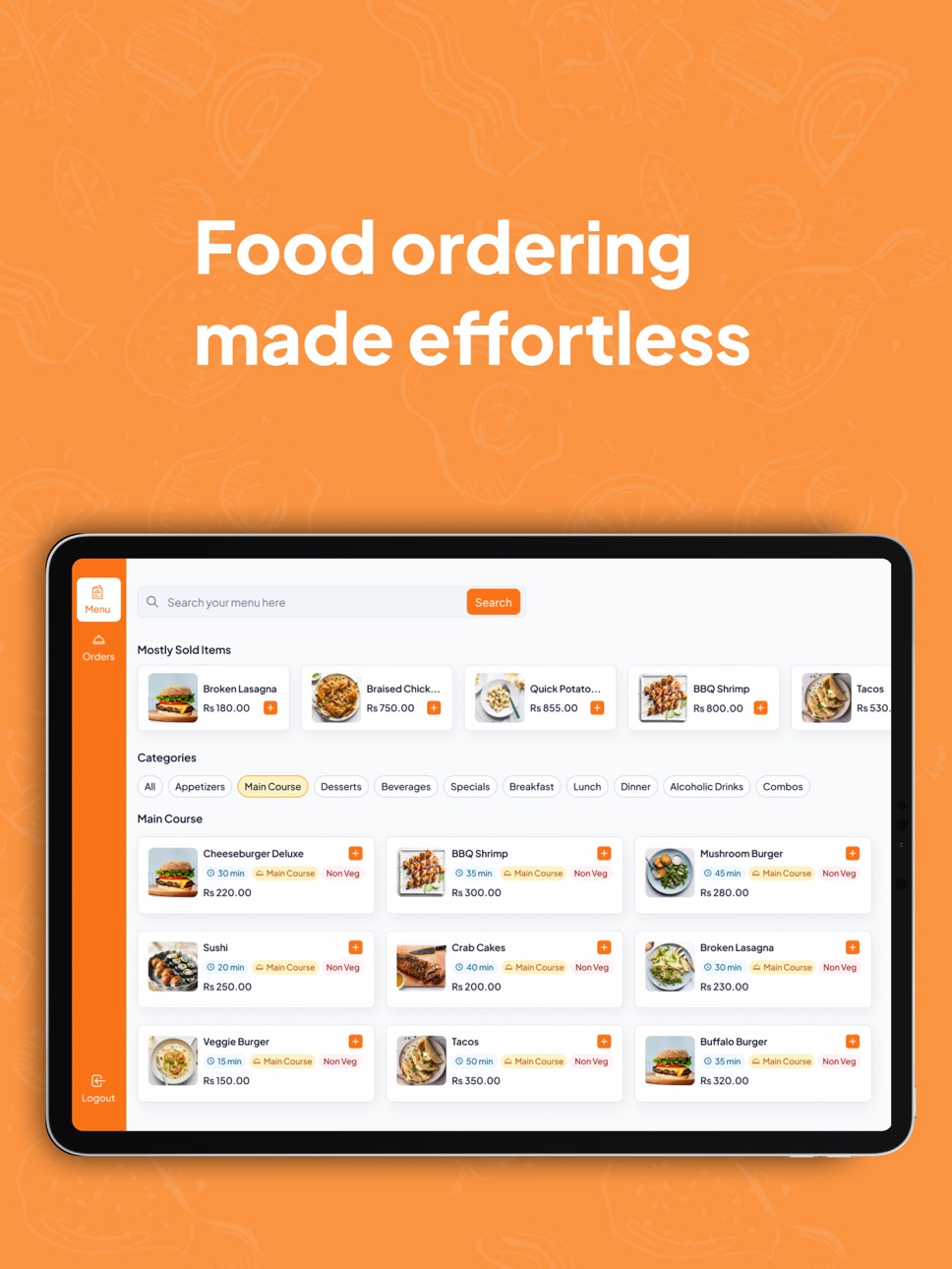
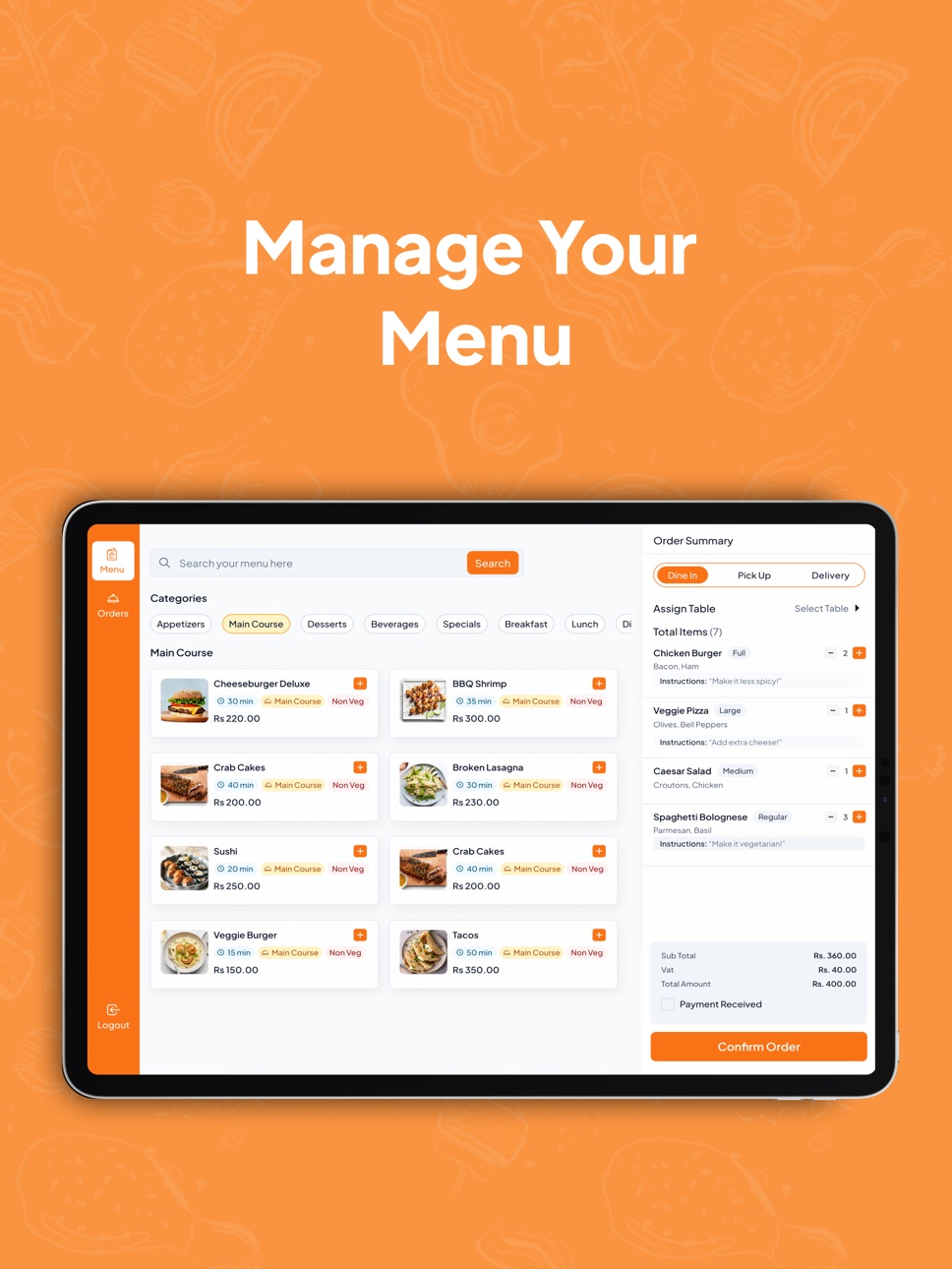
* Effortless Order Management: Customers place their orders directly via the app, accurate and instant. Your kitchen gets orders in real-time, reducing mistakes and speeding up service.
* Maximize Table Turnover: Organize seating and manage traffic flow with ease, ensuring efficient use of your space.
* Instant Menu Updates: Update your menu anytime—add new items, adjust prices, or mark dishes as unavailable.
* Faster Service: With reduced wait times and improved accuracy, your team can focus on delivering great service.
* Real-Time Feedback & Insights: Receive instant feedback from customers to help improve their experience and your operations.
Always a Satisfied Dining Experience For Your Customers
Orderlay is a way to wow your customers. They get to enjoy a fast, easy, and personalized dining experience without the wait. With easy menu browsing, secure payments, and real-time order tracking, they’ll never have to worry about anything.
Orderlay is also about creating a satisfying and enjoyable experience for your customers.
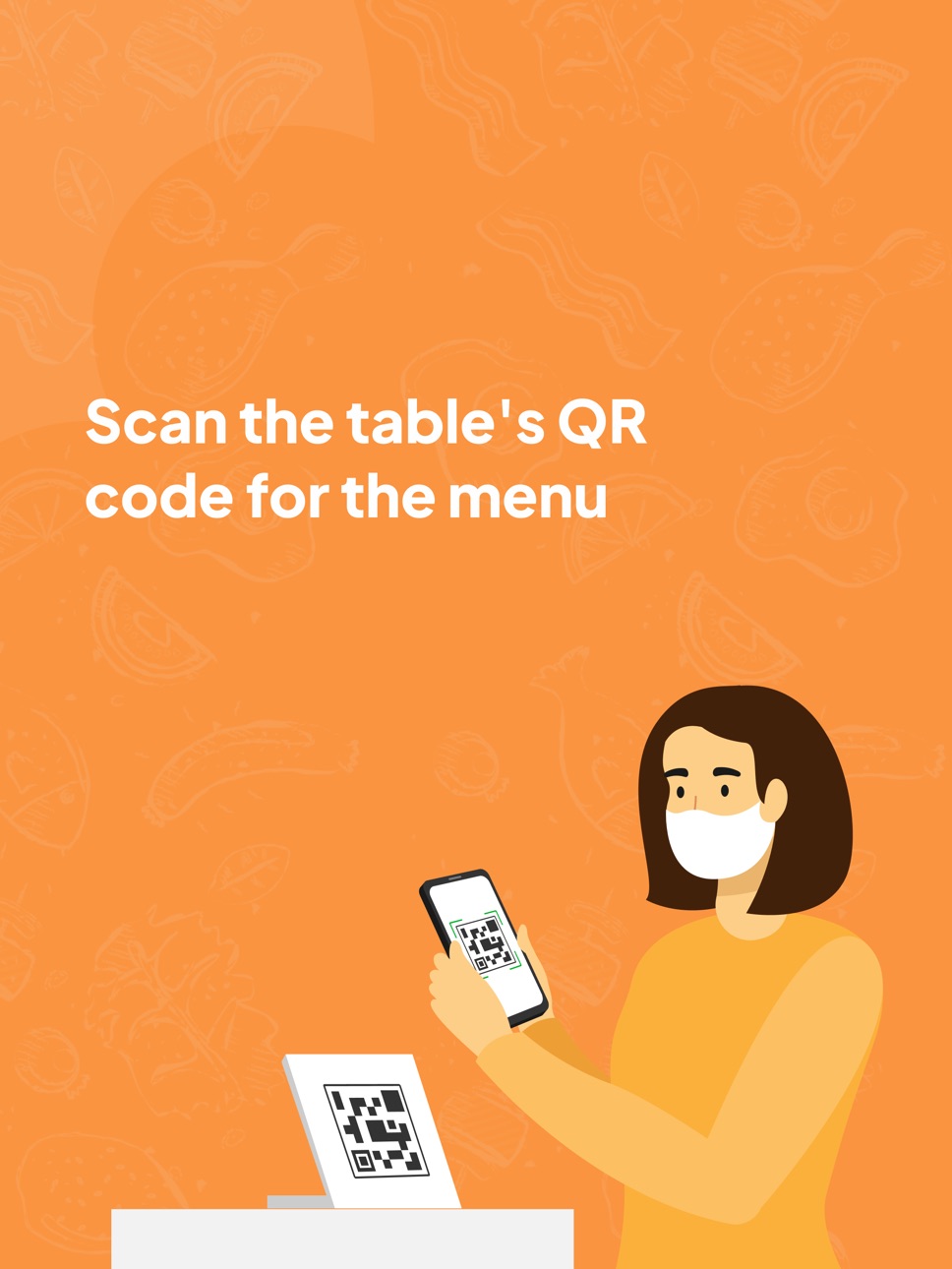
* Scan & Order – No waiting for menus! Customers scan the QR code on their table to instantly access the restaurant's menu.
* Browse & Customize – Customers can explore menu details, select their items, and customize orders with ease.
* Track Orders in Real Time – Customers can see their order status and get an estimated wait time, so they know exactly when their food will arrive.
* Secure Payments – Hassle-free transactions with instant confirmation, so customers can simply enjoy their meal.
Why Orderlay? Because You Deserve a Smoother, More Profitable Restaurant.
Who’s Orderlay For?
* Restaurants of All Sizes: Perfect for cafés, fast-casual, or fine dining. Orderlay works for any restaurant looking to improve operations and customer satisfaction.
* Restaurant Owners & Managers: Take your restaurant to the next level with a tool that boosts efficiency and cuts down on stress.
* Customers Who Love Great Service: With faster service and more accurate orders, your customers will love the experience.
Accessibility
ipadiphonemacrealityDevicetvoswatch
Version history 25 versions
Build 887777003v3.5.02026-07-07 05:47:05
- Print Server
- Bug fixes and optimization
Build 887473254v3.4.12026-06-27 01:19:29
- Bug fixes & optimization
Build 886839085v3.4.02026-06-22 02:22:01
- Faster Table Operations
Create, manage, and serve orders more efficiently.
- Enhanced Space Management
Reorder spaces and tables, add tables, and enable Auto Serve.
- Better Order Management
New filters and sorting options for faster order tracking.
- Easier Restaurant Setup
Guided onboarding for new restaurants.
- Improvements & Fixes
Performance enhancements, printing improvements, and bug fixes.
Build 886366229v3.3.02026-06-06 02:52:42
- Revamped Signup Flow & enhanced Accounts Screen for a smoother start
- Introducing Kitchen Display System (KDS) to streamline kitchen operations
- Now supports Star Micronics StartPRNT printers for seamless printing
- Smarter Printer Queue Management with real-time live queue view
- Bug fixes & performance improvements for a more reliable experience
Build 885905032v3.2.42026-05-21 02:56:58
- Bug fix & Optimization
Build 885773200v3.2.22026-05-18 03:58:08
• AI-Powered Inventory Management
Manage stock smarter with AI-driven insights—track inventory, optimize usage, and reduce manual effort.
• AI Menu Scan
Transform physical menus into digital formats instantly using AI—quickly detect and create menu items with high accuracy.
• Fixed Customer Management
Build 885505694v3.2.12026-05-15 01:39:26
• AI-Powered Inventory Management
Manage stock smarter with AI-driven insights—track inventory, optimize usage, and reduce manual effort.
• AI Menu Scan
Transform physical menus into digital formats instantly using AI—quickly detect and create menu items with high accuracy.
Build 885235289v3.2.02026-05-05 02:56:34
- Bug fixes & Performance Optimization
Build 885203127v3.1.22026-05-04 03:38:20
- Expense Management
Build 884309642v3.1.02026-04-10 02:14:17
- Custom Quantity in Menu Item
- Bug Fixes & Optimization
Build 883776106v3.0.02026-03-26 16:51:08
- Customer Management
- Credit Management
- View Payment QR for Restaurant
- Order Details Revamped
- Bug fixes & performance optimization
Build 883086027v2.9.12026-03-06 23:15:07
- Bug fixes and optimization
Build 882857572v2.9.02026-02-27 21:35:24
- Menu List in Order Confirmation
- Bug fixes and optimization
Build 882632625v2.8.02026-02-21 03:21:32
- Bulk Action
- Merge/Transfer/Split Tables
- KOT/BOT Print Design Update
- Image Upload Android Issue Fix
- Bug Fixes & Optimization
Build 882440567v2.7.02026-02-16 21:32:48
- New Order Flow
- Bugs fixes & Optimization
Build 881564437v2.6.42026-01-17 02:55:02
- Bugs fixes
Build 881457066v2.6.32026-01-14 03:14:28
- Bugs fixes and optimisation
Build 881279514v2.6.22026-01-07 20:40:48
- Bugs fixes and optimization
Build 881115295v2.6.02026-01-01 00:24:01
What's New
- Added Custom Payment Methods feature
- Added Single Order Per Table
- Integrated Split Payment feature
- Integrated Auto print cancelled item/order
- Bugs Fixes & Optimisation
Build 879701196v2.5.12025-11-12 21:39:26
- Bugs fixes and optimization
Build 878890376v2.5.02025-10-14 18:09:03
- Tablewise Sales Report
- Bugs fixes and optimization in Orders Screen
Build 878329255v2.4.02025-10-07 19:32:56
- WaitStaff & Counter new inteface
- Guide Videos
- UI Enhancements & Bugs fixes
Build 878119480v2.3.02025-09-16 00:39:43
New Features
- Integrated Pickup & Delivery for Restaurant
- Improved our bottom sheet
- Added occupancy for customer orders
- Added Order Count in order screen
- New Spaces Screen UI filtered by area
Bugs Fixes
- Fixed Input fields hiding behind keyboard issue
- Fixed UI Responsiveness issues
- Fixed Non Scrollable issues
Build 877838794v2.2.12025-09-05 17:50:56
- Call waiter feature
- User location issue fix
Build 877647725v2.2.02025-08-28 23:08:33
New Features
- Integrated Custom Categories with ability to create/edit Categories
- Revamped profile of restaurant & added a new Cover image feature
- Revamped Add/Edit Menu Screen & Menu Screens
- Added all sales details in dashboard with print feature
- Added restaurant cover images carousel in Customer
- Implemented Auto print estimate feature
Bugs fixes & optimization
- Fixed Restaurant basket bugs
- Fixed business hours crash while creating restaurant
- Fixed Location Search navigation issue in Map screen
- Fixed Currency non scrollable issue in register restaurant
- Fixed UI of Menu Details
- Fixed Spaces Screen bugs
No pricing data captured yet — comparisons appear once the app has paid storefronts or in-app purchases.
Availability 1 of 1 storefronts
| Region | Language | Price | Ratings | Avg | Version |
|---|---|---|---|---|---|
| US | en-US | Free | 0 | — | 3.5.0 |
Change log 29 changes · US
✎
releaseNotes updated
- Print Server
- Bug fixes and optimization
✎
description updated
Running a restaurant is tough—but it doesn’t have to be. From managing tables to ensuring orders are accurate, the pressure never stops.
Orderlay is here to he
✎
subtitle updated
Food ordering made effortless
✎
name updated
Orderlay
◆
Version 3.5.0 released
- Print Server
- Bug fixes and optimization
◆
Version 3.4.1 released
- Bug fixes & optimization
◆
Version 3.4.0 released
- Faster Table Operations
Create, manage, and serve orders more efficiently.
- Enhanced Space Management
Reorder spaces and tables, add tables, and enable Auto Serve.
- Better Order Management
New filters and sorting options for
◆
Version 3.3.0 released
- Revamped Signup Flow & enhanced Accounts Screen for a smoother start
- Introducing Kitchen Display System (KDS) to streamline kitchen operations
- Now supports Star Micronics StartPRNT printers for seamless printing
- Smarter Printer
◆
Version 3.2.4 released
- Bug fix & Optimization
◆
Version 3.2.2 released
• AI-Powered Inventory Management
Manage stock smarter with AI-driven insights—track inventory, optimize usage, and reduce manual effort.
• AI Menu Scan
Transform physical menus into digital formats instantly using AI—quickly detect and cr
◆
Version 3.2.1 released
• AI-Powered Inventory Management
Manage stock smarter with AI-driven insights—track inventory, optimize usage, and reduce manual effort.
• AI Menu Scan
Transform physical menus into digital formats instantly using AI—quickly detect and cr
◆
Version 3.2.0 released
- Bug fixes & Performance Optimization
◆
Version 3.1.2 released
- Expense Management
◆
Version 3.1.0 released
- Custom Quantity in Menu Item
- Bug Fixes & Optimization
◆
Version 3.0.0 released
- Customer Management
- Credit Management
- View Payment QR for Restaurant
- Order Details Revamped
- Bug fixes & performance optimization
◆
Version 2.9.1 released
- Bug fixes and optimization
◆
Version 2.9.0 released
- Menu List in Order Confirmation
- Bug fixes and optimization
◆
Version 2.8.0 released
- Bulk Action
- Merge/Transfer/Split Tables
- KOT/BOT Print Design Update
- Image Upload Android Issue Fix
- Bug Fixes & Optimization
◆
Version 2.7.0 released
- New Order Flow
- Bugs fixes & Optimization
◆
Version 2.6.4 released
- Bugs fixes
◆
Version 2.6.3 released
- Bugs fixes and optimisation
◆
Version 2.6.2 released
- Bugs fixes and optimization
◆
Version 2.6.0 released
What's New
- Added Custom Payment Methods feature
- Added Single Order Per Table
- Integrated Split Payment feature
- Integrated Auto print cancelled item/order
- Bugs Fixes & Optimisation
◆
Version 2.5.1 released
- Bugs fixes and optimization
◆
Version 2.5.0 released
- Tablewise Sales Report
- Bugs fixes and optimization in Orders Screen
◆
Version 2.4.0 released
- WaitStaff & Counter new inteface
- Guide Videos
- UI Enhancements & Bugs fixes
◆
Version 2.3.0 released
New Features
- Integrated Pickup & Delivery for Restaurant
- Improved our bottom sheet
- Added occupancy for customer orders
- Added Order Count in order screen
- New Spaces Screen UI filtered by area
Bugs Fixes
- Fixed Input fields
◆
Version 2.2.1 released
- Call waiter feature
- User location issue fix
◆
Version 2.2.0 released
New Features
- Integrated Custom Categories with ability to create/edit Categories
- Revamped profile of restaurant & added a new Cover image feature
- Revamped Add/Edit Menu Screen & Menu Screens
- Added all sales details in dashboard