Home › Navigation

 US
US
1 of 1 storefronts
Content in en-US
Content in en-US
Information
Apple ID6504702463
Bundle IDcom.twocentstudios.train-timetable
SellerSeller
Min iOS26.0
Min macOS26.0
Device familiesiphone
Released2024-07-26
Copyright© 2026 twocentstudios
Privacy policyLink ↗
Preview 1 platform
iPhone 6 images



What’s New Version 2.1
- Fixes a false "Location Services Required" error that could appear during GPS cold boot
- Fixes stale station data appearing briefly when your location updates
- Updates timetable data
Description
Eki Bright is the fastest way to access station and train timetables for the Tokyo metropolitan area.
Eki Bright was developed for routes you know well but can't remember the timetable for. Use it as a complement to your favorite full-featured routing app.
Features
--------------------
• Station timetables: static timetables for over 2200 stations across 150 railways in the Tokyo metropolitan area, including Kanagawa, Chiba, and Saitama prefectures.
• Widgets: up to 9 upcoming train departures on your home or lock screens
• Bookmarks: instant access to stations near your home, office, etc.
• Nearby stations: no need to search by typing; find the train you're currently on
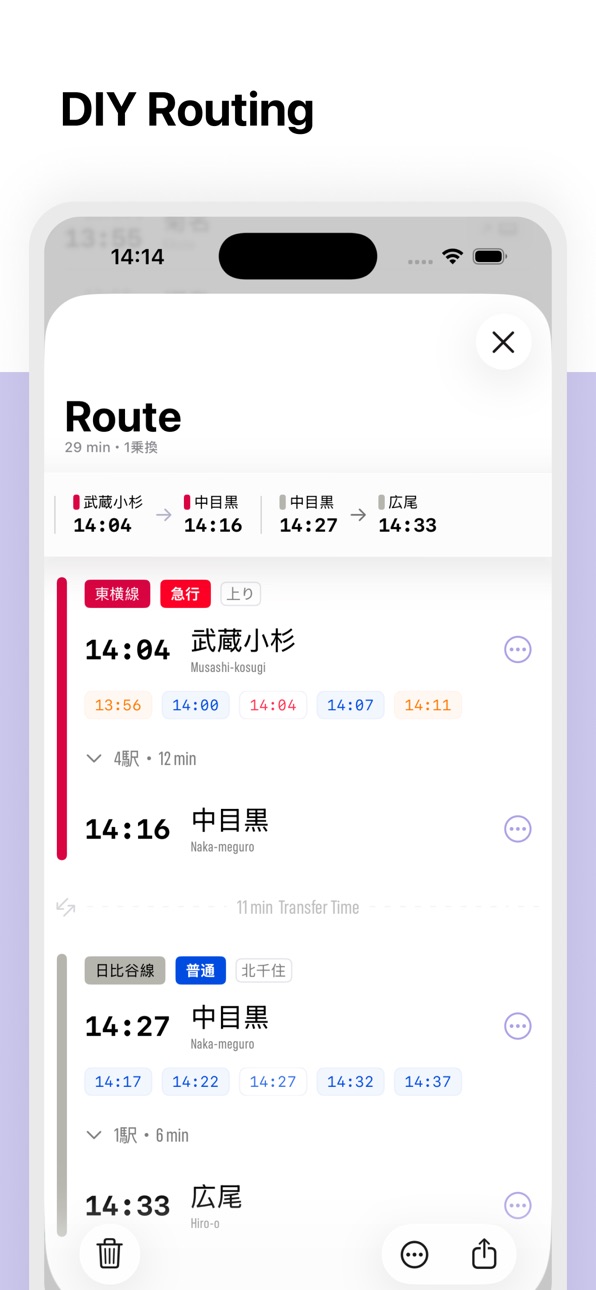
• DIY Routing: quickly create your own routes and track them with Live Activities
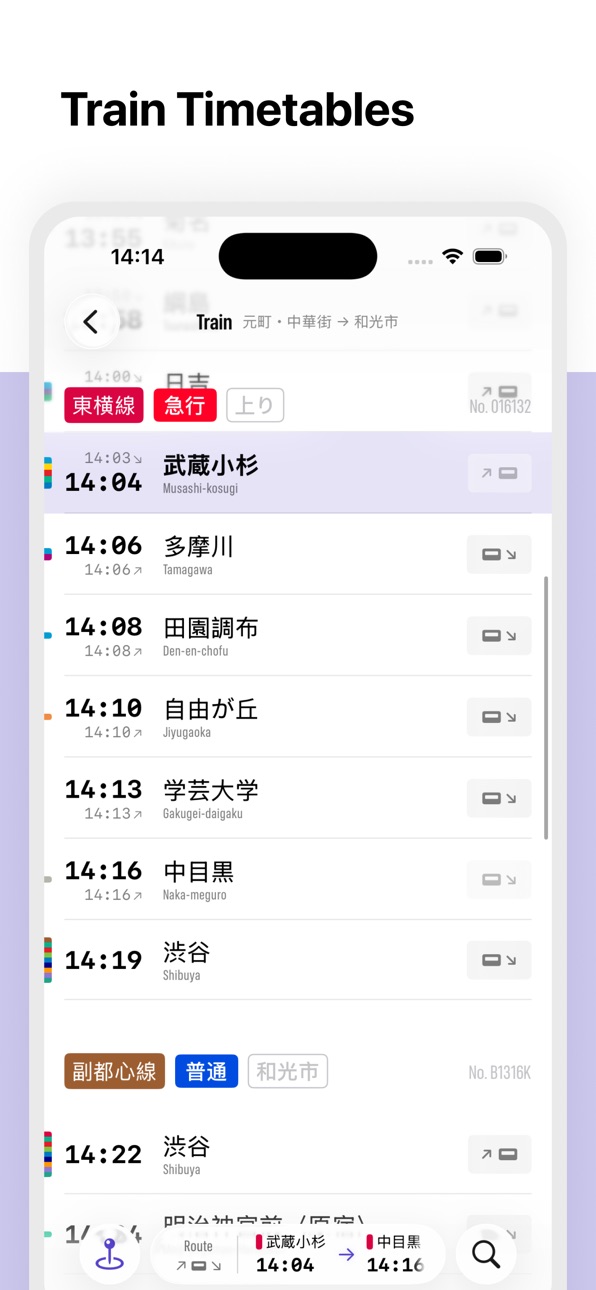
• Train timetables: at which stations will your train stop and at what time?
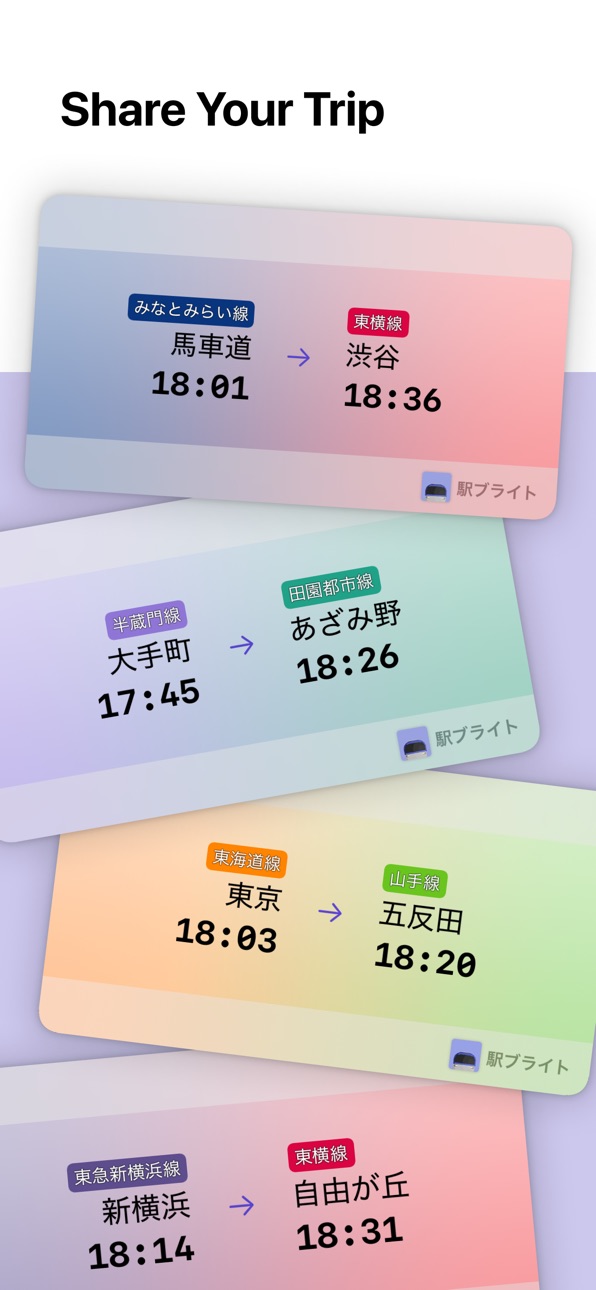
• Share cards: let others know when you'll be arriving
• 100% Offline: timetables load instantaneously in any environment
• Streamlined interface: no ads, no maps, no need to select a destination
Railway support
--------------------
• JR East (44 lines)
• Tobu Railway (16 lines)
• Seibu (15 lines)
• Tokyo Metro (10 lines)
• Tokyu Railways (9 lines)
• Keio (7 lines)
• Keisei (7 lines)
• Toei Subway (6 lines)
• Keikyu (5 lines)
• Sotetsu (3 lines)
• Odakyu (3 lines)
• Chiba Monorail (2 lines)
• Kanto Railway (2 lines)
• Yokohama Municipal (2 lines)
• Chichibu
• Enoshima Electric Railway
• Hokuso Railway
• Isumi Railway
• Kominato
• Metropolitan Intercity Railway
• Yokohama Minatomirai Railway
• Ryutetsu
• Saitama New Urban Transit
• Saitama Railway
• Shibayama Railway
• Shin-Keisei Electric Railway
• Shonan Monorail
• Tokyo Waterfront Area Rapid Transit
• Tokyo Tama Intercity Monorail
• Tokyo Monorail
• Toyo Rapid Railway
• Yokohama Seaside Line
• Yamaman
• Yurikamome
** Data provided by Association for Open Data of Public Transportation **
Accessibility
ipadiphonemacrealityDevicetvoswatch
Version history 15 versions
Build 883627298v2.12026-03-22 23:26:29
- Fixes a false "Location Services Required" error that could appear during GPS cold boot
- Fixes stale station data appearing briefly when your location updates
- Updates timetable data
Build 881115030v2.02026-01-13 12:35:54
Major Features
- Navigation - Dedicated tabs for Nearby, Bookmarks, and Search.
- Redesigned Nearby Stations View - Nearby tab with a new card-based grid layout showing upcoming train times for each nearby station. Other nearby stations sort based on distance and your viewing history.
- Enhanced Route Detail Screen - New comprehensive route view showing your whole journey. Includes quick access to alternate departures, expandable intermediate stations, and duration and transfer counts.
- Live Activity Improvements - Live Activity now updates automatically more reliably in the background based on your trip time and stays active for 10 minutes after your scheduled arrival.
- Railway Search - Added the ability to search for railway lines in addition to stations.
- Route Suggestions - When no route is active, shows suggested routes based on your frequently used patterns, sorted by usage count and proximity to your current location.
- More English Language Support - Station names and railway names now display both Japanese and English titles when space is available.
Improvements
- Service Frequency Display - Station detail now shows train frequency summaries by time period (morning rush, midday, evening rush, late night) with average wait times.
- Railway Map Polylines - Railway detail view now shows the rail line on the map with colored polylines. Underground sections are displayed with dashed lines.
- Route Persistence - Your current route won't be deleted if the app closes.
Build 878850336v1.7.32025-10-13 13:50:21
- Updates UI for iOS 26
- Fixes a crash when viewing stations with no weekend trains
- Improves Dynamic Island layout to ensure the system clock is always visible
Build 873441569v1.7.22025-03-22 16:38:34
- Updates timetable data
Build 872017238v1.7.12025-01-27 08:09:08
- Fixes issue where Eki Bright would not launch on macOS
Build 871751554v1.72025-01-15 00:25:10
- Adds connecting stations to Train Timetable screen
- Adds section titles to route bar menus
- Updates static data
Build 870969597v1.62024-12-07 19:52:49
- Adds route share image - let your friends know when you'll be arriving.
- Adds ability for a route's Live Activity to update live in the background based on your location.
- Adds a link to the Railway Detail screen from the Train Timetable screen by tapping a railway name.
- Hides the Route Bar when searching.
Build 870652773v1.5.22024-11-25 07:19:49
- Fixes issue where the nearby stations section would flicker
- Adds a departure to a route automatically when you add an arrival
- Cleans up available actions in the route bar
Build 870632478v1.5.12024-11-24 00:33:05
- Fixes issue where the nearby stations section would disappear intermittently
- Updates static data
Build 870362432v1.52024-11-12 14:45:58
- Adds Live Activities and Dynamic Island support for Routes.
- Adds ability to add an arrival point before a departure point for a Route segment.
- Removes the confirmation step before discarding a Route.
- Fixes a bug where the map on the Railway Detail screen could not be panned.
- Fixes a localization error for Terminal Stations on the Station Detail screen.
Build 869562978v1.42024-10-08 22:08:19
- Adds Route feature: create your own multi-segment route from the train timetable screen and monitor the route during your trip.
- Adds an outline to railway names to make them more readable across the app.
- Shows connecting stations in a box on the station detail screen for greater clarity.
- Expands the entire timetable item on the station detail screen to be tappable.
- Fixes the map to the top of the railway detail screen and allows panning the map.
- Fixes a flicker in the navigation bar area when showing the station timetable screen.
- Shows the edit widget screen automatically when creating a new widget.
Build 869111121v1.32024-09-19 08:50:43
- Adds connecting stations: quickly view timetables for other railways near the same station.
- Adds railway detail screen showing map and full list of stations.
- Adds guidance for bookmarking a station from the station detail screen.
- Changes screen links: bookmarks open the full timetable screen; nearby and search stations open station detail screen.
- Streamlines design for station timetable screen.
- Adds app icons for light mode, dark mode, and tint mode.
- Fixes a bug where tapping a widget could open the timetable for the incorrect direction.
- Fixes a bug where nearby stations section could disappear.
- Fixes a bug where the initial scroll position would be incorrect for station timetable and train timetable screens.
Build 868827777v1.22024-09-07 21:59:47
- New Station Detail screen shows timetable, last trains, railway diagram and more.
Build 868115839v1.12024-08-17 10:53:13
- The chrome is now localized to English.
- Optionally show timetables for your bookmarks in 5 different layouts.
- Bookmark editing is now on its own screen.
- Extend nearby stations search to up to 15 km.
- On the station timetable screen, tap the rail direction in the header to show the opposite direction (you can still swipe the timetable or tap the buttons in the bottom toolbar).
Build 866897971v1.02024-07-27 01:52:38
No pricing data captured yet — comparisons appear once the app has paid storefronts or in-app purchases.
Availability 1 of 1 storefronts
| Region | Language | Price | Ratings | Avg | Version |
|---|---|---|---|---|---|
| US | en-US | Free | 2 | 4.5 | 2.1 |
Change log 19 changes · US
✎
releaseNotes updated
- Fixes a false "Location Services Required" error that could appear during GPS cold boot
- Fixes stale station data appearing briefly when your location update
✎
description updated
Eki Bright is the fastest way to access station and train timetables for the Tokyo metropolitan area.
Eki Bright was developed for routes you know well but can
✎
subtitle updated
Tokyo-area Train Timetables
✎
name updated
Eki Bright
◆
Version 2.1 released
- Fixes a false "Location Services Required" error that could appear during GPS cold boot
- Fixes stale station data appearing briefly when your location updates
- Updates timetable data
◆
Version 2.0 released
Major Features
- Navigation - Dedicated tabs for Nearby, Bookmarks, and Search.
- Redesigned Nearby Stations View - Nearby tab with a new card-based grid layout showing upcoming train times for each nearby station. Other nearby stations so
◆
Version 1.7.3 released
- Updates UI for iOS 26
- Fixes a crash when viewing stations with no weekend trains
- Improves Dynamic Island layout to ensure the system clock is always visible
◆
Version 1.7.2 released
- Updates timetable data
◆
Version 1.7.1 released
- Fixes issue where Eki Bright would not launch on macOS
◆
Version 1.7 released
- Adds connecting stations to Train Timetable screen
- Adds section titles to route bar menus
- Updates static data
◆
Version 1.6 released
- Adds route share image - let your friends know when you'll be arriving.
- Adds ability for a route's Live Activity to update live in the background based on your location.
- Adds a link to the Railway Detail screen from the Train Timetabl
◆
Version 1.5.2 released
- Fixes issue where the nearby stations section would flicker
- Adds a departure to a route automatically when you add an arrival
- Cleans up available actions in the route bar
◆
Version 1.5.1 released
- Fixes issue where the nearby stations section would disappear intermittently
- Updates static data
◆
Version 1.5 released
- Adds Live Activities and Dynamic Island support for Routes.
- Adds ability to add an arrival point before a departure point for a Route segment.
- Removes the confirmation step before discarding a Route.
- Fixes a bug where the map on the
◆
Version 1.4 released
- Adds Route feature: create your own multi-segment route from the train timetable screen and monitor the route during your trip.
- Adds an outline to railway names to make them more readable across the app.
- Shows connecting stations in a
◆
Version 1.3 released
- Adds connecting stations: quickly view timetables for other railways near the same station.
- Adds railway detail screen showing map and full list of stations.
- Adds guidance for bookmarking a station from the station detail screen.
- Ch
◆
Version 1.2 released
- New Station Detail screen shows timetable, last trains, railway diagram and more.
◆
Version 1.1 released
- The chrome is now localized to English.
- Optionally show timetables for your bookmarks in 5 different layouts.
- Bookmark editing is now on its own screen.
- Extend nearby stations search to up to 15 km.
- On the station timetable screen
◆
Version 1.0 released