Home › Productivity

 US
US
1 of 1 storefronts
Content in en-US
Content in en-US
Information
Apple ID6503929490
Bundle IDcom.joeldavidw.Chronos
SellerSeller
Min iOS17.0
Min macOS14.0
Device familiesiphone
Released2024-06-17
Copyright© 2025 Joel-David Wong
Privacy policyLink ↗
Preview 1 platform
iPhone 5 images
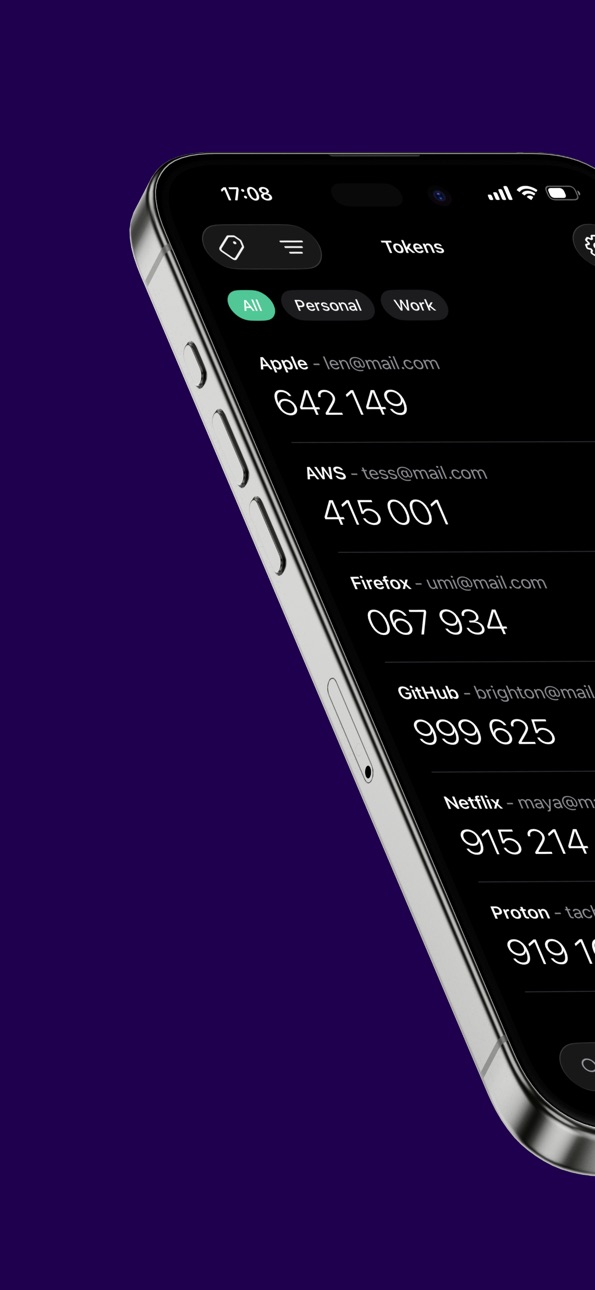


What’s New Version 19.1
What’s New
• Added the ability to copy tokens when they are hidden
• Refreshed the Settings screen layout
Description
Chronos is an open-source two-factor authentication (2FA) app designed to deliver robust security and reliable backup features. It supports both time-based (TOTP) and counter-based (HOTP) authentication methods.
Features:
• Open-source
• End-to-end encrypted: Only encrypted token data is stored on the device and in iCloud
• Backup & Sync (optional): Effortlessly backup and sync your data with iCloud
• Export Tokens: Easily export your tokens for backup or transfer
• Import Tokens: Easily import your tokens from other authenticators
• Anonymous: No telemetry & app account required
Accessibility
ipadiphonemacrealityDevicetvoswatch
Version history 24 versions
Build 879048021v19.12025-10-20 18:58:57
What’s New
• Added the ability to copy tokens when they are hidden
• Refreshed the Settings screen layout
Build 878101474v19.02025-09-15 16:14:50
What’s New
• Support for iOS 26
Build 873803313v18.22025-04-06 09:25:36
What’s New
• Tokens can now be assigned tags for better organization
• UI fixes and improvements
Build 873787830v18.12025-04-04 17:27:56
What’s New
• Tokens can now be assigned tags for better organization
• UI fixes and improvements
Build 871836720v17.32025-01-18 21:04:08
What’s New
• UI improvements
Build 870377615v17.22024-11-12 23:29:13
What’s New
• Added animations to the token list
• Fixed a spelling mistake on the settings page
Build 870339125v17.12024-11-11 20:11:45
What’s New
• Fixed missing sort and add token button
Build 870320991v17.02024-11-10 16:41:49
What’s New
• Added support for light mode
• Cosmetic changes
• Migrated to Swift 6
Build 870027620v162024-10-29 11:08:55
What’s New
• We have added a feature to show the previous token
Build 869517012v14.02024-10-06 13:17:32
What's new
• Fixed restore button on Welcome screen
Build 869519404v152024-10-06 19:07:57
What's new
• Improved token validations
• Fixed crashes due to invalid tokens
Build 869344172v13.02024-09-30 18:35:56
What's new
• Pin tokens
• Optimized performance
Build 868045980v12.02024-08-07 22:15:32
What's new
• Import from 2FAS
• Import from Ente Auth
• Fixed password reminder prompt showing right after onboarding
Build 867881349v11.02024-08-01 07:18:57
What's new
• Code optimization to improve CPU load
Build 867843278v10.02024-07-30 21:23:24
What's new
• Search feature
Build 867796091v9.02024-07-29 06:14:11
What's new
• Import from Aegis
• Import from LastPass Authenticator
Build 867745195v8.02024-07-25 19:18:48
What's new
• Import from Google Authenticator
• Prevent multiple QR codes from being scanned during token addition
Build 867689087v7.22024-07-24 03:43:16
What's new
• HTML export now includes token details and a QR code, available in both encrypted and unencrypted zip archives
• Plaintext export option has been replaced by Unencrypted Zip Archive
• Fixed a bug related to parsing and generating OTP Auth URLs
Build 867657965vv6.02024-07-23 01:29:26
What's new
• Swipe to show token QR code
• Biweekly Password Reminder prompt
• Tap to reveal token
Build 867621592vv5.12024-07-20 10:37:08
What's new
• Import feature
• Chronos
• Raivo
• Additional import options will be added subsequently
• Fix text formatting on devices with larger font size
• Updated Chronos export format
Build 867291021v4.02024-07-06 15:08:03
What's new
• Encrypted export
Build 866947183v3.02024-06-25 10:02:55
• Sync time showing for Offline/Local Vaults
• Various bug fixes
Build 866849970v2.02024-06-24 01:04:34
• Enhanced onboarding experience
• Last iCloud sync time
• Vault selection screen for multiple detected vaults during restoration
• Various bug fixes
Build 866453415v1.02024-06-17 16:42:41
No pricing data captured yet — comparisons appear once the app has paid storefronts or in-app purchases.
Availability 1 of 1 storefronts
| Region | Language | Price | Ratings | Avg | Version |
|---|---|---|---|---|---|
| US | en-US | Free | 3 | 5.0 | 19.1 |
Change log 28 changes · US
✎
releaseNotes updated
What’s New
• Added the ability to copy tokens when they are hidden
• Refreshed the Settings screen layout
✎
description updated
Chronos is an open-source two-factor authentication (2FA) app designed to deliver robust security and reliable backup features. It supports both time-based (TOT
✎
subtitle updated
Open-source 2FA Authenticator
✎
name updated
Chronos Authenticator
◆
Version 19.1 released
What’s New
• Added the ability to copy tokens when they are hidden
• Refreshed the Settings screen layout
◆
Version 19.0 released
What’s New
• Support for iOS 26
◆
Version 18.2 released
What’s New
• Tokens can now be assigned tags for better organization
• UI fixes and improvements
◆
Version 18.1 released
What’s New
• Tokens can now be assigned tags for better organization
• UI fixes and improvements
◆
Version 17.3 released
What’s New
• UI improvements
◆
Version 17.2 released
What’s New
• Added animations to the token list
• Fixed a spelling mistake on the settings page
◆
Version 17.1 released
What’s New
• Fixed missing sort and add token button
◆
Version 17.0 released
What’s New
• Added support for light mode
• Cosmetic changes
• Migrated to Swift 6
◆
Version 16 released
What’s New
• We have added a feature to show the previous token
◆
Version 15 released
What's new
• Improved token validations
• Fixed crashes due to invalid tokens
◆
Version 14.0 released
What's new
• Fixed restore button on Welcome screen
◆
Version 13.0 released
What's new
• Pin tokens
• Optimized performance
◆
Version 12.0 released
What's new
• Import from 2FAS
• Import from Ente Auth
• Fixed password reminder prompt showing right after onboarding
◆
Version 11.0 released
What's new
• Code optimization to improve CPU load
◆
Version 10.0 released
What's new
• Search feature
◆
Version 9.0 released
What's new
• Import from Aegis
• Import from LastPass Authenticator
◆
Version 8.0 released
What's new
• Import from Google Authenticator
• Prevent multiple QR codes from being scanned during token addition
◆
Version 7.2 released
What's new
• HTML export now includes token details and a QR code, available in both encrypted and unencrypted zip archives
• Plaintext export option has been replaced by Unencrypted Zip Archive
• Fixed a bug related to parsing and generati
◆
Version v6.0 released
What's new
• Swipe to show token QR code
• Biweekly Password Reminder prompt
• Tap to reveal token
◆
Version v5.1 released
What's new
• Import feature
• Chronos
• Raivo
• Additional import options will be added subsequently
• Fix text formatting on devices with larger font size
• Updated Chronos export format
◆
Version 4.0 released
What's new
• Encrypted export
◆
Version 3.0 released
• Sync time showing for Offline/Local Vaults
• Various bug fixes
◆
Version 2.0 released
• Enhanced onboarding experience
• Last iCloud sync time
• Vault selection screen for multiple detected vaults during restoration
• Various bug fixes
◆
Version 1.0 released