Home › Productivity

Inmanage - Project Management
Project and Team Management
 US
US
1 of 1 storefronts
Content in en-US
Content in en-US
Information
Preview 1 platform
iPhone 6 images
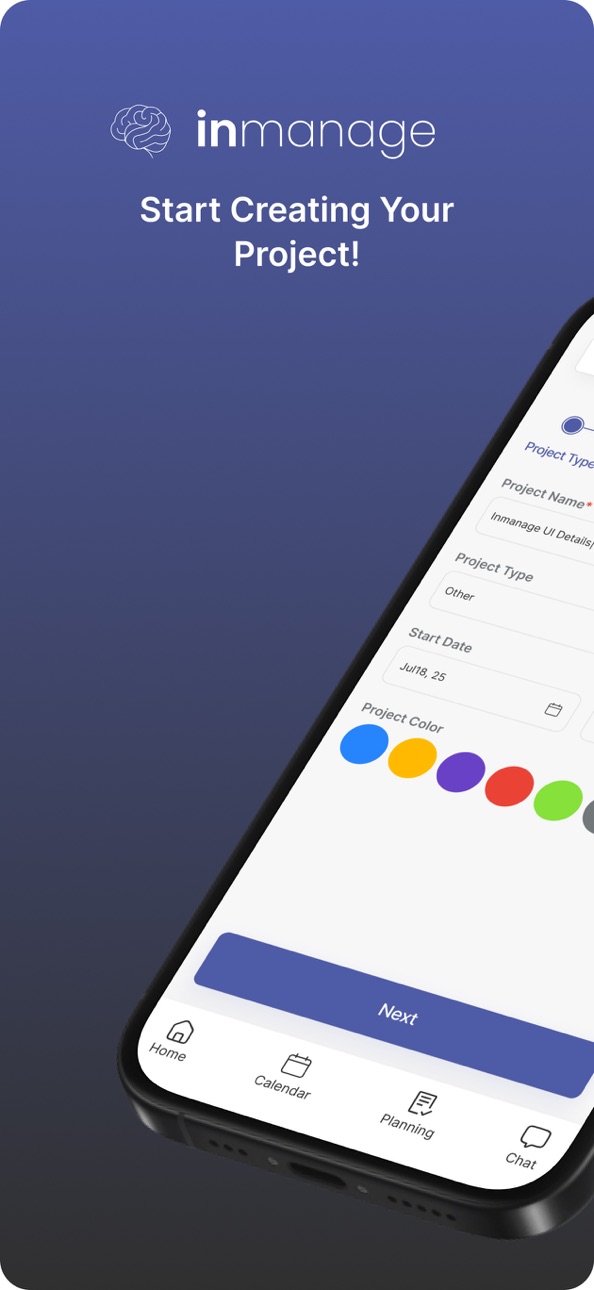


What’s New Version 1.7.10
- qr code bug has been fixed
Description
InManage is a modern team workspace designed to simplify collaboration, communication and workflow management.
Manage tasks, projects, schedules and team communication in one secure platform built for productive teams.
Stop switching between multiple apps to organize your workflow. InManage brings everything together in a clean and efficient workspace that helps teams stay aligned, collaborate faster and stay productive.
KEY FEATURES
• Task & project management
Organize tasks, track progress and manage deadlines with ease.
• Team collaboration
Keep your entire team connected and aligned in one shared workspace.
• Secure communication
Chat securely with your team using built-in encrypted messaging.
• Workflow management
Create organized workflows and improve team productivity.
• Calendar & scheduling
Plan meetings, deadlines and project timelines efficiently.
• Digital business cards
Create and share professional digital business cards to expand your network and connect instantly.
• Professional networking
Build stronger business connections and manage professional relationships more efficiently.
• Real-time updates
Track activity, progress and team performance instantly.
Whether you're managing a growing team, collaborating on projects or organizing professional workflows, InManage helps your team stay productive, connected and organized.
Download InManage today and bring your entire workflow into one workspace.
Terms of Use (EULA): https://www.apple.com/legal/internet-services/itunes/dev/stdeula/
In-App Purchases US pricing
Premium Subscription
Business Plan (Monthly) · Monthly$59.99
Business Plan (Annual) · Yearly$719.99
Team Plan (Annual) · Yearly$239.99
Plan (Annual) · Yearly$89.99
Team Plan (6 Months) · 6 months$107.99
Plan (6 Months) · 6 months$47.99
Business Plan (6 Months) · 6 months$324.99
Business Plan (3 Months) · 3 months$170.99
Plan (3 Months) · 3 months$24.99
Team Plan (3 Months) · 3 months$56.99
Capabilities
In-App Purchases
Accessibility
ipadiphonemacrealityDevicetvoswatch
Version history 21 versions
Build 887712484v1.7.102026-07-02 18:48:48
- qr code bug has been fixed
Build 887382378v1.7.92026-06-24 20:59:13
• Outlook and Google Calendar integration has been added
• Chat message delete, edit, and update notifications
• Overview filter icon has been changed
Build 886852490v1.7.72026-06-12 16:59:01
• Overview: filter by department/user
• Teams planning: new popover filter
• Project creation: improved milestone settings
• Chat: enhanced attachment menu
• Integrations: calendar button visible in prod
• Task tables: cleaner empty state
• General improvements and bug fixes
Build 886698315v1.7.62026-06-09 16:42:08
- Teams Planning redesigned
- cleaner filters, team list, and planning table
- Monthly calendar layout overflow fixed; improved spacing across calendar views
- Quick access to Calendar integration from the app bar
- Home widget headers tightened; Easy Task and Activity date pickers updated
- Project outputs show cached data instantly while loading
- Sign-in screens hide bottom buttons when the keyboard is open
- Easier Task editing and more reliable sync
Build 886662913v1.7.52026-06-08 20:20:11
What’s New
- Redesigned output cards with a new three-dot menu for edit and delete actions.
- Group chats now show sender profile photos and a summarized user profile.
- Added a “Get Premium” section in the drawer and a membership status label for free members.
- Improved Easy Task editing experience, with a retry option when task loading fails.
Improvements
- More accurate notification badge counts on iOS and Android, synced with the server in the background.
- Enhanced Google Calendar and Outlook integration for mobile.
Bug Fixes
- Fixed an issue when editing Easy Tasks.
Build 886396072v1.7.32026-06-01 23:35:08
- Bug fix
- project creation flow has been changed
Build 886028395v1.7.12026-05-30 19:17:38
- Easy Tasks now sync with the server for faster, more reliable task management
- Project-specific Easy Tasks view added inside projects
- New Users Planning tab: view and manage team planning by project, section and department
- Improved project creation flow with a dedicated Settings step
- Account deletion option added to profile settings
- Bottom navigation bar now hides when the keyboard is open
- General UI improvements and performance enhancements
Build 885429430v1.6.322026-05-22 16:01:01
- Easy Tasks has been added
- Info page has been added
Build 885409359v1.6.292026-05-08 09:14:43
• Improved team workflow experience
• Performance and stability improvements
• Enhanced task management experience
• Bug fixes and UI improvements
Build 877652666v1.0.152025-08-29 17:17:13
What’s New
We’ve been working hard to improve your experience! Here’s what’s new in this update:
* Fixed issues with notifications not being delivered or marked as seen incorrectly.
* Resolved problems with the activity and overview sections on the home page, including filtering improvements.
* Improved real-time updates: messages from the web now sync instantly on mobile, with faster delivery and more accurate status.
* Navigation between pages is now smoother, faster, and more modern.
* Fixed an issue where replying to photo or file messages displayed the wrong labels.
* Added maintenance mode for smoother app management.
* Fixed the “No Internet Connection” page not appearing when offline.
* Improved socket structure for better stability.
* Removed unnecessary data fetching between pages for better performance.
* Fixed various crashes and bugs to make the app more reliable.
Thanks for using our app!
Build 877395058v1.0.132025-08-21 12:40:53
• Fixed various bugs and stability issues.
• Updated the business card layout for improved readability and consistency.
• Tapping a notification now reliably opens the associated conversation.
• File attachments: the remove button has been redesigned and is now red for clearer UX.
• General performance and optimization improvements across the chat experience.
Build 877359562v1.0.122025-08-19 17:28:07
• Fixed messaging latency and chat freeze issues.
• Resolved problems with message editing and interrupted file uploads.
• Faster message loading and more reliable real-time updates.
• Improved search, reply flow and file sharing experience.
• Strengthened message encryption and user authentication.
Build 876066938v1.0.92025-07-10 01:35:05
Bugs fixed
Build 875835775v1.0.82025-06-24 15:57:50
Bug Fix
Build 874541709v1.0.72025-06-17 14:08:36
Bugs Fixed
Build 873514621v1.0.62025-05-05 21:28:01
Bug Fix
Build 873129418v1.0.42025-03-19 13:32:09
Bugs Fixed
Build 872370185v1.0.32025-02-16 14:05:28
Bugs and problems solved.
Build 871743236v1.0.22025-01-27 15:12:06
Bugs and problems solved.
Build 871586349v1.0.12025-01-08 15:10:21
Bugs and problems solved.
Build 866428854v1.0.02025-01-07 11:09:23
Price history by region
Currency
Show
Columns
Search
Availability 1 of 1 storefronts
| Region | Language | Price | Ratings | Avg | Version |
|---|---|---|---|---|---|
| US | en-US | Free | 0 | — | 1.7.10 |
Change log 25 changes · US
✎
releaseNotes updated
- qr code bug has been fixed
✎
description updated
InManage is a modern team workspace designed to simplify collaboration, communication and workflow management.
Manage tasks, projects, schedules and team commu
✎
subtitle updated
Project and Team Management
✎
name updated
Inmanage - Project Management
◆
Version 1.7.10 released
- qr code bug has been fixed
◆
Version 1.7.9 released
• Outlook and Google Calendar integration has been added
• Chat message delete, edit, and update notifications
• Overview filter icon has been changed
◆
Version 1.7.7 released
• Overview: filter by department/user
• Teams planning: new popover filter
• Project creation: improved milestone settings
• Chat: enhanced attachment menu
• Integrations: calendar button visible in prod
• Task tables: cleaner empty state
•
◆
Version 1.7.6 released
- Teams Planning redesigned
- cleaner filters, team list, and planning table
- Monthly calendar layout overflow fixed; improved spacing across calendar views
- Quick access to Calendar integration from the app bar
- Home widget headers ti
◆
Version 1.7.5 released
What’s New
- Redesigned output cards with a new three-dot menu for edit and delete actions.
- Group chats now show sender profile photos and a summarized user profile.
- Added a “Get Premium” section in the drawer and a membership status l
◆
Version 1.7.3 released
- Bug fix
- project creation flow has been changed
◆
Version 1.7.1 released
- Easy Tasks now sync with the server for faster, more reliable task management
- Project-specific Easy Tasks view added inside projects
- New Users Planning tab: view and manage team planning by project, section and department
- Improved p
◆
Version 1.6.32 released
- Easy Tasks has been added
- Info page has been added
◆
Version 1.6.29 released
• Improved team workflow experience
• Performance and stability improvements
• Enhanced task management experience
• Bug fixes and UI improvements
◆
Version 1.0.15 released
What’s New
We’ve been working hard to improve your experience! Here’s what’s new in this update:
* Fixed issues with notifications not being delivered or marked as seen incorrectly.
* Resolved problems with the activity and overview sectio
◆
Version 1.0.13 released
• Fixed various bugs and stability issues.
• Updated the business card layout for improved readability and consistency.
• Tapping a notification now reliably opens the associated conversation.
• File attachments: the remove button has been
◆
Version 1.0.12 released
• Fixed messaging latency and chat freeze issues.
• Resolved problems with message editing and interrupted file uploads.
• Faster message loading and more reliable real-time updates.
• Improved search, reply flow and file sharing experienc
◆
Version 1.0.9 released
Bugs fixed
◆
Version 1.0.8 released
Bug Fix
◆
Version 1.0.7 released
Bugs Fixed
◆
Version 1.0.6 released
Bug Fix
◆
Version 1.0.4 released
Bugs Fixed
◆
Version 1.0.3 released
Bugs and problems solved.
◆
Version 1.0.2 released
Bugs and problems solved.
◆
Version 1.0.1 released
Bugs and problems solved.
◆
Version 1.0.0 released