Home › Utilities

 US
US
1 of 1 storefronts
Content in en-US
Content in en-US
Information
Apple ID6499201223
Bundle IDbroad-connect.net.CalCs
SellerSeller
Min iOS14.0
Device familieswatch, iphone, ipod
Released2024-04-24
Copyright© 2024 Akihiro Usui
Privacy policyLink ↗
Preview 1 platform
Apple Watch 8 images


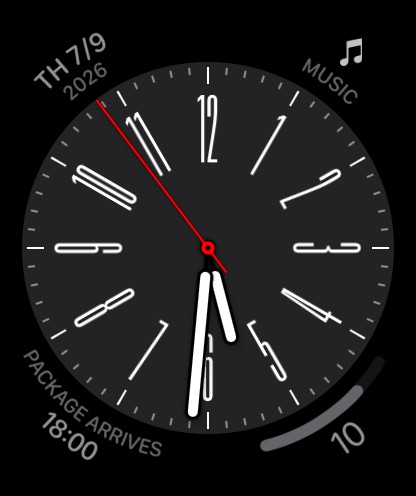


What’s New Version 1.111
・Added a circular complication for displaying the year and month.
・Improved stability on older OS versions such as watchOS 10 and 11.
Description
CalCs (short for "Calendar Complications") is a watchOS-only app that provides various complications related to the calendar.
--Important Notes--
The features built into the main body of this app are limited to listing events/reminders & displaying a monthly calendar.
All other features are provided through complications & the Smart Stack.
●If you download CalCs from the iPhone App Store, due to synchronization issues between the iPhone & Apple Watch, CalCs may not appear on the Apple Watch.
According to Apple's specifications, watchOS-only apps cannot be re-downloaded from the App Store app on the iPhone.
Therefore, please use the App Store app "on your Apple Watch" & follow the steps below to re-download it.
・Scroll to the bottom→"Account"→"Purchased"→"CalCs"→re-download
-------------------
Key Features
●Supports a variety of complications such as date display, events/reminders display, & monthly calendar display
・Date Display
Displays the current date in various formats.
・Event/Reminder Display
Displays events/reminders synced with your iPhone.
You can choose whether or not to include all-day events.
・Monthly Calendar Display
Displays the monthly calendar in various formats.
You can choose to start the week on Monday.
Supports holidays in some areas.
*Holiday data depends on external APIs & may be incomplete.
Only Modular Duo supporting models (Series 7+, not SE series) can show a month calendar using 2 large rectangles. Other models can show it in 1, with smaller font.
●In the main app, events/reminders, & the monthly calendar are displayed
Tapping the complication opens the app, where you can view the list of events/reminders synced with your iPhone, as well as the monthly calendar.
*Only incomplete reminders are displayed.
*The app currently does not have functionality to add, edit, or delete events/reminders, nor to mark reminders as complete.
●Minimal Setting Options
To avoid complicating settings on the small Apple Watch screen, the settings only allow you to select which calendar/reminder lists to display.
*Notes
・The corner complications, circular complications, & large rectangular complications are supported only on Apple Watch Series 4 & later, so CalCs is not guaranteed to work on Series 3 or earlier models.
・Due to the limitations of watchOS complication display updates, complications may not immediately reflect changes when the date changes or after events or reminders are added or edited on the iPhone.
・After placing a complication for the 1st time, it may take some time for it to actually appear.
・If the complication is not updating, try tapping the complication to open CalCs, as this may refresh the data.
・If the complication is not updated even after launching CalCs, the issue may be resolved by 1 of the following methods. Please try them.
1.Restart both your iPhone & Apple Watch.
2.Force restart CalCs
①With CalCs open, press & hold the side button.
②When the screen for emergency call & power off appears, press & hold the Digital Crown.
3.Reinstall CalCs
①Press the Digital Crown to display the app list.
②Press & hold CalCs, then tap the × button to delete it when it appears.
③Launch the App Store app on your Apple Watch.
④Scroll to the bottom→"Account"→"Purchased"→"CalCs"→Re-download.
・If the complication does not update after force quitting & restarting CalCs, try restarting both your iPhone & Apple Watch, as it may resolve the issue.
・If event information is not displayed on the app's main event/reminder list screen or in complications, it may be because full access to the calendar has not been granted.
The issue may be resolved by following the steps below to re-enable full access permission to the calendar. Please give it a try.
①Open the "Privacy & Security" section in the iPhone Settings app & tap "Calendars".
②Change CalCs' calendar access to "None", then select "Add Events Only".
③When you open CalCs, you will be prompted to grant full access, so tap "Allow Full Access".
In-App Purchases US pricing
One-Time Purchases
Snack-Sized Tip$0.49
Coffee-Sized Tip$1.99
Lunch-Sized Tip$3.99
Capabilities
In-App Purchases
Accessibility
ipadiphonemacrealityDevicetvoswatch
Version history 25 versions
Build 888040459v1.1112026-07-09 17:11:20
・Added a circular complication for displaying the year and month.
・Improved stability on older OS versions such as watchOS 10 and 11.
Build 887892768v1.1102026-07-07 18:38:55
・Fixed an issue where the title of the next event would sometimes not be displayed in chart complications under certain conditions.
・Improved stability on older OS versions such as watchOS 10 and 11.
Build 887573219v1.1092026-06-29 16:31:16
Improved stability on older OS versions such as watchOS 10 and 11.
Build 887172178v1.1082026-06-19 15:12:26
・Added a circular complication for "Japanese Year, Month, Day & Day of Week".
・Improved stability when launching the app.
Build 886972418v1.1072026-06-15 17:17:00
Improved the stability of the monthly calendar display in the app itself.
Build 886869512v1.1062026-06-12 18:50:19
Improved the stability of the app at startup.
Build 886365142v1.1052026-06-01 16:34:49
Added complications that remove the year and month display from the traditional monthly calendar (with Year, Month & Next Event) complications.
Build 886227457v1.1042026-05-28 16:49:26
Improved the retrieval and loading process for national holiday and Japanese 6 label data to enhance stability.
Build 885742008v1.1032026-05-26 13:15:49
・Fixed an issue where holidays might not display correctly in some regions.
・Fixed minor bugs.
Build 885510001v1.1022026-05-11 18:39:36
The following complications have been added:
・Ongoing or Today's Next Event
・Ongoing or Today's Next 3 Events
・Ongoing or Today's Next 4 Events
Build 885370494v1.1012026-05-07 18:56:46
Partially fixed an issue where scrolling to the current event could sometimes fail during startup.
Build 885176721v1.1002026-05-02 20:43:31
・Improved the map search processing.
・ Fixed an issue in the "Today's Next Event" complication where events from the following day could sometimes be displayed.
Build 885019169v1.992026-04-29 01:58:23
Improved the internal processing to enhance stability.
Build 884082847v1.982026-04-03 16:19:12
・Added a complication type that displays a 5 week calendar on the left and date/event information on the right, allowing you to show the ongoing or next event.
・Fixed minor bugs.
Build 884041592v1.972026-04-02 16:59:47
Improved internal processing stability and processing speed.
Build 883828677v1.962026-03-27 18:57:48
Fixed an issue where the year might not display correctly in the Gregorian or Japanese calendars when the Calendar setting is set to "Japanese".
Build 883604465v1.952026-03-21 17:14:27
Improved the stability of internal processing.
Build 883489805v1.942026-03-18 17:04:05
Fixed minor bugs.
Build 883174315v1.932026-03-16 19:09:54
・Fixed an issue where the date displayed in the date complication was not immediately updated at the moment it became 00:00.
・Improved stability.
・Fixed minor bugs.
Build 882971178v1.922026-03-05 23:23:06
・Improved stability.
・Fixed minor bugs.
Build 882930568v1.912026-03-02 19:43:10
・Improved stability.
・Fixed minor bugs.
Build 882817303v1.902026-02-26 19:47:48
Added a type with a day of week header to the 5-week calendar complication.
Build 882568548v1.892026-02-18 22:34:48
Improved the update speed of complications that display multiple events and reminders.
Build 882355171v1.882026-02-16 10:04:16
Fixed a bug in which the number of overdue items was not updated correctly in the complication that displays reminders past their due date.
Build 882148418v1.872026-02-04 17:21:19
・Fixed an issue where, in the complication that displays the next event, the display would sometimes not update even when it reached 24 hours before the event’s start time.
・Corrected inconsistencies in localized wording where noticed.
・Fixed other minor bugs.
Price history by region
Currency
Show
Columns
Search
Availability 1 of 1 storefronts
| Region | Language | Price | Ratings | Avg | Version |
|---|---|---|---|---|---|
| US | en-US | USD 0.49 | 9 | 4.6 | 1.111 |
Change log 29 changes · US
✎
releaseNotes updated
・Added a circular complication for displaying the year and month.
・Improved stability on older OS versions such as watchOS 10 and 11.
✎
description updated
CalCs (short for "Calendar Complications") is a watchOS-only app that provides various complications related to the calendar.
--Important Notes--
The features
✎
subtitle updated
Various calendar complications
✎
name updated
CalCs - Calendar Complications
◆
Version 1.111 released
・Added a circular complication for displaying the year and month.
・Improved stability on older OS versions such as watchOS 10 and 11.
◆
Version 1.110 released
・Fixed an issue where the title of the next event would sometimes not be displayed in chart complications under certain conditions.
・Improved stability on older OS versions such as watchOS 10 and 11.
◆
Version 1.109 released
Improved stability on older OS versions such as watchOS 10 and 11.
◆
Version 1.108 released
・Added a circular complication for "Japanese Year, Month, Day & Day of Week".
・Improved stability when launching the app.
◆
Version 1.107 released
Improved the stability of the monthly calendar display in the app itself.
◆
Version 1.106 released
Improved the stability of the app at startup.
◆
Version 1.105 released
Added complications that remove the year and month display from the traditional monthly calendar (with Year, Month & Next Event) complications.
◆
Version 1.104 released
Improved the retrieval and loading process for national holiday and Japanese 6 label data to enhance stability.
◆
Version 1.103 released
・Fixed an issue where holidays might not display correctly in some regions.
・Fixed minor bugs.
◆
Version 1.102 released
The following complications have been added:
・Ongoing or Today's Next Event
・Ongoing or Today's Next 3 Events
・Ongoing or Today's Next 4 Events
◆
Version 1.101 released
Partially fixed an issue where scrolling to the current event could sometimes fail during startup.
◆
Version 1.100 released
・Improved the map search processing.
・ Fixed an issue in the "Today's Next Event" complication where events from the following day could sometimes be displayed.
◆
Version 1.99 released
Improved the internal processing to enhance stability.
◆
Version 1.98 released
・Added a complication type that displays a 5 week calendar on the left and date/event information on the right, allowing you to show the ongoing or next event.
・Fixed minor bugs.
◆
Version 1.97 released
Improved internal processing stability and processing speed.
◆
Version 1.96 released
Fixed an issue where the year might not display correctly in the Gregorian or Japanese calendars when the Calendar setting is set to "Japanese".
◆
Version 1.95 released
Improved the stability of internal processing.
◆
Version 1.94 released
Fixed minor bugs.
◆
Version 1.93 released
・Fixed an issue where the date displayed in the date complication was not immediately updated at the moment it became 00:00.
・Improved stability.
・Fixed minor bugs.
◆
Version 1.92 released
・Improved stability.
・Fixed minor bugs.
◆
Version 1.91 released
・Improved stability.
・Fixed minor bugs.
◆
Version 1.90 released
Added a type with a day of week header to the 5-week calendar complication.
◆
Version 1.89 released
Improved the update speed of complications that display multiple events and reminders.
◆
Version 1.88 released
Fixed a bug in which the number of overdue items was not updated correctly in the complication that displays reminders past their due date.
◆
Version 1.87 released
・Fixed an issue where, in the complication that displays the next event, the display would sometimes not update even when it reached 24 hours before the event’s start time.
・Corrected inconsistencies in localized wording where noticed.
・Fix