Home › Productivity

 US
US
1 of 1 storefronts
Content in en-US
Content in en-US
Information
Preview 2 platforms
iPhone 7 images


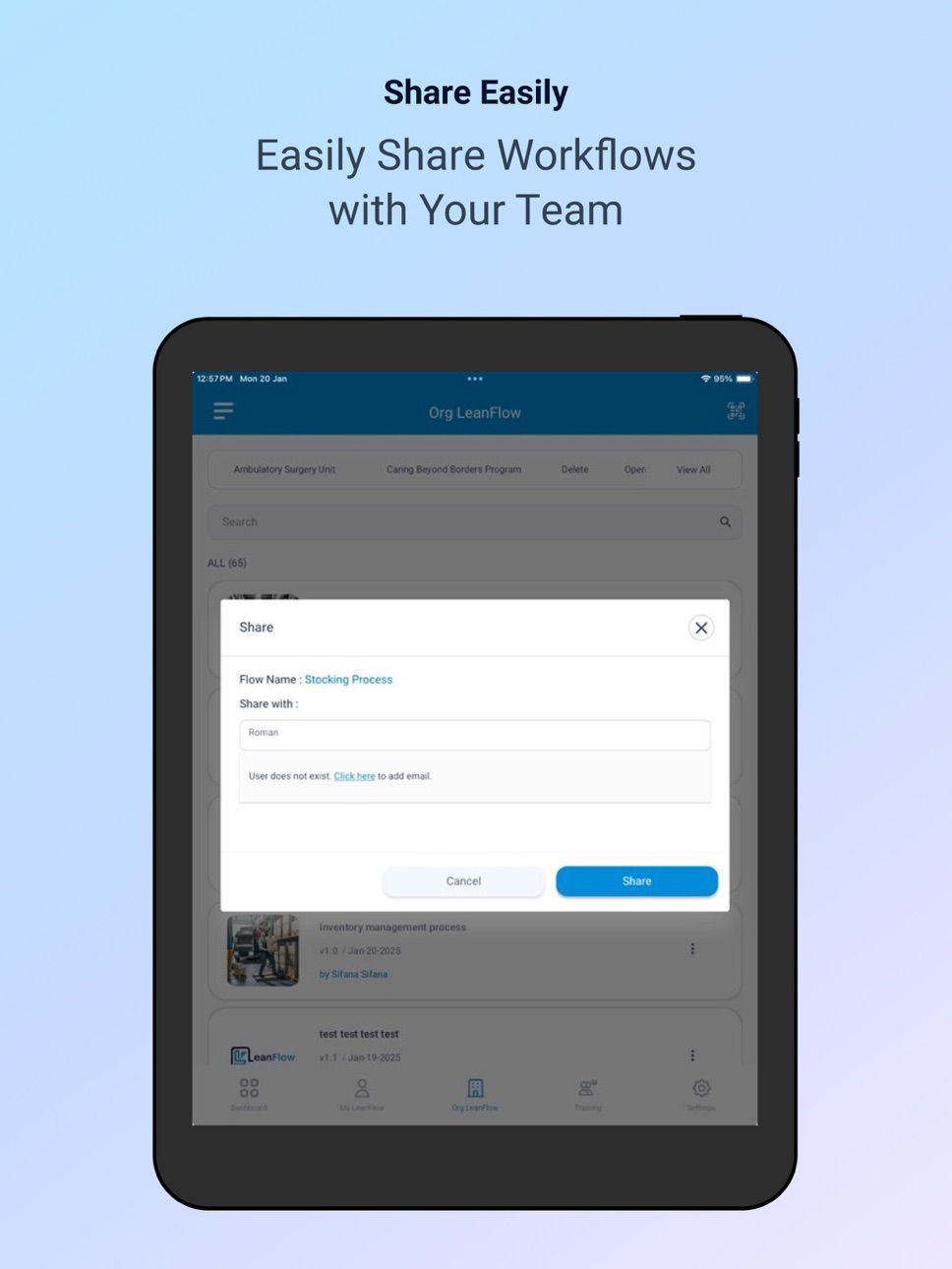
iPad 7 images




What’s New Version 2.2.20
Improved application stability.
Description
LeanFlow is enterprise level Mobile application that helps document standard work procedures directly from a mobile device
LeanFlow Helps users to :
1. Document on the Move: Use your mobile to describe and photograph each step of your
process.
2. Capture with Clarity: Add images that give context to your text, making it easier to
understand.
3. Compile Effortlessly: Generate beautiful PDFs with just a few taps.
4. Unique QR for Each Flow: Permanent QR codes link to your documents, ensuring you
always have the latest version at your fingertips.
Accessibility
ipadiphonemacrealityDevicetvoswatch
Version history 25 versions
Build 885897522v2.2.202026-05-20 19:59:11
Improved application stability.
Build 880033531v2.2.192025-11-24 19:20:56
User Registration Enhancement.
Build 878911565v2.2.182025-10-17 06:03:30
Enhanced Route for Cycle time operation.
Build 878149206v2.2.172025-09-16 21:12:43
Implemented custom profile to access LeanFlow.
Build 877804698v2.2.162025-09-04 04:04:20
1. Enhanced Flow, Training and Route for Department type.
2. Implemented Label customization provision for organization hierarchy.
Build 876441096v2.2.152025-07-24 23:11:18
Implemented a Route module with enhanced capabilities.
Build 875559938v2.2.142025-06-13 19:53:09
UI Enhancement.
Build 875281036v2.2.132025-06-04 00:55:20
Suggestions in both Published tabs.
Share/PDF/QR enabled in my leanflow tab.
Show video thumbnails in PDF.
Upload 300MB video limit.
Department field editable.
Build 875222599v2.2.122025-06-01 12:09:03
UI Enhancement
Build 874984028v2.2.112025-05-22 17:49:30
Enabled full-screen video playback
Flow photos and videos are presented in sequential order
Build 874930639v2.2.102025-05-21 05:27:05
Process flow Bug fixes
Build 874639521v2.2.92025-05-09 08:57:58
Images and videos are now viewable and playable within the LeanFlow.
Build 874522677v2.2.82025-05-05 21:21:57
General UI enhancements and bug fixes
Build 873390025v2.2.72025-03-20 11:22:44
Users can now receive and manage in-app notifications.
Build 872458945v2.2.62025-02-13 17:51:58
Users can now submit their flows to individual process owners for approvals.
Build 872285625v2.2.52025-02-06 14:20:27
Added LeanFlow UserGuide.
Build 871872781v2.1.22025-01-21 04:45:39
1. Users will now be notified about new app updates.
2. Improved responsiveness on iPads for a smoother experience.
Build 871818212v2.1.12025-01-17 11:12:17
Dynamic description count display in mobile UI.
Build 871629541v2.1.02025-01-09 09:54:24
1.Implemented a new Training module with enhanced capabilities.
2.Enabled basic users to assign multiple departments.
3.Automated the Weekly User Details Report generation.
4.Streamlined and centralized Admin access control.
5.Improved the Organization Registration.
6.Fixed issues with User Profile Location Details.
Build 871027555v2.0.52024-12-10 21:00:44
Release notes
Date : 10-Dec-2024
---------------------
1. SSO has been integrated for web users, allowing existing Organization users to log in with the
same credentials as the Lean365 web application.
2. Flow steps can be drafted quickly without detailed descriptions. However, adding
descriptions will be mandatory during the approval stage.
3. A progress bar displaying a percentage (%) has been implemented to track progress during
the registration process for new organizations.
4. Department creation is now standardized and available on both web and mobile apps.
Build 870447488v2.0.42024-11-15 16:43:24
1. Integrated with Lean365 Web Interface
2. Quick and easy organization registration
3. Improved formatting of Flow PDFs
4. Single QR code now works for both web and mobile
5. Swap and zoom uploaded step images for better viewing
6. Faster navigation with performance improvements on list and content pages
7. Option to deregister the user account if needed
8. Suggest improvements directly on published flows via the Org LeanFlow tab
Build 870393873v2.0.32024-11-13 14:15:05
1. Integrated with Lean365 Web Interface
2. Quick and easy organization registration
3. Improved formatting of Flow PDFs
4. Single QR code now works for both web and mobile
5. Swap and zoom uploaded step images for better viewing
6. Faster navigation with performance improvements on list and content pages
7. Option to deregister the user account if needed
8. Suggest improvements directly on published flows via the Org LeanFlow tab
Build 870384659v2.22024-11-13 09:43:10
1. Integrated with Lean365 Web Interface
2. Quick and easy organization registration
3. Improved formatting of Flow PDFs
4. Single QR code now works for both web and mobile
5. Swap and zoom uploaded step images for better viewing
6. Faster navigation with performance improvements on list and content pages
7. Option to deregister the user account if needed
8. Suggest improvements directly on published flows via the Org LeanFlow tab
Build 869148990v2.12024-09-20 21:28:14
1. Zoom the step image from popup page.
2. Users able to provide suggestion for flow steps from Org LeanFlow tab.
3. Flow Header update.
4. Flow Revision date update.
5. Improved deep linking.
6. Bugs Fixed.
Build 869057584v2.0.02024-09-17 08:48:00
1. Deep Link Integration.
2. Bugs Fixed.
No pricing data captured yet — comparisons appear once the app has paid storefronts or in-app purchases.
Availability 1 of 1 storefronts
| Region | Language | Price | Ratings | Avg | Version |
|---|---|---|---|---|---|
| US | en-US | Free | 2 | 5.0 | 2.2.20 |
Change log 28 changes · US
✎
releaseNotes updated
Improved application stability.
✎
description updated
LeanFlow is enterprise level Mobile application that helps document standard work procedures directly from a mobile device
LeanFlow Helps users to :
1. Docum
✎
name updated
LeanFlow
◆
Version 2.2.20 released
Improved application stability.
◆
Version 2.2.19 released
User Registration Enhancement.
◆
Version 2.2.18 released
Enhanced Route for Cycle time operation.
◆
Version 2.2.17 released
Implemented custom profile to access LeanFlow.
◆
Version 2.2.16 released
1. Enhanced Flow, Training and Route for Department type.
2. Implemented Label customization provision for organization hierarchy.
◆
Version 2.2.15 released
Implemented a Route module with enhanced capabilities.
◆
Version 2.2.14 released
UI Enhancement.
◆
Version 2.2.13 released
Suggestions in both Published tabs.
Share/PDF/QR enabled in my leanflow tab.
Show video thumbnails in PDF.
Upload 300MB video limit.
Department field editable.
◆
Version 2.2.12 released
UI Enhancement
◆
Version 2.2.11 released
Enabled full-screen video playback
Flow photos and videos are presented in sequential order
◆
Version 2.2.10 released
Process flow Bug fixes
◆
Version 2.2.9 released
Images and videos are now viewable and playable within the LeanFlow.
◆
Version 2.2.8 released
General UI enhancements and bug fixes
◆
Version 2.2.7 released
Users can now receive and manage in-app notifications.
◆
Version 2.2.6 released
Users can now submit their flows to individual process owners for approvals.
◆
Version 2.2.5 released
Added LeanFlow UserGuide.
◆
Version 2.1.2 released
1. Users will now be notified about new app updates.
2. Improved responsiveness on iPads for a smoother experience.
◆
Version 2.1.1 released
Dynamic description count display in mobile UI.
◆
Version 2.1.0 released
1.Implemented a new Training module with enhanced capabilities.
2.Enabled basic users to assign multiple departments.
3.Automated the Weekly User Details Report generation.
4.Streamlined and centralized Admin access control.
5.Improved the
◆
Version 2.0.5 released
Release notes
Date : 10-Dec-2024
---------------------
1. SSO has been integrated for web users, allowing existing Organization users to log in with the
same credentials as the Lean365 web application.
2. Flow steps can be drafted quickly
◆
Version 2.0.4 released
1. Integrated with Lean365 Web Interface
2. Quick and easy organization registration
3. Improved formatting of Flow PDFs
4. Single QR code now works for both web and mobile
5. Swap and zoom uploaded step images for better viewing
6. Faster
◆
Version 2.0.3 released
1. Integrated with Lean365 Web Interface
2. Quick and easy organization registration
3. Improved formatting of Flow PDFs
4. Single QR code now works for both web and mobile
5. Swap and zoom uploaded step images for better viewing
6. Faster
◆
Version 2.2 released
1. Integrated with Lean365 Web Interface
2. Quick and easy organization registration
3. Improved formatting of Flow PDFs
4. Single QR code now works for both web and mobile
5. Swap and zoom uploaded step images for better viewing
6. Faster
◆
Version 2.1 released
1. Zoom the step image from popup page.
2. Users able to provide suggestion for flow steps from Org LeanFlow tab.
3. Flow Header update.
4. Flow Revision date update.
5. Improved deep linking.
6. Bugs Fixed.
◆
Version 2.0.0 released
1. Deep Link Integration.
2. Bugs Fixed.