Home › Developer Tools

 US
US
1 of 1 storefronts
Content in en-US
Content in en-US
Information
Apple ID6479691128
Bundle IDcom.scripting.ios
SellerSeller
Min iOS17.0
Min macOS14.0
Device familiesiphone, ipad
Released2024-12-05
Copyright© 2025 Thom Fang
Privacy policyLink ↗
Preview 2 platforms
iPhone 6 images



iPad 6 images


What’s New Version 3.2.0
- Added Node.js and npm support, allowing scripts to run Node.js code and manage npm packages inside the app.
- Added the CloudSharedData API, allowing scripts to read and write iCloud shared data.
- Fixed several bugs.
Description
Scripting is a powerful development platform that lets you write, test, and run TypeScript or JavaScript scripts directly on your iPhone or iPad.
Whether you’re a creative maker or someone who loves automating everyday tasks, Scripting unlocks endless possibilities to make your device truly yours.
Key Features
• Build Powerful Scripts
Create your own widgets, Control Center toggles, Dynamic Island views, custom keyboards, Shortcuts, and share extensions — all powered by your scripts.
• Access Native APIs
Leverage a full suite of native iOS APIs (Calendar, Notification, Bluetooth, Health, and more) to interact deeply with your device and craft personalized automation.
• Design Native UI with TSX & SwiftUI
Build beautiful, responsive interfaces using TSX syntax and SwiftUI components. Create interactive tools, widgets, and custom keyboards with native performance.
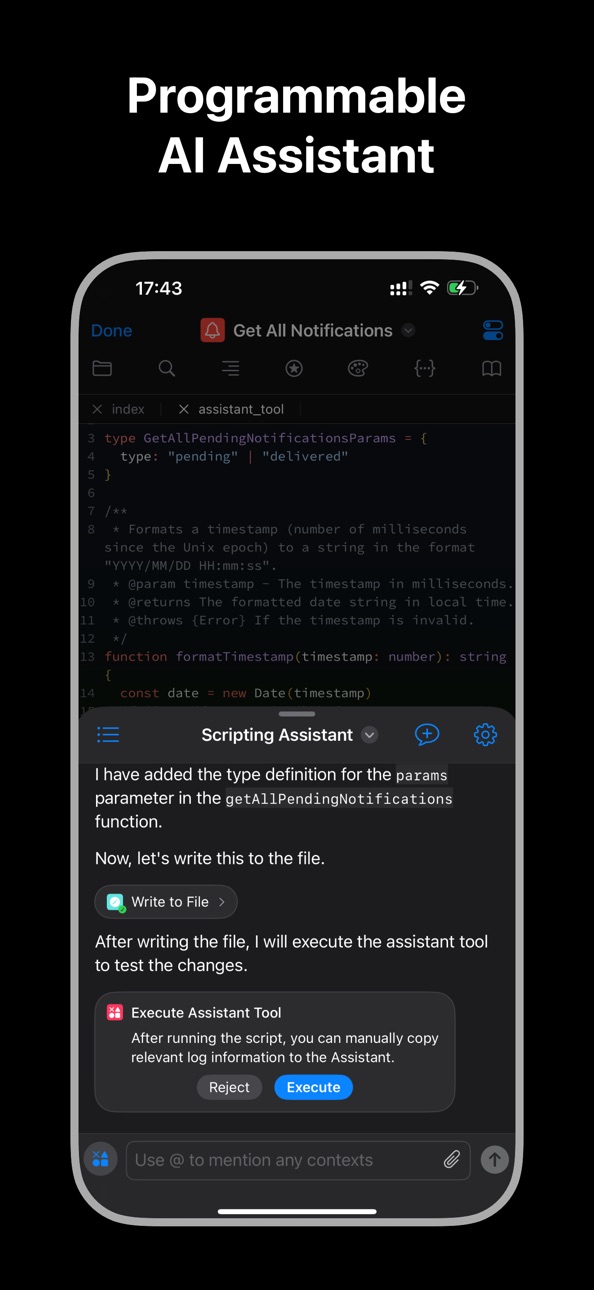
• Integrated AI Assistant
Connect your own API key to chat with any AI service. Let AI run your scripts, search your knowledge base, generate code, and complete complex workflows automatically.
• Smooth Development Experience
Use the companion CLI tool with VSCode to preview and run your scripts in real time on your iPhone or iPad. Development has never felt this smooth.
• Advanced Mobile Code Editor
Code on the go with a modern mobile editor. Enjoy enhanced TypeScript support, including autocompletion, syntax highlighting, inline diagnostics, and intelligent code hints.
Why Choose Scripting?
Scripting gives you the freedom to customize your iPhone like never before.
From building unique automations to integrating AI into your daily routines, it turns your creativity into real, working tools — all running natively on iOS.
Unleash your imagination and redefine what your device can do.
Privacy Policy: https://scripting.fun/privacy_policy/
Terms of Use: https://scripting.fun/terms/
In-App Purchases US pricing
Monthly Plan Subscription
Monthly$0.99
Annual Plan Subscription
Yearly$7.99
One-Time Purchases
Lifetime Access$19.99
Capabilities
In-App PurchasesSafari extension
Accessibility
ipadiphonemacrealityDevicetvoswatch
Version history 25 versions
Build 887552354v3.2.02026-07-01 04:00:35
- Added Node.js and npm support, allowing scripts to run Node.js code and manage npm packages inside the app.
- Added the CloudSharedData API, allowing scripts to read and write iCloud shared data.
- Fixed several bugs.
Build 886604775v3.1.02026-06-16 17:07:55
- Added Safari Extension support. You can now write scripts in the app to enhance and customize your web browsing experience.
- Improved the Agent interaction experience.
- Added several new APIs.
- Fixed several bugs.
Build 884660734v3.0.02026-04-20 02:08:05
- Added the AlarmManager API, allowing scripts to create and manage alarms
- Added support for AI features such as memory and skills
- Added support for writing and executing Python scripts
- Fixed various bugs
Build 883204476v2.4.92026-03-10 15:52:41
Added JWT API
Introduced a new JWT API.
Interaction Improvements
Improved overall interactions and usability.
Bug Fixes
Various bug fixes.
Build 882471499v2.4.82026-02-14 22:45:55
## Assistant Interaction Improvements
Improved interaction and usability on the Assistant page.
## Added Intent.view API for Shortcuts UI
Introduced the Intent.view method, allowing UI to be presented directly within the Shortcuts app.
## Fixed Observable Listener Trigger Issue
Fixed an issue where listeners were not triggered after Observable updates during UI interactions.
Build 882181613v2.4.72026-02-05 13:28:24
## Added SQLite APIs
Introduced new SQLite-related APIs.
## Added Screen Orientation Support
Added screen rotation support along with related APIs.
## Improved Assistant Interaction
Enhanced the interactions and usability of Assistant-related pages.
## Bug Fixes
Fixed various bugs.
Build 881515161v2.4.62026-01-15 19:26:54
- Added several new APIs
- Optimized the Assistant’s internal request handling and settings interface interactions
- Fixed some issues
Build 881222355v2.4.52026-01-05 23:58:10
- New features
- Fixes some issues
Build 880421307v2.4.42025-12-07 22:14:34
- Added new APIs related to Liquid Glass
- Fixed several bugs and stability issues
Build 880000231v2.4.32025-11-22 23:21:40
- Added new features
- Fixed some issues
Build 879090209v2.4.22025-10-22 00:20:58
# New Features
## Headless Browser Fetch
The fetch method now simulates requests as if made from a headless browser, providing more accurate web interactions and cookie handling.
## Request / Response Enhancements
Added a new handleRedirect property to Request and RequestInit for controlling redirect behavior.
The old shouldAllowRedirect property has been deprecated.
Added a new cookies property to Response, allowing access to cookies returned in the response.
## Background Networking
Introduced new APIs for running download and upload tasks in the background:
- BackgroundURLSession
- URLSessionDownloadTask
- URLSessionUploadTask
## BackgroundKeeper
Added BackgroundKeeper to request background runtime access, enabling tasks to continue running while the app is in the background.
## AVPlayer Metadata Access
Added loadCommonMetadata() and loadMetadata() methods, along with a new AVMetadataItem class for accessing detailed metadata of the currently playing asset.
## Pasteboard API
Introduced a new Pasteboard API for reading and writing clipboard data.
The old Clipboard API has been deprecated.
## Gesture System
Added comprehensive gesture APIs and modifiers:
- View modifiers: gesture, highPriorityGesture, simultaneousGesture, defersSystemGestures, and the new lineSpacing modifier.
- Gesture APIs: Gesture, DragGesture, LongPressGesture, MagnifyGesture, RotateGesture, TapGesture.
These additions bring gesture and layout handling closer to native SwiftUI behavior.
## UIImage Utilities
Added new utility methods to the UIImage class:
- Instance methods: toJPEGBase64String(), toPNGBase64String(), toJPEGData(), and toPNGData().
- Static method: fromBase64String() for creating images directly from Base64-encoded strings.
## Widget System Update
Widgets are now divided into two kinds:
- User Widgets: for completed, published widgets.
- Test Widgets: for widgets under development.
This separation prevents interference during refresh.
Added new methods Widget.reloadUserWidgets() and Widget.reloadTestWidgets() to reload each type independently.
## ControlWidget Enhancements
Added a new Button control type that can open the app and execute a specified script.
## CustomKeyboard Environment
The Safari API is now available within the CustomKeyboard environment.
---
# Improvements
## Knowledge Base Import
Fixed the issue preventing documents from being imported from external directories into knowledge bases.
## Widget Rendering
Fixed an issue where widgets failed to render local images correctly.
## Text File Handling
Fixed a bug where tapping a text file to open it in Scripting could repeatedly trigger the editor view.
---
# Fixes
## Health API
- Fixed an issue where Health.queryStatistics and Health.queryStatisticsCollection could not read data correctly.
- Fixed an issue in the HealthStatistics class where quantity methods failed to return correct values when a source parameter was provided.
## Widget Execution (iOS 26)
Fixed an issue where tapping a widget to run a script on iOS 26 could trigger the action twice.
## Modal Dismissal After Script Exit
Fixed an issue where views such as Safari, DocumentPicker, Photos, and QuickLook were not automatically closed after calling Script.exit().
Build 878783746v2.4.12025-10-09 22:55:09
# New Features
Knowledge Base
You can now import multiple files at once by selecting a directory.
Assistant Tool
Introduced a built-in query knowledge bases tool, enabling the Assistant to search associated knowledge bases when completing tasks.
ControlWidget (iOS 18+)
Added ControlWidget, allowing you to place Button and Toggle controls in Control Center and assign scripts to handle their logic.
Custom Keyboard
Added the CustomKeyboard API to create and present your own keyboard UI, handle input events, and insert text programmatically.
Bluetooth APIs
Introduced BluetoothCentralManager and BluetoothPeripheralManager APIs. Build end-to-end Bluetooth experiences, including scanning, connecting, reading/writing GATT characteristics, subscribing to notifications, advertising, and exposing custom services/characteristics.
Added layoutPriority View Modifier
Introduced support for the layoutPriority view modifier, allowing developers to control how space is distributed among sibling views when layout constraints are tight. This behavior is consistent with SwiftUI’s native layoutPriority(_:).
Introduced modifiers Property and ViewModifiers System
A new modifiers property, along with the ViewModifiers class and the modifiers() helper function, has been added to enable fluent, chainable application of view modifiers.
This system supports applying the same type of view modifier multiple times (e.g., repeated padding() or background() calls) and ensures modifiers are applied in the exact order they are chained, closely mirroring the behavior of SwiftUI.
SVG Rendering
Added a new SVG rendering component to display vector graphics seamlessly.
Custom Fonts
Now supports using fonts installed via the system or third-party apps.
# Improvements
Request API
Added an allowInsecureRequest field to RequestInit / Request for controlling whether insecure requests are permitted.
Location API
Location.requestCurrent now returns cached location data by default if available.
Added a new optional parameter options.forceRequest to always fetch the latest location.
Developer Server
The dev server now remembers and records the last connected address for faster reconnections.
Storage Enhancements
set, get, contains, remove, setData, and getData now accept an optional options.shared parameter for working with shared storage, which is accessible across all scripts for easier cross-script functionality.
Fixes
Assistant Tool Calls
Fixed an issue where the Assistant could misparse tool parameters when invoking tools, improving reliability of tool execution.
Photos API
Fixed an issue where dismissing the Photos.pickPhotos sheet by swiping down would not resolve the promise.
HealthKit Permissions
Fixed an issue where requesting Health permissions did not trigger the authorization dialog.
Script Advanced Settings
Fixed an error when renaming a script in the Advanced Settings page, which could cause a refresh failure after saving.
# Changes
API Providers
Removed the Pollinations.AI API provider.
Build 878091404v2.4.02025-09-14 03:41:16
New Features
- On-Device Knowledge Base (iOS 18+)
Add local knowledge bases to enhance Assistant with RAG (Retrieval-Augmented Generation) capabilities.
- Chat Presets
Create presets with predefined Assistant tools, rules, and linked knowledge bases for faster, customized chats.
- Spotlight Integration
Search and launch scripts directly from Spotlight.
- File App Integration
Open .js, .jsx, .tsx, and .json files in Scripting from the Files app.
- Script Metadata
script.json now supports version, description, localizedNames, localizedDescriptions, author, contributors, and more.
Script module also add the metadata property with these information.
- Translation APIs (iOS 18+)
New Translation and translationHost APIs for building multilingual workflows.
- Notifications
Notification.schedule introduces a new tapAction parameter:
- runScript: run a script when tapped
- openURL: open a specified URL when tapped (The old avoidRunningCurrentScriptOnTapped option is now deprecated.)
- Widget Interaction Options
Widget configuration now supports Open URL under When Interacting, allowing a widget tap to launch a URL.
- Storage API
Added keys() and clear() methods.
Storage operations are now scoped to the current script, preventing key collisions across scripts.
Keys are automatically migrated internally, so developers don’t need to handle any changes manually.
- SSH in Widgets
SSH functionality is now available inside widgets.
Improvements
- Optimized Assistant interactions for smoother experiences.
- Improved script importing — scripts now auto-compile and open in the editor.
- New context menu actions in the editor: Delete All and Copy All.
- Request API: added shouldAllowRedirect handler to Request / RequestInit.
- Data API: new compressed() and decompressed() methods.
- OpenAI requests now use the new Response API.
Fixes
- Fixed an issue where switching themes in Widget.preview didn’t update text colors.
- Corrected a typo in the safeAreaInset API.
- Fixed a bug where renaming a script inside a group could cause it to disappear.
- Resolved multiple API bugs for better stability.
Build 877122567v2.3.72025-08-10 15:00:44
New Featrures
- Unified Script Format: Scripts are now exported with the .scripting extension. A simple tap on any .scripting file automatically launches Scripting and imports the script.
- Expanded SSH Capabilities: New APIs, including SSHClient and SFTPClient, enable secure remote connections and file transfers.
- Updated Reminder API: The Reminder class has added the dueDateComponents property, deprecating dueDate and dueDateIncludesTime.
Assistant Enhancements
- Optimized text-rendering performance for large-language-model responses, delivering smoother, more responsive output.
- New OpenRouter API Provider, and now you can view available models and quickly add them after entering the API Key.
Bug Fixes
- Fix issues with importing remote scripts and updating remote resource configurations.
- Fixed the issue where Reminder.dueDate returns null, and added the dueDateComponents property to Reminder. The previous dueDate and dueDateIncludesTime properties have been deprecated.
Build 876789236v2.3.62025-07-29 19:54:45
# New Features
## Remote Script Import
- Import scripts directly from a GitHub repository or any remote server, making it easy to share.
## Enhanced Data API
- Data.size property to retrieve the byte length of a Data object.
- Data.append() and Data.slice() methods for more flexible binary manipulation.
# Performance & Optimization
- Optimized OpenAI API request.
- Reduced memory footprint in Live Activities and Widgets.
- Widgets no longer compile scripts automatically in the widget environment.
# User Experience Improvements
- Assistant interactions have been streamlined for faster, more intuitive responses.
- On relaunch, the app now restores you to the last‑viewed Home tab, so you can pick up right where you left off.
# API Updates
## WebViewController.evaluateJavaScript
- Now requires using return within your script to send back a value.
- Returns a Promise, so you can handle asynchronous results directly.
## WebViewController.addMessageHandler
- Now returns a Promise that resolves once the handler has been successfully registered.
# Bug Fixes
- Fixed an issue where text failed to update correctly when switching themes on the widget preview page.
Build 876502968v2.3.52025-07-18 18:37:12
- Fixed the issue that the base URL with port of custom API provider cannot be connected.
- Enhanced the code editor to display additional comment information and resolved the issue of extra spaces being automatically inserted when opening an empty editor.
Build 876480265v2.3.42025-07-17 21:02:28
Assistant Experience Enhancements
- Extract text from local files or web pages and send it along with your message
- Select and run scripts directly within the Assistant output pane, with results appended to the conversation
- Improved custom API provider workflow: after entering a Base URL and API Key, fetch and display all available models with one action
New API Support
- OAuth2 Module: Seamlessly implement the full OAuth2 authentication flow
- createOAuthCallbackURLScheme: New Script class method to simplify callback URL scheme configuration when using the OAuth2 module
- MessageUI Module: Invoke the system messaging interface to quickly send SMS or email
- Crypto Module: Comprehensive upgrade with support for MD5, SHA1, SHA256, SHA384, SHA512, HMAC-MD5, HMAC-SHA1, HMAC-SHA224, HMAC-SHA256, HMAC-SHA384, HMAC-SHA512, and AES‑GCM encryption/decryption (legacy MD5 module deprecated)
- Data Class Extensions: Added toHexString and fromHexString methods for easy conversion between hexadecimal strings and binary data
Share Extension Improvements
- After saving a script via the iOS Share Sheet, choose whether to open Scripting immediately
- If opened, the app will automatically refresh and load the newly saved script
iOS 17 Compatibility Updates
- Fixed an issue where some icons did not display correctly on iOS 17
- Resolved occasional blank screens on the script page
Build 876252777v2.3.32025-07-09 22:22:32
HealthKit Integration Upgraded
New Health API to access iOS HealthKit data
Built-in sample scripts for common health tasks:
Step Count: widget script displaying today’s steps
Record Body Mass: page tool and assistant for logging weight
Read Basic Physical Data: assistant tool to fetch height, birthdate, sex, etc.
Read Body Mass: assistant tool to retrieve historical weight records
Record Food Intake: assistant tool to log daily meals
Read Food Intake: assistant tool to query food intake history
Smarter Notifications
Proper configuration of Time Sensitive Notifications to ensure critical alerts are never silenced
Charts Components Enhancements
Expanded Charts API with additional properties for greater flexibility and richer visualizations
Build 875900273v2.3.22025-06-26 12:31:28
Advanced Notification System Enhancements
Introduced CalendarNotificationTrigger, LocationNotificationTrigger, and TimeIntervalNotificationTrigger to support more flexible and powerful notification triggers. The old triggerTime and repeatsType parameters in Notification.schedule are now deprecated. Use the unified trigger parameter instead.
Added the DateComponents utility class to simplify creating calendar-based notification triggers.
Notification.getAllPendings now returns an array of NotificationRequest objects, offering detailed access to pending notifications.
Notification.getAllDelivereds now returns NotificationInfo instances with a new request property (of type NotificationRequest). The original fields on NotificationInfo are now deprecated and should be accessed via the request.
Widget Improvements and Preview Support
Added the widgetBackground view modifier to enable proper background styling for widgets in iOS 18+ tinted mode.
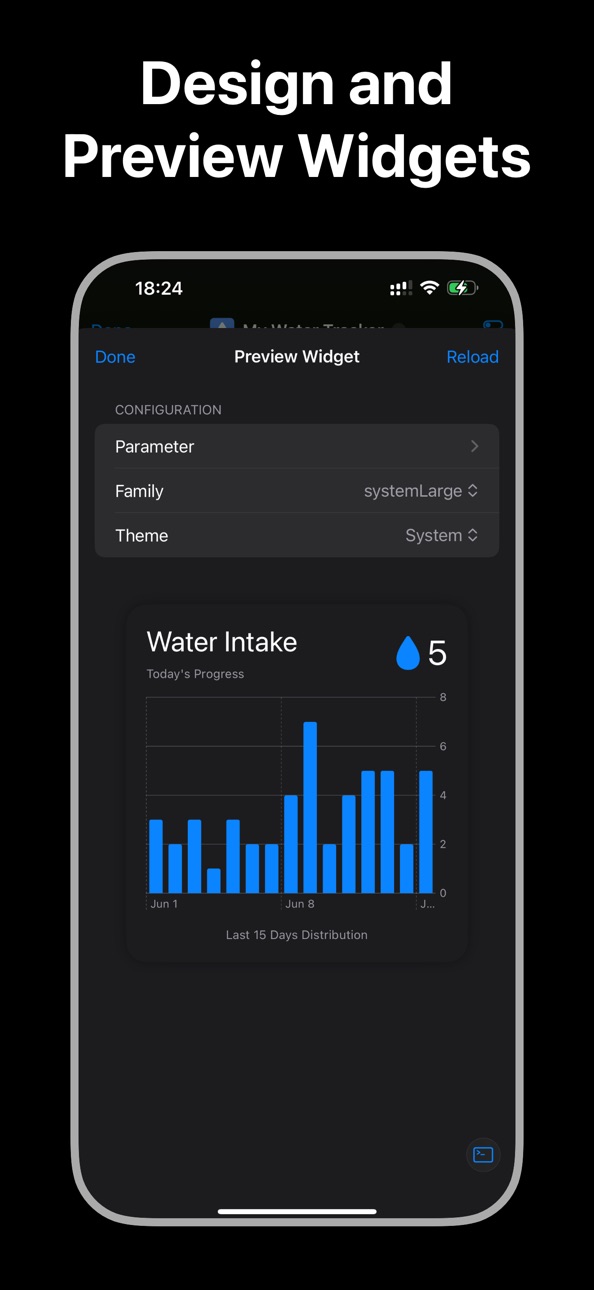
Introduced the Widget.preview method, which can be used inside index.tsx to enable live previews of widgets—ideal for custom configuration pages or editing environments.
Documentation Updates
Added several documentation enhancements, including updated references for the Charts API and related view components.
Build 875683791v2.3.12025-06-18 21:34:07
Added support for widgetAccentable and widgetAccentedRenderingMode view modifiers to adapt widgets to iOS 18+ tinted mode
Introduced DynamicImageSource for the Image component, allowing widgets to display different images for light and dark modes
Improved the user experience of Document Picker and Photos Picker
Fixed various bugs to enhance stability and performance
Build 875597992v2.3.02025-06-15 23:10:50
- Added support for selecting API provider and model when using Assistant.requestStructuredData
- New setting to configure whether tools in a single assistant reply run in parallel or sequentially
- Assistant messages now support rich rendering of HTML and Mermaid diagrams
- Introduced new view modifiers: scrollTargetLayout, scrollTargetBehavior, scrollContentBackground, truncationMode, allowsTightening, flipsForRightToLeftLayoutDirection, containerRelativeFrame, safeAreaPadding
- Notification module now includes methods to manage script-specific notifications correctly
- Fixed issues where some notification methods did not behave as expected
- Improved interaction experience and fixed several bugs that could cause crashes
Build 875056411v2.2.22025-05-26 01:24:24
New Features
* Drag-and-Drop Support
Added a new `onDropContent` view modifier, enabling scripts to receive files dragged from other apps.
* Improved Gradient API
Introduced a new utility for working with gradients, making gradient-related code more readable and maintainable.
* Enhanced File Writing
Added `FileManager.appendText` and `FileManager.appendData` methods to support appending text or binary data to existing files.
* New AbortController API
Replaced the legacy `CancelToken` class with the modern `AbortController` and `AbortSignal` APIs for better cancellation handling.
* Shortcut Enhancements
Introduced new shortcuts: "Run TypeScript Code" and "Run Script for Audio Recording". Scripts run via the "Run Script" shortcut can now interact with Live Activity and Audio Playback APIs.
Improvements
* Documentation Updates
Added detailed documentation for view modifiers to help developers better understand and utilize layout and styling capabilities.
* Memory Optimization
Improved memory usage when running scripts in Widgets and AppIntents, leading to more efficient performance.
Build 874862115v2.2.12025-05-17 16:24:08
Assistant Enhancements
- Fixed intermittent failures when invoking multiple tools concurrently, ensuring stable multi-tool execution
- Optimized chat interface styling and interaction flow for a smoother user experience
- Integrated pollinations.ai free API (deepseek & deepseek‑reasoner models); special thanks to pollinations.ai for their support
Script Management & Compatibility
- Improved script grouping operations for more efficient organization
- Added script search functionality on the Dev Server page for quick lookup and editing
- Resolved layout issues on iPad script page to ensure consistent cross‑device presentation
Platform Events & PDF Support
- Added support for scenePhase app lifecycle events to monitor foreground/background transitions
- Introduced PDFDocument and PDFPage APIs for creating, reading, and manipulating PDF files
Data Visualization & Notification Enhancements
- Extended ChartMarkProps with foregroundStyleBy, symbolBy, symbolSizeBy, positionBy, lineStyleBy, etc., for richer chart styling
- Enhanced Notification.schedule with avoidRunningCurrentScriptWhenTapped parameter to control script execution on notification tap
Build 874613555v2.2.02025-05-08 11:40:43
Assistant Improvements
* Support for invoking multiple tools in a single response
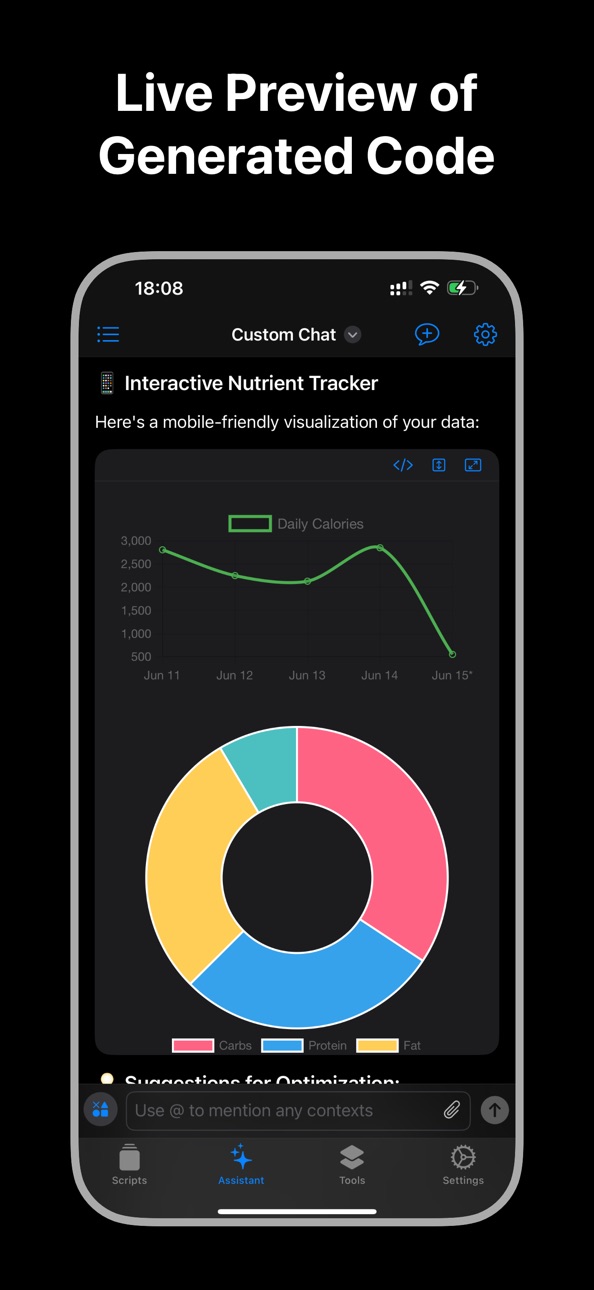
* Support for previewing HTML and Mermaid diagrams, rendering block-level LaTeX formulas
* Temporary editor for running TS/JS code directly in chat
* Enhanced chat window layout and interaction experience
* New prompt templates for quickly inserting common instructions
New System APIs
* Vision API: extract text from images or scan documents into text
* Crypto API: access common cryptographic functions
Workspace Enhancements
* Script grouping support for better organization
* Keyboard shortcuts supported on external keyboards and macOS
Stability & Performance
* Improved interaction in the FileBookmarks management page
* NavigationLink performance improvements and fix for view modifier inheritance issues
* Fixed crash issue when calling `new CalendarEvent()` on certain system versions
* Various bug fixes and overall performance optimizations
Build 873990015v2.1.72025-04-13 06:02:55
Fixed an issue that caused the app to crash on iOS 18.4
Price history by region
Currency
Show
Columns
Search
Availability 1 of 1 storefronts
| Region | Language | Price | Ratings | Avg | Version |
|---|---|---|---|---|---|
| US | en-US | Free | 79 | 4.9 | 3.2.0 |
Change log 29 changes · US
✎
releaseNotes updated
- Added Node.js and npm support, allowing scripts to run Node.js code and manage npm packages inside the app.
- Added the CloudSharedData API, allowing scripts
✎
description updated
Scripting is a powerful development platform that lets you write, test, and run TypeScript or JavaScript scripts directly on your iPhone or iPad.
Whether you’re
✎
subtitle updated
Build & Run Scripts with AI
✎
name updated
Scripting
◆
Version 3.2.0 released
- Added Node.js and npm support, allowing scripts to run Node.js code and manage npm packages inside the app.
- Added the CloudSharedData API, allowing scripts to read and write iCloud shared data.
- Fixed several bugs.
◆
Version 3.1.0 released
- Added Safari Extension support. You can now write scripts in the app to enhance and customize your web browsing experience.
- Improved the Agent interaction experience.
- Added several new APIs.
- Fixed several bugs.
◆
Version 3.0.0 released
- Added the AlarmManager API, allowing scripts to create and manage alarms
- Added support for AI features such as memory and skills
- Added support for writing and executing Python scripts
- Fixed various bugs
◆
Version 2.4.9 released
Added JWT API
Introduced a new JWT API.
Interaction Improvements
Improved overall interactions and usability.
Bug Fixes
Various bug fixes.
◆
Version 2.4.8 released
## Assistant Interaction Improvements
Improved interaction and usability on the Assistant page.
## Added Intent.view API for Shortcuts UI
Introduced the Intent.view method, allowing UI to be presented directly within the Shortcuts app.
##
◆
Version 2.4.7 released
## Added SQLite APIs
Introduced new SQLite-related APIs.
## Added Screen Orientation Support
Added screen rotation support along with related APIs.
## Improved Assistant Interaction
Enhanced the interactions and usability of Assistant-rel
◆
Version 2.4.6 released
- Added several new APIs
- Optimized the Assistant’s internal request handling and settings interface interactions
- Fixed some issues
◆
Version 2.4.5 released
- New features
- Fixes some issues
◆
Version 2.4.4 released
- Added new APIs related to Liquid Glass
- Fixed several bugs and stability issues
◆
Version 2.4.3 released
- Added new features
- Fixed some issues
◆
Version 2.4.2 released
# New Features
## Headless Browser Fetch
The fetch method now simulates requests as if made from a headless browser, providing more accurate web interactions and cookie handling.
## Request / Response Enhancements
Added a new handleRedire
◆
Version 2.4.1 released
# New Features
Knowledge Base
You can now import multiple files at once by selecting a directory.
Assistant Tool
Introduced a built-in query knowledge bases tool, enabling the Assistant to search associated knowledge bases when completing
◆
Version 2.4.0 released
New Features
- On-Device Knowledge Base (iOS 18+)
Add local knowledge bases to enhance Assistant with RAG (Retrieval-Augmented Generation) capabilities.
- Chat Presets
Create presets with predefined Assistant tools, rules,
◆
Version 2.3.7 released
New Featrures
- Unified Script Format: Scripts are now exported with the .scripting extension. A simple tap on any .scripting file automatically launches Scripting and imports the script.
- Expanded SSH Capabilities: New APIs, in
◆
Version 2.3.6 released
# New Features
## Remote Script Import
- Import scripts directly from a GitHub repository or any remote server, making it easy to share.
## Enhanced Data API
- Data.size property to retrieve the byte length of a Data object.
- Da
◆
Version 2.3.5 released
- Fixed the issue that the base URL with port of custom API provider cannot be connected.
- Enhanced the code editor to display additional comment information and resolved the issue of extra spaces being automatically inserted when opening
◆
Version 2.3.4 released
Assistant Experience Enhancements
- Extract text from local files or web pages and send it along with your message
- Select and run scripts directly within the Assistant output pane, with results appended to the conversation
- Improved c
◆
Version 2.3.3 released
HealthKit Integration Upgraded
New Health API to access iOS HealthKit data
Built-in sample scripts for common health tasks:
Step Count: widget script displaying today’s steps
Record Body Mass: page tool and assistant for logging w
◆
Version 2.3.2 released
Advanced Notification System Enhancements
Introduced CalendarNotificationTrigger, LocationNotificationTrigger, and TimeIntervalNotificationTrigger to support more flexible and powerful notification triggers. The old triggerTime and repeats
◆
Version 2.3.1 released
Added support for widgetAccentable and widgetAccentedRenderingMode view modifiers to adapt widgets to iOS 18+ tinted mode
Introduced DynamicImageSource for the Image component, allowing widgets to display different images for light and dar
◆
Version 2.3.0 released
- Added support for selecting API provider and model when using Assistant.requestStructuredData
- New setting to configure whether tools in a single assistant reply run in parallel or sequentially
- Assistant messages now support rich ren
◆
Version 2.2.2 released
New Features
* Drag-and-Drop Support
Added a new `onDropContent` view modifier, enabling scripts to receive files dragged from other apps.
* Improved Gradient API
Introduced a new utility for working with gradients, making gradient-re
◆
Version 2.2.1 released
Assistant Enhancements
- Fixed intermittent failures when invoking multiple tools concurrently, ensuring stable multi-tool execution
- Optimized chat interface styling and interaction flow for a smoother user experience
- Integrated poll
◆
Version 2.2.0 released
Assistant Improvements
* Support for invoking multiple tools in a single response
* Support for previewing HTML and Mermaid diagrams, rendering block-level LaTeX formulas
* Temporary editor for running TS/JS code directly in chat
* Enhance
◆
Version 2.1.7 released
Fixed an issue that caused the app to crash on iOS 18.4