Home › Utilities

 US
US
1 of 1 storefronts
Content in en-US
Content in en-US
Information
Preview 2 platforms
iPhone 5 images




iPad 4 images


What’s New Version 3.1.1
Add support for 21 languages
Description
Starting from version 2.0.0, no subscription is required. All features are available immediately after download.
Existing users can simply update to the latest version to access all features.
ALocker
App Overview:
ALocker is a practical tool designed to protect user privacy and manage apps on your phone. Whether you’re lending your phone to a friend or letting your child play with it, ALocker helps you effectively control app usage and safeguard your personal privacy.
Key Features:
Purpose: ALocker was created to help users protect their privacy when handing over their phones. Whether you’re lending your phone to a friend or letting your child use it, ALocker provides robust privacy protection.
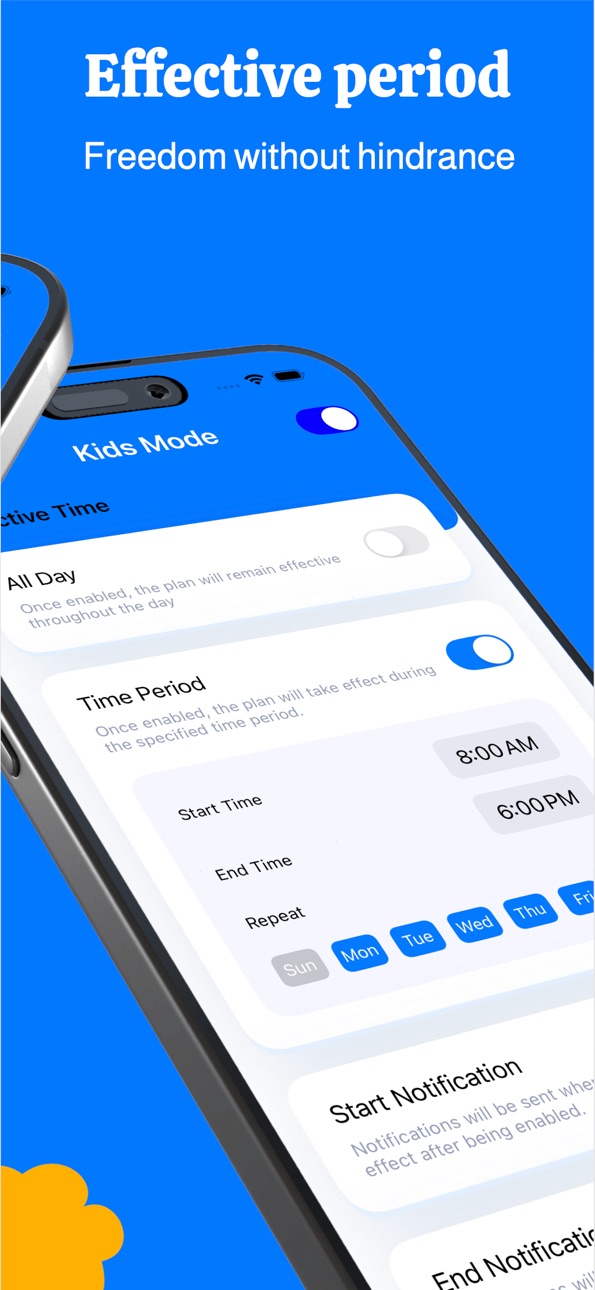
App Time Control: ALocker allows users to restrict the opening of specific apps during certain time periods, enabling effective control and management of app usage time.
App Access Restrictions: ALocker offers two modes, "Full" and "Standard," to manage apps and ensure privacy protection.
Customizable Configurations: Users can create multiple lists of restricted apps, each with high flexibility to adapt to different needs.
Feature Toggles: ALocker provides various feature switches, including prohibiting app deletion, preventing app installation, blocking changes to date and time, disabling in-app purchases, and restricting modifications to user information, allowing for detailed management of phone functionality.
Download ALocker today and enjoy peace of mind when handing over your phone. Take control of your device with ease!
Starting from version 2.0.0, no subscription is required. All features are available immediately after download.
Privacy Policy and Terms of Use: [ https://apppokect.web.app/privacy-policy] and [https://apppokect.web.app/terms-of-use]
In-App Purchases US pricing
One-Time Purchases
NoAds$9.99
Capabilities
In-App Purchases
Accessibility
ipadiphonemacrealityDevicetvoswatch
Version history 13 versions
Build 879104911v3.1.12025-10-22 04:54:36
Add support for 21 languages
Build 878888155v3.1.02025-10-14 23:34:26
Newly designed interface
Build 877474597v3.0.12025-08-22 10:35:23
1. We adjusted the frequency of ad displays to improve user experience
2. Fixed an issue where the remove ads option still showed success even when the user canceled
Build 877375363v3.0.02025-08-21 19:58:14
1. Optimize performance
Build 877217828v2.2.02025-08-13 22:53:18
1. Support for more device models.
2. Faster startup speed.
Build 874570802v2.1.12025-05-12 06:09:36
1. Fixed an issue where the [Stats] tab icon was not displayed on iOS versions prior to iOS 18.
2. In the latest version, you can now add quick toggles to the Control Center on iOS 18!
3. Enabling Quick List and Widget List in Settings now requires Face ID verification.
Build 874551109v2.1.02025-05-06 17:41:59
1. iOS 18 now allows adding quick toggles to Control Center
2. Fixed some bugs
Build 870854681v2.0.02025-03-10 20:57:35
From version 2.0.0 onwards, no subscription is required—all features are available upon download.
Existing users can update directly to access all features after updating.
Build 870750067v1.4.02024-11-28 10:47:24
1. Fixed the app icon being abnormally large in certain versions
2. Added permanent membership purchase
Build 869355103v1.3.22024-10-08 09:13:59
Fix the issue where switching dates in the daily usage overview is ineffective.
Build 869264553v1.3.02024-09-25 20:34:30
Optimize Quick List
Build 868614693v1.2.02024-08-30 18:27:00
1. Add quick modules.
2. Fix known issues.
Build 864437958v1.0.02024-04-22 17:34:07
Price history by region
Currency
Show
Columns
Search
Availability 1 of 1 storefronts
| Region | Language | Price | Ratings | Avg | Version |
|---|---|---|---|---|---|
| US | en-US | Free | 65 | 4.8 | 3.1.1 |
Change log 17 changes · US
✎
releaseNotes updated
Add support for 21 languages
✎
description updated
Starting from version 2.0.0, no subscription is required. All features are available immediately after download.
Existing users can simply update to the latest
✎
subtitle updated
super app lock
✎
name updated
ALocker - Lock & Block
◆
Version 3.1.1 released
Add support for 21 languages
◆
Version 3.1.0 released
Newly designed interface
◆
Version 3.0.1 released
1. We adjusted the frequency of ad displays to improve user experience
2. Fixed an issue where the remove ads option still showed success even when the user canceled
◆
Version 3.0.0 released
1. Optimize performance
◆
Version 2.2.0 released
1. Support for more device models.
2. Faster startup speed.
◆
Version 2.1.1 released
1. Fixed an issue where the [Stats] tab icon was not displayed on iOS versions prior to iOS 18.
2. In the latest version, you can now add quick toggles to the Control Center on iOS 18!
3. Enabling Quick List and Widget List in Settings now
◆
Version 2.1.0 released
1. iOS 18 now allows adding quick toggles to Control Center
2. Fixed some bugs
◆
Version 2.0.0 released
From version 2.0.0 onwards, no subscription is required—all features are available upon download.
Existing users can update directly to access all features after updating.
◆
Version 1.4.0 released
1. Fixed the app icon being abnormally large in certain versions
2. Added permanent membership purchase
◆
Version 1.3.2 released
Fix the issue where switching dates in the daily usage overview is ineffective.
◆
Version 1.3.0 released
Optimize Quick List
◆
Version 1.2.0 released
1. Add quick modules.
2. Fix known issues.
◆
Version 1.0.0 released