Home › Health & Fitness

 US
US
1 of 1 storefronts
Content in en-US
Content in en-US
Information
Apple ID6479392365
Bundle IDio.iftech.timeminer
SellerSeller
Min iOS16
Min macOS13.0
Device familiesiphone, ipad, ipod
Released2024-04-04
Copyright© iftech
Privacy policyLink ↗
Preview 2 platforms
iPhone 7 images


iPad 7 images


What’s New Version 1.10.1
New “Hourly Favorites” page in Timeline — see the app you used most each hour, all week at a glance.
Description
Have you ever felt this way:
"I spend too much time on social media, mindlessly scrolling through my phone"
"I want to limit my phone usage, but I keep removing the limits after apps get locked"
"Why can't I control myself?"
"How did it get to 2 AM when I was just browsing for a bit..."
WillStone is an app designed to help you gradually reduce phone usage. Instead of implementing strict daily screen time limits like other digital wellbeing apps, we've designed a unique time exchange system:
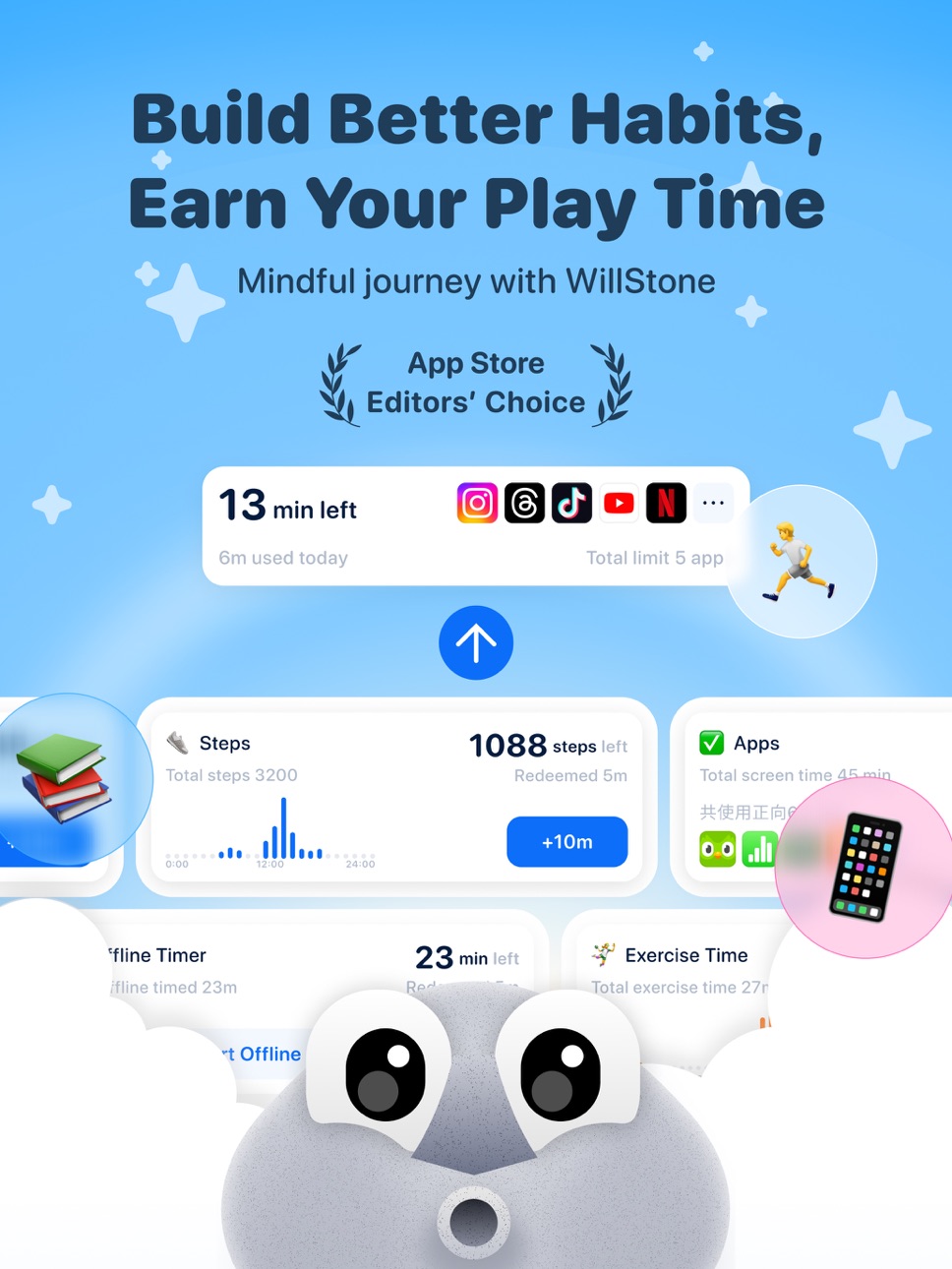
Entertainment apps have limited usage time, but you can earn more screen time through focused activities and positive apps (such as learning, exercising, walking, meditation, building habits, early bedtime, etc.).
We help you put down your phone progressively while building healthy habits!
【Design Philosophy】
- Immediate satisfaction drives motivation: A 1898 study by Thorndike showed that behaviors followed by satisfying consequences tend to be repeated, while those leading to unpleasant outcomes are less likely to recur. James Clear's "Atomic Habits" also mentions the four-step habit model—cue, craving, response, and reward.
- Cold turkey approaches are hard to maintain: We've tried many screen control apps like Opal, ClearSpace and Apple Screen Time. Often, these get uninstalled after 3 days—just like quitting any addictive substance, going cold turkey rarely works.
- The key to painlessly building good habits is: balancing desires with personal growth.
【How It Works】
- First, set up two categories of apps:
- Apps you want to limit, such as Instagram, Twitter, TikTok, shopping apps, etc. We'll call these "entertainment apps."
- Apps that help you grow, like reading apps, Duolingo, vocabulary builders, etc. After setup, grant WillStone screen time access permissions to begin.
- Initially, you get 10 minutes daily for entertainment apps: Once you exceed this, a full-screen notification appears with no "remind me later" option.
- Want more entertainment time? Use positive apps to earn additional screen time. Read books, learn vocabulary, and you can continue browsing. You can also earn time by walking or exercising.
【Use Cases】
We offer multiple ways to earn time:
- Focus Mode: For exam prep, vacation study, evening reading/drawing—use our offline timer. During focus sessions, only selected apps remain accessible, helping you concentrate. Earn entertainment time as a reward.
- Reading, Vocabulary, Language Learning: Add learning apps to your positive apps list—we'll automatically track usage and reward proportional entertainment time.
- Early Bedtime: WillStone reminds you when it's bedtime and locks entertainment apps. Maintaining healthy sleep patterns earns bonus entertainment minutes the next day, encouraging your brain to embrace better sleep habits.
- Exercise and Walking: WillStone automatically tracks your activity duration (via Apple Health) and rewards entertainment time proportionally. Meditation counts too!
- Daily Habits: Whether it's drinking water, post-work shower, neck exercises, or rehabilitation—customize your habits with reminders and goals. Complete daily tasks to earn entertainment time, making healthy lifestyle changes effortless.
【Features】
- Exchange System: Convert positive app usage, early bedtime, habits, exercise, meditation, walking into entertainment app time
- Custom Exchange Rates: Adjust difficulty levels and conversion ratios for gradual progress
- Widgets: Display available time and quick-start focus timer on home screen
- Analytics: Track your time balance and app usage distribution in "Performance" and "Data" sections
Have other habits you'd like to build? Contact us and let us know!
- 【Contact】: contact@2.5lab.app
- 【App Membership/Annual/Monthly Service Agreement】: https://post.jellow.club/willstone-payment/
- 【Privacy Policy】: https://post.jellow.club/willstone-privacy/
Capabilities
In-App Purchases
Accessibility
ipadiphonemacrealityDevicetvoswatch
Version history 25 versions
Build 887635918v1.10.12026-07-01 02:46:44
New “Hourly Favorites” page in Timeline — see the app you used most each hour, all week at a glance.
Build 887336745v1.10.02026-06-24 02:03:32
New Timeline tab — see how long you spend in each app at a glance, laid out in a calendar day view.
Build 886820418v1.9.272026-06-12 01:58:15
Fixed language localization bugs.
Build 886719750v1.9.262026-06-10 01:35:33
Added data statistics for the Offline Timer.
Other bug fixes.
Build 886529951v1.9.252026-06-05 02:15:21
Fixed a bug in the Candle Challenge.
Build 886409915v1.9.242026-06-03 02:03:19
• Added a Home status that shows different states based on your usage data
• You can now choose whether to show Sober Mode — find it under "Add and Edit Cards" at the bottom of the Home screen
Build 885724338v1.9.232026-06-02 01:54:56
Candle Challenge
Build 884618976v1.9.222026-04-20 06:02:54
Bug fixes and improvements
Build 884526455v1.9.212026-04-16 00:54:25
Bug fixes and performance improvements
Build 884456449v1.9.202026-04-14 13:52:25
Bug fixes and experience improvements.
Build 884348528v1.9.192026-04-11 00:26:53
Bug fixes and experience improvements
Build 884332492v1.9.182026-04-10 00:56:12
New "Stonefall" feature in offline timer — cute stones fall from the sky while you focus!
Build 883047691v1.9.172026-03-06 00:46:18
Bug fixes and experience improvements
Build 882775395v1.9.162026-02-26 15:56:01
Bug fixes and experience improvements
Build 882335255v1.9.152026-02-13 02:27:00
Bug Fixes and Experience Improvements
Build 881624383v1.9.142026-01-21 02:44:33
Bug Fixes and Experience Improvements
Build 881528123v1.9.132026-01-15 23:22:21
Bug Fixes and Experience Improvements
Build 881213161v1.9.122026-01-07 14:44:04
Bug fixes and experience optimizations.
Build 881209983v1.9.112026-01-05 08:49:11
Bug fixes and experience optimizations.
Build 881014987v1.9.102026-01-03 14:49:47
- Added “Sober Mode”
- Use your phone with a clear purpose to avoid losing track of time.
- When enabled, all apps are locked by default. Before using your phone, you need to set a purpose and a time limit. After unlocking, a small on-screen floating window will display - the purpose and a countdown timer.
- Added whitelist settings: Settings → Allow List
Build 880786326v1.9.92025-12-23 01:22:26
- Bug fixes and performance improvements
Build 880437153v1.9.82025-12-10 01:33:02
Bug fixes and performance improvements
Build 880103671v1.9.72025-11-27 01:09:26
- Bug fixes and performance improvements
Build 879459122v1.9.62025-11-04 23:26:14
- Bug fixes and experience optimization
Build 879135715v1.9.52025-10-24 14:54:58
- Supports iOS 26 liquid glass effect
- Supports Traditional Chinese and Korean.
No pricing data captured yet — comparisons appear once the app has paid storefronts or in-app purchases.
Availability 1 of 1 storefronts
| Region | Language | Price | Ratings | Avg | Version |
|---|---|---|---|---|---|
| US | en-US | Free | 189 | 4.6 | 1.10.1 |
Change log 29 changes · US
✎
releaseNotes updated
New “Hourly Favorites” page in Timeline — see the app you used most each hour, all week at a glance.
✎
description updated
Have you ever felt this way:
"I spend too much time on social media, mindlessly scrolling through my phone"
"I want to limit my phone usage, but I keep removing
✎
subtitle updated
App blocker for focus
✎
name updated
WillStone: Balance Screen Time
◆
Version 1.10.1 released
New “Hourly Favorites” page in Timeline — see the app you used most each hour, all week at a glance.
◆
Version 1.10.0 released
New Timeline tab — see how long you spend in each app at a glance, laid out in a calendar day view.
◆
Version 1.9.27 released
Fixed language localization bugs.
◆
Version 1.9.26 released
Added data statistics for the Offline Timer.
Other bug fixes.
◆
Version 1.9.25 released
Fixed a bug in the Candle Challenge.
◆
Version 1.9.24 released
• Added a Home status that shows different states based on your usage data
• You can now choose whether to show Sober Mode — find it under "Add and Edit Cards" at the bottom of the Home screen
◆
Version 1.9.23 released
Candle Challenge
◆
Version 1.9.22 released
Bug fixes and improvements
◆
Version 1.9.21 released
Bug fixes and performance improvements
◆
Version 1.9.20 released
Bug fixes and experience improvements.
◆
Version 1.9.19 released
Bug fixes and experience improvements
◆
Version 1.9.18 released
New "Stonefall" feature in offline timer — cute stones fall from the sky while you focus!
◆
Version 1.9.17 released
Bug fixes and experience improvements
◆
Version 1.9.16 released
Bug fixes and experience improvements
◆
Version 1.9.15 released
Bug Fixes and Experience Improvements
◆
Version 1.9.14 released
Bug Fixes and Experience Improvements
◆
Version 1.9.13 released
Bug Fixes and Experience Improvements
◆
Version 1.9.12 released
Bug fixes and experience optimizations.
◆
Version 1.9.11 released
Bug fixes and experience optimizations.
◆
Version 1.9.10 released
- Added “Sober Mode”
- Use your phone with a clear purpose to avoid losing track of time.
- When enabled, all apps are locked by default. Before using your phone, you need to set a purpose and a time limit. After unlocking, a small on-
◆
Version 1.9.9 released
- Bug fixes and performance improvements
◆
Version 1.9.8 released
Bug fixes and performance improvements
◆
Version 1.9.7 released
- Bug fixes and performance improvements
◆
Version 1.9.6 released
- Bug fixes and experience optimization
◆
Version 1.9.5 released
- Supports iOS 26 liquid glass effect
- Supports Traditional Chinese and Korean.