Home › Utilities

 US
US
 BRpt-BR
 PAes-MXUSen-US
 AGNot Available
 AINot Available
 AONot Available
 ARNot Available
 BBNot Available
 BFNot Available
 BJNot Available
 BONot Available
 BSNot Available
 BWNot Available
 BZNot Available
 CDNot Available
 CGNot Available
 CINot Available
 CLNot Available
 CMNot Available
 CONot Available
 CRNot Available
 CVNot Available
 DMNot Available
 DONot Available
 DZNot Available
 ECNot Available
 GANot Available
 GDNot Available
 GHNot Available
 GMNot Available
 GTNot Available
 GWNot Available
 GYNot Available
 HNNot Available
 JMNot Available
 KENot Available
 KNNot Available
 KYNot Available
 LCNot Available
 LRNot Available
 LYNot Available
 MANot Available
 MGNot Available
 MLNot Available
 MSNot Available
 MUNot Available
 MWNot Available
 MXNot Available
 MZNot Available
 NANot Available
 NENot Available
 NGNot Available
 NINot Available
 PENot Available
 PYNot Available
 RWNot Available
 SCNot Available
 SLNot Available
 SNNot Available
 SRNot Available
 STNot Available
 SVNot Available
 SZNot Available
 TCNot Available
 TDNot Available
 TNNot Available
 TTNot Available
 TZNot Available
 UGNot Available
 UYNot Available
 VCNot Available
 VENot Available
 VGNot Available
 ZMNot Available
 ZWNot Available
3 of 75 storefronts
Content in en-US
Content in en-US
Information
Apple ID6476897806
Bundle IDcom.hm.aurora
SellerSeller
Min iOS15.6
Min macOS12.5
Device familiesiphone, ipod
Released2026-05-13
Copyright© 杭州禾迈电力电子股份有限公司
Privacy policyLink ↗
Preview 1 platform
iPhone 4 images


What’s New Version 2.11.0
1. App users can now sign in to the S-Miles Cloud platform (global.hoymiles.com) and export chart data from the Cloud platform.
2. Added automatic hiding for Solar 2 when no data is detected for an extended period.
3. Extended the supported duration for temporary load.
4. Improved performance and fixed bugs.
Description
S-Miles Home provides you with all-round monitoring and management of your home energy system.
With the S-Miles home APP, you can connect, view, manage and update your Hoymiles products for a wealthier, smarter experience.
- Connect and control devices
Connect your Hoymiles devices via Bluetooth and WiFi to monitor your devices in real time, anytime, anywhere.
- Establish your home energy system.
Create your home energy system, so that you can monitor home energy flow and customize a better energy plan.
- Historical data analysis
S-Miles home provides a wealth of historical data covering photovoltaics, batteries, home consumption and the grid. Your energy world, is in the palm of your hand.
Open energy for all is Hoymiles vision, so start your journey with Hoymiles now!
Accessibility
ipadiphonemacrealityDevicetvoswatch
Version history 25 versions
Build 887363606v2.11.02026-07-06 02:19:03
1. App users can now sign in to the S-Miles Cloud platform (global.hoymiles.com) and export chart data from the Cloud platform.
2. Added automatic hiding for Solar 2 when no data is detected for an extended period.
3. Extended the supported duration for temporary load.
4. Improved performance and fixed bugs.
Build 886361701v2.10.02026-06-03 02:29:06
1. Optimized the system flow diagram display.
2. Added energy statistics to charts and optimized the display layout.
3. Added restart function in the More Settings menu for MS-A2 and HiBattery AC.
4. Improved performance and fixed bugs.
Build 884782980v2.9.02026-04-23 02:04:48
1. Added alert notifications.
2. Added support for Portuguese and Spanish.
3. Supported changing the login email.
4. Improved performance and fixed bugs.
Build 883013515v2.8.02026-03-09 02:26:44
1. Added support for dynamic rate settings and a new earnings calculation model.
2. Improved performance and fixed bugs.
Build 881274107v2.7.12026-01-19 01:57:55
1. Supported custom device name.
2. Improved performance and fixed bugs.
Build 880501160v2.7.02025-12-29 02:02:09
1. Added widget functionality to track system status directly from your phone's home screen.
2. Added grid and battery status indicators to the system flow diagram.
3. Improved performance and fixed bugs.
Build 880021868v2.6.02025-11-27 02:00:44
1. Optimized the color scheme for the APP.
2. Added a display toggle for the Sankey diagram, allowing you to choose whether to show it.
3. Improved performance and fixed bugs.
Build 879505696v2.5.12025-11-05 05:39:32
1. Added Sankey Diagram on system home page, providing an intuitive view of energy sources and usage.
2. Introducing the AI Assistant – Now available 24/7 to instantly address any of your inquiries.
3. Added the App Guide and various device help documents to the Help Center.
4. Supported expansion of up to 6 HiBattery AC devices within a single system.
5. Added multiple light strip modes for HiBattery AC.
6. Improved performance and fixed bugs.
Build 879509297v2.5.22025-11-05 09:14:16
1. Added Sankey Diagram on system home page, providing an intuitive view of energy sources and usage.
2. Introducing the AI Assistant – Now available 24/7 to instantly address any of your inquiries.
3. Added the App Guide and various device help documents to the Help Center.
4. Supported expansion of up to 6 HiBattery AC devices within a single system.
5. Added multiple light strip modes for HiBattery AC.
6. Improved performance and fixed bugs.
Build 879099597v2.5.02025-11-03 02:07:06
1. Added Sankey Diagram on system home page, providing an intuitive view of energy sources and usage.
2. Introducing the AI Assistant – Now available 24/7 to instantly address any of your inquiries.
3. Added the App Guide and various device help documents to the Help Center.
4. Supported expansion of up to 6 HiBattery AC devices within a single system.
5. Added multiple light strip modes for HiBattery AC.
6. Improved performance and fixed bugs.
Build 878320034v2.4.12025-09-22 09:48:17
1. Improved performance and fixed bugs.
Build 878111950v2.4.02025-09-18 01:49:01
1. Optimized home load setting with quick appliance selection support.
2. Added guided setup for energy scheduling strategy after system creation.
3. Optimized chart display on the system page.
4. Improved performance and fixed bugs.
Build 877334035v2.3.12025-08-21 02:17:34
1. Added“Share Status”feature on system home page.
2. Improved performance and fixed bugs.
Build 876375762v2.3.02025-07-16 06:49:34
1. Added firmware upgrade notifications and system-wide one-click upgrade feature.
2. System settings are now organized into categories.
3. Improved performance and fixed bugs.
Build 875617257v2.2.02025-06-19 05:36:10
-Improved performance and fixed bugs.
Build 875094373v2.1.02025-06-05 09:32:42
1. Added MQTT service for micro-storage system. (Firmware upgrade required.)
2. Improved performance and fixed bugs.
Build 874911983v2.0.02025-05-22 01:52:01
1. Brand new user interface, supporting both light/dark mode switching and system synchronization.
2. Added revenue and environmental benefits display.
3. Improved performance and fixed bugs.
Build 874240057v1.5.22025-04-24 10:41:32
- Performance enhancements and bug fixes
Build 873347069v1.5.12025-03-19 11:08:19
- Performance enhancements and bug fixes
Build 872369899v1.5.02025-02-17 06:26:36
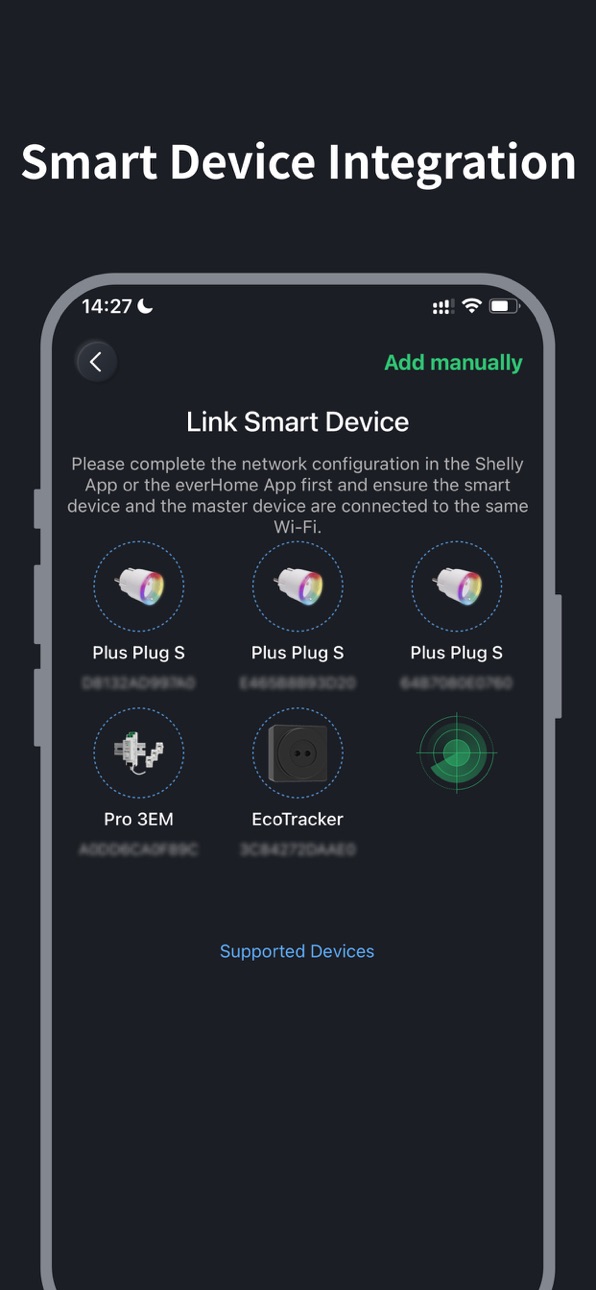
1. Added support for everHome EcoTracker device integration.
2. Enabled remote firmware upgrade for the integrated Wi-Fi version microinverter.
3. Added the function of adding smart devices via IP address.
4. Added custom naming function for smart devices.
5. Optimized system output power limit setting.
6. Improved system homepage display.
7. Improved performance and fixed bugs.
Build 870917775v1.4.02024-12-17 02:22:01
1. Added TOU mode to support customized charge and discharge plans
2. Added battery heating function to provide better performance
3. Improved performance and fixed bugs
Build 870040862v1.3.02024-11-04 02:28:21
1. Optimized performance to support adding up to 10 Shelly devices
2. Improved performance and fixed bugs
Build 868745316v1.2.02024-09-29 12:24:37
1. Supported the association of Shelly Pro 3EM and Shelly Plus Plug S to optimize the operation of the energy system
2. Added temporary load setting feature
3. Improved performance and fixed bugs
Build 868401596v1.1.32024-08-23 01:52:02
1.System scene diagram completely redesigned
2.Add feedback and help center
3.Support DTU-Lite series devices
4.Performance improvements and bug fixes
Build 868430070v1.1.42024-08-23 10:22:57
1.System scene diagram completely redesigned
2.Add feedback and help center
3.Support DTU-Lite series devices
4.Performance improvements and bug fixes
No pricing data captured yet — comparisons appear once the app has paid storefronts or in-app purchases.
Availability 3 of 75 storefronts
| Region | Language | Price | Ratings | Avg | Version |
|---|---|---|---|---|---|
| BR | pt-BR | Free | 0 | — | 2.11.0 |
| PA | es-MX | Free | 0 | — | 2.11.0 |
| US | en-US | Free | 0 | — | 2.11.0 |
Not available in: AG, AI, AO, AR, BB, BF, BJ, BO, BS, BW, BZ, CD, CG, CI, CL, CM, CO, CR, CV, DM, DO, DZ, EC, GA, GD, GH, GM, GT, GW, GY, HN, JM, KE, KN, KY, LC, LR, LY, MA, MG, ML, MS, MU, MW, MX, MZ, NA, NE, NG, NI, PE, PY, RW, SC, SL, SN, SR, ST, SV, SZ, TC, TD, TN, TT, TZ, UG, UY, VC, VE, VG, ZM, ZW
Change log 29 changes · US
✎
releaseNotes updated
1. App users can now sign in to the S-Miles Cloud platform (global.hoymiles.com) and export chart data from the Cloud platform.
2. Added automatic hiding for So
✎
description updated
S-Miles Home provides you with all-round monitoring and management of your home energy system.
With the S-Miles home APP, you can connect, view, manage and upd
✎
subtitle updated
Hoymiles Platform for DIY User
✎
name updated
S-Miles Home
◆
Version 2.11.0 released
1. App users can now sign in to the S-Miles Cloud platform (global.hoymiles.com) and export chart data from the Cloud platform.
2. Added automatic hiding for Solar 2 when no data is detected for an extended period.
3. Extended the supported
◆
Version 2.10.0 released
1. Optimized the system flow diagram display.
2. Added energy statistics to charts and optimized the display layout.
3. Added restart function in the More Settings menu for MS-A2 and HiBattery AC.
4. Improved performance and fixed bugs.
◆
Version 2.9.0 released
1. Added alert notifications.
2. Added support for Portuguese and Spanish.
3. Supported changing the login email.
4. Improved performance and fixed bugs.
◆
Version 2.8.0 released
1. Added support for dynamic rate settings and a new earnings calculation model.
2. Improved performance and fixed bugs.
◆
Version 2.7.1 released
1. Supported custom device name.
2. Improved performance and fixed bugs.
◆
Version 2.7.0 released
1. Added widget functionality to track system status directly from your phone's home screen.
2. Added grid and battery status indicators to the system flow diagram.
3. Improved performance and fixed bugs.
◆
Version 2.6.0 released
1. Optimized the color scheme for the APP.
2. Added a display toggle for the Sankey diagram, allowing you to choose whether to show it.
3. Improved performance and fixed bugs.
◆
Version 2.5.2 released
1. Added Sankey Diagram on system home page, providing an intuitive view of energy sources and usage.
2. Introducing the AI Assistant – Now available 24/7 to instantly address any of your inquiries.
3. Added the App Guide and various devic
◆
Version 2.5.1 released
1. Added Sankey Diagram on system home page, providing an intuitive view of energy sources and usage.
2. Introducing the AI Assistant – Now available 24/7 to instantly address any of your inquiries.
3. Added the App Guide and various devic
◆
Version 2.5.0 released
1. Added Sankey Diagram on system home page, providing an intuitive view of energy sources and usage.
2. Introducing the AI Assistant – Now available 24/7 to instantly address any of your inquiries.
3. Added the App Guide and various devic
◆
Version 2.4.1 released
1. Improved performance and fixed bugs.
◆
Version 2.4.0 released
1. Optimized home load setting with quick appliance selection support.
2. Added guided setup for energy scheduling strategy after system creation.
3. Optimized chart display on the system page.
4. Improved performance and fixed bugs.
◆
Version 2.3.1 released
1. Added“Share Status”feature on system home page.
2. Improved performance and fixed bugs.
◆
Version 2.3.0 released
1. Added firmware upgrade notifications and system-wide one-click upgrade feature.
2. System settings are now organized into categories.
3. Improved performance and fixed bugs.
◆
Version 2.2.0 released
-Improved performance and fixed bugs.
◆
Version 2.1.0 released
1. Added MQTT service for micro-storage system. (Firmware upgrade required.)
2. Improved performance and fixed bugs.
◆
Version 2.0.0 released
1. Brand new user interface, supporting both light/dark mode switching and system synchronization.
2. Added revenue and environmental benefits display.
3. Improved performance and fixed bugs.
◆
Version 1.5.2 released
- Performance enhancements and bug fixes
◆
Version 1.5.1 released
- Performance enhancements and bug fixes
◆
Version 1.5.0 released
1. Added support for everHome EcoTracker device integration.
2. Enabled remote firmware upgrade for the integrated Wi-Fi version microinverter.
3. Added the function of adding smart devices via IP address.
4. Added custom naming function fo
◆
Version 1.4.0 released
1. Added TOU mode to support customized charge and discharge plans
2. Added battery heating function to provide better performance
3. Improved performance and fixed bugs
◆
Version 1.3.0 released
1. Optimized performance to support adding up to 10 Shelly devices
2. Improved performance and fixed bugs
◆
Version 1.2.0 released
1. Supported the association of Shelly Pro 3EM and Shelly Plus Plug S to optimize the operation of the energy system
2. Added temporary load setting feature
3. Improved performance and fixed bugs
◆
Version 1.1.4 released
1.System scene diagram completely redesigned
2.Add feedback and help center
3.Support DTU-Lite series devices
4.Performance improvements and bug fixes
◆
Version 1.1.3 released
1.System scene diagram completely redesigned
2.Add feedback and help center
3.Support DTU-Lite series devices
4.Performance improvements and bug fixes