Home › Utilities

 US
US
1 of 1 storefronts
Content in en-US
Content in en-US
Information
Preview 3 platforms
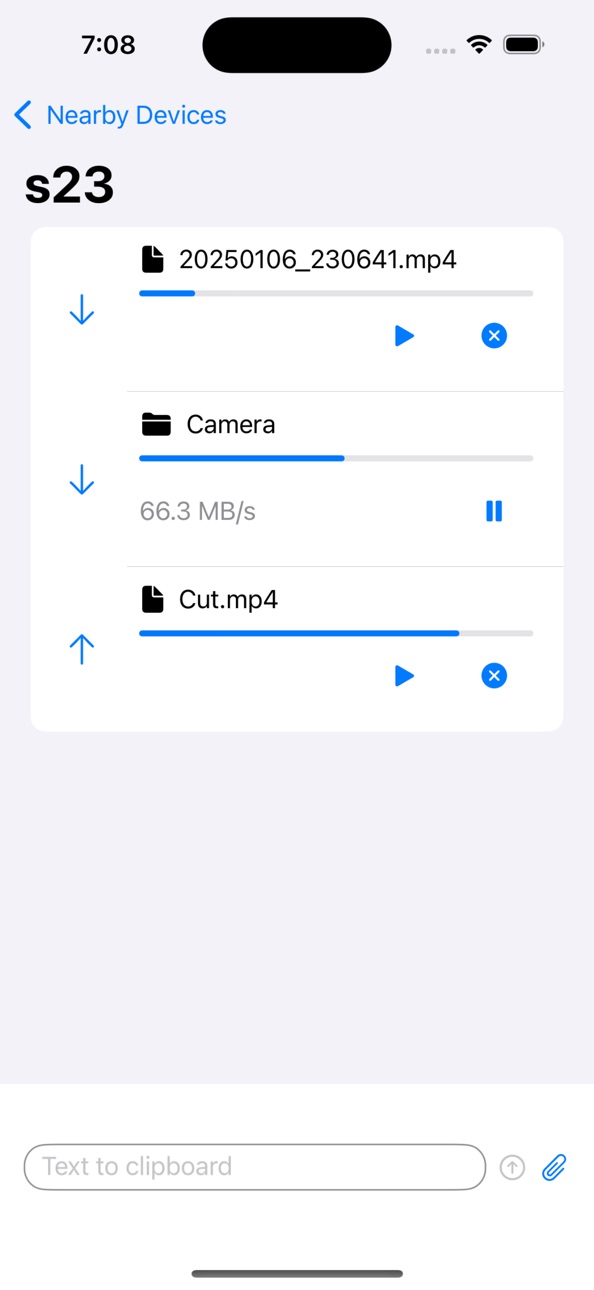
iPhone 3 images


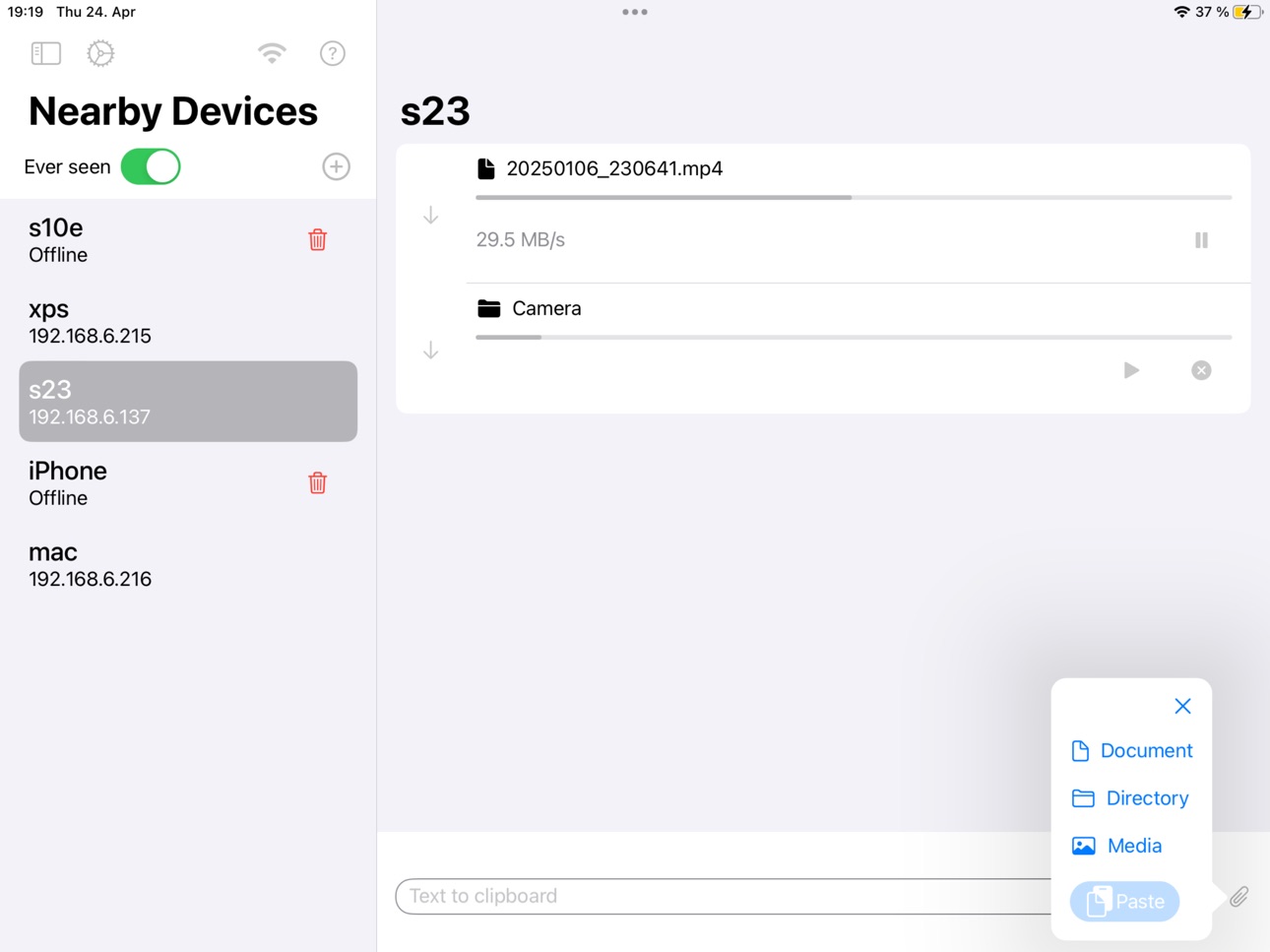
iPad 2 images

Mac 1 image

What’s New Version 1.5.16
Search in history.
P2P protocol upgrade; the older versions of the app will not work with this version.
Description
This app enables sending files and text to devices in your WiFi or Hotspot. Traffic doesn't go through the Internet.
QUICK DISCOVERY OF THE DEVICES IN YOUR WIFI
Open the app on the devices you want to communicate with each other and tap on a device from the Peer List.
FILE SENDING CONTINUATION
If you can't complete sending a big file, you can continue transferring it later.
CROSS-PLATFORM AVAILABILITY
SEND TEXT TO CLIPBOARD OF YOUR OTHER DEVICE
FAST TRANSFER SPEED
Accessibility
ipadiphonemacrealityDevicetvoswatch
Version history 20 versions
Build 884436962v1.5.162026-04-13 18:05:30
Search in history.
P2P protocol upgrade; the older versions of the app will not work with this version.
Build 880314181v1.5.152025-12-03 18:24:56
Fixed overusing CPU when auto-removing text messages were disabled.
Build 878646787v1.5.142025-10-05 09:06:28
Option to disable auto-removing text messages.
Fix crash when the app used through "Share".
Build 877651939v1.5.132025-08-29 18:56:28
Maintenance update.
Build 874283284v1.5.122025-04-28 08:40:55
Manually add a device.
Show previously seen devices.
Try connecting to addresses previously used by the device.
Build 870626222v1.5.112024-11-23 13:58:35
Maintenance release.
Build 870310199v1.5.102024-11-09 17:33:40
Bug fixes.
Build 870296970v1.5.92024-11-09 07:43:09
Send a folder.
Build 868976242v1.5.72024-09-13 07:24:15
Add 'paste' button to send files from the clipboard (pasteboard).
Imported media is stored in the downloads directory instead of the temporary dir. This makes sending media resumable.
Compatibility breaking with versions 1.3 and earlier. Please update the app on all your devices.
Health check for connections. This improves experience in unstable networks.
Dark mode friendly help page.
Build 867431978v1.5.52024-07-12 16:15:31
Fix peer list refresh.
Build 867040277v1.5.32024-06-30 08:34:01
Fix occasionally forgetting user preferences.
Support macOS 12.
Build 867011295v1.5.22024-06-26 22:36:26
Improve stability, reducing send failures.
Remember user choice removing incoming partial file.
Fix: don't show ourselves in the peer list.
Unset downloads directory setting.
Build 866381963v1.5.12024-06-02 02:41:25
Update the peer's name upon connection if it has been changed.
Build 866368828v1.52024-06-01 09:24:31
Fix: Ensure that a completed file transfer does not start over on the next app launch if the transfer message was not disposed of before closing the app.
Build 866214314v1.4.12024-05-25 20:52:59
Show transfer speed. Better error messages.
Build 866139721v1.42024-05-23 08:18:36
This is the first native version for macOS. Previous versions were available for Silicon Macs as "Designed for iPad" apps. The app is now available for Intel Macs as well.
Transfer speed is improved, reaching up to 70MB/s when receiving on a mobile device via its own hotspot.
Connectivity is also improved, enabling two devices to communicate seamlessly even when one of them is behind a firewall.
Other changes:
* messages include error messages;
* transfers automatically resume when connection is reestablished or app is restarted, unless there is an error or the transfer is explicitly paused;
Build 864678530v1.32024-03-25 08:19:47
Share extension. This means you can open your Photos app, select a photo, tap share button and select Locally from the list.
Build 863947547v1.22024-02-22 20:52:11
Select multiple files
Send from Photos
Downloads directory setting
Network button on toolbar
Build 863173189v1.12024-01-25 16:57:31
Sending text.
Prefer 192.* first, then 172.* and then other local networks.
Fixed resuming incoming file.
Fixed cleaning up completed files on app start.
Build 862548893v1.02024-01-07 09:33:18
No pricing data captured yet — comparisons appear once the app has paid storefronts or in-app purchases.
Availability 1 of 1 storefronts
| Region | Language | Price | Ratings | Avg | Version |
|---|---|---|---|---|---|
| US | en-US | Free | 1 | 5.0 | 1.5.16 |
Change log 24 changes · US
✎
releaseNotes updated
Search in history.
P2P protocol upgrade; the older versions of the app will not work with this version.
✎
description updated
This app enables sending files and text to devices in your WiFi or Hotspot. Traffic doesn't go through the Internet.
QUICK DISCOVERY OF THE DEVICES IN YOUR WIF
✎
subtitle updated
Send to devices in your WIFI
✎
name updated
Locally: Device Ecosystem
◆
Version 1.5.16 released
Search in history.
P2P protocol upgrade; the older versions of the app will not work with this version.
◆
Version 1.5.15 released
Fixed overusing CPU when auto-removing text messages were disabled.
◆
Version 1.5.14 released
Option to disable auto-removing text messages.
Fix crash when the app used through "Share".
◆
Version 1.5.13 released
Maintenance update.
◆
Version 1.5.12 released
Manually add a device.
Show previously seen devices.
Try connecting to addresses previously used by the device.
◆
Version 1.5.11 released
Maintenance release.
◆
Version 1.5.10 released
Bug fixes.
◆
Version 1.5.9 released
Send a folder.
◆
Version 1.5.7 released
Add 'paste' button to send files from the clipboard (pasteboard).
Imported media is stored in the downloads directory instead of the temporary dir. This makes sending media resumable.
Compatibility breaking with versions 1.3 and earlier. Pl
◆
Version 1.5.5 released
Fix peer list refresh.
◆
Version 1.5.3 released
Fix occasionally forgetting user preferences.
Support macOS 12.
◆
Version 1.5.2 released
Improve stability, reducing send failures.
Remember user choice removing incoming partial file.
Fix: don't show ourselves in the peer list.
Unset downloads directory setting.
◆
Version 1.5.1 released
Update the peer's name upon connection if it has been changed.
◆
Version 1.5 released
Fix: Ensure that a completed file transfer does not start over on the next app launch if the transfer message was not disposed of before closing the app.
◆
Version 1.4.1 released
Show transfer speed. Better error messages.
◆
Version 1.4 released
This is the first native version for macOS. Previous versions were available for Silicon Macs as "Designed for iPad" apps. The app is now available for Intel Macs as well.
Transfer speed is improved, reaching up to 70MB/s when receiving on
◆
Version 1.3 released
Share extension. This means you can open your Photos app, select a photo, tap share button and select Locally from the list.
◆
Version 1.2 released
Select multiple files
Send from Photos
Downloads directory setting
Network button on toolbar
◆
Version 1.1 released
Sending text.
Prefer 192.* first, then 172.* and then other local networks.
Fixed resuming incoming file.
Fixed cleaning up completed files on app start.
◆
Version 1.0 released