Home › Navigation

 US
US
1 of 1 storefronts
Content in en-US
Content in en-US
Information
Preview 3 platforms
iPhone 6 images


iPad 6 images


Apple Watch 3 images


What’s New Version 2.0
Address Finder 2.0 is our biggest update yet.
• Add Home Screen and Lock Screen widgets to see your current address and saved places at a glance
• Start a Live Activity to keep your address and speed on the Lock Screen and Dynamic Island while you move
• Your saved places now sync across iPhone, iPad, and Apple Watch with iCloud
• Organize saved places into collections and find them faster
• Get arrival and departure alerts when you reach or leave a place
• Keep an optional history of where you've been
• Share where you are with one tap, or ask Siri to save and find your location
• Long-press any address or coordinates to copy them instantly
• Attach photos to saved places, export them, and switch between coordinate formats
• A fresh new look that's cleaner and easier to read
Description
"Where are you?" — three words that somehow turn into five minutes of "no, the OTHER entrance." Address Finder ends that thread for good: one tap shows your exact address and GPS coordinates, and one more sends them to whoever needs them.
The delivery driver circling your building. A friend lost in a parking garage. A rideshare you're flagging down in the dark. The dispatcher who needs your location right now. The moment that matters is always the moment there's no street sign in sight — and that's exactly when Address Finder
already knows where you are. Open it, and the scramble is over.
SHARE YOUR EXACT SPOT IN ONE TAP
• Send your live address and coordinates by Messages, Mail, AirDrop, or any app
• Drop your current location — or any saved place — straight into a chat from the Messages app
• Save a spot from Apple Maps, Google Maps, or a pasted address with the Share extension
• Get directions in Apple Maps, Google Maps, or Waze
KNOW WHERE YOU ARE, INSTANTLY
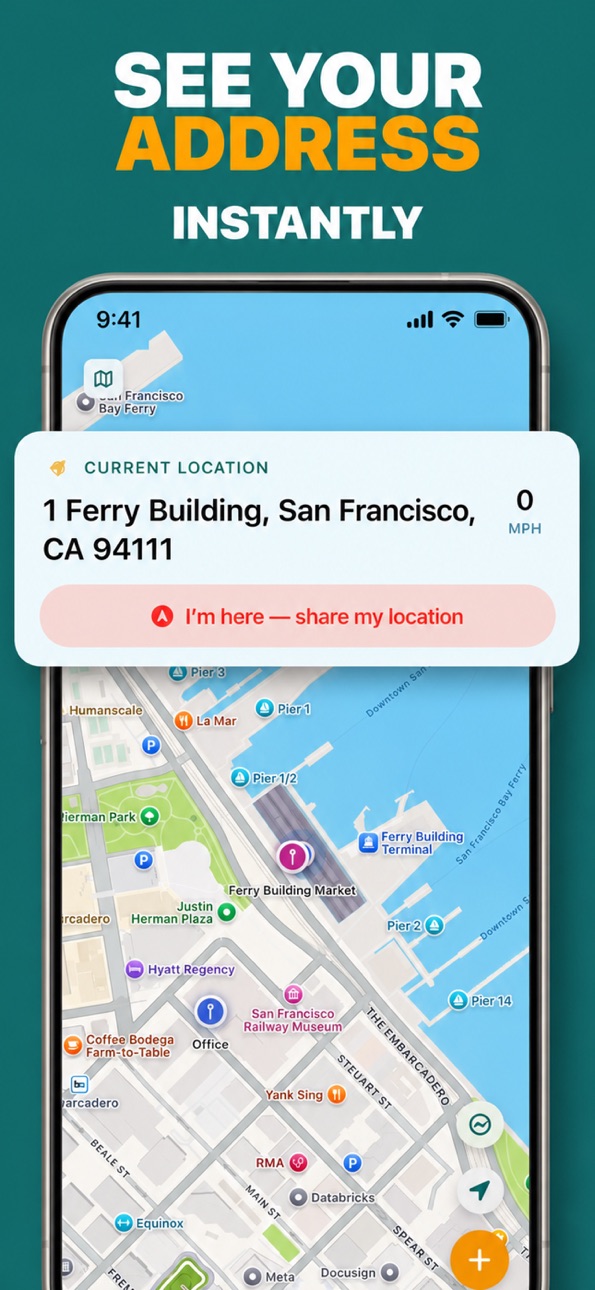
• Your precise street address the second the app opens
• Exact GPS coordinates in decimal or degrees-minutes-seconds
• Real-time speed in MPH or KM/H, plus a live compass heading
• Standard, satellite, and hybrid maps with true 3D terrain, traffic, and nearby places
NEVER LOSE A PLACE AGAIN
• Long-press the map to drop a pin and save any spot
• Name it, add notes and a photo, and sort it into collections
• See the live distance from where you stand to every saved place
• Star your favorites so the spots you reach for stay on top
ALERTS THAT REACH YOU FIRST
• Get a notification the moment you arrive at — or leave — any saved place
• Made for "text me when you get home," job-site check-ins, and never missing your stop
KEEP A RECORD OF WHERE YOU'VE BEEN
• Opt in to a private history of the places you visit
• Export it all to GPX or CSV for your own maps, logs, or mileage
ON YOUR WRIST AND YOUR LOCK SCREEN
• A Live Activity and Dynamic Island keep your address and speed in view while you move
• A home-screen widget shows your current address at a glance
• The Apple Watch app puts your address, speed, and saved places on your wrist
BUILT FOR REAL LIFE
• Delivery and rideshare riders sending an exact pickup, fast
• Parents and partners coordinating "I'm here" without a phone call
• Anyone reading out a precise address in an emergency
• Real estate agents and field crews marking properties and sites
• Hikers, campers, and road-trippers pinning the spot they'll want again
• Travelers saving the hotel, the rental, and the restaurant in a city they don't know
PRIVATE BY DESIGN
Your places stay on your device. No account, no sign-in — just open the app and go.
ADDRESS FINDER PRO
One simple purchase, no subscription, yours forever. Pro unlocks unlimited bookmarks, photos and arrival alerts for every place, location history with GPX and CSV export, the Apple Watch app, degrees-minutes-seconds coordinates, and removes ads entirely.
Terms of Use (EULA): https://www.apple.com/legal/internet-services/itunes/dev/stdeula/
Stop typing out cross streets and dropping pins that never quite land. The next time someone asks "where are you?", you'll have the answer before they finish the question.
Download Address Finder and always know exactly where you are.
In-App Purchases US pricing
One-Time Purchases
Address Finder Pro$2.99
Address Finder Pro$4.99
Capabilities
In-App PurchasesiMessage
Accessibility
ipadiphonemacrealityDevicetvoswatch
Version history 10 versions
Build 875853752v2.02026-06-24 01:24:47
Address Finder 2.0 is our biggest update yet.
• Add Home Screen and Lock Screen widgets to see your current address and saved places at a glance
• Start a Live Activity to keep your address and speed on the Lock Screen and Dynamic Island while you move
• Your saved places now sync across iPhone, iPad, and Apple Watch with iCloud
• Organize saved places into collections and find them faster
• Get arrival and departure alerts when you reach or leave a place
• Keep an optional history of where you've been
• Share where you are with one tap, or ask Siri to save and find your location
• Long-press any address or coordinates to copy them instantly
• Attach photos to saved places, export them, and switch between coordinate formats
• A fresh new look that's cleaner and easier to read
Build 874245840v1.82025-04-25 10:44:01
- Translated into 33 languages.
Build 874193995v1.72025-04-22 07:46:09
- Updated icon.
Build 872166413v1.62025-02-01 15:29:22
- Increased the number of saved bookmarks allowed before requiring purchasing the Pro upgrade.
Build 870988827v1.52024-12-09 02:49:35
- Increased the number of saved bookmarks allowed before requiring purchasing the Pro upgrade.
Build 870840770v1.42024-12-03 12:27:20
This version:
- Made Address text larger, so you can always see your current address at a glance.
Previous version:
- Long press any location on the map to save it as a Bookmark.
- Share Extension: Share locations from Maps, Google Maps, or any address string to Address Finder to save in your Bookmarks.
- Messages Extension: Share your Current Location, or any of your Bookmarked locations, right from Messages.
Build 870745059v1.32024-11-30 20:05:55
- Long press any location on the map to save it as a Bookmark.
- Share Extension: Share locations from Maps, Google Maps, or any address string to Address Finder to save in your Bookmarks.
- Messages Extension: Share your Current Location, or any of your Bookmarked locations, right from Messages.
Build 862188879v1.12024-11-14 02:05:48
- Added Apple Watch companion app for quick access to bookmarks
- New Pro features including unlimited bookmarks
- Enhanced map views with traffic and points of interest
- Improved location sharing capabilities
- Bug fixes and performance improvements
Build 870431916v1.22024-11-14 19:54:52
- Made the Edit and Close buttons larger on the Bookmark Callout
- Fixed a bug where the view was frozen after tapping the Bookmark button
Build 862162147v1.02023-12-13 19:45:01
Price history by region
Currency
Show
Columns
Search
Availability 1 of 1 storefronts
| Region | Language | Price | Ratings | Avg | Version |
|---|---|---|---|---|---|
| US | en-US | Free | 17 | 4.8 | 2.0 |
Change log 14 changes · US
✎
releaseNotes updated
Address Finder 2.0 is our biggest update yet.
• Add Home Screen and Lock Screen widgets to see your current address and saved places at a glance
• Start
✎
description updated
"Where are you?" — three words that somehow turn into five minutes of "no, the OTHER entrance." Address Finder ends that thread for good: one tap shows your exa
✎
subtitle updated
Find My Current Address, GPS
✎
name updated
Address Finder: Where Am I?
◆
Version 2.0 released
Address Finder 2.0 is our biggest update yet.
• Add Home Screen and Lock Screen widgets to see your current address and saved places at a glance
• Start a Live Activity to keep your address and speed on the Lock Screen and Dynamic Is
◆
Version 1.8 released
- Translated into 33 languages.
◆
Version 1.7 released
- Updated icon.
◆
Version 1.6 released
- Increased the number of saved bookmarks allowed before requiring purchasing the Pro upgrade.
◆
Version 1.5 released
- Increased the number of saved bookmarks allowed before requiring purchasing the Pro upgrade.
◆
Version 1.4 released
This version:
- Made Address text larger, so you can always see your current address at a glance.
Previous version:
- Long press any location on the map to save it as a Bookmark.
- Share Extension: Share locations from Maps, Google Maps, o
◆
Version 1.3 released
- Long press any location on the map to save it as a Bookmark.
- Share Extension: Share locations from Maps, Google Maps, or any address string to Address Finder to save in your Bookmarks.
- Messages Extension: Share your Current Location,
◆
Version 1.2 released
- Made the Edit and Close buttons larger on the Bookmark Callout
- Fixed a bug where the view was frozen after tapping the Bookmark button
◆
Version 1.1 released
- Added Apple Watch companion app for quick access to bookmarks
- New Pro features including unlimited bookmarks
- Enhanced map views with traffic and points of interest
- Improved location sharing capabilities
- Bug fixes and performance i
◆
Version 1.0 released