Home › Productivity

 US
US
1 of 1 storefronts
Content in en-US
Content in en-US
Information
Apple ID6474122188
Bundle IDkike.Calflow
SellerSeller
Min iOS17.0
Device familiesmac, watch, iphone, ipad
Released2023-12-28
Copyright© Calflow 2026
Privacy policyLink ↗
Preview 4 platforms
iPhone 7 images


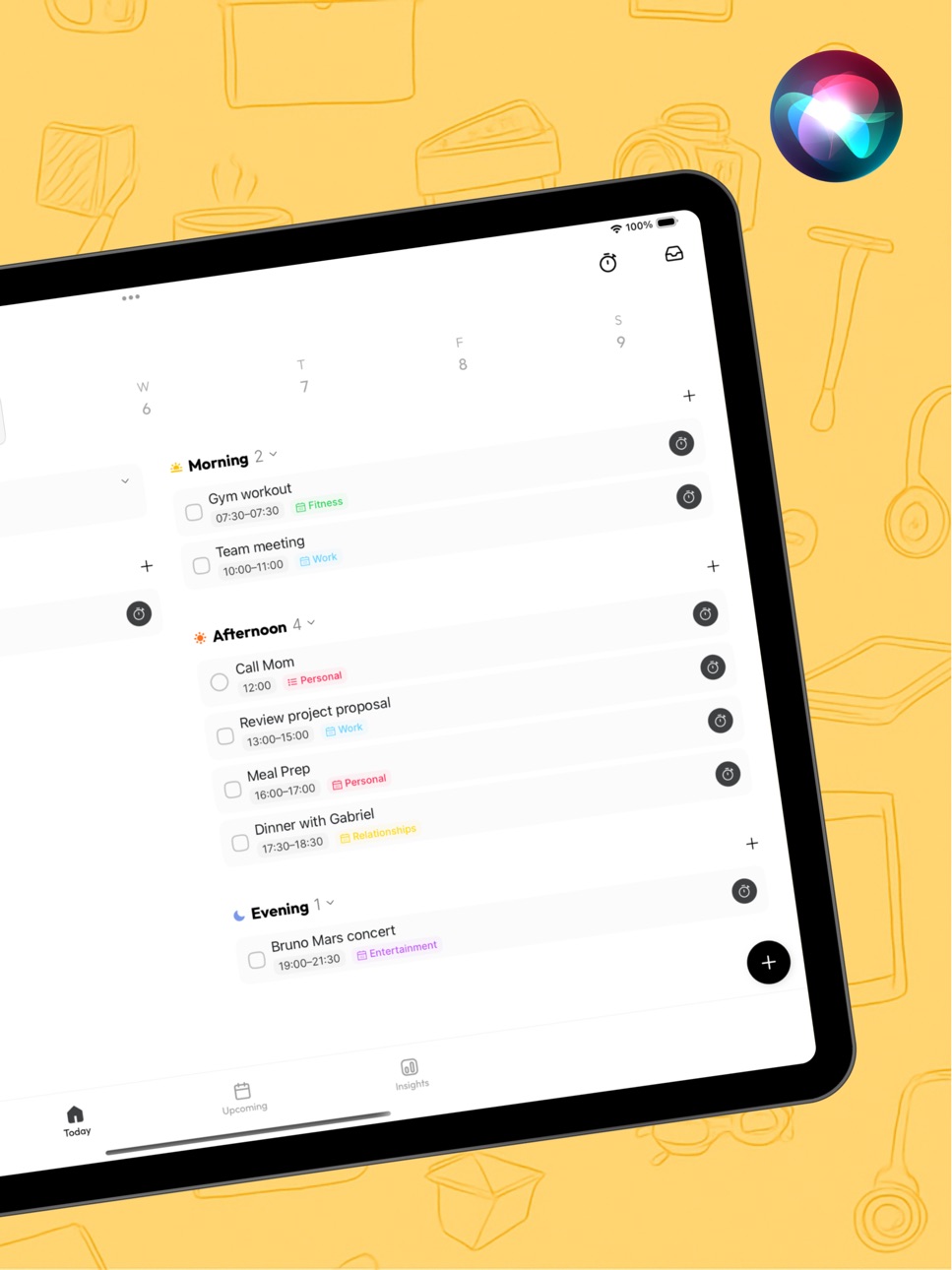
iPad 7 images



Mac 6 images


Apple Watch 5 images


What’s New Version 2.5.16
Bug Fixes & Improvements:
- Fixed missing autocorrect when typing in English
- Fixed an issue where the color picker page could appear cut off
- Fixed custom colors not saving properly
- Improved icon and emoji display in widgets to reduce blurry text when using transparent mode
- Fixed sleep data crossing midnight being assigned to the wrong date in Month View (Insights)
- Fixed floating keyboard issues that could affect adding new reminders
- Improved cross-day schedule display in Upcoming: start and end days now show times, while middle days no longer repeat them
- Improved Quick Track widget shortcuts with grouped selection support
- Fixed display issues for cross-day and cross-month events in Insights
- Fixed an occasional crash in Insights
Recent Highlights:
Calflow is now on Mac!
- Mac version officially launched
- Mac widgets (if they get stuck, try restarting your Mac)
- Today view: you can now switch between yesterday, tomorrow, and other days
Thanks so much for all your feedback — we’re still working on more improvements and surprises to come.
Questions or feedback? Reach us anytime at contact@calflow.app
Description
If you’re using Apple Reminders and iOS Calendar/ Google Calendar in your workflow, and you wonder how you spend your time, tasks, daily activities, etc, it’s for you.
Calflow is a powerful time-tracking planner based on iOS Reminders & Calendar, helping you keep track of your day and stay productive within the Apple ecosystem.
Daily & Weekly Planner
◆ 2-way sync with iOS Reminders & Calendar (Free)
◆ Use Spaces to separate personal and work tasks, helping you declutter your schedule and stay focused
Streamline Time-tracking into your Apple Workflow
◆ Track how much time you spend on your Reminders & events:
- Reminders: Auto-populate time entries in Apple Calendar
- Events: Auto-update your planned event details in Apple Calendar
Apple Calendar Time Insights
◆ Also supports Google Calendar
◆ Track your time distribution across day/week/month/year
Powerful Tag System
◆ Create smart tags to filter your calendar event entries, and learn about their activity across day/week/month/year
◆ Create groups to analyze time from multiple perspectives
Goals, Habits Tracking
◆ Track goals, habits based on your iOS Reminders & Calendars to help ensure your time align with your goals
Track anything and sync them to iOS Calendar
◆ Apple Health sync (mindful minutes, sleep time, workout time)
◆ App usage time tracking (via Shortcuts)
◆ Daily activities (via tracker widgets)
Need help or have ideas to share? We’re always here:
contact@calflow.app
Terms of Use(EULA): https://www.apple.com/legal/internet-services/itunes/dev/stdeula/
Privacy Policy: https://calflow.app/privacypolicy/
Capabilities
In-App Purchases
Accessibility
ipadiphonemacrealityDevicetvoswatch
Version history 25 versions
Build 885963132v2.5.162026-05-22 05:52:57
Bug Fixes & Improvements:
- Fixed missing autocorrect when typing in English
- Fixed an issue where the color picker page could appear cut off
- Fixed custom colors not saving properly
- Improved icon and emoji display in widgets to reduce blurry text when using transparent mode
- Fixed sleep data crossing midnight being assigned to the wrong date in Month View (Insights)
- Fixed floating keyboard issues that could affect adding new reminders
- Improved cross-day schedule display in Upcoming: start and end days now show times, while middle days no longer repeat them
- Improved Quick Track widget shortcuts with grouped selection support
- Fixed display issues for cross-day and cross-month events in Insights
- Fixed an occasional crash in Insights
Recent Highlights:
Calflow is now on Mac!
- Mac version officially launched
- Mac widgets (if they get stuck, try restarting your Mac)
- Today view: you can now switch between yesterday, tomorrow, and other days
Thanks so much for all your feedback — we’re still working on more improvements and surprises to come.
Questions or feedback? Reach us anytime at contact@calflow.app
Build 883041148v2.5.152026-03-06 01:18:53
A few important bug fixes
- Fixed an issue where some pages couldn’t be closed on Mac
- Fixed a sidebar crash
- Fixed a crash that could occur while syncing calendars
Recent Highlights:
Calflow is now on Mac!
- Mac version officially launched
- Mac widgets (if they get stuck, try restarting your Mac)
- Today view: you can now switch between yesterday, tomorrow, and other days
Thanks so much for all your feedback — we’re still working on more improvements and surprises to come.
Questions or feedback? Reach us anytime at contact@calflow.app
Build 882704769v2.5.132026-02-24 02:24:19
Bug Fixes & Improvements:
- Fixed a possible crash during calendar sync
Recent Highlights:
Calflow is now on Mac!
- Mac version officially launched
- Mac widgets (if they get stuck, try restarting your Mac)
- Today view: you can now switch between yesterday, tomorrow, and other days
Thanks so much for all your feedback — we’re still working on more improvements and surprises to come.
Questions or feedback? Reach us anytime at contact@calflow.app
Build 882374644v2.5.122026-02-18 15:43:01
Bug Fixes & Improvements:
- Added a confirmation step when archiving calendars to prevent accidental taps
- Fixed an issue where Reminders wouldn’t pop up when editing a goal action
- Fixed an occasional pop-up that couldn’t be closed on macOS 26
- Fixed incorrect data in goal charts
- Fixed archived tags still showing up in Insights
Compatibility
Minimum supported system version is now iOS 17 / macOS 14
Recent Highlights:
Calflow is now on Mac!
- Mac version officially launched
- Mac widgets (if they get stuck, try restarting your Mac)
- Today view: you can now switch between yesterday, tomorrow, and other days
Thanks so much for all your feedback — we’re still working on more improvements and surprises to come.
Questions or feedback? Reach us anytime at contact@calflow.app
Build 882082590v2.5.112026-02-03 02:15:16
Bug Fixes & Improvements:
- Fixed an issue where the Settings page could get stuck
Recent Highlights:
Calflow is now on Mac!
- Mac version officially launched
- Mac widgets (if they get stuck, try restarting your Mac)
- Today view: you can now switch between yesterday, tomorrow, and other days
Thanks so much for all your feedback — we’re still working on more improvements and surprises to come.
Questions or feedback? Reach us anytime at contact@calflow.app
Build 881592306v2.5.102026-01-20 01:40:25
Bug Fixes & Improvements:
- New automatic data backup (Beta)
- Smoother iPad split view support
- Fixed time zone inconsistencies in events
Recent Highlights:
Calflow is now on Mac!
- Mac version officially launched
- Mac widgets (if they get stuck, try restarting your Mac)
- Today view: you can now switch between yesterday, tomorrow, and other days
Thanks so much for all your feedback — we’re still working on more improvements and surprises to come.
Questions or feedback? Reach us anytime at contact@calflow.app
Build 880132117v2.5.92025-11-29 17:00:27
Bug Fixes & Improvements:
- Fixed an issue on OS 26 where event titles could not be edited.
- Fixed an issue where the displayed date was incorrect while adding reminders.
Recent Highlights:
Calflow is now on Mac!
- Mac version officially launched
- Mac widgets (if they get stuck, try restarting your Mac)
- Today view: you can now switch between yesterday, tomorrow, and other days
Thanks so much for all your feedback — we’re still working on more improvements and surprises to come.
Questions or feedback? Reach us anytime at contact@calflow.app
Build 879971127v2.5.82025-11-23 23:52:03
Bug Fixes & Improvements:
- Fixed an issue on OS 26 where event titles could not be edited.
- Fixed an issue where completed “This week” todos were not showing correctly in the Upcoming tab.
Recent Highlights:
Calflow is now on Mac!
- Mac version officially launched
- Mac widgets (if they get stuck, try restarting your Mac)
- Today view: you can now switch between yesterday, tomorrow, and other days
Thanks so much for all your feedback — we’re still working on more improvements and surprises to come.
Questions or feedback? Reach us anytime at contact@calflow.app
Build 879020281v2.5.72025-10-19 07:54:04
What’s New:
Now supports OS 26 clear widgets
Bug Fixes & Improvements:
- Fixed color picker not working properly on OS 26
- Fixed an issue where adding items from Inbox to Today sometimes didn’t work
- Fixed monthly heat-map for tags in Insights
- Fixed “Weekly Focus” not showing properly on the Upcoming tab
- Improved sleep data sync from third-party devices
Recent Highlights:
Calflow is now on Mac!
- Mac version officially launched
- Mac widgets (if they get stuck, try restarting your Mac)
- Today view: you can now switch between yesterday, tomorrow, and other days
Thanks so much for all your feedback — we’re still working on more improvements and surprises to come.
Questions or feedback? Reach us anytime at contact@calflow.app
Build 878201056v2.5.62025-10-17 09:27:23
Bug fixes & improvements:
- Fixed an issue where some tags could disappear after updating to iOS 26.
- Resolved a sync problem that could prevent data from updating correctly on iOS 26.
Everything should now run smoother. And if you missed it: Calflow just landed on Mac, and Today now supports day switching.
Questions or feedback? Reach us at contact@calflow.app
Build 878105362v2.5.52025-09-16 02:15:15
Bug fixes & improvements:
- Fixed an issue where some tags could disappear after updating to iOS 26.
- Resolved a sync problem that could prevent data from updating correctly on iOS 26.
Everything should now run smoother. And if you missed it: Calflow just landed on Mac, and Today now supports day switching.
Questions or feedback? Reach us at contact@calflow.app
Build 877910547v2.5.42025-09-10 02:02:39
New gestures make rescheduling easy!
- Upcoming: Drag tasks around within the week
- Upcoming: Move this week’s tasks into future weeks
- Upcoming: Hold a task with one hand and flip fast with the other to drop it further ahead
- Today: Drag reminders with no time set to any date at the top, then drop them into Morning, Afternoon, Evening, or Anytime
Bug fixes & improvements:
- Fixed Live Activities not stopping after a timer ended
- Fixed focus level showing as 0 after timing
Everything should now run smoother. And if you missed it: Calflow just landed on Mac, and Today now supports day switching.
Questions or feedback? Reach us at contact@calflow.app
Build 877362223v2.5.22025-08-27 16:03:33
Bug Fixes & Improvements:
- Fixed an issue where calendar option wouldn’t save when adding a Quick Tracker for Apple Watch
- Fixed archived tags appearing in Insights
- Fixed parent tag edits not updating right away
- Fixed a crash when changing a tag’s color
- Fixed archived tags still showing up in search
- Fixed mouse scrolling not working on Insights → Time & Goals (Mac)
- Improved calendar sync speed (Mac)
Questions or feedback? Reach us at contact@calflow.app
Build 877315126v2.5.12025-08-17 15:30:35
This update fixes crashes, widget refresh issues, progress not updating, and hidden items still showing in Insights. Everything should now run smoother. And if you missed it: Calflow just landed on Mac, and Today now supports day switching.
Questions or feedback? Reach us at contact@calflow.app
Build 876650687v2.5.02025-08-15 10:03:03
Calflow is now on Mac! And this update is a big one.
What’s new
• Calflow now works on Mac
• Mac widgets are live (if they freeze, try restarting your Mac)
• Today: scroll freely to yesterday, tomorrow, or any date
Improvements
• iPad layout got a full UI refresh
• Today now supports landscape mode
Fixed
• Timer screen no longer stays open after ending
• Quick Track widget now shows calendar options properly
We hope these updates make your day a little smoother. Reach out anytime at
contact@calflow.app
Build 876358877v2.2.52025-07-14 17:40:25
Bug Fixes & Improvements
- Fixed a crash that occurred on app launch
Recent Updates
Dark Mode is here!
Calflow now supports dark mode, and that’s not all. This update also brings:
- Calflow documentation site
- Dark mode support for the app icon
- New archive feature in Goals
- Spaces feature can now sync with iOS Focus Mode
- Option to hide completed tasks in your Reminders list
Apple Watch updates
- You can now end a timer with Continue later for more flexibility
- Added a new complication (Up Next supports only events and reminders with specific times)
Improvements
- Smoother experience when adding a new entry
- Better navigation in the Settings page
- Faster updates on the Upcoming tab
- Manually tagged entries now count toward all related parent tags
- In the Tag Insight (Year View), if a month has no entries, it’ll now show as disabled button(We're continuing to refine things like font sizes too)
We truly appreciate your support and thoughtful feedback.
We’ve got more goodies coming soon. See you next time!
We hope these updates make your day a little smoother. Reach out anytime at
contact@calflow.app
Build 876129573v2.2.42025-07-08 07:01:22
Bug Fixes & Improvements
- Improved Insights tab performance
- Fixed calendar color display
Recent Updates
Dark Mode is here!
Calflow now supports dark mode, and that’s not all. This update also brings:
- Calflow documentation site
- Dark mode support for the app icon
- New archive feature in Goals
- Spaces feature can now sync with iOS Focus Mode
- Option to hide completed tasks in your Reminders list
Apple Watch updates
- You can now end a timer with Continue later for more flexibility
- Added a new complication (Up Next supports only events and reminders with specific times)
Improvements
- Smoother experience when adding a new entry
- Better navigation in the Settings page
- Faster updates on the Upcoming tab
- Manually tagged entries now count toward all related parent tags
- In the Tag Insight (Year View), if a month has no entries, it’ll now show as disabled button(We're continuing to refine things like font sizes too)
We truly appreciate your support and thoughtful feedback.
We’ve got more goodies coming soon. See you next time!
We hope these updates make your day a little smoother. Reach out anytime at
contact@calflow.app
Build 875661006v2.2.32025-07-02 04:10:13
Bug Fixes & Improvements
- Fixed a crash that occurred on app launch
- Improved loading speed on the Insights page
- Fixed a bug when selecting upcoming dates
New Features
- Added a new landscape layout for the Upcoming page
Recent Updates
Dark Mode is here!
Calflow now supports dark mode, and that’s not all. This update also brings:
- Calflow documentation site
- Dark mode support for the app icon
- New archive feature in Goals
- Spaces feature can now sync with iOS Focus Mode
- Option to hide completed tasks in your Reminders list
Apple Watch updates
- You can now end a timer with Continue later for more flexibility
- Added a new complication (Up Next supports only events and reminders with specific times)
Improvements
- Smoother experience when adding a new entry
- Better navigation in the Settings page
- Faster updates on the Upcoming tab
- Manually tagged entries now count toward all related parent tags
- In the Tag Insight (Year View), if a month has no entries, it’ll now show as disabled button(We're continuing to refine things like font sizes too)
We truly appreciate your support and thoughtful feedback.
We’ve got more goodies coming soon. See you next time!
We hope these updates make your day a little smoother. Reach out anytime at
contact@calflow.app
Build 875566059v2.2.22025-06-15 12:44:05
Fixes & Improvements
- Fixed a crash that occurred on app launch
Recent Updates
Dark Mode is here!
Calflow now supports dark mode, and that’s not all. This update also brings:
- Calflow documentation site
- Dark mode support for the app icon
- New archive feature in Goals
- Spaces feature can now sync with iOS Focus Mode
- Option to hide completed tasks in your Reminders list
Apple Watch updates
- You can now end a timer with Continue later for more flexibility
- Added a new complication (Up Next supports only events and reminders with specific times)
Improvements
- Smoother experience when adding a new entry
- Better navigation in the Settings page
- Faster updates on the Upcoming tab
- Manually tagged entries now count toward all related parent tags
- In the Tag Insight (Year View), if a month has no entries, it’ll now show as disabled button(We're continuing to refine things like font sizes too)
We truly appreciate your support and thoughtful feedback.
We’ve got more goodies coming soon. See you next time!
We hope these updates make your day a little smoother. Reach out anytime at
contact@calflow.app
Build 875443747v2.2.12025-06-11 02:28:08
Fixes & Improvements
- Fixed a crash that occurred on app launch
Recent Updates
Dark Mode is here!
Calflow now supports dark mode, and that’s not all. This update also brings:
- Calflow documentation site
- Dark mode support for the app icon
- New archive feature in Goals
- Spaces feature can now sync with iOS Focus Mode
- Option to hide completed tasks in your Reminders list
Apple Watch updates
- You can now end a timer with Continue later for more flexibility
- Added a new complication (Up Next supports only events and reminders with specific times)
Improvements
- Smoother experience when adding a new entry
- Better navigation in the Settings page
- Faster updates on the Upcoming tab
- Manually tagged entries now count toward all related parent tags
- In the Tag Insight (Year View), if a month has no entries, it’ll now show as disabled button(We're continuing to refine things like font sizes too)
We truly appreciate your support and thoughtful feedback.
We’ve got more goodies coming soon. See you next time!
We hope these updates make your day a little smoother. Reach out anytime at
contact@calflow.app
Build 875082789v2.2.02025-06-09 01:57:51
What's New
- Tag archiving is now supported!
Fixes & Improvements
- Fixed a crash that occurred for some users on launch
- Fixed occasional crash on the event detail page
- Fixed an issue where the calendar list didn’t appear when creating a new event
Recent Updates
Dark Mode is here!
Calflow now supports dark mode, and that’s not all. This update also brings:
- Calflow documentation site
- Dark mode support for the app icon
- New archive feature in Goals
- Spaces feature can now sync with iOS Focus Mode
- Option to hide completed tasks in your Reminders list
Apple Watch updates
- You can now end a timer with Continue later for more flexibility
- Added a new complication (Up Next supports only events and reminders with specific times)
Improvements
- Smoother experience when adding a new entry
- Better navigation in the Settings page
- Faster updates on the Upcoming tab
- Manually tagged entries now count toward all related parent tags
- In the Tag Insight (Year View), if a month has no entries, it’ll now show as disabled button(We're continuing to refine things like font sizes too)
We truly appreciate your support and thoughtful feedback.
We’ve got more goodies coming soon. See you next time!
We hope these updates make your day a little smoother. Reach out anytime at
contact@calflow.app
Build 874982102v2.1.92025-05-24 02:37:03
Bug Fixes
- Fixed issue with editing reminder date and time
What’s New
Dark Mode is here!
Calflow now supports dark mode, and that’s not all. This update also brings:
- Calflow documentation site
- Dark mode support for the app icon
- New archive feature in Goals
- Spaces feature can now sync with iOS Focus Mode
- Option to hide completed tasks in your Reminders list
Apple Watch updates
- You can now end a timer with Continue later for more flexibility
- Added a new complication (Up Next supports only events and reminders with specific times)
Improvements
- Smoother experience when adding a new entry
- Better navigation in the Settings page
- Faster updates on the Upcoming tab
- Manually tagged entries now count toward all related parent tags
- In the Tag Insight (Year View), if a month has no entries, it’ll now show as disabled button(We're continuing to refine things like font sizes too)
We truly appreciate your support and thoughtful feedback.
We’ve got more goodies coming soon. See you next time!
We hope these updates make your day a little smoother. Reach out anytime at
contact@calflow.app
Build 874739406v2.1.82025-05-21 23:15:49
New Features
- Support for customizing calendar and reminders list visibility and sorting
- Font size adjustment is now supported
- Tag search is now available within event details
Bug Fixes & Improvements
- Improved responsiveness when tapping widgets
- Fixed crash on app launch
- Fixed event duration not showing correctly on Watch after marking complete
What’s New
Dark Mode is here!
Calflow now supports dark mode, and that’s not all. This update also brings:
- Calflow documentation site
- Dark mode support for the app icon
- New archive feature in Goals
- Spaces feature can now sync with iOS Focus Mode
- Option to hide completed tasks in your Reminders list
Apple Watch updates
- You can now end a timer with Continue later for more flexibility
- Added a new complication (Up Next supports only events and reminders with specific times)
Improvements
- Smoother experience when adding a new entry
- Better navigation in the Settings page
- Faster updates on the Upcoming tab
- Manually tagged entries now count toward all related parent tags
- In the Tag Insight (Year View), if a month has no entries, it’ll now show as disabled button(We're continuing to refine things like font sizes too)
We truly appreciate your support and thoughtful feedback.
We’ve got more goodies coming soon. See you next time!
We hope these updates make your day a little smoother. Reach out anytime at
contact@calflow.app
Build 874673721v2.1.72025-05-12 23:49:31
Bug Fixes
- Fixed a crash that could occur when opening the “Upcoming” page
- Fixed a potential crash when adding or editing Quick Tracker
What’s New
Dark Mode is here!
Calflow now supports dark mode, and that’s not all. This update also brings:
- Calflow documentation site
- Dark mode support for the app icon
- New archive feature in Goals
- Spaces feature can now sync with iOS Focus Mode
- Option to hide completed tasks in your Reminders list
Apple Watch updates
- You can now end a timer with Continue later for more flexibility
- Added a new complication (Up Next supports only events and reminders with specific times)
Improvements
- Smoother experience when adding a new entry
- Better navigation in the Settings page
- Faster updates on the Upcoming tab
- Manually tagged entries now count toward all related parent tags
- In the Tag Insight (Year View), if a month has no entries, it’ll now show as disabled button(We're continuing to refine things like font sizes too)
We truly appreciate your support and thoughtful feedback.
We’ve got more goodies coming soon. See you next time!
We hope these updates make your day a little smoother. Reach out anytime at
contact@calflow.app
Build 874513478v2.1.62025-05-06 08:41:36
Improvements
- Tags now support color display
- Improved syncing for workout data
- Enhanced iCloud sync stability
- Better sync experience between “Focus Mode” and Apple Watch
- Improved integration with iOS Focus
- Tag hierarchy is now shown in the Event detail page
Bug Fixes
- Fixed a crash when adding Quick Track widgets
- Fixed crashes when creating or editing Goals
- Resolved a display issue with cross-day data in the Activity page
- Fixed visual bugs with Quick Track widgets in dark mode
- Corrected Goal display when the week starts on Monday
What’s New
Dark Mode is here!
Calflow now supports dark mode, and that’s not all. This update also brings:
- Calflow documentation site
- Dark mode support for the app icon
- New archive feature in Goals
- Spaces feature can now sync with iOS Focus Mode
- Option to hide completed tasks in your Reminders list
Apple Watch updates
- You can now end a timer with Continue later for more flexibility
- Added a new complication (Up Next supports only events and reminders with specific times)
Improvements
- Smoother experience when adding a new entry
- Better navigation in the Settings page
- Faster updates on the Upcoming tab
- Manually tagged entries now count toward all related parent tags
- In the Tag Insight (Year View), if a month has no entries, it’ll now show as disabled button(We're continuing to refine things like font sizes too)
We truly appreciate your support and thoughtful feedback.
We’ve got more goodies coming soon. See you next time!
We hope these updates make your day a little smoother. Reach out anytime at
contact@calflow.app
No pricing data captured yet — comparisons appear once the app has paid storefronts or in-app purchases.
Availability 1 of 1 storefronts
| Region | Language | Price | Ratings | Avg | Version |
|---|---|---|---|---|---|
| US | en-US | Free | 120 | 4.9 | 2.5.16 |
Change log 29 changes · US
✎
releaseNotes updated
Bug Fixes & Improvements:
- Fixed missing autocorrect when typing in English
- Fixed an issue where the color picker page could appear cut off
- Fixed custom co
✎
description updated
If you’re using Apple Reminders and iOS Calendar/ Google Calendar in your workflow, and you wonder how you spend your time, tasks, daily activities, etc, it’s f
✎
subtitle updated
Routine, Tasks & Goal Planner
✎
name updated
Calflow: Planner & Tracker
◆
Version 2.5.16 released
Bug Fixes & Improvements:
- Fixed missing autocorrect when typing in English
- Fixed an issue where the color picker page could appear cut off
- Fixed custom colors not saving properly
- Improved icon and emoji display in widgets to reduce
◆
Version 2.5.15 released
A few important bug fixes
- Fixed an issue where some pages couldn’t be closed on Mac
- Fixed a sidebar crash
- Fixed a crash that could occur while syncing calendars
Recent Highlights:
Calflow is now on Mac!
- Mac version officially launc
◆
Version 2.5.13 released
Bug Fixes & Improvements:
- Fixed a possible crash during calendar sync
Recent Highlights:
Calflow is now on Mac!
- Mac version officially launched
- Mac widgets (if they get stuck, try restarting your Mac)
- Today view: you can now switch
◆
Version 2.5.12 released
Bug Fixes & Improvements:
- Added a confirmation step when archiving calendars to prevent accidental taps
- Fixed an issue where Reminders wouldn’t pop up when editing a goal action
- Fixed an occasional pop-up that couldn’t be closed on ma
◆
Version 2.5.11 released
Bug Fixes & Improvements:
- Fixed an issue where the Settings page could get stuck
Recent Highlights:
Calflow is now on Mac!
- Mac version officially launched
- Mac widgets (if they get stuck, try restarting your Mac)
- Today view: you can
◆
Version 2.5.10 released
Bug Fixes & Improvements:
- New automatic data backup (Beta)
- Smoother iPad split view support
- Fixed time zone inconsistencies in events
Recent Highlights:
Calflow is now on Mac!
- Mac version officially launched
- Mac widgets (if they
◆
Version 2.5.9 released
Bug Fixes & Improvements:
- Fixed an issue on OS 26 where event titles could not be edited.
- Fixed an issue where the displayed date was incorrect while adding reminders.
Recent Highlights:
Calflow is now on Mac!
- Mac version officially
◆
Version 2.5.8 released
Bug Fixes & Improvements:
- Fixed an issue on OS 26 where event titles could not be edited.
- Fixed an issue where completed “This week” todos were not showing correctly in the Upcoming tab.
Recent Highlights:
Calflow is now on Mac!
- Mac
◆
Version 2.5.7 released
What’s New:
Now supports OS 26 clear widgets
Bug Fixes & Improvements:
- Fixed color picker not working properly on OS 26
- Fixed an issue where adding items from Inbox to Today sometimes didn’t work
- Fixed monthly heat-map for tags in In
◆
Version 2.5.6 released
Bug fixes & improvements:
- Fixed an issue where some tags could disappear after updating to iOS 26.
- Resolved a sync problem that could prevent data from updating correctly on iOS 26.
Everything should now run smoother. And if you missed
◆
Version 2.5.5 released
Bug fixes & improvements:
- Fixed an issue where some tags could disappear after updating to iOS 26.
- Resolved a sync problem that could prevent data from updating correctly on iOS 26.
Everything should now run smoother. And if you missed
◆
Version 2.5.4 released
New gestures make rescheduling easy!
- Upcoming: Drag tasks around within the week
- Upcoming: Move this week’s tasks into future weeks
- Upcoming: Hold a task with one hand and flip fast with the other to drop it further ahead
- Today: Dra
◆
Version 2.5.2 released
Bug Fixes & Improvements:
- Fixed an issue where calendar option wouldn’t save when adding a Quick Tracker for Apple Watch
- Fixed archived tags appearing in Insights
- Fixed parent tag edits not updating right away
- Fixed a crash when ch
◆
Version 2.5.1 released
This update fixes crashes, widget refresh issues, progress not updating, and hidden items still showing in Insights. Everything should now run smoother. And if you missed it: Calflow just landed on Mac, and Today now supports day switching.
◆
Version 2.5.0 released
Calflow is now on Mac! And this update is a big one.
What’s new
• Calflow now works on Mac
• Mac widgets are live (if they freeze, try restarting your Mac)
• Today: scroll freely to yesterday, tomorrow, or any date
Improvements
• iPad lay
◆
Version 2.2.5 released
Bug Fixes & Improvements
- Fixed a crash that occurred on app launch
Recent Updates
Dark Mode is here!
Calflow now supports dark mode, and that’s not all. This update also brings:
- Calflow documentation site
- Dark mode support for
◆
Version 2.2.4 released
Bug Fixes & Improvements
- Improved Insights tab performance
- Fixed calendar color display
Recent Updates
Dark Mode is here!
Calflow now supports dark mode, and that’s not all. This update also brings:
- Calflow documentation site
◆
Version 2.2.3 released
Bug Fixes & Improvements
- Fixed a crash that occurred on app launch
- Improved loading speed on the Insights page
- Fixed a bug when selecting upcoming dates
New Features
- Added a new landscape layout for the Upcoming page
Recent Up
◆
Version 2.2.2 released
Fixes & Improvements
- Fixed a crash that occurred on app launch
Recent Updates
Dark Mode is here!
Calflow now supports dark mode, and that’s not all. This update also brings:
- Calflow documentation site
- Dark mode support for t
◆
Version 2.2.1 released
Fixes & Improvements
- Fixed a crash that occurred on app launch
Recent Updates
Dark Mode is here!
Calflow now supports dark mode, and that’s not all. This update also brings:
- Calflow documentation site
- Dark mode support for t
◆
Version 2.2.0 released
What's New
- Tag archiving is now supported!
Fixes & Improvements
- Fixed a crash that occurred for some users on launch
- Fixed occasional crash on the event detail page
- Fixed an issue where the calendar list didn’t appear when creati
◆
Version 2.1.9 released
Bug Fixes
- Fixed issue with editing reminder date and time
What’s New
Dark Mode is here!
Calflow now supports dark mode, and that’s not all. This update also brings:
- Calflow documentation site
- Dark mode support for the app icon
-
◆
Version 2.1.8 released
New Features
- Support for customizing calendar and reminders list visibility and sorting
- Font size adjustment is now supported
- Tag search is now available within event details
Bug Fixes & Improvements
- Improved responsiveness when t
◆
Version 2.1.7 released
Bug Fixes
- Fixed a crash that could occur when opening the “Upcoming” page
- Fixed a potential crash when adding or editing Quick Tracker
What’s New
Dark Mode is here!
Calflow now supports dark mode, and that’s not all. This update al
◆
Version 2.1.6 released
Improvements
- Tags now support color display
- Improved syncing for workout data
- Enhanced iCloud sync stability
- Better sync experience between “Focus Mode” and Apple Watch
- Improved integration with iOS Focus
- Tag hierarchy is now sh