Home › Graphics & Design

 US
US
1 of 1 storefronts
Content in en-US
Content in en-US
Information
Preview 2 platforms
iPhone 5 images


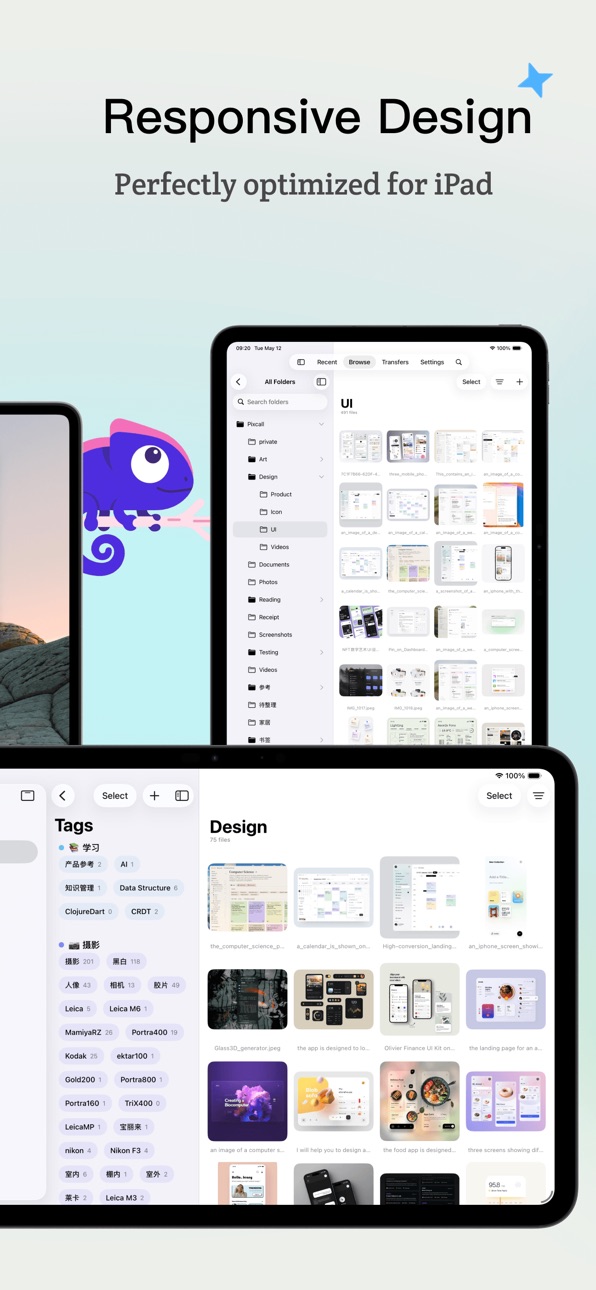


iPad 2 images


What’s New Version 1.2.8
- Fix a cloud synchronization bug
Description
Pixcall is your mobile companion for managing massive creative assets. Here's what I can do:
- Upload photos, videos, and any file type from your phone to your cloud library
- Organize all your files with folders and tags
- Keep assets in sync between your phone and computer in real time, both ways
Note: Pixcall mobile works best alongside the desktop Application, seamlessly bridging your phone and computer for asset synchronization.
Accessibility
ipadiphonemacrealityDevicetvoswatch
Version history 11 versions
Build 888048387v1.2.82026-07-10 00:14:21
- Fix a cloud synchronization bug
Build 887859745v1.2.72026-07-06 00:14:47
- Add color filters
- Support multi-folder filtering
- Support setting tag filtering logic (OR or AND)
- Enable tag selector and folder selector to remember recent selections
- Prevent device sleep during data synchronization
- Optimize initial data import
- Optimize upload and download progress display
Build 887746510v1.2.62026-07-03 00:25:43
- Fix UI bugs in zoom in and zoom out
- Optimize detailed interactions of the list
Build 887688781v1.2.52026-07-02 00:16:56
- Fixed some UI details on iOS 17/18
Build 887590009v1.2.42026-06-30 00:47:46
- Fix the animation when opening files
Build 887543723v1.2.32026-06-29 01:48:04
- Optimize the interactive experience of the detail page
- Add tiles list layout mode
- Add the function to open large image previews by clicking thumbnails in the web import list
Build 887391576v1.2.22026-06-25 00:27:52
- Optimize the interactive experience of the detail screen
- Optimize thumbnails on the list screen
Build 887288044v1.2.12026-06-23 00:17:49
- Display the affiliated folder on the file details page
- Fix login failures on certain devices
- Performance optimization
Build 887251451v1.22026-06-22 01:09:29
- Fixed the issue where dragging multiple selected files to other apps caused duplicate files.
- Added tag tools to the file toolbar.
Build 887145280v1.12026-06-19 03:16:10
- Improved swipe-to-select gestures in selection mode
- Improved importing files from the clipboard
- Added support for creating new folders in the folder picker
- Added support for drag & drop files
- Fixed an issue where adding tags to multiple selected items would overwrite existing tags
- Fixed an issue where search keywords were cleared after entering selection mode
- Fixed an issue where the folder picker did not show folders created on other devices
- Fixed an issue where “Import from Photos” could not select videos
Build 862097013v1.02026-05-16 05:38:42
No pricing data captured yet — comparisons appear once the app has paid storefronts or in-app purchases.
Availability 1 of 1 storefronts
| Region | Language | Price | Ratings | Avg | Version |
|---|---|---|---|---|---|
| US | en-US | Free | 0 | — | 1.2.8 |
Change log 14 changes · US
✎
releaseNotes updated
- Fix a cloud synchronization bug
✎
description updated
Pixcall is your mobile companion for managing massive creative assets. Here's what I can do:
- Upload photos, videos, and any file type from your phone to your
✎
name updated
Pixcall
◆
Version 1.2.8 released
- Fix a cloud synchronization bug
◆
Version 1.2.7 released
- Add color filters
- Support multi-folder filtering
- Support setting tag filtering logic (OR or AND)
- Enable tag selector and folder selector to remember recent selections
- Prevent device sleep during data synchronization
- Optimize ini
◆
Version 1.2.6 released
- Fix UI bugs in zoom in and zoom out
- Optimize detailed interactions of the list
◆
Version 1.2.5 released
- Fixed some UI details on iOS 17/18
◆
Version 1.2.4 released
- Fix the animation when opening files
◆
Version 1.2.3 released
- Optimize the interactive experience of the detail page
- Add tiles list layout mode
- Add the function to open large image previews by clicking thumbnails in the web import list
◆
Version 1.2.2 released
- Optimize the interactive experience of the detail screen
- Optimize thumbnails on the list screen
◆
Version 1.2.1 released
- Display the affiliated folder on the file details page
- Fix login failures on certain devices
- Performance optimization
◆
Version 1.2 released
- Fixed the issue where dragging multiple selected files to other apps caused duplicate files.
- Added tag tools to the file toolbar.
◆
Version 1.1 released
- Improved swipe-to-select gestures in selection mode
- Improved importing files from the clipboard
- Added support for creating new folders in the folder picker
- Added support for drag & drop files
- Fixed an issue where adding tags to mu
◆
Version 1.0 released