Home › Productivity

 US
US
1 of 1 storefronts
Content in en-US
Content in en-US
Information
Preview 3 platforms
iPhone 7 images



iPad 7 images



Mac 7 images



What’s New Version 1.6.0
1. More reliable export: Markdown, HTML, EPUB, and MinerU documents can now be exported more smoothly as PDF, EPUB, or original files.
2. Added Markdown folder scan import, so you can import Markdown content from a folder at once.
3. Improved Flip Cards and Mask Cards, making them easier to create, edit, and review.
Description
DoCube - Turn Reading into Real Knowledge
An exceptional e-book reader and knowledge management tool that creates a complete loop from reading to retention.
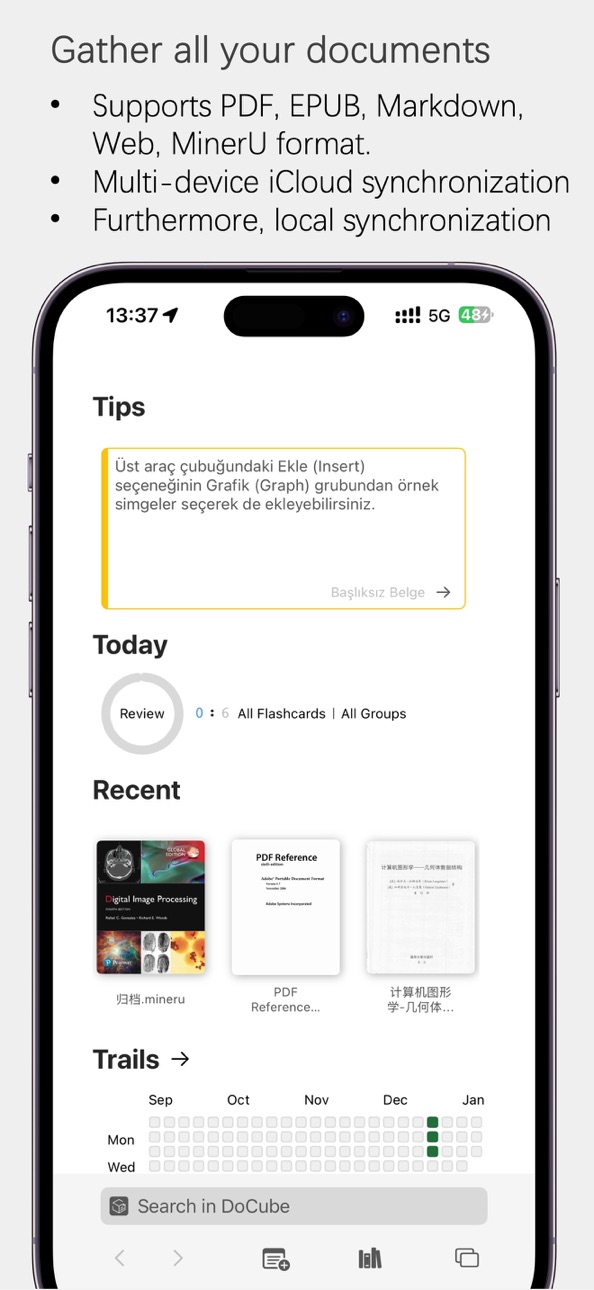
Browser-Like Freedom for Reading
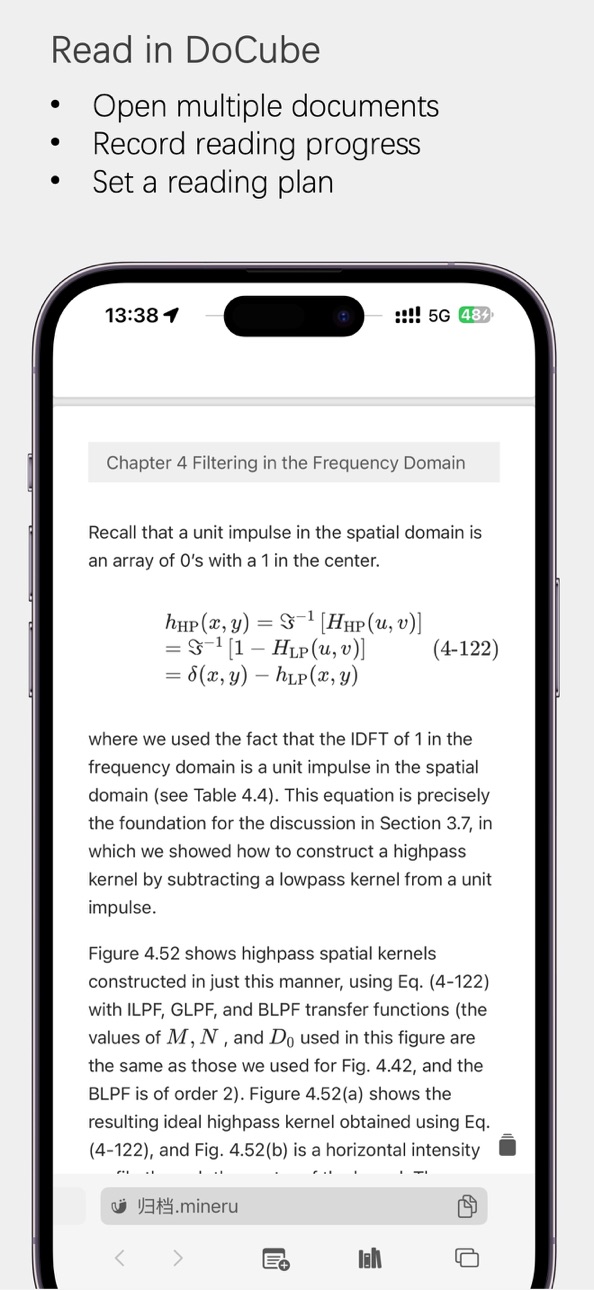
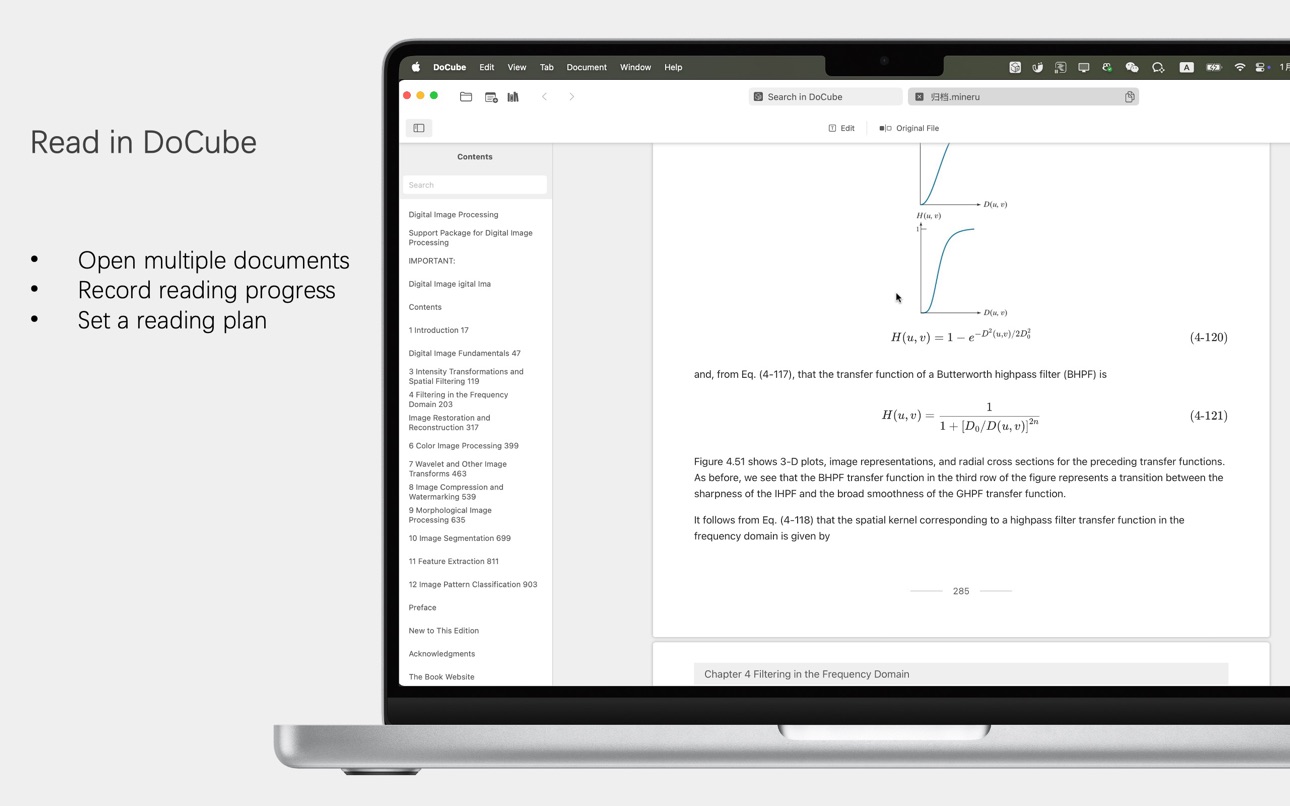
[Multi-Tab Reading]: Open multiple books and documents simultaneously. Compare academic papers side by side, jump between novel chapters, and switch contexts instantly.
[Precise Positioning]: Every location in a document has a unique address. Jump to any chapter with one tap—no more painful page flipping to find content.
[History Navigation]: Each tab has independent back/forward navigation. Even complex documents can be retraced effortlessly.
[All-Format Support]: PDF, EPUB, offline webpages, Markdown, and MinerU archives—read everything in one app.
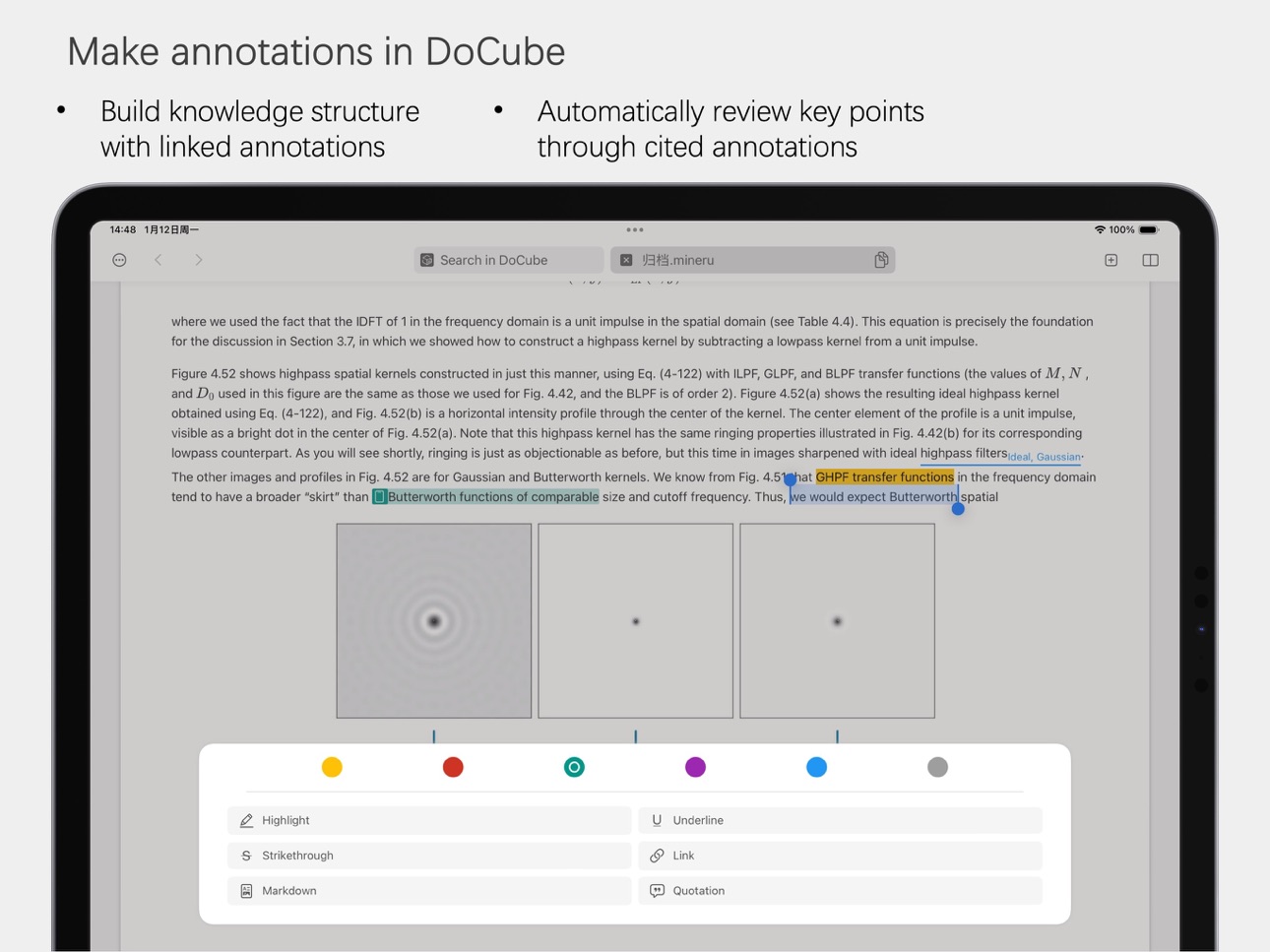
Six Annotation Tools to Build Your Knowledge Network
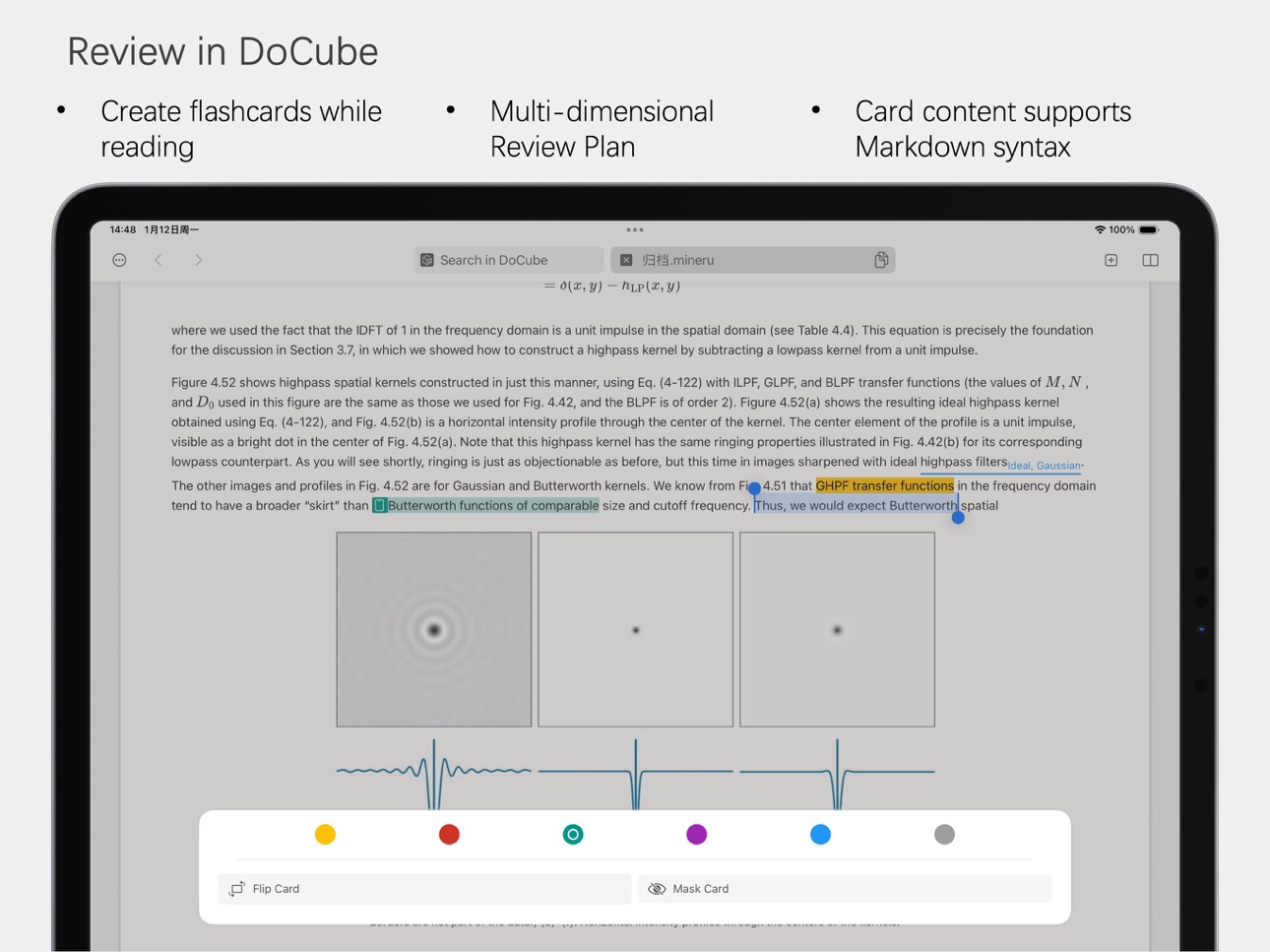
[Versatile Marking]: Highlight, underline, strikethrough, links, Markdown notes, and citations—everything from quick marks to deep thinking.
[Color Management System]: Six theme colors, freely configurable. Use different colors for different subjects or projects to manage knowledge visually.
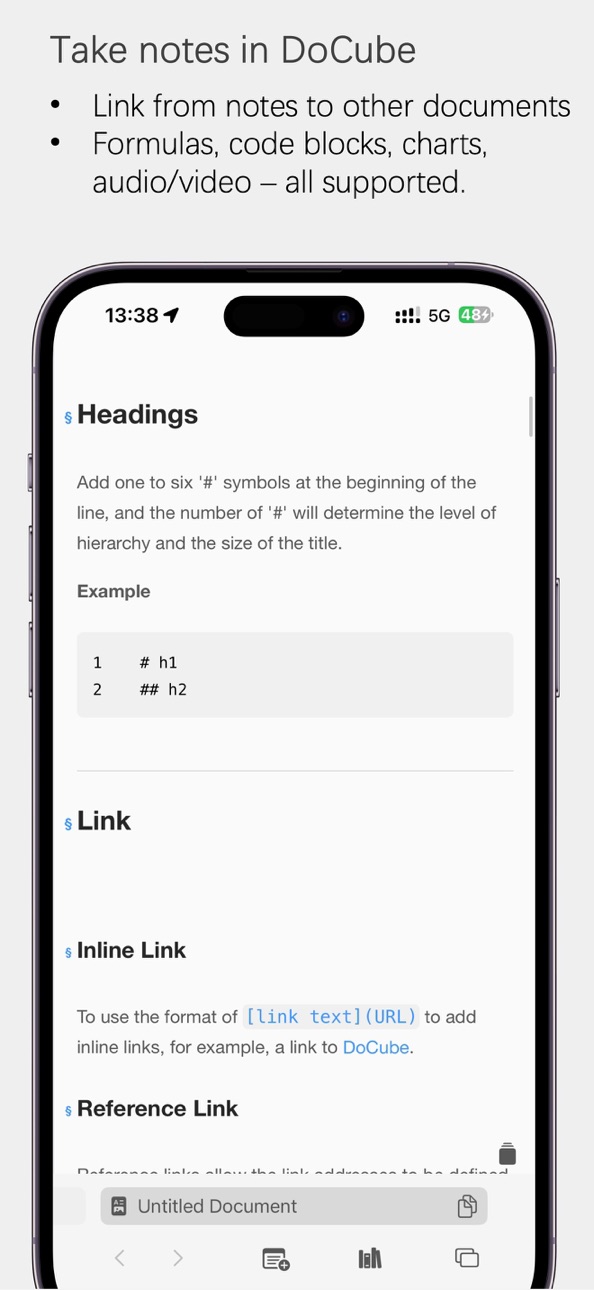
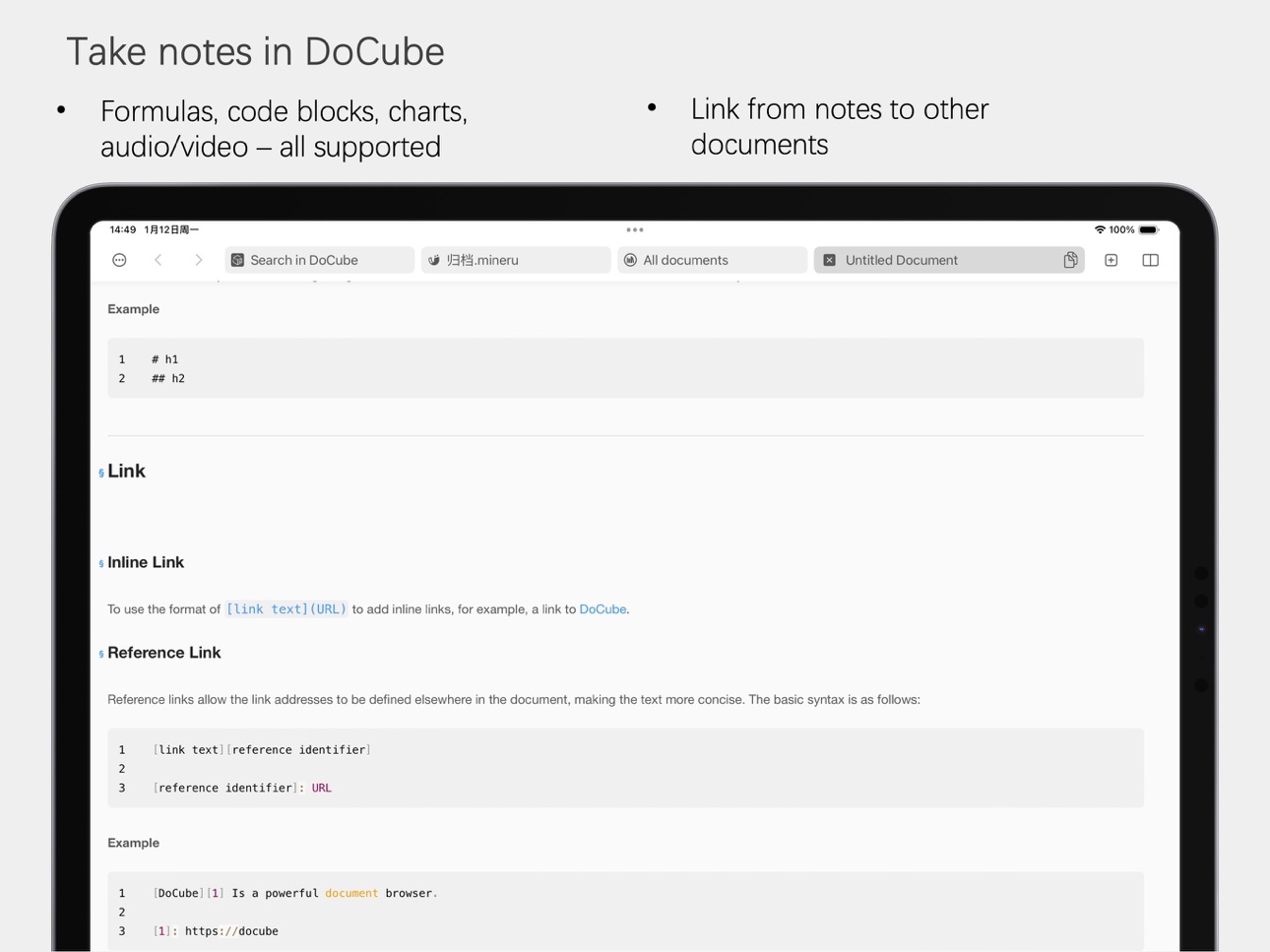
[Cross-Document Links]: Link annotations can jump directly to any location in other documents, connecting scattered knowledge points into a knowledge graph.
[Unified Across Formats]: Annotations for PDFs, EPUBs, webpages, and archives are managed in one place—not scattered across multiple apps.
Annotations Are Notes, Notes Are Cards
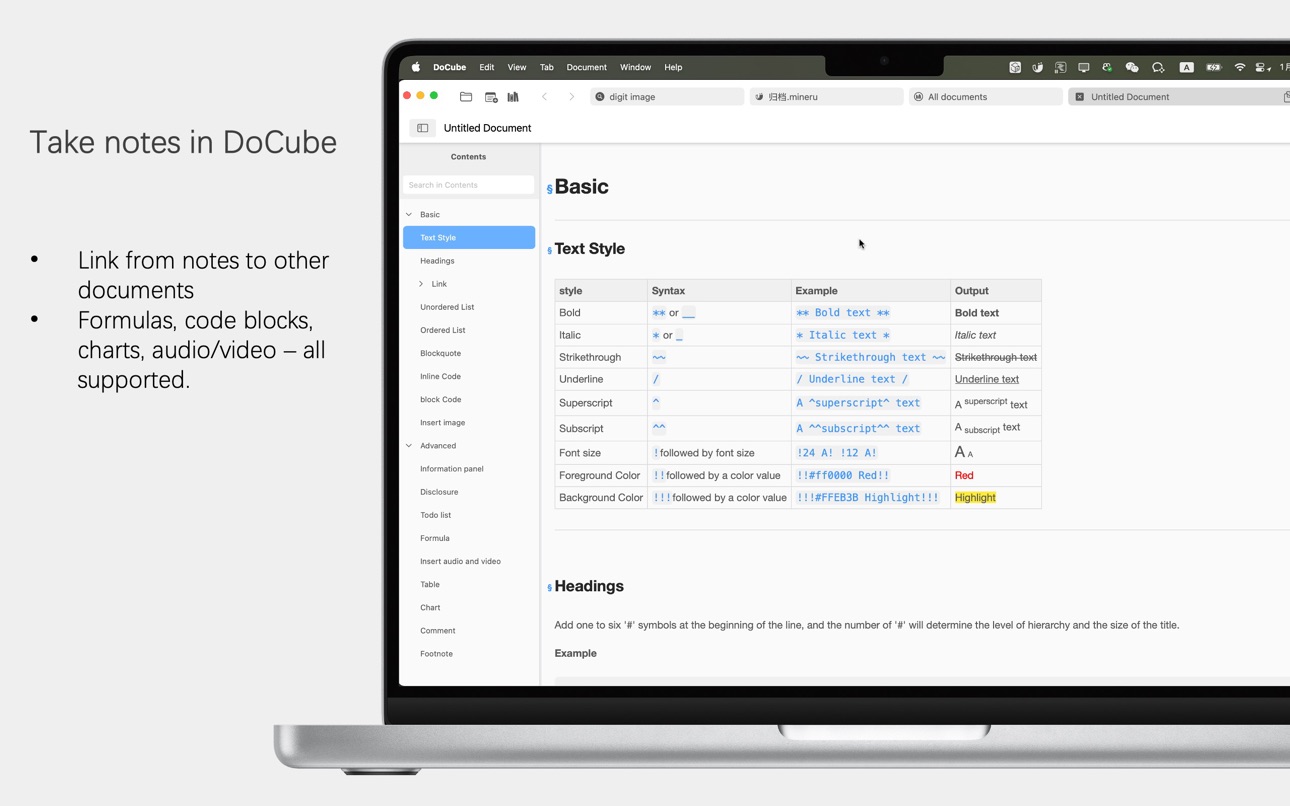
[Native Markdown Support]: Annotation notes support full Markdown syntax—write code, formulas, and lists freely.
[One-Tap Card Creation]: Highlights automatically convert to flip cards or mask cards. Mark while reading, review and memorize directly.
[Cards Link to Source]: Every card is anchored to a specific location in the document. One tap returns you to the full context—understanding never disconnects.
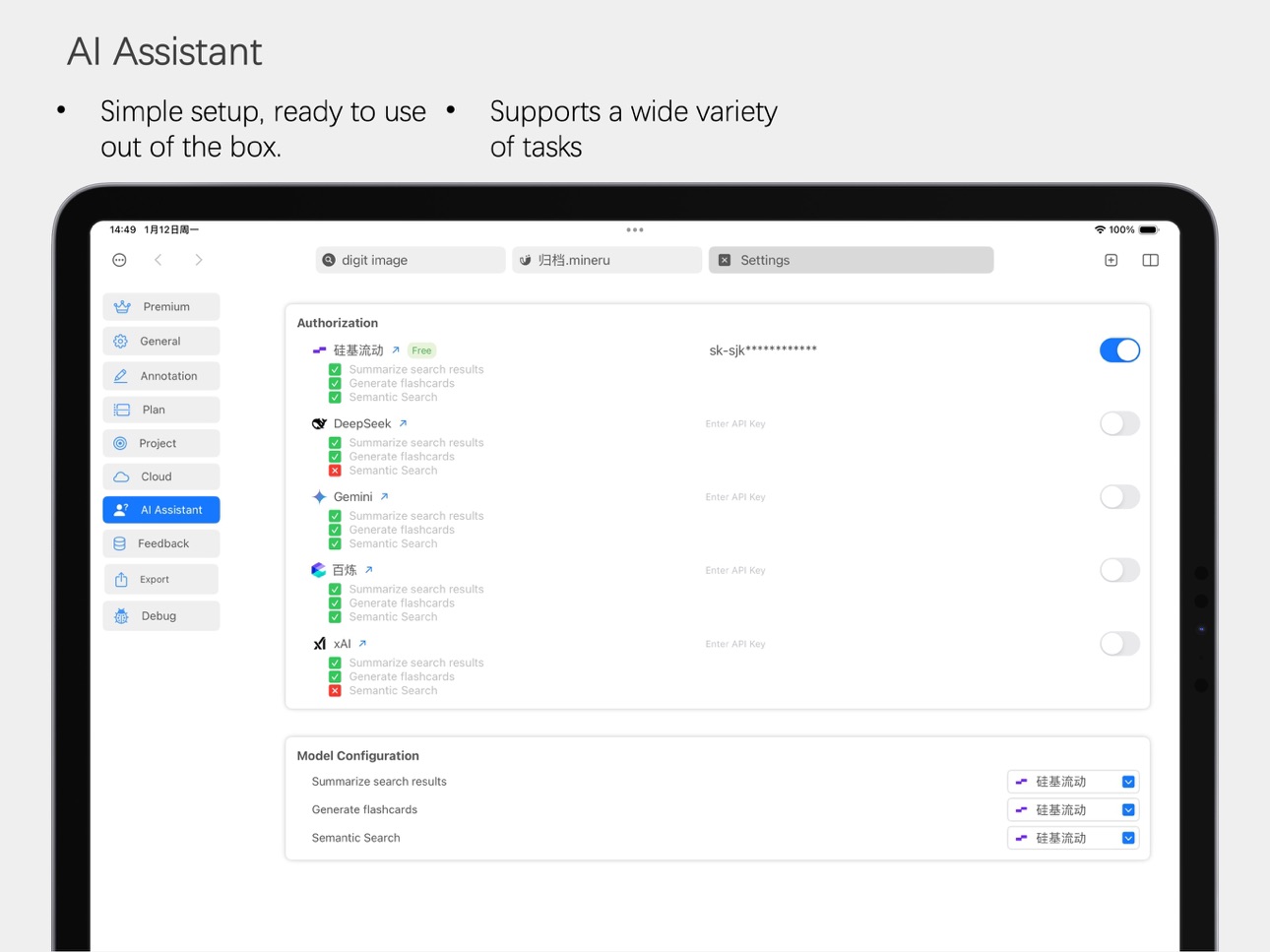
[AI-Enhanced Creation]: Custom prompts let AI generate cards based on document context, automatically breaking down complex concepts into memorizable points.
From "Read" to "Remembered": The Complete Loop
[Weekly Planning Cycle]: Set daily reading and review tasks on a weekly basis, with visual habit tracking.
[Multi-Dimensional Planning]: Plan by tags, by document, or by article—intensive paper reading and casual reading each have their own rhythm.
[Article-Level Progress]: Long documents are broken into article units. See at a glance what's unexplored versus already read.
[Desktop Review Widgets]: Quote widgets randomly display golden annotations, and daily plan widgets remind you of today's tasks—review even in fragmented moments.
Who It's For
[Researchers]—Multi-tab literature comparison, cross-document linking to build knowledge networks, one-click citation tracing.
[Students]—Annotations convert to memory cards, weekly plans fight forgetting, review rhythm clear and controllable.
[Knowledge Workers]—Semantic search for quick positioning, AI extracts key information, review core points in spare moments.
[Lifelong Learners]—Unified annotations across all formats, complete Markdown thinking, knowledge graphs that connect notes into systems.
Free vs. Pro
[Free Version]: Full feature support, manage up to 5 documents—perfect for light reading and experiencing the complete functionality.
[Pro Version]: In-app purchase removes document limits—unlimited knowledge base.
One purchase works on iPhone, iPad, and Mac.
iCloud sync + local WiFi transfer, automatic offline merge, your data stays safe and secure.
Capabilities
In-App Purchases
Accessibility
ipadiphonemacrealityDevicetvoswatch
Version history 14 versions
Build 885754270v1.6.02026-05-22 16:53:28
1. More reliable export: Markdown, HTML, EPUB, and MinerU documents can now be exported more smoothly as PDF, EPUB, or original files.
2. Added Markdown folder scan import, so you can import Markdown content from a folder at once.
3. Improved Flip Cards and Mask Cards, making them easier to create, edit, and review.
Build 884728197v1.5.42026-04-22 03:10:07
Version 1.5.4 brings a more complete EPUB translation and bilingual reading experience, along with new bookmark support for PDF and EPUB so you can return to important parts of long documents more easily. We also improved translation progress visibility, notifications, and task stability to make the translation workflow smoother.
This update also adds support for local embedding models to strengthen on-device semantic retrieval and intelligent processing. At the same time, we improved search, import, and large-document performance, with better stability in low-memory situations. We also refined reading UI, toolbar interactions, and annotation menus across iPhone, iPad, and macOS, while improving settings for OpenAI, OpenRouter, and local models.
Build 883023165v1.5.32026-03-17 22:36:42
- Customizable font size support
- Customizable accent color support
- Optimized dark mode display
- Support for translating selected text
Build 881951858v1.5.22026-01-30 21:23:23
New Features:
- Support for inserting mind maps in Markdown format
Fixes and Optimizations:
- Fixed a crash when maximizing the window on macOS
- Optimized text layout after PDF OCR
- Optimized PDF OCR memory usage, enabling stable local OCR even on low-memory devices
- Fixed an issue where pop-up windows would automatically close on iPad
Build 881639388v1.5.12026-01-21 14:24:15
- Optimize document-internal search list scrolling performance
- Optimize MinerU document import prompts
Build 881321992v1.5.02026-01-15 23:39:26
- Added a new document type: MinerU Archive
- Added LAN sync functionality
- Fix UI errors in iOS 26 system
Build 879892034v1.4.02025-11-20 05:01:23
- Underline text to add notes
- Organize documents by project
- Organize documents by folder/category
- Fixed inaccurate EPUB table of contents navigation
- Added progress indicator for iCloud sync
Build 878999169v1.3.22025-10-21 06:50:55
New Features
- Support importing web pages as PDF via Safari
Optimizations & Bug Fixes
- Fixed the issue where Markdown annotations failed to work when jumping from homepage Tips
- Fixed the potential failure of initial document synchronization
- Fixed the issue where "硅基流动" could not create AI cards
Build 879105798v1.3.32025-10-21 13:58:15
- bug fix
Build 878742682v1.3.12025-10-08 19:07:57
- Fix the issue where tags cannot be added to documents
- Optimize the search experience for Markdown documents
Build 878541795v1.3.02025-10-01 01:32:27
Smarter Search That Understands You Better
The all-new semantic search goes beyond mechanical text matching—it truly grasps your intent. When you search for "the impacts of climate change," it will present you with articles covering all related concepts such as "global warming" and "extreme weather," allowing you to easily gain a comprehensive understanding of the topic.
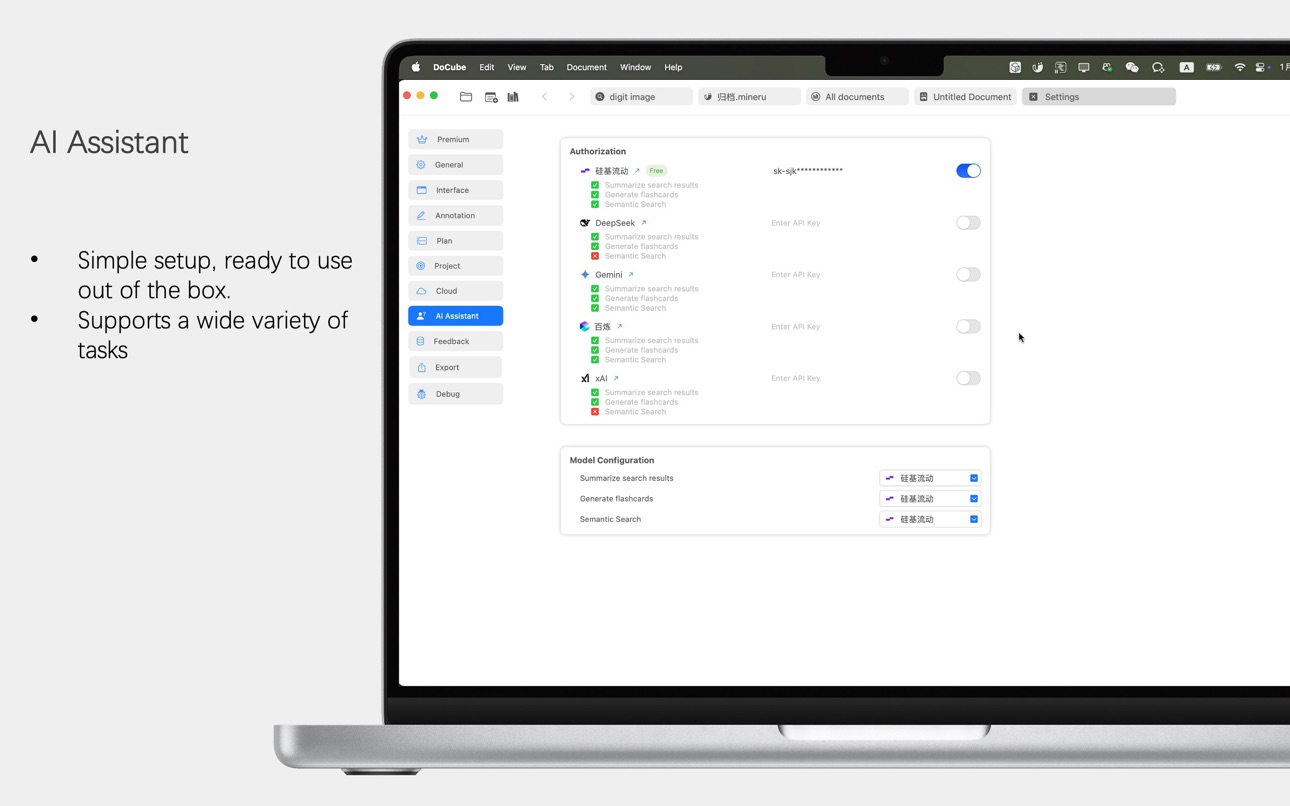
A Ready-to-Use AI Assistant
Meanwhile, we are excited to introduce a powerful AI companion (powered by free API services from Silicon Flow). Now you can:
One-click Summarization: When faced with complex materials, let it quickly extract the core information for you, saving valuable time.
Custom Memory Cards: Simply select the text you have highlighted, and the AI will instantly generate personalized flip or masked memory cards based on the context and your presets—helping you retain knowledge effectively.
Most importantly, you can now experience all the capabilities of this AI assistant for free without any configuration. We hope to let you experience, with zero barriers, what a personal knowledge base that truly understands you and proactively supports your thinking and learning looks like.
Build 877229987v1.2.12025-08-14 14:42:35
- Quickly import web pages as Markdown
- Jumps in the document outline are also included in the Tab page history
- Support filtering search results by annotation type
- Markdown adds anchor links, which can link to any position in the Markdown document
Build 876627394v1.2.02025-07-25 02:18:10
- Mac: Supports drag-and-drop import of local files
- iPhone & iPad: Supports importing web pages via URL input
- iPhone & iPad: Supports importing web pages through sharing from other apps
Build 860888256v1.1.02025-07-15 22:06:09
No pricing data captured yet — comparisons appear once the app has paid storefronts or in-app purchases.
Availability 1 of 1 storefronts
| Region | Language | Price | Ratings | Avg | Version |
|---|---|---|---|---|---|
| US | en-US | Free | 10 | 5.0 | 1.6.0 |
Change log 18 changes · US
✎
releaseNotes updated
1. More reliable export: Markdown, HTML, EPUB, and MinerU documents can now be exported more smoothly as PDF, EPUB, or original files.
2. Added Markdown folder
✎
description updated
DoCube - Turn Reading into Real Knowledge
An exceptional e-book reader and knowledge management tool that creates a complete loop from reading to retention.
B
✎
subtitle updated
For PDF,EPUB,Markdown and Web
✎
name updated
DoCube - Reader & Notes
◆
Version 1.6.0 released
1. More reliable export: Markdown, HTML, EPUB, and MinerU documents can now be exported more smoothly as PDF, EPUB, or original files.
2. Added Markdown folder scan import, so you can import Markdown content from a folder at once.
3. Improv
◆
Version 1.5.4 released
Version 1.5.4 brings a more complete EPUB translation and bilingual reading experience, along with new bookmark support for PDF and EPUB so you can return to important parts of long documents more easily. We also improved translation progre
◆
Version 1.5.3 released
- Customizable font size support
- Customizable accent color support
- Optimized dark mode display
- Support for translating selected text
◆
Version 1.5.2 released
New Features:
- Support for inserting mind maps in Markdown format
Fixes and Optimizations:
- Fixed a crash when maximizing the window on macOS
- Optimized text layout after PDF OCR
- Optimized PDF OCR memory usage, enabling stable loc
◆
Version 1.5.1 released
- Optimize document-internal search list scrolling performance
- Optimize MinerU document import prompts
◆
Version 1.5.0 released
- Added a new document type: MinerU Archive
- Added LAN sync functionality
- Fix UI errors in iOS 26 system
◆
Version 1.4.0 released
- Underline text to add notes
- Organize documents by project
- Organize documents by folder/category
- Fixed inaccurate EPUB table of contents navigation
- Added progress indicator for iCloud sync
◆
Version 1.3.3 released
- bug fix
◆
Version 1.3.2 released
New Features
- Support importing web pages as PDF via Safari
Optimizations & Bug Fixes
- Fixed the issue where Markdown annotations failed to work when jumping from homepage Tips
- Fixed the potential failure of initial document synchron
◆
Version 1.3.1 released
- Fix the issue where tags cannot be added to documents
- Optimize the search experience for Markdown documents
◆
Version 1.3.0 released
Smarter Search That Understands You Better
The all-new semantic search goes beyond mechanical text matching—it truly grasps your intent. When you search for "the impacts of climate change," it will present you with articles covering all re
◆
Version 1.2.1 released
- Quickly import web pages as Markdown
- Jumps in the document outline are also included in the Tab page history
- Support filtering search results by annotation type
- Markdown adds anchor links, which can link to any position in the Markd
◆
Version 1.2.0 released
- Mac: Supports drag-and-drop import of local files
- iPhone & iPad: Supports importing web pages via URL input
- iPhone & iPad: Supports importing web pages through sharing from other apps
◆
Version 1.1.0 released