Home › Utilities

 US
US
1 of 1 storefronts
Content in en-US
Content in en-US
Information
Preview 2 platforms
iPhone 4 images


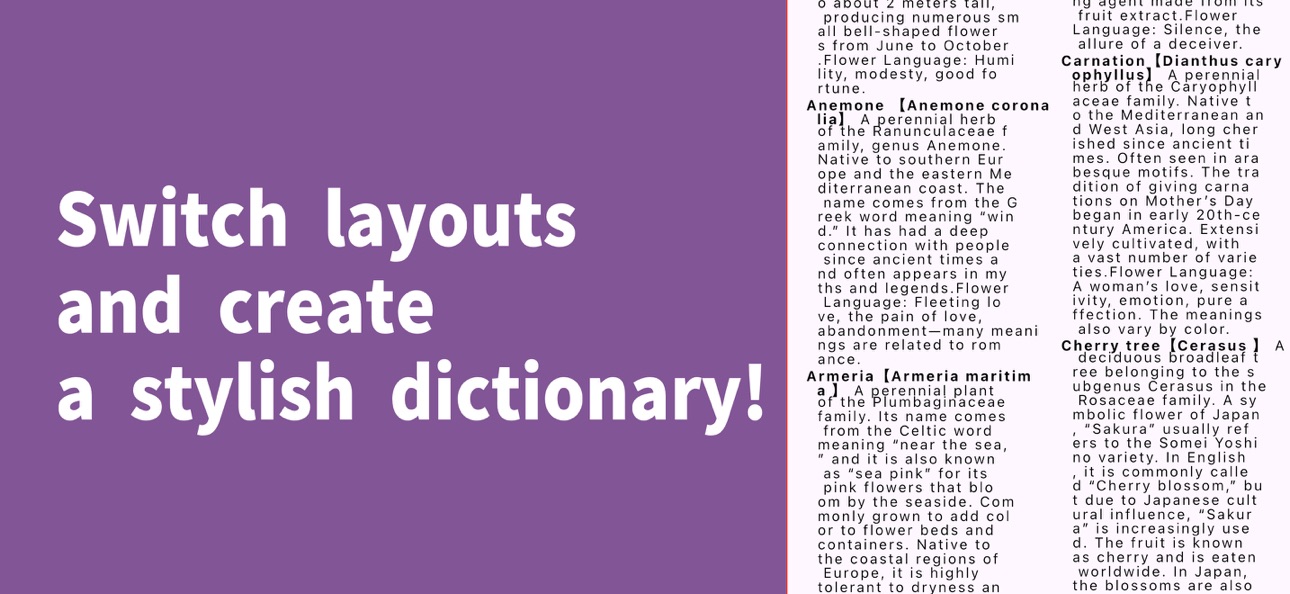
iPad 4 images


What’s New Version 7.0.4
Ver 7.0.4
- Fixed an issue where the app crashed when restoring purchases.
- Made minor fixes and improvements.
Description
Create your own lexicon with FlexiPedia, an app designed to assist in the creation of personalized lexicons, catalogs, and directories. Compile a lexicon of original terms, create directories of characters, and more to showcase your creativity.
Capabilities
In-App Purchases
Accessibility
ipadiphonemacrealityDevicetvoswatch
Version history 25 versions
Build 884508781v7.0.42026-04-14 20:34:04
Ver 7.0.4
- Fixed an issue where the app crashed when restoring purchases.
- Made minor fixes and improvements.
Build 883366312v7.0.32026-03-14 17:03:44
Ver 7.0.3
- Fixed an issue where edited item information was not always reflected.
- Made minor fixes and improvements.
Build 883079002v7.0.22026-03-06 17:34:08
Ver 7.0.2
- Fixed an issue related to the display of the item list.
- Made minor fixes and improvements.
Build 882965194v7.0.12026-03-03 16:55:27
Ver 7.0.1
- Fixed an issue where the app could become unresponsive after changing app settings or deleting data.
Build 882930702v7.0.02026-03-02 19:28:40
Ver 7.0.0
- Added an announcements feature. You can access it from the home screen.
- Added a template feature.
- Added Spotlight search support for the iOS version.
- Added an online manual.
- You can now tap images to view them in greater detail.
- Added features for subscription users.
- Enhanced the item list screen to allow more detailed item information to be viewed. You can also switch back to the previous display style.
- Adjusted the processing of the dictionary-style layout.
- Improved performance in some parts of the app.
Build 877912371v6.1.12025-09-07 21:36:27
Ver 6.1.1
- Fixed an issue in the export function where partitions were ordered by addition sequence instead of array order.
Build 877732566v6.1.02025-09-01 10:00:34
Ver 6.1.0
- Set a character limit for partitions to prevent layout issues.
- Applied color settings to screens that were previously unsupported.
- Adjusted the UI of the settings screen.
- Adjusted the UI of the subscription purchase screen.
- Added features for subscription users:
- Added the ability to add multiple items at once.
- Added CSV import functionality.
- Made minor fixes and improvements.
Build 877126672v6.0.02025-08-10 12:37:59
Ver 6.0.0
- Added the ability to view the app manual and sample works from the home screen.
- Added the ability to display item tags in the item list view.
- Added the ability to retain the open/closed state of partitions in the item list view.
- Added the ability to reorder tags in the add/edit item screen."
- Added features for subscription users:
- Added cross-book search functionality, allowing searches across all books.
- Added the ability to move or copy items to other books or partitions.
- Improved the text formatting UI in the item add/edit screen.
- Made minor fixes and improvements.
Build 874515026v5.2.02025-05-05 15:08:19
Ver 5.2.0
- Added the ability to select items by tapping in the dictionary-style layout.
- Added the ability to view item details in the dictionary-style layout.
- Added the ability to edit item information in the dictionary-style layout.
- Added extensive new explanations on how to use the app.
- Made minor fixes and improvements.
Build 873556005v5.1.22025-03-26 17:50:03
Ver 5.1.2
- Fixed an issue where the item list and dictionary-style layout would not display correctly when a new item was added.
Build 873480938v5.1.02025-03-25 09:07:56
Ver 5.1.0
- Added consider-partitions mode in the dictionary-style layout.
- Added a feature to save and share dictionary pages and items as images.
- Fixed an issue where a different item might be displayed when adding related items.
- Made minor fixes and improvements.
Build 873512688v5.1.12025-03-25 13:58:38
Ver 5.1.1
- Fixed the issue about related items.
Build 872540799v5.0.22025-02-16 17:13:46
Ver 5.0.2
- Improved the dictionary-style layout to make features such as search and index more intuitive.
- Fixed an issue in the dictionary-style layout where special characters were incorrectly displayed in the search function.
Build 872158987v5.0.12025-01-31 19:22:25
Ver 5.0.1
- Fixed issues related to ad processing.
- Made minor fixes and improvements.
Build 871925514v5.0.02025-01-22 07:46:54
Ver 5.0.0
- Added features for subscription users.
- Added dictionary data exported.
- Added thumbnails display feature on the item list screen.
- Improved the dictionary-style layout.
- Made minor fixes and improvements.
Build 871599468v4.1.02025-01-08 08:17:21
Ver 4.1.0
- In the free version, the number of additional rights earned through ad rewards has been increased to 5.
- Added a feature to copy item data to the clipboard in the item detail screen.
- Fixed an issue where the underline was not properly displayed in the item detail screen when the item name was too long.
- Made adjustments to the display of banner ads.
Build 870971637v4.0.42024-12-07 16:54:49
Ver 4.0.4
- Changed the behavior when adding a book to navigate to the details screen of the added book instead of returning to the home screen.
- Fixed an issue where the tutorial did not display correctly.
Build 870807879v4.0.32024-12-01 08:19:18
Ver 4.0.3
- Updated the list view to retain the scroll position.
Build 870805138v4.0.22024-11-30 20:44:33
Ver 4.0.2
- Fixed an issue where features intended for subscription users were accessible in the free version.
- Fixed an issue in the free version where the add item button remained visible during the process of reordering items with the same reading.
Build 870760357v4.0.12024-11-29 06:22:26
Ver 4.0.1
- Fixed an issue where the iCloud backup feature did not work properly.
Build 870227196v4.0.02024-11-28 11:33:55
Ver4.0.0
- Added support for adding items with identical Ruby/Subtitle.
- Added items folding by partition feature in list view.
- Added icons to each item in the side menu on the home screen (Bookshelf).
- Added features for subscription users:
- Added dictionary-style layouts (vertical and horizontal).
- Added the ability to customize the color of individual items in the traditional layout (list view).
- Added the ability to add icons to items in the traditional layout (list view).
- Improved the process for adding partitions for better clarity.
- Fixed an issue where images added to items were not immediately reflected.
- Made minor improvements.
Build 868086838v3.1.02024-08-17 05:29:18
Ver 3.1.0
- Added partition display in the related items addition screen.
- Added explanations to 'How to Use'.
- Fixed an issue where the word 'Settings' was displayed too small in the settings menu.
- Fixed an issue where deleting an image while editing an item would remove the image even if changes were not saved.
- Made minor improvements.
Build 867783823v3.0.02024-07-28 05:44:56
Ver 3.0.0
- Added features for subscription users.
- Added the ability to format descriptions. You can make text bold, underline, and change font size and color.
- Added the ability to add images to items. You can add up to four images per item.
- Fixed an issue where partitions were not displayed correctly when changing partitions from the item list with a certain number of partitions.
- Fixed an issue where the search function did not work correctly.
- Made minor improvements.
Build 866863284v2.2.02024-06-22 03:00:14
Ver 2.2.0
- Removed the settings screen and made it possible to access settings from the sidebar on the home screen.
- A feature to rate the app has been added to the settings.
- Added the ability to swipe left or right on the item details screen to navigate to the previous or next item.
Build 866743390v2.1.02024-06-17 03:00:57
Ver 2.1.0
- Made modifications to the display of release notes.
- Added the ability to change partitions from the item list.
No pricing data captured yet — comparisons appear once the app has paid storefronts or in-app purchases.
Availability 1 of 1 storefronts
| Region | Language | Price | Ratings | Avg | Version |
|---|---|---|---|---|---|
| US | en-US | Free | 0 | — | 7.0.4 |
Change log 29 changes · US
✎
releaseNotes updated
Ver 7.0.4
- Fixed an issue where the app crashed when restoring purchases.
- Made minor fixes and improvements.
✎
description updated
Create your own lexicon with FlexiPedia, an app designed to assist in the creation of personalized lexicons, catalogs, and directories. Compile a lexicon of ori
✎
subtitle updated
Make your unique Lexicon
✎
name updated
FlexiPedia
◆
Version 7.0.4 released
Ver 7.0.4
- Fixed an issue where the app crashed when restoring purchases.
- Made minor fixes and improvements.
◆
Version 7.0.3 released
Ver 7.0.3
- Fixed an issue where edited item information was not always reflected.
- Made minor fixes and improvements.
◆
Version 7.0.2 released
Ver 7.0.2
- Fixed an issue related to the display of the item list.
- Made minor fixes and improvements.
◆
Version 7.0.1 released
Ver 7.0.1
- Fixed an issue where the app could become unresponsive after changing app settings or deleting data.
◆
Version 7.0.0 released
Ver 7.0.0
- Added an announcements feature. You can access it from the home screen.
- Added a template feature.
- Added Spotlight search support for the iOS version.
- Added an online manual.
- You can now tap images to view them in greater
◆
Version 6.1.1 released
Ver 6.1.1
- Fixed an issue in the export function where partitions were ordered by addition sequence instead of array order.
◆
Version 6.1.0 released
Ver 6.1.0
- Set a character limit for partitions to prevent layout issues.
- Applied color settings to screens that were previously unsupported.
- Adjusted the UI of the settings screen.
- Adjusted the UI of the subscription purchase screen
◆
Version 6.0.0 released
Ver 6.0.0
- Added the ability to view the app manual and sample works from the home screen.
- Added the ability to display item tags in the item list view.
- Added the ability to retain the open/closed state of partitions in the item list v
◆
Version 5.2.0 released
Ver 5.2.0
- Added the ability to select items by tapping in the dictionary-style layout.
- Added the ability to view item details in the dictionary-style layout.
- Added the ability to edit item information in the dictionary-style layout.
-
◆
Version 5.1.2 released
Ver 5.1.2
- Fixed an issue where the item list and dictionary-style layout would not display correctly when a new item was added.
◆
Version 5.1.1 released
Ver 5.1.1
- Fixed the issue about related items.
◆
Version 5.1.0 released
Ver 5.1.0
- Added consider-partitions mode in the dictionary-style layout.
- Added a feature to save and share dictionary pages and items as images.
- Fixed an issue where a different item might be displayed when adding related items.
- Mad
◆
Version 5.0.2 released
Ver 5.0.2
- Improved the dictionary-style layout to make features such as search and index more intuitive.
- Fixed an issue in the dictionary-style layout where special characters were incorrectly displayed in the search function.
◆
Version 5.0.1 released
Ver 5.0.1
- Fixed issues related to ad processing.
- Made minor fixes and improvements.
◆
Version 5.0.0 released
Ver 5.0.0
- Added features for subscription users.
- Added dictionary data exported.
- Added thumbnails display feature on the item list screen.
- Improved the dictionary-style layout.
- Made minor fixes and improvements.
◆
Version 4.1.0 released
Ver 4.1.0
- In the free version, the number of additional rights earned through ad rewards has been increased to 5.
- Added a feature to copy item data to the clipboard in the item detail screen.
- Fixed an issue where the underline was not
◆
Version 4.0.4 released
Ver 4.0.4
- Changed the behavior when adding a book to navigate to the details screen of the added book instead of returning to the home screen.
- Fixed an issue where the tutorial did not display correctly.
◆
Version 4.0.3 released
Ver 4.0.3
- Updated the list view to retain the scroll position.
◆
Version 4.0.2 released
Ver 4.0.2
- Fixed an issue where features intended for subscription users were accessible in the free version.
- Fixed an issue in the free version where the add item button remained visible during the process of reordering items with the s
◆
Version 4.0.1 released
Ver 4.0.1
- Fixed an issue where the iCloud backup feature did not work properly.
◆
Version 4.0.0 released
Ver4.0.0
- Added support for adding items with identical Ruby/Subtitle.
- Added items folding by partition feature in list view.
- Added icons to each item in the side menu on the home screen (Bookshelf).
- Added features for subscription u
◆
Version 3.1.0 released
Ver 3.1.0
- Added partition display in the related items addition screen.
- Added explanations to 'How to Use'.
- Fixed an issue where the word 'Settings' was displayed too small in the settings menu.
- Fixed an issue where deleting an imag
◆
Version 3.0.0 released
Ver 3.0.0
- Added features for subscription users.
- Added the ability to format descriptions. You can make text bold, underline, and change font size and color.
- Added the ability to add images to items. You can add up to four images per
◆
Version 2.2.0 released
Ver 2.2.0
- Removed the settings screen and made it possible to access settings from the sidebar on the home screen.
- A feature to rate the app has been added to the settings.
- Added the ability to swipe left or right on the item details
◆
Version 2.1.0 released
Ver 2.1.0
- Made modifications to the display of release notes.
- Added the ability to change partitions from the item list.