Home › Education

 US
US
1 of 1 storefronts
Content in en-US
Content in en-US
Information
Preview 3 platforms
iPhone 5 images


iPad 5 images


Mac 10 images




What’s New Version 1.0.38
• Bug Fix: Enhances the test question loading logic to be more efficient for older devices.
Description
AFOQT & TBAS Prep is a comprehensive study tool for the AFOQT and TBAS military aviation exams.
Full Access is available as a one-time in-app purchase.
Whether you are preparing for Air Force officer selection, pilot training pipelines, or aviation aptitude testing, AFOQT & TBAS Prep gives you the tools to study efficiently and build confidence before test day.
FREE FEATURES
• Create a free account
• Access introductory lessons covering exam structure, scoring, and study strategy
• Track your study progress
• Sync your progress and access with your AFOQT & TBAS Prep account
FULL ACCESS
• 82 comprehensive lessons with review sections across AFOQT and TBAS topics
• 160+ flashcard decks for rapid knowledge reinforcement
• 1,500+ sample test questions with detailed explanations
• Unlimited adaptive practice tests that target your weak areas
• Multi-Tasking Simulator
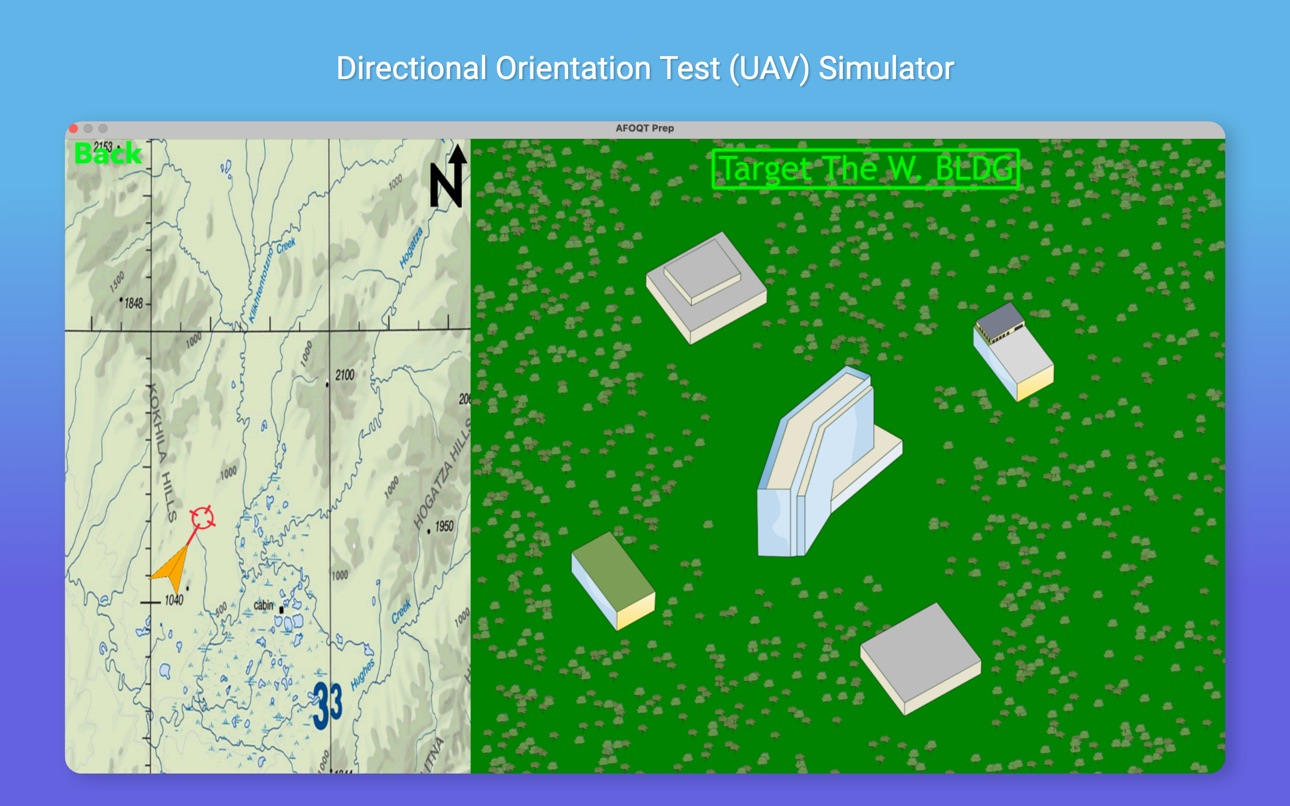
• UAV Simulator
• Stick and Rudder / Cockpit Simulator
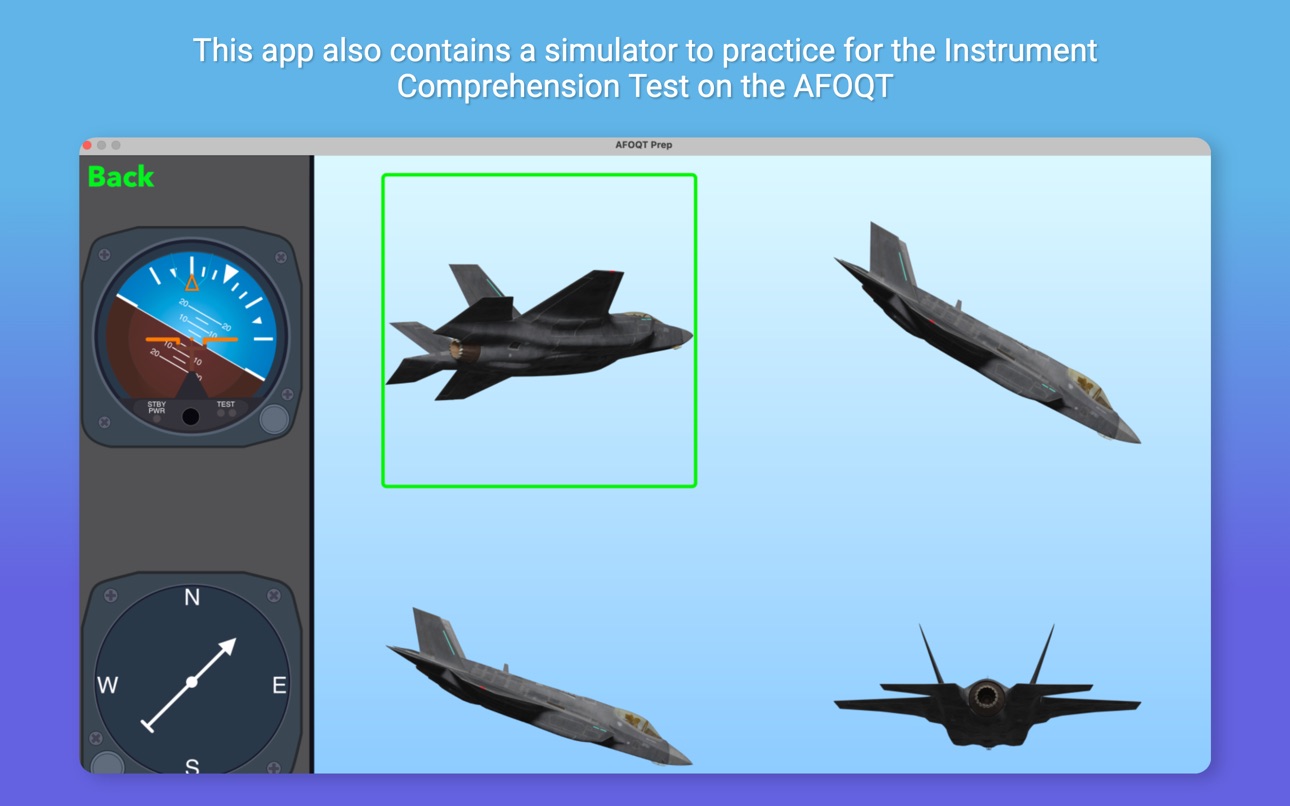
• Block Counting, Instrument Comprehension, and Table Reading practice
• Performance coaching tools
• On iPhone and iPad, train with intuitive on-screen controls or compatible Bluetooth game controllers
• All content is available offline after download, making AFOQT & TBAS Prep ideal for deployment, travel, and other low-connectivity environments
STUDY WITH YOUR ACCOUNT
Full Access is tied to your AFOQT & TBAS Prep account. Sign in with the same account to keep your access and study progress synced and available wherever your account is supported.
EXISTING CUSTOMERS
If you previously purchased AFOQT & TBAS Prep, your access is preserved. Simply sign in or create an account to link your Full Access.
AFOQT AND TBAS COVERAGE
• Math Knowledge and Arithmetic Reasoning
• Reading Comprehension, Verbal Analogies, and Word Knowledge
• Aviation Information, Instrument Comprehension, and Block Counting
• Table Reading
• Self-Description Inventory preparation
• TBAS: Multi-Tasking, UAV, and Stick-and-Rudder / Cockpit tracking practice
Account required. Free to create.
Privacy policy: https://www.iubenda.com/privacy-policy/23948418
In-App Purchases US pricing
One-Time Purchases
Full Access$29.99
Capabilities
In-App Purchases
Accessibility
ipadiphonemacrealityDevicetvoswatch
Version history 25 versions
Build 887696126v1.0.382026-07-02 12:47:26
• Bug Fix: Enhances the test question loading logic to be more efficient for older devices.
Build 887598214v1.0.372026-06-30 00:49:18
• Improved UI/UX
Build 885043414v1.0.362026-06-01 11:15:33
This update improves the overall app experience with a smoother onboarding flow, secure account and device management, more reliable Full Access purchase and restore behavior, stronger cross-device progress syncing, refreshed study content, and broader AFOQT/TBAS UI refinements. We also fixed stability issues and made general reliability improvements throughout the app.
Build 875782541v1.0.352025-06-22 11:36:58
• Updated Heat Transfer & Matter Phase Changes Lesson
• Small UI/UX Changes
Build 874567497v1.0.342025-05-07 13:20:21
• Significant UI/UX Improvements for all simulators.
Build 872062618v1.0.332025-01-28 16:49:24
• Syllabus Review Bug Fixed
Build 871928654v1.0.322025-01-22 13:21:59
• UI/UX Improvements
• Bugs Fixed
• User Progress Display Error Fixed
• Text Slider Bug Fixed - Syllabus Review and Partial Tests
• Improved MTS Navigation Logic
• MTS Radio Call Bug Fixed
Build 870875442v1.0.312024-12-04 00:13:17
• Enhanced user interface and experience.
• Users can now view questions answered correctly and incorrectly in their exam results.
Build 870031404v1.0.302024-10-29 13:19:56
• Submit Suggestions Pages for Simulators
• Subtests available in MTS Simulator
• Improved MTS Radio Logic
• Improved UI/UX
• Corrected Test Questions
• Updated Lessons
Build 867560695v1.0.292024-07-17 23:22:54
• Users can now select the time limit for the Multi-Tasking Simulator. (3 or 6 Minutes)
Build 867390866v1.0.282024-07-10 22:30:56
• Updated UAV Show Correct Answer Logic
• UI/UX Improvements to all Simulator/Special Test Menu and Result Help Pages
Build 867283820v1.0.272024-07-06 07:24:26
- UAV Simulator now displays the correct answer if users select the incorrect target.
- Improved UI/UX
Build 867222143v1.0.262024-07-03 20:01:21
• New Stick and Rudder Training Modes: ATT, HHT, AHTT
• Updated Tracking Lesson
• Corrected/Updated Test Questions
Build 866538947v1.0.252024-06-08 09:52:13
• Updated Verbal Analogies Test Questions
Build 866200973v1.0.242024-05-25 06:58:07
• Updated Simulator Sound Logic
• Corrected/Updated Test Questions
Build 865668427v1.0.232024-05-03 20:05:36
•Updated/Corrected Test Questions
Build 865336133v1.0.222024-04-20 06:09:13
• Corrected/Updated Test Questions
• Corrected Syllabus Image
Build 865217980v1.0.212024-04-15 22:19:01
• Updated Logic if MTS Result Window cannot display.
Build 865160505v1.0.202024-04-12 22:28:50
• Updated/Corrected Test Questions
Build 864932994v1.0.192024-04-03 20:13:57
•Updated/Corrected Test Questions
Build 864483353v1.0.182024-03-15 19:45:29
• Updated Test Questions
Build 864311675v1.0.172024-03-08 23:47:44
• Improved RC Rudder TGT Boundaries
• Corrected/Updated Test Questions
Build 863900260v1.0.162024-02-21 01:02:37
• Update UI/UX for Special Test Menu Pages
•Fixes Controller Connection Bug
Build 863677759v1.0.152024-02-10 14:09:33
• Approved Bluetooth Video Game Controllers can now be used in the Stick and Rudder Simulator
• Corrected Test Questions
Build 863348231v1.0.142024-02-02 01:13:32
• Updated Test Questions
• Added MTS Radio Voices
• Updated MTS Radio Call Logic
Price history by region
Currency
Show
Columns
Search
Availability 1 of 1 storefronts
| Region | Language | Price | Ratings | Avg | Version |
|---|---|---|---|---|---|
| US | en-US | Free | 251 | 4.9 | 1.0.38 |
Change log 29 changes · US
✎
releaseNotes updated
• Bug Fix: Enhances the test question loading logic to be more efficient for older devices.
✎
description updated
AFOQT & TBAS Prep is a comprehensive study tool for the AFOQT and TBAS military aviation exams.
Full Access is available as a one-time in-app purchase.
Whethe
✎
subtitle updated
USAF Test Prep + TBAS Sims
✎
name updated
AFOQT & TBAS Prep
◆
Version 1.0.38 released
• Bug Fix: Enhances the test question loading logic to be more efficient for older devices.
◆
Version 1.0.37 released
• Improved UI/UX
◆
Version 1.0.36 released
This update improves the overall app experience with a smoother onboarding flow, secure account and device management, more reliable Full Access purchase and restore behavior, stronger cross-device progress syncing, refreshed study content,
◆
Version 1.0.35 released
• Updated Heat Transfer & Matter Phase Changes Lesson
• Small UI/UX Changes
◆
Version 1.0.34 released
• Significant UI/UX Improvements for all simulators.
◆
Version 1.0.33 released
• Syllabus Review Bug Fixed
◆
Version 1.0.32 released
• UI/UX Improvements
• Bugs Fixed
• User Progress Display Error Fixed
• Text Slider Bug Fixed - Syllabus Review and Partial Tests
• Improved MTS Navigation Logic
• MTS Radio Call Bug Fixed
◆
Version 1.0.31 released
• Enhanced user interface and experience.
• Users can now view questions answered correctly and incorrectly in their exam results.
◆
Version 1.0.30 released
• Submit Suggestions Pages for Simulators
• Subtests available in MTS Simulator
• Improved MTS Radio Logic
• Improved UI/UX
• Corrected Test Questions
• Updated Lessons
◆
Version 1.0.29 released
• Users can now select the time limit for the Multi-Tasking Simulator. (3 or 6 Minutes)
◆
Version 1.0.28 released
• Updated UAV Show Correct Answer Logic
• UI/UX Improvements to all Simulator/Special Test Menu and Result Help Pages
◆
Version 1.0.27 released
- UAV Simulator now displays the correct answer if users select the incorrect target.
- Improved UI/UX
◆
Version 1.0.26 released
• New Stick and Rudder Training Modes: ATT, HHT, AHTT
• Updated Tracking Lesson
• Corrected/Updated Test Questions
◆
Version 1.0.25 released
• Updated Verbal Analogies Test Questions
◆
Version 1.0.24 released
• Updated Simulator Sound Logic
• Corrected/Updated Test Questions
◆
Version 1.0.23 released
•Updated/Corrected Test Questions
◆
Version 1.0.22 released
• Corrected/Updated Test Questions
• Corrected Syllabus Image
◆
Version 1.0.21 released
• Updated Logic if MTS Result Window cannot display.
◆
Version 1.0.20 released
• Updated/Corrected Test Questions
◆
Version 1.0.19 released
•Updated/Corrected Test Questions
◆
Version 1.0.18 released
• Updated Test Questions
◆
Version 1.0.17 released
• Improved RC Rudder TGT Boundaries
• Corrected/Updated Test Questions
◆
Version 1.0.16 released
• Update UI/UX for Special Test Menu Pages
•Fixes Controller Connection Bug
◆
Version 1.0.15 released
• Approved Bluetooth Video Game Controllers can now be used in the Stick and Rudder Simulator
• Corrected Test Questions
◆
Version 1.0.14 released
• Updated Test Questions
• Added MTS Radio Voices
• Updated MTS Radio Call Logic