Home › Photo & Video

 US
US
USen-US GBen-GB
 AEen-GB
 AFen-GB
 AGen-GB
 AIen-GB
 ALen-GB
 AMen-GB
 AOen-GB
 ARes-MX
 ATde-DE
 AUen-AU
 AZen-GB
 BAen-GB
 BBen-GB
 BEen-GB
 BFen-GB
 BGen-GB
 BHen-GB
 BJen-GB
 BMen-GB
 BNen-GB
 BOes-MX
 BRpt-BR
 BSen-GB
 BTen-GB
 BWen-GB
 BYen-GB
 BZen-GB
 CAen-CA
 CDen-GB
 CGen-GB
 CHde-CH
 CIfr-FR
 CLes-MX
 CMfr-FR
 CNzh-Hans-CN
 COes-MX
 CRes-MX
 CVen-GB
 CYen-GB
 CZen-GB
 DEde-DE
 DKen-GB
 DMen-GB
 DOes-MX
 DZen-GB
 ECes-MX
 EEen-GB
 EGen-GB
 ESes-ES
 FIen-GB
 FJen-GB
 FMen-GB
 FRfr-FR
 GAfr-FR
 GDen-GB
 GEen-GB
 GHen-GB
 GMen-GB
 GRen-GB
 GTes-MX
 GWen-GB
 GYen-GB
 HKzh-Hant-HK
 HNes-MX
 HRen-GB
 HUen-GB
 IDen-GB
 IEen-GB
 ILen-GB
 INen-GB
 IQen-GB
 ISen-GB
 ITit
ITit JMen-GB
 JOen-GB
 JPja
JPja KEen-GB
 KGen-GB
 KHen-GB
 KNen-GB
 KRko
KRko KWen-GB
 KYen-GB
 KZen-GB
 LAen-GB
 LBen-GB
 LCen-GB
 LKen-GB
 LRen-GB
 LTen-GB
 LUen-GB
 LVen-GB
 LYen-GB
 MAen-GB
 MDen-GB
 MEen-GB
 MGen-GB
 MKen-GB
 MLen-GB
 MMen-GB
 MNen-GB
 MOzh-Hant-HK
 MRen-GB
 MSen-GB
 MTen-GB
 MUen-GB
 MVen-GB
 MWen-GB
 MXes-MX
 MYen-GB
 MZen-GB
 NAen-GB
 NEen-GB
 NGen-GB
 NIes-MX
 NLnl
NLnl NOen-GB
 NPen-GB
 NRen-GB
 NZen-AU
 OMen-GB
 PAes-MX
 PEes-MX
 PGen-GB
 PHen-GB
 PLen-GB
 PTpt-PT
 PWen-GB
 PYes-MX
 QAen-GB
 ROen-GB
 RSen-GB
 RUru
RUru RWen-GB
 SAen-GB
 SBen-GB
 SCen-GB
 SEsv
SEsv SGen-GB
 SIen-GB
 SKen-GB
 SLen-GB
 SNen-GB
 SRen-GB
 STen-GB
 SVes-MX
 SZen-GB
 TCen-GB
 TDen-GB
 THen-GB
 TJen-GB
 TMen-GB
 TNen-GB
 TOen-GB
 TRen-GB
 TTen-GB
 TWzh-Hant-TW
 TZen-GB
 UAen-GB
 UGen-GB
 UYen-GB
 UZen-GB
 VCen-GB
 VEes-MX
 VGen-GB
 VNen-GB
 VUen-GB
 XKen-GB
 YEen-GB
 ZAen-GB
 ZMen-GB
 ZWen-GB
 PKNot Available
174 of 175 storefronts
Content in en-US
Content in en-US
Information
Preview 3 platforms
iPhone 5 images


iPad 4 images


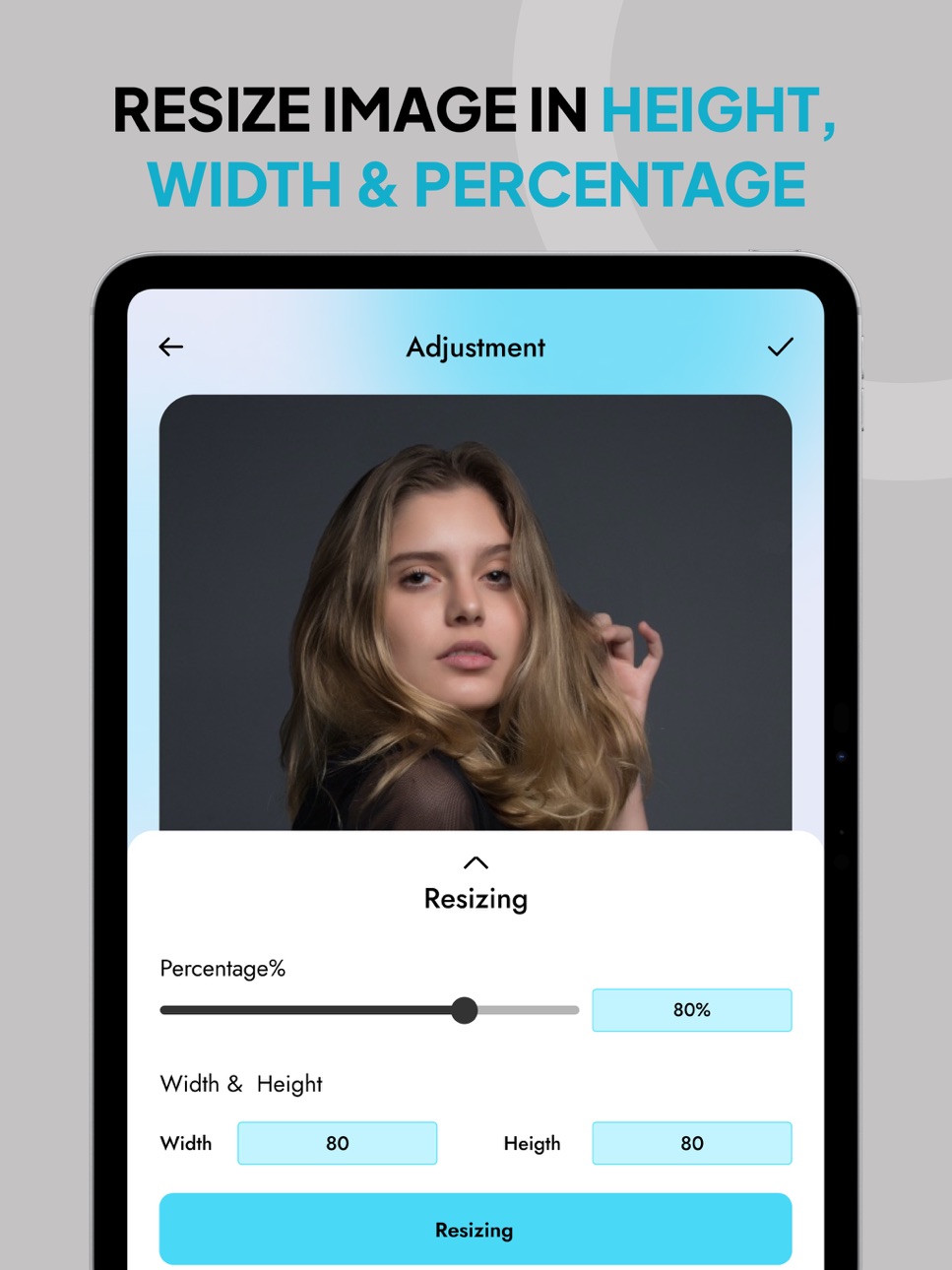
Mac 5 images


What’s New Version 1.1.3
Maintenance and Fixes
Description
Image resizer app in KB to resize photo resolution, crop and convert images. The image converter feature can help the user to convert images in users desired image format.
Are you looking for an app that is able to quickly downsize your pictures without losing the photo quality. If yes, then you are at the right place, try using the image resizer tool to reduce image size. Not only resizing images but this resizer tool can also be used as an image converter. You can convert images in your desired format such as PNG to JPEG, JPEG, to PNG, JPEG to WebP, WebP to PNG and more.
In addition to it, users can resize, crop and compress multiple photos using the batch resize image. Along with the image resizing you can also change the background of the images using the image converter offline. Collage maker & passport image are some additional features of image resizer in KB.
Key Features of Image Size Reduction Tool:
- User friendly interface.
- You can compress, crop & resize image.
- The photo resize toolkit allows the user to resize multiple images with batch mode image resizing feature.
- The quality of your resized photos will remain the same as the image resizer does not affect its quality.
- Pictures downsized several times won't lose their quality when you resize image size again.
- The photo resizer preserves the actual quality as well as their aspect ratio.
- One of its amazing features is that it can also be used as an image converter to JPG.
- You can also do the image conversions in various formats such as JPEG, PNG, WebP, etc.
Why to Use the Image Resizer:
There are many reason why someone might select the photo resizer tool to use:
Adjusting the File Size:
The image size converter allows the user to downsize or resize the dimensions. And also its file size of an image. Using a photo resize app becomes useful when you are required to reduce the size of the file for website uploads, email attachments or social media posts.
Image optimization:
At the time of developing apps or websites it is very important to optimize or resize image. The optimized images can help the app or websites to load faster & it also improves the overall use experience. So that you can try using the image resizer to reduce the image size. Another useful feature that developers can use is its image converter that can convert any image format to WebP or any other image format.
Batch Mode:
Batch mode photo resize feature lets the user resize or compress multiple images simultaneously. This amazing feature of photo resizer & compressor can save your significant time & also your effort when you have many images to resize.
Sometimes when you want to send an email to someone with attached photos, you will see that your email will exceed the message size limit. So to get rid of it you need to downsize the image size to send that email. Give a try to image resizer in pixels that can reduce the size of image of your requirement.
Install Image converter & resizer and start converting, compressing, optimizing and resizing the image without any hassle. Say goodbye to the photos that take too much space of your phone storage and resize them in high quality with our image resizer.
https://appchunks.com/#terms
https://appchunks.com/#privacy
Capabilities
In-App Purchases
Accessibility
ipadiphonemacrealityDevicetvoswatch
Version history 14 versions
Build 875261995v1.1.32025-08-25 03:40:13
Maintenance and Fixes
Build 872357637v1.1.22025-05-20 08:22:28
Maintenance and fixes
Build 872079322v1.1.12025-02-07 22:28:49
- Improved Speed: Resize your images faster than ever before!
- New Formats Supported: Now resize PNG, JPG, and GIF files seamlessly.
- Batch Resize: Resize multiple images in one go for convenience.
- Enhanced Quality: Retain better image quality after resizing.
- User Interface Update: A cleaner, smoother experience.
- Bug Fixes: Minor fixes for a more reliable app.
Build 871689031v1.1.02025-01-27 21:49:56
• Fixed minor glitches for a smoother experience.
• Improved app stability and performance.
Build 871669021v1.0.92025-01-11 09:40:21
• AI-powered resizing: Adjusts size without losing important details.
• Batch resizing: Resize multiple images at once.
• Predefined sizes: Ready-made sizes for social media.
• Compression & optimization: Reduce file size without losing quality.
• Format conversion: Convert images between formats.
• Cloud integration: Sync with cloud storage.
• High-quality exports: Resize while maintaining image quality.
Build 871627301v1.0.82025-01-09 15:54:31
• Added new features for improved functionality.
• Enhanced performance for a smoother experience.
• Fixed bugs to improve reliability.
Build 859885628v1.0.72025-01-08 18:02:50
• Enhanced image resizing and compression.
• Improved batch mode for resizing multiple images.
• Expanded support for image format conversions.
• General performance improvements and bug fixes.
Build 859789507v1.0.52023-09-12 05:31:48
- Fresh Design
- Dark Mode
- Faster Performance
- Better Search
- Personalized Recommendations
Build 859853371v1.0.62023-09-12 19:48:00
- Fresh Design
- Dark Mode
- Faster Performance
- Better Search
- Personalized Recommendations
Build 859767764v1.0.42023-09-09 07:05:01
- Sleek Design
- Easy Navigation
- Lightning-Fast Performance
- Enhanced Security
Build 859533666v1.0.32023-09-01 19:20:19
- Improved Performance
- Bug Fixes
- Enhanced Security
- Under the Hood Improvements
Update now for a better app experience!
Build 859360136v1.0.22023-08-29 05:37:10
We're excited to introduce a new version of our Photo Resizer app, featuring enhancements to elevate your experience:
Improved User Interface: We've refined the app's interface for smoother photo resizing, now available in Arabic, Chinese, and English.
Enhanced Precision: Our resizing algorithm's accuracy and quality have been fine-tuned, delivering exceptional results.
Faster Performance: The app's optimization ensures swift resizing, even for large photos, across Arabic, Chinese, and English languages.
Updated Preview: Experience clearer and more accurate resized image previews before finalizing changes.
Batch Resizing: Newly added batch resizing function lets you resize multiple images at once, available in Arabic, Chinese, and English.
Bug Fixes: Various bug fixes enhance app stability, providing a seamless experience across languages.
We appreciate your input. For inquiries, feedback, or assistance, please reach out to our support team. Thank you for using our Photo Resizer app!
Build 859258108v1.0.12023-08-21 18:25:30
We're excited to bring you a new version of our Photo Resizer app, packed with improvements to enhance your experience:
-Improved User Interface: We've refined the app's interface to make resizing photos even more intuitive.
-Enhanced Precision: Our resizing algorithm has been fine-tuned for higher accuracy and quality of resized images.
-Faster Performance: The app is now optimized for smoother and faster resizing, even for large photos.
-Updated Preview: Enjoy a clearer and more accurate preview of your resized images before saving.
-Batch Resizing: Resize multiple images at once with our new batch resizing feature.
-Bug Fixes: We've addressed various issues to provide you with a more stable app.
We value your input. If you have any questions, feedback, or run into issues, please contact our support team. Thank you for using our Photo Resizer app!
Build 859202072v1.0.02023-08-18 00:07:45
No pricing data captured yet — comparisons appear once the app has paid storefronts or in-app purchases.
Availability 174 of 175 storefronts
| Region | Language | Price | Ratings | Avg | Version |
|---|---|---|---|---|---|
| US | en-US | Free | 15 | 5.0 | 1.1.3 |
| GB | en-GB | Free | 1 | 5.0 | 1.1.3 |
| AE | en-GB | Free | 0 | — | 1.1.3 |
| AF | en-GB | Free | 0 | — | 1.1.3 |
| AG | en-GB | Free | 0 | — | 1.1.3 |
| AI | en-GB | Free | 0 | — | 1.1.3 |
| AL | en-GB | Free | 0 | — | 1.1.3 |
| AM | en-GB | Free | 0 | — | 1.1.3 |
| AO | en-GB | Free | 0 | — | 1.1.3 |
| AR | es-MX | Free | 0 | — | 1.1.3 |
| AT | de-DE | Free | 0 | — | 1.1.3 |
| AU | en-AU | Free | 0 | — | 1.1.3 |
| AZ | en-GB | Free | 0 | — | 1.1.3 |
| BA | en-GB | Free | 0 | — | 1.1.3 |
| BB | en-GB | Free | 0 | — | 1.1.3 |
| BE | en-GB | Free | 0 | — | 1.1.3 |
| BF | en-GB | Free | 0 | — | 1.1.3 |
| BG | en-GB | Free | 0 | — | 1.1.3 |
| BH | en-GB | Free | 0 | — | 1.1.3 |
| BJ | en-GB | Free | 0 | — | 1.1.3 |
| BM | en-GB | Free | 0 | — | 1.1.3 |
| BN | en-GB | Free | 0 | — | 1.1.3 |
| BO | es-MX | Free | 0 | — | 1.1.3 |
| BR | pt-BR | Free | 0 | — | 1.1.3 |
| BS | en-GB | Free | 0 | — | 1.1.3 |
| BT | en-GB | Free | 0 | — | 1.1.3 |
| BW | en-GB | Free | 0 | — | 1.1.3 |
| BY | en-GB | Free | 0 | — | 1.1.3 |
| BZ | en-GB | Free | 0 | — | 1.1.3 |
| CA | en-CA | Free | 0 | — | 1.1.3 |
| CD | en-GB | Free | 0 | — | 1.1.3 |
| CG | en-GB | Free | 0 | — | 1.1.3 |
| CH | de-CH | Free | 0 | — | 1.1.3 |
| CI | fr-FR | Free | 0 | — | 1.1.3 |
| CL | es-MX | Free | 0 | — | 1.1.3 |
| CM | fr-FR | Free | 0 | — | 1.1.3 |
| CN | zh-Hans-CN | Free | 0 | — | 1.1.3 |
| CO | es-MX | Free | 0 | — | 1.1.3 |
| CR | es-MX | Free | 0 | — | 1.1.3 |
| CV | en-GB | Free | 0 | — | 1.1.3 |
| CY | en-GB | Free | 0 | — | 1.1.3 |
| CZ | en-GB | Free | 0 | — | 1.1.3 |
| DE | de-DE | Free | 0 | — | 1.1.3 |
| DK | en-GB | Free | 0 | — | 1.1.3 |
| DM | en-GB | Free | 0 | — | 1.1.3 |
| DO | es-MX | Free | 0 | — | 1.1.3 |
| DZ | en-GB | Free | 0 | — | 1.1.3 |
| EC | es-MX | Free | 0 | — | 1.1.3 |
| EE | en-GB | Free | 0 | — | 1.1.3 |
| EG | en-GB | Free | 0 | — | 1.1.3 |
| ES | es-ES | Free | 0 | — | 1.1.3 |
| FI | en-GB | Free | 0 | — | 1.1.3 |
| FJ | en-GB | Free | 0 | — | 1.1.3 |
| FM | en-GB | Free | 0 | — | 1.1.3 |
| FR | fr-FR | Free | 0 | — | 1.1.3 |
| GA | fr-FR | Free | 0 | — | 1.1.3 |
| GD | en-GB | Free | 0 | — | 1.1.3 |
| GE | en-GB | Free | 0 | — | 1.1.3 |
| GH | en-GB | Free | 0 | — | 1.1.3 |
| GM | en-GB | Free | 0 | — | 1.1.3 |
| GR | en-GB | Free | 0 | — | 1.1.3 |
| GT | es-MX | Free | 0 | — | 1.1.3 |
| GW | en-GB | Free | 0 | — | 1.1.3 |
| GY | en-GB | Free | 0 | — | 1.1.3 |
| HK | zh-Hant-HK | Free | 0 | — | 1.1.3 |
| HN | es-MX | Free | 0 | — | 1.1.3 |
| HR | en-GB | Free | 0 | — | 1.1.3 |
| HU | en-GB | Free | 0 | — | 1.1.3 |
| ID | en-GB | Free | 0 | — | 1.1.3 |
| IE | en-GB | Free | 0 | — | 1.1.3 |
| IL | en-GB | Free | 0 | — | 1.1.3 |
| IN | en-GB | Free | 0 | — | 1.1.3 |
| IQ | en-GB | Free | 0 | — | 1.1.3 |
| IS | en-GB | Free | 0 | — | 1.1.3 |
| IT | it | Free | 0 | — | 1.1.3 |
| JM | en-GB | Free | 0 | — | 1.1.3 |
| JO | en-GB | Free | 0 | — | 1.1.3 |
| JP | ja | Free | 0 | — | 1.1.3 |
| KE | en-GB | Free | 0 | — | 1.1.3 |
| KG | en-GB | Free | 0 | — | 1.1.3 |
| KH | en-GB | Free | 0 | — | 1.1.3 |
| KN | en-GB | Free | 0 | — | 1.1.3 |
| KR | ko | Free | 0 | — | 1.1.3 |
| KW | en-GB | Free | 0 | — | 1.1.3 |
| KY | en-GB | Free | 0 | — | 1.1.3 |
| KZ | en-GB | Free | 0 | — | 1.1.3 |
| LA | en-GB | Free | 0 | — | 1.1.3 |
| LB | en-GB | Free | 0 | — | 1.1.3 |
| LC | en-GB | Free | 0 | — | 1.1.3 |
| LK | en-GB | Free | 0 | — | 1.1.3 |
| LR | en-GB | Free | 0 | — | 1.1.3 |
| LT | en-GB | Free | 0 | — | 1.1.3 |
| LU | en-GB | Free | 0 | — | 1.1.3 |
| LV | en-GB | Free | 0 | — | 1.1.3 |
| LY | en-GB | Free | 0 | — | 1.1.3 |
| MA | en-GB | Free | 0 | — | 1.1.3 |
| MD | en-GB | Free | 0 | — | 1.1.3 |
| ME | en-GB | Free | 0 | — | 1.1.3 |
| MG | en-GB | Free | 0 | — | 1.1.3 |
| MK | en-GB | Free | 0 | — | 1.1.3 |
| ML | en-GB | Free | 0 | — | 1.1.3 |
| MM | en-GB | Free | 0 | — | 1.1.3 |
| MN | en-GB | Free | 0 | — | 1.1.3 |
| MO | zh-Hant-HK | Free | 0 | — | 1.1.3 |
| MR | en-GB | Free | 0 | — | 1.1.3 |
| MS | en-GB | Free | 0 | — | 1.1.3 |
| MT | en-GB | Free | 0 | — | 1.1.3 |
| MU | en-GB | Free | 0 | — | 1.1.3 |
| MV | en-GB | Free | 0 | — | 1.1.3 |
| MW | en-GB | Free | 0 | — | 1.1.3 |
| MX | es-MX | Free | 0 | — | 1.1.3 |
| MY | en-GB | Free | 0 | — | 1.1.3 |
| MZ | en-GB | Free | 0 | — | 1.1.3 |
| NA | en-GB | Free | 0 | — | 1.1.3 |
| NE | en-GB | Free | 0 | — | 1.1.3 |
| NG | en-GB | Free | 0 | — | 1.1.3 |
| NI | es-MX | Free | 0 | — | 1.1.3 |
| NL | nl | Free | 0 | — | 1.1.3 |
| NO | en-GB | Free | 0 | — | 1.1.3 |
| NP | en-GB | Free | 0 | — | 1.1.3 |
| NR | en-GB | Free | 0 | — | 1.1.3 |
| NZ | en-AU | Free | 0 | — | 1.1.3 |
| OM | en-GB | Free | 0 | — | 1.1.3 |
| PA | es-MX | Free | 0 | — | 1.1.3 |
| PE | es-MX | Free | 0 | — | 1.1.3 |
| PG | en-GB | Free | 0 | — | 1.1.3 |
| PH | en-GB | Free | 0 | — | 1.1.3 |
| PL | en-GB | Free | 0 | — | 1.1.3 |
| PT | pt-PT | Free | 0 | — | 1.1.3 |
| PW | en-GB | Free | 0 | — | 1.1.3 |
| PY | es-MX | Free | 0 | — | 1.1.3 |
| QA | en-GB | Free | 0 | — | 1.1.3 |
| RO | en-GB | Free | 0 | — | 1.1.3 |
| RS | en-GB | Free | 0 | — | 1.1.3 |
| RU | ru | Free | 0 | — | 1.1.3 |
| RW | en-GB | Free | 0 | — | 1.1.3 |
| SA | en-GB | Free | 0 | — | 1.1.3 |
| SB | en-GB | Free | 0 | — | 1.1.3 |
| SC | en-GB | Free | 0 | — | 1.1.3 |
| SE | sv | Free | 0 | — | 1.1.3 |
| SG | en-GB | Free | 0 | — | 1.1.3 |
| SI | en-GB | Free | 0 | — | 1.1.3 |
| SK | en-GB | Free | 0 | — | 1.1.3 |
| SL | en-GB | Free | 0 | — | 1.1.3 |
| SN | en-GB | Free | 0 | — | 1.1.3 |
| SR | en-GB | Free | 0 | — | 1.1.3 |
| ST | en-GB | Free | 0 | — | 1.1.3 |
| SV | es-MX | Free | 0 | — | 1.1.3 |
| SZ | en-GB | Free | 0 | — | 1.1.3 |
| TC | en-GB | Free | 0 | — | 1.1.3 |
| TD | en-GB | Free | 0 | — | 1.1.3 |
| TH | en-GB | Free | 0 | — | 1.1.3 |
| TJ | en-GB | Free | 0 | — | 1.1.3 |
| TM | en-GB | Free | 0 | — | 1.1.3 |
| TN | en-GB | Free | 0 | — | 1.1.3 |
| TO | en-GB | Free | 0 | — | 1.1.3 |
| TR | en-GB | Free | 0 | — | 1.1.3 |
| TT | en-GB | Free | 0 | — | 1.1.3 |
| TW | zh-Hant-TW | Free | 0 | — | 1.1.3 |
| TZ | en-GB | Free | 0 | — | 1.1.3 |
| UA | en-GB | Free | 0 | — | 1.1.3 |
| UG | en-GB | Free | 0 | — | 1.1.3 |
| UY | en-GB | Free | 0 | — | 1.1.3 |
| UZ | en-GB | Free | 0 | — | 1.1.3 |
| VC | en-GB | Free | 0 | — | 1.1.3 |
| VE | es-MX | Free | 0 | — | 1.1.3 |
| VG | en-GB | Free | 0 | — | 1.1.3 |
| VN | en-GB | Free | 0 | — | 1.1.3 |
| VU | en-GB | Free | 0 | — | 1.1.3 |
| XK | en-GB | Free | 0 | — | 1.1.3 |
| YE | en-GB | Free | 0 | — | 1.1.3 |
| ZA | en-GB | Free | 0 | — | 1.1.3 |
| ZM | en-GB | Free | 0 | — | 1.1.3 |
| ZW | en-GB | Free | 0 | — | 1.1.3 |
Not available in: PK
Change log 18 changes · US
✎
releaseNotes updated
Maintenance and Fixes
✎
description updated
Image resizer app in KB to resize photo resolution, crop and convert images. The image converter feature can help the user to convert images in users desired im
✎
subtitle updated
Compress & Reduce Photo Size
✎
name updated
Image Resizer : Resize Photos
◆
Version 1.1.3 released
Maintenance and Fixes
◆
Version 1.1.2 released
Maintenance and fixes
◆
Version 1.1.1 released
- Improved Speed: Resize your images faster than ever before!
- New Formats Supported: Now resize PNG, JPG, and GIF files seamlessly.
- Batch Resize: Resize multiple images in one go for convenience.
- Enhanced Quality: Retain better image
◆
Version 1.1.0 released
• Fixed minor glitches for a smoother experience.
• Improved app stability and performance.
◆
Version 1.0.9 released
• AI-powered resizing: Adjusts size without losing important details.
• Batch resizing: Resize multiple images at once.
• Predefined sizes: Ready-made sizes for social media.
• Compression & optimization: Reduce file size without losing
◆
Version 1.0.8 released
• Added new features for improved functionality.
• Enhanced performance for a smoother experience.
• Fixed bugs to improve reliability.
◆
Version 1.0.7 released
• Enhanced image resizing and compression.
• Improved batch mode for resizing multiple images.
• Expanded support for image format conversions.
• General performance improvements and bug fixes.
◆
Version 1.0.6 released
- Fresh Design
- Dark Mode
- Faster Performance
- Better Search
- Personalized Recommendations
◆
Version 1.0.5 released
- Fresh Design
- Dark Mode
- Faster Performance
- Better Search
- Personalized Recommendations
◆
Version 1.0.4 released
- Sleek Design
- Easy Navigation
- Lightning-Fast Performance
- Enhanced Security
◆
Version 1.0.3 released
- Improved Performance
- Bug Fixes
- Enhanced Security
- Under the Hood Improvements
Update now for a better app experience!
◆
Version 1.0.2 released
We're excited to introduce a new version of our Photo Resizer app, featuring enhancements to elevate your experience:
Improved User Interface: We've refined the app's interface for smoother photo resizing, now available in Arabic, Chinese,
◆
Version 1.0.1 released
We're excited to bring you a new version of our Photo Resizer app, packed with improvements to enhance your experience:
-Improved User Interface: We've refined the app's interface to make resizing photos even more intuitive.
-Enhanced Prec
◆
Version 1.0.0 released