Home › Books

 US
US
1 of 1 storefronts
Content in en-US
Content in en-US
Information
Preview 2 platforms
iPhone 6 images


iPad 5 images


What’s New Version 2.43
- Fix: Reset reader suggestion undo stack when the suggestion is posted and also when it is deleted from reminder alert.
- Fix: Textbox didn't scroll after reaching max height. It also jittered.
- Fix: Large gap between the keyboard and the textarea.
- Fix: On iPad, can't type if you minimize onscreen keyboard and have an external keyboard attached.
- Internal updates
Description
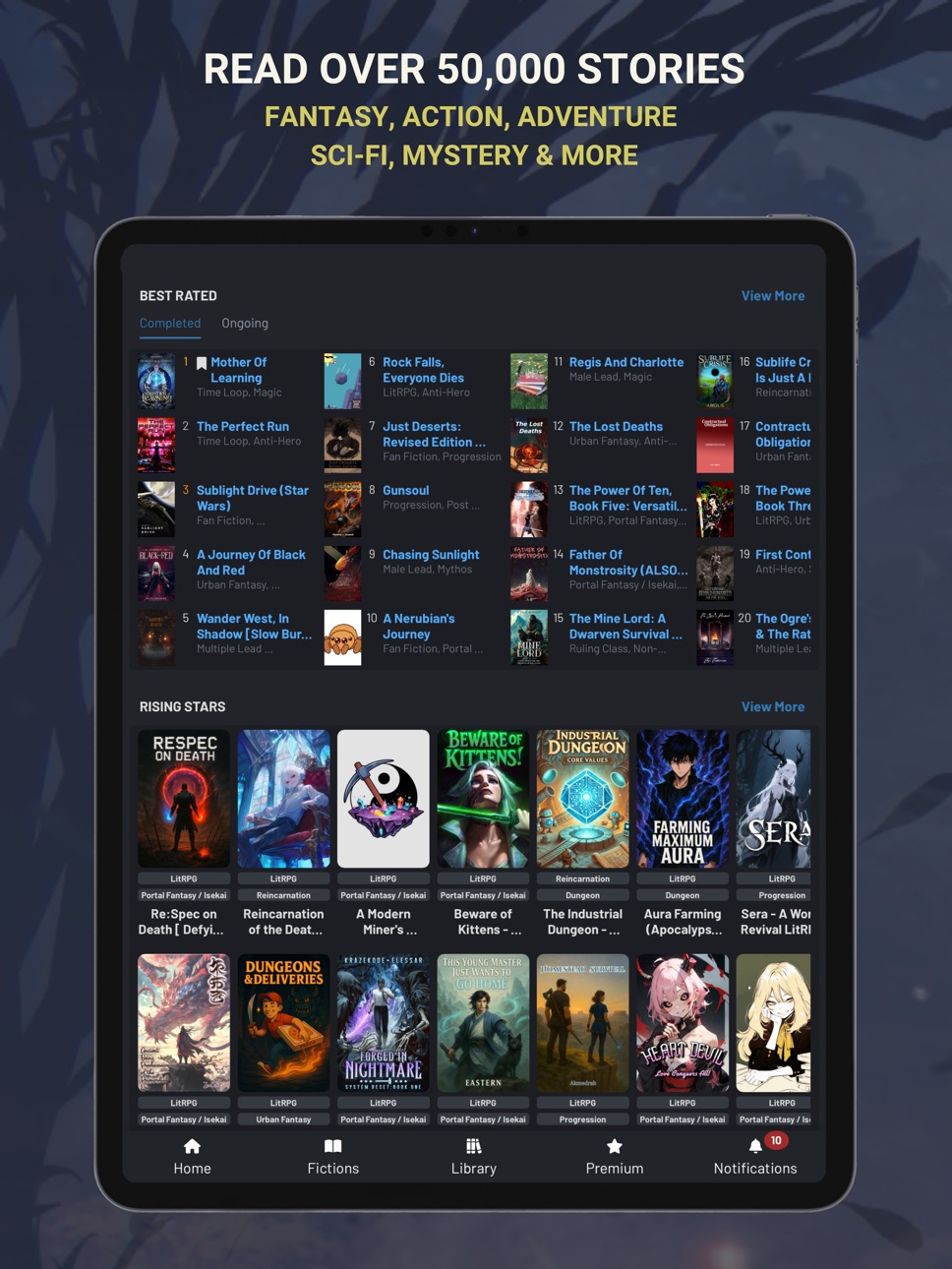
Your main source for Action, Adventure, Fantasy, and Science Fiction. Find many stories within your new favorite genres such as Progression Fantasy, Litrpg, Portal Fantasy and Isekai stories, among many others.
Explore over 50,000 novels and be the first to discover captivating stories.
Royal Road Premium - Subscribe to our Premium service to receive the following features:
- Ad-free reading experience
- Downloading chapters for offline reading
- Premium badge on your comments
- Itemized reading history of individual chapters read
- Replace your standard avatar border with a premium one and unlock a new one for each month of your subscription
- Customize your profile page with a banner
For our terms of service, visit https://www.royalroad.com/tos
For our privacy policy, visit https://www.royalroad.com/privacypolicy
Royal Road Author Premium - We offer a subscription service for authors as well; this gives you all of the benefits above, plus extra benefits available on our author dashboard online. Please note that our app does not have features for authors, this subscription tier is present for convenience.
Capabilities
In-App Purchases
Accessibility
ipadiphonemacrealityDevicetvoswatch
Version history 25 versions
Build 886738687v2.432026-06-12 02:06:19
- Fix: Reset reader suggestion undo stack when the suggestion is posted and also when it is deleted from reminder alert.
- Fix: Textbox didn't scroll after reaching max height. It also jittered.
- Fix: Large gap between the keyboard and the textarea.
- Fix: On iPad, can't type if you minimize onscreen keyboard and have an external keyboard attached.
- Internal updates
Build 886440983v2.422026-06-03 14:41:41
- Fix: Corrupted data on downloads page.
- Fix: On some devices, if next chapter is auto loaded within 3 minutes of app minimization or screen lock; when screen is unlocked or app was maximized, the app jumped back to that auto loaded chapter which loaded within 3 minutes, no matter how many other chapters he/she auto read after that.
- New: Beta support for CarPlay for premium users. Browse your lists from CarPlay itself & play any book's chapter from there. The supported lists are: reading history, follows, downloads, favorites and read later. Current limitation is that you have to be on the chapter page in the app to view all the options in CarPlay. We are working on it and we will remove that limitation, if possible. It may take lots of time to remove that limitation.
Build 886275709v2.412026-05-29 16:43:35
Critical Fix: Chapter auto-next not working when app is in background for long.
Build 886237786v2.402026-05-28 18:50:52
- Fix: Clear edit suggestions undo stack on chapter change.
- Fix: Double paste when using OS "Paste" context menu in textbox.
Build 886193680v2.392026-05-27 17:20:30
- Fix: In chapter audio/tts, skip speaking special characters 『 and 』.
- Fix: In textbox, sometimes, text content scrolled to top when user tapped in an empty area.
Build 885985984v2.382026-05-22 03:39:39
- Probable fix: IPv6 and IPv4 network switch issue.
- Fix: Multiple alerts were shown when user signed into a non-premium account, if user had signed into some other premium account previously.
- Fix: Chapter audio/TTS auto next hanged if any popup was open and resumed after popup was closed.
- Probable fix: Random transparent line on screen on app resume.
- Misc: Internal fixes.
Build 885532268v2.372026-05-11 23:21:25
- Fix: Downloads page crashed when there were many downloads, fully refactored the page. Some compromises had to be made in terms of what we could show on the page to make this work.
- Probable Fix: Double battery consumption because of preloading chapters when chapter audio/TTS is on.
Build 885336575v2.352026-05-06 21:00:10
- Probable fix: Unexpected error on app restart when app has been in background for long.
- Probable fix: Last attempt to fix the vanishing footer items.
Build 885347436v2.362026-05-06 23:28:17
Critical Fix: App crashing on startup for iOS versions below 17
Build 885239454v2.342026-05-04 21:33:23
- Fix: Chapter prev/next buttons.
- Fix: Footer code refactored because of invisible buttons issue.
- Misc: Internal updates.
Build 885125991v2.332026-04-30 21:28:30
- Fix: Colored paragraph separator was shown in grayscale.
- Fix: Own comment buttons layout.
- Fix: App startup flash of white page.
- Fix: App not following custom font size setting on app restart.
- Probable fix: Footer buttons vanishing on app focus.
- Probable fix: On some devices (we know about Samsung so far), the app hanged on TTS/Chapter audio auto-next, when auto-next was triggered within 3 minutes of app backgrounding.
- Experimental fix: Premium users who have not downloaded the book and listening to chapter audio with auto-next faced network issue when the OS put the device in deep sleep. We are caching 5 chapters in memory for such users as an experimental fix.
- Misc: Extra logs to track unexpected errors that crash the app.
- Misc: Some extra logs to see why some users are facing problem with phone rotation on chapter page.
Build 884674608v2.322026-04-19 16:01:21
- Fix: Draft saved message was wrong.
- Probable fix: App hanging when pause/play is tapped in quick succession for some users.
- Fix: Keyboard overlapping text area.
- Misc: Internal updates.
Build 884599680v2.312026-04-16 22:12:35
- Fix: TTS/Chapter audio play button always visible on chapter page.
- New: Added a new close button to temporarily remove the in-chapter TTS/Chapter audio buttons.
- Probable fix: Footer buttons vanishing.
- Probable fix: App crashing after 2 hours of continuous use.
- Probable fix: Network connectivity issues when users have WiFi + mobile data switched on simultaneously.
- Possible fix: Random issue where half the UI is covered by empty space at the bottom.
Build 884382399v2.302026-04-10 22:52:22
- Fix: More wikipedia apostrophe fixes.
- Probable fix: Bottom menu items, except for home button, vanishing sometimes.
- Fix: App resume sometimes eats up half the screen.
- Probable fix: App not working on WiFi for some users. Mostly those who have mobile data & WiFi switched on at the same time.
Build 884153819v2.292026-04-05 19:11:45
- Critical Fix: TTS/Chapter audio "Auto next" not working after the first auto next success.
Build 884077249v2.282026-04-02 23:38:54
- Fix: Wikipedia link and wiki search of words with apostrophe.
- Fix: Fast TTS/Audio forward or backward, while receiving notification alerts, caused TTS/Audio to hang.
- Fix: TTS/Audio buttons didn't work in media center.
Build 883967399v2.272026-03-31 18:38:50
- Fix: Wikipedia text not showing up for words that redirect.
- Fix: Pressing "next" while the auto next is loading the next chapter caused the app to jump two chapters.
- Fix: Pre-selected "genres" and "content warnings" not applied in the advanced search.
- Fix: TTS/Chapter audio speed setting with decimal value, e.g. 2.08, caused extra pause after each sentence.
- Probable Fix: Transparent line with shadow appearing in the middle of the screen sometimes on chapter page.
- Probable Fix: Startup release notes popup and ad not closing.
- Probable Fix: Keeping the audio settings popup open while the TTS/Chapter audio is playing caused weird UI issues.
- Probable Fix: Chapter not scrolling to last read position when app re-opens, if an ad or release notes popup shows up.
Build 883869089v2.262026-03-29 01:10:05
- Fix: Wikipedia result did not handle "disambiguation" response.
- Fix: Loading indicator visible in the zoomable image popup, when the image is transparent or when the loaded image is moved around.
- Fix: Fast jump forward caused TTS to pause and not resume, requiring app restart.
Build 883680520v2.242026-03-24 16:14:39
-Fix: TTS/Chapter audio didn't resume sometimes when forward/backward buttons were used in quick succession.
Build 883717959v2.252026-03-24 21:28:07
- Fix: No release notes visible on release notes page in regions where "," is used as number separator.
- New: Option to customize the pause length for ellipsis and between sentences. The option can be found in the chapter audio settings.
Build 883621534v2.232026-03-22 20:24:53
- Fix: More solutions for ellipsis pause.
- Fix: Changed how TTS loading error is shown in the audio settings popup, so that it does not cover the other settings in the popup.
- Fix: Text highlight didn't work for certain texts in Chapter Audio / TTS.
- Fix: Text selection covered the chapter header
Build 883128590v2.212026-03-16 03:36:29
- Fix: App not following system time format properly when user overrides region defaults of 24 hours format
- Fix: Textbox scroll issue
- Fix: Typo "upto" in chapter poll
- Fix: Opening reader suggestion caused app to jump to a random location in the chapter in scroll mode.
- New: Freeze top header on Library page for easier navigation.
- New: A better way to handle ellipsis in TTS / Chapter audio.
- Fix: Increase height of release notes modal in landscape view.
- Fix: Inline spoilers never worked + spoiler button in "The Dungeon without a System".
- Fix: Advanced search counter showed wrong count.
- Fix: More fixes for cut off text issue in page mode.
- Fix: Downloaded books list not loading sometimes.
Build 883434000v2.222026-03-16 19:11:23
- Urgent Fix: Library header missing
- Fix: Chapter audio / TTS sometimes refuses to resume after back-to-back quick play attempts
Build 882874446v2.202026-03-03 09:01:23
- Fix: Cut off text issue in page mode on chapter
- Fix: Chapter clock should use custom time format set by user, if available
Build 882669908v2.192026-02-27 02:22:56
- Fix: Probable fix for network connectivity issue on devices where both Wi-Fi and mobile data is active.
- Fix: Message correction in passkey failure.
- New: Add "words" statistics to fiction details page, along with other statistics.
- Fix: On devices that have non-english language as their device language, the app displayed date + file picker text in the device language instead of english
- Fix: Proper error messages with reason, when passkey creation fails
- Fix: Alert color of Passkey creation success
- Experimental fix: cut text in page mode on certain devices. Hopefully, it make it worse for the other devices.
- Misc: Appending app version to each support ticket reply.
No pricing data captured yet — comparisons appear once the app has paid storefronts or in-app purchases.
Availability 1 of 1 storefronts
| Region | Language | Price | Ratings | Avg | Version |
|---|---|---|---|---|---|
| US | en-US | Free | 4.9k | 4.8 | 2.43 |
Change log 29 changes · US
✎
releaseNotes updated
- Fix: Reset reader suggestion undo stack when the suggestion is posted and also when it is deleted from reminder alert.
- Fix: Textbox didn't scroll after reac
✎
description updated
Your main source for Action, Adventure, Fantasy, and Science Fiction. Find many stories within your new favorite genres such as Progression Fantasy, Litrpg, Por
✎
subtitle updated
The home of web novels
✎
name updated
Royal Road - Read Stories
◆
Version 2.43 released
- Fix: Reset reader suggestion undo stack when the suggestion is posted and also when it is deleted from reminder alert.
- Fix: Textbox didn't scroll after reaching max height. It also jittered.
- Fix: Large gap between the keyboard and the
◆
Version 2.42 released
- Fix: Corrupted data on downloads page.
- Fix: On some devices, if next chapter is auto loaded within 3 minutes of app minimization or screen lock; when screen is unlocked or app was maximized, the app jumped back to that auto loaded chap
◆
Version 2.41 released
Critical Fix: Chapter auto-next not working when app is in background for long.
◆
Version 2.40 released
- Fix: Clear edit suggestions undo stack on chapter change.
- Fix: Double paste when using OS "Paste" context menu in textbox.
◆
Version 2.39 released
- Fix: In chapter audio/tts, skip speaking special characters 『 and 』.
- Fix: In textbox, sometimes, text content scrolled to top when user tapped in an empty area.
◆
Version 2.38 released
- Probable fix: IPv6 and IPv4 network switch issue.
- Fix: Multiple alerts were shown when user signed into a non-premium account, if user had signed into some other premium account previously.
- Fix: Chapter audio/TTS auto next hanged if a
◆
Version 2.37 released
- Fix: Downloads page crashed when there were many downloads, fully refactored the page. Some compromises had to be made in terms of what we could show on the page to make this work.
- Probable Fix: Double battery consumption because of pre
◆
Version 2.36 released
Critical Fix: App crashing on startup for iOS versions below 17
◆
Version 2.35 released
- Probable fix: Unexpected error on app restart when app has been in background for long.
- Probable fix: Last attempt to fix the vanishing footer items.
◆
Version 2.34 released
- Fix: Chapter prev/next buttons.
- Fix: Footer code refactored because of invisible buttons issue.
- Misc: Internal updates.
◆
Version 2.33 released
- Fix: Colored paragraph separator was shown in grayscale.
- Fix: Own comment buttons layout.
- Fix: App startup flash of white page.
- Fix: App not following custom font size setting on app restart.
- Probable fix: Footer buttons vanishing
◆
Version 2.32 released
- Fix: Draft saved message was wrong.
- Probable fix: App hanging when pause/play is tapped in quick succession for some users.
- Fix: Keyboard overlapping text area.
- Misc: Internal updates.
◆
Version 2.31 released
- Fix: TTS/Chapter audio play button always visible on chapter page.
- New: Added a new close button to temporarily remove the in-chapter TTS/Chapter audio buttons.
- Probable fix: Footer buttons vanishing.
- Probable fix: App crashing afte
◆
Version 2.30 released
- Fix: More wikipedia apostrophe fixes.
- Probable fix: Bottom menu items, except for home button, vanishing sometimes.
- Fix: App resume sometimes eats up half the screen.
- Probable fix: App not working on WiFi for some users. Mostly thos
◆
Version 2.29 released
- Critical Fix: TTS/Chapter audio "Auto next" not working after the first auto next success.
◆
Version 2.28 released
- Fix: Wikipedia link and wiki search of words with apostrophe.
- Fix: Fast TTS/Audio forward or backward, while receiving notification alerts, caused TTS/Audio to hang.
- Fix: TTS/Audio buttons didn't work in media center.
◆
Version 2.27 released
- Fix: Wikipedia text not showing up for words that redirect.
- Fix: Pressing "next" while the auto next is loading the next chapter caused the app to jump two chapters.
- Fix: Pre-selected "genres" and "content warnings" not applied in the
◆
Version 2.26 released
- Fix: Wikipedia result did not handle "disambiguation" response.
- Fix: Loading indicator visible in the zoomable image popup, when the image is transparent or when the loaded image is moved around.
- Fix: Fast jump forward caused TTS to p
◆
Version 2.25 released
- Fix: No release notes visible on release notes page in regions where "," is used as number separator.
- New: Option to customize the pause length for ellipsis and between sentences. The option can be found in the chapter audio settings.
◆
Version 2.24 released
-Fix: TTS/Chapter audio didn't resume sometimes when forward/backward buttons were used in quick succession.
◆
Version 2.23 released
- Fix: More solutions for ellipsis pause.
- Fix: Changed how TTS loading error is shown in the audio settings popup, so that it does not cover the other settings in the popup.
- Fix: Text highlight didn't work for certain texts in Chapter A
◆
Version 2.22 released
- Urgent Fix: Library header missing
- Fix: Chapter audio / TTS sometimes refuses to resume after back-to-back quick play attempts
◆
Version 2.21 released
- Fix: App not following system time format properly when user overrides region defaults of 24 hours format
- Fix: Textbox scroll issue
- Fix: Typo "upto" in chapter poll
- Fix: Opening reader suggestion caused app to jump to a random locat
◆
Version 2.20 released
- Fix: Cut off text issue in page mode on chapter
- Fix: Chapter clock should use custom time format set by user, if available
◆
Version 2.19 released
- Fix: Probable fix for network connectivity issue on devices where both Wi-Fi and mobile data is active.
- Fix: Message correction in passkey failure.
- New: Add "words" statistics to fiction details page, along with other statistics.
- Fi