Home › Business

Warehouse Cargo Connect
Official CargoConnect.io App
 US
US
1 of 1 storefronts
Content in en-US
Content in en-US
Information
Preview 1 platform
iPhone 9 images




What’s New Version 1.3.5
- Added visibility of newly created comments in Activity Logs.
- Updated ETA display in Orders to support ETA Ranges.
Description
CargoConnect Warehouse is your essential tool for managing daily operations directly from the warehouse.
With this app, you can:
- View and track incoming and outgoing cargo
- Assign and manage dock doors and time slots
- Stay on top of your daily loading/unloading schedule
Built for speed and clarity, the interface is clean and focused — giving you just what you need, when you need it.
CargoConnect Warehouse is part of the CargoConnect ecosystem, designed to bring drivers, logistics teams, and warehouses together in one streamlined workflow.
No more guesswork. No more delays. Just smooth, connected logistics.
Accessibility
ipadiphonemacrealityDevicetvoswatch
Version history 19 versions
Build 886986938v1.3.52026-06-15 20:18:15
- Added visibility of newly created comments in Activity Logs.
- Updated ETA display in Orders to support ETA Ranges.
Build 885499677v1.3.32026-05-12 02:00:47
- Added the ability to clear a door directly from a load
- Added load statistics by status on the Incoming Loads page: Incoming, Arrived, In Progress, Cancelled, and Completed
- Added a new Penalty Fees feature inside loads. Users can now view and add penalty fees for loads
Build 885586494v1.3.42026-05-12 21:47:50
- Added a network status banner
- Added warehouse codes to the main screen and warehouse list
- Fixed minor bugs in Load Charges
- Fixed an issue with filters in Load Stats
Build 884174414v1.3.22026-04-05 23:46:34
Bug fixes and improvements:
• Fixed an issue where the calendar could display the incorrect week in certain time zones
• Improved data loading reliability
Build 883842924v1.3.12026-03-27 21:26:31
Bug fixes and stability improvements
Build 882919269v1.3.02026-03-02 00:03:25
New Features
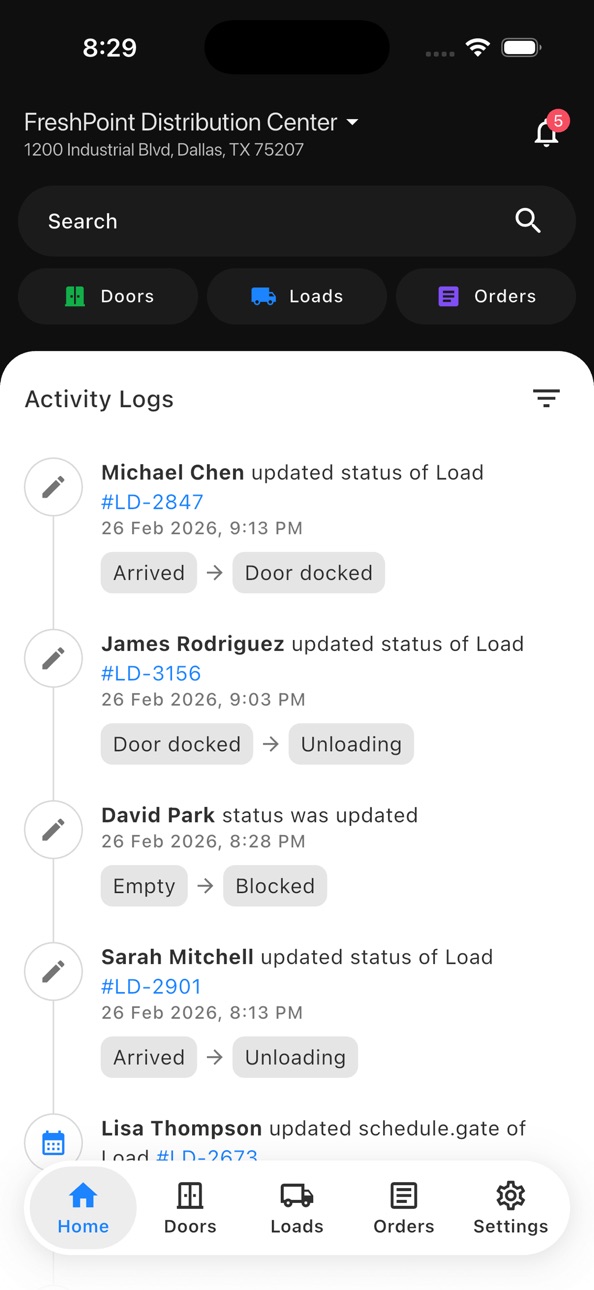
- Global Activity Logs on the home screen — view all warehouse changes in one place
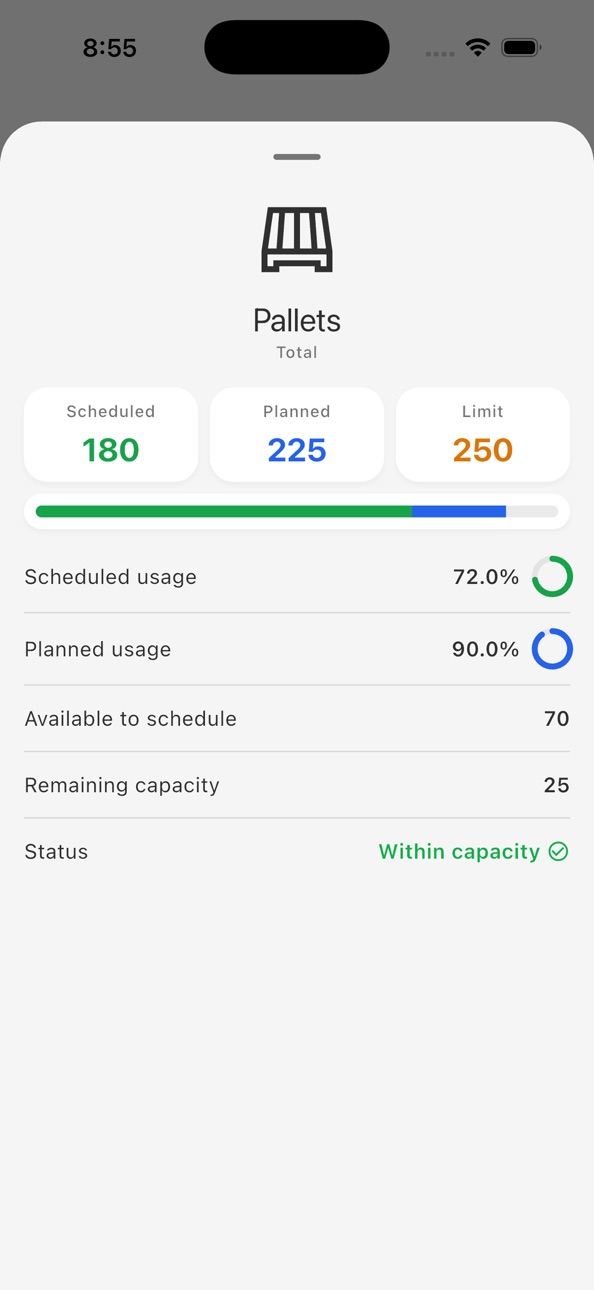
- Capacity Overview added to the Orders screen — monitor warehouse capacity at a glance
- Load tagging — add and manage custom tags on loads
- Driver management — connect and disconnect drivers directly from a load
- Pallet Inspector — capture good and bad pallet photos on orders and submit for review
- Advanced filtering on Loads and Orders pages (filter by buyers, organizational units, and more)
- Inline search on Incoming Loads and Orders screens
- Single Sign-On (SSO) support
Redesigned Experience
- New weekly calendar view on Incoming Loads and Orders pages
- Refreshed load and order card designs
- Redesigned Order Details page with order types, delivery types, organizational units, and order tags
- Redesigned Door Details page
Bug Fixes & Improvements
- Fixed navigation to the correct screen when tapping a notification
- Fixed notification handling across multiple warehouses
- General performance and stability improvements
Build 880035091v1.2.22025-11-24 21:43:26
- Added the ability to lock doors
- Added a logout option on the warehouse selection page
- Minor bug fixes
Build 878623107v1.2.12025-10-03 15:58:41
Added the ability to add a Late Tag to loads
Build 876491411v1.2.02025-07-19 01:40:49
- Multi-warehouse selection - Easily switch between different warehouse locations
- Multi-language support - Now available in English, Spanish, Russian, and Uzbek
- New notifications center - Stay updated on all warehouse activities in one place
- Enhanced home page - Quick global search to find loads, orders, and door assignments instantly
- Activity logs - Track all changes and updates for loads and orders with full transparency
- File attachments - Add photos and documents directly to comments for better communication
- Performance improvements - Faster loading times and smoother navigation
- Bug fixes - Various stability improvements and issue resolutions
- UI updates - Refreshed design for better usability
Build 870027356v1.1.02024-11-07 01:32:44
- Fresh new UI design
- Faster performance
- Added notifications
- Fixed progress bar issue in gate card
- Minor bug fixes
Build 865698652v1.0.102024-05-05 23:59:46
- Added search and filter functionality to the Doors screen.
- Fixed minor bugs.
Build 864830547v1.0.82024-03-29 22:54:43
- Added the ability to view load comments.
- Implemented a timeline widget to display cargo history.
- Enabled users to write comments for load.
- Improved performance.
- Fixed bugs on the load details page.
Build 864387496v1.0.72024-03-12 22:48:20
- Introduced an "Orders" section
- Revamped the design of the cargo page
- Resolved a bug affecting the cargo schedule
- Implemented a feature enabling the search for orders by ID
Build 863876426v1.0.62024-02-20 04:51:57
- Fixed an error in obtaining door data
- Improved performance
Build 863230050v1.0.52024-01-28 19:55:28
Fixed an error in obtaining door data.
Build 863158600v1.0.42024-01-25 01:49:48
- Implemented updated design
- Introduced a dark theme for improved visual comfort
- Improved overall performance for a smoother user experience
- Fixed minor bugs
Build 860442572v1.0.22023-10-06 02:03:15
Fixed minor bugs
Build 858512574v1.0.02023-09-13 11:10:20
Build 859896143v1.0.12023-09-13 21:23:13
Fixed bugs
No pricing data captured yet — comparisons appear once the app has paid storefronts or in-app purchases.
Availability 1 of 1 storefronts
| Region | Language | Price | Ratings | Avg | Version |
|---|---|---|---|---|---|
| US | en-US | Free | 3 | 5.0 | 1.3.5 |
Change log 23 changes · US
✎
releaseNotes updated
- Added visibility of newly created comments in Activity Logs.
- Updated ETA display in Orders to support ETA Ranges.
✎
description updated
CargoConnect Warehouse is your essential tool for managing daily operations directly from the warehouse.
With this app, you can:
- View and track incoming and
✎
subtitle updated
Official CargoConnect.io App
✎
name updated
Warehouse Cargo Connect
◆
Version 1.3.5 released
- Added visibility of newly created comments in Activity Logs.
- Updated ETA display in Orders to support ETA Ranges.
◆
Version 1.3.4 released
- Added a network status banner
- Added warehouse codes to the main screen and warehouse list
- Fixed minor bugs in Load Charges
- Fixed an issue with filters in Load Stats
◆
Version 1.3.3 released
- Added the ability to clear a door directly from a load
- Added load statistics by status on the Incoming Loads page: Incoming, Arrived, In Progress, Cancelled, and Completed
- Added a new Penalty Fees feature inside loads. Users can now v
◆
Version 1.3.2 released
Bug fixes and improvements:
• Fixed an issue where the calendar could display the incorrect week in certain time zones
• Improved data loading reliability
◆
Version 1.3.1 released
Bug fixes and stability improvements
◆
Version 1.3.0 released
New Features
- Global Activity Logs on the home screen — view all warehouse changes in one place
- Capaci
◆
Version 1.2.2 released
- Added the ability to lock doors
- Added a logout option on the warehouse selection page
- Minor bug fixes
◆
Version 1.2.1 released
Added the ability to add a Late Tag to loads
◆
Version 1.2.0 released
- Multi-warehouse selection - Easily switch between different warehouse locations
- Multi-language support - Now available in English, Spanish, Russian, and Uzbek
- New notifications center - Stay updated on all warehouse activities in one
◆
Version 1.1.0 released
- Fresh new UI design
- Faster performance
- Added notifications
- Fixed progress bar issue in gate card
- Minor bug fixes
◆
Version 1.0.10 released
- Added search and filter functionality to the Doors screen.
- Fixed minor bugs.
◆
Version 1.0.8 released
- Added the ability to view load comments.
- Implemented a timeline widget to display cargo history.
- Enabled users to write comments for load.
- Improved performance.
- Fixed bugs on the load details page.
◆
Version 1.0.7 released
- Introduced an "Orders" section
- Revamped the design of the cargo page
- Resolved a bug affecting the cargo schedule
- Implemented a feature enabling the search for orders by ID
◆
Version 1.0.6 released
- Fixed an error in obtaining door data
- Improved performance
◆
Version 1.0.5 released
Fixed an error in obtaining door data.
◆
Version 1.0.4 released
- Implemented updated design
- Introduced a dark theme for improved visual comfort
- Improved overall performance for a smoother user experience
- Fixed minor bugs
◆
Version 1.0.2 released
Fixed minor bugs
◆
Version 1.0.1 released
Fixed bugs
◆
Version 1.0.0 released