Home › Business

 US
US
1 of 1 storefronts
Content in en-US
Content in en-US
Information
Preview 2 platforms
iPhone 5 images


iPad 5 images


What’s New Version 12.8
- General improvements and bug fixes
Description
Trusted on thousands of projects—from small surveys to multi-site mega-builds—Onetrace gives subcontractors real-time visibility across every project and their entire workforce. Stay in control, make informed decisions, and build a stronger, more profitable business.
Designed for on-site operatives and back-office teams, over 1,000+ subcontractors rely on Onetrace to capture data, streamline compliance, and deliver instant proof of work to clients.
Purpose-built for subcontractors, Onetrace is a single system to capture, monitor, review, and report on all work in real time. Whether you’re inspecting, surveying, or installing, Onetrace keeps projects moving and compliant.
- ONETRACE MOBILE APP -
Optimised for the teams on the ground, the Onetrace Mobile App keeps operatives connected and projects moving—whether you’re running a single site or managing hundreds.
Operatives get the right data at the right time, so work flows without interruption. And with full offline capability, tasks can continue seamlessly even when there’s no signal.
• Access Project Information – View job details, site addresses, drawings, and your daily to-do list—everything you need, in the palm of your hand.
• Record Your Work – Capture surveys and inspections, document installations or remedial tasks, and log variations through job sheets.
• Drop Pins on Drawings – Mark up drawings with pins to accurately show exactly where work has been completed.
• Upload Photographic Evidence – Take before, during, and after photos to provide real-time proof of work.
• Update Job Status On-Site – Keep back-office teams informed with instant progress updates.
• Clock In & Out – Track hours accurately by clocking in on arrival and out when you leave site.
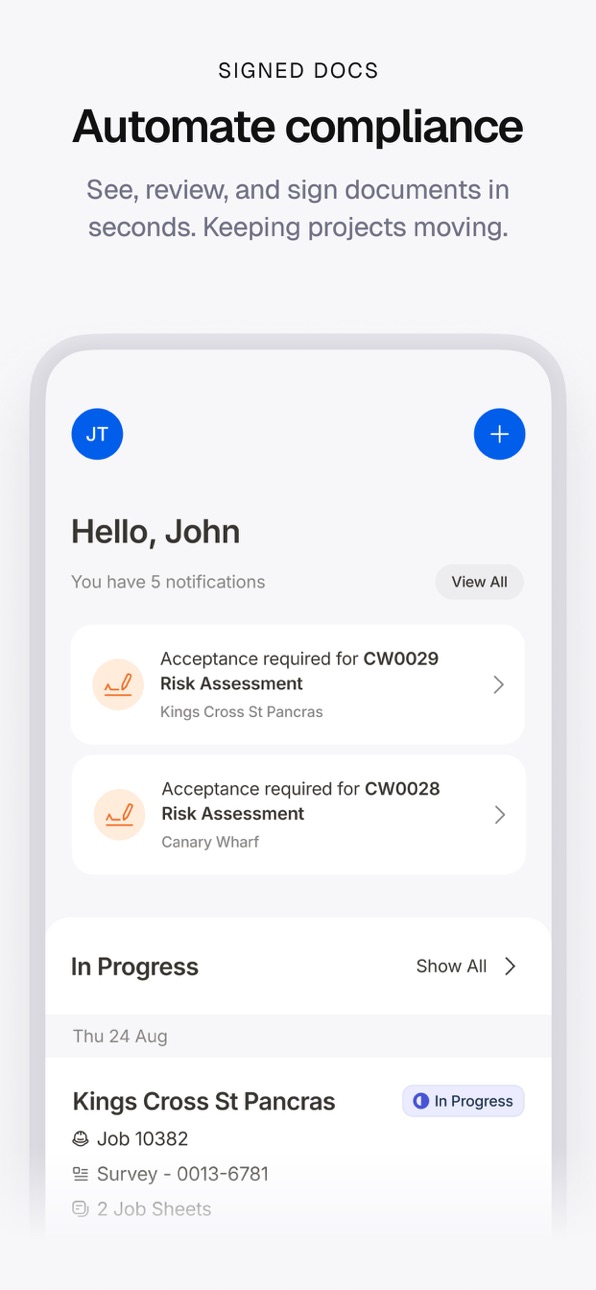
• Sign Documents Digitally – Read, review, and sign RAMS, toolbox talks, and health & safety documentation with a single click.
- ONETRACE PLATFORM -
• Customisable Forms: Easily create, customise and save tailored forms for every job type or trade.
• Job Scheduling: Schedule jobs and manage workloads to keep projects running smoothly.
• Drawings, Pins and Custom Statuses: Mark up drawings with pinpoint accuracy, and craft your own custom statuses that match your workflow to keep every project on track
• Reports: Instantly generate customisable PDF and Excel reports to give clients and auditors the data they need—whenever they need it.
• Approvals & Client Access: Build a quality-assurance process to capture approvals from clients, site managers, QA teams, or any project stakeholder.
• Timesheets & Productivity: Track and monitor operative time and attendance to ensure teams stay on schedule.
• Asset Tagging & QR Codes: Label project assets with QR codes to provide clear, verifiable evidence of compliance.
• Calculating Rates: Automatically calculate rates to show the value of work as it is completed by your operatives.
• Signed Docs: Request and collect signatures for RAMS, Toolbox Talks, and other key documents in just a few clicks.
• Secure & Accessible: Store drawings, reports, and compliance documentation safely in the cloud for access anytime, anywhere.
- TRUSTED BY LEADING SUBCONTRACTORS -
“The app is absolutely outstanding—easy to use and easy to personalise for our team and clients.”
- Olymp Fire Protection
"Onetrace streamlined our operations and saved hundreds of admin hours."
- Golden Thread Fire Delay
“We instantly see project progress—no more chasing data.”
- TBL Fire Protection
”Incredibly user friendly and flexible.”
- Trail Group
Accessibility
ipadiphonemacrealityDevicetvoswatch
Version history 25 versions
Build 887782400v12.82026-07-05 20:54:42
- General improvements and bug fixes
Build 886781074v12.72026-06-11 08:03:36
- General improvements and bug fixes
Build 884897882v12.62026-04-29 11:46:26
- General improvements and bug fixes
Build 883870575v12.52026-03-30 17:08:15
- Improved uploading of photos
- Improved clocking in/out of timesheets
- Added a new material type
- Added ability to copy job sheets
- Other minor improvements
Build 882447938v12.42026-02-14 23:18:11
- Improved uploading of photos
- Improved sync performance
Build 882019450vv12.32026-02-01 08:08:59
- Fix volume buttons not working in Camera screen
- Fix issues with Linear Metres measurements being rounded
Build 880782301v12.22025-12-19 07:18:07
- Upgraded sync engine for better speed and reliability.
- Updated timesheets to be created on non-downloaded projects
Build 880565363v12.12025-12-11 19:53:59
- Updates to sync engine
Build 880313957v12.02025-12-05 15:59:25
- Upgraded sync engine for better speed and reliability.
- Updated timesheets to be created on non-downloaded projects
Build 879178163v11.102025-10-24 08:01:48
- Enhanced sign in flows
Build 878471432v11.92025-10-13 08:43:55
- Enhanced sign in flows
Build 878163472v11.82025-09-21 20:20:20
App icon and colours updated to align with our new brand.
Build 878042904v11.72025-09-16 07:33:40
- Fixed an issue with remember fields within conditional fields
Build 877069298v11.62025-08-14 13:56:07
- Minor fixes and improvements
Build 876849177v11.52025-08-04 11:35:15
- Added support for manager role
- Fixed issue with dropping pins when enabling drawings on projects
Build 876489009v11.42025-07-30 17:53:09
- Fixed issue where approval automations would sometimes not apply correctly
- Improved viewing of files
Build 876407706v11.32025-07-15 18:22:22
- Fixed an issue where the app wouldn't load in rare circumstances
Build 875179864v11.22025-06-10 16:06:53
- Added support for conditional fields
Build 874355634v11.12025-05-09 07:34:10
- Fixed issue where PDFs appeared blurry or pixelated
- Fixed camera torch activation problem
- Fixed timesheet issue that occasionally prevented stopping active sessions
- Fixed location attribute sequencing to maintain consistency with configuration on the cloud
- Added support for ultra-wide camera lens
Build 871364359v10.272024-12-24 18:55:03
- Added enhanced support & diagnostics tools
Build 870619896v10.262024-11-23 14:25:20
- Fixed an issue with image files not loading sometimes
- Added option to search through specifications
- Enhancements to signed documents
Build 869860131v10.252024-10-25 08:26:45
- Improved photo capture using volume buttons
- Added support for "Average Side" material types
- Fixed an issue where sometimes no materials would be displayed
Build 868786117v10.242024-09-06 08:54:59
- Camera improvements
- Fixed an issue with the material measurement input screen
- Added support for custom location attribute configuration in forms
Build 867879764v10.232024-08-12 08:01:39
- Improved camera performance
- Improved syncing for better performance
- Improved zone validation when moving locations
- Added option to use front-facing camera
- Fixed an issue with getting directions for projects with a site address
- Fixed an issues with the camera taking multiple photos when using volume buttons
- Fixed an issue which prevented job sheets started on the cloud from being submitted
- Fixed an issue with the camera torch on some devices
Build 866476908v10.212024-06-18 07:56:22
- Added support for custom location statuses
- Added support for Average Length material type
- Improved clarity of photos taken through the app
- Improved syncing for better performance
- Improved precision when dropping and moving pins
- Improved responsiveness when loading several pins
- Improved error handling for issues during photo uploads
- Fixed screen rotation issues after taking photos
- Fixed issues when dropping pins for locations not associated with drawings
No pricing data captured yet — comparisons appear once the app has paid storefronts or in-app purchases.
Availability 1 of 1 storefronts
| Region | Language | Price | Ratings | Avg | Version |
|---|---|---|---|---|---|
| US | en-US | Free | 0 | — | 12.8 |
Change log 29 changes · US
✎
releaseNotes updated
- General improvements and bug fixes
✎
description updated
Trusted on thousands of projects—from small surveys to multi-site mega-builds—Onetrace gives subcontractors real-time visibility across every project and their
✎
subtitle updated
Software for Subcontractors
✎
name updated
Onetrace
◆
Version 12.8 released
- General improvements and bug fixes
◆
Version 12.7 released
- General improvements and bug fixes
◆
Version 12.6 released
- General improvements and bug fixes
◆
Version 12.5 released
- Improved uploading of photos
- Improved clocking in/out of timesheets
- Added a new material type
- Added ability to copy job sheets
- Other minor improvements
◆
Version 12.4 released
- Improved uploading of photos
- Improved sync performance
◆
Version v12.3 released
- Fix volume buttons not working in Camera screen
- Fix issues with Linear Metres measurements being rounded
◆
Version 12.2 released
- Upgraded sync engine for better speed and reliability.
- Updated timesheets to be created on non-downloaded projects
◆
Version 12.1 released
- Updates to sync engine
◆
Version 12.0 released
- Upgraded sync engine for better speed and reliability.
- Updated timesheets to be created on non-downloaded projects
◆
Version 11.10 released
- Enhanced sign in flows
◆
Version 11.9 released
- Enhanced sign in flows
◆
Version 11.8 released
App icon and colours updated to align with our new brand.
◆
Version 11.7 released
- Fixed an issue with remember fields within conditional fields
◆
Version 11.6 released
- Minor fixes and improvements
◆
Version 11.5 released
- Added support for manager role
- Fixed issue with dropping pins when enabling drawings on projects
◆
Version 11.4 released
- Fixed issue where approval automations would sometimes not apply correctly
- Improved viewing of files
◆
Version 11.3 released
- Fixed an issue where the app wouldn't load in rare circumstances
◆
Version 11.2 released
- Added support for conditional fields
◆
Version 11.1 released
- Fixed issue where PDFs appeared blurry or pixelated
- Fixed camera torch activation problem
- Fixed timesheet issue that occasionally prevented stopping active sessions
- Fixed location attribute sequencing to maintain consistency with co
◆
Version 10.27 released
- Added enhanced support & diagnostics tools
◆
Version 10.26 released
- Fixed an issue with image files not loading sometimes
- Added option to search through specifications
- Enhancements to signed documents
◆
Version 10.25 released
- Improved photo capture using volume buttons
- Added support for "Average Side" material types
- Fixed an issue where sometimes no materials would be displayed
◆
Version 10.24 released
- Camera improvements
- Fixed an issue with the material measurement input screen
- Added support for custom location attribute configuration in forms
◆
Version 10.23 released
- Improved camera performance
- Improved syncing for better performance
- Improved zone validation when moving locations
- Added option to use front-facing camera
- Fixed an issue with getting directions for projects with a site address
- F
◆
Version 10.21 released
- Added support for custom location statuses
- Added support for Average Length material type
- Improved clarity of photos taken through the app
- Improved syncing for better performance
- Improved precision when dropping and moving pins
-