Home › Music

 US
US
1 of 1 storefronts
Content in en-US
Content in en-US
Information
Preview 3 platforms
iPhone 10 images




iPad 10 images






Mac 10 images


What’s New Version 5.2.0
Improvements to the contextual menus:
- chords can now be transposed by any number of semitones.
- sections can now be duplicated and transposed.
Description
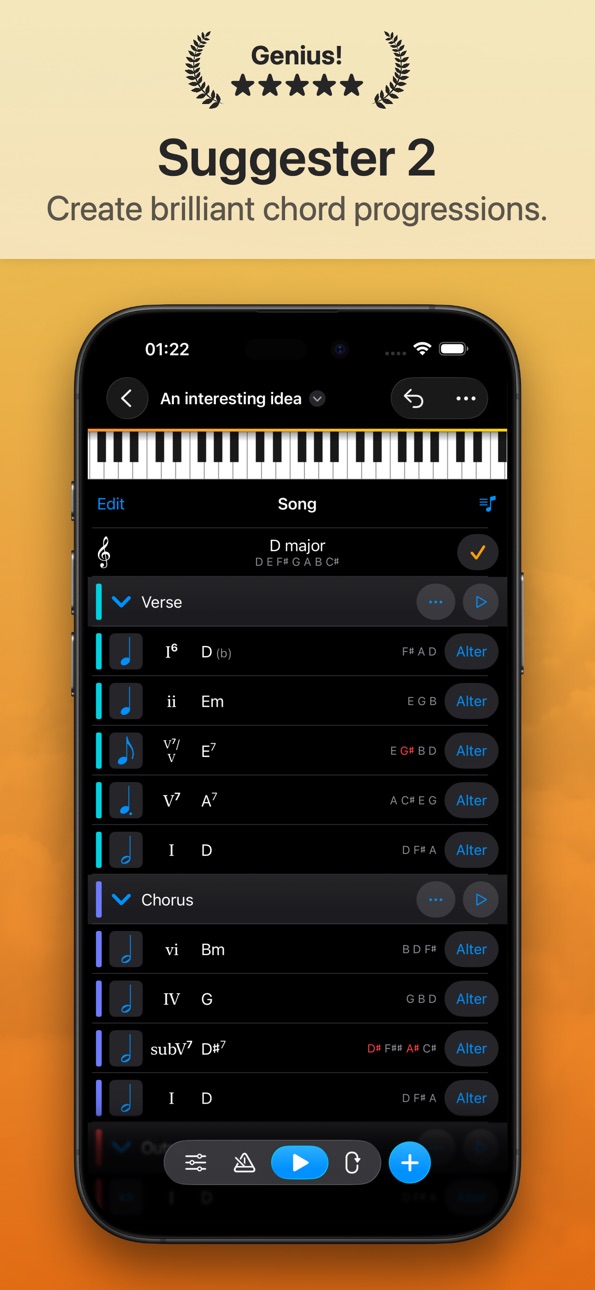
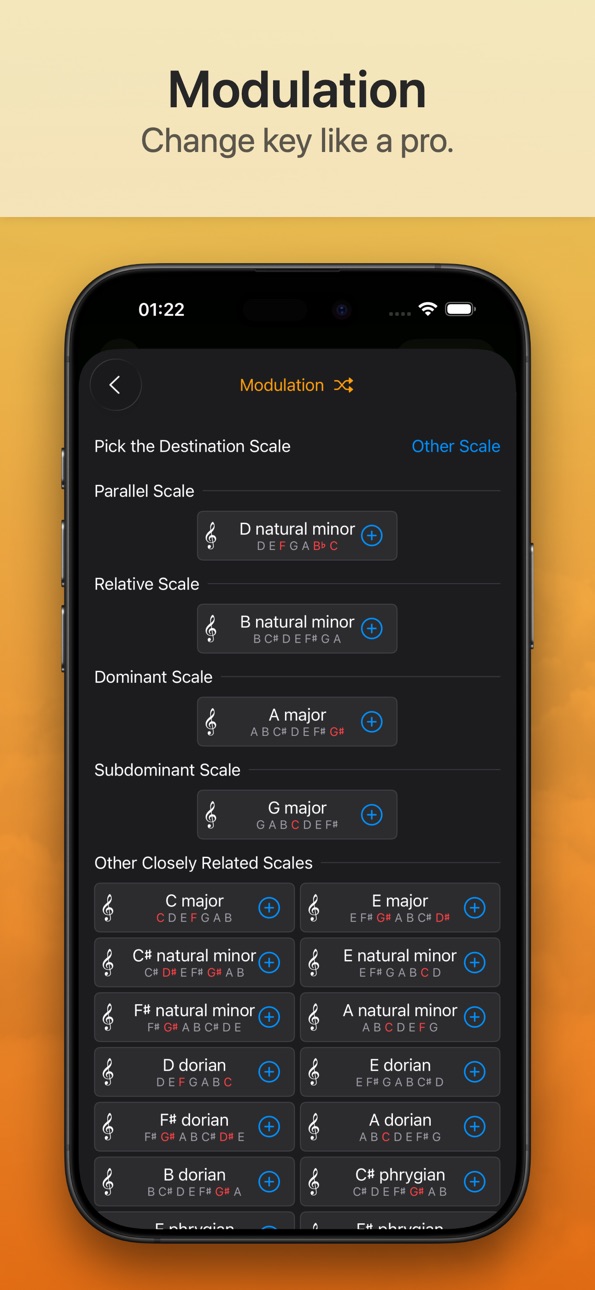
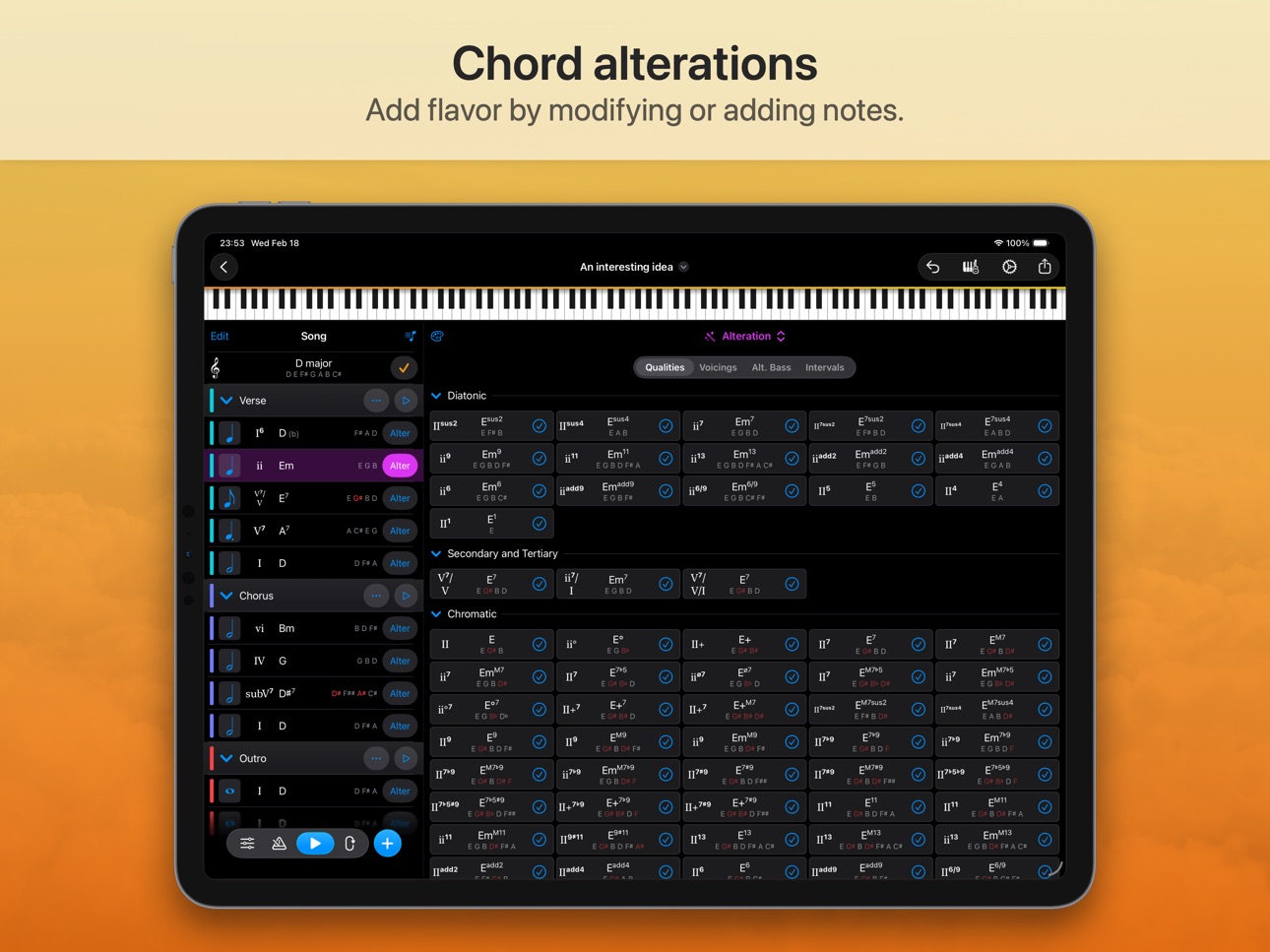
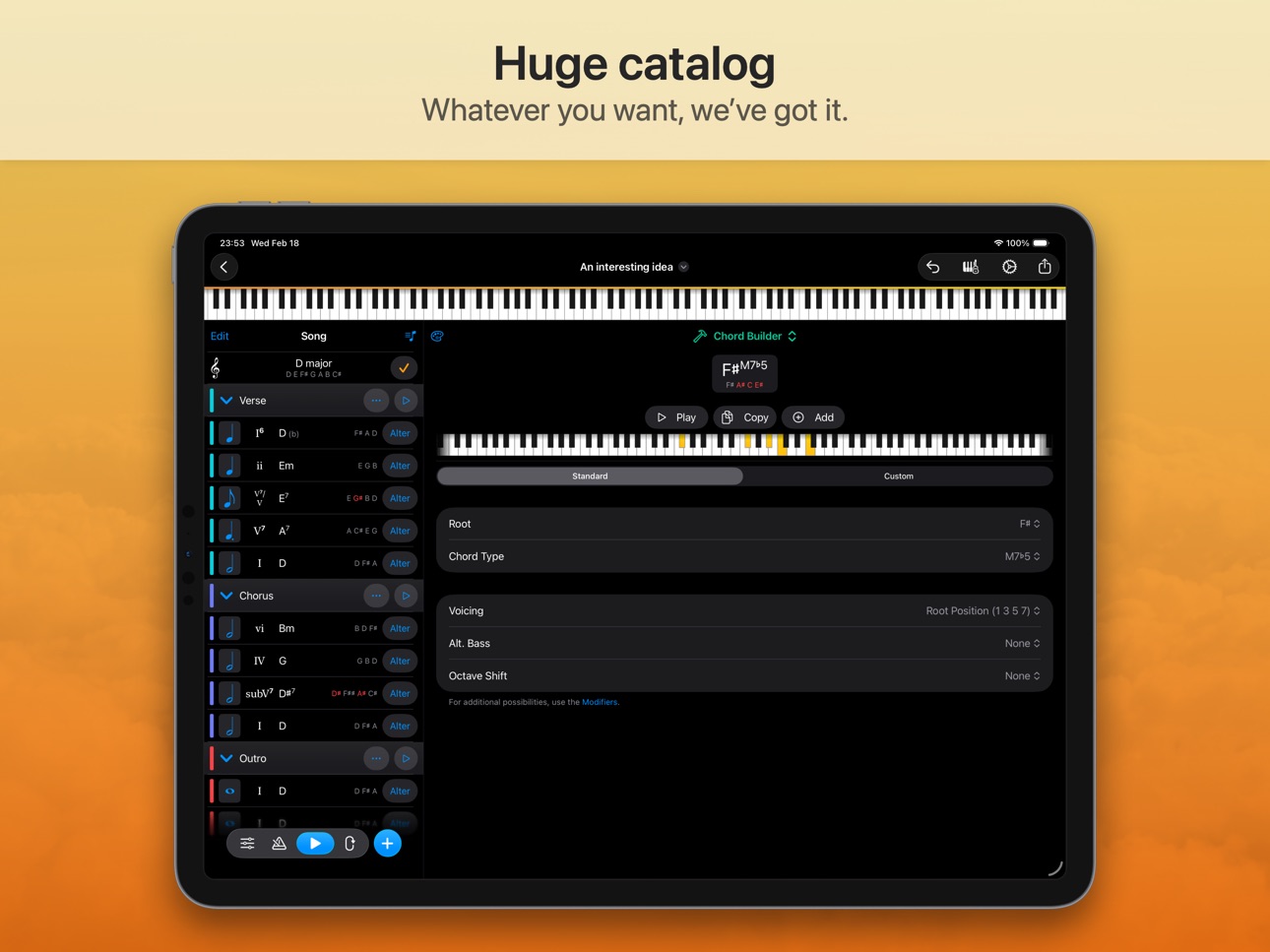
Get ready to take your songwriting skills to the next level with Suggester 2 - the ultimate app for creating powerful and emotive chord progressions! Whether you're a seasoned musician or a budding songwriter, this app will revolutionize the way you compose music, helping you to unlock new creative possibilities and reach new heights of productivity.
With its intuitive interface and cutting-edge features, Suggester 2 is the perfect tool for exploring the harmonic relationships between chords and discovering new musical ideas. Whether you're composing for piano, guitar or ukulele, this app will adapt to your needs, providing you with a wealth of powerful tools to help you create music that truly moves your listeners.
With Suggester 2, you can choose chords based on their harmonic function, using the powerful roman numeral notation to create progressions that are both dynamic and satisfying. This app will guide you every step of the way, suggesting chords that fit with your existing progressions and helping you to build your songs from the ground up.
But Suggester 2 isn't just about finding the right chords - it's also about creating tension and resolution, the heart of great music. With its ability to suggest chords that work together, this app is an essential tool for composers looking to create music that truly moves their listeners.
And if you're looking for inspiration, Suggester 2 has you covered there, too. With its library of classic chord progressions, you can draw on the rich history of music to create progressions that are both timeless and contemporary. Whether you're looking to recreate the sounds of your favorite songs or explore new musical styles, Suggester 2 has everything you need to create music that truly speaks to your soul.
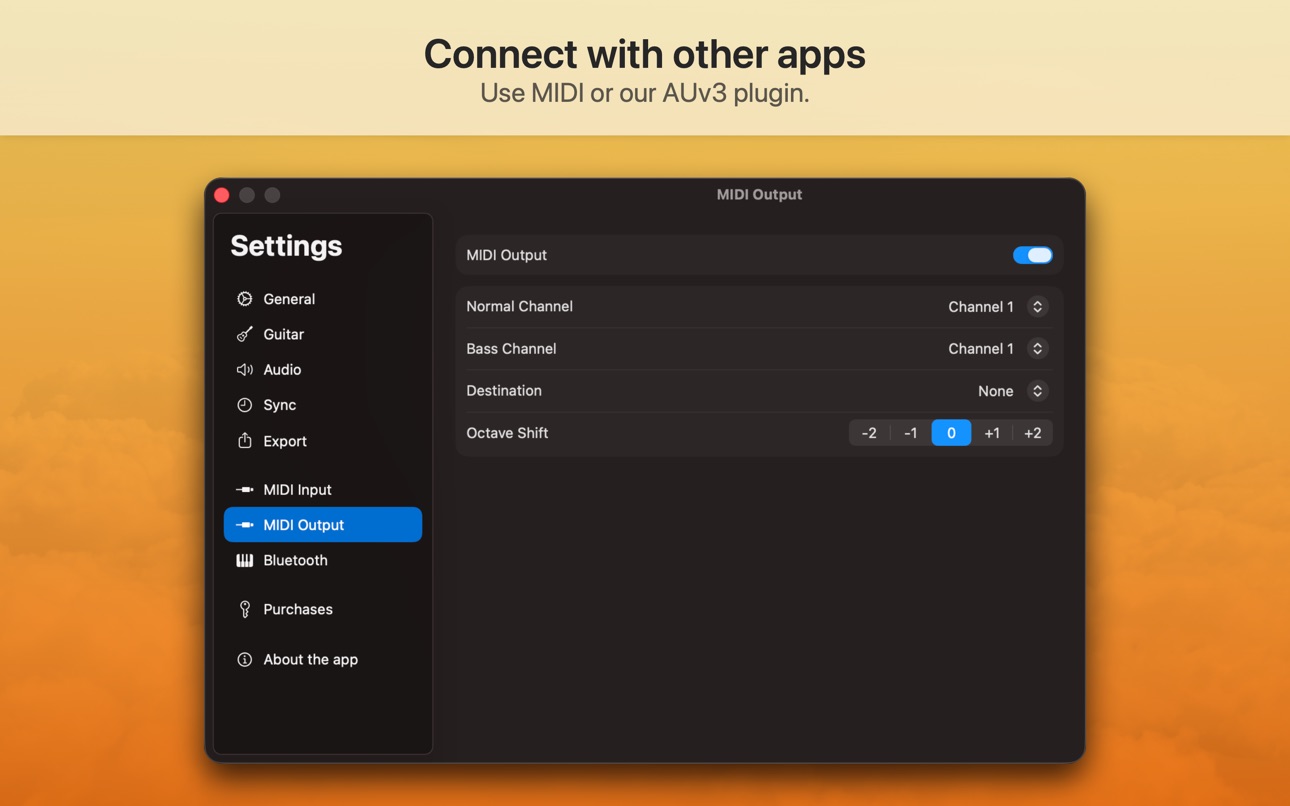
And with its seamless integration with other apps and MIDI devices, Suggester 2 makes it easy to bring your music to life. Whether you're exporting your songs as audio, MIDI, or text, or using the app as an AudioUnit plugin (AUv3), you'll be able to create music that truly captures your vision.
Download Suggester 2 today and unlock the full potential of your songwriting skills! With its powerful features, intuitive interface, and endless creative possibilities, this app is sure to become your go-to tool for composing music.
Terms of use: https://www.apple.com/legal/internet-services/itunes/dev/stdeula/
In-App Purchases US pricing
Subscription Subscription
Monthly subscription · Monthly$5.99
One-Time Purchases
iOS Key Upgrade$19.99
iOS Key$24.99
macOS Key Upgrade$29.99
macOS Key$39.99
Universal Key Upgrade$39.99
Universal Key$44.99
Capabilities
In-App Purchases
Accessibility
ipadiphonemacrealityDevicetvoswatch
Version history 25 versions
Build 886797545v5.2.02026-06-14 17:47:26
Improvements to the contextual menus:
- chords can now be transposed by any number of semitones.
- sections can now be duplicated and transposed.
Build 883530739v5.1.22026-03-19 18:47:33
The fretboard view now takes into account the handedness configured in settings.
Build 882648410v5.1.12026-02-23 19:31:25
Resolved an issue with the naming of certain notes on the fretboard.
Build 882592645v5.1.02026-02-20 19:41:27
A new tool section was added for visualizing chords and scales on the fretboard.
Build 881689847v5.0.22026-01-23 19:09:52
Internal improvements.
Build 880897983v5.0.12025-12-23 08:06:48
Improvements and bugfixes.
Build 879787758v5.0.02025-11-17 17:15:56
- Several improvements to the user interface.
- Better integration with the new version of iOS.
- Performance improvements.
Build 878315395v4.1.22025-09-22 22:20:45
Adjustments to support the latest version of iOS.
Build 878238689v4.1.12025-09-20 04:19:29
Adjustments to support the latest version of iOS.
Build 877849734v4.1.02025-09-07 15:29:12
Custom guitar tunings are now supported.
Build 877591473v4.0.12025-08-28 02:21:42
Resolved an issue with the AudioUnit plugin when running in the background.
Build 875783280v4.0.02025-06-26 01:34:50
Major update!
- Introducing the newly redesigned playback bar.
- Completely new onboarding experience.
- Better visual feedback is displayed when documents are loading.
- Several other improvements and bugfixes.
Build 874846313v3.2.62025-05-19 17:44:13
- Performance improvements.
- Resolved an issue with the upgrade eligibility.
Build 874158931v3.2.52025-04-21 21:30:38
- After document creation, there is now a button for selecting the instrument.
- Various bugfixes and improvements.
Build 873162022v3.2.42025-03-12 08:17:50
- Added a link to the newly announced ChordPadX 2.
- Improved stability.
Build 872636549v3.2.32025-02-19 21:09:54
Stability improvement for the AudioUnit plugin.
Build 872421057v3.2.22025-02-11 23:27:47
- CPU usage is now reduced when the audiounit plugin runs in the background.
- Resolved an issue that prevented access to some toolbar buttons of the audiounit plugin.
Build 871956353v3.2.12025-01-23 09:38:47
- In the song, for guitar mode, the chord notes are now displayed below the chord name.
Build 871761539v3.2.02025-01-15 13:45:02
- Large improvements to the MIDI Export. Key signatures and chord symbols are now exported. Better compatibility with music notation software.
- The sustain pedal is now used on the MIDI output. It's possible to control the play method in the application settings.
- Improvements to the MIDI input handling in Keyboard Chord Detector and in Melody Scale Detector.
Build 870933652v3.1.02024-12-06 23:56:54
- Added a new tools section : Melody Scale Detector.
Build 870581562v3.0.12024-11-21 10:54:30
- Added a Home Screen Quick Action to go directly to the Chord Suggestions tool.
Build 870322769v3.0.02024-11-18 03:06:23
- Introducing tools : a new way to find answers without needing to create a document.
- Added support for Siri and Shortcuts.
- Added a tinted variant for the app icon.
- Other UI improvements.
Build 870158419v2.9.22024-11-03 07:42:49
- Resolved an issue with the MIDI output which occurred when an octave shift was specified in settings.
- In Chord to Text, chord notes can now be entered as upper case or lower case.
Build 870028295v2.9.12024-10-29 11:28:32
Resolved an issue with the french localization.
Build 869887359v2.9.02024-10-28 16:35:57
Added support for iOS 18
Price history by region
Currency
Show
Columns
Search
Availability 1 of 1 storefronts
| Region | Language | Price | Ratings | Avg | Version |
|---|---|---|---|---|---|
| US | en-US | Free | 357 | 4.6 | 5.2.0 |
Change log 29 changes · US
✎
releaseNotes updated
Improvements to the contextual menus:
- chords can now be transposed by any number of semitones.
- sections can now be duplicated and transposed.
✎
description updated
Get ready to take your songwriting skills to the next level with Suggester 2 - the ultimate app for creating powerful and emotive chord progressions! Whether yo
✎
subtitle updated
Brilliant chord progressions
✎
name updated
Suggester 2 : Chords & Scales
◆
Version 5.2.0 released
Improvements to the contextual menus:
- chords can now be transposed by any number of semitones.
- sections can now be duplicated and transposed.
◆
Version 5.1.2 released
The fretboard view now takes into account the handedness configured in settings.
◆
Version 5.1.1 released
Resolved an issue with the naming of certain notes on the fretboard.
◆
Version 5.1.0 released
A new tool section was added for visualizing chords and scales on the fretboard.
◆
Version 5.0.2 released
Internal improvements.
◆
Version 5.0.1 released
Improvements and bugfixes.
◆
Version 5.0.0 released
- Several improvements to the user interface.
- Better integration with the new version of iOS.
- Performance improvements.
◆
Version 4.1.2 released
Adjustments to support the latest version of iOS.
◆
Version 4.1.1 released
Adjustments to support the latest version of iOS.
◆
Version 4.1.0 released
Custom guitar tunings are now supported.
◆
Version 4.0.1 released
Resolved an issue with the AudioUnit plugin when running in the background.
◆
Version 4.0.0 released
Major update!
- Introducing the newly redesigned playback bar.
- Completely new onboarding experience.
- Better visual feedback is displayed when documents are loading.
- Several other improvements and bugfixes.
◆
Version 3.2.6 released
- Performance improvements.
- Resolved an issue with the upgrade eligibility.
◆
Version 3.2.5 released
- After document creation, there is now a button for selecting the instrument.
- Various bugfixes and improvements.
◆
Version 3.2.4 released
- Added a link to the newly announced ChordPadX 2.
- Improved stability.
◆
Version 3.2.3 released
Stability improvement for the AudioUnit plugin.
◆
Version 3.2.2 released
- CPU usage is now reduced when the audiounit plugin runs in the background.
- Resolved an issue that prevented access to some toolbar buttons of the audiounit plugin.
◆
Version 3.2.1 released
- In the song, for guitar mode, the chord notes are now displayed below the chord name.
◆
Version 3.2.0 released
- Large improvements to the MIDI Export. Key signatures and chord symbols are now exported. Better compatibility with music notation software.
- The sustain pedal is now used on the MIDI output. It's possible to control the play method i
◆
Version 3.1.0 released
- Added a new tools section : Melody Scale Detector.
◆
Version 3.0.1 released
- Added a Home Screen Quick Action to go directly to the Chord Suggestions tool.
◆
Version 3.0.0 released
- Introducing tools : a new way to find answers without needing to create a document.
- Added support for Siri and Shortcuts.
- Added a tinted variant for the app icon.
- Other UI improvements.
◆
Version 2.9.2 released
- Resolved an issue with the MIDI output which occurred when an octave shift was specified in settings.
- In Chord to Text, chord notes can now be entered as upper case or lower case.
◆
Version 2.9.1 released
Resolved an issue with the french localization.
◆
Version 2.9.0 released
Added support for iOS 18