Home › Finance

 US
US
1 of 1 storefronts
Content in en-US
Content in en-US
Information
Apple ID6448941605
Bundle IDie.willis.yourpension.lifesight
SellerWILLIS HUMAN CAPITAL & BENEFITS IRELAND LIMITED
Min iOS16.0
Released2023-06-23
Preview — platforms

What’s New Version 1.4.0
Bug fixes and performance improvements.
Description
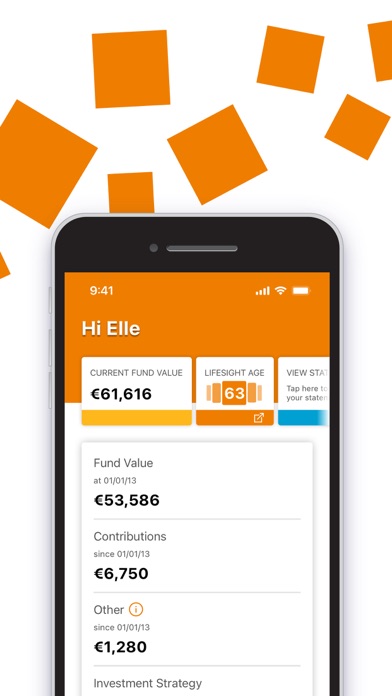
The LifeSight App aims to make saving to and through retirement as easy and understandable as possible. Working alongside your online LifeSight Account, the app is the most convenient way for you to engage with your pension savings to help you plan for your future.
FEATURES
+ View your account value and compare it to how much you and your employer have paid in.
+ Access the ageOmeter tool to understand when you might be able to afford to retire.
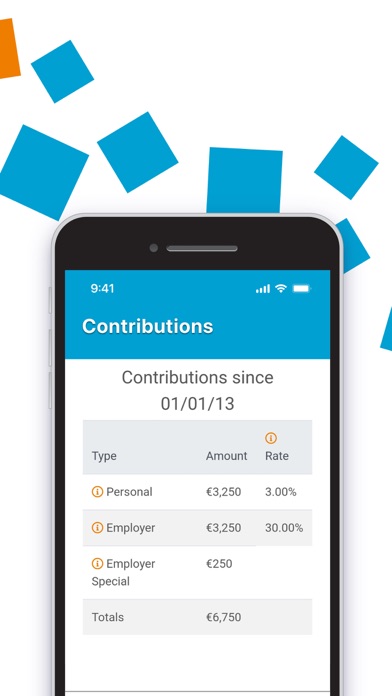
+ View a breakdown of your account by contribution type - the source of the savings in your account
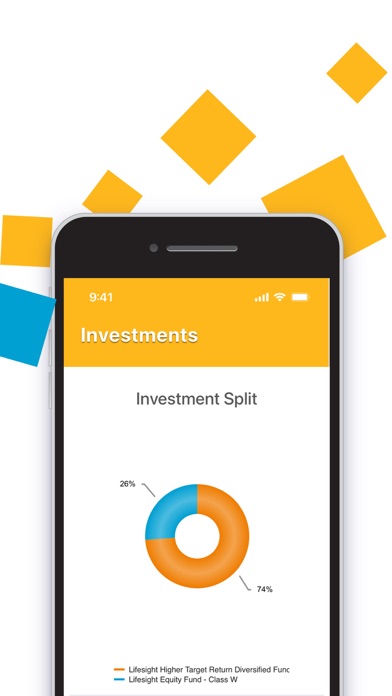
- or by the funds your savings are invested in.
+ View your current investment decisions.
+ View your recent transactions such as the amount of your latest regular contribution.
+ Easily click through to your online LifeSight account to action any changes.
GET STARTED
• Download the 'LifeSight Pension IRL' app.
• Open app and register your device (you will need your LifeSight account number, date of
birth and PPS number).
• Using a web browser, log in* to your online LifeSight Account.
• On the home screen you will be asked to approve the device.
• If not asked in home screen go to My LifeSight Account -> My Devices
Go back to App and login with your PIN.
• That's it! You'll then be asked to set up a PIN for future access.
*IMPORTANT
You must have an account with LifeSight IRL to be able to use this application. This will be the case if your employer, or a past employer, has selected LifeSight as their chosen pension arrangement.
If you've never logged in online before, you should be able to get to your online LifeSight account number by going online at https://yourpension.willis.ie by selecting one of the options under ‘Problem logging in’.
SECURITY
The LifeSight mobile app has been tested extensively by independent specialists to make sure it's secure, so you can use the LifeSight App with confidence.
The data used is encrypted to ensure privacy, and the app will only use a trusted secure channel for communication with LifeSight services.
You will use a secure PIN to log in to the app for the first time, after which you can create a new PIN ensuring nobody else will be able to access your account.
FEEDBACK
We're always keen to hear your feedback on ways to improve things. If there's anything you'd like to see in the app that isn't already there, or any bugs you come across, please send your feedback to lifesightsupport@wtwco.com.
Version history 1 versions
v1.4.02026-06-18 08:48:14
Bug fixes and performance improvements.
No pricing data captured yet — comparisons appear once the app has paid storefronts or in-app purchases.
Availability 1 of 1 storefronts
| Region | Language | Price | Ratings | Avg | Version |
|---|---|---|---|---|---|
| US | en-US | Free | 0 | — | 1.4.0 |
Change log 1 change · US
◆
Version 1.4.0 released
Bug fixes and performance improvements.