Home › Sports

 US
US
1 of 1 storefronts
Content in en-US
Content in en-US
Information
Preview 2 platforms
iPhone 4 images
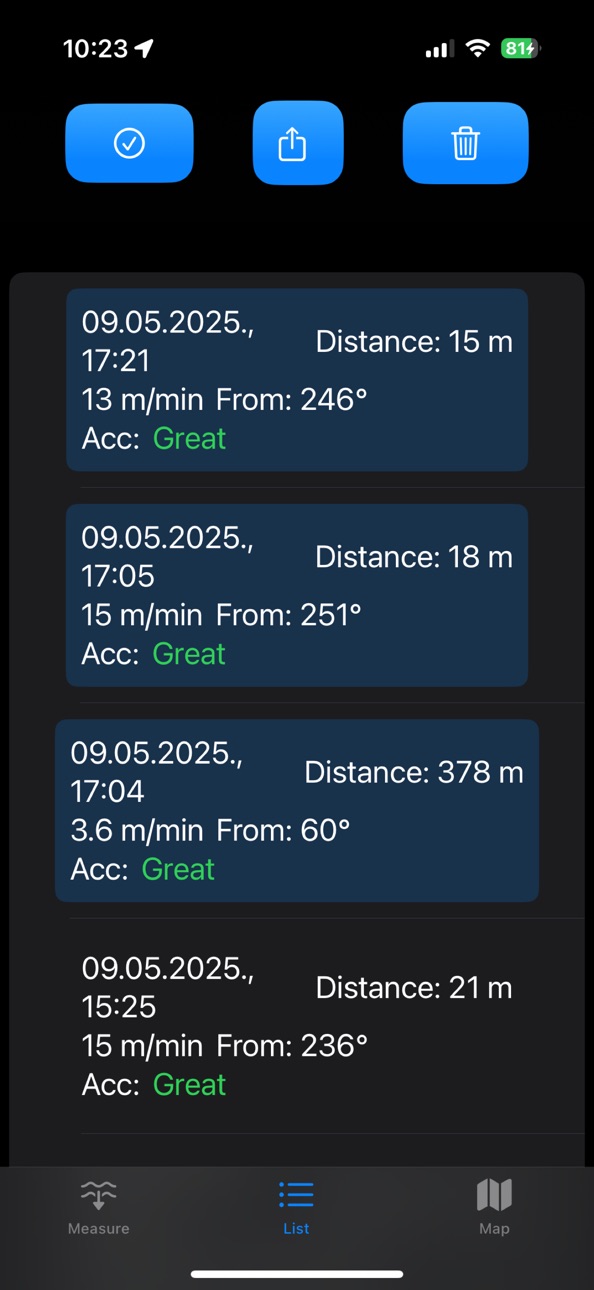
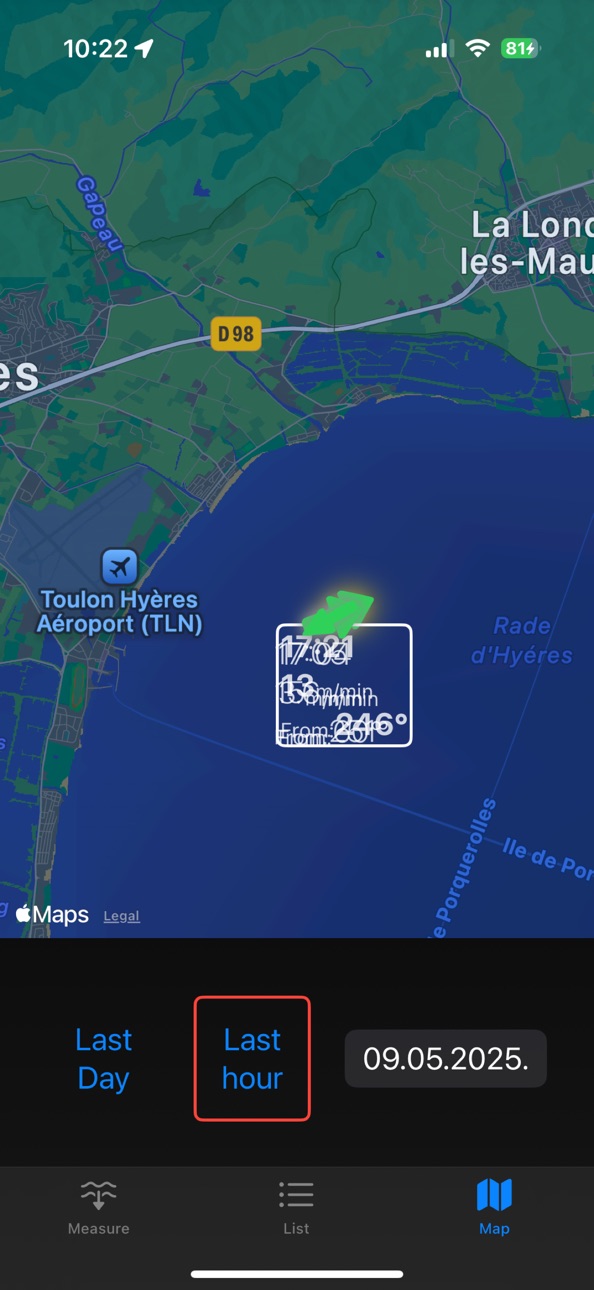


iPad 1 image

What’s New Version 3.09
Teams. You can create or join the team and share all the measurements.
Description
Sea Current Measure Tool helps sailors and coaches quickly measure sea current speed and direction directly on the water using only an iPhone.
The app is designed for sailing race preparation and training. Understanding the current in the race area can be critical for making the right tactical decisions. Even small currents can affect boat speed, laylines and mark roundings.
Sea Current Measure Tool allows you to perform quick and reliable current measurements while on the water. Simply drop a floating stick or object into the water, press Start, wait a few seconds, retrieve the stick and press Stop. The app calculates the speed and direction of the water movement using GPS data.
All measurements are stored so you can review them later and build a better understanding of the current patterns in your sailing area.
Features
Measure sea current speed and direction
Simple start and stop measurement process
GPS based current calculation
View a list of all measurements
Display measurements on the map
Useful for race preparation and training sessions
Designed for sailing coaches and racers
How it works
Drop a measuring stick or floating object in the water
Press Start when the stick enters the water
Wait a few seconds while the stick drifts
Retrieve the stick and press Stop
The app calculates the current vector based on the GPS movement
Use cases
Sailing race preparation
Training sessions
Understanding current patterns
Mapping current across the race area
Coaching analysis and tactical planning
Sea Current Measure Tool is designed for sailors who want a fast and practical way to measure sea current directly on the water without additional equipment.
Location access is required to calculate the movement of water during measurements and to display measurements on the map.
Accessibility
ipadiphonemacrealityDevicetvoswatch
Version history 8 versions
Build 883847505v3.092026-03-27 22:14:53
Teams. You can create or join the team and share all the measurements.
Build 883498286v3.02026-03-18 20:33:27
Account creating. Have your measurements synced between devices and stored privately in the cloud.
Build 883368624v2.52026-03-14 21:12:18
Fixed text size getting too large.
Build 881672855v2.42026-01-21 04:02:14
Arrows rotate when the user rotates the map.
Build 875994653v2.32025-06-30 17:38:53
You can share measurements as CSV file. Just select them in the list and tap on share Button.
Build 865155049v2.22024-04-12 17:10:42
New Window that shows last positions dots. It helps to see if the GPX fix is OK and ready to measure.
Small UI improvements.
Build 864830680v2.02024-04-01 14:26:48
Accuracy is shown in colors. List of measurements with the possibility to delete a single one or all. Improved map view.
Build 856590764v1.52023-06-12 09:07:39
Price history by region
Currency
Show
Columns
Search
Availability 1 of 1 storefronts
| Region | Language | Price | Ratings | Avg | Version |
|---|---|---|---|---|---|
| US | en-US | USD 17.99 | 1 | 5.0 | 3.09 |
Change log 12 changes · US
✎
releaseNotes updated
Teams. You can create or join the team and share all the measurements.
✎
description updated
Sea Current Measure Tool helps sailors and coaches quickly measure sea current speed and direction directly on the water using only an iPhone.
The app is desig
✎
subtitle updated
Measure sea current easily
✎
name updated
Sea Current Measure Tool
◆
Version 3.09 released
Teams. You can create or join the team and share all the measurements.
◆
Version 3.0 released
Account creating. Have your measurements synced between devices and stored privately in the cloud.
◆
Version 2.5 released
Fixed text size getting too large.
◆
Version 2.4 released
Arrows rotate when the user rotates the map.
◆
Version 2.3 released
You can share measurements as CSV file. Just select them in the list and tap on share Button.
◆
Version 2.2 released
New Window that shows last positions dots. It helps to see if the GPX fix is OK and ready to measure.
Small UI improvements.
◆
Version 2.0 released
Accuracy is shown in colors. List of measurements with the possibility to delete a single one or all. Improved map view.
◆
Version 1.5 released