Home › Utilities
Screenshots 1 platform
iPhone 10 shots · full-res
Description
Dash Calc is crafted to respect your attention—fast answers, clean design, zero distractions. Just a flexible calculator that works the way you do.
LIVE RESULTS
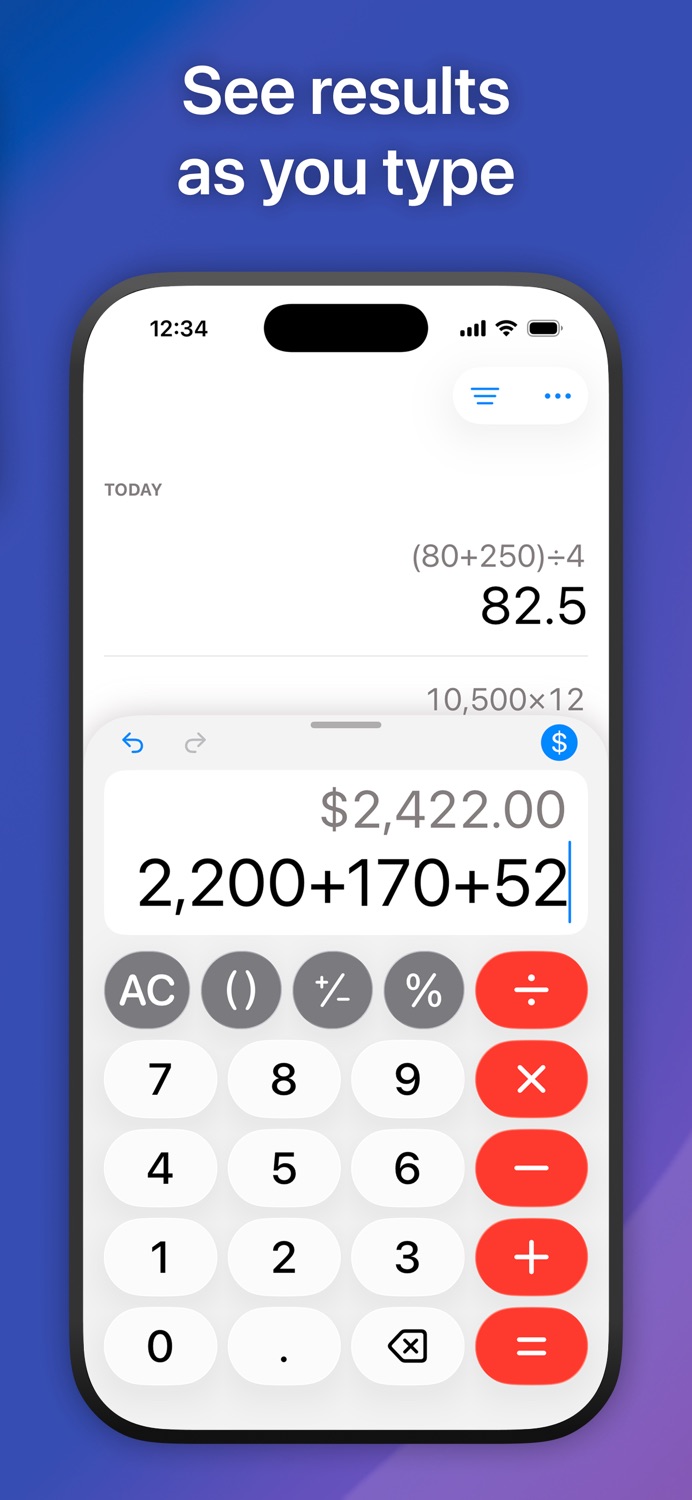
See instant results as you type—no need to press equals. Dash Calc follows standard math precedence for accuracy: 1 + 2 × 3 = 7
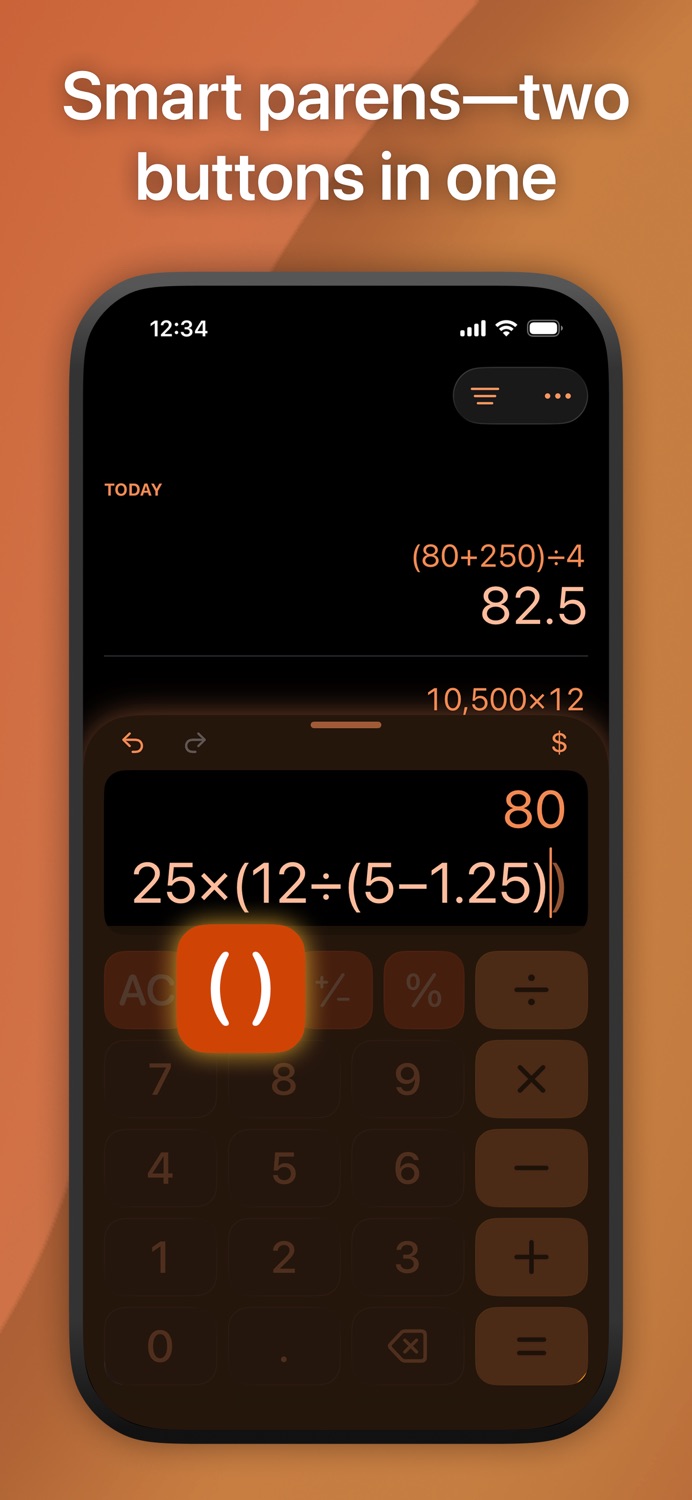
Need a different order of operations? Just add parentheses: (1 + 2) × 3 = 9. One smart button handles both opening and closing parens automatically.
CURRENCY MODE
Tap the currency button to show results in your region's format—perfect for shopping, tips, and budgets. Saved calculations remember their format, so your history stays consistent.
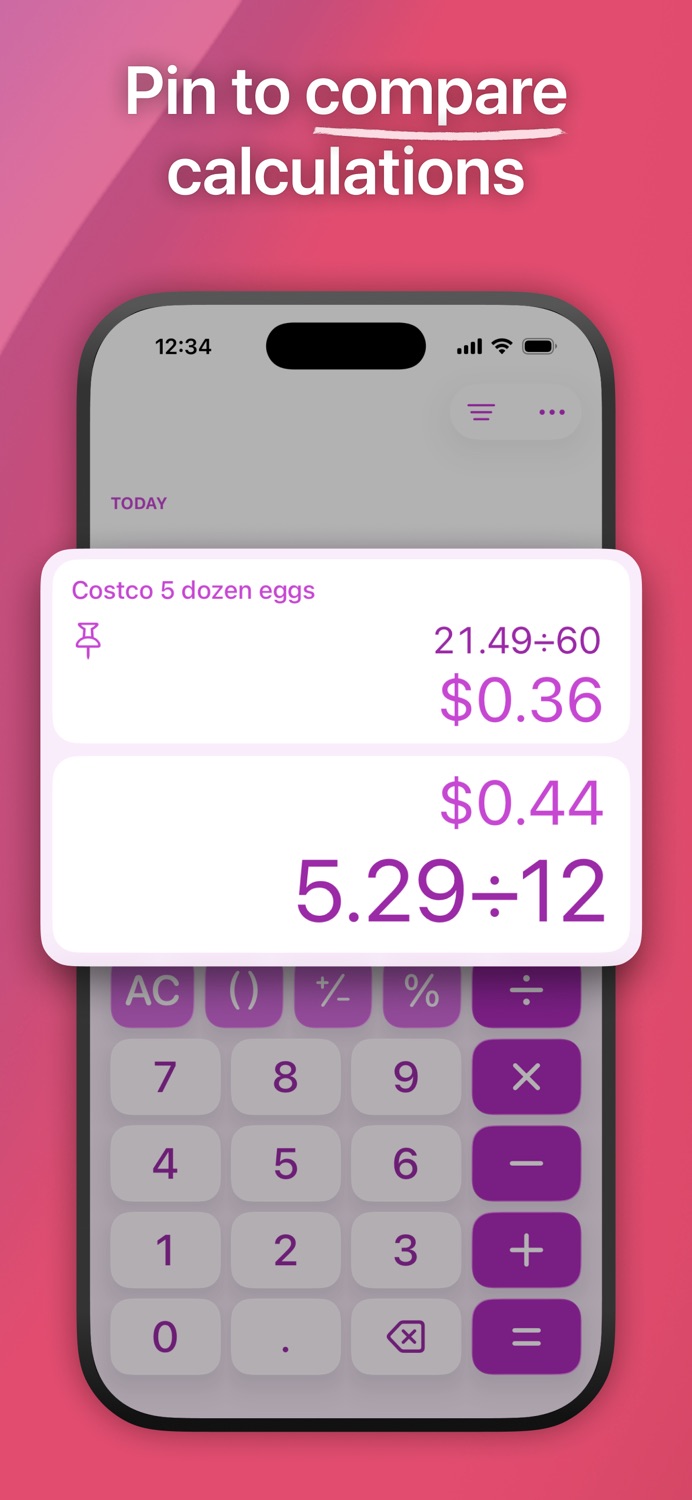
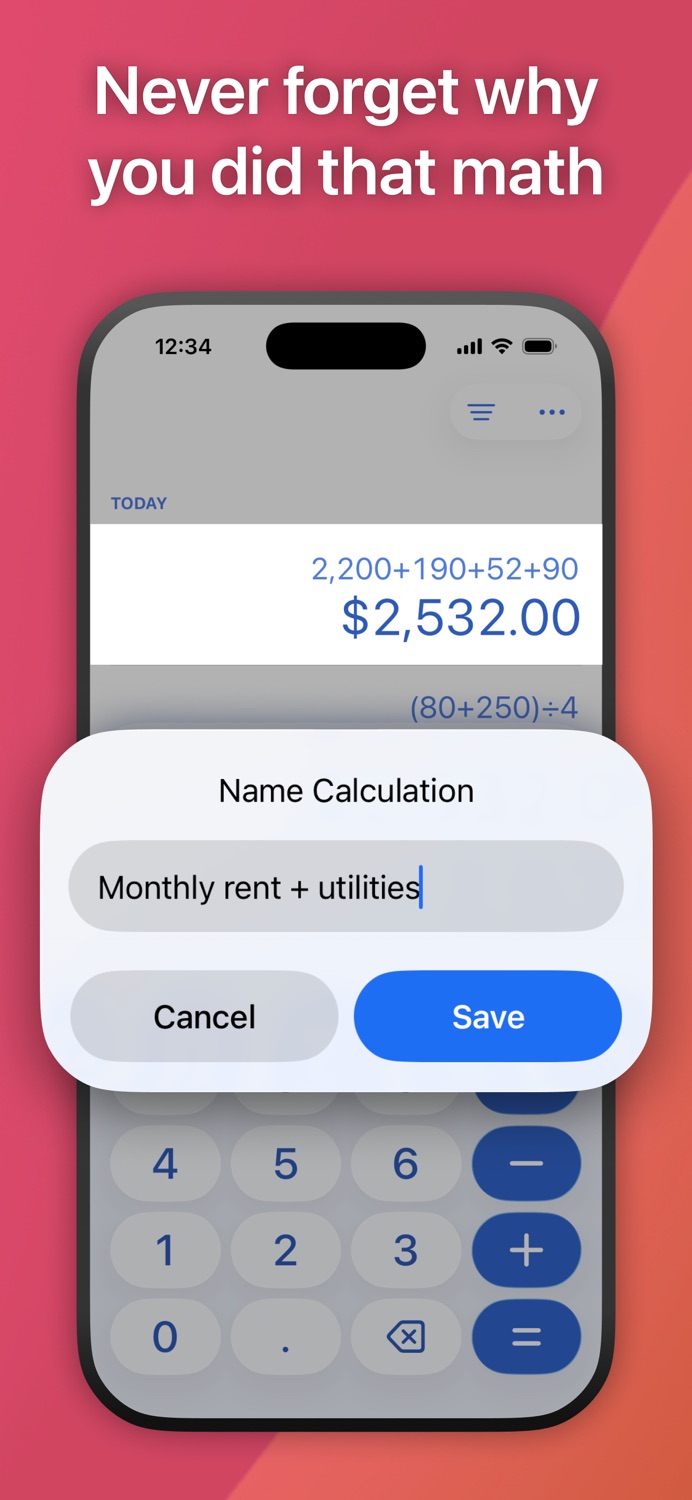
SMART HISTORY
Easily review past calculations, grouped by day, right from the main screen. Name everyday calcs for quick reference, or filter to find them fast. Pin one for easy comparisons—perfect for tracking prices while shopping.
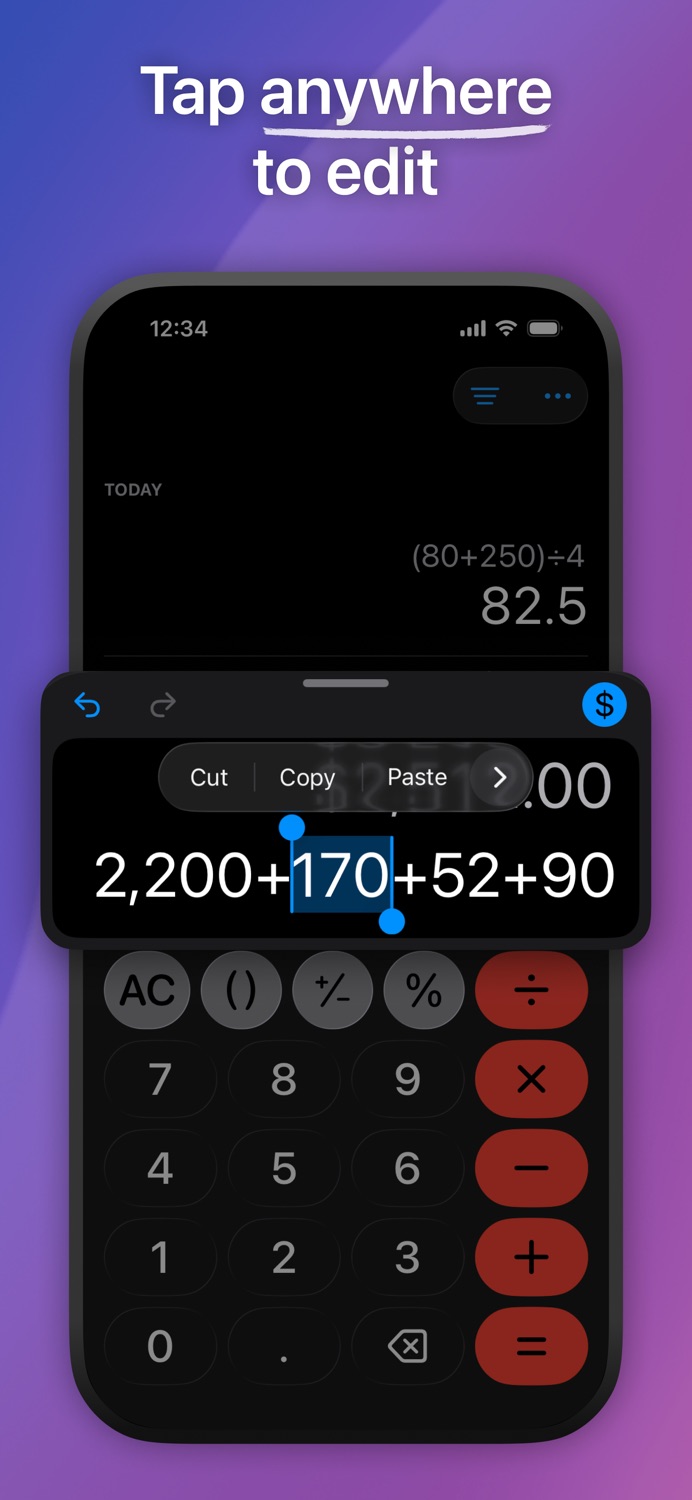
EDIT EXPRESSIONS
Tap an expression to edit it—no backspacing through long calculations.
• Edit any number or operator in place
• Long expressions stay readable without scrolling
• Undo with a shake or the toolbar button
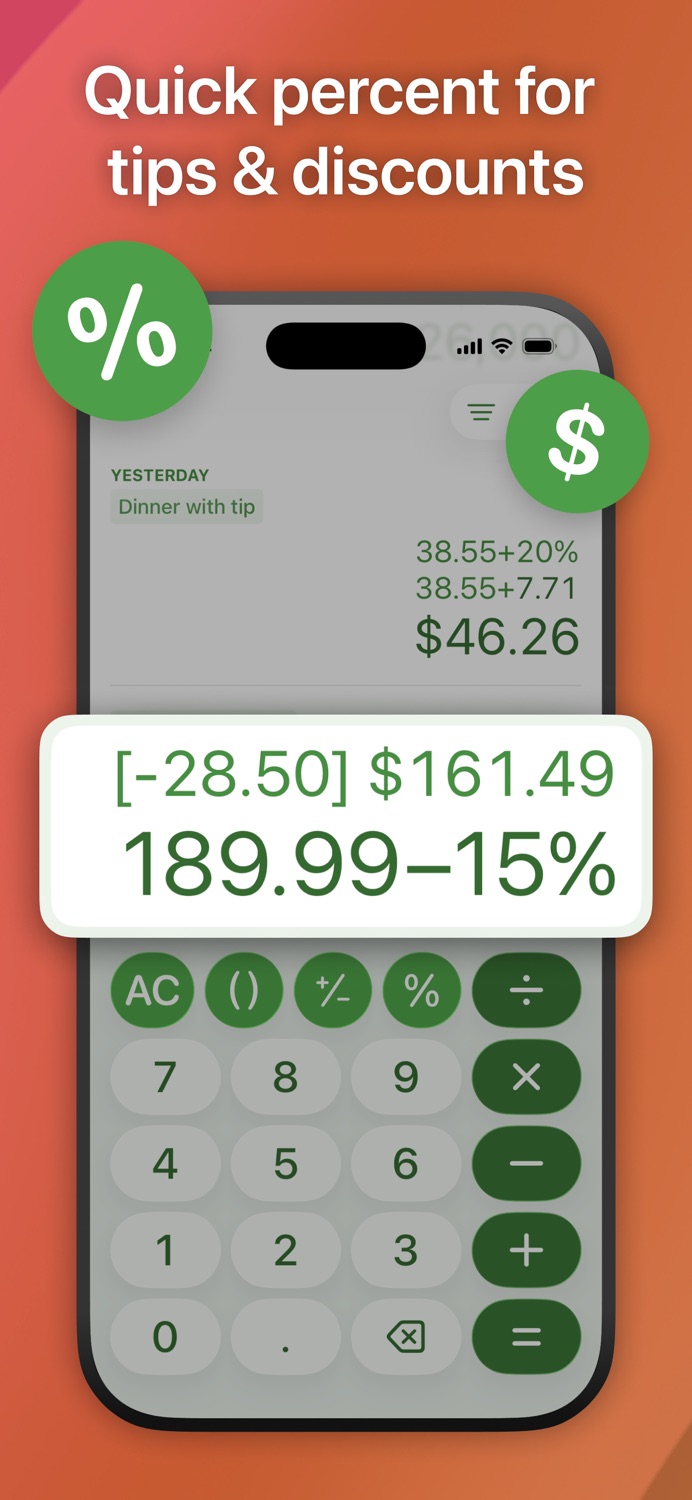
EASY PERCENTAGES
Quickly calculate tips, taxes, and discounts without extra steps.
Examples:
16.85 + 20% = [+3.37] 20.22
279 - 25% = [-69.75] 209.25
See both the percent and exact calculated amounts as you type—the bracketed value shows exactly what's being added or subtracted. Your history keeps the full breakdown so you can review the math later.
FLEXIBLE LAYOUT
Swipe up to expand the keypad or down to reveal more history. Adapts automatically to system appearance and text size settings.
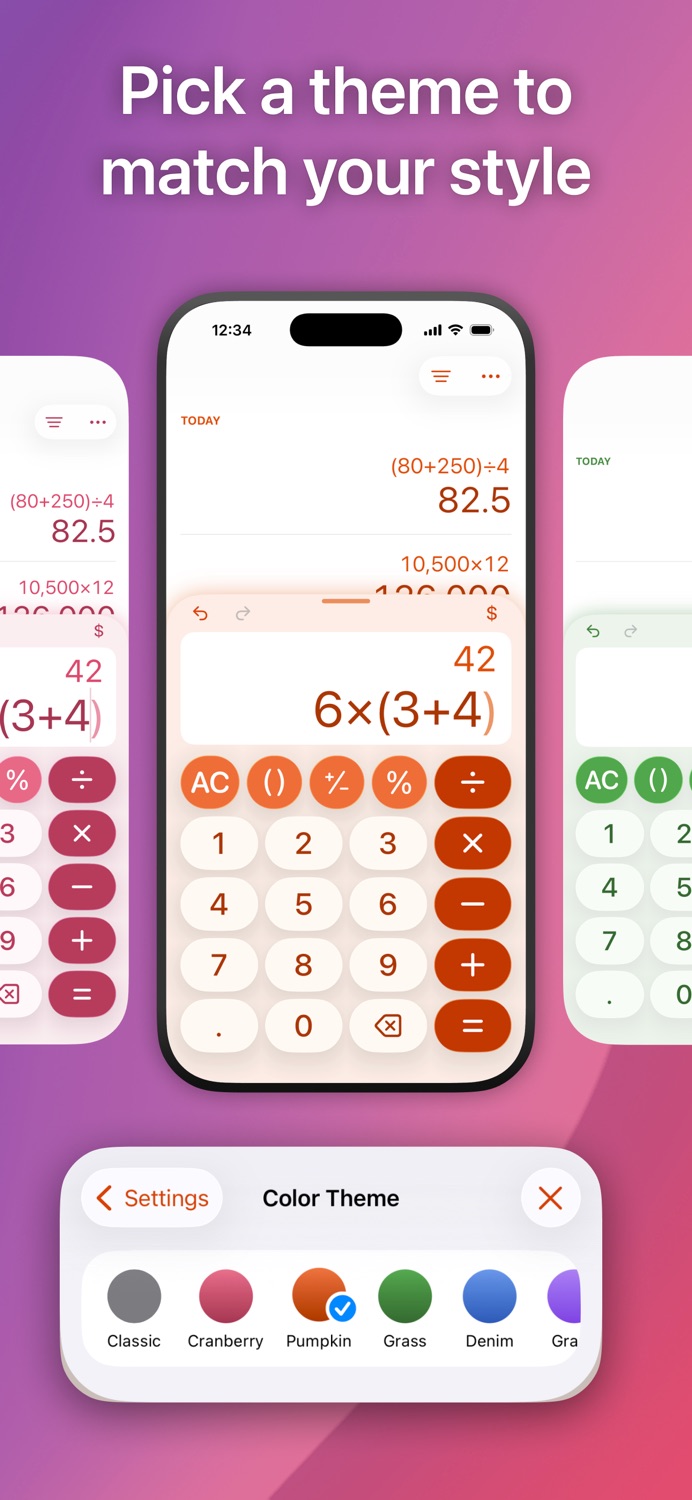
THEMES & CUSTOMIZATION
Choose from six color themes: Classic, Cranberry, Denim, Grass, Pumpkin, or Violet. Every theme works in light, dark, and increase contrast settings.
Pick a matching app icon—or mix it up. Icons support light, dark, tinted, and clear styles.
Customize your keypad too. Choose a standard calculator layout (7-8-9 on top) or a phone-style layout (1-2-3), with round or square buttons.
A CALCULATOR WITH PRINCIPLES
Dash Calc was designed with care—every detail shaped by respect for your time and focus:
• Built for real use: Clean, accessible design optimized for one-handed operation. Every detail prioritizes getting answers over getting attention.
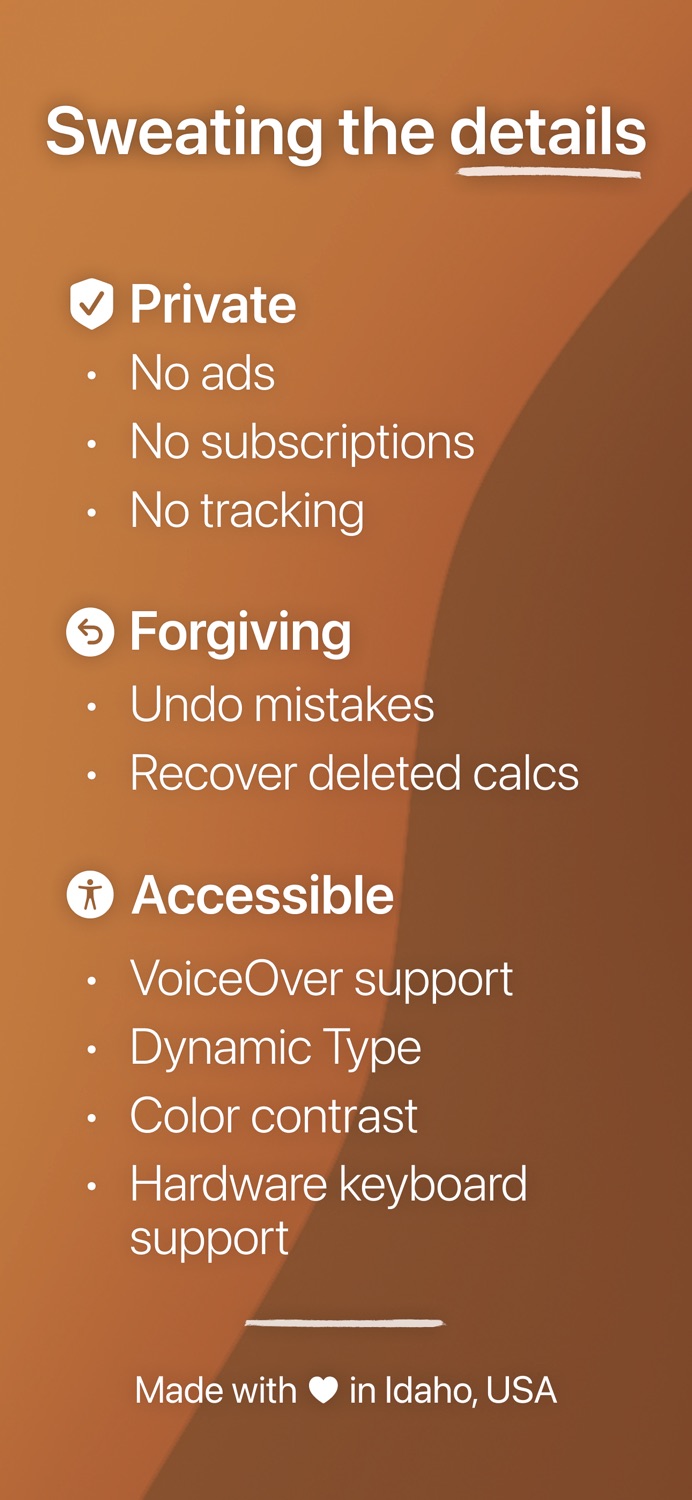
• Your flow matters: No popups, no launch screens, no interruptions—not even review requests. Errors appear inline, keeping everything out of your way.
• Mistakes happen: Undo any change, recover deleted calculations, and edit without starting over. Dash Calc forgives human moments.
ACCESSIBILITY
Built with VoiceOver users in mind. Comprehensive screen reader support with clear navigation, descriptive labels, and optimized braille display compatibility. Automatically adapts to system settings like text size and increase contrast.
WHAT'S NOT INCLUDED
To keep things simple, Dash Calc focuses on basic math:
• No advanced functions (square root, logs, exponents)
• No scientific or trig functions (π, e^x, sine, cosine)
• No landscape orientation
Simple. Fast. Focused. Crafted with care for everyday math. Thoughtfully updated every few weeks.
Information
Accessibility
ipadiphonemacrealityDevicetvoswatch
Reviews 2 captured
★★★★★ Simple and useful — lovwd this product
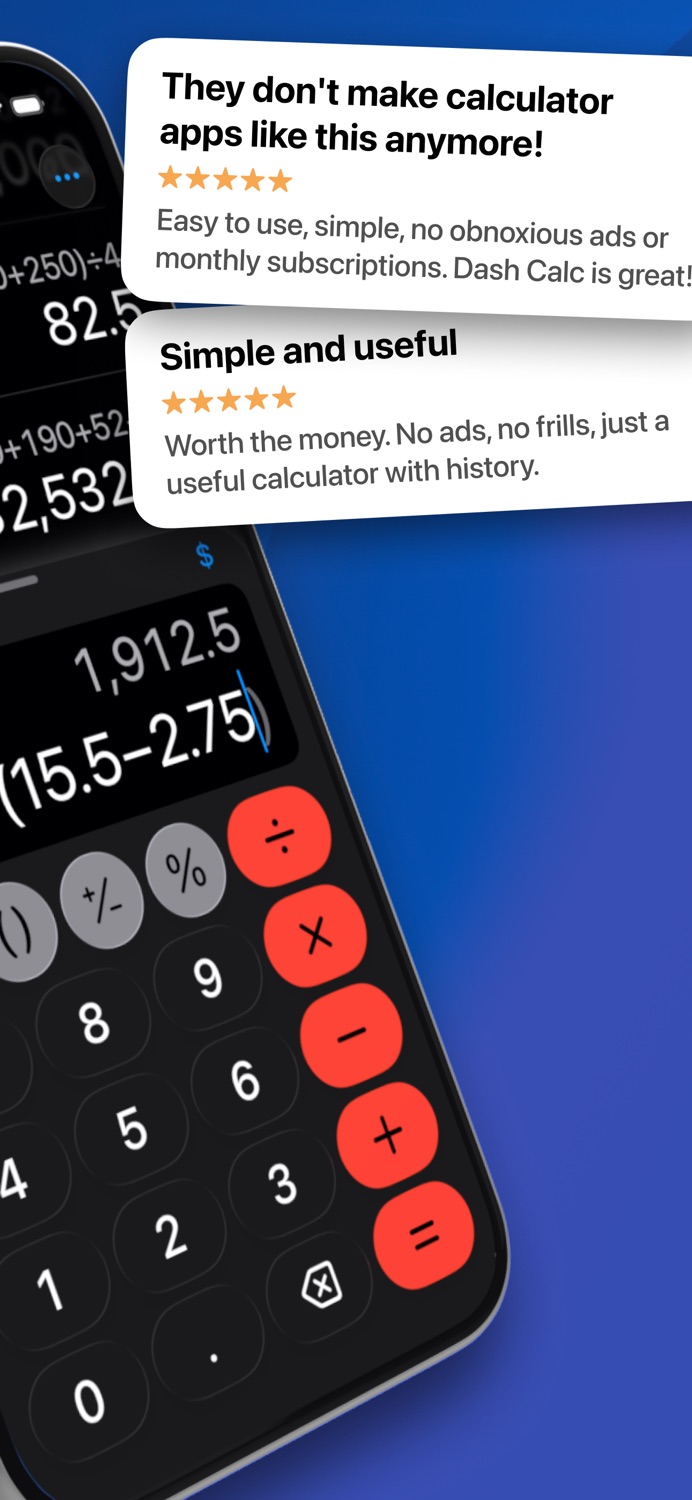
Worth the money. No ads, no frills, just a useful calculator with history.
★★★★★ They don’t make calculator apps like this anymore! — eggs_baconius
Easy to use, simple, no obnoxious ads or monthly subscriptions. Dash Calc is great!
Version history · 25 recorded
1.6.7
2026-06-13
- Refined the end-of-trial survey with simpler submission and clearer feedback.
- Improved free trial reliability.
- Fixed several expression editing and calculation accuracy issues.
Have an idea? I'd love to hear it! Send feedback from Dash Calc › Settings › About.
1.6.6
2026-06-08
• Several under-the-hood improvements to keep things running smoothly.
Have an idea? I'd love to hear it! Send feedback from Dash Calc › Settings › About.
1.6.5
2026-06-01
• Calc names in details are now larger and easier to update—just tap to edit.
• Fixed an issue that slowed launch in some cases.
Have an idea? I'd love to hear it! Send feedback from Dash Calc › Settings › About.
1.6.4
2026-05-25
• Reliability improvements and bug fixes for the trial experience.
Have an idea? I'd love to hear it! Send feedback from Dash Calc › Settings › About.
1.6.3
2026-05-20
- Updated the trial icon across the app to show remaining time in trial.
- Refined the trial and unlock screens with simpler copy and a cleaner layout.
- Improved History reliability after deleting or pinning calculations.
- Fixed several other minor bugs.
Have an idea? I'd love to hear it! Send feedback from Dash Calc › Settings › About.
1.6.2
2026-05-14
• Refined the trial and purchase screens for a cleaner, easier-to-read layout.
• Improved feedback diagnostics for supported iPhone models.
Have an idea? I'd love to hear it! Send feedback from Dash Calc › Settings › About.
1.6.1
2026-05-13
• App icon picker now shows which icon matches your current color theme.
• Added a post-trial survey to learn what would make Dash Calc more useful.
• Minor improvements and bug fixes.
Have an idea? I'd love to hear it! Send feedback from Dash Calc › Settings › About.
1.6.0
2026-05-10
• Dash Calc now includes a 7-day trial for new customers.
• Added Purchase Status to Settings with trial progress and purchase details.
• Minor improvements and bug fixes.
If you bought Dash Calc before this update, nothing changes: your purchase now appears as Lifetime Access in Settings. If your access status looks wrong after this update, email hello@enbright.com for help.
1.5.4
2026-04-27
- Updated the keypad to improve performance while typing and resizing.
- Fixed an issue where keypad buttons could appear jumpy when tapped.
- Several stability and performance improvements.
Have an idea? I'd love to hear it! Send feedback from Dash Calc Settings › About.
1.5.3
2026-04-20
• Added sorting to History so you can choose whether new calculations appear at the top or bottom.
• VoiceOver now announces result errors more clearly and consistently.
• Other minor improvements and bug fixes.
Have an idea? I'd love to hear it! Send feedback from Dash Calc Settings › About.
1.5.2
2026-04-12
• Several performance and stability improvements.
Have an idea? I'd love to hear it! Send feedback from Settings › About.
1.5.1
2026-04-06
• Fixed a regression that caused stuttering when dragging the current calculation area.
Have a feature idea? I'd love to hear it via Settings › Send Feedback or hello@enbright.com.
1.5.0
2026-03-30
• Minor bug fixes and performance improvements.
Have an idea? I’d love to hear it! Send feedback from Settings › About.
1.4.8
2026-03-20
• Smoothed out editing during rapid input and selection changes.
• Fixed decimal line wrapping in longer expressions.
• Performance and stability improvements.
Enjoying Dash Calc? A rating or review in the App Store really helps. If something could be better, let me know via Settings › Send Feedback.
1.4.7
2026-03-02
• Improved VoiceOver announcements for currency results.
• Smoothed out History animations after pinning or deleting a calculation.
• Added privacy policy in Settings › Legal.
• Minor bug fixes and stability improvements.
Thanks for using Dash Calc! Share feedback anytime from Settings › Send Feedback.
1.4.6
2026-02-18
• Fixed an issue where long calculations could shift while editing.
• Other minor UI refinements and performance improvements.
Thanks for using Dash Calc! Share feedback anytime from Settings › Send Feedback or email hello@enbright.com.
1.4.5
2026-02-10
• New Grape color theme—a deep indigo.
• Now you can clear History faster by tapping Delete in Select Items mode—no need to select all first.
• Other minor improvements and bug fixes.
What would make Dash Calc work better for you? I'd love to know via Settings › Send Feedback, or email hello@enbright.com.
1.4.4
2026-01-25
• Find calculations faster with the new History filter for named, currency, or all.
• Smart parentheses now work in more editing scenarios.
• Fixed a few minor bugs and improved stability.
What would make Dash Calc work better for you? I'd love to know via Settings › Send Feedback, or email hello@enbright.com.
1.4.3
2026-01-18
• History now shows your newest calculations at the top for easier scanning.
• Refined the icon picker in Settings for faster, smoother interaction.
• Other minor improvements and bug fixes.
Have feedback? Tap Send Feedback in Settings or email hello@enbright.com.
1.4.2
2026-01-05
• Currency mode now shows both precise and formatted results after equals.
• Improved expression editing, with better layout and readability of long expressions.
• Button sounds (when on) now play when using a hardware keyboard, matching the on-screen keypad.
• Refined app icons, improved dark mode colors, and polished a few items in Settings.
• Performance and stability improvements.
1.4.1
2025-12-23
• Enhanced Undo and added Redo for granular, digit-by-digit editing, with support for external keyboard shortcuts for accessibility (⌘Z and ⌘⇧Z).
• Other small improvements and bug fixes.
Spotted a bug or have a suggestion? Tap Send Feedback below!
1.4.0
2025-12-20
• Added a Currency toggle to show results in your region's currency format—handy for shopping, tips, and budgets.
• Moved Undo closer to the current calculation so it's easier to spot and reach.
• Other minor fixes and stability improvements.
1.3.3
2025-12-07
• Fixed a bug where renaming a calculation in its details screen didn’t always save.
• Improved some wording in Settings.
• Other minor fixes and stability improvements.
1.3.2
2025-12-03
• Updated the Grass theme in light mode to better support the Increase Contrast setting.
• Various reliability and performance improvements.
1.3.1
2025-11-23
• New keypad button shape setting—round or square, your call!
• Simplified the mini keypad app icons for a cleaner look.
• Improved how the keypad scales at larger text sizes.
• Various performance and stability improvements.
Listing history · 4 snapshots — every change kept with its date
releaseNotes
2026-06-21
- Refined the end-of-trial survey with simpler submission and clearer feedback.
- Improved free trial reliability.
- Fixed several expression editing and calculation accuracy issues.
Have an idea? I'd love to hear it! S…
full text
- Refined the end-of-trial survey with simpler submission and clearer feedback. - Improved free trial reliability. - Fixed several expression editing and calculation accuracy issues. Have an idea? I'd love to hear it! Send feedback from Dash Calc › Settings › About.description
2026-06-21
Dash Calc is crafted to respect your attention—fast answers, clean design, zero distractions. Just a flexible calculator that works the way you do.
LIVE RESULTS
See instant results as you type—no need to press equals. D…
full text
Dash Calc is crafted to respect your attention—fast answers, clean design, zero distractions. Just a flexible calculator that works the way you do. LIVE RESULTS See instant results as you type—no need to press equals. Dash Calc follows standard math precedence for accuracy: 1 + 2 × 3 = 7 Need a different order of operations? Just add parentheses: (1 + 2) × 3 = 9. One smart button handles both opening and closing parens automatically. CURRENCY MODE Tap the currency button to show results in your region's format—perfect for shopping, tips, and budgets. Saved calculations remember their format, so your history stays consistent. SMART HISTORY Easily review past calculations, grouped by day, right from the main screen. Name everyday calcs for quick reference, or filter to find them fast. Pin one for easy comparisons—perfect for tracking prices while shopping. EDIT EXPRESSIONS Tap an expression to edit it—no backspacing through long calculations. • Edit any number or operator in place • Long expressions stay readable without scrolling • Undo with a shake or the toolbar button EASY PERCENTAGES Quickly calculate tips, taxes, and discounts without extra steps. Examples: 16.85 + 20% = [+3.37] 20.22 279 - 25% = [-69.75] 209.25 See both the percent and exact calculated amounts as you type—the bracketed value shows exactly what's being added or subtracted. Your history keeps the full breakdown so you can review the math later. FLEXIBLE LAYOUT Swipe up to expand the keypad or down to reveal more history. Adapts automatically to system appearance and text size settings. THEMES & CUSTOMIZATION Choose from six color themes: Classic, Cranberry, Denim, Grass, Pumpkin, or Violet. Every theme works in light, dark, and increase contrast settings. Pick a matching app icon—or mix it up. Icons support light, dark, tinted, and clear styles. Customize your keypad too. Choose a standard calculator layout (7-8-9 on top) or a phone-style layout (1-2-3), with round or square buttons. A CALCULATOR WITH PRINCIPLES Dash Calc was designed with care—every detail shaped by respect for your time and focus: • Built for real use: Clean, accessible design optimized for one-handed operation. Every detail prioritizes getting answers over getting attention. • Your flow matters: No popups, no launch screens, no interruptions—not even review requests. Errors appear inline, keeping everything out of your way. • Mistakes happen: Undo any change, recover deleted calculations, and edit without starting over. Dash Calc forgives human moments. ACCESSIBILITY Built with VoiceOver users in mind. Comprehensive screen reader support with clear navigation, descriptive labels, and optimized braille display compatibility. Automatically adapts to system settings like text size and increase contrast. WHAT'S NOT INCLUDED To keep things simple, Dash Calc focuses on basic math: • No advanced functions (square root, logs, exponents) • No scientific or trig functions (π, e^x, sine, cosine) • No landscape orientation Simple. Fast. Focused. Crafted with care for everyday math. Thoughtfully updated every few weeks.subtitle
2026-06-21
Handcrafted, offline, no ads
name
2026-06-21
Dash Calc: Simple Fast Math
Region availability · 10 of 11 storefronts
| Store | Price | Ratings | Avg | Version |
|---|---|---|---|---|
| US | Free | 4 | 5.0 | 1.6.7 |
| AU | Free | 0 | — | 1.6.7 |
| CA | Free | 0 | — | 1.6.7 |
| DE | Free | 0 | — | 1.6.7 |
| ES | Free | 0 | — | 1.6.7 |
| FR | Free | 0 | — | 1.6.7 |
| GB | Free | 0 | — | 1.6.7 |
| IT | Free | 0 | — | 1.6.7 |
| NZ | Free | 0 | — | 1.6.7 |
| PT | Free | 0 | — | 1.6.7 |
Not available in: IE