Home › Productivity

 US
US
1 of 1 storefronts
Content in en-US
Content in en-US
Information
Preview 4 platforms

iPhone 6 images




iPad 3 images


Mac 4 images


Apple Vision Pro 6 images



What’s New Version 3.7.4
Finalist 3.7 was born from a month of travel. Coordinating across timezones, pinning memories to places, checking weather in cities ahead. This update brings all of that into your planner: a World Clock that lives right in your Daily view, photo stamps that remember where you were, and a new Layout system that lets you arrange your day exactly the way you want it.
World Clock
- Add cities to your Daily view as compact timezone stamps
- Search for any city and get both its timezone and live weather
- Tap a clock to see your entire Daily tab in that timezone
- Tap the weather icon for an inline 10-day forecast
- Use the globe button on any time picker to schedule tasks in another timezone
- Task times, checkboxes, and input fields all update to reflect the selected timezone, including the top header
- Weather in the day header, morning/afternoon/evening icons, and forecasts all switch to the selected city
- Edit to re-arrange your clocks
- Sync your clocks across all your devices via iCloud
Layout & Daily Tab Customization
- Rearrange, show, or hide any section of your Daily tab from a new Layout sheet
- Two new sections: World Clocks and Weather Forecast (OFF by default for now)
- New layout options include countdown indicator toggle to show or hide countdown on scheduled tasks
Weather Forecasts
- Show hourly or daily forecast right on your Today tab
- Pick between 8-hour and 24-hour hourly forecast views, or daily up to 10 days
Settings
- Settings completely reorganized into collapsible sections for easier browsing
Monthly Sidebar (iPad and Mac)
- Resizable sidebar with a draggable handle that persists your preferred width, swipe horizontally to resize
- Three layout modes that adapt as you resize: wide shows full task rows, medium shows compact text rows, collapsed shows day numbers for quick navigation
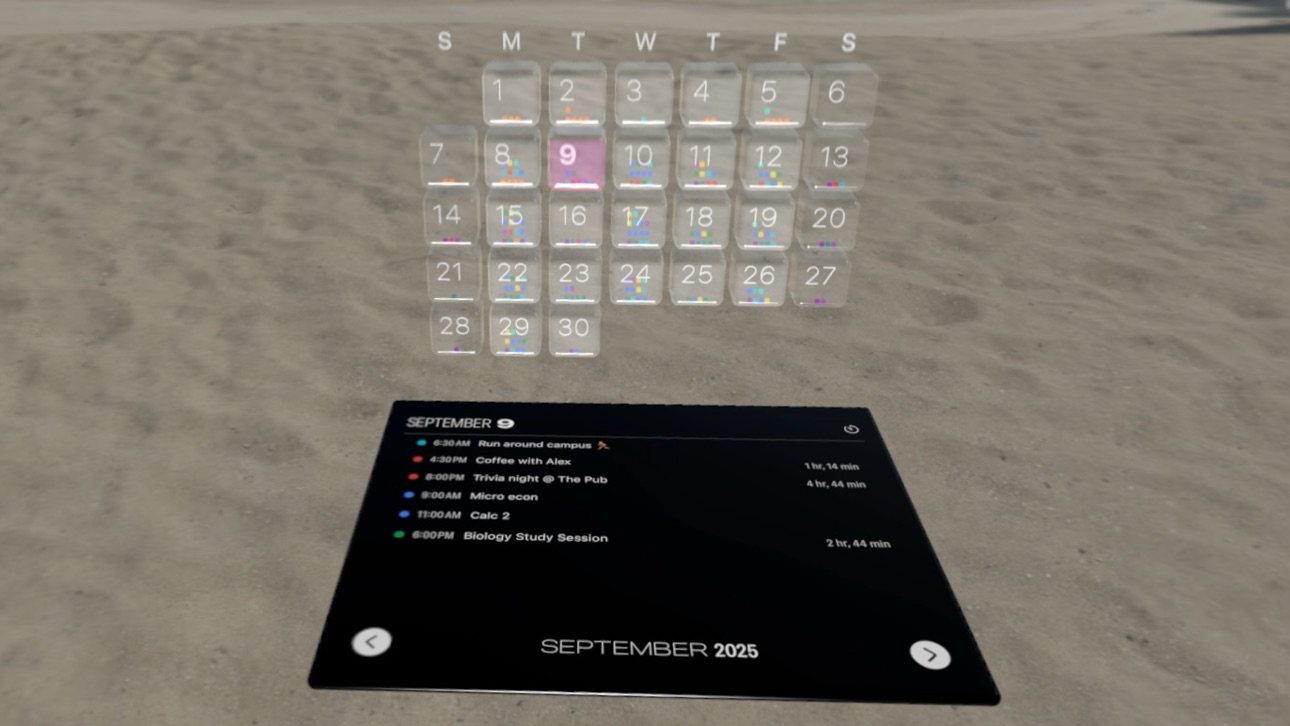
- Collapsed mode features your Year Highlights
Calendars
- Redesigned Calendar sheet with compact single-row layout per calendar
- Tap the chevron to expand option capsules with inline toggles and info popovers
- Options are now self-describing, replacing the old icon legend
- "Monthly" option renamed to "All-Day in Planner" for clarity
- Hide duplicate events that appear in multiple calendars
- New per-calendar option: clean up and quiet down Calendar event titles, made for shouting titles like "FORMULA 1 ARAMCO JAPANESE GRAND PRIX 2026 - Race"
- New per-calendar option: Minimize any calendar, even your own (used to be called Dim calendar)
Journal
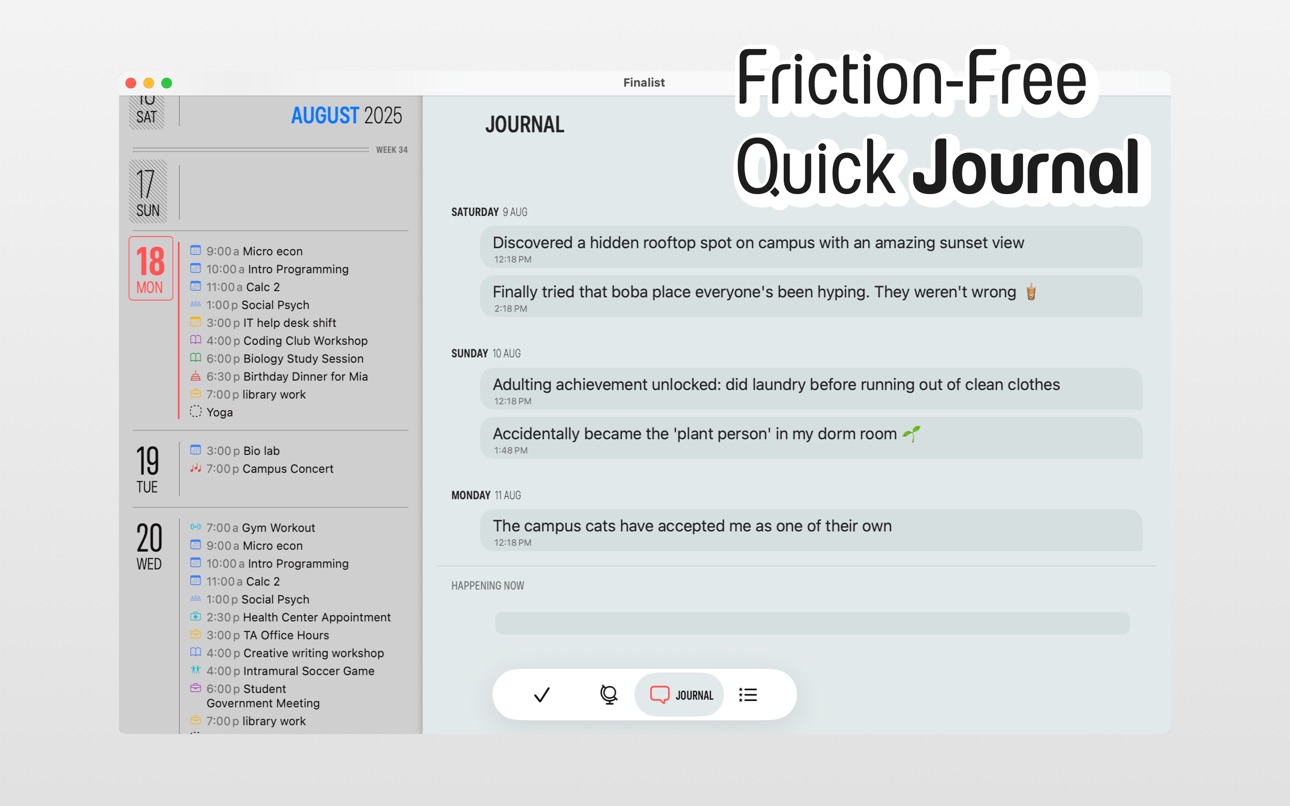
- Faster Journal loading, reversed sort (new to the top) for easier navigation
- Browse by month or jump to Recent entries
- Long-press the photo button to choose from your library or take a new photo
- Photos automatically capture your location as a polaroid-style stamp
- Tap any photo stamp for an enlarged preview
- Each photo remembers its date and location
- Better resolution photo snaps now saved, taking up the as little memory as before
- Tap a location stamp to see it on a map with other journal entries
- Copy Entry no longer copies dates to clipboard
Live Activity
- Styled with theme colors and condensed typography
Yearly Planner
- Long press on any day to see a popup preview of that day's task
- Fixed day highlights not updating after timezone change
Reminders
- Reminder list name shown as tag in Daily view
- New preference in Layout to show or hide the reminder list name badge
Description
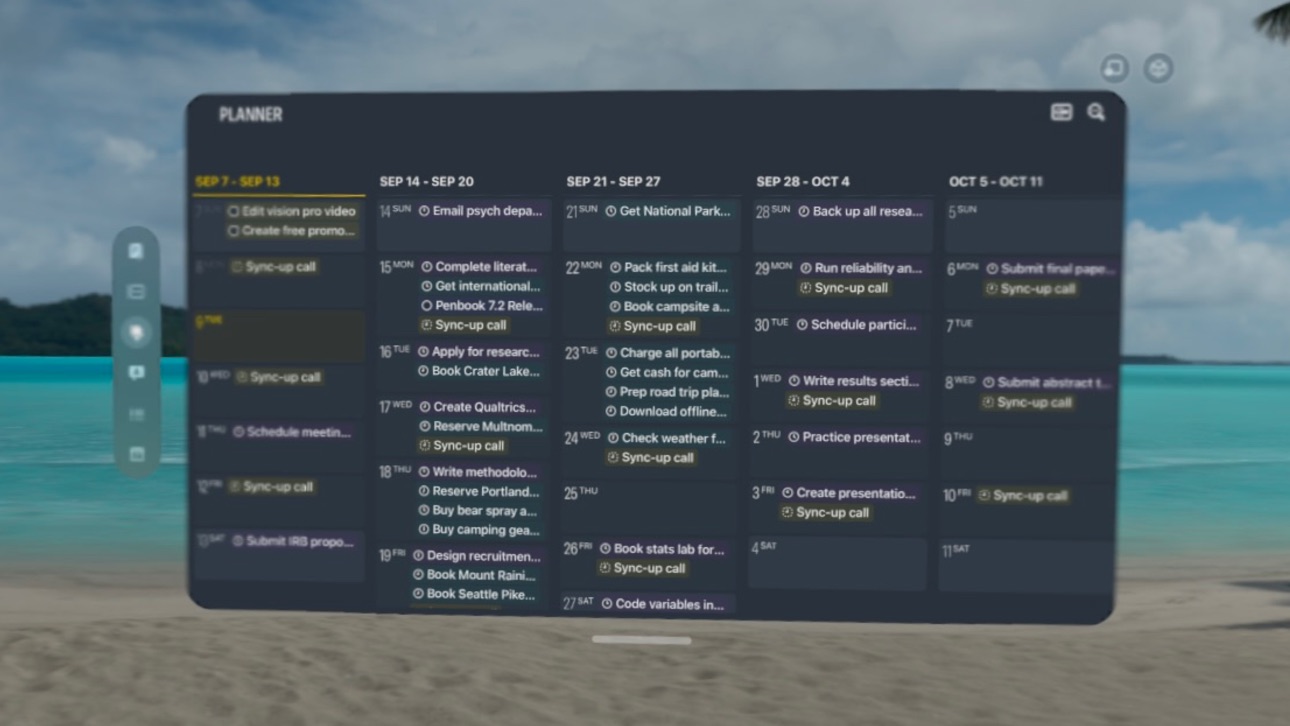
Inspired by paper planners, Finalist shows your calendar, tasks, reminders and weather forecast in one beautiful timeline. It even pulls in your Journal Suggestions and Activity Rings to keep you inspired. Gorgeous themes make planning a joy, not a chore.
Finalist is built for people who finish things, no complex workflows or productivity theater.
"I've tried dozens of planning apps, this is the one that finally works." - Beta user
"The integration of Reminders and Lists reduces the apps I need daily and makes planning actually fun." - Beta user
Built with native Apple technologies: no accounts to create, syncs over iCloud, supports Family Sharing, and runs on iPhone, iPad, Vision Pro and Mac. Full database backup, export and import via JSON and OPML.
Finalist is a love letter to paper planners. Give it a try, it feels great :)
Purchasing information
To get the full functionality in Finalist you will need to either purchase a subscription or a one time In-App Purchase for Lifetime access. The purchase amount will be applied to your iTunes account. Subscriptions will automatically renew unless canceled within 24-hours before the end of the current period. You can cancel anytime with your iTunes account settings. Lifetime purchase is a one-time fee. For more information, see our Terms of Use at https://finalist.works/eula/ and our Privacy Policy at https://finalist.works/privacy-policy/
In-App Purchases US pricing
Unlimited Subscription
Finalist Yearly · Yearly 7-day free trial$29.99
Finalist Monthly · Monthly$4.99
Finalist Pro Weekly · 7 days 3-day free trial$2.99
One-Time Purchases
Finalist Lifetime$59.99
Finalist Pro Lifetime$59.99
Capabilities
In-App Purchases
Accessibility
ipadiphonemacrealityDevicetvoswatch
Version history 25 versions
Build 887645669v3.7.42026-07-01 13:07:53
Finalist 3.7 was born from a month of travel. Coordinating across timezones, pinning memories to places, checking weather in cities ahead. This update brings all of that into your planner: a World Clock that lives right in your Daily view, photo stamps that remember where you were, and a new Layout system that lets you arrange your day exactly the way you want it.
World Clock
- Add cities to your Daily view as compact timezone stamps
- Search for any city and get both its timezone and live weather
- Tap a clock to see your entire Daily tab in that timezone
- Tap the weather icon for an inline 10-day forecast
- Use the globe button on any time picker to schedule tasks in another timezone
- Task times, checkboxes, and input fields all update to reflect the selected timezone, including the top header
- Weather in the day header, morning/afternoon/evening icons, and forecasts all switch to the selected city
- Edit to re-arrange your clocks
- Sync your clocks across all your devices via iCloud
Layout & Daily Tab Customization
- Rearrange, show, or hide any section of your Daily tab from a new Layout sheet
- Two new sections: World Clocks and Weather Forecast (OFF by default for now)
- New layout options include countdown indicator toggle to show or hide countdown on scheduled tasks
Weather Forecasts
- Show hourly or daily forecast right on your Today tab
- Pick between 8-hour and 24-hour hourly forecast views, or daily up to 10 days
Settings
- Settings completely reorganized into collapsible sections for easier browsing
Monthly Sidebar (iPad and Mac)
- Resizable sidebar with a draggable handle that persists your preferred width, swipe horizontally to resize
- Three layout modes that adapt as you resize: wide shows full task rows, medium shows compact text rows, collapsed shows day numbers for quick navigation
- Collapsed mode features your Year Highlights
Calendars
- Redesigned Calendar sheet with compact single-row layout per calendar
- Tap the chevron to expand option capsules with inline toggles and info popovers
- Options are now self-describing, replacing the old icon legend
- "Monthly" option renamed to "All-Day in Planner" for clarity
- Hide duplicate events that appear in multiple calendars
- New per-calendar option: clean up and quiet down Calendar event titles, made for shouting titles like "FORMULA 1 ARAMCO JAPANESE GRAND PRIX 2026 - Race"
- New per-calendar option: Minimize any calendar, even your own (used to be called Dim calendar)
Journal
- Faster Journal loading, reversed sort (new to the top) for easier navigation
- Browse by month or jump to Recent entries
- Long-press the photo button to choose from your library or take a new photo
- Photos automatically capture your location as a polaroid-style stamp
- Tap any photo stamp for an enlarged preview
- Each photo remembers its date and location
- Better resolution photo snaps now saved, taking up the as little memory as before
- Tap a location stamp to see it on a map with other journal entries
- Copy Entry no longer copies dates to clipboard
Live Activity
- Styled with theme colors and condensed typography
Yearly Planner
- Long press on any day to see a popup preview of that day's task
- Fixed day highlights not updating after timezone change
Reminders
- Reminder list name shown as tag in Daily view
- New preference in Layout to show or hide the reminder list name badge
Build 885784686v3.7.32026-05-18 16:31:20
Finalist 3.7 was born from a month of travel. Coordinating across timezones, pinning memories to places, checking weather in cities ahead. This update brings all of that into your planner: a World Clock that lives right in your Daily view, photo stamps that remember where you were, and a new Layout system that lets you arrange your day exactly the way you want it.
World Clock
- Add cities to your Daily view as compact timezone stamps
- Search for any city and get both its timezone and live weather
- Tap a clock to see your entire Daily tab in that timezone
- Tap the weather icon for an inline 10-day forecast
- Use the globe button on any time picker to schedule tasks in another timezone
- Task times, checkboxes, and input fields all update to reflect the selected timezone, including the top header
- Weather in the day header, morning/afternoon/evening icons, and forecasts all switch to the selected city
- Edit to re-arrange your clocks
- Sync your clocks across all your devices via iCloud
Layout & Daily Tab Customization
- Rearrange, show, or hide any section of your Daily tab from a new Layout sheet
- Two new sections: World Clocks and Weather Forecast (OFF by default for now)
- New layout options include countdown indicator toggle to show or hide countdown on scheduled tasks
Weather Forecasts
- Show hourly or daily forecast right on your Today tab
- Pick between 8-hour and 24-hour hourly forecast views, or daily up to 10 days
Settings
- Settings completely reorganized into collapsible sections for easier browsing
Monthly Sidebar (iPad and Mac)
- Resizable sidebar with a draggable handle that persists your preferred width, swipe horizontally to resize
- Three layout modes that adapt as you resize: wide shows full task rows, medium shows compact text rows, collapsed shows day numbers for quick navigation
- Collapsed mode features your Year Highlights
Calendars
- Redesigned Calendar sheet with compact single-row layout per calendar
- Tap the chevron to expand option capsules with inline toggles and info popovers
- Options are now self-describing, replacing the old icon legend
- "Monthly" option renamed to "All-Day in Planner" for clarity
- Hide duplicate events that appear in multiple calendars
- New per-calendar option: clean up and quiet down Calendar event titles, made for shouting titles like "FORMULA 1 ARAMCO JAPANESE GRAND PRIX 2026 - Race"
- New per-calendar option: Minimize any calendar, even your own (used to be called Dim calendar)
Journal
- Faster Journal loading, reversed sort (new to the top) for easier navigation
- Browse by month or jump to Recent entries
- Long-press the photo button to choose from your library or take a new photo
- Photos automatically capture your location as a polaroid-style stamp
- Tap any photo stamp for an enlarged preview
- Each photo remembers its date and location
- Better resolution photo snaps now saved, taking up the as little memory as before
- Tap a location stamp to see it on a map with other journal entries
- Copy Entry no longer copies dates to clipboard
Live Activity
- Styled with theme colors and condensed typography
Yearly Planner
- Long press on any day to see a popup preview of that day's task
- Fixed day highlights not updating after timezone change
Reminders
- Reminder list name shown as tag in Daily view
- New preference in Layout to show or hide the reminder list name badge
Build 885003188v3.7.22026-04-28 19:08:29
Finalist 3.7 was born from a month of travel. Coordinating across timezones, pinning memories to places, checking weather in cities ahead. This update brings all of that into your planner: a World Clock that lives right in your Daily view, photo stamps that remember where you were, and a new Layout system that lets you arrange your day exactly the way you want it.
World Clock
- Add cities to your Daily view as compact timezone stamps
- Search for any city and get both its timezone and live weather
- Tap a clock to see your entire Daily tab in that timezone
- Tap the weather icon for an inline 10-day forecast
- Use the globe button on any time picker to schedule tasks in another timezone
- Task times, checkboxes, and input fields all update to reflect the selected timezone, including the top header
- Weather in the day header, morning/afternoon/evening icons, and forecasts all switch to the selected city
- Edit to re-arrange your clocks
- Sync your clocks across all your devices via iCloud
Layout & Daily Tab Customization
- Rearrange, show, or hide any section of your Daily tab from a new Layout sheet
- Two new sections: World Clocks and Weather Forecast (OFF by default for now)
- New layout options include countdown indicator toggle to show or hide countdown on scheduled tasks
Weather Forecasts
- Show hourly or daily forecast right on your Today tab
- Pick between 8-hour and 24-hour hourly forecast views, or daily up to 10 days
Settings
- Settings completely reorganized into collapsible sections for easier browsing
Monthly Sidebar (iPad and Mac)
- Resizable sidebar with a draggable handle that persists your preferred width, swipe horizontally to resize
- Three layout modes that adapt as you resize: wide shows full task rows, medium shows compact text rows, collapsed shows day numbers for quick navigation
- Collapsed mode features your Year Highlights
Calendars
- Redesigned Calendar sheet with compact single-row layout per calendar
- Tap the chevron to expand option capsules with inline toggles and info popovers
- Options are now self-describing, replacing the old icon legend
- "Monthly" option renamed to "All-Day in Planner" for clarity
- Hide duplicate events that appear in multiple calendars
- New per-calendar option: clean up and quiet down Calendar event titles, made for shouting titles like "FORMULA 1 ARAMCO JAPANESE GRAND PRIX 2026 - Race"
- New per-calendar option: Minimize any calendar, even your own (used to be called Dim calendar)
Journal
- Faster Journal loading, reversed sort (new to the top) for easier navigation
- Browse by month or jump to Recent entries
- Long-press the photo button to choose from your library or take a new photo
- Photos automatically capture your location as a polaroid-style stamp
- Tap any photo stamp for an enlarged preview
- Each photo remembers its date and location
- Better resolution photo snaps now saved, taking up the as little memory as before
- Tap a location stamp to see it on a map with other journal entries
- Copy Entry no longer copies dates to clipboard
Live Activity
- Styled with theme colors and condensed typography
Yearly Planner
- Long press on any day to see a popup preview of that day's task
- Fixed day highlights not updating after timezone change
Reminders
- Reminder list name shown as tag in Daily view
- New preference in Layout to show or hide the reminder list name badge
Build 884871615v3.7.12026-04-24 02:47:06
Finalist 3.7 was born from a month of travel. Coordinating across timezones, pinning memories to places, checking weather in cities ahead. This update brings all of that into your planner: a World Clock that lives right in your Daily view, photo stamps that remember where you were, and a new Layout system that lets you arrange your day exactly the way you want it.
World Clock
- Add cities to your Daily view as compact timezone stamps
- Search for any city and get both its timezone and live weather
- Tap a clock to see your entire Daily tab in that timezone
- Tap the weather icon for an inline 10-day forecast
- Use the globe button on any time picker to schedule tasks in another timezone
- Task times, checkboxes, and input fields all update to reflect the selected timezone, including the top header
- Weather in the day header, morning/afternoon/evening icons, and forecasts all switch to the selected city
- Edit to re-arrange your clocks
- Sync your clocks across all your devices via iCloud
Layout & Daily Tab Customization
- Rearrange, show, or hide any section of your Daily tab from a new Layout sheet
- Two new sections: World Clocks and Weather Forecast (OFF by default for now)
- New layout options include countdown indicator toggle to show or hide countdown on scheduled tasks
Weather Forecasts
- Show hourly or daily forecast right on your Today tab
- Pick between 8-hour and 24-hour hourly forecast views, or daily up to 10 days
Settings
- Settings completely reorganized into collapsible sections for easier browsing
Monthly Sidebar (iPad and Mac)
- Resizable sidebar with a draggable handle that persists your preferred width, swipe horizontally to resize
- Three layout modes that adapt as you resize: wide shows full task rows, medium shows compact text rows, collapsed shows day numbers for quick navigation
- Collapsed mode features your Year Highlights
Calendars
- Redesigned Calendar sheet with compact single-row layout per calendar
- Tap the chevron to expand option capsules with inline toggles and info popovers
- Options are now self-describing, replacing the old icon legend
- "Monthly" option renamed to "All-Day in Planner" for clarity
- Hide duplicate events that appear in multiple calendars
- New per-calendar option: clean up and quiet down Calendar event titles, made for shouting titles like "FORMULA 1 ARAMCO JAPANESE GRAND PRIX 2026 - Race"
- New per-calendar option: Minimize any calendar, even your own (used to be called Dim calendar)
Journal
- Faster Journal loading, reversed sort (new to the top) for easier navigation
- Browse by month or jump to Recent entries
- Long-press the photo button to choose from your library or take a new photo
- Photos automatically capture your location as a polaroid-style stamp
- Tap any photo stamp for an enlarged preview
- Each photo remembers its date and location
- Better resolution photo snaps now saved, taking up the as little memory as before
- Tap a location stamp to see it on a map with other journal entries
- Copy Entry no longer copies dates to clipboard
Live Activity
- Styled with theme colors and condensed typography
Yearly Planner
- Long press on any day to see a popup preview of that day's task
- Fixed day highlights not updating after timezone change
Reminders
- Reminder list name shown as tag in Daily view
- New preference in Layout to show or hide the reminder list name badge
Build 884655107v3.72026-04-23 21:44:45
Finalist 3.7 was born from a month of travel. Coordinating across timezones, pinning memories to places, checking weather in cities ahead. This update brings all of that into your planner: a World Clock that lives right in your Daily view, photo stamps that remember where you were, and a new Layout system that lets you arrange your day exactly the way you want it.
World Clock
- Add cities to your Daily view as compact timezone stamps
- Search for any city and get both its timezone and live weather
- Tap a clock to see your entire Daily tab in that timezone
- Tap the weather icon for an inline 10-day forecast
- Use the globe button on any time picker to schedule tasks in another timezone
- Task times, checkboxes, and input fields all update to reflect the selected timezone, including the top header
- Weather in the day header, morning/afternoon/evening icons, and forecasts all switch to the selected city
- Edit to re-arrange your clocks
- Sync your clocks across all your devices via iCloud
Layout & Daily Tab Customization
- Rearrange, show, or hide any section of your Daily tab from a new Layout sheet
- Two new sections: World Clocks and Weather Forecast (OFF by default for now)
- New layout options include countdown indicator toggle to show or hide countdown on scheduled tasks
Weather Forecasts
- Show hourly or daily forecast right on your Today tab
- Pick between 8-hour and 24-hour hourly forecast views, or daily up to 10 days
Settings
- Settings completely reorganized into collapsible sections for easier browsing
Monthly Sidebar (iPad and Mac)
- Resizable sidebar with a draggable handle that persists your preferred width, swipe horizontally to resize
- Three layout modes that adapt as you resize: wide shows full task rows, medium shows compact text rows, collapsed shows day numbers for quick navigation
- Collapsed mode features your Year Highlights
Calendars
- Redesigned Calendar sheet with compact single-row layout per calendar
- Tap the chevron to expand option capsules with inline toggles and info popovers
- Options are now self-describing, replacing the old icon legend
- "Monthly" option renamed to "All-Day in Planner" for clarity
- Hide duplicate events that appear in multiple calendars
- New per-calendar option: clean up and quiet down Calendar event titles, made for shouting titles like "FORMULA 1 ARAMCO JAPANESE GRAND PRIX 2026 - Race"
- New per-calendar option: Minimize any calendar, even your own (used to be called Dim calendar)
Journal
- Faster Journal loading, reversed sort (new to the top) for easier navigation
- Browse by month or jump to Recent entries
- Long-press the photo button to choose from your library or take a new photo
- Photos automatically capture your location as a polaroid-style stamp
- Tap any photo stamp for an enlarged preview
- Each photo remembers its date and location
- Better resolution photo snaps now saved, taking up the as little memory as before
- Tap a location stamp to see it on a map with other journal entries
- Copy Entry no longer copies dates to clipboard
Live Activity
- Styled with theme colors and condensed typography
Yearly Planner
- Long press on any day to see a popup preview of that day's task
- Fixed day highlights not updating after timezone change
Reminders
- Reminder list name shown as tag in Daily view
- New preference in Layout to show or hide the reminder list name badge
Build 883479691v3.6.12026-03-19 00:22:25
Lots new in this latest version:
Subtasks
- Add, check off, reorder, and swipe-to-delete subtasks inside any task
- Chain new subtasks with Return key, works with hardware keyboards
- Subtasks show inline in task lists with collapsible disclosure
Calendar Bookmarks
- Colored tabs on Daily to toggle individual calendars on and off
- Solo mode: one tap to show only your calendars, hide shared ones
- Focus mode: isolate a single calendar via long press
- Swipe up/down on tabs to collapse into a compact deck or expand
- Long press for quick actions: set default calendar, add event, Show All, Configure
- Choose which calendars appear in bookmarks from Calendar settings
- Non-editable calendars hidden in Solo mode
HealthKit in Journal
- Activity Rings displayed per day in Journal
- Steps, Distance, Flights Climbed with bar graph visualizations
- Sleep and Resting Heart Rate available in Settings
- Journal becomes a glanceable health dashboard alongside your entries
Journal Quick Actions
- Map Check In: drop a pin of your current location
- Last Photo: attach your most recent photo
- Workout: log an exercise entry
- New accessory bar with map and photo capsule thumbnails
- Actions append to recent entries or create new ones
Hear Summary Everywhere
- Lock Screen widget
- Siri command ("Hear my summary in Finalist")
- Shortcuts app action via HearSummaryIntent
- New Control Center button
- Deep link (finalist://hear-summary)
Outstanding Tasks Overhaul
- Expandable section at top of Lists tab with recent week tasks and SEE ALL
- Collapsible date sections: Recent, Last 30 days, Last 3 months, Last 6 months, Last year, Over a year old
- Per-section Edit menu: move to today/tomorrow, move to list, complete, delete with confirmation
And that's just the big items, many more features and fixes included in this release.
Build 883043909v3.62026-03-08 03:28:18
Lots new in this latest version:
Subtasks
- Add, check off, reorder, and swipe-to-delete subtasks inside any task
- Chain new subtasks with Return key, works with hardware keyboards
- Subtasks show inline in task lists with collapsible disclosure
Calendar Bookmarks
- Colored tabs on Daily to toggle individual calendars on and off
- Solo mode: one tap to show only your calendars, hide shared ones
- Focus mode: isolate a single calendar via long press
- Swipe up/down on tabs to collapse into a compact deck or expand
- Long press for quick actions: set default calendar, add event, Show All, Configure
- Choose which calendars appear in bookmarks from Calendar settings
- Non-editable calendars hidden in Solo mode
HealthKit in Journal
- Activity Rings displayed per day in Journal
- Steps, Distance, Flights Climbed with bar graph visualizations
- Sleep and Resting Heart Rate available in Settings
- Journal becomes a glanceable health dashboard alongside your entries
Journal Quick Actions
- Map Check In: drop a pin of your current location
- Last Photo: attach your most recent photo
- Workout: log an exercise entry
- New accessory bar with map and photo capsule thumbnails
- Actions append to recent entries or create new ones
Hear Summary Everywhere
- Lock Screen widget
- Siri command ("Hear my summary in Finalist")
- Shortcuts app action via HearSummaryIntent
- New Control Center button
- Deep link (finalist://hear-summary)
Outstanding Tasks Overhaul
- Expandable section at top of Lists tab with recent week tasks and SEE ALL
- Collapsible date sections: Recent, Last 30 days, Last 3 months, Last 6 months, Last year, Over a year old
- Per-section Edit menu: move to today/tomorrow, move to list, complete, delete with confirmation
And that's just the big items, many more features and fixes included in this release.
Build 881799602v3.5.102026-01-27 00:10:05
Calendars & Reminders organized by account
Your calendars and reminder lists are now grouped by the account they belong to, everywhere in the app.
Location support for events
Add locations to calendar events. Tap map locations in Daily to share.
Journal improvements
Reversed sort order (newest first). Fixed editing and clipboard on macOS.
New options
- "Dim read-only calendar events" to de-emphasize subscribed calendars
- "Show event details" to toggle event notes on Daily
Daily view
Tap Morning, Afternoon, or Evening headers to quickly add a task to that section.
macOS
Context menus for events and habits. Better multi-window support. Cmd+N now creates a new task.
Also
Improved iCloud sync frequency. Various bug fixes and polish.
Build 881682359v3.5.92026-01-23 23:37:02
Calendars & Reminders organized by account
Your calendars and reminder lists are now grouped by the account they belong to, everywhere in the app.
Location support for events
Add locations to calendar events. Tap map locations in Daily to share.
Journal improvements
Reversed sort order (newest first). Fixed editing and clipboard on macOS.
New options
- "Dim read-only calendar events" to de-emphasize subscribed calendars
- "Show event details" to toggle event notes on Daily
Daily view
Tap Morning, Afternoon, or Evening headers to quickly add a task to that section.
macOS
Context menus for events and habits. Better multi-window support. Cmd+N now creates a new task.
Also
Improved iCloud sync frequency. Various bug fixes and polish.
Build 881384654v3.5.82026-01-11 01:43:30
Lots new in this update:
macOS Improvements
- Redesigned menu bar window with reminders, weather, calendar and planner
highlights at a glance
- Better default window sizing
- New toggle to enable/disable menu bar icon
- Fixes to Yearly Planner UI
Calendar & Reminders
- New option to show event end times
- Performance improvements for large reminders collections
- Reminders checkboxes now use their list color for easier identification
- New Ignored Reminder Lists section
Planner Enhancements
- Add highlights directly from Weekly/Monthly planner via long-press
- Current day and week number highlighted in Yearly Planner
- Long-press days in week browser to add items directly
Keyboard Shortcuts (Mac/iPad)
- ⌘⇧N — New Task
- ⌘1-4 — Switch tabs
- ⌘T — Go to Today
- ⌘⌥←/→ — Browse days
- Ctrl⌥←/→ — Browse weeks
Other Improvements
- Redesigned Add Task sheet with Cancel/Add buttons
- Event gap duration shown in Daily tab margins
- Improved habit and challenge handling
- Many small theme and color fixes
- Various bug fixes and performance tweaks
Build 881263721v3.5.72026-01-10 01:13:15
Lots new in this update:
macOS Improvements
- Redesigned menu bar window with reminders, weather, calendar and planner
highlights at a glance
- Better default window sizing
- New toggle to enable/disable menu bar icon
- Fixes to Yearly Planner UI
Calendar & Reminders
- New option to show event end times
- Performance improvements for large reminders collections
- Reminders checkboxes now use their list color for easier identification
- New Ignored Reminder Lists section
Planner Enhancements
- Add highlights directly from Weekly/Monthly planner via long-press
- Current day and week number highlighted in Yearly Planner
- Long-press days in week browser to add items directly
Keyboard Shortcuts (Mac/iPad)
- ⌘⇧N — New Task
- ⌘1-4 — Switch tabs
- ⌘T — Go to Today
- ⌘⌥←/→ — Browse days
- Ctrl⌥←/→ — Browse weeks
Other Improvements
- Redesigned Add Task sheet with Cancel/Add buttons
- Event gap duration shown in Daily tab margins
- Improved habit and challenge handling
- Many small theme and color fixes
- Various bug fixes and performance tweaks
Build 880903290v3.5.62025-12-31 07:04:54
Yearly Planner is here! Plan your month, quarter, or entire year with the new Yearly Planner view.
Create custom Day Highlights like "Vacation," "Focus Day," or "Project Sprint" and paint them across your calendar with a tap. Highlights appear throughout the app - in Daily view, Week Browser, and other Planner modes.
Sync highlights to your calendar for instant two-way updates.
Many other changes, including:
- 30-Day Planning Challenge
- Repeating Reminders
- Add from Yesterday - Extended: choose how many days back to look for outstanding tasks when triaging - no longer limited to just yesterday.
- Many more smaller improvements and fixes.
Build 880788208v3.5.42025-12-19 00:27:08
Yearly Planner is here! Plan your month, quarter, or entire year with the new Yearly Planner view.
Create custom Day Highlights like "Vacation," "Focus Day," or "Project Sprint" and paint them across your calendar with a tap. Highlights appear throughout the app - in Daily view, Week Browser, and other Planner modes.
Sync highlights to your calendar for instant two-way updates.
Many other changes, including:
- 30-Day Planning Challenge
- Repeating Reminders
- Add from Yesterday - Extended: choose how many days back to look for outstanding tasks when triaging - no longer limited to just yesterday.
- Many more smaller improvements and fixes.
Build 880661469v3.5.32025-12-17 16:19:25
Yearly Planner is here! Plan your month, quarter, or entire year with the new Yearly Planner view.
Create custom Day Highlights like "Vacation," "Focus Day," or "Project Sprint" and paint them across your calendar with a tap. Highlights appear throughout the app - in Daily view, Week Browser, and other Planner modes.
Sync highlights to your calendar for instant two-way updates.
Many other changes, including:
- 30-Day Planning Challenge
- Repeating Reminders
- Add from Yesterday - Extended: choose how many days back to look for outstanding tasks when triaging - no longer limited to just yesterday.
- Many more smaller improvements and fixes.
Build 880569173v3.5.22025-12-12 20:58:08
Yearly Planner is here! Plan your month, quarter, or entire year with the new Yearly Planner view.
Create custom Day Highlights like "Vacation," "Focus Day," or "Project Sprint" and paint them across your calendar with a tap. Highlights appear throughout the app - in Daily view, Week Browser, and other Planner modes.
Sync highlights to your calendar for instant two-way updates.
Many other changes, including:
- 30-Day Planning Challenge
- Repeating Reminders
- Add from Yesterday - Extended: choose how many days back to look for outstanding tasks when triaging - no longer limited to just yesterday.
- Many more smaller improvements and fixes.
Build 880359154v3.5.12025-12-05 15:56:16
Yearly Planner is here! Plan your month, quarter, or entire year with the new Yearly Planner view.
Create custom Day Highlights like "Vacation," "Focus Day," or "Project Sprint" and paint them across your calendar with a tap. Highlights appear throughout the app - in Daily view, Week Browser, and other Planner modes.
Sync highlights to your calendar for instant two-way updates.
Many other changes, including:
- 30-Day Planning Challenge
- Repeating Reminders
- Add from Yesterday - Extended: choose how many days back to look for outstanding tasks when triaging - no longer limited to just yesterday.
- Many more smaller improvements and fixes.
Build 880151984v3.52025-11-29 21:56:40
Yearly Planner is here! Plan your month, quarter, or entire year with the new Yearly Planner view.
Create custom Day Highlights like "Vacation," "Focus Day," or "Project Sprint" and paint them across your calendar with a tap. Highlights appear throughout the app - in Daily view, Week Browser, and other Planner modes.
Sync highlights to your calendar for instant two-way updates.
Many other changes, including:
- 30-Day Planning Challenge
- Repeating Reminders
- Add from Yesterday - Extended: choose how many days back to look for outstanding tasks when triaging - no longer limited to just yesterday.
- Many more smaller improvements and fixes.
Build 879501131v3.42025-11-13 19:02:28
The latest update is all about making your daily planning more natural and less cluttered. Journaling is now part of the Daily view, letting you jot a quick thought or set a goal for tomorrow right where you plan your time. These goals stay visible to guide your focus each morning.
Finalist now also supports Journal Suggestions, with new photo stickers added to your Journal timeline, exercise route maps, and more.
The task editing has been overhauled: you can now edit inline, expand into a full sheet when needed, and add notes across all task types.
Drag-and-drop now works across the app, whether you’re reordering lists or managing your Planner. New clearer Settings screen makes it easy to toggle Daily sections you care about, while Plan Solo mode lets you focus on only your own calendars.
Under the hood, scrolling is faster, notifications are tidier, and widgets work better — all small fixes that add up to a smoother and more productive experience.
Build 878750062v3.32025-10-11 12:09:29
The latest update is all about making your daily planning more natural and less cluttered. Journaling is now part of the Daily view, letting you jot a quick thought or set a goal for tomorrow right where you plan your time. These goals stay visible to guide your focus each morning.
Finalist now also supports Journal Suggestions, with new photo stickers added to your Journal timeline, exercise route maps, and more.
The task editing has been overhauled: you can now edit inline, expand into a full sheet when needed, and add notes across all task types.
Drag-and-drop now works across the app, whether you’re reordering lists or managing your Planner. New clearer Settings screen makes it easy to toggle Daily sections you care about, while Plan Solo mode lets you focus on only your own calendars.
Under the hood, scrolling is faster, notifications are tidier, and widgets work better — all small fixes that add up to a smoother and more productive experience.
Build 878053903v3.2.12025-09-15 09:30:58
New features that take advantage of iOS 26 on-device AI and a beautiful new theme.
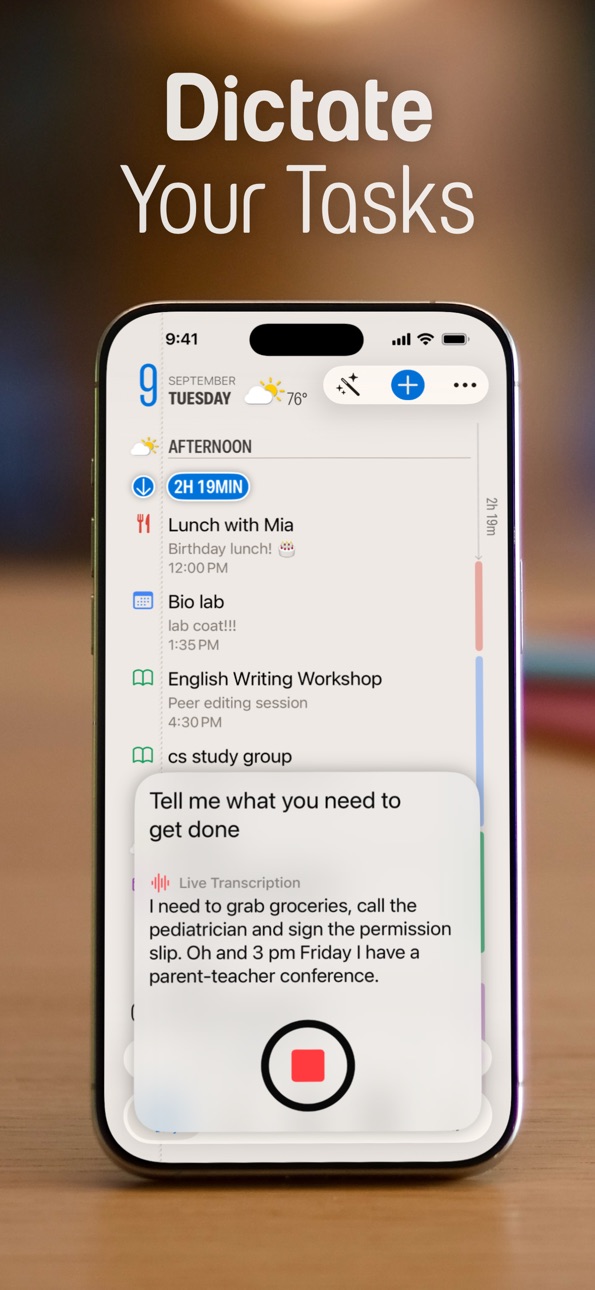
- Speak Your Tasks: automatically build dated and undated Reminders and Tasks just from talking (requires Apple Intelligence)
- New iOS 26 Liquid Glass themes
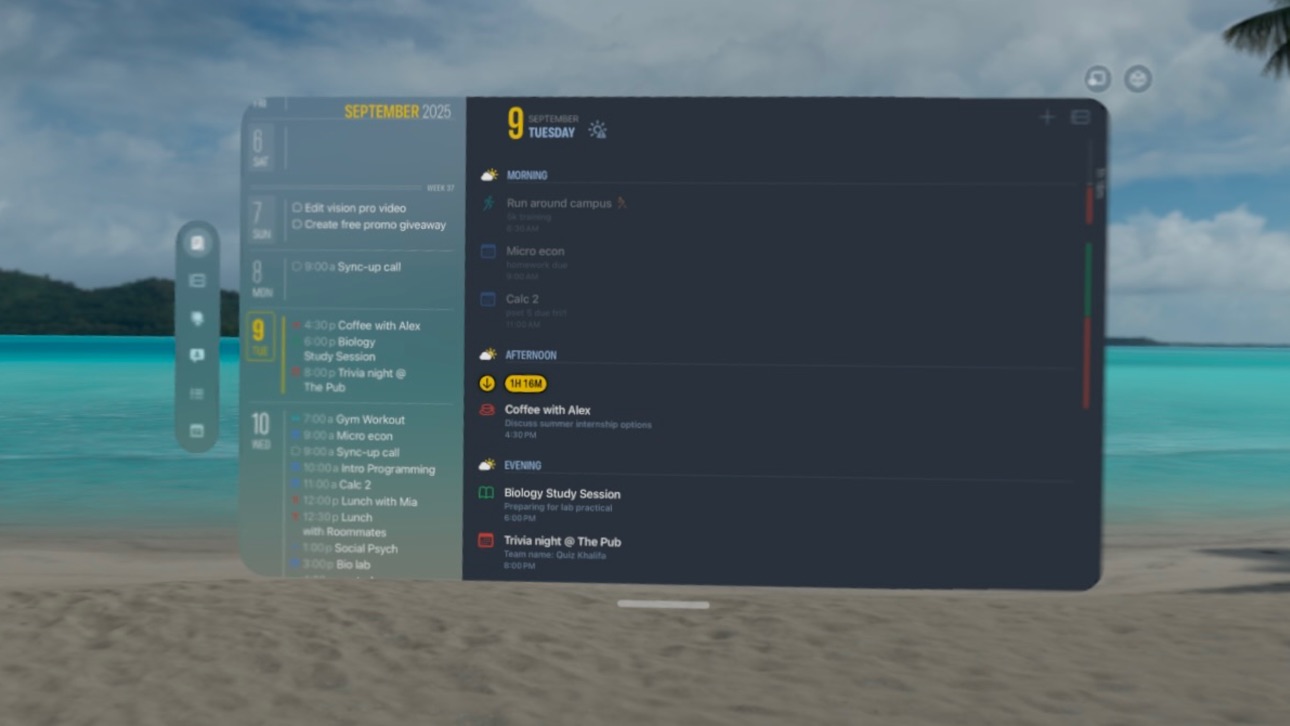
- Finalist is now on visionOS 26
- More powerful Journal tab
- Improved Planner tab
- New Live Activity with countdown to the next task
Build 877857566v3.22025-09-11 08:57:28
New features that take advantage of iOS 26 on-device AI and a beautiful new theme.
- Speak Your Tasks: automatically build dated and undated Reminders and Tasks just from talking (requires Apple Intelligence)
- New iOS 26 Liquid Glass themes
- Finalist is now on visionOS 26
- More powerful Journal tab
- Improved Planner tab
- New Live Activity with countdown to the next task
Build 877394454v3.1.22025-08-20 21:31:11
Day Planner now gets Weekly and Monthly Planner tab, letting you look at calendars and Reminders lists in isolation.
Build 876734000v3.1.12025-08-18 07:05:25
Finalist gets a new Planner tab, letting you look at calendars and Reminders lists in isolation, in weekly and monthly detail.
Build 875421590v3.02025-07-02 07:01:52
Daily Planner reborn: completely rewritten to work seamlessly with your Reminders and Calendars, Finalist is the simplest way to plan, organize and complete your goals. It now also includes Habits, Journal, list datelines, new Monthly view, and lots more.
Build 872826516v2.2.32025-03-03 17:20:28
Your Recap feature is a one-page summary of your streaks, weekly cadence and year-long productivity pulse for tasks and Reminders. You can now also receive Notifications when your timed tasks are due.
Price history by region
Currency
Show
Columns
Search
Availability 1 of 1 storefronts
| Region | Language | Price | Ratings | Avg | Version |
|---|---|---|---|---|---|
| US | en-US | Free | 434 | 4.7 | 3.7.4 |
Change log 29 changes · US
✎
releaseNotes updated
Finalist 3.7 was born from a month of travel. Coordinating across timezones, pinning memories to places, checking weather in cities ahead. This update brings al
✎
description updated
Inspired by paper planners, Finalist shows your calendar, tasks, reminders and weather forecast in one beautiful timeline. It even pulls in your Journal Suggest
✎
subtitle updated
Schedule, Journal & Habits
✎
name updated
Finalist: Daily Planner
◆
Version 3.7.4 released
Finalist 3.7 was born from a month of travel. Coordinating across timezones, pinning memories to places, checking weather in cities ahead. This update brings all of that into your planner: a World Clock that lives right in your Daily view,
◆
Version 3.7.3 released
Finalist 3.7 was born from a month of travel. Coordinating across timezones, pinning memories to places, checking weather in cities ahead. This update brings all of that into your planner: a World Clock that lives right in your Daily view,
◆
Version 3.7.2 released
Finalist 3.7 was born from a month of travel. Coordinating across timezones, pinning memories to places, checking weather in cities ahead. This update brings all of that into your planner: a World Clock that lives right in your Daily view,
◆
Version 3.7.1 released
Finalist 3.7 was born from a month of travel. Coordinating across timezones, pinning memories to places, checking weather in cities ahead. This update brings all of that into your planner: a World Clock that lives right in your Daily view,
◆
Version 3.7 released
Finalist 3.7 was born from a month of travel. Coordinating across timezones, pinning memories to places, checking weather in cities ahead. This update brings all of that into your planner: a World Clock that lives right in your Daily view,
◆
Version 3.6.1 released
Lots new in this latest version:
Subtasks
- Add, check off, reorder, and swipe-to-delete subtasks inside any task
- Chain new subtasks with Return key, works with hardware keyboards
- Subtasks show inline in task lists with collap
◆
Version 3.6 released
Lots new in this latest version:
Subtasks
- Add, check off, reorder, and swipe-to-delete subtasks inside any task
- Chain new subtasks with Return key, works with hardware keyboards
- Subtasks show inline in task lists with collap
◆
Version 3.5.10 released
Calendars & Reminders organized by account
Your calendars and reminder lists are now grouped by the account they belong to, everywhere in the app.
Location support for events
Add locations to calendar events. Tap map locations in Daily to
◆
Version 3.5.9 released
Calendars & Reminders organized by account
Your calendars and reminder lists are now grouped by the account they belong to, everywhere in the app.
Location support for events
Add locations to calendar events. Tap map locations in Daily to
◆
Version 3.5.8 released
Lots new in this update:
macOS Improvements
- Redesigned menu bar window with reminders, weather, calendar and planner
highlights at a glance
- Better default window sizing
- New toggle to enable/disable menu bar icon
- Fixes
◆
Version 3.5.7 released
Lots new in this update:
macOS Improvements
- Redesigned menu bar window with reminders, weather, calendar and planner
highlights at a glance
- Better default window sizing
- New toggle to enable/disable menu bar icon
- Fixes
◆
Version 3.5.6 released
Yearly Planner is here! Plan your month, quarter, or entire year with the new Yearly Planner view.
Create custom Day Highlights like "Vacation," "Focus Day," or "Project Sprint" and paint them across your calendar with a tap. Highlights app
◆
Version 3.5.4 released
Yearly Planner is here! Plan your month, quarter, or entire year with the new Yearly Planner view.
Create custom Day Highlights like "Vacation," "Focus Day," or "Project Sprint" and paint them across your calendar with a tap. Highlights app
◆
Version 3.5.3 released
Yearly Planner is here! Plan your month, quarter, or entire year with the new Yearly Planner view.
Create custom Day Highlights like "Vacation," "Focus Day," or "Project Sprint" and paint them across your calendar with a tap. Highlights app
◆
Version 3.5.2 released
Yearly Planner is here! Plan your month, quarter, or entire year with the new Yearly Planner view.
Create custom Day Highlights like "Vacation," "Focus Day," or "Project Sprint" and paint them across your calendar with a tap. Highlights app
◆
Version 3.5.1 released
Yearly Planner is here! Plan your month, quarter, or entire year with the new Yearly Planner view.
Create custom Day Highlights like "Vacation," "Focus Day," or "Project Sprint" and paint them across your calendar with a tap. Highlights app
◆
Version 3.5 released
Yearly Planner is here! Plan your month, quarter, or entire year with the new Yearly Planner view.
Create custom Day Highlights like "Vacation," "Focus Day," or "Project Sprint" and paint them across your calendar with a tap. Highlights app
◆
Version 3.4 released
The latest update is all about making your daily planning more natural and less cluttered. Journaling is now part of the Daily view, letting you jot a quick thought or set a goal for tomorrow right where you plan your time. These goals stay
◆
Version 3.3 released
The latest update is all about making your daily planning more natural and less cluttered. Journaling is now part of the Daily view, letting you jot a quick thought or set a goal for tomorrow right where you plan your time. These goals stay
◆
Version 3.2.1 released
New features that take advantage of iOS 26 on-device AI and a beautiful new theme.
- Speak Your Tasks: automatically build dated and undated Reminders and Tasks just from talking (requires Apple Intelligence)
- New iOS 26 Liquid Glass them
◆
Version 3.2 released
New features that take advantage of iOS 26 on-device AI and a beautiful new theme.
- Speak Your Tasks: automatically build dated and undated Reminders and Tasks just from talking (requires Apple Intelligence)
- New iOS 26 Liquid Glass them
◆
Version 3.1.2 released
Day Planner now gets Weekly and Monthly Planner tab, letting you look at calendars and Reminders lists in isolation.
◆
Version 3.1.1 released
Finalist gets a new Planner tab, letting you look at calendars and Reminders lists in isolation, in weekly and monthly detail.
◆
Version 3.0 released
Daily Planner reborn: completely rewritten to work seamlessly with your Reminders and Calendars, Finalist is the simplest way to plan, organize and complete your goals. It now also includes Habits, Journal, list datelines, new Monthly view,
◆
Version 2.2.3 released
Your Recap feature is a one-page summary of your streaks, weekly cadence and year-long productivity pulse for tasks and Reminders. You can now also receive Notifications when your timed tasks are due.