Home › Utilities

 US
US
1 of 1 storefronts
Content in en-US
Content in en-US
Information
Apple ID6446842774
Bundle IDcom.OKsound.ONX
SellerSeller
Min iOS17
Min macOS14.0
Device familiesiphone, ipad
Released2023-09-10
Copyright© OK-Sound 2025
Privacy policyLink ↗
Preview 2 platforms
iPhone 10 images





iPad 10 images




What’s New Version 1.4.3
- New mode "Sensors" added. Now you can utilize the device's internal sensors (iOS only). Free for all users regardless of license.
- The application will no longer remind you every time you open it that a new version is available. From now on, the reminder will be given less frequently.
- MAPP 3D export related bug fixed.
- Preview related bug fixed.
- Keyboard related bug fixed.
- Bug fixed where app crashed in certain devices when trying to access profile measurement page.
Description
THE APP
Introducing On-Axis: The must-have app for audio professionals in the event and touring industry! Measure and model your audience area with a completely new method compatible with many popular loudspeaker simulation programs. The On-Axis method significantly speeds up the measurement of the audience area, allowing you to focus on the most important thing, making the actual speaker design.
WORKFLOW
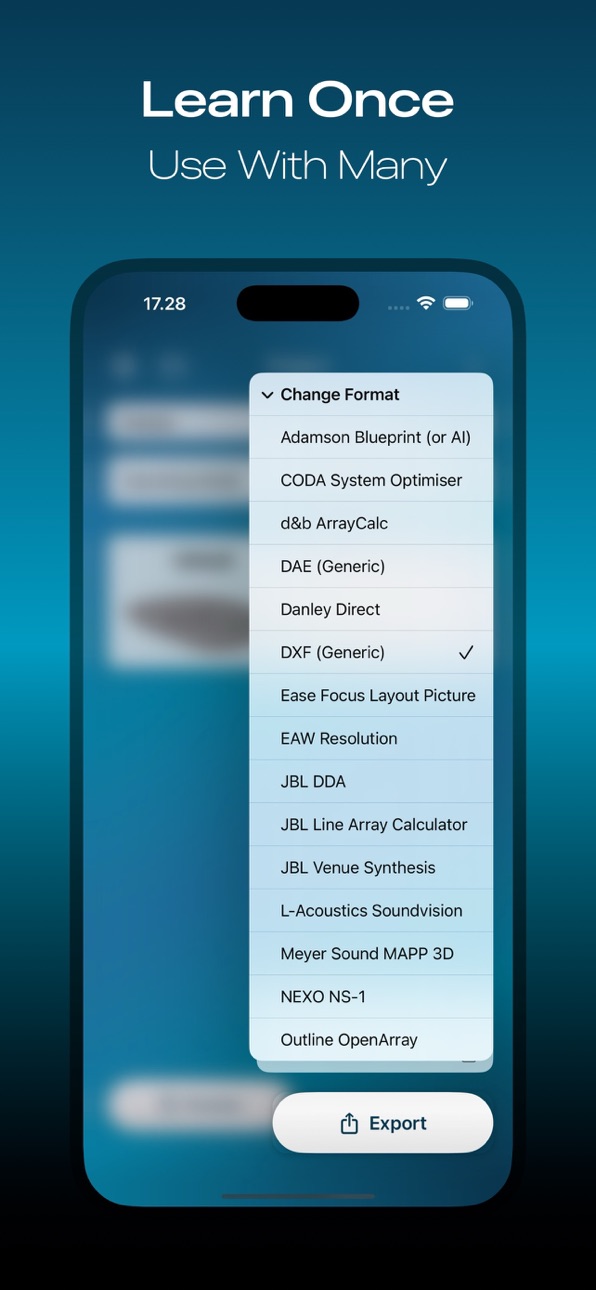
The On-Axis workflow begins by taking measurements of the audience area with the app. The On-Axis exports a file that can be imported into the selected loudspeaker simulation software. The On-Axis does not replace traditional methods such as CAD drawings or other precise models. It is a new addition to your existing toolbox.
MODES
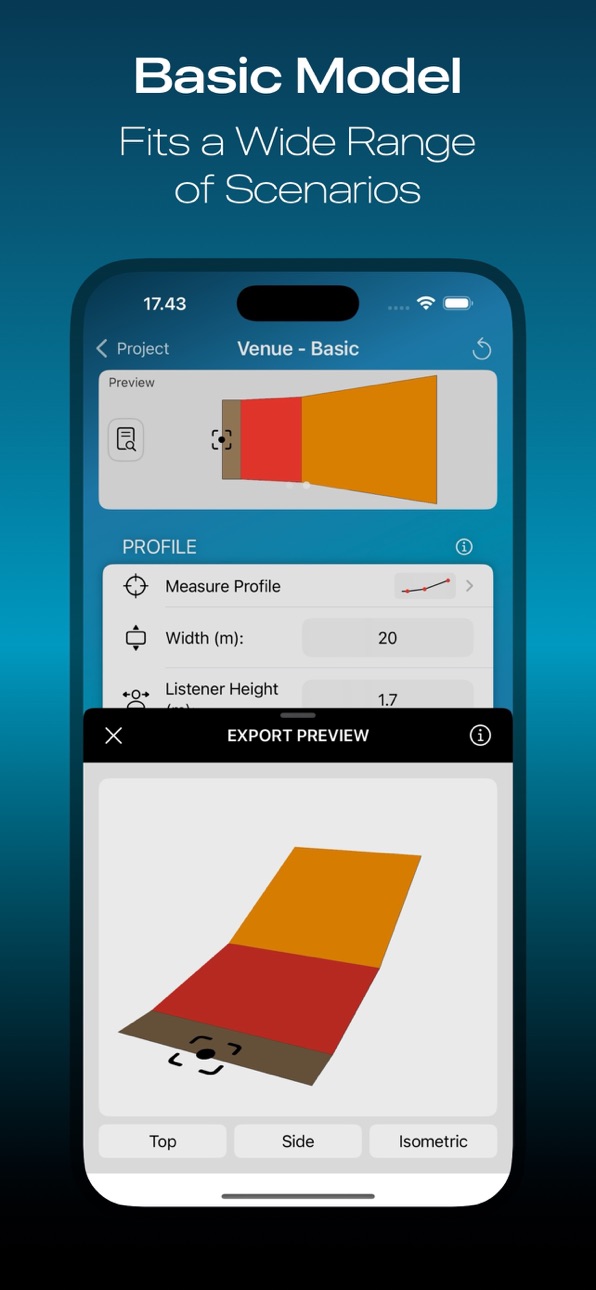
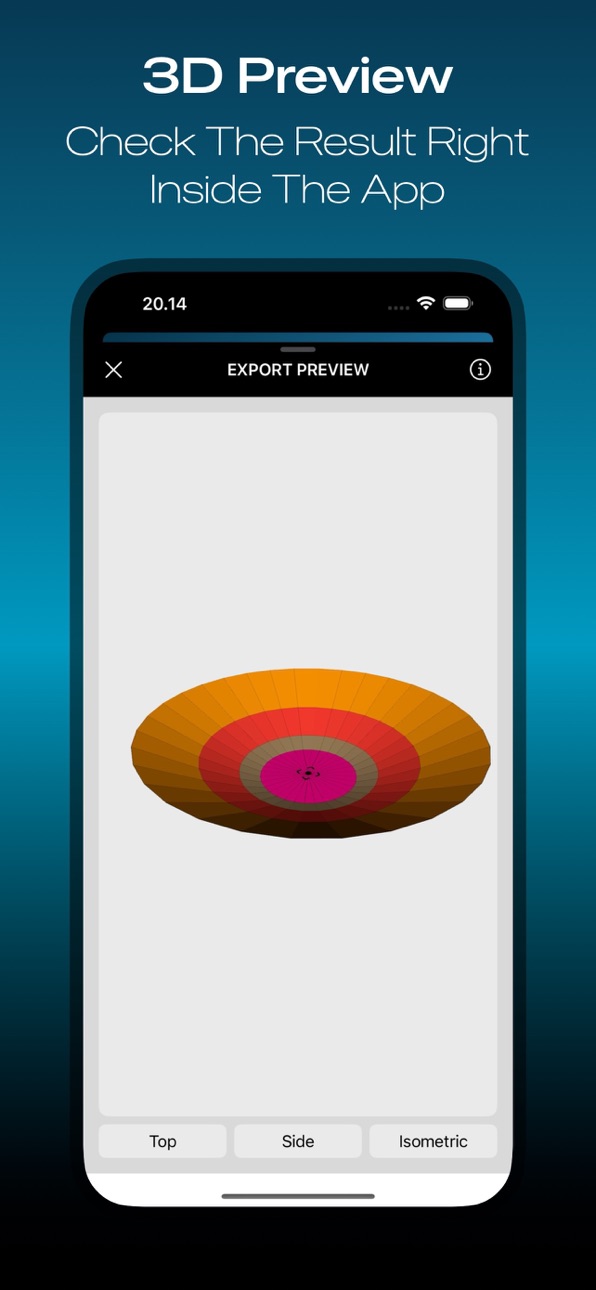
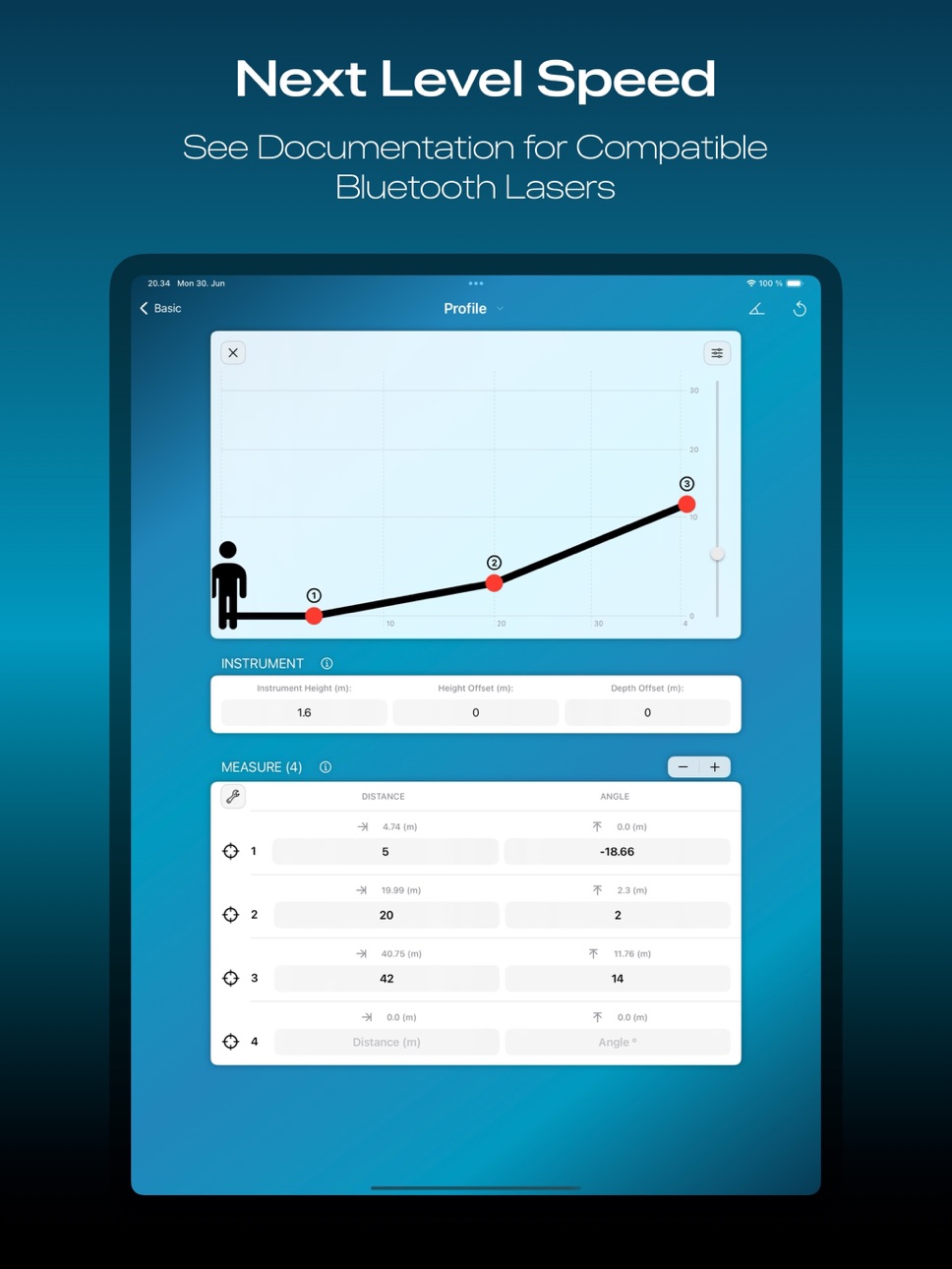
The app consists of three different operating modes. Venue and Planes mode can be used to draw a 3D model of the listening area. The On-Axis Profile mode can be used to draw a uniform plane to the speaker’s axis, starting from the speaker’s rigging point and ending at the farthest point of the audience area.
BLUETOOTH SUPPORT
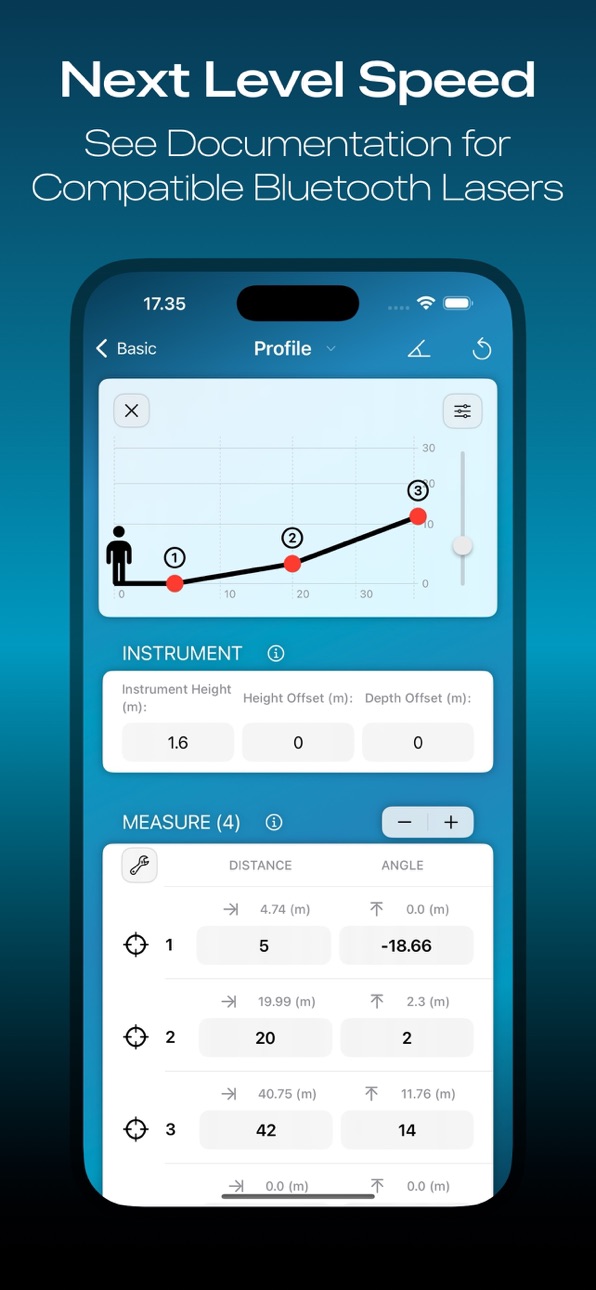
The app can be paired with a compatible laser distance finder via Bluetooth. This enables the measured distance and angle to be transferred wirelessly. See the compatibility chart for more info on supported devices.
TO GET STARTED
Watch the tutorial videos to get started: http://link.oksound.fi/playlist
The app is free to download but requires an In-App-Purchase to unlock the export, save and open functions. A 14-day free full trial is also available to see if this tool fits your workflow.
This is a 3rd party solution and compatibility with simulation software is guaranteed only with tested versions. Check the website for more information and compatibility: https://onaxisapp.com or https://oksound.fi
In-App Purchases US pricing
One-Time Purchases
14-day Trial$0.00
Unlock App$149.99
Capabilities
In-App Purchases
Accessibility
ipadiphonemacrealityDevicetvoswatch
Version history 23 versions
Build 881805867v1.4.32026-03-08 22:31:06
- New mode "Sensors" added. Now you can utilize the device's internal sensors (iOS only). Free for all users regardless of license.
- The application will no longer remind you every time you open it that a new version is available. From now on, the reminder will be given less frequently.
- MAPP 3D export related bug fixed.
- Preview related bug fixed.
- Keyboard related bug fixed.
- Bug fixed where app crashed in certain devices when trying to access profile measurement page.
Build 878577454v1.4.12025-10-01 07:58:34
- New Export Format: RCF / TT+ RDShape
- The limit of 12 measurement target points has been removed.
- You can now rearrange measurement points by dragging.
- On-Axis Profile mode has been redesigned. The limit of 12 profiles has been removed, now you can add as many as you want. Edit All button added to allow you to program parameters for all profiles directly from the main page. Splitting a mirrored profile into two separate ones is now possible. It is possible to directly enter the values of the back wall at the end of the measurement table, this can be activated in the program settings.
- Planes mode has been redesigned. The limit in plane amount has beem removed, now you can add as many as you want. Edit All button added.
- When exporting on macOS, a ”save as” dialog box now opens instead of the iOS style share sheet.
- GUI Improvements
- Bug Fixes
Build 875983910v1.4.02025-07-01 16:00:27
- Arena Corner shape can now be customized. The shape of the corners can be chosen from three predefined options. This, combined with the manual width of the profile, allows for a variety of new shapes.
- Width for Arena profiles can be set manually. By default, the width of the profile is calculated automatically from the floor shape, but now it is also possible to set it manually, and the front and back widths can be set separately.
- Arena includes now Plane Editor. In the editor menu you can choose which prediction planes or areas the exported file contains.
- Arena can be forced to be symmetrical. An arena measured as asymmetrical can now be exported as symmetrical according to the higher side if needed, can be found from the plane editor menu.
- Added support for Laser Tech TruPulse 200i rangefinder
- Target point view improved. Target point view in profile measurement page can be tapped for larger view which has also a new ruler tool.
- Added parameter for corner resolution.
- Reset button improved. Long pressing the reset button in venue edit page offers now options for partial reset
- Hardware support Leica X6 support tested and confirmed.
- Adamson AI is now tested and confirmed to work.
- Bug Fixes
Build 871485617v1.3.12025-01-03 08:26:15
- New Export Format: DAE (Digital Asset Exchange file). Can be used for example with Electro Voice Preview and Fohhn Designer.
- New Export Format: Outline Open Array
- New Export Format: Danley Direct. Supports geometry import, user needs to draw listening areas manually.
- Algorithm improved in Arena model. Compensation button and overlap slider for the corners of the asymmetric Arena have been removed and are no longer needed.
- General improvements
- Bug Fixes
Build 870561067v1.3.02024-11-20 17:56:32
- Basic model supports now Curved shape
- Added support for Leica Rangemaster CRF Pro
- On the profile measurement page, the target points can be unlinked from each other, so there is no plane drawn between them. (Activate measurement modifiers for this)
- Formula mode added to the keyboard, which allows simple calculations in numeric fields.
- Basic Venue supports now custom origin.
- Angle degree can now be used in the basic model to measure the width of the venue. Now the iOS device's internal magnetometer (compass) can also be used.
- Bluetooth laser measurement can now be triggered remotely from the application. This prevents the measuring device from shaking when taking the measurement.
- Bluetooth laser can now also be used on almost all pages of the application. Bluetooth Tool selection is more or less redesigned.
- The app manual has been rewritten in knowledge base format. See developer website.
- General GUI improvements. For example, in Basic venue model. ”Front Row” parameter has now been renamed to ”Skip First Plane”.
- Leica Bluetooth connection issues fixed and improved.
- Bug fixed where app crashed in certain conditions where ”Report Problem” button was clicked
Build 865107908v1.2.42024-04-11 06:08:42
* Bug fixed where ghost planes were created under certain conditions
* Bug fixed where selecting Ease Focus as the export format caused a crash under certain conditions
Build 864710626v1.2.32024-03-26 15:42:49
* Planes mode supports now Bluetooth laser
* Support added for Stabila LD 520 Bluetooth laser
* Improved preview
* Internal inclinometer reading is now more stable
* Settings view improved (Info buttons added for settings. Report problem and send feedback buttons added).
* Bug fixes (Bug fixed where info button changed toolbar background. Bug fixed where received bluetooth value was cleared when iPad orientation changed.)
Build 864426874v1.2.22024-03-14 09:10:31
* Leica D810 connection issue fixed
Build 864257527v1.2.12024-03-07 05:56:33
* Bug Fixes
Build 864139012v1.2.02024-03-03 23:19:15
* Support for JBL Venue Synthesis
* Bluetooth Laser support extended (11 new supported devices added, see compatibility chart for more details)
* Bluetooth Laser works now also on Mac
* Bluetooth Laser can now be selected if multiple available
* Two New Measurement Modifiers Added (manual depth and height)
* Now it is possible to leave space between the floor and the profile (Arena & Circle mode) by using new "spacing" parameter. This can also be used, for example, to model a running track.
* It is now possible to rearrange Profiles and Planes by dragging or delete them with the swipe function
* GUI improvements
* Bug fixes
Build 863349805v1.1.52024-02-10 17:07:43
New export format available!
* Meyer Sound MAPP 3D
Build 863120780v1.1.42024-01-23 18:22:52
* User interface related bug fixes
* Support added for opening ".onx" files from outside the app
Build 862734082v1.1.22024-01-08 02:12:33
* Minor bug fixes
Build 862579059v1.1.02024-01-07 15:26:51
* New Feature: Multi File Export for planes. It is now possible to export all planes as separate files. This is very useful in situations where the dimensions of several different rooms are to be included in the same project but exported as separate files.
* New Feature where measurements can be taken from the seats. When measuring the profile, you can set the bench height and take some or all measurements from the benches instead of the floor. This is convenient when measurements cannot be taken from the floor, such as in many concert halls. This special mode can be activated by long pressing the measurement table.
* Bug fixes and general improvements.
Build 862072943v1.0.82023-12-09 17:06:17
- Bug fixes
Build 862093367v1.0.822023-12-09 23:07:58
- Soundvision export bug Fixed
Build 861809897v1.0.72023-11-29 08:34:28
- Bug in data storage fixed. In some situations, data was lost when the App went into the background and came back active.
- Keyboard related bug fixed.
- Export bug fixed.
Build 861170303v1.0.62023-11-05 20:32:00
- New output format available! Now compatible with JBL DDA (Digital Directivity Analysis).
- General user interface improvements
- Minor bug fixes
Build 860443509v1.0.52023-10-06 17:30:50
New in this version:
- Keyboard bug fixed
- App now offers updates automatically
Build 859958742v1.0.42023-09-19 05:39:39
This version includes improvements to the user interface.
Build 859880594v1.0.22023-09-14 09:30:04
Version 1.0.2 has some minor bug fixes.
Build 859864485v1.0.12023-09-13 00:55:00
- Bug fixed related to the default values
- Some info texts updated
- Spelling corrected
Build 855859282v1.02023-09-10 09:34:36
Price history by region
Currency
Show
Columns
Search
Availability 1 of 1 storefronts
| Region | Language | Price | Ratings | Avg | Version |
|---|---|---|---|---|---|
| US | en-US | Free | 7 | 5.0 | 1.4.3 |
Change log 27 changes · US
✎
releaseNotes updated
- New mode "Sensors" added. Now you can utilize the device's internal sensors (iOS only). Free for all users regardless of license.
- The application will no lo
✎
description updated
THE APP
Introducing On-Axis: The must-have app for audio professionals in the event and touring industry! Measure and model your audience area with a completely
✎
subtitle updated
Discover your audience area
✎
name updated
On-Axis
◆
Version 1.4.3 released
- New mode "Sensors" added. Now you can utilize the device's internal sensors (iOS only). Free for all users regardless of license.
- The application will no longer remind you every time you open it that a new version is available. From now
◆
Version 1.4.1 released
- New Export Format: RCF / TT+ RDShape
- The limit of 12 measurement target points has been removed.
- You can now rearrange measurement points by dragging.
- On-Axis Profile mode has been redesigned. The limit of 12 profiles has been remov
◆
Version 1.4.0 released
- Arena Corner shape can now be customized. The shape of the corners can be chosen from three predefined options. This, combined with the manual width of the profile, allows for a variety of new shapes.
- Width for Arena profiles can be set
◆
Version 1.3.1 released
- New Export Format: DAE (Digital Asset Exchange file). Can be used for example with Electro Voice Preview and Fohhn Designer.
- New Export Format: Outline Open Array
- New Export Format: Danley Direct. Supports geometry import, user needs
◆
Version 1.3.0 released
- Basic model supports now Curved shape
- Added support for Leica Rangemaster CRF Pro
- On the profile measurement page, the target points can be unlinked from each other, so there is no plane drawn between them. (Activate measurement modif
◆
Version 1.2.4 released
* Bug fixed where ghost planes were created under certain conditions
* Bug fixed where selecting Ease Focus as the export format caused a crash under certain conditions
◆
Version 1.2.3 released
* Planes mode supports now Bluetooth laser
* Support added for Stabila LD 520 Bluetooth laser
* Improved preview
* Internal inclinometer reading is now more stable
* Settings view improved (Info buttons added for settings. Report problem an
◆
Version 1.2.2 released
* Leica D810 connection issue fixed
◆
Version 1.2.1 released
* Bug Fixes
◆
Version 1.2.0 released
* Support for JBL Venue Synthesis
* Bluetooth Laser support extended (11 new supported devices added, see compatibility chart for more details)
* Bluetooth Laser works now also on Mac
* Bluetooth Laser can now be selected if multiple availa
◆
Version 1.1.5 released
New export format available!
* Meyer Sound MAPP 3D
◆
Version 1.1.4 released
* User interface related bug fixes
* Support added for opening ".onx" files from outside the app
◆
Version 1.1.2 released
* Minor bug fixes
◆
Version 1.1.0 released
* New Feature: Multi File Export for planes. It is now possible to export all planes as separate files. This is very useful in situations where the dimensions of several different rooms are to be included in the same project but exported as
◆
Version 1.0.82 released
- Soundvision export bug Fixed
◆
Version 1.0.8 released
- Bug fixes
◆
Version 1.0.7 released
- Bug in data storage fixed. In some situations, data was lost when the App went into the background and came back active.
- Keyboard related bug fixed.
- Export bug fixed.
◆
Version 1.0.6 released
- New output format available! Now compatible with JBL DDA (Digital Directivity Analysis).
- General user interface improvements
- Minor bug fixes
◆
Version 1.0.5 released
New in this version:
- Keyboard bug fixed
- App now offers updates automatically
◆
Version 1.0.4 released
This version includes improvements to the user interface.
◆
Version 1.0.2 released
Version 1.0.2 has some minor bug fixes.
◆
Version 1.0.1 released
- Bug fixed related to the default values
- Some info texts updated
- Spelling corrected
◆
Version 1.0 released