Home › Photo & Video

Information
Preview 2 platforms
iPhone 7 images


iPad 7 images



What’s New Version 6.5
• Photo/Video selector in Projects
• Video import via iOS sharing
• Camera Log profiles grouped by brand
• Russian and Chinese languages
• Bugfixes & optimizations
Description
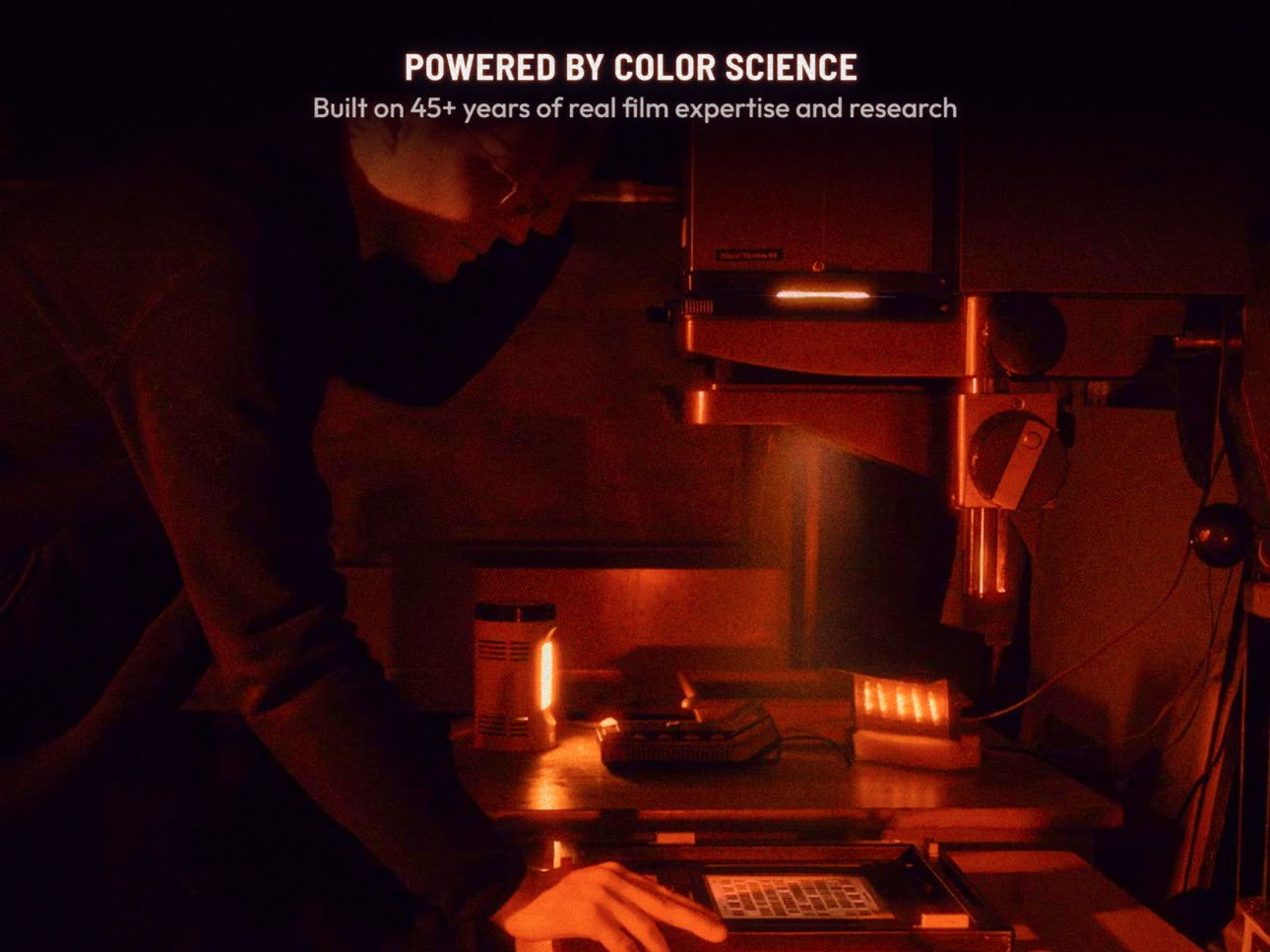
Dehancer is a film emulation app for photo and video editing built on 10 years of color science to bring real analog film looks to your iPhone and iPad.
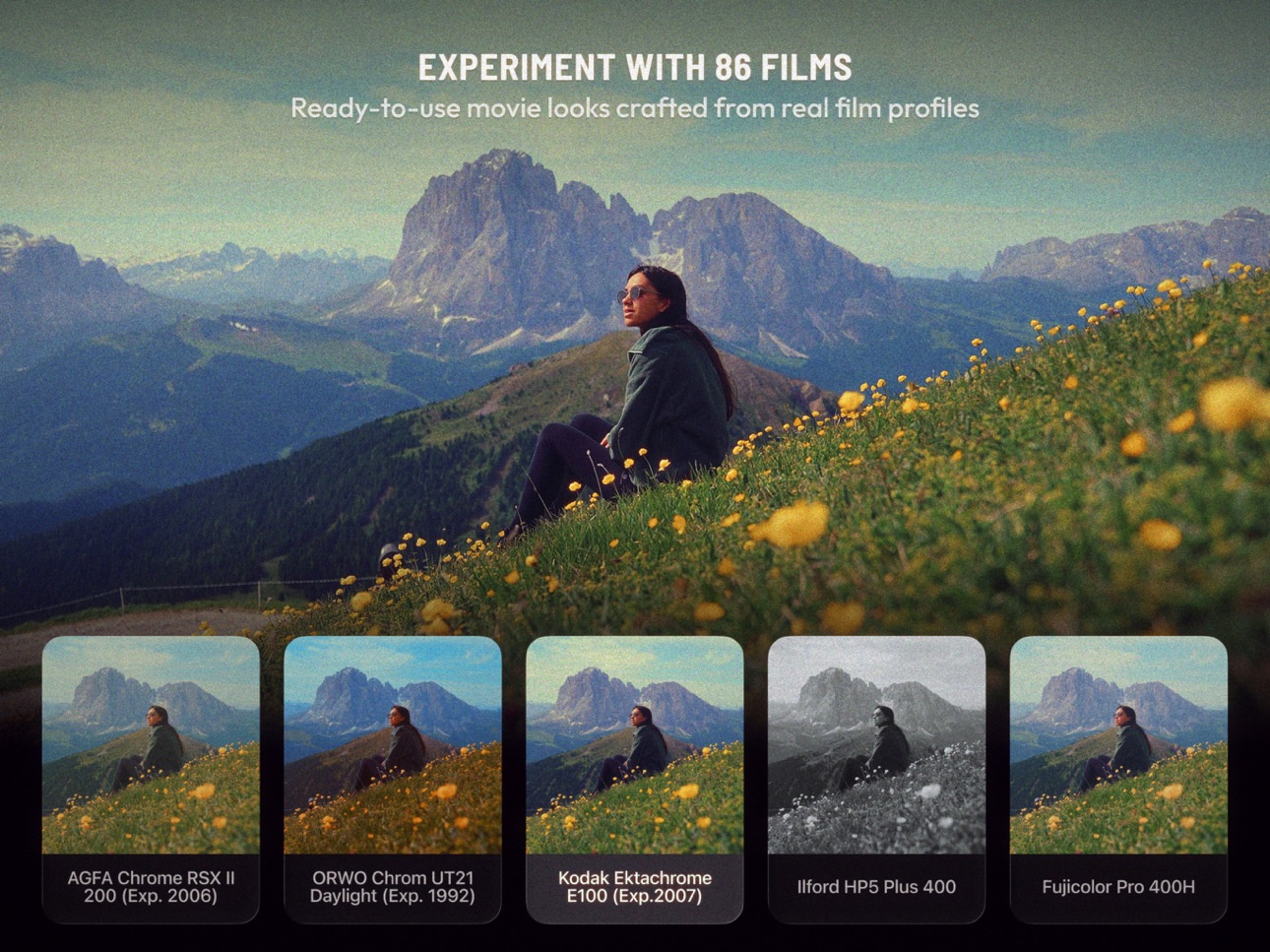
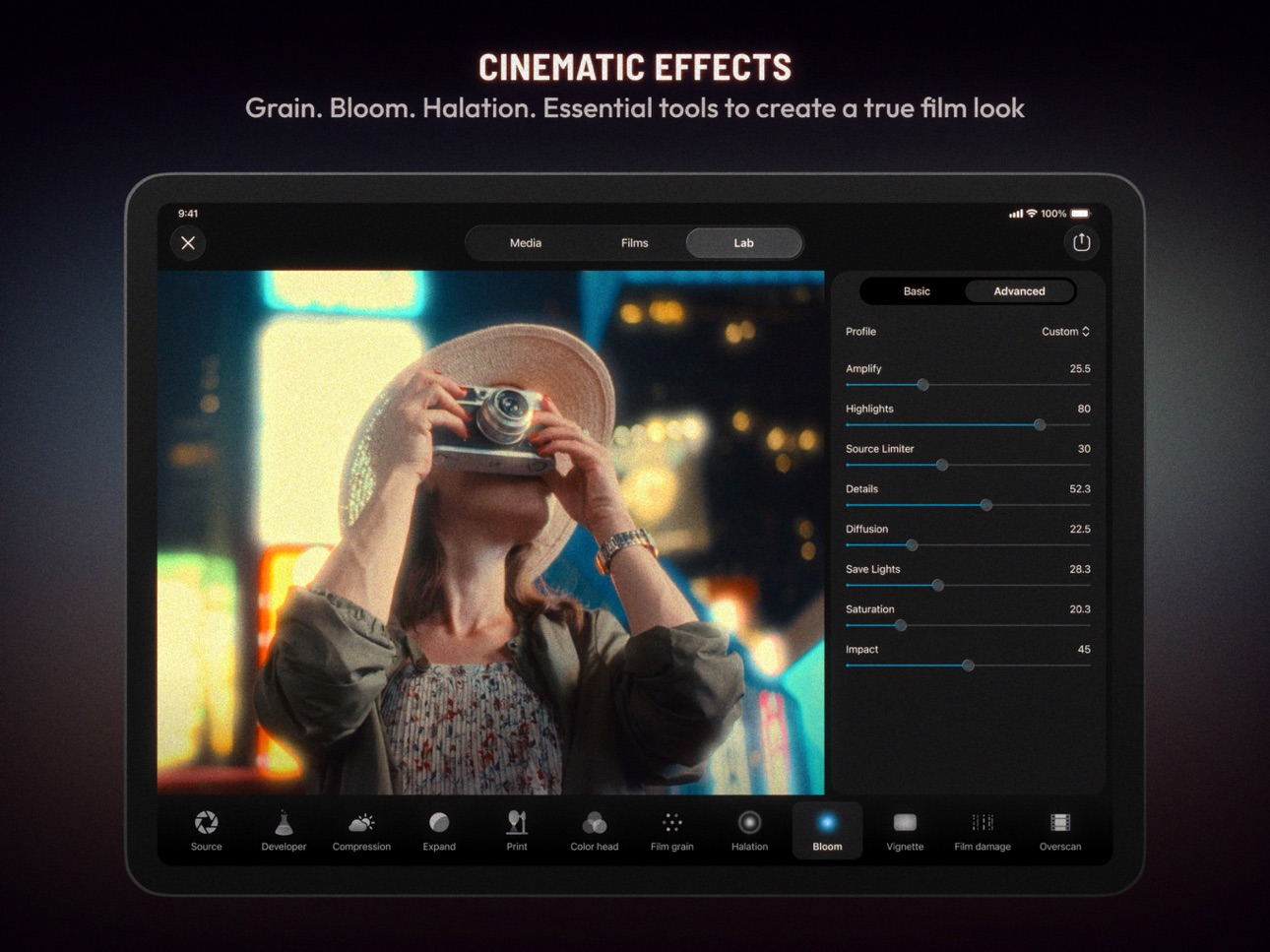
Choose from 86 film presets based on iconic stocks: Kodak, Fuji, Cinestill and more. Each preset is crafted from real film stocks. Refine any look in the Lab with realistic Grain, Bloom, and Halation.
Powerful color grading tools give you precise control over every image. Work in Projects to save and revisit your edits anytime. Batch editing lets you apply your grade across multiple photos or videos in one step. RAW support (currently in beta) gives you access to the full range of image data for more accurate, detailed results.
Whether you shoot on an iPhone or import footage from a camera, Dehancer brings cinematic color grading to photographers, filmmakers, and creators at every level.
Trusted by 1 million+ creators for authentic film emulation, cinematic color grading, and results that look genuinely analog.
YOUR PRIVACY IS IMPORTANT TO US
Please read the Terms of Use as well as the Privacy Policy carefully. All data is handled under the Terms of Use and Privacy Policy of Dehancer.
More details can be found here: https://www.dehancer.com/legal
In-App Purchases US pricing
Non-Renewable 1 Month Dehancer Subscription
Subscription$9.99
Non-Renewable 1 Year Dehancer Subscription
Subscription$150.00
Unlimited Export Subscription
(Monthly) · Monthly 7-day free trial$9.99
(Annual) · Yearly 7-day free trial$89.99
Unlimited Photo Export Month · Monthly 7-day free trial$4.99
Unlimited Photo Export Year · Yearly$49.99
Capabilities
In-App Purchases
Accessibility
ipadiphonemacrealityDevicetvoswatch
Version history 25 versions
Build 887529835v6.52026-06-30 03:23:37
• Photo/Video selector in Projects
• Video import via iOS sharing
• Camera Log profiles grouped by brand
• Russian and Chinese languages
• Bugfixes & optimizations
Build 886701300v6.42026-06-26 20:31:52
• Photo/Video selector in Projects
• Video import via iOS sharing
• Camera Log profiles grouped by brand
• Russian and Chinese languages
• Bugfixes & optimizations
Build 885935798v6.32026-06-08 21:10:55
- Pin any project on top to make it easily accessible
- Move any media to another project
- Quick start video tutorial
- Bugfixes and performance improvements
Build 885403987v6.22026-05-20 18:48:32
- New: Undo button
- New: Video bitrate setting
- New: Copy media to another project
- Improved preview behavior and gestures
- Improved profiles update
- Multiple fixes and optimizations
- UI/UX improvements
Build 885071180v6.12026-05-07 19:02:24
- iOS photo sharing now works with Dehancer
- Multiple selection in film categories
- Crop on the Media screen
- Copy and paste Crop settings
- Improved video export
- Improved paywall and subscription management
- Other fixes and optimizations
Build 882554755v6.02026-04-29 02:00:11
A New App. Not an Update:
- Projects — organise your work and come back to any edit, anytime.
- Batch editing & export — apply one look across all your media at once.
- Redesigned interface — built on Apple's Liquid Glass.
Build 882132137v5.52026-02-17 21:50:12
What’s new in 5.5:
- 86 new film presets, revised and refined
Build 880862444v5.42026-02-03 14:36:29
What’s new in 5.4:
- 6 new presets, including Kodak Portra, Kodak Pro Image and Kodak Ektar
- Bugfixes and optimizations
Build 880220934v5.32025-12-18 23:05:27
What's new in 5.3:
- New preset: Kodak Ektachrome E100
- Multiple bugfixes
Build 879155933v5.22025-11-22 04:40:37
What's new in 5.2:
- 7 new film presets including Kodak Color Plus, Fujicolor Superia, Fujichrome Provia and Fujifilm Instax
- Improved preview performance and stability
- UI/UX fixes and optimizations
- Other bugfixes and improvements
- Minimum supported iOS 17.2
Build 878747202v5.12025-10-09 06:27:32
What’s new:
- iOS 26 support
- New onboarding sequence
- UI/UX fixes and optimizations
Build 876688446v5.02025-10-02 08:46:33
What’s new:
- iOS 26 support
- New onboarding sequence
- UI/UX fixes and optimizations
Build 876084982v4.182025-07-06 07:27:39
4.18 What’s new:
- Fixed color theme for system screens
- Optimised profile updates
Build 874738317v4.172025-05-14 06:43:46
What's new in 4.17:
* Now you can open photos from Files
* Added authentication for studio subscription owners
Build 874271490v4.162025-04-29 14:54:36
What's new in 4.16:
* Now you can open photos from Files
* Added authentication for studio subscription owners
Build 871842797v4.152025-02-05 22:03:43
What's new in 4.15:
* Minor bugfixes
Build 871652164v4.142025-01-14 20:18:56
What's new in 4.14:
* Halation fixes
Build 871193951v4.132024-12-31 07:44:23
What's new in 4.13:
* Just a minor technical fix, nothing remarkable
Build 870515936v4.122024-12-11 19:09:59
What's new in 4.12:
* Just a minor technical fix, nothing remarkable
Build 870045842v4.112024-11-14 13:44:19
What’s new in 4.11:
* Image sampling improved (better Overscan)
* Camera selection enabled for Apple ProRes
* New app settings to keep original date and location on export
* Sharing fixed for iOS 18
Build 869960217v4.102024-10-25 19:00:09
What’s new in 4.10:
* iPhone 16 crash fixed
* UI/UX improvements
* Preset Import fixed
* Minor bugfixes
* Apple ProRes Spatial Audio support
Build 868793998v4.92024-10-24 16:51:35
What’s new in 4.9:
* iPhone 16 crash fixed
* UI/UX improvements
* Preset Import fixed
* Minor bugfixes
* Apple ProRes Spatial Audio support
Build 868491315v4.82024-09-05 21:15:57
What's new:
*Bugfixes & optimisations
Build 867965590v4.72024-08-26 07:25:20
What's new:
* 5 new Presets
* Performance improvements
* Multiple fixes
* Subscriptions page updated
Build 867012839v4.62024-08-02 08:29:14
What’s new:
* Added Video Export Options
* Added Overscan and Vignette panning
* Added Italian language
* Improved export performance
Price history by region
Currency
Show
Columns
Search
Availability 31 of 31 storefronts
| Region | Language | Price | Ratings | Avg | Version |
|---|---|---|---|---|---|
 US US | en-US | Free | 411 | 4.3 | 6.5 |
 PL PL | en-GB | Free | 23 | 3.8 | 6.5 |
 AE AE | en-GB | Free | 7 | 4.4 | 6.5 |
 PA PA | es-MX | Free | 5 | 4.2 | 6.5 |
 GT GT | es-MX | Free | 4 | 4.0 | 6.5 |
 DO DO | es-MX | Free | 3 | 5.0 | 6.5 |
 QA QA | en-GB | Free | 3 | 5.0 | 6.5 |
 SA SA | en-GB | Free | 3 | 4.3 | 6.5 |
 HN HN | es-MX | Free | 2 | 5.0 | 6.5 |
 JM JM | en-GB | Free | 2 | 4.5 | 6.5 |
 KW KW | en-GB | Free | 1 | 5.0 | 6.5 |
 LK LK | en-GB | Free | 1 | 1.0 | 6.5 |
 ML ML | en-GB | Free | 1 | 5.0 | 6.5 |
 AG AG | en-GB | Free | 0 | — | 6.5 |
 BB BB | en-GB | Free | 0 | — | 6.5 |
 BF BF | en-GB | Free | 0 | — | 6.5 |
 BJ BJ | en-GB | Free | 0 | — | 6.5 |
 BS BS | en-GB | Free | 0 | — | 6.5 |
 BZ BZ | en-GB | Free | 0 | — | 6.5 |
 CG CG | en-GB | Free | 0 | — | 6.5 |
 CI CI | fr-FR | Free | 0 | — | 6.5 |
 CM CM | fr-FR | Free | 0 | — | 6.5 |
 GA GA | fr-FR | Free | 0 | — | 6.5 |
 GY GY | en-GB | Free | 0 | — | 6.5 |
 LU LU | en-GB | Free | 0 | — | 6.5 |
 MR MR | en-GB | Free | 0 | — | 6.5 |
 NE NE | en-GB | Free | 0 | — | 6.5 |
 NI NI | es-MX | Free | 0 | — | 6.5 |
 SR SR | en-GB | Free | 0 | — | 6.5 |
 SV SV | es-MX | Free | 0 | — | 6.5 |
 TT TT | en-GB | Free | 0 | — | 6.5 |
Change log 29 changes · US
✎
releaseNotes updated
• Photo/Video selector in Projects
• Video import via iOS sharing
• Camera Log profiles grouped by brand
• Russian and Chinese languages
• Bugfixes & optimizati
✎
description updated
Dehancer is a film emulation app for photo and video editing built on 10 years of color science to bring real analog film looks to your iPhone and iPad.
Choose
✎
subtitle updated
Film Filters, Cinematic Preset
✎
name updated
Dehancer Film Emulation
◆
Version 6.5 released
• Photo/Video selector in Projects
• Video import via iOS sharing
• Camera Log profiles grouped by brand
• Russian and Chinese languages
• Bugfixes & optimizations
◆
Version 6.4 released
• Photo/Video selector in Projects
• Video import via iOS sharing
• Camera Log profiles grouped by brand
• Russian and Chinese languages
• Bugfixes & optimizations
◆
Version 6.3 released
- Pin any project on top to make it easily accessible
- Move any media to another project
- Quick start video tutorial
- Bugfixes and performance improvements
◆
Version 6.2 released
- New: Undo button
- New: Video bitrate setting
- New: Copy media to another project
- Improved preview behavior and gestures
- Improved profiles update
- Multiple fixes and optimizations
- UI/UX improvements
◆
Version 6.1 released
- iOS photo sharing now works with Dehancer
- Multiple selection in film categories
- Crop on the Media screen
- Copy and paste Crop settings
- Improved video export
- Improved paywall and subscription management
- Other fixes and optimiza
◆
Version 6.0 released
A New App. Not an Update:
- Projects — organise your work and come back to any edit, anytime.
- Batch editing & export — apply one look across all your media at once.
- Redesigned interface — built on Apple's Liquid Glass.
◆
Version 5.5 released
What’s new in 5.5:
- 86 new film presets, revised and refined
◆
Version 5.4 released
What’s new in 5.4:
- 6 new presets, including Kodak Portra, Kodak Pro Image and Kodak Ektar
- Bugfixes and optimizations
◆
Version 5.3 released
What's new in 5.3:
- New preset: Kodak Ektachrome E100
- Multiple bugfixes
◆
Version 5.2 released
What's new in 5.2:
- 7 new film presets including Kodak Color Plus, Fujicolor Superia, Fujichrome Provia and Fujifilm Instax
- Improved preview performance and stability
- UI/UX fixes and optimizations
- Other bugfixes and improvements
-
◆
Version 5.1 released
What’s new:
- iOS 26 support
- New onboarding sequence
- UI/UX fixes and optimizations
◆
Version 5.0 released
What’s new:
- iOS 26 support
- New onboarding sequence
- UI/UX fixes and optimizations
◆
Version 4.18 released
4.18 What’s new:
- Fixed color theme for system screens
- Optimised profile updates
◆
Version 4.17 released
What's new in 4.17:
* Now you can open photos from Files
* Added authentication for studio subscription owners
◆
Version 4.16 released
What's new in 4.16:
* Now you can open photos from Files
* Added authentication for studio subscription owners
◆
Version 4.15 released
What's new in 4.15:
* Minor bugfixes
◆
Version 4.14 released
What's new in 4.14:
* Halation fixes
◆
Version 4.13 released
What's new in 4.13:
* Just a minor technical fix, nothing remarkable
◆
Version 4.12 released
What's new in 4.12:
* Just a minor technical fix, nothing remarkable
◆
Version 4.11 released
What’s new in 4.11:
* Image sampling improved (better Overscan)
* Camera selection enabled for Apple ProRes
* New app settings to keep original date and location on export
* Sharing fixed for iOS 18
◆
Version 4.10 released
What’s new in 4.10:
* iPhone 16 crash fixed
* UI/UX improvements
* Preset Import fixed
* Minor bugfixes
* Apple ProRes Spatial Audio support
◆
Version 4.9 released
What’s new in 4.9:
* iPhone 16 crash fixed
* UI/UX improvements
* Preset Import fixed
* Minor bugfixes
* Apple ProRes Spatial Audio support
◆
Version 4.8 released
What's new:
*Bugfixes & optimisations
◆
Version 4.7 released
What's new:
* 5 new Presets
* Performance improvements
* Multiple fixes
* Subscriptions page updated
◆
Version 4.6 released
What’s new:
* Added Video Export Options
* Added Overscan and Vignette panning
* Added Italian language
* Improved export performance