Home › Education

Mopiq: AI Flashcards Learning
Study Tools, Flash Cards Maker
 US
US
1 of 1 storefronts
Content in en-US
Content in en-US
Information
Preview 2 platforms
iPhone 6 images

iPad 6 images


What’s New Version 2.1.2
We’ve fine-tuned the sound of your learning experience, and this update is music to your ears:
- Smarter AI Audio:
AI-generated audio now sounds better than ever, making your flashcards feel clearer, more natural, and easier to study with.
- Upgraded Audio Player:
Language learning cards just got a smoother audio player, so you can listen, repeat, and master pronunciation with less friction.
Update now and let your study sessions speak for themselves!
Description
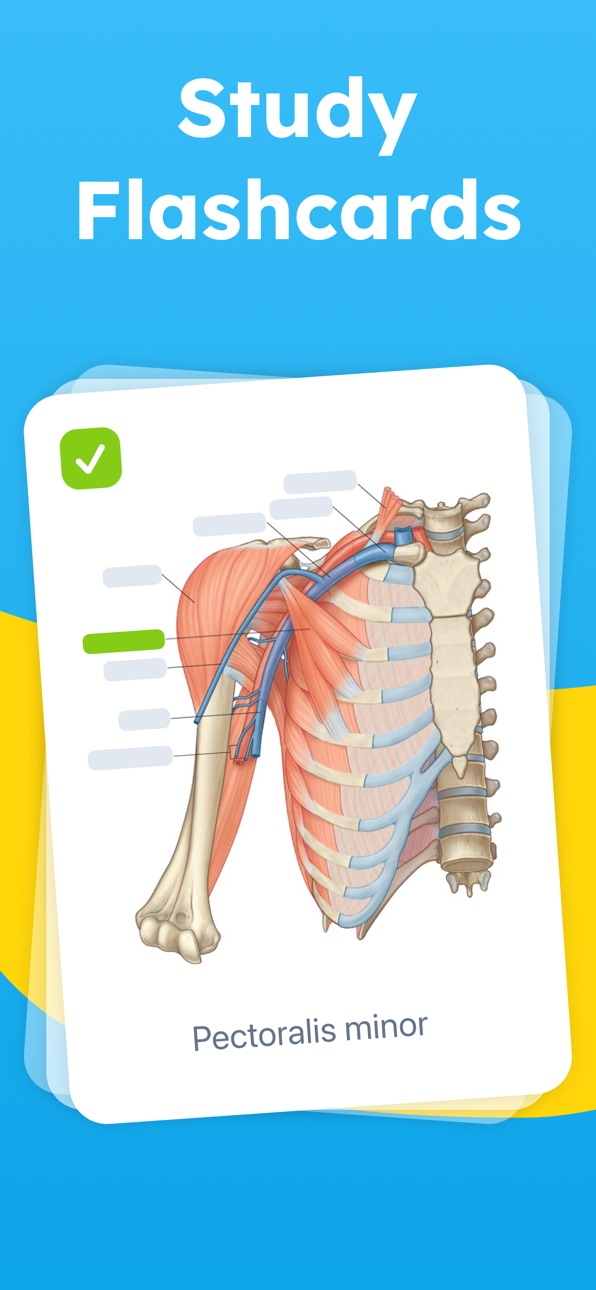
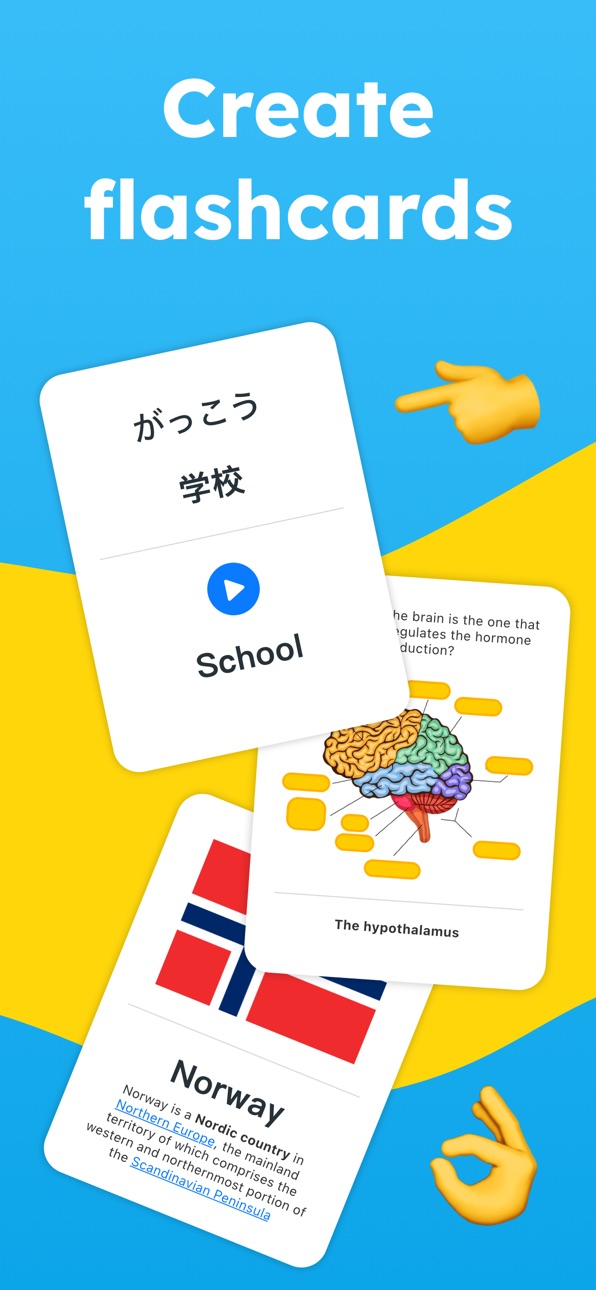
Mopiq Flashcards helps you create and study flashcards with ease. Built with a sleek design and a smart learning algorithm, Mopiq is the flashcard maker that turns your study sessions into long-term knowledge.
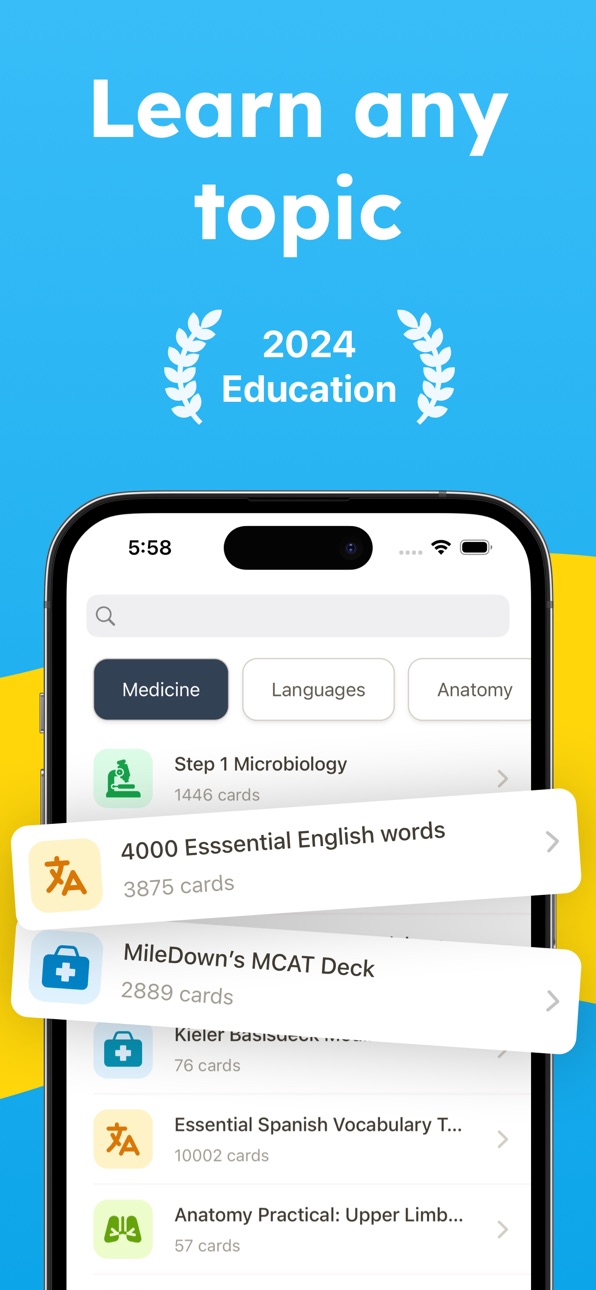
Whether you’re preparing for exams, learning a new language, or reviewing important concepts, Mopiq makes it simple to create your own flashcards and study them anytime, anywhere.
Why Mopiq Flashcards?
• Create and study flashcards in seconds
• Smart organization to keep all your decks tidy
• Customize cards to suit your learning style
• Access your decks across multiple devices
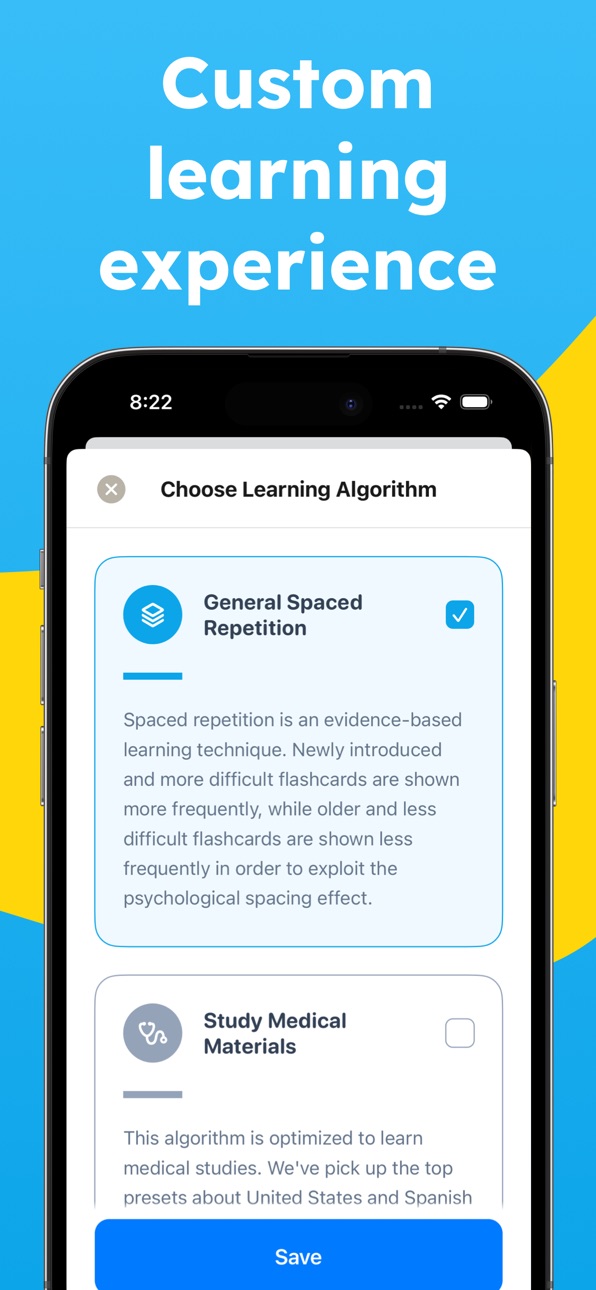
• Powered by spaced repetition to help you remember longer
How Mopiq helps you learn
• Turn complex information into bite-sized flashcards you can review anywhere
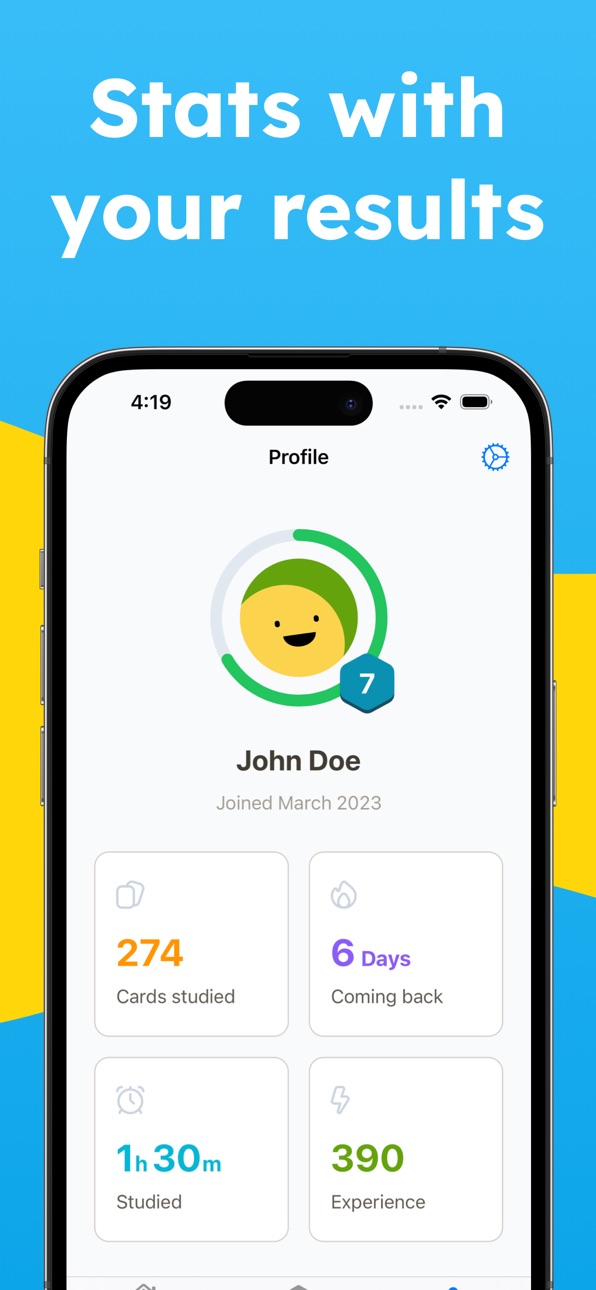
• Stay consistent with study reminders and progress tracking
• Focus on what matters most with adaptive spaced repetition
• Learn faster and remember longer without wasting time on endless rereading
Mopiq combines simplicity with powerful features, making it easy to create, organize, and study thousands of flashcards without hassle.
Join learners worldwide who use Mopiq to make studying more efficient and enjoyable.
All personal data is protected in accordance with the Terms of Use and Privacy Policy:
Privacy Policy: https://pattern-safflower-f6f.notion.site/Privacy-Policy-27fd54f05ccd809eb0bfdae90e37507f
Terms of Service: https://pattern-safflower-f6f.notion.site/Terms-27fd54f05ccd80f8a95fc902a90aebbf
In-App Purchases US pricing
Mopiq Flashcards Premium Subscription
Mopiq Flashcards Pro (Yearly) · Yearly 3-day free trial$19.99
Mopiq Flashcards Pro (Yearly) · Yearly$20.00
Mopiq Flashcards Pro (Yearly) · Yearly 3-day free trial$29.99
Mopiq Flashcards Pro (Monthly) · Monthly$5.99
Mopiq Flashcards Pro (Weekly) · 7 days$2.99
Mopiq Flashcards Pro (Monthly) · Monthly$4.99
One-Time Purchases
Mopiq Flashcards Pro (Lifetime)$74.99
Capabilities
In-App Purchases
Accessibility
ipadiphonemacrealityDevicetvoswatch
Version history 25 versions
Build 887559626v2.1.22026-07-04 14:21:57
We’ve fine-tuned the sound of your learning experience, and this update is music to your ears:
- Smarter AI Audio:
AI-generated audio now sounds better than ever, making your flashcards feel clearer, more natural, and easier to study with.
- Upgraded Audio Player:
Language learning cards just got a smoother audio player, so you can listen, repeat, and master pronunciation with less friction.
Update now and let your study sessions speak for themselves!
Build 885293915v2.1.12026-05-06 20:03:41
We’ve added new tools to help you stay in control of your study routine and see where your focus goes:
- Study Timer: Keep an eye on your study sessions as you go. Perfect for staying focused, pacing yourself, or squeezing in a quick review between classes.
- Time Spent Studying: Each deck now shows how much time you’ve spent studying it, so you can track your progress and see which subjects are getting the most love.
Small timer, big motivation. Update now and make every study minute count!
Build 884727600v2.1.02026-04-21 14:05:39
We’ve added a couple of helpful improvements to make your sessions feel more natural and more supportive:
* Split View on iPad
Browse your main deck list more easily with iPad Split View support. It’s a smoother way to move around your decks while keeping your study flow going.
* AI Help for Quizzes
Need a little extra support during quizzes? You can now get AI help there too, just like in normal spaced repetition study.
Keep the feedback coming — it helps us keep making Mopiq Flashcards better for every study session.
Build 884188990v2.0.92026-04-06 19:48:41
We’ve got a small but important update for you in this release:
- Faster “Today Remaining Cards” loading
We improved queries preformance for your remaining cards since they felt slow.
- Fixed "overflowing" daily progress bug
If your Today cards exceed the limits now they decrease properly as you study, so your progress stays clear and up to date.
Thanks for learning with Mopiq — and keep the feedback coming!
Build 883990017v2.0.82026-04-03 07:06:15
We’ve added one of your most requested features and cleaned up a few important parts of the app to make studying smoother across devices. Here’s what’s new:
- Reset Study Progress
You asked, and we delivered. You can now reset your current study process whenever you want and start fresh with ease.
- Improved Card Creator
Creating cards is now smoother and more intuitive, so putting together your study materials feels quicker and easier.
- Fixed Subdeck Filtering on iPad
We solved an issue where cards were not filtering correctly by subdeck on iPad.
- Better Image Occlusion Positioning
Image occlusion masks now stay in the right place when moving from iPhone to iPad, making your cards much more reliable across devices.
Thanks for all your feedback and feature requests — they help us keep making Mopiq better with every update.
Build 883968144v2.0.72026-03-31 19:40:11
Big Study Upgrade Just Landed!
We've given the deck detail screen a smart refresh to make managing your flashcards feel smoother and easier. Here's what's new:
- More Control Over Search: Finding the right cards in a deck is now quicker and more flexible, with better control over how you search through your flashcard list.
- Bulk Actions Are Here: Cleaning up your deck just got easier. You can now select multiple cards at once and move or delete them in bulk.
- Smoother Deck Management: These updates make organizing large decks feel less like a chore, so you can spend more time studying and less time sorting.
Thanks for learning with Mopiq - and keep the feedback coming, because your ideas help shape every update.
Build 883838891v2.0.62026-03-27 20:48:12
We’ve added a fresh new way to study and made things run more smoothly behind the scenes. Here’s what’s new in this update:
- Ask AI While You Study: Need a little extra help with a card? There’s now an Ask AI button during study sessions, so getting support is quicker and easier.
- Faster Deck Imports: Importing decks is now smoother and faster, so you can spend less time waiting and more time learning.
Thanks for studying with Mopiq — and keep the feedback coming!
Build 883630295v2.0.52026-03-23 08:36:42
We’ve been working behind the scenes to make Magic Import Audios smoother and more reliable for your study sessions.
- Magic Import Audio Bug Fixes: We’ve fixed a few issues that could get in the way when importing audio, so everything should now work more smoothly and predictably.
Thanks for learning with Mopiq — and for helping us improve with your feedback!
Build 883376564v2.0.42026-03-15 08:10:24
Big Study Magic Has Arrived!
This update brings a fresh new way to build your flashcards faster and with less effort. Here’s what’s new:
• Flashcard Magic Imports: You can now create flashcards from multiple sources like PDFs, audio, text, note pictures, and more. Getting study materials into the app is now much easier, whether you’re working from lecture notes, screenshots, or recorded audio content.
Thanks for learning with us and sharing your feedback — it helps us keep making Anki Flashcards better with every update.
Build 882507591v2.0.32026-02-16 21:57:10
You asked for smarter studying… and we delivered. Say hello to a brand-new way to test your knowledge:
• AI-Powered Quizzes from Your Flashcards
Turn your existing flashcards into interactive AI-generated quizzes in seconds! No extra prep, no extra typing. Just pick your deck and let the magic happen. It’s like having a personal quiz master who already knows exactly what you need to study.
• Study Smarter, Not Harder
Reinforce what you’ve learned with dynamic questions based on your own material. Perfect for exam prep, quick reviews, or finding those sneaky gaps in your knowledge.
Small tweaks, big difference. Keep the suggestions coming — your feedback powers the next update!
Build 881720431v2.0.22026-01-23 09:10:47
You’ve Asked, We’ve Delivered!
This update is small but mighty — bringing one of the most requested features straight to your fingertips and a little visual polish while we’re at it.
• Type Before You Flip: Want to challenge yourself more? Now you can type your answer before flipping any flashcard. It’s a game-changer for serious learners!
• Tidier Subfolder Deletion: Made some subtle UI changes to keep things clean and clear when you’re deleting subfolders.
Small tweaks, big difference. Keep the suggestions coming — your feedback powers the next update!
Build 881356059v2.0.12026-01-16 08:02:56
We’re kicking off the year with one of your most requested features!
- Subfolders in Decks
You asked (a lot), and we listened! You can now organize your decks with subfolders. It’s never been easier to keep your flashcard world neat and tidy.
- Minor fix
We fixed a sneaky little bug that was causing some users to be logged out randomly. You’re safe to stay logged in and keep on studying without interruption.
Build 881110818v2.0.02026-01-09 09:28:36
This update is all about putting more power in your hands—literally! We’re bringing your flashcards to life in the most personal way yet.
What’s New:
• Voice It Your Way: Create custom audio flashcards using your own voice or let our AI handle the speaking for you. Perfect for pronunciation practice, language learning, or just hearing things out loud!
• Draw to Remember: Unleash your inner artist and draw directly on your custom flashcards. Whether it’s a quick diagram or a masterpiece, your notes just got a creative upgrade.
Time to make studying as unique as you are. Try out the new tools and let your flashcards do the talking—and the drawing!
Build 880921025v1.9.92025-12-24 09:32:12
This update is small but mighty — bringing a few smart tweaks and fixes to keep your study game strong:
• Reverse Card Option: Finally! Flip cards to quiz yourself both ways. Front-to-back or back-to-front, you’re in charge.
• Profile Editing Made Smoother: Customizing your study vibe just got easier with improved profile settings.
• Bug Fixes: We zapped a few bugs to keep your experience running smoothly.
Ready to study smarter, not harder? Update now and keep those brains buzzing.
Build 880757926v1.9.82025-12-21 11:14:35
This update brings thoughtful tools to help you take more control over your study flow – because reviewing flashcards should work your way!
• Rewind Your Study Session – Need to take a second look? Now you can rewind to review previous cards while studying.
• Edit On the Go – Spotted a typo or want to reword a card? You can now edit the cards you created right from the study screen.
• Smarter Study Reminders – We’ve fine-tuned your study reminders to be more helpful, so staying on track feels effortless.
More power to your review sessions – one tap at a time.
Build 880525140v1.9.72025-12-11 19:19:19
We’ve been working behind the scenes to make your study life easier, and this update brings a couple of thoughtful improvements:
• Smarter Scanning for Handwritten Notes
Your scribbles just got superpowers! We’ve improved how the app reads handwritten notes, making it easier than ever to turn your handwriting into helpful flashcards.
• Smoother Onboarding Flow
First impressions matter! We squashed a small bug in the onboarding process to make sure your start with AnkiPro is as seamless as possible.
Stay sharp and keep learning — more magic is on the way!
Build 880347405v1.9.62025-12-06 10:01:49
We’ve been busy behind the scenes tightening the gears and oiling the engine — and now, profile syncing just got a whole lot better.
• Improved Profile Syncing: Whether you’re switching devices or studying on the go, your progress will follow you faster and more reliably. Sync smarter, not harder.
Keep the momentum going and let nothing slow your flow — update now and study seamlessly wherever you are!
Build 880234753v1.9.52025-12-01 21:33:43
Smooth Sailing Ahead – Your Study Sessions Just Got Smarter!
We’ve tidied up a few things behind the scenes to make sure your study experience stays stress-free and satisfying:
• Image Occlusion, Fixed! No more hiccups when adding your first image occlusion card. Everything’s now seamless from the start.
• Segment Switch, Crash No More: Jumping between segments won’t crash the app anymore—switch away with confidence.
Enjoy the smoother experience, and as always—happy studying!
Build 880076913v1.9.42025-11-26 21:30:23
We’ve added something to keep your study game strong—even on your busiest days. Say hello to Study Reminder Notifications!
• Gentle Nudges, Big Wins – Set reminders to keep your study streak alive, even when life gets hectic.
• More reliable deck sync: We’ve improved how decks stay up to date, so changes you make on one device appear more consistently on others.
Update now and let your decks stay in sync while you focus on nailing those flashcards.
Build 880034763v1.9.32025-11-25 07:59:02
Your Decks Just Got a Glow-Up
We’ve rolled out a small but mighty update to make your study sessions smoother than ever:
• New Deck Dashboard, Who Dis?
Enjoy a cleaner, more polished look that makes navigating your decks feel like a breeze.
• Login Issues, Be Gone!
We’ve zapped the bugs that were blocking some of you from logging in. You should be back in action without a hitch.
That’s all for now—go forth and conquer those flashcards!
Build 879787033v1.9.22025-11-15 08:26:41
This update brings two powerful upgrades to make your learning smoother, smarter, and a whole lot easier:
• AI-Powered PDF Flashcards: Turn any PDF into flashcards with just a tap. Upload, let AI do the magic, and start studying in seconds — no manual typing, no fuss.
• Sharper Daily Stats: Your deck insights just leveled up. Enjoy clearer, more accurate stats that help you stay on track and celebrate your progress.
Keep the feedback coming — it’s the spark that keeps our ideas flowing!
Build 879602933v1.9.12025-11-11 10:39:43
Brighter, smoother, and bug-free — this update is all about polish and performance!
• Refreshed Interface: We’ve embraced more of iOS 26’s native magic, giving the app a cleaner, more seamless look and feel.
• Login Bug Be Gone: That sneaky login issue? Squashed for good. You can now sign in smoothly every time.
Update now and enjoy a slicker, more stable Mopiq experience — your flashcards have never felt this fresh!
Build 878707730v1.9.02025-10-09 17:05:50
Brighter, smoother, and bug-free — this update is all about polish and performance!
• Refreshed Interface: We’ve embraced more of iOS 26’s native magic, giving the app a cleaner, more seamless look and feel.
• Login Bug Be Gone: That sneaky login issue? Squashed for good. You can now sign in smoothly every time.
Update now and enjoy a slicker, more stable Mopiq experience — your flashcards have never felt this fresh!
Build 878572055v1.8.92025-10-03 15:40:36
We polished up a pesky issue so creating cards feels snappier than ever:
• Camera Scan: Text Pasting Restored
When you scan text with the camera, it now drops straight into your flashcard as expected—no extra steps, no disappearing text, just quick capture and go.
Happy studying! If this helped, a quick rating keeps the upgrades coming.
Build 878403026v1.8.82025-09-25 10:12:13
Fresh Updates Just Landed!
We’ve been hard at work to make your study sessions smoother and more fun. Here’s what’s new in this release:
• iOS 26 Ready – Our design now shines on the latest iOS, so everything looks and feels just right.
• Scan & Study – Snap a picture of text with your camera, and watch it transform into flashcards instantly.
• Bug Be Gone – That random “internal error” during email login? Squashed for good.
Update now and keep your learning flowing without a hitch!
Price history by region
Currency
Show
Columns
Search
Availability 1 of 1 storefronts
| Region | Language | Price | Ratings | Avg | Version |
|---|---|---|---|---|---|
| US | en-US | Free | 1.4k | 4.7 | 2.1.2 |
Change log 29 changes · US
✎
releaseNotes updated
We’ve fine-tuned the sound of your learning experience, and this update is music to your ears:
- Smarter AI Audio:
AI-generated audio now sounds better than ev
✎
description updated
Mopiq Flashcards helps you create and study flashcards with ease. Built with a sleek design and a smart learning algorithm, Mopiq is the flashcard maker that tu
✎
subtitle updated
Study Tools, Flash Cards Maker
✎
name updated
Mopiq: AI Flashcards Learning
◆
Version 2.1.2 released
We’ve fine-tuned the sound of your learning experience, and this update is music to your ears:
- Smarter AI Audio:
AI-generated audio now sounds better than ever, making your flashcards feel clearer, more natural, and easier to study with.
◆
Version 2.1.1 released
We’ve added new tools to help you stay in control of your study routine and see where your focus goes:
- Study Timer: Keep an eye on your study sessions as you go. Perfect for staying focused, pacing yourself, or squeezing in a quick revie
◆
Version 2.1.0 released
We’ve added a couple of helpful improvements to make your sessions feel more natural and more supportive:
* Split View on iPad
Browse your main deck list more easily with iPad Split View support. It’s a smoother way to move around your dec
◆
Version 2.0.9 released
We’ve got a small but important update for you in this release:
- Faster “Today Remaining Cards” loading
We improved queries preformance for your remaining cards since they felt slow.
- Fixed "overflowing" daily progress bug
If your Today
◆
Version 2.0.8 released
We’ve added one of your most requested features and cleaned up a few important parts of the app to make studying smoother across devices. Here’s what’s new:
- Reset Study Progress
You asked, and we delivered. You can now reset your current
◆
Version 2.0.7 released
Big Study Upgrade Just Landed!
We've given the deck detail screen a smart refresh to make managing your flashcards feel smoother and easier. Here's what's new:
- More Control Over Search: Finding the right cards in a deck is now quicker a
◆
Version 2.0.6 released
We’ve added a fresh new way to study and made things run more smoothly behind the scenes. Here’s what’s new in this update:
- Ask AI While You Study: Need a little extra help with a card? There’s now an Ask AI button during study sessions,
◆
Version 2.0.5 released
We’ve been working behind the scenes to make Magic Import Audios smoother and more reliable for your study sessions.
- Magic Import Audio Bug Fixes: We’ve fixed a few issues that could get in the way when importing audio, so everything sho
◆
Version 2.0.4 released
Big Study Magic Has Arrived!
This update brings a fresh new way to build your flashcards faster and with less effort. Here’s what’s new:
• Flashcard Magic Imports: You can now create flashcards from multiple sources like PDFs, audio, text
◆
Version 2.0.3 released
You asked for smarter studying… and we delivered. Say hello to a brand-new way to test your knowledge:
• AI-Powered Quizzes from Your Flashcards
Turn your existing flashcards into interactive AI-generated quizzes in seconds! No extra prep,
◆
Version 2.0.2 released
You’ve Asked, We’ve Delivered!
This update is small but mighty — bringing one of the most requested features straight to your fingertips and a little visual polish while we’re at it.
• Type Before You Flip: Want to challenge yourself more
◆
Version 2.0.1 released
We’re kicking off the year with one of your most requested features!
- Subfolders in Decks
You asked (a lot), and we listened! You can now organize your decks with subfolders. It’s never been easier to keep your flashcard world neat and ti
◆
Version 2.0.0 released
This update is all about putting more power in your hands—literally! We’re bringing your flashcards to life in the most personal way yet.
What’s New:
• Voice It Your Way: Create custom audio flashcards using your own voice or let our AI h
◆
Version 1.9.9 released
This update is small but mighty — bringing a few smart tweaks and fixes to keep your study game strong:
• Reverse Card Option: Finally! Flip cards to quiz yourself both ways. Front-to-back or back-to-front, you’re in charge.
• Profile Edi
◆
Version 1.9.8 released
This update brings thoughtful tools to help you take more control over your study flow – because reviewing flashcards should work your way!
• Rewind Your Study Session – Need to take a second look? Now you can rewind to review previous car
◆
Version 1.9.7 released
We’ve been working behind the scenes to make your study life easier, and this update brings a couple of thoughtful improvements:
• Smarter Scanning for Handwritten Notes
Your scribbles just got superpowers! We’ve improved how the app reads
◆
Version 1.9.6 released
We’ve been busy behind the scenes tightening the gears and oiling the engine — and now, profile syncing just got a whole lot better.
• Improved Profile Syncing: Whether you’re switching devices or studying on the go, your progress will fo
◆
Version 1.9.5 released
Smooth Sailing Ahead – Your Study Sessions Just Got Smarter!
We’ve tidied up a few things behind the scenes to make sure your study experience stays stress-free and satisfying:
• Image Occlusion, Fixed! No more hiccups when adding your f
◆
Version 1.9.4 released
We’ve added something to keep your study game strong—even on your busiest days. Say hello to Study Reminder Notifications!
• Gentle Nudges, Big Wins – Set reminders to keep your study streak alive, even when life gets hectic.
• More reli
◆
Version 1.9.3 released
Your Decks Just Got a Glow-Up
We’ve rolled out a small but mighty update to make your study sessions smoother than ever:
• New Deck Dashboard, Who Dis?
Enjoy a cleaner, more polished look that makes navigating your decks feel like a breez
◆
Version 1.9.2 released
This update brings two powerful upgrades to make your learning smoother, smarter, and a whole lot easier:
• AI-Powered PDF Flashcards: Turn any PDF into flashcards with just a tap. Upload, let AI do the magic, and start studying in seconds
◆
Version 1.9.1 released
Brighter, smoother, and bug-free — this update is all about polish and performance!
• Refreshed Interface: We’ve embraced more of iOS 26’s native magic, giving the app a cleaner, more seamless look and feel.
• Login Bug Be Gone: That sneaky
◆
Version 1.9.0 released
Brighter, smoother, and bug-free — this update is all about polish and performance!
• Refreshed Interface: We’ve embraced more of iOS 26’s native magic, giving the app a cleaner, more seamless look and feel.
• Login Bug Be Gone: That sneaky
◆
Version 1.8.9 released
We polished up a pesky issue so creating cards feels snappier than ever:
• Camera Scan: Text Pasting Restored
When you scan text with the camera, it now drops straight into your flashcard as expected—no extra steps, no disappearing text, j
◆
Version 1.8.8 released
Fresh Updates Just Landed!
We’ve been hard at work to make your study sessions smoother and more fun. Here’s what’s new in this release:
• iOS 26 Ready – Our design now shines on the latest iOS, so everything looks and feels just right.