Home › Business

 US
US
1 of 1 storefronts
Content in en-US
Content in en-US
Information
Preview 3 platforms
iPhone 5 images




iPad 5 images


Apple Watch 2 images


What’s New Version 6.7.1
This update includes important security improvements and fixes.
Description
Zoho Vault is a robust password manager designed to help you securely store, autofill, generate, share, and manage sensitive information—all from a single, encrypted vault. Access your confidential data anytime, anywhere, whether you're using an iPhone, iPad, Apple Watch, or MacBook.
Built entirely on the cloud, Zoho Vault seamlessly integrates with your existing apps for a smooth, secure experience. IT teams gain centralized visibility and control to prevent data breaches, ensure compliance, and implement zero-trust security.
For over a decade, tens of thousands of businesses have trusted Zoho Vault as their password management solution for its simplicity, strong encryption, and affordability, making it a truly dependable choice for modern workplaces.
Zoho Vault for personal and business use cases
- Securely store and manage passwords and other sensitive information like bank details, documents, and more in an encrypted vault.
- Embrace passwordless authentication with advanced passkey compatibility.
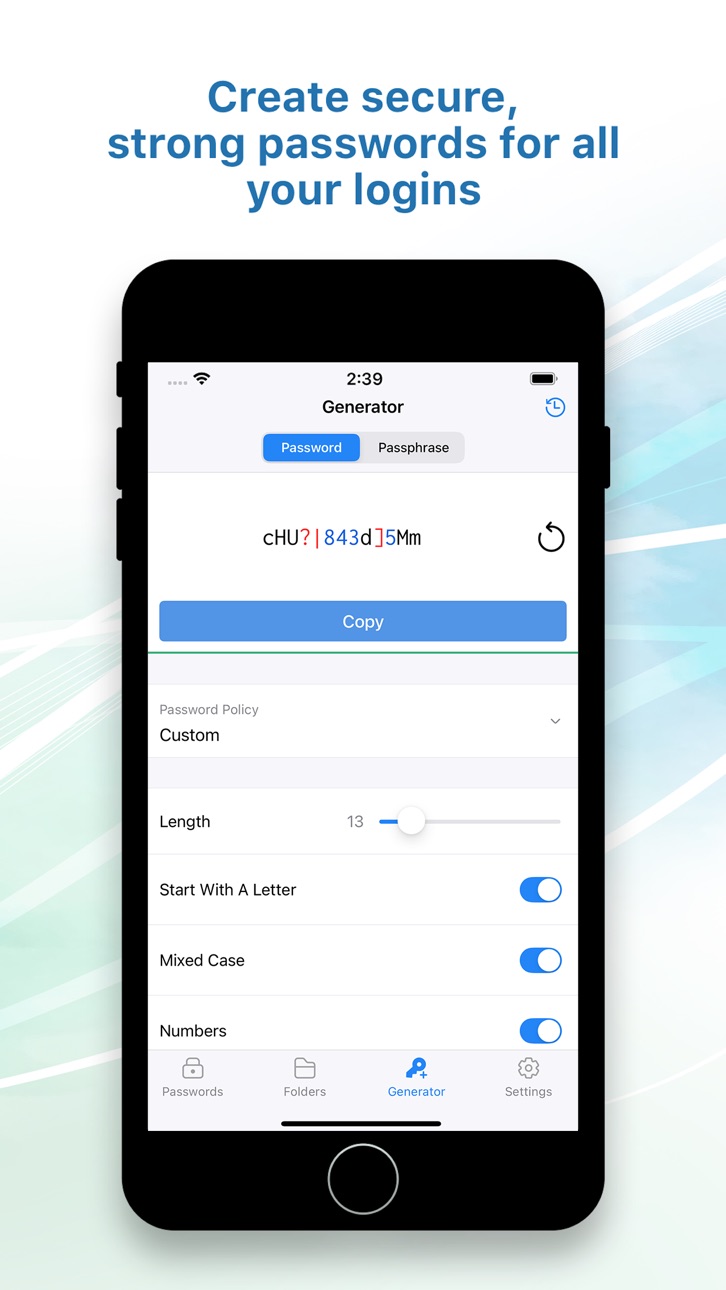
- Generate strong, unique passwords instantly across all of your devices with the password and passphrase generator.
- Autofill usernames, passwords, addresses, payment details, and TOTP codes for quick logins.
- Autofill and auto login to websites on popular browsers, including Ulaa, Safari, Chrome, Edge, Firefox, Vivaldi, Brave, and Opera.
- Strengthen security by enforcing multi-factor authentication (MFA).
- Skip the master password and access your vault using biometrics, Zoho OneAuth, Windows Hello, TouchID, Passkey, and YubiKey.
- Ensure regulatory compliance with tamper-proof audit trails and detailed security reports.
- Keep your data safe with encrypted backups to email and cloud services like Google Drive, Dropbox, and OneDrive.
- Benefit from enhanced integrations with Zoho and third-party applications.
Advanced security features
- Implement the principle of least privilege with granular role-based access controls for secure sharing.
- Enforce strong password complexity and expiration rules through built-in password policies, ensuring continuous regulatory compliance.
- Gain real-time insights into your security posture with a security dashboard and proactive dark web monitoring to detect compromised credentials.
- Enhance security by restricting access based on IP address and geographical location.
- Empower developers with robust API and Command Line Interface (CLI) tools for custom integrations.
Best password manager for iOS
- Switch between personal and business accounts with multi-account support.
- Autofill details quickly and securely with Zoho Vault.
- Instantly search passwords and data via Apple Spotlight.
- Use Siri voice commands to manage passwords hands-free.
Security and compliance
- Data is encrypted with AES-256 on your device before transmission—your master password is never stored, even by Zoho.
- Secured through regular third-party audits, white-hat testing, and internal security assessments.
- Built on our own tech stack and data centers to ensure your data remains private and exclusively yours.
- Fully aligned with GDPR, HIPAA, CCPA, and other global data protection standards.
Plans and pricing
Free: Sign up for our powerful free password manager app for iOS and enjoy unlimited storage and device access at no cost.
Standard: $1 USD/user/month and $10.80 USD/user/year
Professional: $5 USD/user/month and $54 USD/user/year
Enterprise: $8 USD/user/month and $86 USD/user/year
Flex: Customized, volume-based pricing
Subscription details
Pricing varies by region. Subscriptions are charged to iTunes and auto-renew unless canceled 24 hours prior. Manage auto-renewal in Account Settings. Secure your business with Zoho Vault password management solution, trusted by thousands. Download now!
For questions or feedback, email us at support@zohovault.com or support@eu.zohovault.com (for EU users).
In-App Purchases US pricing
Zoho Vault Subscription Subscription
Standard - Monthly · Monthly$4.99
Standard - Yearly · Yearly$53.99
Capabilities
In-App Purchases
Accessibility
ipadiphonemacrealityDevicetvoswatch
Version history 25 versions
Build 884705130v6.7.12026-04-21 04:49:30
This update includes important security improvements and fixes.
Build 884044434v6.72026-04-06 05:14:51
Rebranding support: Your enterprise Zoho Vault’s custom branding is now reflected in the app while maintaining a secure, seamless experience.
Build 882433279v6.6.32026-02-19 05:08:21
- Deletion restrictions extended: Admin controls to block deletion of enterprise passwords and folders are now supported on the app.
Build 881208119v6.6.22026-01-06 04:42:34
- Password reuse restriction: Prevent using previous passwords to strengthen security.
- Minor security enhancement
Build 880232025v6.6.12025-12-02 05:07:08
- Minor bug fixes and performance enhancements.
Build 879859483v6.62025-11-20 04:46:48
- Passphrase generator – Create stronger, human-readable passphrases effortlessly.
- Enhanced autofill – Autofill now works across all categories and supported text fields.
- Improved Mac app experience – Larger default window and an additional 16% scale boost for better readability on macOS.
- Accessibility upgrades (WCAG) – Full VoiceOver support, Dynamic Type, improved color/contrast, and AssistiveTouch/Switch Control friendly UI.
- Enterprise security enhancements – Added password restrictions and personal password indicators for enterprise users.
- New icon family – A fresh, modern, and consistent visual update.
- Screenshot restriction – Prevents capturing sensitive data on iPhone and iPad.
- Password list improvements – Copy support extended to all categories.
- Quick account switching – Instantly switch accounts from the toast after adding a new one.
- Enable autofill easily – Turn on Autofill directly from within the app.
…and many more enhancements and improvements.
Build 879660089v6.5.42025-11-11 06:23:22
Bug fixes and performance improvements.
Build 879441922v6.5.32025-11-03 05:05:34
Minor enhancements and bug fixes.
Build 879387765v6.5.22025-11-02 03:25:23
Bug fixes and performance improvements.
Build 877343090v6.5.12025-08-19 03:10:47
- Bug fixes and improvements in the Autofill extension.
Build 876712910v6.52025-07-30 12:32:24
We're thrilled to introduce passkey support on Zoho Vault for iOS. Now you can effortlessly manage all your logins—both passwords and passkeys—in one secure place. Enjoy faster, more secure, and truly passwordless logins!
Build 876025145v6.4.32025-07-02 05:01:30
Bug fixes and improvements in the Mac app.
Build 873865743v6.4.22025-04-09 04:50:49
- Bug fixes and security enhancements.
Build 872992723v6.4.12025-03-06 04:37:23
A minor issue with signing in using the OneAuth app has been fixed.
Build 872152466v6.42025-02-03 04:58:01
- Minor bug fixes and security enhancements.
Build 871493414v6.3.22025-01-08 10:55:23
Minor enhancements and bug fixes.
Build 871361745v6.3.12024-12-25 04:19:22
Minor enhancements and bug fixes.
Build 870395502v6.32024-11-14 04:10:44
- Autofill 2FA codes easily and securely with iOS 18 and macOS Sequoia.
- Bug fixes and improvements.
Build 869317219v6.2.32024-09-30 04:49:05
Bug fixes and improvements.
Build 868206168v6.2.22024-08-16 03:06:22
A crash issue in the password generator has been fixed, ensuring a more stable experience.
Build 867713882v6.2.12024-07-25 07:37:10
Bug fixes and performance improvements.
Build 867596764v6.22024-07-22 05:16:27
- Recover accidentally deleted passwords with the new Trash feature.
- Easily manage multiple accounts within the Mac app for increased productivity and organization.
- Organize your passwords more efficiently by adding them to specific folders.
- Conveniently add passwords using the autofill extension.
- Enjoy enhanced autofill capabilities in the in-app browser, supporting one-click logins for seamless browsing.
- Keep track of when passwords were created with the new display feature on the detail page.
- Bug fixes and performance improvements.
Build 863706207v6.12024-04-01 04:50:41
Zoho Vault iPad app is now also accessible on Mac offering a seamless experience across devices.
Build 860368503v6.02024-02-06 05:00:34
- Multi-account support: Users can now add and switch between multiple accounts for easy access.
- Payment cards: Introducing support for Payment cards category, where Credit/Debit cards can be easily scanned to autofill relevant fields.
- App auto-lock: Support for automatic locking after a specified 'auto-lock' period of inactivity for additional level of security.
- Display User ID: Enable this feature to display user identifiers in the password list and autofill suggestions, providing users with valuable context for each entry.
- Geolocation restrictions: Limit user access to the app from specific geographic locations.
- Event alerts: Stay informed with timely notifications and reminders about our upcoming webinars, training sessions, and other educational events.
- Enhanced user search: In addition to searching by name, users can now find team members using their email addresses, streamlining user discovery within the app.
Build 859696402v5.2.42023-09-12 06:18:28
- Fixes for master password authentication issues.
- Minor bug fixes.
Price history by region
Currency
Show
Columns
Search
Availability 1 of 1 storefronts
| Region | Language | Price | Ratings | Avg | Version |
|---|---|---|---|---|---|
| US | en-US | Free | 875 | 4.7 | 6.7.1 |
Change log 29 changes · US
✎
releaseNotes updated
This update includes important security improvements and fixes.
✎
description updated
Zoho Vault is a robust password manager designed to help you securely store, autofill, generate, share, and manage sensitive information—all from a single, encr
✎
subtitle updated
Secure password management app
✎
name updated
Zoho Vault - Password Manager
◆
Version 6.7.1 released
This update includes important security improvements and fixes.
◆
Version 6.7 released
Rebranding support: Your enterprise Zoho Vault’s custom branding is now reflected in the app while maintaining a secure, seamless experience.
◆
Version 6.6.3 released
- Deletion restrictions extended: Admin controls to block deletion of enterprise passwords and folders are now supported on the app.
◆
Version 6.6.2 released
- Password reuse restriction: Prevent using previous passwords to strengthen security.
- Minor security enhancement
◆
Version 6.6.1 released
- Minor bug fixes and performance enhancements.
◆
Version 6.6 released
- Passphrase generator – Create stronger, human-readable passphrases effortlessly.
- Enhanced autofill – Autofill now works across all categories and supported text fields.
- Improved Mac app experience – Larger default window and an additi
◆
Version 6.5.4 released
Bug fixes and performance improvements.
◆
Version 6.5.3 released
Minor enhancements and bug fixes.
◆
Version 6.5.2 released
Bug fixes and performance improvements.
◆
Version 6.5.1 released
- Bug fixes and improvements in the Autofill extension.
◆
Version 6.5 released
We're thrilled to introduce passkey support on Zoho Vault for iOS. Now you can effortlessly manage all your logins—both passwords and passkeys—in one secure place. Enjoy faster, more secure, and truly passwordless logins!
◆
Version 6.4.3 released
Bug fixes and improvements in the Mac app.
◆
Version 6.4.2 released
- Bug fixes and security enhancements.
◆
Version 6.4.1 released
A minor issue with signing in using the OneAuth app has been fixed.
◆
Version 6.4 released
- Minor bug fixes and security enhancements.
◆
Version 6.3.2 released
Minor enhancements and bug fixes.
◆
Version 6.3.1 released
Minor enhancements and bug fixes.
◆
Version 6.3 released
- Autofill 2FA codes easily and securely with iOS 18 and macOS Sequoia.
- Bug fixes and improvements.
◆
Version 6.2.3 released
Bug fixes and improvements.
◆
Version 6.2.2 released
A crash issue in the password generator has been fixed, ensuring a more stable experience.
◆
Version 6.2.1 released
Bug fixes and performance improvements.
◆
Version 6.2 released
- Recover accidentally deleted passwords with the new Trash feature.
- Easily manage multiple accounts within the Mac app for increased productivity and organization.
- Organize your passwords more efficiently by adding them to specific fol
◆
Version 6.1 released
Zoho Vault iPad app is now also accessible on Mac offering a seamless experience across devices.
◆
Version 6.0 released
- Multi-account support: Users can now add and switch between multiple accounts for easy access.
- Payment cards: Introducing support for Payment cards category, where Credit/Debit cards can be easily scanned to autofill relevant fields.
◆
Version 5.2.4 released
- Fixes for master password authentication issues.
- Minor bug fixes.