Home › Productivity

 US
US
1 of 1 storefronts
Content in en-US
Content in en-US
Information
Apple ID631980748
Bundle IDcom.shazino.papership
SellerSeller
Min iOS11.0
Min macOS11.0
Device familiesiphone, ipad, ipod
Released2013-04-30
Copyright© 2013–2019 Shazino SAS
Privacy policyLink ↗
Preview 2 platforms
iPhone 5 images




iPad 4 images


What’s New Version 3.8.5
- Updated PDF annotation tools
- Interface improvements
Description
PaperShip is an iPad, iPhone, and Mac application designed to give you access to your Mendeley / Zotero library on-the-go.
You will enjoy annotating your PDFs with highlights, notes, free text, drawings and much more!
What the scientists say:
“Maybe the best app I have” by WilllllliW
“Fantastic app” by BramBZ
“Brilliant” by CherylRen
“これがないと研究できません!” by DehydrogenaseK
“Superbe pour la gestion bibliographique” by Gringopako
#########
The most powerful annotation types for your papers (requires in-app purchase)!
• Highlights and text decoration (underline, strikethrough...),
• Notes,
• Free text,
• Hand drawing and hand writing,
• Shapes (rectangle, oval...),
• Stamps,
• Images,
• Audio recordings,
• and much more...
#########
Note: PaperShip requires a Zotero or Mendeley account.
READ | Get access to your entire library on your mobile devices. Our build-in PDF reader is the greatest way to find and look at your latest literature. But we also support a lot of other types: image, document, spreadsheet, text, webpage... You will take advantage of the iPad and iPhone Retina screens and never need to print your publications anymore.
ANNOTATE | PaperShip provides a lot of annotation types which go far beyond what most of the reference managers offer (available through In-App Purchase). And as our tools are compliant with the PDF standard, your annotations will be available in most of the other readers.
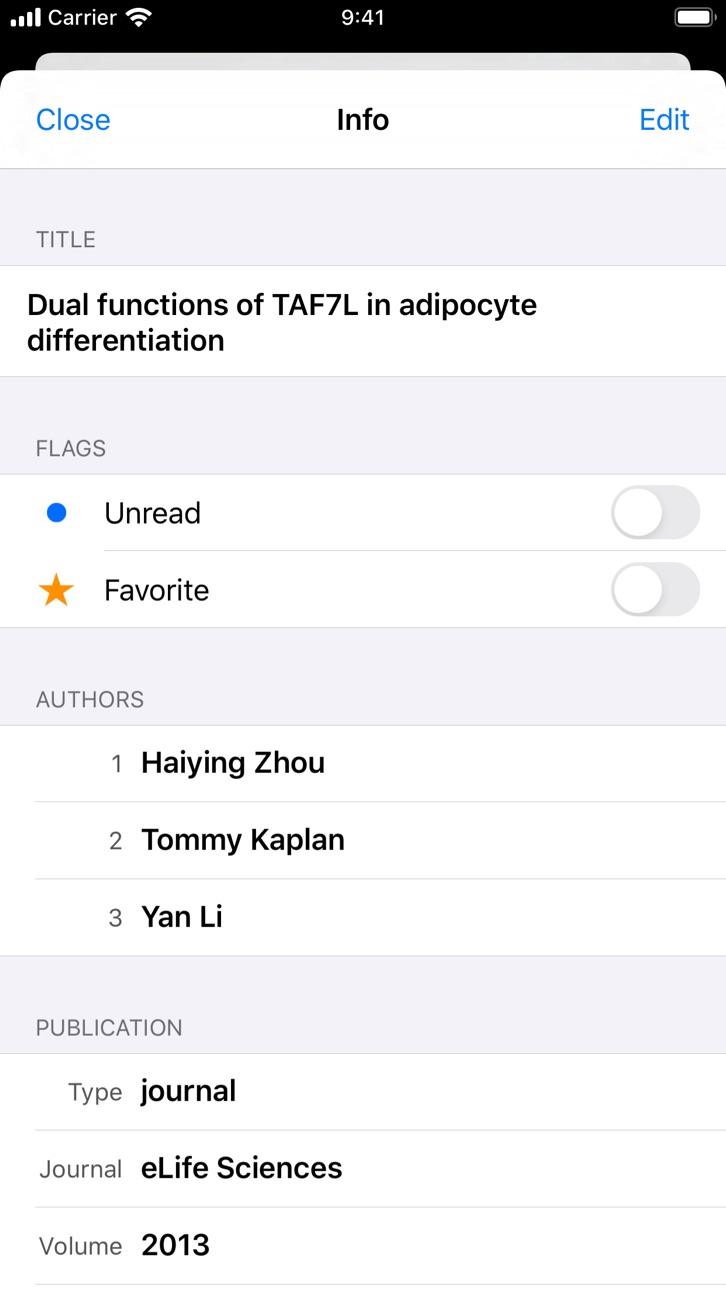
METADATA | PaperShip allows you to read and edit article's metadata. You can now add tags, update title or change authors in an easy way whatever the type of document you are reading.
IMPACT | PaperShip is the first reference manager to link your articles to the new almetric data! Just know in real time what are the impacts of your publications inside the scientific community.
MANAGE | PaperShip keeps your articles organized based on your Mendeley/Zotero folders. Add a paper to your favorites or move it to another folder by using an incredible pane and swipe navigation. Your articles will always stay at your fingertips with the search engine.
IMPORT | Just import a new paper by tapping some keywords or looking at author name and PaperShip will bring it to your library. By selecting the Open Access option, you will be able to download automatically the linked PDF for free.
SYNC | Always stay up to date between your mobile library and your desktop application. Once you add or annotate a PDF, it will wirelessly be saved on the Mendeley/Zotero platform to be available on all of your devices.
SHARE | You have found a new incredible article? Just share it with colleagues in your groups, by email or on social networks like Twitter and Facebook and bring reference managers to the science 2.0 step.
#########
Learn more about PaperShip for iPad and iPhone on www.papershipapp.com
Follow us on Twitter @PaperShipApp
Capabilities
In-App Purchases
Accessibility
ipadiphonemacrealityDevicetvoswatch
Version history 25 versions
Build 833574311v3.8.52019-11-13 11:34:42
- Updated PDF annotation tools
- Interface improvements
Build 833213441v3.8.42019-10-21 14:00:06
- Bug fixes
Build 817537136v3.8.32016-06-01 18:05:16
- Bug fixes
Build 817358137v3.8.22016-05-12 16:00:53
- Restore PDF annotations contextual menu items
- Preserve last name/first name distinction when analyzing documents metadata
- Preserve “creator type” field for Zotero documents
- Fix crash when trying to open non-HTTP(S) URLs
Build 817237990v3.82016-05-09 07:43:02
- Support group folders (read-only)
- Local storage manager in settings
- Create new documents manually
- Navigation buttons to Zotero import screen
- Restore eraser PDF annotation tool
- Update PDF engine
Build 817330928v3.8.12016-05-09 16:42:20
- Fix PDF screen not responding
Build 816808383v3.7.42016-03-25 19:56:26
- Update document info from new DOI
- Editable DOI/ISSN/arXiv ID/Citation Key for Mendeley Journal Articles
- Editable ISSN for Zotero Journal Articles
- Bug fixes
Build 816712258v3.7.32016-03-17 16:51:27
- Improve scrolling with Zotero importer
- Improve presenting documents with partially missing files
- Disable scroll to top shortcut for PDFs
Build 816538329v3.7.22016-02-29 08:14:32
- Change PDF notes annotations font
- Fix view/edit journal info for Zotero documents
Build 816328002v3.7.12016-02-05 06:05:21
- Add “Share...” action to PDF text selection
- Update PDF engine
- Fix PDF annotations selection inconsistencies
- Fix crash when editing documents info on iPhone
Build 816028665v3.72016-01-25 10:54:56
- Support iPad multitasking (Slide Over, Split View)
- Update PDF engine
- Adjust PDF speech synthesizer speed
- Fix PDF rendering bug with Chinese characters
- Now requires iOS 8
Build 813588621v3.62015-11-23 08:09:15
- View, edit, and annotate PDFs with other apps (requires in-app purchase)
- All annotations, including highlights, now require in-app purchase
- iPad Pro support
- Create and Delete Folders
- Bug fixes
Build 813379811v3.5.12015-09-18 15:07:32
- Fixes bug with in-app purchases
Build 813279843v3.52015-09-15 15:02:09
- Improve PDF engine
- Adjust speech synthesizer speed
- Export by mail with additional annotations types
- Fix sharing new annotations
- Fix annotations gestures on iPhone
- Fix special characters for Zotero collections names
- Bug fixes
Build 812649246v3.4.42015-06-24 16:08:38
- Bug fixes for group documents with WebDAV server configured
Build 812553940v3.4.32015-06-10 19:46:35
- Bug fixes
Build 812331803v3.4.22015-05-08 17:08:18
- Bug fixes
Build 812178692v3.4.12015-04-18 00:02:38
- Add Sort Documents by Added Date for Zotero
- Fix network reliability issues
Build 812089407v3.42015-04-04 03:12:55
- Editable group documents (metadata, notes, PDF annotations)
- Clarified Copy/Move interface for Inbox documents
- Persistent PDF notes and annotations for Mendeley
- Refined settings interface
- Fixed document publication sync for Mendeley
- Fixed authors search for Mendeley
- Fixed Copy/Move popover position when presented at the bottom of the screen
- Minor bug fixes
Build 811789971v3.32015-03-09 11:18:04
Note: we recommend connecting to a Wi-Fi network before running this update for the first time.
- Improved Mendeley synchronization (requires a one-time automatic migration)
- Rich notes for Mendeley documents
- Fixed drawing PDF annotations
- Bug fixes
Build 810896116v3.2.22014-12-05 17:24:44
- Improves PDF reader/annotation performance
Build 770352710v3.2.12014-11-08 22:17:45
- Save folders hierarchy between sessions
- Bug fixes
Build 730302653v3.22014-10-14 21:29:53
- Optimized for iOS 8
- Optimized for iPhone 6 and iPhone 6 Plus
- Collapse/Expand Folders
Build 700212708v3.1.42014-09-08 22:28:39
- Fix Zotero notes formatting
- Fix Publisher name when importing PDF to Zotero
- Improve Zotero web importer feedback
- Improve app stability
Build 602002657v3.1.32014-06-14 22:32:51
- Bug fixes
No pricing data captured yet — comparisons appear once the app has paid storefronts or in-app purchases.
Availability 1 of 1 storefronts
| Region | Language | Price | Ratings | Avg | Version |
|---|---|---|---|---|---|
| US | en-US | Free | 925 | 3.9 | 3.8.5 |
Change log 28 changes · US
✎
releaseNotes updated
- Updated PDF annotation tools
- Interface improvements
✎
description updated
PaperShip is an iPad, iPhone, and Mac application designed to give you access to your Mendeley / Zotero library on-the-go.
You will enjoy annotating your PDFs
✎
name updated
PaperShip - Mendeley & Zotero
◆
Version 3.8.5 released
- Updated PDF annotation tools
- Interface improvements
◆
Version 3.8.4 released
- Bug fixes
◆
Version 3.8.3 released
- Bug fixes
◆
Version 3.8.2 released
- Restore PDF annotations contextual menu items
- Preserve last name/first name distinction when analyzing documents metadata
- Preserve “creator type” field for Zotero documents
- Fix crash when trying to open non-HTTP(S) URLs
◆
Version 3.8.1 released
- Fix PDF screen not responding
◆
Version 3.8 released
- Support group folders (read-only)
- Local storage manager in settings
- Create new documents manually
- Navigation buttons to Zotero import screen
- Restore eraser PDF annotation tool
- Update PDF engine
◆
Version 3.7.4 released
- Update document info from new DOI
- Editable DOI/ISSN/arXiv ID/Citation Key for Mendeley Journal Articles
- Editable ISSN for Zotero Journal Articles
- Bug fixes
◆
Version 3.7.3 released
- Improve scrolling with Zotero importer
- Improve presenting documents with partially missing files
- Disable scroll to top shortcut for PDFs
◆
Version 3.7.2 released
- Change PDF notes annotations font
- Fix view/edit journal info for Zotero documents
◆
Version 3.7.1 released
- Add “Share...” action to PDF text selection
- Update PDF engine
- Fix PDF annotations selection inconsistencies
- Fix crash when editing documents info on iPhone
◆
Version 3.7 released
- Support iPad multitasking (Slide Over, Split View)
- Update PDF engine
- Adjust PDF speech synthesizer speed
- Fix PDF rendering bug with Chinese characters
- Now requires iOS 8
◆
Version 3.6 released
- View, edit, and annotate PDFs with other apps (requires in-app purchase)
- All annotations, including highlights, now require in-app purchase
- iPad Pro support
- Create and Delete Folders
- Bug fixes
◆
Version 3.5.1 released
- Fixes bug with in-app purchases
◆
Version 3.5 released
- Improve PDF engine
- Adjust speech synthesizer speed
- Export by mail with additional annotations types
- Fix sharing new annotations
- Fix annotations gestures on iPhone
- Fix special characters for Zotero collections names
- Bug fixes
◆
Version 3.4.4 released
- Bug fixes for group documents with WebDAV server configured
◆
Version 3.4.3 released
- Bug fixes
◆
Version 3.4.2 released
- Bug fixes
◆
Version 3.4.1 released
- Add Sort Documents by Added Date for Zotero
- Fix network reliability issues
◆
Version 3.4 released
- Editable group documents (metadata, notes, PDF annotations)
- Clarified Copy/Move interface for Inbox documents
- Persistent PDF notes and annotations for Mendeley
- Refined settings interface
- Fixed document publication sync for Mendele
◆
Version 3.3 released
Note: we recommend connecting to a Wi-Fi network before running this update for the first time.
- Improved Mendeley synchronization (requires a one-time automatic migration)
- Rich notes for Mendeley documents
- Fixed drawing PDF annotatio
◆
Version 3.2.2 released
- Improves PDF reader/annotation performance
◆
Version 3.2.1 released
- Save folders hierarchy between sessions
- Bug fixes
◆
Version 3.2 released
- Optimized for iOS 8
- Optimized for iPhone 6 and iPhone 6 Plus
- Collapse/Expand Folders
◆
Version 3.1.4 released
- Fix Zotero notes formatting
- Fix Publisher name when importing PDF to Zotero
- Improve Zotero web importer feedback
- Improve app stability
◆
Version 3.1.3 released
- Bug fixes