Home › Music

 US
US
1 of 1 storefronts
Content in en-US
Content in en-US
Information
Apple ID614948443
Bundle IDcom.mevasoft.StarLicks
SellerSeller
Min iOS7.1
Min macOS11.0
Device familiesiphone, ipad, ipod
Released2013-03-15
Copyright© MevaSoft Inc.
Preview 2 platforms
iPhone 5 images



iPad 4 images


What’s New Version 2.3.2
This update from Apple will improve the functionality of this app. No new features are included.
Improved interface usability, bug fixes and stability improvements.
Description
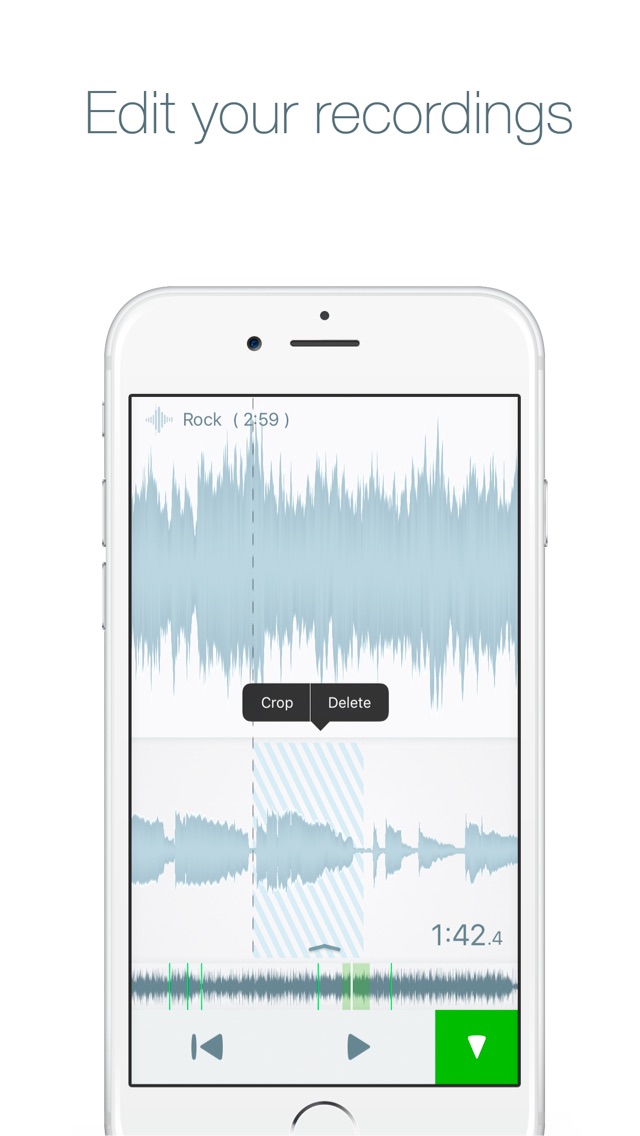
Amazing app for learning audio! Grab your favorite solos in a tempo that you are comfortable with. Place markers to remember track positions or even record along with your favorite backing track! StarLicks makes learning any audio material easier than ever before. Now featured with the most advanced audio codec on the market - ZTX LE(c) !
Here's what people say :
"This app is RIDICULOUSLY powerful!! Practicing/learning songs have become a tonne easier. From its most basic feature of putting a MARKER, just so you don't have to rely on the lame scrubbing on your iPhone, this app wins already! Then you can drop multiple markers and have that section LOOP!! And then...you can legitimately TRANSPOSE a whole track up or down!? Something that could in the past, only be done on a computer, in a DAW...now it can be done out of your pocket!! What?? Wait there's more...then you can slow down the TEMPO but keep the PITCH...cray cray!! ...and I haven't even checked what the right side bar does...I don't know...I'm too scared! Lol I wanna give it a million stars!! Far out...WELL DONE! "(by Supa Sam)
...
"I've been searching the App Store to find a quality free app which will help me with a transcription assignment I have to do....and this is PERFECT. Very very very user friendly and if you need to take a piece of a song and slow it down and have it go on repeat this is the app for you. Highly recommended for any people trying to transcribe something"(by Duke of thieves)
StarLicks has been engineered in order to offer exceptional ergonomics and sound quality. No more annoying software, only the best experience!
StarLicks features are :
- play records at speed from 0.25x to 2.0x with outstanding audio quality and lowest possible distortion!
- RECORD along with main track playback at any tempo or at any pitch!
- repeat and loop with one tap!
- place markers to remember the positions of hard-to-learn parts of your audio material
- tune old records or records with orchestra into the tempered scale in a range +- 2 tones!
- listen to what you're playing thanks to input signal monitoring with extra low latency ( adjustable )
- use external plugins with Inter-App Audio support, like AmpliTube(c) (sold separately)
- noise reduction allows recording in the absence of the external microphone
- export and share your recordings, mixed down with a master track!
- sliding bars save screen space, both portrait and landscape orientation support makes it really comfortable to work with StarLicks!
- iCloud makes sure you have your projects synchronized among all of your devices which have StarLicks installed
IMPORTANT: We recommend you to have an iPhone 4S or higher in order to use this app. This app does not contain any songs or audio content, which are shown on the attached screenshots, just for illustration.
In-App Purchases US pricing
One-Time Purchases
Full track playback$0.99
Export feature$2.99
Full Track + Export$2.99
Capabilities
In-App Purchases
Accessibility
ipadiphonemacrealityDevicetvoswatch
Version history 13 versions
Build 818166346v2.3.22016-07-19 23:57:25
This update from Apple will improve the functionality of this app. No new features are included.
Improved interface usability, bug fixes and stability improvements.
Build 813969831v2.3.12015-10-30 23:30:13
- minor bug fixes and general usability improvements
Build 813593261v2.32015-10-13 18:09:53
- swipe left or right with two fingers to change the playback speed
- swipe up or down with two fingers to change the track volume
- some design changes
Build 813415520v2.2.32015-09-27 22:48:30
- now you can adjust volume with two fingers
- monitoring stays On while switching between projects
- adapted for iOS 9
Build 813275149v2.2.12015-09-14 23:34:27
- sliders made larger
- general usability improvements
Build 813041810v2.22015-08-15 02:41:43
- Empowered with the most advanced audio processing codec available today - ZTX LE (c)!
- The audio engine has been rewritten from scratch to deliver performance never seen before!!!
- Removed crackles on some devices
- Now you can export your recordings from standard Voice Memos, as well as with other apps to StarLicks for precise audition!
Build 811915138v2.1.22015-03-17 02:43:32
- support of Bluetooth devices
- press and hold the graph to set a marker!
- establish a loop with double-click between markers or by pressing on the marker itself
- clear the loop by tapping on it
Build 811751976v2.1.12015-02-17 22:11:38
- press and hold to set a marker!
- establish a loop with double-click between markers or by pressing on the marker itself
- clear the loop by tapping on it
- hold & drag a marker to change it's position
Build 811551493v2.12015-01-30 19:32:08
- iPad support!!!
- Introductory course
New features :
- establish a loop with double-click between markers or by pressing on the marker itself
- clear the loop by tapping on it
- hold & drag a marker to change it's position
Bug fixes and stability improvements.
Build 811459512v2.02015-01-08 19:10:52
StarLicks 2.0 offers a complete new engine and interface with an impressive set of new features! Among other things, it has the following features :
- iCloud support
- Record along with main track playback at any tempo or at any pitch!
- Listen to what you're playing thanks to input signal monitoring with extra low latency ( adjustable )
- Use external plugins with Inter-App Audio support, like AmpliTube(c) (sold separately)
- Noise reduction
- Export and share your recordings, mixed down with a master track!
- Sliding bars save screen space, both portrait and landscape orientation support makes it really comfortable to work with StarLicks!
- Use long press gesture to navigate between markers
IMPORTANT: do not upgrade to this version if you have an iPhone 4 or lower
Build 15073051v1.0.22013-04-22 20:15:12
- improved playback precision and cursor setting
- markers now can be set on the go!
- playback speed range is now extended!
- improved controls
Build 14807132v1.0.12013-03-28 19:59:50
In this version we have added Russian localization. Also fixed some interface issues.
Build 14554653v1.02013-03-14 20:34:54
Price history by region
Currency
Show
Columns
Search
Availability 1 of 1 storefronts
| Region | Language | Price | Ratings | Avg | Version |
|---|---|---|---|---|---|
| US | en-US | Free | 3 | 4.7 | 2.3.2 |
Change log 16 changes · US
✎
releaseNotes updated
This update from Apple will improve the functionality of this app. No new features are included.
Improved interface usability, bug fixes and stability improvem
✎
description updated
Amazing app for learning audio! Grab your favorite solos in a tempo that you are comfortable with. Place markers to remember track positions or even record alon
✎
name updated
StarLicks - play and record at speed from 0.25x to 2.0x
◆
Version 2.3.2 released
This update from Apple will improve the functionality of this app. No new features are included.
Improved interface usability, bug fixes and stability improvements.
◆
Version 2.3.1 released
- minor bug fixes and general usability improvements
◆
Version 2.3 released
- swipe left or right with two fingers to change the playback speed
- swipe up or down with two fingers to change the track volume
- some design changes
◆
Version 2.2.3 released
- now you can adjust volume with two fingers
- monitoring stays On while switching between projects
- adapted for iOS 9
◆
Version 2.2.1 released
- sliders made larger
- general usability improvements
◆
Version 2.2 released
- Empowered with the most advanced audio processing codec available today - ZTX LE (c)!
- The audio engine has been rewritten from scratch to deliver performance never seen before!!!
- Removed crackles on some devices
- Now you can export y
◆
Version 2.1.2 released
- support of Bluetooth devices
- press and hold the graph to set a marker!
- establish a loop with double-click between markers or by pressing on the marker itself
- clear the loop by tapping on it
◆
Version 2.1.1 released
- press and hold to set a marker!
- establish a loop with double-click between markers or by pressing on the marker itself
- clear the loop by tapping on it
- hold & drag a marker to change it's position
◆
Version 2.1 released
- iPad support!!!
- Introductory course
New features :
- establish a loop with double-click between markers or by pressing on the marker itself
- clear the loop by tapping on it
- hold & drag a marker to change it's position
Bug fixes and
◆
Version 2.0 released
StarLicks 2.0 offers a complete new engine and interface with an impressive set of new features! Among other things, it has the following features :
- iCloud support
- Record along with main track playback at any tempo or at any pitch!
- L
◆
Version 1.0.2 released
- improved playback precision and cursor setting
- markers now can be set on the go!
- playback speed range is now extended!
- improved controls
◆
Version 1.0.1 released
In this version we have added Russian localization. Also fixed some interface issues.
◆
Version 1.0 released