Home › Business

 US
US
1 of 1 storefronts
Content in en-US
Content in en-US
Information
Apple ID591784316
Bundle IDcom.nedap.retail.storeid
SellerSeller
Min iOS18.0
Min macOS15.0
Device familiesiphone, ipad
Released2013-02-04
Copyright© Nedap N.V.
Privacy policyLink ↗
Preview 2 platforms
iPhone 6 images




iPad 6 images




What’s New Version 2026.2.0
Changes in the iOS app v2026.2.0 are:
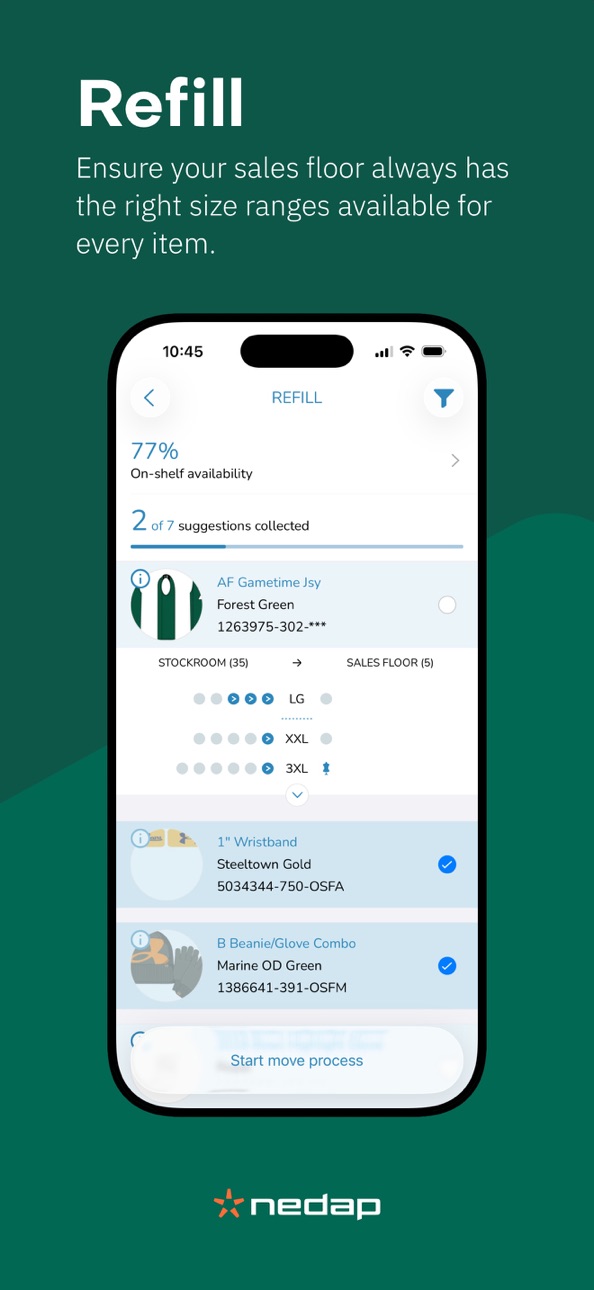
Add: Quick Refill
Add: Live Status Information in Receive
Update: UI changes in Refill
Update: Change Option field to Name and/or Color field(s)
Fix: Hide “recently received” toggle when data source is set to Estimated Stock
Description
Unlock the power of RFID with iD Cloud.
Designed for retail teams, this app transforms how you manage inventory by making RFID simple, fast, and reliable. With the iD Cloud App you can perform key in-store tasks; from inventory counts and tag programming to locating items and identifying what needs restocking. All with minimal training.
Whether you’re checking stock accuracy, optimizing product availability, or completing everyday RFID workflows, the iD Cloud App empowers your store staff with intuitive processes and real-time results.
Accessibility
ipadiphonemacrealityDevicetvoswatch
Version history 25 versions
Build 887081645v2026.2.02026-06-24 08:08:29
Changes in the iOS app v2026.2.0 are:
Add: Quick Refill
Add: Live Status Information in Receive
Update: UI changes in Refill
Update: Change Option field to Name and/or Color field(s)
Fix: Hide “recently received” toggle when data source is set to Estimated Stock
Build 884544771v2026.1.12026-04-22 08:09:51
Changes in iOS app v2026.1.1:
Added: EU RED compliance for Zebra RFD40 EU & WORLD readers.
Updated: Bluetooth pairing behavior for the RFD4031 Premium (Plus).
Updated: general stability improvement.
Build 881531537v2026.1.02026-02-18 08:06:30
Changes in the iOS app v2026.1.0 are:
Add: Article Translations
Add: New article disposition Altered
Add: New in-app tutorials for Partial Count and Counting Sublocations
Update: Adjustment in app theming colors & design
Update: Use Name or Name + Color field by default instead of Option for article title in Refill and the blue widget Article Passport
Update: Minimum iOS version reequires is iOS 15.8.4
Update: Removed support for the !D Hand
Update: Extended printer status overview
Update: Article image fades when selected in Refill
Fix: Empty row in color section in Availability when no other colors are available
Fix: SKU Code could be used as barcode input in Availability
Fix: No results being shown when using ‘list’ in the Search feature
Fix: Offline behavior when using ‘barcode’ in the Refill feature
Build 877995434v2025.3.02025-09-17 07:02:10
Changes in the iOS app v2025.3.0 are:
- Add: Show 'Ready to Unpack' items in Refill
- Add: Show store-level quantities in Availability
- Add: In-App tutorials for Availability, Refill and Refill from Shipments
- Update: Zebra RFD40 firmware update to PAAFKS00-009-R00
- Update: Renamed ‘markdown' tile in Refill to 'for peak’
- Fix: Incorrect total refill suggestion quantity after filtering
- Fix: Search article button sometimes not shown in Refill (e.g. on iPads)
- Fix: Incorrect message could be displayed when offline showing date/time is incorrect
- Fix: Country mapping for French Guyana on Zebra readers
Build 876077400v2025.2.12025-07-03 05:39:26
Changes:
- Fixes forced re-registration after offline start of app
Build 875683868v2025.2.02025-06-25 06:01:38
Changes in 2025.2.0:
Add: Setting to require 'select shipment notices' (disables blind receiving)
Add: Setting to change used channels in Zebra readers to prevent interference issues with EAS systems
Add: Firmware version FW20240923 is now supported for the Bluebird RFR901
Fix: Misaligned dots in Refill on iPad
Fix: On Display items not shown correctly in Refill
Fix: Remove Refill from Shipment toggle in the functionality menu in the app
Fix: Wrong size printed on label when no size was specified for the store's country_code
Fix: 'Show suggestions' button added to Refill filter screen
Build 874276964v2025.1.12025-04-30 06:00:38
Changes in 2025.1.1:
- Enable DPO for Zebra readers to increase count performance:
By enabling the Dynamic Power Output (DPO) for the Zebra readers, we see an improved performance during an RFID Count when using a Zebra reader.
Several tests have been performed using the feedback we received from the community and having DPO enabled showed an improved performance during our tests.
These tests have been conducted in collaboration with Zebra.
- Improved stability when displaying data in Availability v2:
In our monitoring we noticed some crashes for articles where a very large size range needed to be loaded in Availability v2.
This has now been improved.
Build 872507262vv2025.1.02025-02-26 07:00:22
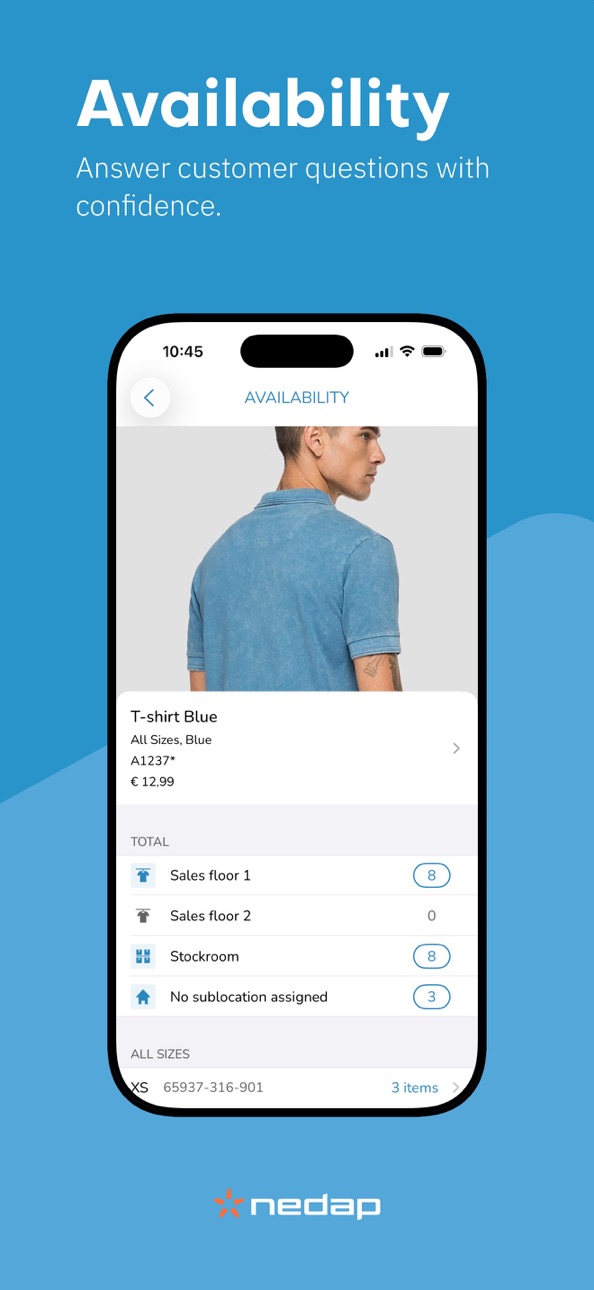
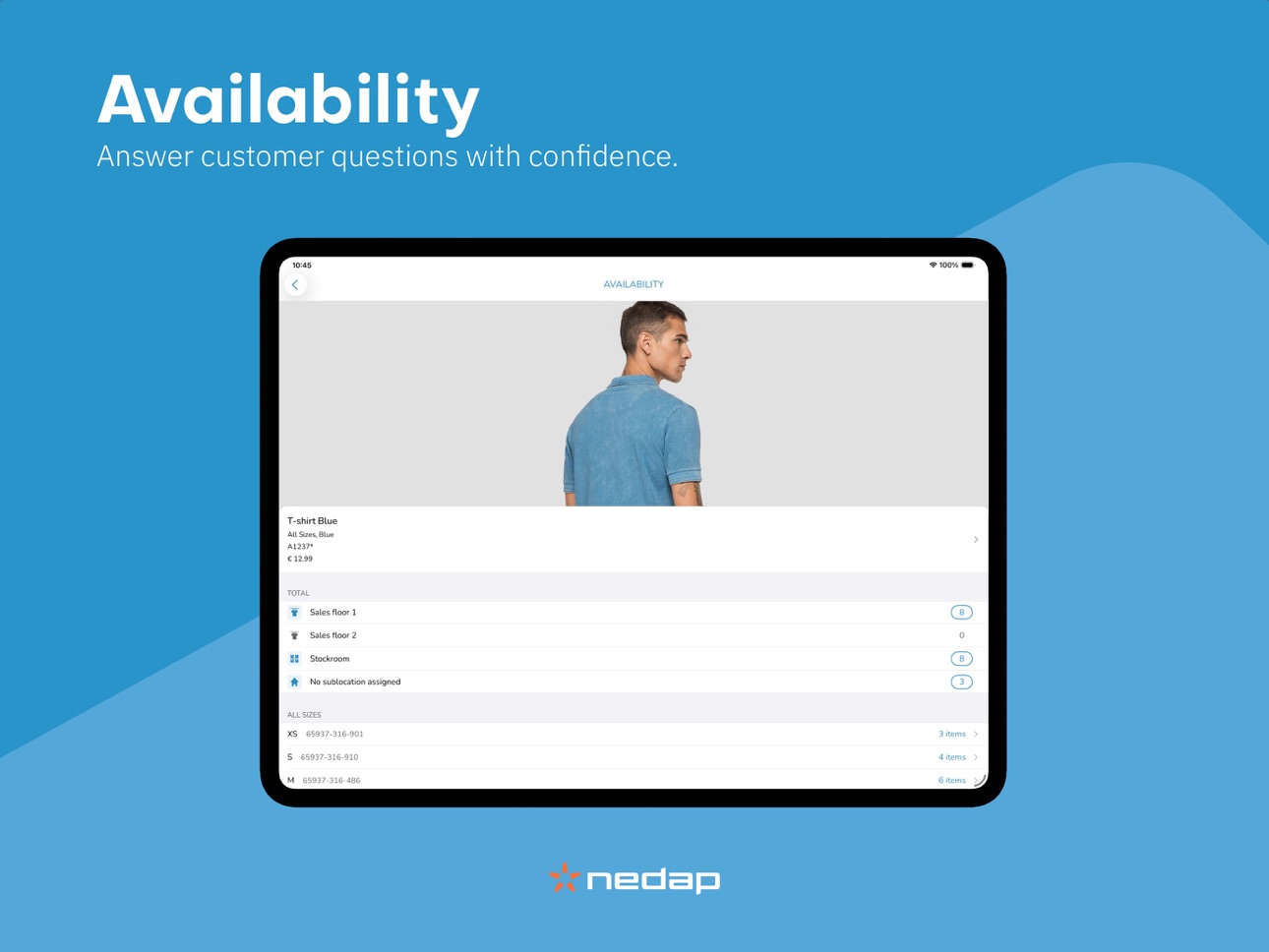
Add: Availability v2
Add: Nearby Stores Filter on masterdata
Add: Move from Refill GTIN Filter
Updated: Firmware Zebra RFD40+90 FW08-R00
Fix: Prevent pending shipments when a 400 error was returned
Fix: Prevent receiving shipment notice twice due to network issues
Fix: ‘App Themes’ (backgrounds) were not loading correctly
Fix: Reader connection drop during a count
Build 869846865vv2024.2.12024-10-23 07:00:39
Bugfixes and improvements
Build 868228303vv2024.2.02024-08-28 07:00:31
Changes:
- Added Refill from Shipments
- Added Refill from Barcode
- Improved Refill feature
- Added rate limit support
- Added various new article statuses
- Fixed crashes in reader, printer, shipments etc.
Build 867569934vv2024.1.32024-07-18 08:00:18
Changes:
- Fix crashes in Search
- Fix RFD8500 incorrect reader state issues
- Fix crash while fetching SATO printer status
- Fix crash when scanning GIAI tags
- Fix disable 2d barcode move per setting
- Fix handling empty tags
Build 863858634v2024.1.02024-03-13 08:34:05
Changes:
- Added: 2D Barcode Move.
- Added: Batch print.
- Added: Serbian (Latin) language.
- Added: Option to prevent certain labels to be (re)programmed.
- Added: Tutorial for Search.
- Change: Minimum required OS version is now iOS 15.
- Change: Removed unsupported TSL readers, only the TSL1128 is supported from now on.
- Fix: Assign status 'Reserved' ends up as 'Reserved for Peak'.
- Fix: Store-to-store transfers not possible when nearby stores filter is activated.
- Fix: Several bug fixes and performance improvements.
Version is 2024.1.2 due to a last-minute critical bugfix
Build 860884512v2023.3.12023-10-25 07:00:56
Changes:
- Fix: Update max results in article list via managed setting
- Fix: Refill target location screen is empty
- Fix: Barcode scanner should reactivate after timeout
- Fix: Display Batchcode when article code is missing
- Fix: Search with barcode missing helper text
- Fix: Crash when loading Move
- Fix: Remap San Marino to Italy (Zebra + ID Hand)
- Fix: Remap Andorra to Spain (ID Hand)
- Fix: Incorrect scaling of helper image
- Fix: Frozen helper animations on iOS12
- Fix: Prepare helper scales wrong
- Fix: GS1 CPL database crash
Build 860033693v2023.3.02023-09-27 00:00:36
- Add: New design for RFID Search (beta)
- Add: Support for Bluebird RFR901 (beta)
- Add: Open 'Move' from 'Refill'
- Add: New 'Move' overview screen, allowing removing entries
- Add: New article synchronization process (incl. support for deleted articles)
- Add: several UI enhancements
- Add: Improved 'Program' for Zebra RFID readers
- Add: Portuguese
- Add: more item statuses in 'Identify'
- Update: Size sorting logic in Refill and Availability
Build 858435188v2023.2.12023-07-19 07:23:40
Changes:
- Fix: Use of expected stock file in Count to calculate the progress percentage. In some cases when a team count was done using ERP files, it was possible that two devices showed a different progress percentage. This issue should be resolved with this release.
- Fix: Crash in Identify when scanning incorrect programmed tags
- Fix: In 'Add to Display' when a dialog was shown, the RFID reader was unresponsive
- Fix: Updated Korean and Japanese translations
Build 857802328v2023.2.02023-06-21 10:30:52
Changes:
- Add discover
- Add animated tutorials
- Add count progress per sublocation for realtime stores
- Add Nearby stores filter in Incoming shipments
- Add RFD403x `005.R05` firmware
- Fixed many issues and improved stability overall
Build 856337966v2023.1.12023-04-17 12:43:21
Changes in iOS app v2023.1.1:
- Add: Zebra RFD8500 008.R01 firmware (this will trigger a firmware update)
- Fix: Write issue showing ‘false positives’ for Zebra RFD8500 (fixed by upgrading the Zebra SDK)
- Fix: Start barcode scanning with camera if no RFID reader is connected
- Fix: Allow Zebra RFID readers to use Macao regulation
- Fix: Limit camera to nearby focus only
- Fix: ‘Identify’ showed technical details of a previously scanned QRcode/Data-matrix
- Fix: In showcase items part of store stock are not filtered out in Pickups feature
- Fix: Double trigger of press doesn't trigger barcode scanning again
- Fix: Reader icon on/off not responding in Identify for TSL RFID readers
- Fix: Improved program functionality for Zebra RFID readers
- Fix: Improved destroy functionality for Zebra RFID readers
Build 854929729v2023.1.02023-02-23 08:11:18
Changes in iOS app v2023.1.0:
- Add: Additional App Themes (Boutique, Sport, Urban)
- Add: Language Traditional Chinese
- Add: Offsite storage sublocation type to Incoming Shipments
- Add: Refill suggestions from Offsite storage with Calculated Stock is now enabled
- Add: Ability to switch to a different scanner method in program and search
- Add: Scan-Scan-Write prepared labels are recognized as empty in search and filtered out in Count/Prepare/Move/Receive/Pickups/Offsite
- Add: The option to click on a search list belonging to a scanned article on Prepare, which will open the instructions screen
- Fix: Outgoing Shipments now also lists the available shipment notices based on the managed setting
- Fix: After an RFID reader was reconnected on the Identify article screen, the reader became unusable
- Fix: Reader activity status when navigating back and to prepare scan screen
- Fix: Partial count progress per sublocation when counting against realtime stock
- Fix: Different devices could show different count percentages
- Fix: Wrong error message for Print Station & keyboard popping up in loading screen
- Fix: Refactored the SATO printer implementation to prevent crashes on iOS 16
- Update: Zebra RFID reader regulation mapping; extend country list for ETSI and FCC fallback
- Update: Navigate destroy back to first scan screen instead of home screen of the app
- Update: iOS 10 and iOS 11 are no longer supported and minimum iOS version is 12 or higher
- Additional small bug fixes and improvements
Build 852722734v2022.4.12022-11-02 08:00:34
Changes in the iOS app V2022.4.1 are:
- Fixed: Not yet counted list progress was incorrect after moving items (only applicable when counting against iD Cloud Realtime Stock).
- Fixed: App crashes when trying to program a label on very slow WiFi.
- Fixed: App crashes when finishing receiving if an unknown article (GTIN) was present in the shipment notice.
- Fixed: App could crash in Map view in Availability.
- Fixed: App sometimes incorrectly showed 'Count still active' notification.
Build 852499441v2022.4.02022-10-12 05:00:48
- Added Scan-Scan-Write
- Added Canadian French
- Renamed to "iD Cloud" (also new app icon)
- Choose sublocation before programming
- Improved status management
- Improved article descriptions throughout
- Zebra RFD40 firmware upgrade to 003.R03
- Many minor stability and feature improvements
Build 851314974v2022.3.22022-08-10 07:06:42
Changes in iOS app v2022.3.2:
- Fixed: issue that made it impossible to destroy certain labels.
Changes in iOS app v2022.3.1:
- Fixed: issue that made it impossible to receive shipments.
Changes in iOS app v2022.3.0:
- Added: Support for Zebra RFD4031 Premium Plus
- Added: Zebra RFD8500 Firmware upgrade to 006.R78
- Added: Zebra RFD403x Firmware upgrade to 002.R03
- Added: Search bar in select shipment notices in receive
- Added: Allow refill from offsite storage to stockroom sublocation types (not in combination with calculated stock as datasource)
- Added: Blacklist offsite storage stock in holding store for Prepare and Move
- Updated: Increased maximum allowed length of external reference in outgoing shipments
- Stability and performance improvements
Build 850841430v2022.3.12022-07-14 15:37:50
Changes in iOS app v2022.3.1:
- Fixed: issue that made it impossible to receive shipments.
Changes in iOS app v2022.3.0:
- Added: Support for Zebra RFD4031 Premium Plus
- Added: Zebra RFD8500 Firmware upgrade to 006.R78
- Added: Zebra RFD403x Firmware upgrade to 002.R03
- Added: Search bar in select shipment notices in receive
- Added: Allow refill from offsite storage to stockroom sublocation types (not in combination with calculated stock as datasource)
- Added: Blacklist offsite storage stock in holding store for Prepare and Move
- Updated: Increased maximum allowed length of external reference in outgoing shipments
- Stability and performance improvements
Build 849951264v2022.3.02022-07-13 07:54:01
Changes in iOS app v2022.3.0:
- Added: Support for Zebra RFD4031 Premium Plus
- Added: Zebra RFD8500 Firmware upgrade to 006.R78
- Added: Zebra RFD403x Firmware upgrade to 002.R03
- Added: Search bar in select shipment notices in receive
- Added: Allow refill from offsite storage to stockroom sublocation types (not in combination with calculated stock as datasource)
- Added: Blacklist offsite storage stock in holding store for Prepare and Move
- Updated: Increased maximum allowed length of external reference in outgoing shipments
- Stability and performance improvements
Build 848513375v3.20.02022-04-28 07:07:19
Changes in iOS app v3.20:
- Added: New feature: Pickups
- Added: New feature: Add and remove ‘On display’
- Added: Support for Zebra RFD8500 v72 firmware
- Added: Extended support for shipment type functionality
- Added: Ability to deselect selected shipment notices in Incoming Shipments
- Added: Setting to disable ‘print missing labels’ in Incoming shipments
- Fixed: Article synchronization loading issue in Move
- Fixed: Show location name instead of location identifier in Identify technical details
Build 846842506v3.19.02022-02-02 08:03:55
Changes in iOS app v3.19:
- Add: Size Range Targets in Refill
- Add: Single Sign On in the app
- Add: Additional support for statuses in Assign Status
- Add: Setting to hide menu tiles ‘all’, ‘empty’ and ‘manual’ in Program, Print and Search
- Add: Support for WebP images in the master data
- Add: Show article code when basic article information is shown, for example in Search
- Remove: Ability to Program / Print / Search / Prepare based on an unknown GTIN. Article needs to be present in the master data to be able to use in these features.
- Fix: Sort stores in stores selection screen alphabetically
- Fix: Printer IP and port labels are now visible on all devices
- Fix: Issue in Refill when no ‘code’ field was present in the master data
- Fix: Availability now groups sizes within an article based on ‘SKU_code’
No pricing data captured yet — comparisons appear once the app has paid storefronts or in-app purchases.
Availability 1 of 1 storefronts
| Region | Language | Price | Ratings | Avg | Version |
|---|---|---|---|---|---|
| US | en-US | Free | 4 | 4.0 | 2026.2.0 |
Change log 29 changes · US
✎
releaseNotes updated
Changes in the iOS app v2026.2.0 are:
Add: Quick Refill
Add: Live Status Information in Receive
Update: UI changes in Refill
Update: Change Option field to Nam
✎
description updated
Unlock the power of RFID with iD Cloud.
Designed for retail teams, this app transforms how you manage inventory by making RFID simple, fast, and reliable. With
✎
subtitle updated
Inventory Management Software
✎
name updated
Nedap iD Cloud
◆
Version 2026.2.0 released
Changes in the iOS app v2026.2.0 are:
Add: Quick Refill
Add: Live Status Information in Receive
Update: UI changes in Refill
Update: Change Option field to Name and/or Color field(s)
Fix: Hide “recently received” toggle when data source is
◆
Version 2026.1.1 released
Changes in iOS app v2026.1.1:
Added: EU RED compliance for Zebra RFD40 EU & WORLD readers.
Updated: Bluetooth pairing behavior for the RFD4031 Premium (Plus).
Updated: general stability improvement.
◆
Version 2026.1.0 released
Changes in the iOS app v2026.1.0 are:
Add: Article Translations
Add: New article disposition Altered
Add: New in-app tutorials for Partial Count and Counting Sublocations
Update: Adjustment in app theming colors & design
Update: Use Name or
◆
Version 2025.3.0 released
Changes in the iOS app v2025.3.0 are:
- Add: Show 'Ready to Unpack' items in Refill
- Add: Show store-level quantities in Availability
- Add: In-App tutorials for Availability, Refill and Refill from Shipments
- Update: Zebra RFD40 firmware
◆
Version 2025.2.1 released
Changes:
- Fixes forced re-registration after offline start of app
◆
Version 2025.2.0 released
Changes in 2025.2.0:
Add: Setting to require 'select shipment notices' (disables blind receiving)
Add: Setting to change used channels in Zebra readers to prevent interference issues with EAS systems
Add: Firmware version FW20240923 is now
◆
Version 2025.1.1 released
Changes in 2025.1.1:
- Enable DPO for Zebra readers to increase count performance:
By enabling the Dynamic Power Output (DPO) for the Zebra readers, we see an improved performance during an RFID Count when using a Zebra reader.
Several tes
◆
Version v2025.1.0 released
Add: Availability v2
Add: Nearby Stores Filter on masterdata
Add: Move from Refill GTIN Filter
Updated: Firmware Zebra RFD40+90 FW08-R00
Fix: Prevent pending shipments when a 400 error was returned
Fix: Prevent receiving shipment notice twi
◆
Version v2024.2.1 released
Bugfixes and improvements
◆
Version v2024.2.0 released
Changes:
- Added Refill from Shipments
- Added Refill from Barcode
- Improved Refill feature
- Added rate limit support
- Added various new article statuses
- Fixed crashes in reader, printer, shipments etc.
◆
Version v2024.1.3 released
Changes:
- Fix crashes in Search
- Fix RFD8500 incorrect reader state issues
- Fix crash while fetching SATO printer status
- Fix crash when scanning GIAI tags
- Fix disable 2d barcode move per setting
- Fix handling empty tags
◆
Version 2024.1.0 released
Changes:
- Added: 2D Barcode Move.
- Added: Batch print.
- Added: Serbian (Latin) language.
- Added: Option to prevent certain labels to be (re)programmed.
- Added: Tutorial for Search.
- Change: Minimum required OS version is now iOS 15.
-
◆
Version 2023.3.1 released
Changes:
- Fix: Update max results in article list via managed setting
- Fix: Refill target location screen is empty
- Fix: Barcode scanner should reactivate after timeout
- Fix: Display Batchcode when article code is missing
- Fix: Search
◆
Version 2023.3.0 released
- Add: New design for RFID Search (beta)
- Add: Support for Bluebird RFR901 (beta)
- Add: Open 'Move' from 'Refill'
- Add: New 'Move' overview screen, allowing removing entries
- Add: New article synchronization process (incl. support for d
◆
Version 2023.2.1 released
Changes:
- Fix: Use of expected stock file in Count to calculate the progress percentage. In some cases when a team count was done using ERP files, it was possible that two devices showed a different progress percentage. This issue should b
◆
Version 2023.2.0 released
Changes:
- Add discover
- Add animated tutorials
- Add count progress per sublocation for realtime stores
- Add Nearby stores filter in Incoming shipments
- Add RFD403x `005.R05` firmware
- Fixed many issues and improved stability overall
◆
Version 2023.1.1 released
Changes in iOS app v2023.1.1:
- Add: Zebra RFD8500 008.R01 firmware (this will trigger a firmware update)
- Fix: Write issue showing ‘false positives’ for Zebra RFD8500 (fixed by upgrading the Zebra SDK)
- Fix: Start barcode scanning with c
◆
Version 2023.1.0 released
Changes in iOS app v2023.1.0:
- Add: Additional App Themes (Boutique, Sport, Urban)
- Add: Language Traditional Chinese
- Add: Offsite storage sublocation type to Incoming Shipments
- Add: Refill suggestions from Offsite storage with Calcul
◆
Version 2022.4.1 released
Changes in the iOS app V2022.4.1 are:
- Fixed: Not yet counted list progress was incorrect after moving items (only applicable when counting against iD Cloud Realtime Stock).
- Fixed: App crashes when trying to program a label on very slow
◆
Version 2022.4.0 released
- Added Scan-Scan-Write
- Added Canadian French
- Renamed to "iD Cloud" (also new app icon)
- Choose sublocation before programming
- Improved status management
- Improved article descriptions throughout
- Zebra RFD40 firmware upgrade to 0
◆
Version 2022.3.2 released
Changes in iOS app v2022.3.2:
- Fixed: issue that made it impossible to destroy certain labels.
Changes in iOS app v2022.3.1:
- Fixed: issue that made it impossible to receive shipments.
Changes in iOS app v2022.3.0:
- Added: Support for
◆
Version 2022.3.1 released
Changes in iOS app v2022.3.1:
- Fixed: issue that made it impossible to receive shipments.
Changes in iOS app v2022.3.0:
- Added: Support for Zebra RFD4031 Premium Plus
- Added: Zebra RFD8500 Firmware upgrade to 006.R78
- Added: Zebra RFD4
◆
Version 2022.3.0 released
Changes in iOS app v2022.3.0:
- Added: Support for Zebra RFD4031 Premium Plus
- Added: Zebra RFD8500 Firmware upgrade to 006.R78
- Added: Zebra RFD403x Firmware upgrade to 002.R03
- Added: Search bar in select shipment notices in receive
-
◆
Version 3.20.0 released
Changes in iOS app v3.20:
- Added: New feature: Pickups
- Added: New feature: Add and remove ‘On display’
- Added: Support for Zebra RFD8500 v72 firmware
- Added: Extended support for shipment type functionality
- Added: Ability to deselect
◆
Version 3.19.0 released
Changes in iOS app v3.19:
- Add: Size Range Targets in Refill
- Add: Single Sign On in the app
- Add: Additional support for statuses in Assign Status
- Add: Setting to hide menu tiles ‘all’, ‘empty’ and ‘manual’ in Program, Print and Searc