Home › Productivity

 US
US
1 of 1 storefronts
Content in en-US
Content in en-US
Information
Preview 3 platforms
iPhone 7 images




iPad 4 images


Apple Watch 2 images


What’s New Version 10.0.3
Apple Watch • Clearer status after you send — Saved until your iPhone has really emailed the note, then Sent. • Better handoff from Watch to iPhone, including when your phone was locked. • If a note gets stuck, we’ll let you know on your Watch or iPhone so nothing is lost silently.
Notifications • Braintoss stays quiet when everything works — a small vibration and on-screen confirmation is enough. • You only get a lock-screen alert when something needs your attention: “Couldn’t send yet. Open the app.” • The home-screen badge now counts captures that are stuck, not ones still sending in the background.
Reliability • Fixes and improvements for sending from the main app, Share sheet, and Apple Watch.
Description
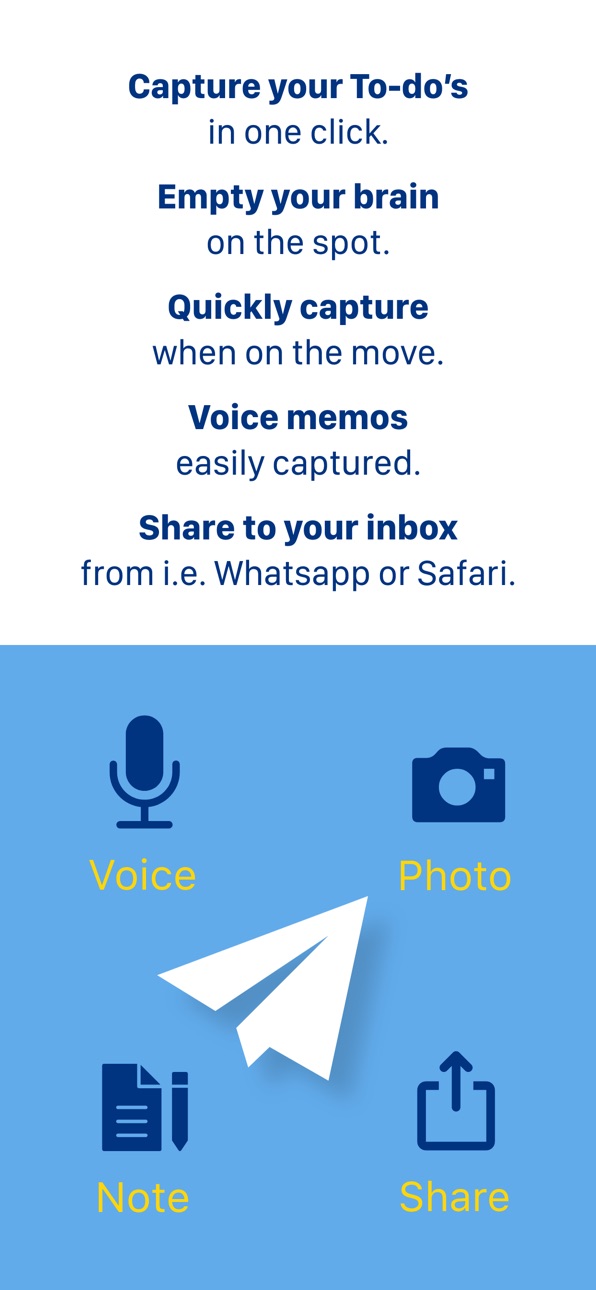
Braintoss captures a thought in seconds—type, speak, or photograph it—and sends it to your email or webhook destinations in one flow.
WHAT YOU USE IT FOR
• Voice notes transcribed and emailed
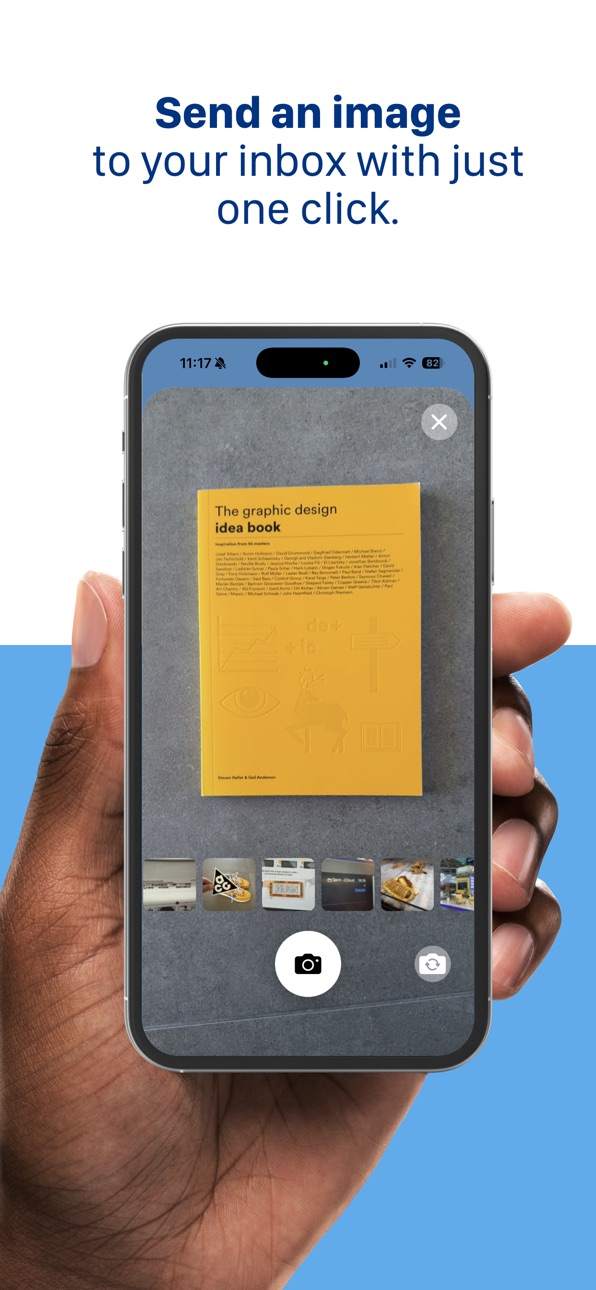
• Photos of whiteboards, receipts, documents, or business cards—sent with a useful subject
• Quick typed reminders and to-dos
• Share from Safari, Mail, Photos, and other apps into Braintoss, then send where you want
VERSION 10
Braintoss 10 is rebuilt as a native iOS app with a modern capture screen, clearer Settings, and steadier delivery and retries. Long-press Send (or Edit in History) to choose destination, subject, and optional message body before sending. Share extension and Apple Watch work with Quick or Advanced modes. Dark mode on the main screen. Optional on-device speech and image analysis for captions; sending uses secure connections to Braintoss’s delivery service.
PRIVACY, LOCAL-FIRST
Your captures go to the destinations you configure. App Store builds ship with optional usage telemetry turned off by default. Optional Help & Support Debug Mode can add context to emails you choose to send to support; logs stay on your device unless you share them.
Learn more: braintoss.app/support — Privacy: braintoss.app/privacy
Accessibility
ipadiphonemacrealityDevicetvoswatch
Version history 25 versions
Build 887294583v10.0.32026-06-22 21:24:43
Apple Watch • Clearer status after you send — Saved until your iPhone has really emailed the note, then Sent. • Better handoff from Watch to iPhone, including when your phone was locked. • If a note gets stuck, we’ll let you know on your Watch or iPhone so nothing is lost silently.
Notifications • Braintoss stays quiet when everything works — a small vibration and on-screen confirmation is enough. • You only get a lock-screen alert when something needs your attention: “Couldn’t send yet. Open the app.” • The home-screen badge now counts captures that are stuck, not ones still sending in the background.
Reliability • Fixes and improvements for sending from the main app, Share sheet, and Apple Watch.
Build 886124761v10.0.22026-05-26 15:08:21
Watch compilation update
Lock screen update
Mail send bug fixes
UI Bug fixes
Build 885547337v10.0.12026-05-12 19:24:53
Clearer voice language handling; no surprise “learned” languages
Lock Screen & Home Screen widgets fixed and polished
Action Button, Siri, Shortcuts, icon shortcuts: voice / text / photo
Default capture mode in Advanced settings
Watch → iPhone sending more reliable
Build 885302458v10.02026-05-06 16:38:53
Onboarding
Why am I being asked for camera, microphone, and location permission again?
v10 changes how voice recognition and sending are wired during onboarding, so the app may ask again for Camera, Microphone, and Location access. Privacy details are on the Braintoss website.
Basic use
What changed on the main capture screen?
The main screen starts in typing mode. Voice and photo open from the same screen (not three separate entry choices). Typed text can ship in one toss as typed text + voice or typed text + photo (separate paths; not “voice + photo” as one combined capture from this screen). Clipboard paste adds text and supported image attachments.
What changed in the photo flow?
Zoom is two-finger pinch (replacing the previous zoom control pattern). The flash toggle was removed. Tap Send sends immediately; long-press Send opens the send review bar (To, prefix, subject, message body).
What changed in the voice flow?
Recording can still complete if you are interrupted by a phone call. Long-press Send opens the same send review bar. Maximum recording duration is configurable in Settings; longer recordings increase the chance transcription or sending hits limits.
What changed for Share and Apple Watch?
Default Quick mode: one action sends to the default destination. Set Advanced for Share and/or Watch in Settings to review or change destination/message details per item.
What changed when sending, sharing, History, and Settings?
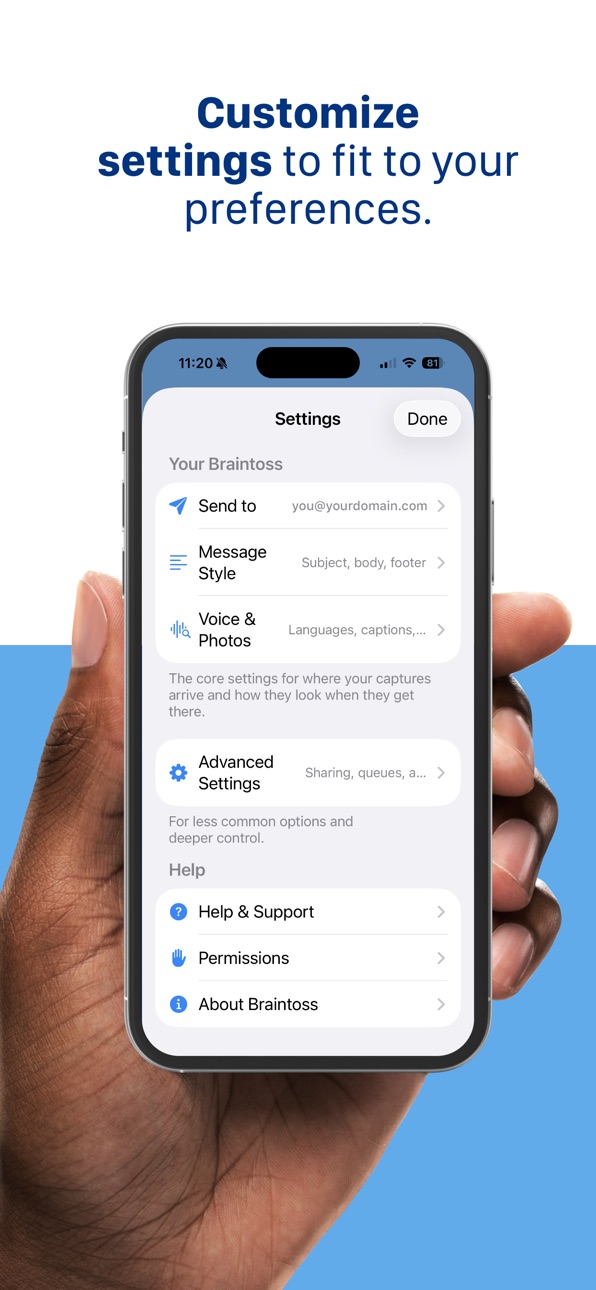
Sends can stay pending and retry automatically; the Home Screen badge waits through normal auto-retry windows; Advanced Settings → Pending queue lists pending work. Share-in is capture-first (stored first, then background delivery); large media can take longer than text. Long-press Send and History → Edit share one send review bar; Resend duplicates immediately, Edit sends a revised new item. Settings are reorganized; Your Braintoss groups Send to and Message Style.
Advanced use
What changed under the hood?
v10 replaces the prior iOS codebase and prior backend send path. The send service focuses on mail delivery; email compilation and related shaping run on the device.
Unique email address (classic) and webhooks
The classic unique email address feature is not included in v10. Webhook destinations (via Endpoints) deliver into systems that accept inbound webhooks (task managers and similar). For “unique inbox” style routing, some setups use automation services (Zapier, IFTTT, Make) with email and/or webhooks, depending on destination support.
Photo/voice email output
Subject/body rules were updated for typed, voice, photo, URL, and file captures. Invitation-like photos can attach .ics when date/time extraction is reliable. .vcf contact cards attach only when the image is classified as a business card and contact details are detected.
Support and networks
Optional Debug Mode can add send context to support emails you send; logs stay on-device unless you copy/share them. On managed Wi‑Fi, IT may need to allow send.braintoss.app and, if used, the fallback run.app hostname.
Footnote: Why there is no v9
v10 is a complete remake of the code and a replacement of the backend. After many years without a major update, versioning starts at 10 and v9 is intentionally skipped as a humble signal that a major refresh was due.
Build 878777315v8.1.32025-10-14 02:57:11
Bug fixes for iOS 26
Build 872258599v8.1.22025-02-05 14:05:21
Bug fixes
Build 852180500v8.1.12022-09-15 18:25:05
• Bug fixes
Build 851650117v8.1.02022-08-19 07:02:48
• Bug fixes
Build 850774662v8.0.92022-07-13 05:50:15
Fix bug with Braintoss messages in history
Fix bug with Apple Watch with one email address
Build 850599922v8.0.7 2022-07-05 06:43:58
A complete new Braintoss including these new features:
• Create an alias for any email address
• Dark mode
• Photo preview
Build 843904427v7.0.92021-09-02 18:07:02
Fixes a bug for Todoist email addresses
Build 842931053v7.0.62021-07-04 07:52:16
• fix for message queue issues.
Build 840423240v6.8.1802021-02-09 19:58:12
• bug fixes
Build 839721680v6.8.1792020-12-19 17:24:56
Great news: our Apple Watch app is back!
Build 838538451v6.8.1712020-11-06 07:45:58
Fixed: You can keep playing music while sending a photo or a note.
Build 837776830v6.8.1622020-09-15 06:08:16
• In Note: added auto capitalization
• Added language selector in the tutorial
• Small design changes
Build 837407381v6.72020-08-18 10:19:23
History will be shown for the last two weeks.
Old messages will not be sent anymore (bug in-app)
Build 836521496v6.52020-06-22 22:39:21
When using Braintoss in Ford vehicles, you can now use voice commands
The new bluetooth permission has been added to allow users to connect to their cars and create voice recording notes.
Build 836160289v5.12020-05-27 20:36:52
New! You can now use Braintoss in Ford vehicles with Ford Sync
- Fixed some bugs
Build 831185963v5.02020-04-29 16:17:39
Thanks for using Braintoss!
We developed a brand new version of Braintoss to solve some issues and add some new features!
• Compatibility updates
• Better performance
• History on the home screen
• Swipe between input functions
• Share from other apps update
Due to technical limitations we had to discontinue our Apple Watch app :-(
Caution, with this update you will lose the history in the settings menu!
Build 829116848v4.2.52018-10-31 02:05:46
- bug fixes (photo rotation)
- small improvements
Build 827412072v4.2.42018-06-04 21:07:22
- bug fixes (speech-to-text)
Build 826377548v4.2.12018-03-21 19:43:13
- Improvement on Notes area
- Improvement on send braintosses to secondary email addresses
- Watch complication bug-fix
- Other minor bug-fixes
Build 823055283v4.1.12017-12-11 19:08:42
Bug fixes
Build 820615850v4.0.02017-07-13 16:06:17
NEW!
- Start Braintoss in your favourite mode using 3D Touch
- Start Braintoss in your favourite mode every time using Quick start
- Send a Braintoss from other apps using the Share function
- Scan a document, receipt or business card using the OCR function
- Improved Apple Watch app with Complication
- Improved camera features (selfie mode, flash)
- Paste text or images with the clipboard button
- More languages supported for voice recognition
- Change the format of your email through Server settings (see support)
BUG FIXES:
- Support for new domain names and irregular characters in email addresses
- Performance improvements
- Image and sound quality improvements
————
iOS update 4.0 of Braintoss releases new functions to improve capturing your thoughts.
If you are in another app on your phone and you run into something interesting or a reminder for a task you can then use the share function (the square box with an arrow going up) to share that item with Braintoss and it will be sent to your inbox without leaving the other app.
You can also start Braintoss in the same mode every time you open it. We noticed many users have a favourite mode they use most of the time (note or speech). This eliminates one more click (and every click less is a great improvement in our opinion :)
Are you capturing a document? Simply tap the document icon at the top left of the image capture and we will try apply image-to-text for that receipt or note. You will then receive the text in your email both as text and as a PDF attachment. This also helps searching for the note at a later time. Is the document a business card, then use the vCARD button to receive a digital business card with the email.
And much worth mentioning, the server side settings can change the format of the email you receive. This may help when sending your braintosses to systems like ToDo managers or accounting tools. To receive an instruction and a list of commands simply send a text note with the word Settings to yourself.
We hope you enjoy the new features look forward to hearing your suggestions how we can further improve Braintoss.
Happy Braintossing ;-)
Price history by region
Currency
Show
Columns
Search
Availability 1 of 1 storefronts
| Region | Language | Price | Ratings | Avg | Version |
|---|---|---|---|---|---|
| US | en-US | USD 2.99 | 47 | 3.8 | 10.0.3 |
Change log 29 changes · US
✎
releaseNotes updated
Apple Watch • Clearer status after you send — Saved until your iPhone has really emailed the note, then Sent. • Better handoff from Watch to iPhone, including w
✎
description updated
Braintoss captures a thought in seconds—type, speak, or photograph it—and sends it to your email or webhook destinations in one flow.
WHAT YOU USE IT FOR
• Voi
✎
subtitle updated
Capture thoughts to your inbox
✎
name updated
Braintoss
◆
Version 10.0.3 released
Apple Watch • Clearer status after you send — Saved until your iPhone has really emailed the note, then Sent. • Better handoff from Watch to iPhone, including when your phone was locked. • If a note gets stuck, we’ll let you know on your Wa
◆
Version 10.0.2 released
Watch compilation update
Lock screen update
Mail send bug fixes
UI Bug fixes
◆
Version 10.0.1 released
Clearer voice language handling; no surprise “learned” languages
Lock Screen & Home Screen widgets fixed and polished
Action Button, Siri, Shortcuts, icon shortcuts: voice / text / photo
Default capture mode in Advanced settings
Watch → iPh
◆
Version 10.0 released
Onboarding
Why am I being asked for camera, microphone, and location permission again?
v10 changes how voice recognition and sending are wired during onboarding, so the app may ask again for Camera, Microphone, and Location access. Privacy
◆
Version 8.1.3 released
Bug fixes for iOS 26
◆
Version 8.1.2 released
Bug fixes
◆
Version 8.1.1 released
• Bug fixes
◆
Version 8.1.0 released
• Bug fixes
◆
Version 8.0.9 released
Fix bug with Braintoss messages in history
Fix bug with Apple Watch with one email address
◆
Version 8.0.7 released
A complete new Braintoss including these new features:
• Create an alias for any email address
• Dark mode
• Photo preview
◆
Version 7.0.9 released
Fixes a bug for Todoist email addresses
◆
Version 7.0.6 released
• fix for message queue issues.
◆
Version 6.8.180 released
• bug fixes
◆
Version 6.8.179 released
Great news: our Apple Watch app is back!
◆
Version 6.8.171 released
Fixed: You can keep playing music while sending a photo or a note.
◆
Version 6.8.162 released
• In Note: added auto capitalization
• Added language selector in the tutorial
• Small design changes
◆
Version 6.7 released
History will be shown for the last two weeks.
Old messages will not be sent anymore (bug in-app)
◆
Version 6.5 released
When using Braintoss in Ford vehicles, you can now use voice commands
The new bluetooth permission has been added to allow users to connect to their cars and create voice recording notes.
◆
Version 5.1 released
New! You can now use Braintoss in Ford vehicles with Ford Sync
- Fixed some bugs
◆
Version 5.0 released
Thanks for using Braintoss!
We developed a brand new version of Braintoss to solve some issues and add some new features!
• Compatibility updates
• Better performance
• History on the home screen
• Swipe between input functions
• Sha
◆
Version 4.2.5 released
- bug fixes (photo rotation)
- small improvements
◆
Version 4.2.4 released
- bug fixes (speech-to-text)
◆
Version 4.2.1 released
- Improvement on Notes area
- Improvement on send braintosses to secondary email addresses
- Watch complication bug-fix
- Other minor bug-fixes
◆
Version 4.1.1 released
Bug fixes
◆
Version 4.0.0 released
NEW!
- Start Braintoss in your favourite mode using 3D Touch
- Start Braintoss in your favourite mode every time using Quick start
- Send a Braintoss from other apps using the Share function
- Scan a document, receipt or business card using